

GMC Sierra Running Boards Not Working: Causes, Fixes, and Troubleshooting Guide

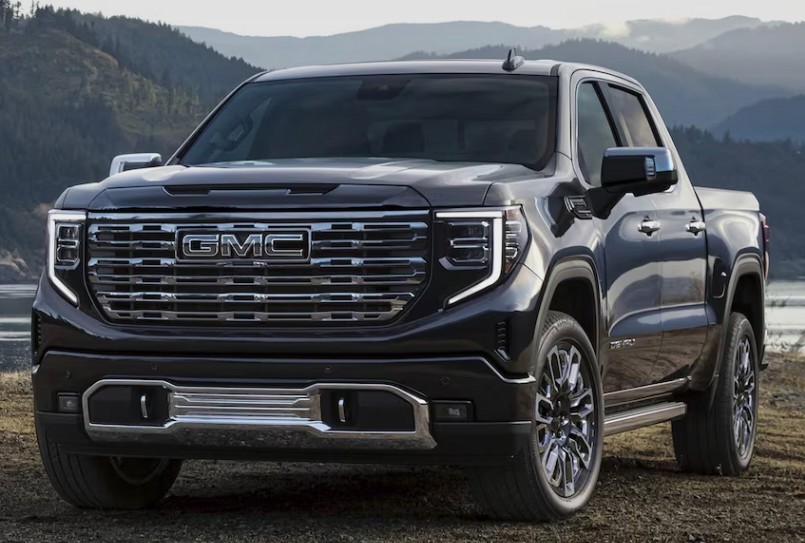
When the power running boards on a GMC Sierra stop working, getting into the truck suddenly feels more like climbing a wall than stepping into a premium pickup. One day, the boards glide out smoothly when we open the door. The next, they remain tucked beneath the rocker panels, make an unpleasant clicking noise, or deploy only halfway.
The good news? A malfunctioning running board does not always mean the entire assembly has failed. In many cases, the problem comes from dirt, ice, a weak electrical connection, a disabled vehicle setting, or a simple loss of calibration.
In this detailed guide, we will explore why GMC Sierra running boards stop working, how to diagnose the problem safely, which repairs we can attempt at home, and when professional help makes more sense.
Content in this publication
- How GMC Sierra Power Running Boards Work
- Common Symptoms of GMC Sierra Running Board Problems
- Check Whether the Running Boards Are Disabled
- Inspect the Running Boards for Dirt and Debris
- Cold Weather and Frozen Running Boards
- Lubricate Stiff Hinges and Pivot Points
- Check the GMC Sierra Running Board Fuse
- Inspect Wiring and Electrical Connectors
- Low Battery Voltage Can Affect the Running Boards
- A Door-Latch Sensor May Be Sending the Wrong Signal
- Running Board Motor Failure
- Damaged Gears or Linkage Components
- The Obstruction-Sensing Function May Be Activating
- Running Boards May Need Recalibration
- Check for Diagnostic Trouble Codes
- Software or Control-Module Problems
- One Running Board Works but the Other Does Not
- Both GMC Sierra Running Boards Stopped Working
- The Running Board Is Stuck in the Extended Position
- The Running Board Will Not Stay Retracted
- GMC Sierra Running Boards Clicking but Not Moving
- Can We Manually Move a Stuck Running Board?
- DIY Troubleshooting Checklist
- When Should We Visit a GMC Dealer or Repair Shop?
- Can the Running Board Motor Be Replaced Separately?
- Factory Running Boards Versus Aftermarket Running Boards
- Preventing Future Running Board Problems
- Is It Safe to Drive With a Faulty Running Board?
- Repair or Replace: Which Option Makes Sense?
- Final Thoughts on GMC Sierra Running Boards Not Working
- Frequently Asked Questions
How GMC Sierra Power Running Boards Work
Power running boards—also called retractable assist steps—are designed to extend automatically when a door opens and retract when the doors close. Their purpose is simple: make entering and exiting a tall truck easier without leaving a fixed step exposed beneath the body.
The system generally relies on several components working together:
- Electric motors
- Hinged step assemblies
- Door-position signals
- Control modules
- Wiring harnesses
- Fuses and relays
- Position sensors
- Vehicle software settings
When we open a door, the truck sends a signal to the running board control system. The motor rotates the linkage, moving the step outward. After the door closes, the board waits briefly and retracts.
It sounds straightforward, but the system is more like a small synchronized dance. One faulty sensor, stiff hinge, or damaged wire can bring the whole performance to a halt.
Common Symptoms of GMC Sierra Running Board Problems
Running-board problems do not always appear in the same way. The exact symptom often points us toward the likely cause.
Common signs include:
- Both running boards remain retracted.
- One side works while the other does not.
- A board extends but will not retract.
- A board retracts but will not deploy.
- The step moves only halfway.
- The motor clicks or hums without moving the board.
- The board moves slowly or unevenly.
- The system works intermittently.
- The running boards stop working in cold weather.
- A board repeatedly extends and retracts.
- The driver-information display shows an assist-step warning.
- The board drops slightly while driving.
These symptoms matter because an electrical failure usually behaves differently from a mechanical obstruction. If both sides fail simultaneously, for example, a fuse, software setting, battery-voltage issue, or control module becomes more likely. If only one board fails, the motor, wiring, sensor, or hinge on that side deserves closer attention.
Check Whether the Running Boards Are Disabled
Before reaching for tools, we should verify that the running boards have not simply been turned off through the truck’s settings.
Depending on the Sierra’s model year and equipment, the infotainment or vehicle-settings menu may offer assist-step options such as:
- Automatic
- Deployed
- Retracted
- Off
- Extended for cleaning
A driver, passenger, technician, or software update may have changed the selection without us noticing.
How to Check the Assist-Step Setting
The menu names vary among model years, but the process usually follows this pattern:
- Turn the ignition on.
- Open the infotainment settings.
- Select Vehicle.
- Look for Running Boards, Power Assist Steps, or Remote Lock, Unlock and Start options.
- Confirm that automatic operation is enabled.
- Open and close each door to test the system.
If the boards begin working again, we have solved the mystery without removing a single bolt. Sometimes the “broken” system is merely sleeping because the truck was told not to wake it.
Inspect the Running Boards for Dirt and Debris
Retractable steps live in one of the harshest locations on the vehicle. They are constantly exposed to mud, sand, road salt, gravel, water, leaves, snow, and everything else thrown backward by the tires.
Over time, debris can accumulate around:
- Pivot points
- Hinges
- Linkage arms
- Motor housings
- Mounting brackets
- Step tracks
- Electrical connectors
A small stone lodged in the linkage can stop a board as effectively as a mechanical failure. Thick mud can also harden around the pivots, making the motor work against far more resistance than intended.
How to Clean the Running Board Assembly
We can begin with a careful visual inspection.
- Park on a flat surface.
- Switch off the ignition.
- Keep hands away from moving hinges.
- Remove visible stones, sticks, and compacted mud.
- Rinse the underside with low-to-moderate water pressure.
- Clean around the pivot joints using a soft brush.
- Let the components dry.
- Test the boards again.
Avoid directing extremely high-pressure water into motors, control modules, or electrical connectors. We want to remove grime, not force water past weather seals.
Cold Weather and Frozen Running Boards
If the GMC Sierra running boards stop working only during freezing conditions, ice is a prime suspect.
Water can collect around the hinges and linkage after rain, snow, or a car wash. When temperatures drop, that moisture freezes and effectively glues the mechanism in place. The motor may click, strain, or begin moving before stopping.
Signs the Running Board Is Frozen
A frozen board may:
- Work normally after the weather warms
- Fail immediately after a winter car wash
- Move slightly and then stop
- Produce motor noise without deploying
- Work on the sunny side but not the shaded side
- Function after ice is removed from the hinges
Never kick or force a frozen running board. The motor and linkage are designed to move together under controlled power. Forcing the step can bend an arm, damage a gear, or turn a temporary ice problem into an expensive repair.
Move the truck to a warmer location when possible and allow the ice to thaw naturally. Once the system is dry, clean and lubricate the approved pivot points.
Lubricate Stiff Hinges and Pivot Points
Dry or corroded pivots are among the most common reasons a power running board moves slowly, stops midway, or triggers an obstruction response.
The motor may still be healthy, but it cannot overcome the resistance within the linkage. Imagine trying to open a rusty garden gate using a tiny electric motor. The motor keeps trying, yet the hinge fights every movement.
Choosing the Right Lubricant
Use a lubricant suitable for exposed automotive hinges and moving metal components. A dry-film or manufacturer-approved lubricant is often preferable because heavy grease can trap dust and sand.
Avoid spraying lubricant indiscriminately. Do not soak:
- Electrical connectors
- Rubber seals
- Motor vents
- Plastic sensor housings
- Brake components
- Painted surfaces
Apply a small amount directly to the pivot locations, then cycle the board several times so the lubricant can work into the joint.
Why Penetrating Fluid Is Not Always a Long-Term Solution
A penetrating fluid can help free a seized connection, but it may not provide lasting lubrication. We can use it cautiously during diagnosis, then follow with a suitable protective lubricant once movement returns.
Check the GMC Sierra Running Board Fuse
A blown fuse can disable the running-board system, particularly when both sides stop working at the same time.
However, fuse assignments can differ by:
- Model year
- Cab configuration
- Trim level
- Factory options
- Power running-board manufacturer
- Electrical architecture
For that reason, we should check the owner’s manual or fuse-box diagram for the exact truck rather than assuming one universal fuse number.
How to Inspect the Fuse
- Turn the truck off.
- Locate the appropriate fuse box.
- Identify the fuse related to power steps, assist steps, or body control functions.
- Remove the fuse using the proper puller.
- Inspect the internal metal strip.
- Test it with a multimeter when possible.
- Replace it only with a fuse of the same amperage.
If the replacement fuse blows again, do not keep installing new fuses. A recurring blown fuse suggests a short circuit, damaged wire, water intrusion, overloaded motor, or seized mechanism.
The fuse is not the villain. It is the messenger sacrificing itself to protect the circuit.
Inspect Wiring and Electrical Connectors
The running boards sit low on the body, which makes their wiring vulnerable to road debris, corrosion, water, and physical damage.
Look closely at the harness near the running-board motor and mounting brackets. Pay attention to:
- Frayed insulation
- Pinched wires
- Loose plugs
- Green or white corrosion
- Bent connector pins
- Water inside connectors
- Missing retaining clips
- Harnesses rubbing against metal
- Damage caused by off-road obstacles
A connector may appear attached while still lacking a reliable electrical connection. Gently check whether each plug is fully seated and whether its locking tab is intact.
Why Intermittent Operation Often Suggests Wiring Trouble
A board that works after hitting a bump, opening the door several times, or moving the harness may have an unstable connection. Corrosion creates electrical resistance, while a partially broken wire may connect only when positioned at a certain angle.
Electrical problems often behave like a flickering lamp: alive one moment, gone the next.
Low Battery Voltage Can Affect the Running Boards
Modern GMC Sierra models contain numerous electronic modules, and low voltage can create strange behavior throughout the truck.
A weak battery may cause:
- Slow running-board movement
- Intermittent deployment
- Both boards to stop operating
- Warning messages
- Module communication errors
- Loss of learned positions
- Problems after jump-starting
The truck may still start even when the battery is weak enough to upset accessory systems. Starting the engine requires a brief burst of power, while modules also depend on stable voltage before, during, and after startup.
Test the Battery and Charging System
A proper battery test should evaluate more than resting voltage. It should include:
- Battery state of charge
- Battery health
- Cold-cranking performance
- Alternator output
- Terminal condition
- Ground connections
Clean and tighten the battery terminals when necessary. Also inspect major grounding points because poor grounds can mimic a failed motor or control module.
A Door-Latch Sensor May Be Sending the Wrong Signal
The power steps depend on knowing whether a door is open or closed. If the door-latch sensor does not report the correct position, the board may remain retracted even though we opened the door.
Possible signs of a door-signal problem include:
- Interior lights not responding normally
- Door-ajar warning staying on
- Door-ajar warning never appearing
- One board failing only with one specific door
- Running board operating from the rear door but not the front door
- Alarm or locking behavior acting strangely
The latch sensor may be integrated into the door-latch assembly, depending on the truck.
A Simple Door-by-Door Test
Open each door individually and observe the board.
For example:
- Open the driver’s front door.
- Close it and wait for retraction.
- Open the driver’s rear door.
- Repeat on the passenger side.
If a board deploys for one door but not another on the same side, the nonresponsive door’s latch signal becomes a strong suspect.
Running Board Motor Failure
Each power running board typically uses an electric motor and gearbox to move the step. Motors can eventually fail because of age, moisture, internal wear, corrosion, excessive resistance, or repeated obstruction.
Symptoms of a Weak or Failed Motor
A failing motor may cause:
- Clicking without board movement
- Slow deployment
- Jerky movement
- Operation that changes with temperature
- Complete failure on one side
- A burning electrical smell
- Movement only when the board is assisted
- Repeated stopping at the same point
A motor that makes no sound may be electrically dead, but silence does not automatically confirm motor failure. The motor may not be receiving power because of a fuse, control-module command, door signal, damaged wire, or connector issue.
Testing Motor Power
A technician can use a wiring diagram and multimeter to check for power and ground at the motor while the system is commanded to operate.
The logic is simple:
- Correct power and ground with no motor response suggests a motor or internal gearbox problem.
- No power at the motor points toward the wiring, control system, fuse, sensor input, or module.
- High current draw may indicate a seized motor or stiff mechanical assembly.
Because the board can move suddenly during testing, electrical diagnosis should be performed with hands, tools, and clothing clear of the mechanism.
Damaged Gears or Linkage Components
Sometimes the motor runs, but the board does not move correctly. In that case, the problem may be mechanical rather than electrical.
Inside or near the drive system, we may find:
- Stripped gears
- Worn bushings
- Bent linkage arms
- Loose fasteners
- Cracked mounting brackets
- Damaged pivot shafts
- Excessive play in the assembly
A stripped gear may produce a rapid clicking or grinding noise. A bent arm can cause the board to bind at one point in its travel. Loose mounting hardware may allow the entire assembly to twist instead of moving smoothly.
Watch Both Ends of the Board
During a safe visual test, observe whether the front and rear portions of the board move evenly. One end leading or lagging can indicate looseness, bent linkage, or uneven pivot resistance.
Do not place any part of the body beneath the running board while testing it.
The Obstruction-Sensing Function May Be Activating
Power running boards are designed to stop or reverse when they encounter excessive resistance. This feature helps prevent damage and reduces the risk of trapping an object.
Unfortunately, the system cannot always distinguish between a child’s toy, packed mud, a frozen hinge, and a badly corroded pivot. It simply recognizes that the motor is working too hard.
An obstruction response may look like this:
- The board begins to extend.
- It stops halfway.
- It reverses or retracts.
- It may try again during the next door cycle.
- The system may eventually disable that side temporarily.
Clean the mechanism and inspect it for binding before assuming the sensor or control module has failed.
Running Boards May Need Recalibration
After a weak battery, battery replacement, electrical repair, motor replacement, or obstruction, the assist steps may lose their learned positions.
Calibration procedures vary, and not every Sierra uses the same method. Some systems relearn their limits through repeated door cycles, while others require a scan tool or service procedure.
A basic relearning attempt may include:
- Clear all obstructions.
- Confirm the battery is fully charged.
- Turn automatic assist-step operation on.
- Close all doors.
- Start or switch on the vehicle as appropriate.
- Open and close each door one at a time.
- Allow the board to complete each movement.
- Repeat several cycles.
If the board remains out of position or stops at the same point, a diagnostic scan may be needed.
Why Calibration Matters
The control system must know where “fully extended” and “fully retracted” are. Without reliable position information, it may stop the motor early to avoid damage.
The board may be mechanically capable of moving, yet electronically confused about where the journey begins and ends.
Check for Diagnostic Trouble Codes
A professional-grade scan tool can reveal body-related diagnostic trouble codes that a basic engine-code reader may not detect.
A standard code reader often focuses on powertrain faults, such as engine and transmission issues. The running boards, however, may be controlled through a body, accessory, or dedicated assist-step module.
A capable scanner may help identify:
- Motor circuit faults
- Position-sensor errors
- Communication problems
- Door-signal faults
- Low-voltage history
- Module configuration issues
- Obstruction or overcurrent events
Scanning the truck can save time by replacing guesswork with evidence. Rather than throwing parts at the problem like darts in the dark, we can follow the electrical trail.
Software or Control-Module Problems
Modern trucks rely heavily on software. Occasionally, a module may stop responding correctly, lose communication, or require updated programming.
A software-related problem becomes more plausible when:
- Both boards fail without obvious mechanical damage.
- The failure began after battery work.
- Other body functions behave abnormally.
- The settings menu disappears.
- The boards operate unpredictably.
- A scan tool detects communication or configuration faults.
- The truck recently received an electrical or infotainment update.
Cycling the ignition may temporarily restore operation, but repeated failures deserve proper diagnosis. Disconnecting the battery is not always the ideal first step because it can erase learned values, create additional warnings, or affect other vehicle settings.
One Running Board Works but the Other Does Not
When only one side fails, we can narrow the search considerably.
Likely causes include:
- Failed motor on the affected side
- Corroded local connector
- Damaged wiring
- Seized hinges
- Bent linkage
- Obstruction
- Side-specific position sensor
- Door-latch signal problem
- Loose mounting hardware
Compare the working side with the faulty side. Listen to motor noise, observe movement speed, inspect the linkage angle, and compare the amount of corrosion.
The functional board becomes our built-in reference model.
What the Comparison Can Reveal
If the working side is quiet and smooth while the faulty side grinds, the problem is probably mechanical. If the faulty side is completely silent, begin with the electrical supply and commands. If both sides move slowly, look at battery voltage, widespread corrosion, or a system-level issue.
Both GMC Sierra Running Boards Stopped Working
If both boards stopped at the same time, it is less likely that two independent motors failed simultaneously.
Check these areas first:
- Running-board settings
- Shared fuse or power supply
- Battery condition
- System ground
- Control-module communication
- Software configuration
- Shared wiring
- Recent repairs or battery disconnection
- Diagnostic trouble codes
Think of the system like two elevators controlled from one electrical room. When both elevators stop together, we should inspect the common power and controls before replacing both elevator motors.
The Running Board Is Stuck in the Extended Position
A board stuck outside the truck creates more than an inconvenience. It reduces ground clearance and can strike curbs, rocks, road debris, or obstacles.
Possible reasons include:
- Mechanical binding
- Motor failure
- Loss of power
- Damaged gears
- Incorrect position feedback
- Frozen pivots
- Loose linkage
- Wiring failure
- Control-module fault
Do not drive aggressively off-road with the step extended. If it hangs loosely or appears likely to detach, the truck should not be driven until the assembly is secured or repaired.
Some systems offer a setting that holds the boards out for cleaning. Confirm that this mode has not been selected accidentally.
The Running Board Will Not Stay Retracted
A board that repeatedly deploys or refuses to remain tucked away may be receiving an incorrect door-open signal or position reading.
Inspect for:
- Door-ajar warnings
- Faulty latch sensors
- Damaged position sensors
- Wiring shorts
- Obstructions during retraction
- Incorrect system settings
- Module faults
- Loose mechanical components
If the board retracts and immediately extends again, the controller may believe it encountered an obstruction or that a door reopened.
GMC Sierra Running Boards Clicking but Not Moving
Clicking usually tells us that something is attempting to operate. The source of the sound matters.
A single click may come from:
- A relay
- The motor engaging
- A control command
- A gear taking up slack
Repeated clicking or grinding may indicate:
- Stripped internal gears
- A jammed linkage
- A weak motor
- Insufficient voltage
- A damaged drive mechanism
Try to determine whether the sound comes from the fuse area, motor housing, front pivot, or rear linkage. Sound is not a complete diagnosis, but it is an excellent clue.
Can We Manually Move a Stuck Running Board?
We should not force the board by hand while the system is energized. Sudden motor operation can pinch fingers, and excessive force can damage the motor gearbox or linkage.
If a service procedure requires manual movement, the motor or drive mechanism may need to be disconnected first. Because designs differ, consult the appropriate repair information for the exact model year.
A stubborn board is not a folding chair. Muscling it into place can create more problems than it solves.
DIY Troubleshooting Checklist
Before booking a repair, we can perform several safe checks:
- Confirm automatic assist-step operation is enabled.
- Inspect for ice, mud, stones, and road debris.
- Clean the hinges and linkage.
- Check for obvious physical damage.
- Listen for motor or relay noise.
- Compare the faulty side with the working side.
- Test each door individually.
- Look for door-ajar warnings.
- Inspect accessible wiring and connectors.
- Check the appropriate fuse.
- Test the battery.
- Lubricate approved pivot points.
- Cycle the boards several times.
- Scan body modules for diagnostic codes when possible.
Stop troubleshooting if the board moves unpredictably, wiring appears melted, a fuse repeatedly blows, or the assembly is loose.
When Should We Visit a GMC Dealer or Repair Shop?
Professional diagnosis is recommended when:
- The running board is physically damaged.
- The motor receives power but does not operate.
- A fuse blows repeatedly.
- Wiring damage is extensive.
- The system requires calibration or programming.
- Body-module trouble codes are present.
- The board deploys while driving.
- The step is loose or unstable.
- Water has entered a control module.
- The problem continues after cleaning and lubrication.
- The truck may still have warranty coverage.
A technician with factory-level diagnostic equipment can command the boards directly, monitor switch inputs, check position data, and measure motor current. Those capabilities make complex electrical problems much easier to isolate.
Can the Running Board Motor Be Replaced Separately?
On some assemblies, the motor or drive unit can be replaced separately. On others, the manufacturer or repair supplier may recommend replacing a larger portion of the running-board assembly.
The correct repair depends on:
- Model year
- Factory or aftermarket system
- Motor availability
- Gearbox condition
- Linkage wear
- Corrosion level
- Warranty terms
- Labor cost
- Parts availability
Replacing only the motor may save money when the hinges and linkage remain healthy. However, fitting a new motor to a severely seized or corroded mechanism can quickly damage the replacement.
We should always correct the cause of excessive resistance, not merely replace the component that lost the battle.
Factory Running Boards Versus Aftermarket Running Boards
Not every GMC Sierra uses factory-installed power steps. Some trucks have aftermarket systems from accessory manufacturers, and their troubleshooting procedures may differ.
Aftermarket systems may use:
- Magnetic door sensors
- Separate control modules
- Custom wiring harnesses
- Different fuse locations
- OBD connections
- Dedicated LED lights
- Manufacturer-specific calibration procedures
If the boards were installed after the truck left the factory, identify the brand and model before ordering parts. Factory wiring diagrams may not match the aftermarket setup.
How to Identify an Aftermarket System
Look for:
- A brand name on the step or motor
- An external controller under the hood
- Add-on wiring near the battery
- Magnetic switches in the door openings
- Installation labels
- Nonfactory connectors
- A separate owner’s manual
This distinction can prevent us from buying the correct part for the wrong system.
Preventing Future Running Board Problems
Running boards cannot avoid rain, dust, and road grime, but regular maintenance can extend their life.
Recommended Preventive Habits
- Rinse mud and salt from the mechanism.
- Clean the pivots after off-road driving.
- Remove snow before operating the boards.
- Avoid stepping on a board while it is moving.
- Keep drainage areas clear.
- Inspect wiring after driving over rough terrain.
- Lubricate specified pivots periodically.
- Repair slow movement before the motor becomes overloaded.
- Keep the battery in good condition.
- Do not ignore grinding or clicking noises.
A board that moves slowly is already asking for attention. Ignoring it is like ignoring a squeaky door until the hinge tears away from the frame.
Clean Before Lubricating
Applying lubricant over thick dirt creates an abrasive paste. Clean the joints first, allow them to dry, and then apply the appropriate product sparingly.
Is It Safe to Drive With a Faulty Running Board?
It depends on the board’s position and condition.
A board that remains securely retracted is usually less urgent than one hanging partially extended. However, any loose wiring, unstable bracket, or dangling component can create a road hazard.
Avoid driving when:
- The board may detach.
- It is dragging on the road.
- It blocks a tire.
- Wiring is exposed or sparking.
- The board deploys unexpectedly.
- The assembly moves freely by hand.
- Mounting brackets are cracked.
Also consider passenger safety. A nonworking board can make entry difficult for children, older adults, or anyone with limited mobility. Warn passengers rather than allowing them to expect a step that never appears.
Repair or Replace: Which Option Makes Sense?
Repair is often worthwhile when the problem involves:
- Dirty hinges
- Minor corrosion
- A loose connector
- A damaged wire
- A blown fuse caused by a resolved issue
- Calibration
- A replaceable motor
- A door-latch sensor
Full replacement may make more sense when:
- The frame is bent.
- Several pivots are seized.
- Gears and linkage are badly worn.
- The board has collision damage.
- Corrosion affects multiple components.
- Individual parts are unavailable.
- Repair labor approaches the cost of a complete assembly.
The cheapest part is not always the cheapest repair. A low-cost motor installed on a binding mechanism may fail again, turning one repair bill into two.
Final Thoughts on GMC Sierra Running Boards Not Working
When GMC Sierra running boards are not working, the problem can range from a disabled setting to a failed motor or damaged control circuit. We should start with the simplest possibilities: check the vehicle menu, remove debris, inspect the hinges, test each door, and verify battery condition.
If only one side fails, focus on that board’s motor, wiring, linkage, and door signals. If both sides stop together, examine shared power supplies, system settings, battery voltage, and control-module communication.
Above all, we should avoid forcing the board. These steps combine strong electric motors with tight pivot points, which means careless hands can get pinched and healthy components can be damaged.
A methodical diagnosis works better than guessing. Observe the symptoms, compare both sides, follow the electrical path, and repair the original cause—not just the part that finally gave up.
Frequently Asked Questions
1. Why did both GMC Sierra running boards suddenly stop working?
When both running boards fail simultaneously, check the vehicle settings, shared fuse, battery voltage, wiring power supply, grounds, and control module. Two motors rarely fail at exactly the same moment, so a shared electrical or software-related cause is more likely.
2. Why does one running board work while the other does not?
A one-sided failure commonly points to a bad motor, corroded connector, damaged wiring, seized hinge, bent linkage, position-sensor problem, or door-latch signal issue on the affected side.
3. Can cold weather stop GMC Sierra running boards from working?
Yes. Ice can freeze around the pivots and linkage, preventing the board from moving. Allow the assembly to thaw, clean away ice and debris, dry the mechanism, and lubricate approved pivot points. Never force a frozen step.
4. Why does the running board click but not extend?
Clicking may indicate that the motor or relay is receiving a command, but the mechanism cannot move. Common causes include a jammed hinge, stripped gear, weak motor, low battery voltage, or physical obstruction.
5. Do GMC Sierra power running boards need calibration?
They may require relearning or calibration after battery disconnection, motor replacement, electrical repairs, or repeated obstruction. Some systems relearn through normal cycling, while others require a compatible diagnostic scan tool.
If you want to know other articles similar to GMC Sierra Running Boards Not Working: Causes, Fixes, and Troubleshooting Guide you can visit the category Common Problems.
Kia Sorento Issues: Common Problems, Reliability and What to Watch For

Honda Passport Not Starting: Causes, Symptoms, and How to Fix It
Honda Passport Keyless Remote Battery Low: What It Means and How to Fix It

Nissan Rogue Apple CarPlay Not Working: Causes and Fixes
Nissan Rogue No Key Detected: Causes, Fixes, and What to Do
Nissan Rogue Engine Problems: Common Issues, Symptoms, Years and Solutions
Leave a Reply
More content of your interest