

Renault Clio TPMS Reset Guide: The Complete Step-by-Step Method

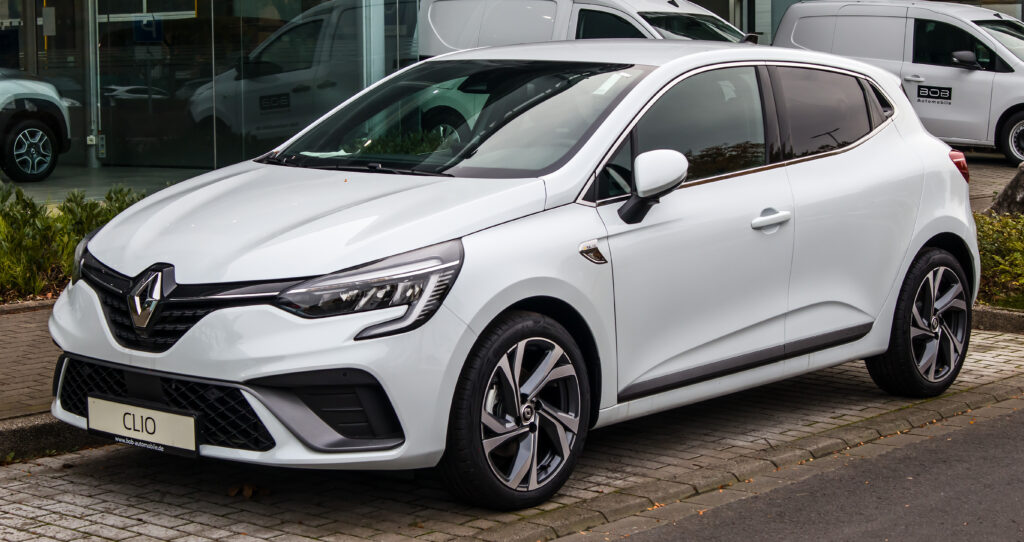
Keeping tire pressure in check is a core part of maintaining a Renault Clio. When the Tire Pressure Monitoring System (TPMS) warning light pops up on the dashboard, it signals pressure deviations or sensor confusion after routine maintenance. Knowing how to reset the TPMS properly keeps pressure readings accurate, prevents repeated warnings, and restores confidence behind the wheel.
Below, we present the definitive, highly detailed procedure to reset the Renault Clio TPMS across models and display systems—covering touchscreen setups, button-based dashboards, manual reset techniques, and alternative solutions when the warning light refuses to disappear.
Content in this publication
- What Triggered Your TPMS Light?
- Correct Renault Clio Tire Pressure Values
- How to Reset TPMS on Renault Clio (All Models)
- Alternative Renault Clio TPMS Reset Methods
- Troubleshooting: When the TPMS Light Won’t Go Away
- Key Tips for Perfect TPMS Reset Every Time
- Frequently Asked Questions
- Final Thoughts
What Triggered Your TPMS Light?
Most TPMS warnings occur after:
- Inflating tires
- Rotating tires front-to-rear
- Installing new tires
- Replacing or servicing TPMS sensors
- Sudden temperature changes causing pressure loss
- A momentary system glitch
When the pressures are corrected but the light remains illuminated, a reset is necessary to recalibrate the system.
Correct Renault Clio Tire Pressure Values
Check your exact pressure sticker on:
- Driver-side door jamb
- Inside the fuel-cap flap (some models)
- Owner’s manual
As a general guideline for many Clio petrol/diesel trims:
| Clio Version | Front Pressure | Rear Pressure |
|---|---|---|
| Standard driving | 32 PSI (2.2 bar) | 30 PSI (2.0 bar) |
| Fully loaded | 36 PSI (2.5 bar) | 33 PSI (2.3 bar) |
| Spare tire (if fitted) | 60 PSI (4.2 bar) | — |
Always follow your exact label values—Clio hybrid and GT-Line trims may differ slightly.
How to Reset TPMS on Renault Clio (All Models)
✅ Step-by-Step Reset Procedure
Follow this precise sequence after inflating tires:
1. Inflate All Tires Correctly
Use a trusted gauge and confirm all values match the label.
Don’t forget the spare if your model includes one.
2. Switch Ignition On
Start the engine or press START without pressing the brake (Keyless models).
Method varies by model:
Clio With Touchscreen (R-Link or EasyLink)
- Press Home
- Select Vehicle / Car Settings
- Choose Tyre Pressure
- Select Reset / Relearn Tyres
Clio With Steering-Wheel/Menu Buttons
- Press Menu / OK
- Scroll to Tyre Pressure / Vehicle Settings
- Select Tyre Reset / Set TPMS
- Confirm OK
4. Confirm the Reset
When prompted, press OK to validate.
5. Drive to Complete Calibration
- Drive at least 10 minutes
- Speed above 20 mph / 30 km/h
The warning light should extinguish once sensors communicate with the ECU.
Alternative Renault Clio TPMS Reset Methods
1. Automatic Reset (Most Newer Models)
After adjusting pressure, simply drive — the car auto-learns values.
2. Full Tire Deflate & Re-Inflate
Rarely required, but works for stubborn systems:
- Deflate all tires to ~20 PSI (1.4 bar)
- Refill to correct pressures
- Drive to re-initialize
3. Use a TPMS Diagnostic Tool
Ideal when sensors fail or after sensor replacement.
Tools like Autel TS401 or OBD-TPMS scanners:
- Wake sensors
- Relearn IDs
- Clear fault codes
Troubleshooting: When the TPMS Light Won’t Go Away
| Issue | Likely Cause | Solution |
|---|---|---|
| Light stays on after reset | Low tire not properly inflated | Recheck pressures |
| Light flashes then stays solid | Sensor battery failure | Replace sensor |
| Reset menu missing | Different display system | Use steering-wheel buttons |
| Slow calibration | Short drive or low speed | Drive 10+ minutes at ~30 mph |
| Repeated warnings over days | Slow air leak or valve fault | Inspect tires & valves |
TPMS sensors last 5–10 years. Faulty sensors are a common cause of persistent warnings.
Key Tips for Perfect TPMS Reset Every Time
- Perform reset immediately after inflation
- Avoid rapid pressure changes — allow stabilization
- Only reset after correcting tire values
- Keep a portable digital pressure gauge for accuracy
- For winter climates, re-check weekly – cold lowers PSI
Frequently Asked Questions
How long does a TPMS reset take?
Typically 2–10 minutes of driving after initiating reset.
Can I reset TPMS without driving?
No — the Clio requires driving to synchronize sensors.
Does disconnecting the battery reset TPMS?
No — TPMS data is stored in the control module.
Do Renault Clio hybrids follow the same procedure?
Yes — reset steps are identical, but tire pressures vary slightly.
What if all pressures are correct but light persists?
Likely a dead sensor battery — replace the affected TPMS sensor.
Final Thoughts
We understand that even small dashboard icons can disrupt a smooth driving experience. Resetting the TPMS on a Renault Clio is a straightforward process—when executed correctly, it restores accurate tire data, maximizes efficiency, and protects driving comfort and safety.
For stubborn warnings or repeated resets, professional diagnostic scanning ensures every sensor communicates flawlessly, keeping the Clio running at its best mile after mile.
If you want to know other articles similar to Renault Clio TPMS Reset Guide: The Complete Step-by-Step Method you can visit the category Service and Parts.
Nissan Rogue Oil Change Cost: Prices, Service Options, and What to Expect
Nissan Rogue Key Battery Replacement: Easy Step-by-Step Guide
Nissan Rogue Oil Change Interval: Complete Guide by Model Year
Nissan Rogue Brake Pads and Rotors Cost: Complete 2026 Guide

Kia Sorento Service Reset: How to Reset the Service Light
Kia Sorento Fuel Tank Capacity: Gallons, Litres and Model Differences
Leave a Reply
More content of your interest