

Honda Civic Key Battery Replacement Guide (2014–Present): Complete Step-by-Step Guide

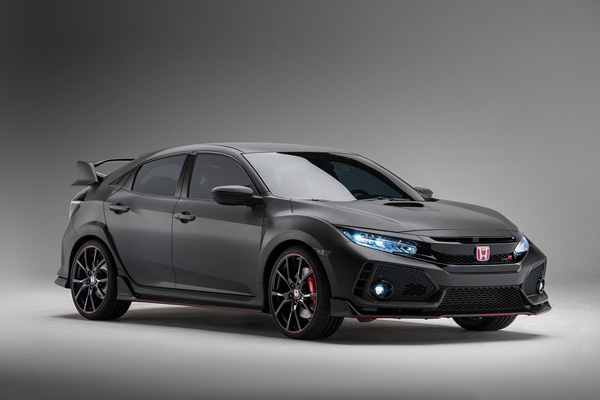
Replacing the key fob battery in a Honda Civic (2014–present) is a task every owner will eventually need to do. When the battery weakens, you may experience reduced range, inconsistent locking, or complete failure to start the car with the push-button ignition. To keep your Civic’s remote working smoothly, we have created the most detailed, accurate, and actionable guide available.
Content in this publication
- Understanding Honda Civic Key Fob Battery Requirements
- Tools Required for Honda Civic Key Battery Replacement
- Step-by-Step Honda Civic Key Battery Replacement (2014–Present)
- Post-Replacement Checks
- Troubleshooting Honda Civic Key Battery Issues
- How Long Honda Civic Key Fob Batteries Last
- Where to Buy a CR1620 Battery for Honda Civic
- Protecting Your Honda Civic Key Fob for Longer Life
- Frequently Asked Questions
- Conclusion
Understanding Honda Civic Key Fob Battery Requirements
Most Honda Civic models from 2014 to the current generation use a CR1620 lithium coin cell battery. This compact battery delivers long-lasting performance, reliable voltage stability, and compatibility across nearly all trim levels and fob styles.
Signs Your Honda Civic Key Battery Is Low
- Decreased remote locking range
- Intermittent response from lock/unlock buttons
- “Keyless remote battery low” message on the dashboard
- Difficulty starting push-button ignition
- Failure of the trunk release or panic button
Tools Required for Honda Civic Key Battery Replacement
To complete the replacement safely and efficiently, have the following on hand:
Essential Equipment
- Precision screwdriver set (Phillips and flathead)
- CR1620 lithium coin battery (Panasonic or Energizer recommended)
- Optional: Plastic pry tool to prevent scratches
Recommended Battery Choice
We strongly recommend high-quality, long-life batteries such as:
- Panasonic CR1620 – known for excellent storage life, stable discharge rates, and modern child-safe packaging
- Energizer CR1620 – premium-grade lithium cell with long runtime and reliable performance
Step-by-Step Honda Civic Key Battery Replacement (2014–Present)
Follow this exact sequence to avoid damaging clips, internal boards, or the external shell.
1. Remove the Rear Screw
Flip the key fob to expose the rear panel. Look for the tiny screw securing the two halves of the shell.
Use a precision Phillips screwdriver and apply firm, downward pressure to prevent stripping.
2. Separate the Key Fob Housing
Once the screw is removed, locate the notch along the side of the fob.
Insert a small flathead screwdriver or plastic pry tool and twist gently until the case begins to open.
3. Open the Key Fob Completely
Work around the edges carefully. The key fob will split into two parts, exposing the electronic board and battery tray.
Avoid touching the circuitry to prevent static or residue transfer.
4. Remove the Old CR1620 Battery
Use the flathead screwdriver to lift the spent battery from its slot.
The battery sits snugly in place, so leverage the edge gently without bending the contact tabs.
5. Install the New Battery (Correct Orientation)
Insert the fresh CR1620 cell with the positive (+) side facing down.
Push the top edge under the metal clip first, then press the bottom edge into position.
6. Reassemble the Key Fob
Align both halves of the casing carefully, ensuring no internal parts move.
Press firmly around the perimeter until you hear the clips lock back into place.
7. Reinstall the Screw
Insert the screw and tighten gently. Do not overtighten, as this can strip the threads or crack the plastic.
Post-Replacement Checks
Once reassembled, test the following functions:
- Lock / unlock buttons
- Boot release
- Panic alarm
- Proximity unlocking
- Remote start (if equipped)
- Push-button start system
If all features respond promptly, the replacement was successful.
Troubleshooting Honda Civic Key Battery Issues
Battery Still Not Working
If the new CR1620 battery does not fix the issue:
- Confirm the battery is installed with positive (+) side facing down
- Ensure a genuine brand battery is used
- Clean contact points with a soft cloth
- Check that the fob housing is fully snapped shut
- Try a second new CR1620 to rule out a defective cell
Key Fob Will Not Close
- Realign the rubber button pad
- Verify the circuit board is fully seated
- Ensure the battery sits flush in its tray
Poor Signal or Intermittent Response
This can occur when:
- The internal circuit board slightly shifts during reassembly
- The screw is not tightened, causing loose contact
- The battery used is low-quality or expired
How Long Honda Civic Key Fob Batteries Last
Most CR1620 batteries last 2–3 years.
However, lifespan decreases faster if:
- You store the key close to the vehicle
- You press the buttons frequently
- You expose the fob to extreme heat or moisture
Proactive replacement every two years ensures consistent functionality.
Where to Buy a CR1620 Battery for Honda Civic
Reliable places to source fresh CR1620 cells include:
- Amazon
- Large retail chains (Target, Walmart, Tesco)
- Auto parts stores (Halfords, AutoZone, Advance Auto Parts)
- Electronics retailers
Always verify the expiration date to ensure long shelf life.
Protecting Your Honda Civic Key Fob for Longer Life
To extend the life of both the battery and the key housing:
- Avoid dropping the fob
- Keep it away from water and humidity
- Store it away from high-heat areas (dashboard, sunlight)
- Use a silicone key fob cover for added protection
- Replace the battery at the first sign of low power
Frequently Asked Questions
What battery does a Honda Civic key fob use?
All Honda Civic key fobs from 2014–present use a CR1620 lithium coin cell.
Can I use a CR1616 or CR1632 instead?
No. Only the CR1620 offers correct thickness, voltage, and fit.
How long does a new key fob battery last?
Typically 2–3 years, depending on use and storage conditions.
Will the car need reprogramming after battery replacement?
No. Replacing the battery does not affect programming.
Can a dead key battery prevent the engine from starting?
Yes. Push-button ignition relies on the proximity signal from the key fob.
Conclusion
We have built the most comprehensive and technically accurate Honda Civic key battery replacement guide to ensure you can complete the task with confidence. With a precision screwdriver, a CR1620 lithium coin cell, and the steps outlined above, your key fob will function like new—restoring full range, responsiveness, and reliability.
If you want to know other articles similar to Honda Civic Key Battery Replacement Guide (2014–Present): Complete Step-by-Step Guide you can visit the category Service and Parts.
Nissan Rogue Oil Change Cost: Prices, Service Options, and What to Expect
Nissan Rogue Key Battery Replacement: Easy Step-by-Step Guide
Nissan Rogue Oil Change Interval: Complete Guide by Model Year
Nissan Rogue Brake Pads and Rotors Cost: Complete 2026 Guide

Kia Sorento Service Reset: How to Reset the Service Light
Kia Sorento Fuel Tank Capacity: Gallons, Litres and Model Differences
Leave a Reply
More content of your interest