

Subaru Outback No Audio Playing: A Complete 2025 Guide to Fixing Sound Issues

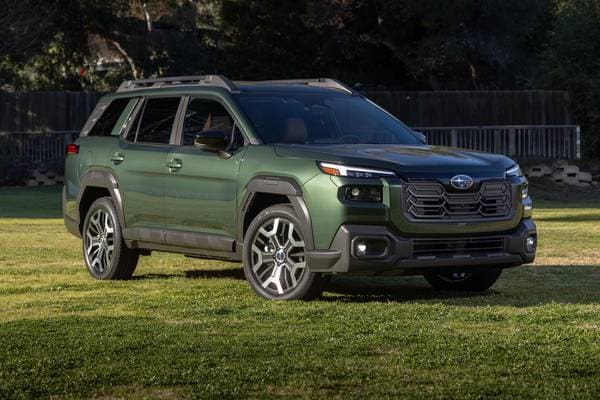
When we slide into our Subaru Outback, we expect a smooth drive, a calm cabin, and—above all—a working audio system. But when there’s no audio playing, it feels like cruising in silence through an unexpected desert. No radio. No Bluetooth. No alerts. Nothing. Suddenly, that peaceful drive becomes a puzzle we didn’t ask for.
In this guide, we dive deep into why your Subaru Outback has no audio playing, how to solve it, and what hidden fixes most owners overlook. We keep the tone relaxed, helpful, and conversational—like chatting with a friend who knows their way around both dashboards and metaphors.
Let’s crank the volume back up—literally.
Content in this publication
- Understanding the Subaru Outback Audio System
- Common Symptoms When Audio Stops Working
- Top Reasons Your Subaru Outback Has No Audio Playing
- 1. Software Glitches in the Starlink System
- 2. Muted or Disabled Audio Channels
- 3. Volume Offset Issues with CarPlay / Android Auto
- 4. Faulty Internal Amplifier (Common on Premium/XT trims)
- 5. Loose or Faulty Wiring Behind the Head Unit
- 6. Bluetooth Codec or Firmware Conflict
- 7. Corrupted System Cache
- 8. Fuse Issues (Rare but possible)
- 9. Safety-Mode Restrictions
- Quick Fixes: Try These Before Anything Else
- How to Soft Reset the Subaru Outback Audio System
- Checking Audio Settings You Might Not Realize Exist
- CarPlay and Android Auto: Why Audio Sometimes Disappears
- When the Subaru Outback Amplifier Is the Culprit
- Fuse Issues: Where to Look and What to Check
- Advanced Troubleshooting for Audio Techs and Enthusiasts
- When No Audio Is Linked to Battery Replacement
- Why the Audio May Fail After a Software Update
- When Should You Visit a Dealer?
- Protecting Your Subaru Outback’s Audio System for the Long Run
- Conclusion: Restoring the Soundtrack of Your Subaru Journey
- FAQs About Subaru Outback No Audio Playing
Understanding the Subaru Outback Audio System
Before jumping into troubleshooting, we need to understand how the Outback’s infotainment system works. Subaru uses a layered setup involving:
- A central head unit (Starlink)
- An internal amplifier (in premium trims)
- Multiple software-controlled audio channels
- Bluetooth and wired input modules
- Integrated safety alerts + navigation prompts
When any of these layers malfunction, audio output can disappear—like the band forgot to show up for the concert.
Common Symptoms When Audio Stops Working
Sometimes the issue is subtle; other times, it’s glaringly obvious. Here’s what most owners report:
No audio from any source
- Radio
- Bluetooth
- USB
- AUX
- CarPlay / Android Auto
- Navigation and warning sounds
Volume bar appears but there’s still no sound
Audio cuts out randomly and returns later
Screen freezes but car drives normally
Bluetooth connects but no sound plays
Backup camera works but beeps are gone
Recognizing the symptoms helps us trace the root issue faster.
Top Reasons Your Subaru Outback Has No Audio Playing
1. Software Glitches in the Starlink System
Starlink is powerful but prone to the occasional freeze or bug—like a computer that needs a good reboot.
2. Muted or Disabled Audio Channels
Sometimes drivers accidentally mute:
- Navigation voice
- Media
- Alerts
This can create the impression the system is dead.
3. Volume Offset Issues with CarPlay / Android Auto
Your phone and the car may each have their own volume controls. If one is at zero, nothing plays.
A blown or overheated amp will silence everything.
5. Loose or Faulty Wiring Behind the Head Unit
Especially after:
- Battery replacement
- Aftermarket accessories
- Hard impacts or slamming doors
6. Bluetooth Codec or Firmware Conflict
Old phones + new updates = audio drama.
7. Corrupted System Cache
Like old cookies in a browser, they can jam things up.
8. Fuse Issues (Rare but possible)
A partially blown radio or audio fuse may cause intermittent loss of sound.
9. Safety-Mode Restrictions
If the car senses a fault:
- Overheating
- Battery voltage issues
- Electrical anomalies
…it may temporarily disable non-essential systems like audio.
Quick Fixes: Try These Before Anything Else
Sometimes the simplest solutions save the day.
Turn the Car Off and On Again
Yes, the age-old IT classic works wonders.
Check All Volume Sliders
- Media volume
- Phone volume
- Navigation volume
- Alerts volume
Ensure the System Isn’t Muted
Tap the “mute/speaker” icon on the display.
Disconnect and Reconnect Bluetooth
Phones love to confuse themselves.
Try a Different Source
If USB plays but FM doesn’t, the issue is source-specific.
How to Soft Reset the Subaru Outback Audio System
A soft reset fixes 80% of software-based audio issues.
- Hold the radio/volume knob for 10–15 seconds.
- System restarts.
- Audio usually returns.
Method 2: Screen-Based Reset (Certain Models)
- Hold the Home, Tune, and Power buttons simultaneously.
- Release after the screen turns off.
Method 3: Battery Disconnect Reset
If the system is badly frozen:
- Disconnect the negative battery terminal for 5 minutes.
- Reconnect and restart.
Pro tip: Make sure you have any necessary radio codes or settings saved.
Checking Audio Settings You Might Not Realize Exist
Audio Balance and Fader
If set entirely to:
- Rear
- Front
- Left
- Right
…you’ll hear nothing from other speakers.
Speed-Sensitive Volume
If malfunctioning, volume may drop to zero when you slow down.
Bluetooth Priority Settings
Your Outback may prefer one device over another.
CarPlay and Android Auto: Why Audio Sometimes Disappears
When audio vanishes only while using CarPlay or Android Auto, the problem is usually external.
Common Causes
- Low phone volume
- Faulty cable
- Unsupported USB port
- App freeze
- Network conflict with streaming services
Fixes
- Use a high-quality cable
- Restart the phone
- Disable/enable CarPlay in the Settings menu
- Clear app cache on Android devices
When the Subaru Outback Amplifier Is the Culprit
If your Outback uses a Harman Kardon amp, there’s a chance it may fail.
Signs the Amplifier Has Failed
- Audio cuts out after warming up
- Popping noises before sound dies
- Subwoofer stops working
- Distortion even at low volumes
- Amplifier extremely hot to the touch
What Causes Amp Failure?
- Overheating
- Loose connectors
- Internal capacitor failure
- Moisture intrusion
Solutions
- Inspect connectors
- Replace the amplifier
- Install additional ventilation if overheating is common
Fuse Issues: Where to Look and What to Check
Your Subaru has multiple fuse locations:
Cabin Fuse Box
Near the lower dash.
Engine Bay Fuse Box
Next to the battery.
Look specifically for:
- Radio fuse
- Amplifier fuse
- Accessory power fuse
If a fuse is partially blown, audio may behave erratically.
Advanced Troubleshooting for Audio Techs and Enthusiasts
Check Audio Logs (Some Models)
Hidden diagnostics menus show internal errors.
Inspect Head Unit Backend
Loose harness connectors are more common than expected.
Measure Amplifier Voltage Output
Low voltage = no sound.
Reinstall or Update Starlink Firmware
Dealers can apply updates that resolve chronic glitches.
When No Audio Is Linked to Battery Replacement
Battery swaps often reset:
- Channel settings
- Bluetooth devices
- Navigation volume
If the car was jump-started incorrectly, the head unit fuse may burn partially.
Why the Audio May Fail After a Software Update
New updates sometimes introduce bugs. Subaru acknowledges specific update-related audio bugs in certain model years.
Fix
A dealer reflash or patch usually solves it.
When Should You Visit a Dealer?
Go to a Subaru dealership if you experience:
- Total audio failure after a hard reset
- Repeated Starlink crashes
- Amplifier overheating
- Loss of all warning sounds
- Cracking/popping before audio disappears
- Water damage suspicion
Protecting Your Subaru Outback’s Audio System for the Long Run
Here’s how we reduce the chances of future silence:
- Keep software updated
- Use premium-quality charging and audio cables
- Minimize forced restarts
- Avoid extreme cabin heat
- Keep liquids away from console areas
- Disconnect phones not in use
- Do periodic balance/fader checks
Small habits go a long way toward keeping your Outback’s sound alive and crisp.
Conclusion: Restoring the Soundtrack of Your Subaru Journey
A Subaru Outback without audio is like hiking a mountain without birdsong—it’s still doable, but far less joyful. Thankfully, most audio issues stem from simple glitches, misconfigured settings, or temporary system freezes.
With the steps in this guide, we can usually bring the sound roaring back without expensive repairs. And when deeper electrical or amplifier issues arise, you’ll know exactly when to escalate to a professional.
Let’s keep your Outback sounding as adventurous as it drives.
FAQs About Subaru Outback No Audio Playing
1. Why does my Subaru Outback suddenly lose all sound?
Most of the time, it's a software glitch or muted channel. A soft reset typically solves it.
2. Can a dead amplifier stop all audio?
Yes. A failed amplifier removes all sound, including alerts and navigation prompts.
3. Why does CarPlay connect but no music plays?
Phone volume, cable problems, or app freezes are the usual culprits.
4. Do Subaru software updates cause audio bugs?
Occasionally. Some updates introduce issues that Subaru later patches.
5. Is it safe to disconnect the battery to reset the audio?
Yes—just disconnect the negative terminal for 5 minutes and reconnect.
If you want to know other articles similar to Subaru Outback No Audio Playing: A Complete 2025 Guide to Fixing Sound Issues you can visit the category Common Problems.
Volvo XC40 Sound Not Working? Complete Troubleshooting Guide

Mazda Diesel Engine Problems: Common Faults and Fixes

Volkswagen Key Not Detected or No Key Error: Causes and Fixes
Volvo S90 Common Problems: Reliability & Repair Guide
Volvo S90 No Sound: Causes, Fixes and Solutions

Nissan Rogue Smells Like Gas: Causes and Fixes
-
Stelios says:
Question rather than reply… normally when navigation commands announced, music briefly fading on a background . It’s stopped , is there some setting I changed? I drive Subaru. Outback XT 2025 . Can you help?
-
Yes — it sounds like the navigation guidance volume or audio mixing setting may have been changed accidentally.
You can try these steps on your Subaru Outback XT 2025:
Open Settings on the infotainment screen.
Go to Sound or Navigation settings.
Look for options like:
“Guidance Volume”
“Navigation Voice”
“Audio Mixing”
“Lower audio during guidance”
Make sure the navigation voice is turned on and the guidance volume is not at zero.Also, when the navigation speaks, try turning the volume knob up at that exact moment — Subaru adjusts navigation volume separately from music volume.
If you use Apple CarPlay or Android Auto, check the map app settings too, because Google Maps/Apple Maps can control voice guidance independently.
-

Leave a Reply
More content of your interest