

Kia Ceed Warning Lights: The Complete Dashboard Guide We All Needed

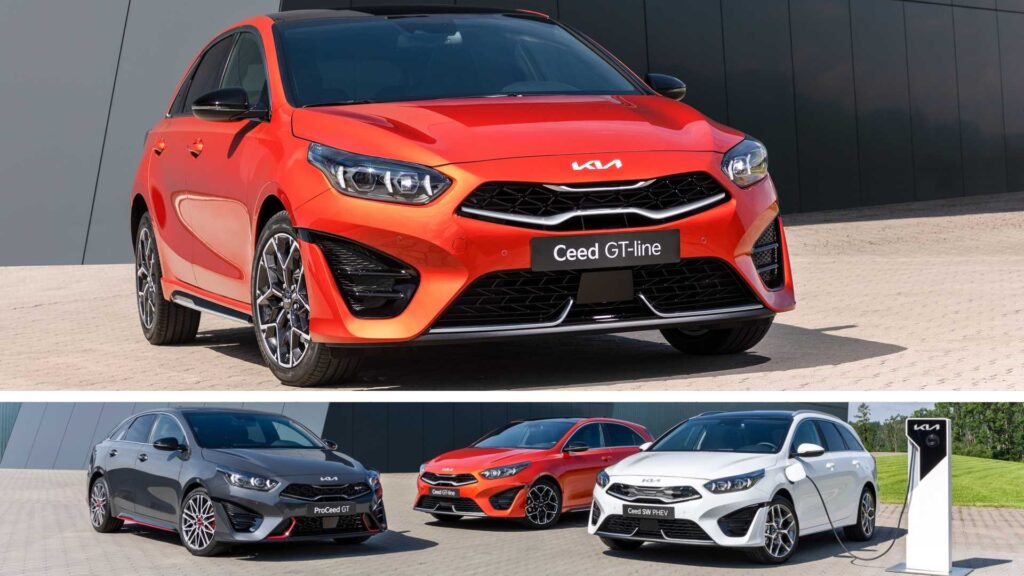
Understanding the Kia Ceed warning lights isn’t just about reacting when something flashes on the dashboard — it’s about decoding your car’s “language.” Modern vehicles talk to us constantly, and the Ceed is no exception. Sometimes it whispers with amber hints; other times it yells in bright red. And let’s be honest: we’ve all had that moment where a mysterious symbol pops up and we start Googling like detectives at 2 AM.
In this guide, we walk through every major warning light you might encounter in a Kia Ceed, explaining what it means, why it appears, how urgent it is, and what you should do next. Think of this as the manual Kia should have written — relaxed, real, and ridiculously easy to understand.
Content in this publication
- Understanding the Colour Codes: Red vs. Amber vs. Green
- Engine & Performance Warning Lights
- Battery & Electrical System Warning Lights
- Braking System Warning Lights
- Safety & Airbag Warning Lights
- Tyres & Traction Warning Lights
- Fuel & Emissions Warning Lights
- Steering & Suspension Warning Lights
- Doors, Bonnet & Boot Warning Lights
- Lighting & Visibility Warning Lights
- Transmission & Drivetrain Warning Lights
- Immobiliser & Key Warning Lights
- Hybrid & Eco Warning Lights (For Ceed EcoDynamics / Mild Hybrids)
- When Multiple Warning Lights Appear at Once
- How to Reset Warning Lights on a Kia Ceed
- When to Seek Professional Help
- Conclusion: Understanding Warning Lights Means Safer, Smarter Driving
- FAQs
Understanding the Colour Codes: Red vs. Amber vs. Green
Before diving into individual lights, let’s decode the colour language:
- Red warning lights
These signal critical issues. Stop safely and switch off the engine.
Think of red lights as your Ceed shouting, “Handle this NOW.” - Amber/yellow warning lights
Advisory alerts. Something needs attention soon, but it’s usually safe to continue driving.
These lights are your Ceed politely saying, “We should talk.” - Green/blue indicators
Informational lights showing active systems.
They’re essentially your Ceed giving you a thumbs-up.
Engine & Performance Warning Lights
Check Engine Light (CEL)
When the engine symbol glows, it indicates anything from a loose fuel cap to misfires.
What it often means:
- Faulty O2 sensor
- Misfiring spark plugs
- Loose petrol cap
- Fuel mixture issues
- Catalytic converter inefficiency
What we should do:
Start simple: check the fuel cap. If the light stays on for more than two days, scan for error codes.
Engine Coolant Temperature Warning (Red Thermometer)
This appears when the engine is overheating — and trust us, overheating is no joke.
Possible causes:
- Low coolant
- Thermostat failure
- Radiator fan not working
What we should do:
Pull over immediately. Open the bonnet and allow the engine to cool. Never remove the coolant cap when hot.
Engine Oil Pressure Warning (Oil Can Icon)
A red oil icon means your Ceed’s lubrication system is in danger.
Likely culprits:
- Low or dirty oil
- Faulty oil pump
- Blocked oil filter
Our advice:
Turn the engine off immediately. Running with low oil pressure risks catastrophic damage.
Battery & Electrical System Warning Lights
Battery Charging System Warning
Looks like a little car battery. If it comes on, your Ceed isn’t charging properly.
Common triggers:
- Faulty alternator
- Loose battery terminals
- Failed voltage regulator
- Damaged drive belt
Next steps:
Don’t rely on “it’ll make it home.” Once the alternator fails, your Ceed can shut down while driving.
Electronic Stability Control (ESC) Light
The ESC system keeps you steady during slippery moments.
What it means when flashing:
- The system is actively stabilising the car.
What it means when solid:
- ESC is malfunctioning or turned off.
ABS System Warning
A yellow ABS icon means the anti-lock braking system isn’t available.
Possible reasons:
- Wheel-speed sensor fault
- Blown ABS fuse
- Damaged wiring
What we should do:
Your Ceed still brakes — just without ABS assistance. Drive carefully and get diagnostics soon.
Braking System Warning Lights
Brake System Warning (Red “!” or “BRAKE”)
A serious alert.
Triggered by:
- Low brake fluid
- Handbrake engaged
- Brake hydraulic issue
Actions to take:
If the handbrake is fully released and the light remains, stop driving until inspected.
Brake Pad Wear Indicator (Amber)
Appears when the pads have worn thin.
What to expect:
- Light braking squeal
- Longer stopping distances
Our advice:
Replace brake pads promptly — waiting risks disc damage.
Safety & Airbag Warning Lights
Airbag Warning Light (SRS)
Your Ceed’s supplemental restraint system isn’t functioning.
Common causes:
- Faulty crash sensors
- Loose under-seat wiring
- Failed airbag module
Why it matters:
Airbags may fail to deploy during a collision. Treat this as urgent.
Seatbelt Reminder Warning
This will flash (and sometimes beep endlessly) until the seatbelt is fastened.
If the warning stays on even with a belt buckled, it may indicate a faulty buckle sensor.
Tyres & Traction Warning Lights
Tyre Pressure Monitoring System (TPMS)
Looks like an exclamation in a flat tyre. It lights up when pressures drop below the threshold.
Why it shows:
- Seasonal temperature changes
- Slow punctures
- Damaged TPMS sensor
What we recommend:
Check all tyres and adjust pressure to the correct PSI shown on your door pillar label.
Traction Control Warning (Car with Skid Marks)
Flashing:
The system is actively working to maintain traction.
Steady:
There’s a problem with traction control — often linked to ABS wheel sensors.
Fuel & Emissions Warning Lights
Low Fuel Warning Light
Comes on when range typically drops below 30–50 miles.
Fun fact:
Running low regularly can damage the fuel pump due to debris accumulation.
Diesel Particulate Filter (DPF) Warning
For diesel Ceed models.
Indicates:
DPF is becoming clogged.
How to regenerate:
Take a longer drive at higher revs (usually 40–60 minutes). Avoid frequent short trips.
AdBlue / SCR Warning (Diesel Models)
Your Ceed is low on AdBlue.
If ignored:
The car may refuse to start once the tank is empty.
Solution:
Top up promptly using ISO-certified AdBlue.
Steering & Suspension Warning Lights
Electric Power Steering (EPS) Warning
EPS system may be failing.
Signs accompanying the light:
- Heavy steering
- Intermittent power assist
Our recommendation:
Switch the car off and restart. If persistent, book diagnostics immediately.
Suspension Control Light (If equipped)
Appears when there’s a fault in the adaptive suspension (GT-Line and specific trims).
Doors, Bonnet & Boot Warning Lights
Door Ajar Warning
A simple but common one — a door isn’t fully closed.
If it stays on even when closed:
The door latch sensor may need cleaning or replacement.
Bonnet & Boot Lid Warning Lights
If the light stays illuminated after closing, ensure no luggage obstructs the latch or check for a faulty micro-switch.
Lighting & Visibility Warning Lights
Headlight Indicator Lights (Green/Blue)
Show whether low beam, high beam, or fog lights are active.
Headlight Levelling System Warning
Appears when the auto-levelling system for headlights malfunctions.
Windscreen Washer Fluid Warning
The washer bottle is running low.
If it stays on even after topping up:
Check for:
- Frozen washer fluid
- Faulty washer bottle sensor
Transmission & Drivetrain Warning Lights
Transmission Temperature Warning (Auto Models)
Signals overheating transmission fluid.
Usually caused by:
- Towing heavy loads
- Aggressive driving
- Low transmission fluid
What to do:
Let the car cool down; avoid high loads.
Manual Transmission Shift Indicator (Green Arrows)
Not a warning — simply a suggestion for optimal gear shifting.
Immobiliser & Key Warning Lights
Key Not Detected Warning
If your Ceed uses a smart key, this light comes on when communication fails.
Possible reasons:
- Weak key battery
- Interference from electronics
Quick fix:
Hold the key closer to the start button or replace the battery.
Immobiliser Indicator
Flashes if the key isn't recognised.
A steady light may indicate a system fault.
Hybrid & Eco Warning Lights (For Ceed EcoDynamics / Mild Hybrids)
Battery Charge Indicator (Hybrid)
Shows traction battery status.
Hybrid System Fault Warning
Indicates an issue with the high-voltage system.
Avoid driving if the light is red.
Ready Indicator (Green)
Your hybrid Ceed is ready to drive — even when silent.
When Multiple Warning Lights Appear at Once
We’ve all seen the dreaded “Christmas tree dashboard.” If several lights appear together, the cause is often:
- A failing alternator
- Low system voltage
- A major sensor fault
- ECU communication issues
Our advice:
Stop, restart, and check if the issues persist. If so, diagnostics are essential.
How to Reset Warning Lights on a Kia Ceed
Warning lights typically reset on their own once the problem is fixed. However, here are tips:
Hard Reset via Battery Disconnect
Disconnect the negative terminal for 10–15 minutes.
(This clears minor errors but not serious engine codes.)
OBD2 Scanner Reset
Using a handheld scanner, clear stored ECU codes.
Drive Cycle Reset
Some lights reset once the car completes a full heat cycle + short drive.
When to Seek Professional Help
Call a mechanic if:
- A red light appears
- The check engine light flashes
- The car enters limp mode
- Smoke or burning smells accompany warning lights
A Ceed is reliable, but ignoring dashboard messages shortens its lifespan.
Conclusion: Understanding Warning Lights Means Safer, Smarter Driving
Your Kia Ceed isn’t trying to scare you — it’s trying to help you. Warning lights are the car’s built-in safety system, designed to keep you informed, protected, and proactive.
When we grasp their meaning, we don’t panic. We respond.
When we respond early, we avoid costly repairs.
And when we avoid costly repairs, we enjoy our Ceed the way it was meant to be enjoyed: smooth, dependable, and stress-free.
FAQs
1. Can I drive my Kia Ceed with the check engine light on?
Yes, if it's steady. No, if it's flashing.
2. Why does my TPMS light turn on only in winter?
Cold air reduces tyre pressure, triggering the alert.
3. What warning light causes limp mode?
Usually engine-related lights: CEL, turbo faults, or transmission warnings.
4. How do I reset the service light?
Via the steering-wheel menu → Service → Reset.
5. Why does my Ceed show multiple lights at once?
Commonly caused by low battery voltage or alternator issues.
If you want to know other articles similar to Kia Ceed Warning Lights: The Complete Dashboard Guide We All Needed you can visit the category Service and Parts.
Nissan Rogue Oil Change Cost: Prices, Service Options, and What to Expect
Nissan Rogue Key Battery Replacement: Easy Step-by-Step Guide
Nissan Rogue Oil Change Interval: Complete Guide by Model Year
Nissan Rogue Brake Pads and Rotors Cost: Complete 2026 Guide

Kia Sorento Service Reset: How to Reset the Service Light
Kia Sorento Fuel Tank Capacity: Gallons, Litres and Model Differences
Leave a Reply
More content of your interest