

Cupra Born Screen Not Working: Causes, Fixes, and Real-World Solutions

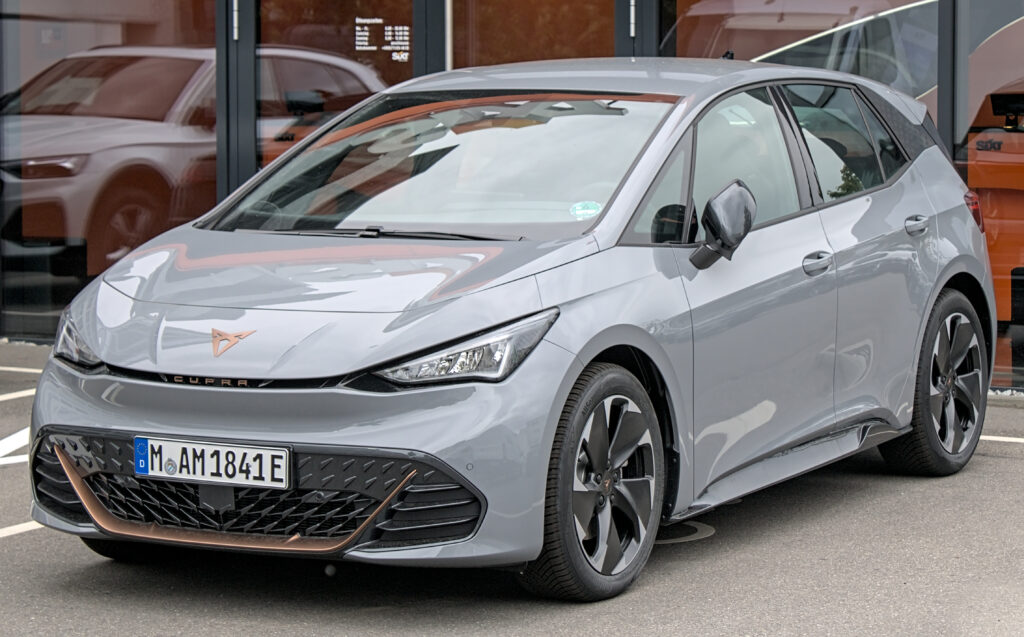
When the screen in your Cupra Born goes dark, freezes, or starts behaving like it has a mind of its own, the whole car suddenly feels… unfinished. In a vehicle where nearly everything runs through the infotainment system, a screen not working isn’t a minor inconvenience—it’s the nerve centre going offline.
We’ve seen this issue pop up often enough to know it’s not just “bad luck.” Sometimes it’s software throwing a tantrum. Other times it’s hardware quietly failing. And occasionally, it’s something embarrassingly simple.
Let’s walk through it calmly, logically, and practically—no fluff, no panic.
Content in this publication
- Why the Cupra Born Screen Matters So Much
- Common Ways the Cupra Born Screen Fails
- Is This a Common Cupra Born Problem?
- Cupra Born Screen Not Working: Main Causes
- First Things to Try (Before Panicking)
- When the Screen Still Won’t Turn On
- Driving Without a Working Screen: Is It Safe?
- Cupra Born Screen Black After Update
- Intermittent Screen Issues: The Most Frustrating Kind
- Cold Weather and Screen Failures
- Cupra Born Screen Not Working After Jump Start
- When It’s a Hardware Issue
- Warranty Coverage for Screen Problems
- How Long Does a Dealer Fix Take?
- Preventing Future Screen Issues
- Is Cupra Improving the Infotainment Experience?
- Final Thoughts: Don’t Ignore a Failing Screen
- Frequently Asked Questions
Why the Cupra Born Screen Matters So Much
The Cupra Born isn’t just an electric car; it’s a rolling tablet with wheels. The central touchscreen controls:
- Climate settings
- Navigation
- Media and Bluetooth
- Driving modes
- Vehicle settings and driver assists
So when the screen stops working, it can feel like the car has lost its voice.
Common Ways the Cupra Born Screen Fails
Blank Screen on Startup
You unlock the car, sit down, press the brake… and nothing. The screen stays black like it’s still asleep.
Frozen or Unresponsive Touchscreen
The display lights up, but touch inputs do nothing. It’s there, but it’s not listening.
Random Reboots While Driving
The screen suddenly restarts mid-journey, usually at the worst possible moment.
Laggy Performance
Menus stutter, inputs are delayed, and it feels like using a phone from 2010.
Is This a Common Cupra Born Problem?
Short answer: yes.
Long answer: the Cupra Born shares its infotainment architecture with other VW Group EVs, and early software versions were… let’s say optimistic. Many owners have reported screen glitches, especially in early production models.
The good news? Most issues are software-related, not catastrophic hardware failures.
Cupra Born Screen Not Working: Main Causes
Software Bugs
This is the number one culprit. Outdated firmware can cause:
- Screen freezes
- Black displays
- Boot loops
System Overload
Running navigation, Bluetooth, climate, and driver assists at once can overwhelm the system, especially after a cold start.
12V Battery Issues
Even though the Cupra Born is electric, it still relies on a traditional 12V battery. If it’s weak, electronics misbehave.
Faulty Display Module
Rare, but possible—especially if the screen never turns on at all.
First Things to Try (Before Panicking)
Soft Reset the Infotainment System
This solves more problems than you’d expect.
How to do it:
- Press and hold the power button below the screen
- Keep holding for 10–15 seconds
- Wait for the system to reboot
Think of it like restarting your phone. Simple, effective.
Lock the Car and Let It Sleep
Sometimes the system just needs a nap.
Steps:
- Exit the vehicle
- Lock it
- Walk away for at least 10–15 minutes
- Return and restart
This forces a deeper system reset.
When the Screen Still Won’t Turn On
Check for Software Updates
Cupra frequently releases updates that fix infotainment bugs.
- Updates may install automatically
- Some require a dealer visit
- Others appear as prompts on the screen
If your screen isn’t working at all, a dealer update may be necessary.
Inspect the 12V Battery
A weak auxiliary battery can cause:
- Black screens
- Random resets
- Error messages
Dealers often overlook this, but replacing or recharging the 12V battery has solved many screen issues.
Driving Without a Working Screen: Is It Safe?
What Still Works
- Steering
- Brakes
- Accelerator
- Basic driving functions
What You Lose
- Climate control adjustments
- Navigation
- Media controls
- Some driver-assist settings
It’s drivable, but far from ideal. We don’t recommend ignoring the issue long-term.
Cupra Born Screen Black After Update
Ironically, updates themselves can cause problems.
Why This Happens
- Incomplete installation
- Interrupted power during update
- Software conflicts
What Usually Fixes It
- Full system reset
- Dealer reflash
- In rare cases, module replacement
Intermittent Screen Issues: The Most Frustrating Kind
These are the worst because they vanish before you reach the dealer.
Typical Symptoms
- Screen works one day, fails the next
- Random freezes
- Touch not registering
What Helps
- Recording the issue on video
- Logging dates and conditions
- Asking the dealer to check error logs
Cold Weather and Screen Failures
Low temperatures can make infotainment systems sluggish or unresponsive.
Why Cold Matters
- Slower boot times
- Voltage drops
- Temporary software hiccups
Once the cabin warms up, the screen often behaves again.
Cupra Born Screen Not Working After Jump Start
Jump-starting an EV’s 12V battery can confuse control modules.
Possible Results
- Black screen
- Error messages
- Glitchy behavior
A proper reset or dealer diagnostic is usually required afterward.
When It’s a Hardware Issue
Signs of Hardware Failure
- Screen never lights up
- No response even after resets
- No sound or haptic feedback
What Gets Replaced
- Infotainment control unit
- Display panel
- Wiring connectors
Under warranty, this is typically covered.
Warranty Coverage for Screen Problems
Most Cupra Born infotainment issues fall under:
- Manufacturer warranty
- Software update campaigns
Always check your warranty status before paying out of pocket.
How Long Does a Dealer Fix Take?
- Software update: same day
- Diagnostics: 1–2 days
- Hardware replacement: up to a week (parts dependent)
Patience is part of EV ownership—for now.
Preventing Future Screen Issues
While not foolproof, these habits help:
- Install updates promptly
- Avoid interrupting updates
- Keep the 12V battery healthy
- Don’t overload the system immediately after startup
Treat the infotainment gently—it’s smarter than it looks, but not invincible.
Is Cupra Improving the Infotainment Experience?
Yes. Newer software versions are noticeably more stable, faster, and less glitchy. The brand is learning, refining, and quietly fixing what early adopters endured.
Final Thoughts: Don’t Ignore a Failing Screen
A Cupra Born screen not working isn’t something to shrug off. It’s usually fixable, often software-related, and rarely terminal. The key is acting early, documenting the issue, and pushing for proper diagnostics.
We’ve seen these screens misbehave like toddlers—temperamental, dramatic, but not broken. With the right reset, update, or fix, they usually come back stronger.
Frequently Asked Questions
Why is my Cupra Born screen completely black?
Most often due to a software crash, failed update, or weak 12V battery.
Can I reset the Cupra Born screen myself?
Yes. Holding the power button for 10–15 seconds performs a soft reset.
Is it safe to drive with the screen not working?
Yes, but you lose access to many features. It’s not ideal long-term.
Will a dealer fix the screen under warranty?
In most cases, yes—especially if it’s a known software or hardware issue.
Do software updates really fix screen problems?
Absolutely. Many issues disappear after installing the latest firmware.
If you want to know other articles similar to Cupra Born Screen Not Working: Causes, Fixes, and Real-World Solutions you can visit the category Common Problems.
Kia Sorento Issues: Common Problems, Reliability and What to Watch For

Honda Passport Not Starting: Causes, Symptoms, and How to Fix It
Honda Passport Keyless Remote Battery Low: What It Means and How to Fix It

Nissan Rogue Apple CarPlay Not Working: Causes and Fixes
Nissan Rogue No Key Detected: Causes, Fixes, and What to Do
Nissan Rogue Engine Problems: Common Issues, Symptoms, Years and Solutions
Leave a Reply
More content of your interest