

Vauxhall Mokka Service Reset: The Complete Guide We Actually Use

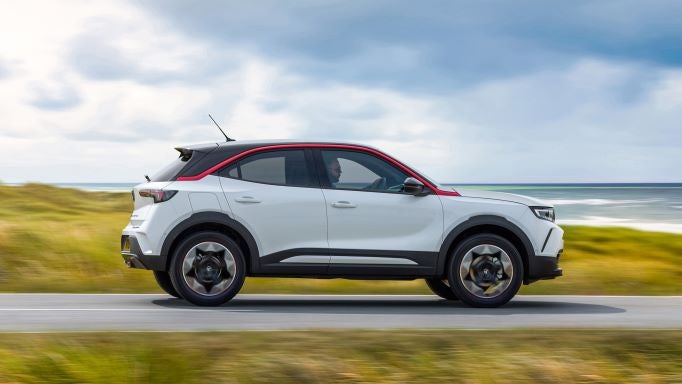
Owning a Vauxhall Mokka is a bit like owning a smartwatch on wheels. It constantly tracks things, reminds us when attention is needed, and—occasionally—gets a little bossy with warning messages. One of the most common is the service reminder, and sooner or later, every Mokka owner asks the same question: how do we reset it properly?
That’s exactly what we’re diving into here. Not a half-baked explanation. Not a vague checklist. But a clear, hands-on, model-by-model guide to resetting the Vauxhall Mokka service light—whether we’ve just serviced the car ourselves or picked it up from the garage and noticed the reminder is still glaring at us.
Let’s break it down calmly, confidently, and correctly.
Content in this publication
- What the Vauxhall Mokka Service Reset Actually Does
- Why the Service Light Comes On in the First Place
- Is It Safe to Drive Without Resetting the Service Light?
- Which Vauxhall Mokka Models Does This Apply To?
- Vauxhall Mokka Service Reset (2012–2019 Models)
- What the Display Should Show During Reset
- Vauxhall Mokka X Service Reset Explained
- Vauxhall Mokka (2020–Present) Digital Dashboard Reset
- Why the Reset Sometimes Doesn’t Work
- Can an OBD Scanner Reset the Service Light?
- Difference Between Service Light and Warning Lights
- Should We Reset the Service Light Without Servicing?
- Service Reset After DIY Oil Change
- How Often Should We Reset the Vauxhall Mokka Service Light?
- Does Resetting Affect the Car’s ECU or History?
- Signs the Service Reset Was Successful
- Quick Troubleshooting Checklist
- Final Thoughts: Keep the Mokka Talking Sense
- Frequently Asked Questions
What the Vauxhall Mokka Service Reset Actually Does
Before pressing buttons and turning keys, it helps to understand what we’re resetting.
The service reminder isn’t a fault code. It’s not saying anything is broken. Instead, it’s a maintenance timer built into the car’s ECU that tracks:
- Time since last service
- Mileage driven since last service
- Driving conditions (short trips, cold starts, etc.)
Once a threshold is reached, the Mokka politely—or not so politely—asks for attention.
Resetting it simply tells the car: “We’ve taken care of things. Start counting again.”
Why the Service Light Comes On in the First Place
Scheduled Maintenance Intervals
Most Vauxhall Mokka models follow service intervals such as:
- Every 12 months
- Or every 10,000–20,000 miles, depending on engine and year
When either limit is reached, the reminder appears.
Driving Style and Conditions
If we mostly do:
- Short urban trips
- Cold starts
- Stop-start driving
…the system may trigger the reminder slightly earlier.
It Was Never Reset After a Service
This one’s more common than you’d think. The car gets serviced, but the reset step is skipped. Result? A perfectly healthy Mokka still nagging us every time we start it.
Is It Safe to Drive Without Resetting the Service Light?
Yes—and no.
Yes, Because…
- The reminder itself doesn’t affect engine operation
- It won’t trigger limp mode
- The car won’t suddenly refuse to start
No, Because…
- It’s easy to forget when the next service is due
- It can mask real warning messages later
- Some buyers assume poor maintenance if selling the car
In short, resetting it after proper servicing is just good housekeeping.
Which Vauxhall Mokka Models Does This Apply To?
This guide covers:
- Vauxhall Mokka (2012–2019)
- Vauxhall Mokka X (2016–2019)
- Vauxhall Mokka (2020–present)
We’ll clearly separate older analog dashboards from newer digital clusters, because the steps differ slightly.
Vauxhall Mokka Service Reset (2012–2019 Models)
This is the classic method most owners use—and it works reliably.
What We Need Before Starting
- Car parked safely
- Ignition key (or start button)
- Driver’s door closed
- No pedals pressed except when instructed
Step-by-Step Service Reset Method
- Switch ignition OFF
- Press and hold the trip reset button
- While holding it, turn ignition to ON
- Keep holding for 10–15 seconds
- Watch the display—service message will flash
- Release the button once it resets
- Turn ignition OFF
- Start the engine to confirm reset
If done correctly, the service reminder disappears like a bad habit.
What the Display Should Show During Reset
While holding the trip button, we usually see:
- A countdown (e.g., “—10”)
- Or a flashing service symbol
- Or a brief confirmation message
No message? Hold the button a little longer. Timing matters here.
Vauxhall Mokka X Service Reset Explained
The Mokka X behaves very similarly, but the dashboard layout can differ.
Reset Procedure for Mokka X
- Ignition OFF
- Hold trip reset button
- Turn ignition ON
- Continue holding for 10–20 seconds
- Release once service interval resets
Some trims require holding until a beep or visual confirmation appears.
Vauxhall Mokka (2020–Present) Digital Dashboard Reset
Newer Mokkas are more tech-heavy—and slightly more fussy.
Using Steering Wheel Controls
- Switch ignition ON (engine off)
- Use steering wheel buttons to navigate menu
- Select Vehicle Information
- Choose Oil Life or Service Interval
- Press and hold OK
- Confirm reset when prompted
This method feels more modern—and thankfully, more obvious.
Why the Reset Sometimes Doesn’t Work
If the service light refuses to budge, it’s usually for one of these reasons.
Common Reset Failures
- Button released too early
- Ignition not fully in ON position
- Wrong button used
- Battery voltage too low
- Active fault codes present
What We Can Try Next
- Repeat process slowly
- Ensure battery is healthy
- Try with engine fully off
- Attempt reset twice
Patience wins here.
Can an OBD Scanner Reset the Service Light?
Absolutely—and sometimes it’s the easiest route.
Benefits of Using an OBD Tool
- Works when manual method fails
- Confirms no hidden fault codes
- Useful for multiple vehicles
OBD Reset Steps (Simplified)
- Plug scanner into OBD port
- Turn ignition ON
- Navigate to Service Reset
- Confirm reset
Many affordable scanners support Vauxhall/Opel models.
Difference Between Service Light and Warning Lights
This distinction matters more than most people think.
Service Reminder
- Wrench icon or text
- Maintenance-related
- Resettable
Warning Light
- Engine, ABS, battery symbols
- Indicates an actual problem
- Not resettable without fixing issue
If a warning light stays on, resetting the service interval won’t fix it—and shouldn’t be used as a shortcut.
Should We Reset the Service Light Without Servicing?
Short answer? We shouldn’t.
Why It’s a Bad Idea
- Skips critical maintenance
- Can void warranties
- Risks long-term damage
The reset is the final step, not the first.
Service Reset After DIY Oil Change
If we change the oil ourselves—and many Mokka owners do—resetting the service reminder is perfectly acceptable.
Checklist Before Resetting
- Correct oil grade used
- Oil filter replaced
- Oil level checked
- No leaks present
Once done, reset with confidence.
How Often Should We Reset the Vauxhall Mokka Service Light?
Only when:
- A full service is completed
- Oil and filter are changed
- Manufacturer schedule is followed
If the light comes back early, it’s usually mileage-based—not a fault.
Does Resetting Affect the Car’s ECU or History?
No—and this is reassuring.
- No service records deleted
- ECU data remains intact
- Diagnostic logs unchanged
It’s simply a counter reset, nothing more.
Signs the Service Reset Was Successful
We know it worked when:
- No service message on startup
- Oil life shows 100%
- Countdown resets to full interval
If the message reappears instantly, the reset didn’t register.
Quick Troubleshooting Checklist
If things go sideways, we run through this list:
- Battery charged
- Correct model/year steps followed
- Button held long enough
- No warning lights present
- Tried OBD scanner
Nine times out of ten, one of these fixes it.
Final Thoughts: Keep the Mokka Talking Sense
Resetting the Vauxhall Mokka service reminder isn’t about silencing the car—it’s about keeping communication honest. Once the maintenance is done, the reset tells the system we’re back on track.
Handled properly, it keeps service schedules clear, dashboards calm, and future diagnostics easier. A small step, sure—but one that keeps everything ticking along smoothly.
Frequently Asked Questions
Can I reset the service light without tools?
Yes, most Mokka models allow a manual reset using dashboard buttons.
Why does the service light come back after reset?
The reset may not have completed, or mileage thresholds were already exceeded.
Does the service reset clear fault codes?
No. Fault codes remain until the issue is fixed.
Is the reset different for diesel models?
The steps are generally the same across petrol and diesel variants.
Will disconnecting the battery reset the service light?
Usually no—and it can cause other issues instead.
If you want to know other articles similar to Vauxhall Mokka Service Reset: The Complete Guide We Actually Use you can visit the category Service and Parts.
Kia Sorento Service Reset: How to Reset the Service Light
Kia Sorento Fuel Tank Capacity: Gallons, Litres and Model Differences
Kia Sorento Tyre Pressure: Recommended PSI, Bar and Complete Guide
Kia Sorento Boot Space: How Much Luggage Space Does It Really Have?
Kia Sorento Towing Capacity: How Much Can a Sorento Tow?

Honda Passport Payload Capacity: How Much Weight Can It Carry?
Leave a Reply
More content of your interest