
Vauxhall Mokka Radio Reset – Complete Fix Guide

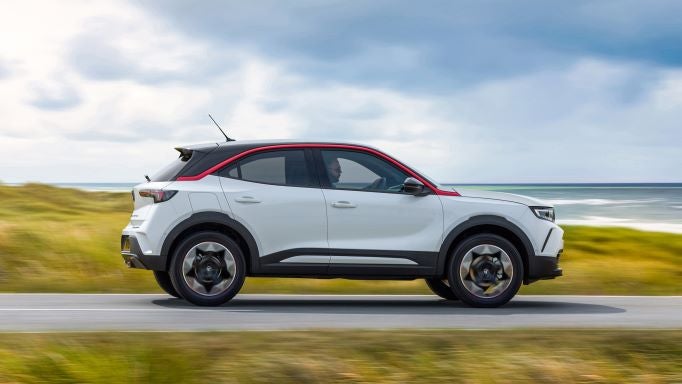
We’ve all been there. You hop into your Vauxhall Mokka, turn the key (or press the button), and instead of your favourite playlist easing you into the drive, the radio stares back at you like it’s forgotten who you are. Frozen screen, no sound, lost Bluetooth, or worse—locked asking for a code you don’t remember. Frustrating? Absolutely. Fixable? Most of the time, yes.
In this in-depth guide, we walk through everything you need to know about a Vauxhall Mokka radio reset, from quick soft resets to full system reboots, code recovery, and modern infotainment fixes. We’ll keep it practical, human, and jargon-free—like a chat over the bonnet rather than a dry manual.
Content in this publication
- Why the Vauxhall Mokka Radio Needs Resetting
- Common Vauxhall Mokka Radio Issues We See
- Understanding Vauxhall Mokka Radio Types
- Soft Reset: The Quick Fix We Always Try First
- Ignition Cycle Reset (Surprisingly Effective)
- Battery Disconnect Reset (Hard Reset)
- Vauxhall Mokka Radio Code Reset Explained
- How to Enter the Radio Code Correctly
- Factory Reset Through Infotainment Settings
- Bluetooth-Only Reset (If Audio Works Fine)
- DAB Radio Reset and Signal Loss Fix
- Fuse Check: The Overlooked Solution
- Software Updates and Dealer Resets
- When a Reset Won’t Fix the Problem
- Preventing Future Radio Problems
- Reset Summary: Which Method Should You Use?
- Final Thoughts on Vauxhall Mokka Radio Reset
- FAQs
Why the Vauxhall Mokka Radio Needs Resetting
Modern car radios aren’t just radios anymore. They’re mini computers juggling Bluetooth, navigation, DAB signals, USB devices, and vehicle data all at once. When things get overloaded, glitches creep in.
Common Triggers for Radio Problems
- Battery replacement or low voltage
- Jump starting the vehicle
- Software bugs after updates
- Bluetooth conflicts with smartphones
- Long periods of inactivity
- Electrical interruptions or blown fuses
Think of it like your phone after too many apps are open—it eventually needs a restart.
Common Vauxhall Mokka Radio Issues We See
Before resetting, it helps to identify what’s actually wrong.
Typical Symptoms
- Radio won’t turn on
- Touchscreen frozen or unresponsive
- No sound from speakers
- Bluetooth won’t connect or keeps dropping
- DAB stations missing
- Screen stuck on Vauxhall logo
- “SAFE” or “Radio Locked” message
Each of these points to a slightly different reset method.
Understanding Vauxhall Mokka Radio Types
Not all Mokka radios are the same. Reset steps vary depending on model year and system.
Older Vauxhall Mokka (2012–2016)
- CD300 / CD400 radios
- Simple display, physical buttons
- Often require radio security codes
Mokka X (2016–2019)
- IntelliLink R4.0 / R4.1
- Touchscreen infotainment
- Bluetooth, USB, smartphone integration
New Vauxhall Mokka (2021–Present)
- Pure Panel infotainment
- Fully digital displays
- Software-based resets and updates
If your Mokka feels more like a smartphone than a radio, you’re in the newer camp.
Soft Reset: The Quick Fix We Always Try First
A soft reset clears temporary glitches without wiping settings.
How to Perform a Soft Reset
- Turn ignition on (engine off)
- Press and hold the power/volume knob
- Keep holding for 10–15 seconds
- Screen should reboot or go black briefly
- Release and wait for system restart
This alone fixes a surprising number of issues.
Ignition Cycle Reset (Surprisingly Effective)
It sounds too simple—but it works.
Steps
- Turn engine off
- Remove key or switch ignition fully off
- Open driver’s door
- Lock the car
- Wait 5–10 minutes
- Unlock and restart vehicle
This forces modules to shut down properly instead of sleeping.
Battery Disconnect Reset (Hard Reset)
When software freezes deep inside the system, power needs to be fully cut.
When to Use This Method
- Screen stuck on logo
- Radio completely dead
- Soft reset doesn’t work
How to Do It Safely
- Switch off ignition
- Open bonnet
- Disconnect negative battery terminal
- Wait 15–30 minutes
- Reconnect terminal firmly
- Start car and test radio
⚠️ Important: This may trigger a radio security code request.
Vauxhall Mokka Radio Code Reset Explained
Older Mokka radios often lock after power loss.
When the Radio Asks for a Code
- After battery change
- After full disconnect reset
- Following electrical faults
Where to Find the Radio Code
- Vehicle service book
- Original radio card
- Vauxhall dealer (VIN required)
- Online radio code services (trusted only)
Once entered correctly, the radio unlocks instantly.
How to Enter the Radio Code Correctly
Entering the code incorrectly too many times can lock the system further.
Step-by-Step
- Turn radio on
- Display shows “SAFE” or “CODE”
- Use preset buttons to enter digits
- Confirm with OK or power button
- Radio unlocks
💡 Tip: Don’t guess. Wrong attempts lead to longer lockout timers.
Factory Reset Through Infotainment Settings
Newer Mokka models allow full resets via menus.
Path to Factory Reset
- Home Screen
- Settings
- System / Vehicle
- Restore Factory Settings
What This Resets
- Bluetooth pairings
- Saved stations
- Navigation preferences
- Audio settings
What It Does NOT Reset
- Vehicle mileage
- Engine settings
- Immobiliser
Think of it as a clean slate for the infotainment brain.
Bluetooth-Only Reset (If Audio Works Fine)
Sometimes the radio is fine—it’s just Bluetooth being stubborn.
Fix Bluetooth Issues By
- Deleting phone from car system
- Removing car from phone Bluetooth list
- Restarting phone
- Re-pairing from scratch
We recommend doing this after any radio reset.
DAB Radio Reset and Signal Loss Fix
DAB can be finicky, especially after updates.
DAB Reset Tips
- Perform station re-scan
- Drive to open area (DAB needs strong signal)
- Check antenna connection
- Reset radio settings
Missing stations often reappear after a fresh scan.
Fuse Check: The Overlooked Solution
A blown fuse can mimic radio failure.
What to Check
- Radio fuse
- Infotainment fuse
- Interior fuse box
Use the owner’s manual to locate the correct fuse—never guess.
Software Updates and Dealer Resets
If resets fail, software may be outdated or corrupted.
Dealer-Level Fixes
- Infotainment firmware update
- System reprogramming
- Module reset via diagnostic tool
This is common on newer digital Mokkas.
When a Reset Won’t Fix the Problem
Sometimes, hardware—not software—is the culprit.
Possible Hardware Issues
- Failing head unit
- Screen digitiser fault
- Internal amplifier issue
- Wiring damage
At this stage, professional diagnosis is unavoidable.
Preventing Future Radio Problems
A little care goes a long way.
Best Practices
- Avoid jump starting unless necessary
- Use quality phone cables
- Keep software updated
- Let system boot fully before driving
- Don’t disconnect battery unnecessarily
Treat the infotainment like a computer—not a light switch.
Reset Summary: Which Method Should You Use?
- Frozen screen? → Soft reset
- After battery change? → Code entry
- Bluetooth issues? → Bluetooth reset
- Total failure? → Battery disconnect
- New models glitching? → Factory reset
Final Thoughts on Vauxhall Mokka Radio Reset
A misbehaving radio can sour even the shortest drive. The good news? Most Vauxhall Mokka radio reset issues are minor, temporary, and completely fixable without specialist tools. With patience and the right reset method, you can bring silence back to life—or at least get your playlists talking again.
When in doubt, reset calmly, enter codes carefully, and remember: even cars need the occasional reboot, just like us.
FAQs
Why does my Vauxhall Mokka radio say SAFE?
This means the radio is locked and requires a security code, usually after power loss.
Will disconnecting the battery damage the radio?
No, but it may trigger the radio code requirement on older models.
How long should I disconnect the battery to reset the radio?
At least 15 minutes for a full power drain.
Does a factory reset delete everything?
It deletes infotainment settings but not vehicle data or mileage.
Can I drive without resetting a faulty radio?
Yes, but persistent faults may worsen or drain the battery over time.
If you want to know other articles similar to Vauxhall Mokka Radio Reset – Complete Fix Guide you can visit the category Service and Parts.
How to Reset the Tire Pressure System on Your Hyundai Tucson

Hyundai Kona Tire Pressure: Complete PSI Guide
Vauxhall Corsa Timing Belt Replacement Cost UK 2026
Mazda CX-5 Tire Size Chart: 2013–2026 Guide
How to Reset a Honda Civic: Complete Step-by-Step Guide
Best Engine Oil for Hyundai Tucson: Complete Guide
Leave a Reply
More content of your interest