

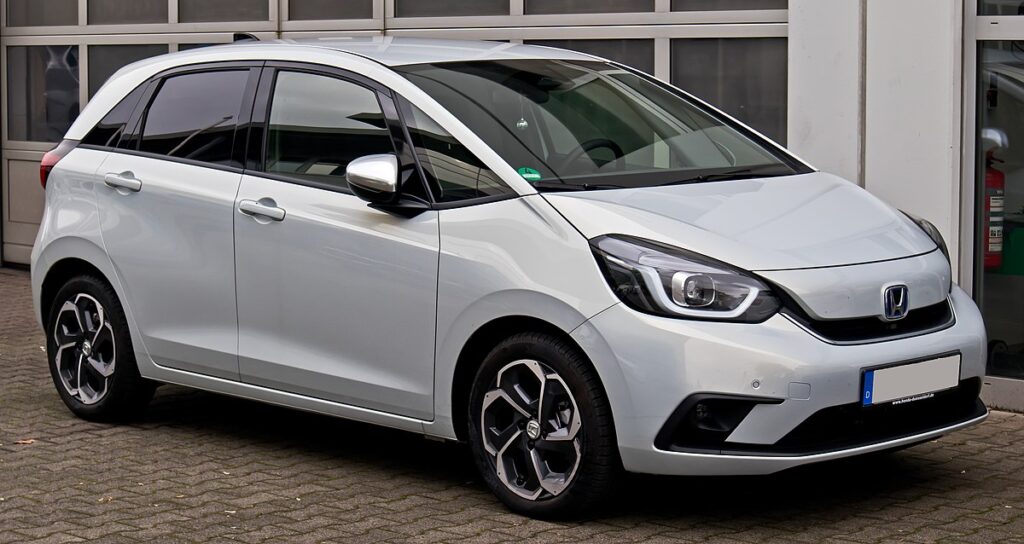
Honda Jazz Key Battery Replacement

Content in this publication
- Why the Honda Jazz Key Battery Matters
- Understanding the Honda Jazz Key Fob
- Signs Your Honda Jazz Key Battery Is Dying
- What Battery Does the Honda Jazz Key Use?
- Tools You’ll Need
- Step-by-Step Guide to Replace the Key Battery
- How to Reset After Battery Replacement
- Avoid These Common Mistakes
- Choosing the Right Replacement Battery
- Battery Lifespan and Maintenance Tips
- Estimated Replacement Cost (UK and Global)
- When to Visit a Honda Dealer
- Eco-Friendly Disposal of Old Batteries
- Troubleshooting a Non-Working Key After Replacement
- Advantages of Replacing the Battery Yourself
- How Often Should You Replace the Key Battery?
- Final Thoughts
- FAQs
Why the Honda Jazz Key Battery Matters
We’ve all been there—standing in the parking lot, pressing the unlock button, and… nothing happens. The culprit? A flat key fob battery. For Honda Jazz owners, replacing that tiny coin cell is a quick, inexpensive fix that saves a lot of hassle. But how do we do it safely and correctly without damaging the key?
In this guide, we’ll walk you through how to replace the Honda Jazz key battery, covering every model year, from older generation flip keys to the latest smart keyless entry systems.
Understanding the Honda Jazz Key Fob
Types of Honda Jazz Keys
Depending on your model year, your Honda Jazz could have one of three types of keys:
- Traditional key with remote buttons – common on older models (2002–2008).
- Flip key design – seen on mid-generation Jazz (2008–2015).
- Smart keyless fob – standard on newer models (2015 onward, especially Hybrid and EX trims).
Each type uses a slightly different battery, but the replacement process is straightforward once you know your version.
Signs Your Honda Jazz Key Battery Is Dying
Your Jazz will give subtle warnings before the key battery fully dies. Look out for:
- Reduced range – you have to stand closer to unlock the car.
- Intermittent response – buttons sometimes don’t work.
- Dashboard alert – newer models may display “Key battery low.”
- No response – the car doesn’t unlock or start remotely.
When any of these appear, it’s time to replace the battery before you get stranded.
What Battery Does the Honda Jazz Key Use?
Common Battery Types
Most Honda Jazz keys use CR2032 or CR2025 coin cell batteries.
Here’s a quick breakdown:
| Key Type | Battery Model | Years Common |
|---|---|---|
| Remote Key | CR1616 | 2002–2008 |
| Flip Key | CR2032 | 2008–2015 |
| Smart Key (Keyless Entry) | CR2032 or CR2025 | 2015–Present |
Pro tip: Always check your existing battery’s code before buying a replacement—it’s embossed on the old battery.
Tools You’ll Need
Before diving in, gather these tools:
- A small flathead screwdriver or coin
- A soft cloth (to prevent scratches)
- A new CR2032 or CR2025 battery
- Optional: Plastic pry tool (safer than metal)
That’s it. No special electronics or dealership tools required.
Step-by-Step Guide to Replace the Key Battery
Let’s go through the process carefully.
For Older Remote Keys (2002–2008)
- Locate the screw on the back of the key.
- Use a small screwdriver to remove the screw.
- Gently pry open the two halves of the key case.
- Take out the old battery with your screwdriver tip.
- Insert the new battery—positive side facing up.
- Snap the case shut and reinsert the screw.
You’re done! Test the remote by pressing the lock/unlock buttons.
You may be interested in reading Honda Jazz Gearbox Oil: Complete Maintenance and Replacement Guide
For Flip Keys (2008–2015)
- Flip open the metal key blade.
- Look for the small gap along the key seam.
- Insert your flathead screwdriver into the gap and twist gently.
- The key will split into two halves—remote section and blade section.
- Remove the rubber battery cover inside the remote part.
- Replace the CR2032 battery, ensuring the “+” side faces out.
- Reassemble the remote and press the buttons to test.
For Smart Keyless Fobs (2015–Present)
- Remove the emergency key blade – slide the small release tab and pull out the metal key.
- Insert your screwdriver into the opening and twist to separate the two halves of the fob.
- Lift the circuit board cover to reveal the battery.
- Replace the CR2032 or CR2025 battery, ensuring correct polarity.
- Snap everything back together until you hear a click.
- Reinsert the emergency key blade.
Now, the car should recognize the key instantly when you press start or unlock.
How to Reset After Battery Replacement
In most cases, the Honda Jazz doesn’t require manual reprogramming after changing the key battery.
However, if the remote still doesn’t respond:
- Try locking/unlocking manually once to re-sync.
- Start the engine using the key fob inside the vehicle to reinitialize connection.
- If problems persist, remove and reinsert the battery again to ensure good contact.
In rare cases, the key may need re-pairing at a Honda dealership if the circuit was damaged or drained.
Avoid These Common Mistakes
Even a simple job can go wrong if you’re careless. Avoid:
- Forcing the fob open – you could crack the housing.
- Touching battery terminals – oil from fingers shortens lifespan.
- Installing backward – always check the “+” side faces the correct way.
- Using cheap, no-name batteries – they drain faster or leak.
- Skipping testing – always confirm functionality before closing everything.
Choosing the Right Replacement Battery
When choosing a new battery:
- Stick with trusted brands like Panasonic, Energizer, or Duracell.
- Ensure 3V lithium coin cells.
- Buy fresh stock (check expiry date).
Avoid extremely cheap bulk packs—they often have shorter storage life.
Battery Lifespan and Maintenance Tips
A Honda Jazz key battery generally lasts 2–3 years with regular use.
To extend its life:
- Avoid moisture exposure – keep the fob dry.
- Store away from extreme heat.
- Don’t press buttons unnecessarily while in pockets or bags.
If you have two keys, rotate their usage evenly.
Estimated Replacement Cost (UK and Global)
| Location | Typical Cost | Notes |
|---|---|---|
| UK (DIY) | £2–£4 | CR2032 from supermarkets or online |
| UK (Dealer) | £15–£30 | Includes labour and testing |
| US (DIY) | $3–$5 | CR2032 coin cell |
| US (Dealer) | $20–$40 | Includes programming check |
| Global Average | €3–€6 | Varies by region and brand |
Replacing it yourself saves about 80–90% compared to dealer service.
When to Visit a Honda Dealer
If any of these occur, seek dealership help:
- The remote still doesn’t work after battery change.
- Key fob case is damaged or won’t close properly.
- Smart key won’t start the car even after replacement.
- Warning message persists on the dashboard.
Dealers can diagnose deeper issues like signal interference or internal chip failure.
You may be interested in readingHonda Jazz Gearbox Oil: Complete Maintenance and Replacement GuideYou may be interested in reading
 Honda Jazz Oil Capacity: Complete Owner’s Guide
Eco-Friendly Disposal of Old Batteries
Don’t toss your old key battery in the bin—it contains lithium.
Instead:
- Drop it in battery recycling bins (available in most supermarkets).
- Or return it to Honda service centers for proper disposal.
This small step protects the environment from chemical contamination.
Troubleshooting a Non-Working Key After Replacement
If your Jazz key still fails:
- Confirm battery orientation (+ side facing correctly).
- Ensure battery contacts aren’t bent or dirty.
- Test with a new battery—sometimes even new ones are flat.
- Try holding the fob closer to the start button (low power mode).
- Replace the fob casing if cracked or loose.
If it still doesn’t work, a key reprogramming might be required.
Advantages of Replacing the Battery Yourself
Doing it yourself offers several perks:
- Saves money – under £5 versus £30+.
- Takes less than 5 minutes.
- Avoids dealer appointments.
- Gives you peace of mind knowing you can handle it anytime.
A small fix that delivers big independence.
How Often Should You Replace the Key Battery?
The ideal interval is every 2 years, or when range noticeably drops.
Hybrid models tend to drain faster due to more frequent key detection signals.
Always keep a spare CR2032 in your glove box—trust us, it’s worth it.
Final Thoughts
Replacing your Honda Jazz key battery isn’t rocket science—it’s more like changing the battery in your TV remote, only smaller. With a little care, the right battery, and this guide at hand, you can restore full functionality in minutes.
So next time your key fob starts acting lazy, skip the panic, grab a CR2032, and handle it like a pro.
FAQs
1. What size battery does a Honda Jazz key use?
Most models use a CR2032 lithium coin cell. Older versions might use CR1616 or CR2025. Always check your existing battery first.
2. Do I need to reprogram my key after changing the battery?
Usually not. The Honda Jazz key retains its programming even after a battery swap. Just ensure proper insertion and polarity.
3. Can I use a different battery brand or size?
Yes, brand doesn’t matter, but the battery type must match (e.g., CR2032). Avoid mixing brands or off-size replacements.
You may be interested in readingHonda Jazz Gearbox Oil: Complete Maintenance and Replacement GuideYou may be interested in reading
Honda Jazz Oil Capacity: Complete Owner’s GuideYou may be interested in reading
 Honda Jazz Towing Capacity: Complete Guide for Every Model and Generation
4. How long will a new battery last?
A high-quality CR2032 battery can last between 2–3 years, depending on use frequency and climate.
5. Why won’t my key work after replacing the battery?
The issue might be due to wrong orientation, dirty contacts, or a faulty circuit board. Try cleaning or retesting with a new cell.
If you want to know other articles similar to Honda Jazz Key Battery Replacement you can visit the category Service and Parts.
How to Reset Volvo XC60 Infotainment System: The Complete Practical Guide
Volvo XC60 Gearbox Oil Change: The Complete Expert Guide
Volvo XC60 Engine Management Light: Causes, Fixes, and What It Really Means
Skoda Kamiq Size Comparison: Dimensions, Space & Real-World Practicality
Volvo XC60 Headlight Adjustment for Europe: The Complete Practical Guide
Volvo XC60 City Safety Service Required: What It Means, Causes, and Fixes
Leave a Reply
More content of your interest