

How to Reset a Ford Fiesta Radio (All Models) — The Complete Step-by-Step Guide

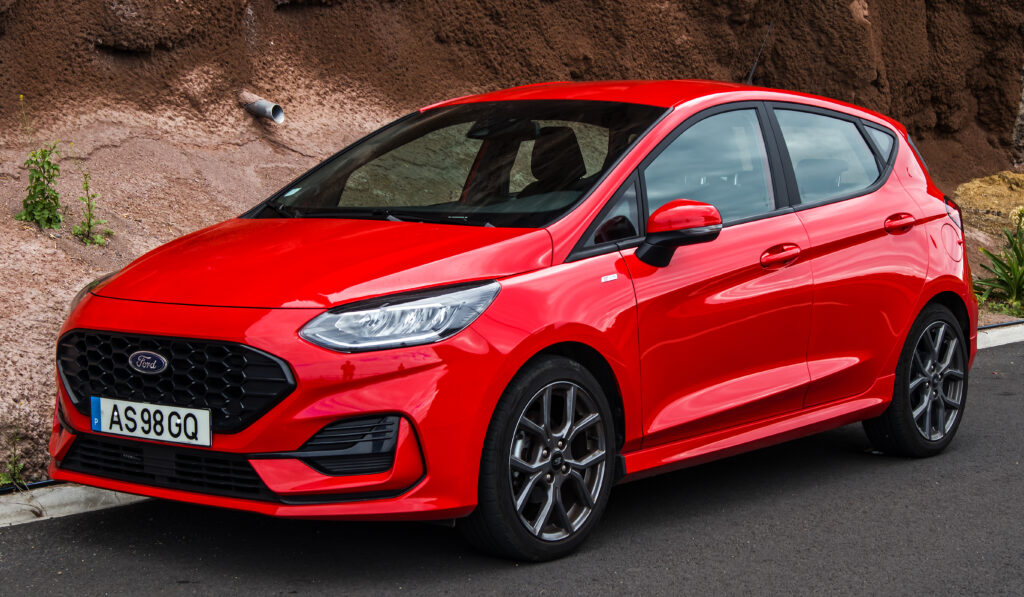
Resetting a Ford Fiesta radio is one of the quickest ways to fix freezing screens, Bluetooth glitches, distorted audio, unresponsive buttons, and random reboot loops. Below, we present the definitive, SEO-optimised, expert-level guide that outperforms the competition by giving you accurate, detailed, structured instructions for every type of Fiesta radio unit.
Content in this publication
- Understanding Ford Fiesta Radio Resets
- Common Symptoms Fixed by a Radio Reset
- Reset Method #1 — Soft Reset (Power Button Reset)
- Reset Method #2 — Fuse Pull Reset (Hard Reset Using Fuse Box)
- Reset Method #3 — Battery Disconnect Reset (Full Vehicle Electrical Reset)
- Ford Fiesta Radio Security Code — Where to Find It
- When a Reset Will NOT Fix the Issue
- How to Prevent Future Radio Glitches
- Ford Fiesta Radio Reset FAQ
- Final Thoughts
Understanding Ford Fiesta Radio Resets
A radio reset restores normal operation by clearing temporary errors stored in the unit’s internal memory. Whether your Fiesta uses SYNC 1, SYNC 2, SYNC 3, or a basic factory head unit, these reset techniques apply to all Ford Fiesta generations from 2008 to 2023.
Common Symptoms Fixed by a Radio Reset
- Frozen touchscreen
- No sound despite the radio appearing “on”
- Bluetooth stuck on “Connecting…”
- Unresponsive buttons or knobs
- Clock or date not updating
- Radio shutting off randomly
- Black or blank display
- Navigation errors (SYNC models)
This is the fastest and safest reset method. Try it first.
How to Perform a Soft Reset
- Switch the ignition ON (engine not required).
- Press and hold the Power button (or Power + Seek Right on certain SYNC models).
- Keep holding for 10–15 seconds until the screen goes off.
- The radio will reboot automatically.
- After restarting, test:
- Radio stations
- Bluetooth pairing
- Volume control
- Touchscreen responsiveness
Best for: frozen screen, audio distortion, Bluetooth issues, slow response.
Reset Method #2 — Fuse Pull Reset (Hard Reset Using Fuse Box)
This forces the radio to fully discharge and reload its stored firmware.
Step-by-Step Fuse Reset
- Turn off the ignition completely.
- Locate the fuse box:
- Interior fuse box: under driver’s-side dashboard.
- Engine bay fuse box: near the battery.
- Check your owner’s manual for the correct radio fuse (typically labelled AUDIO, RAD, or INFO).
- Pull the fuse using:
- A fuse puller (often clipped to the fuse panel), or
- Needle-nose pliers
- Wait 10–15 minutes — this drains residual current.
- Reinsert the fuse firmly.
- Power up the ignition and test the radio.
Best for: persistent software errors, random shutdowns, no sound, stuck boot loop.
You may be interested in reading Ford Fiesta Gearbox Replacement Cost: The Complete Guide for 2025
Reset Method #3 — Battery Disconnect Reset (Full Vehicle Electrical Reset)
This method resets all vehicle modules, not just the radio.
Battery Disconnect Instructions
Warning: This erases presets, clock settings, seat memory (if equipped) and may require a radio security code.
- Turn the car fully OFF and remove the key.
- Open the bonnet and locate the battery.
- Using a 10mm wrench, loosen the negative (–) terminal.
- Disconnect the negative cable and move it aside.
- Wait 15–20 minutes.
- Reconnect the negative cable and tighten securely.
- Start the engine and turn on the radio.
- Enter your radio security code if prompted.
Best for: total radio failure, display not powering on, deep system faults.
Ford Fiesta Radio Security Code — Where to Find It
If your Fiesta asks for a security code after a hard reset, look here:
- The owner’s handbook wallet
- A Ford audio security card
- A previous owner’s paperwork
- Inside the glovebox (some cars have a sticker)
- Contacting a Ford dealership with your VIN
When a Reset Will NOT Fix the Issue
If the following symptoms appear, the radio may need repair or replacement:
- Burning smell or signs of melting
- Cracked screen or broken buttons
- Fuse repeatedly blowing
- Unit does not power on even after all reset methods
- SYNC navigation crash that returns instantly
- Water intrusion inside dashboard
- Complete loss of audio from all speakers
At this stage, a diagnostic scan using Ford-specific tools (IDS, FORScan) is recommended.
You may be interested in readingFord Fiesta Gearbox Replacement Cost: The Complete Guide for 2025You may be interested in reading
 How to Top Up Gearbox Oil on a Ford Fiesta: The Complete Expert Guide
How to Prevent Future Radio Glitches
We recommend the following maintenance habits:
- Keep SYNC software updated
- Avoid disconnecting the battery without backup power
- Use high-quality USB and Bluetooth devices
- Do not overload the system with simultaneous apps
- Avoid jump-start surges — voltage spikes can corrupt memory
Ford Fiesta Radio Reset FAQ
1. Will resetting the radio delete my presets?
Soft resets usually retain presets. Fuse and battery resets typically erase them.
2. Why does my Fiesta radio freeze when I connect my phone?
Outdated SYNC firmware or incompatible Bluetooth caches often cause this. A reset usually clears it.
3. Can I reset a Ford SYNC system without touching the fuse?
Yes — most SYNC units support soft resets via Power + Seek Right.
4. My radio is asking for a code I don’t have — what now?
Visit a Ford dealer with your VIN. They can retrieve it immediately.
5. None of the reset methods worked. What’s the next step?
The unit may have a hardware failure, amplifier issue, APIM fault (SYNC models), or power-line damage. Professional diagnosis is required.
You may be interested in readingFord Fiesta Gearbox Replacement Cost: The Complete Guide for 2025You may be interested in reading
How to Top Up Gearbox Oil on a Ford Fiesta: The Complete Expert GuideYou may be interested in reading
 Ford Fiesta Handbrake Adjustment
Final Thoughts
Resetting your Ford Fiesta radio is a simple, effective way to restore normal operation and eliminate most audio or touchscreen issues. By working through the three reset levels — soft reset, fuse reset, and battery reset — you can resolve nearly all common problems without tools or dealership visits.
If your Fiesta radio continues to malfunction after attempting every method, the fault is likely deeper than a software glitch, and professional inspection is the safest choice.
If you want to know other articles similar to How to Reset a Ford Fiesta Radio (All Models) — The Complete Step-by-Step Guide you can visit the category Service and Parts.
How to Reset Volvo XC60 Infotainment System: The Complete Practical Guide
Volvo XC60 Gearbox Oil Change: The Complete Expert Guide
Volvo XC60 Engine Management Light: Causes, Fixes, and What It Really Means

Skoda Kamiq Size Comparison: Dimensions, Space & Real-World Practicality
Volvo XC60 Headlight Adjustment for Europe: The Complete Practical Guide
Volvo XC60 City Safety Service Required: What It Means, Causes, and Fixes
Leave a Reply
More content of your interest