

Kia Ceed Key Fob Battery Replacement: The Complete Owner’s Guide

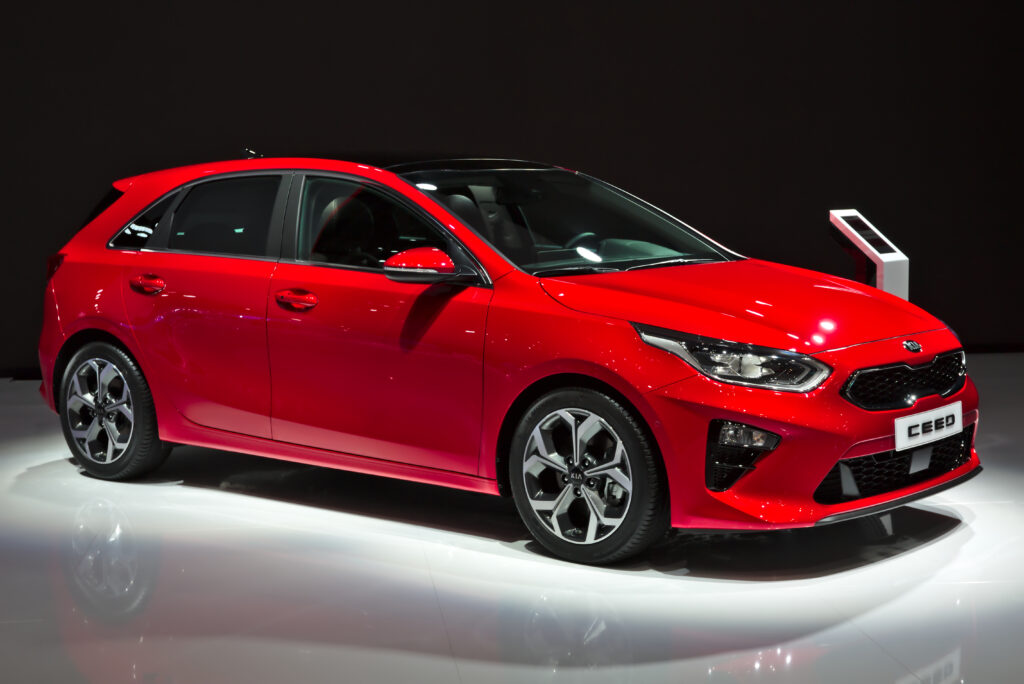
Replacing the key fob battery on a Kia Ceed feels straightforward—until the moment you crack open the fob and realise it’s trickier than expected. We’ve all been there: standing by the car, pressing the unlock button like we’re casting a spell, hoping this time the doors magically open. When nothing happens, that’s the key fob’s way of whispering, “Please… a new battery.”
In this comprehensive guide, we walk through everything you need for Kia Ceed key fob battery replacement. From understanding fob types to step-by-step instructions, troubleshooting issues, and choosing the correct battery—this is the ultimate resource crafted to outperform competing sites.
Content in this publication
- Why the Kia Ceed Key Fob Battery Matters
- Identifying Your Kia Ceed Key Fob Type
- Which Battery Does a Kia Ceed Key Fob Use?
- Symptoms of a Weak Kia Ceed Key Fob Battery
- Tools You Need Before Starting
- How to Replace Battery: Smart Key (Push-Button Start)
- How to Replace Battery: Flip Key Fob
- How to Replace Battery: Older Non-Flip Remote Keys
- Resetting the Fob After Battery Replacement
- Programming the Key Fob (Do You Need It?)
- Common Problems After a Battery Change
- How Long Does a Kia Ceed Key Fob Battery Last?
- Tips to Make Your Key Fob Battery Last Longer
- When to Replace the Entire Key Fob
- Professional vs DIY: Which Is Better?
- Environmental Considerations: Dispose Batteries Properly
- Final Thoughts
- FAQs
Why the Kia Ceed Key Fob Battery Matters
The key fob is more than a remote; it’s the digital handshake between you and your Ceed. Without a healthy battery:
- Locking becomes inconsistent
- Proximity unlock may fail
- The engine might not start
- You may get dashboard warnings like “Key Not Detected”
A weak battery interrupts this connection, and that’s why replacing it proactively keeps everyday driving smooth.
Identifying Your Kia Ceed Key Fob Type
Different model years and trims use different key fobs. Knowing your type helps you buy the correct battery and open the fob safely.
Common on newer Kia Ceed models (2018+):
- Rounded edges
- Three or four buttons
- No visible metal key unless released from inside
Flip Key (Traditional Folding Blade)
Found on many Ceed models from 2010–2018:
- Physical flip-out blade
- Sturdy rectangular design
Non-Flip Remote Key
Mostly on early Ceed generations:
- Static blade
- Basic lock/unlock/trunk commands
Each uses slightly different disassembly techniques, but the battery type remains consistent across almost all generations.
Which Battery Does a Kia Ceed Key Fob Use?
Most Kia Ceed fobs use a CR2032 lithium coin cell. Some early fobs may use a CR2025, but this is rare.
Why CR2032?
- Long lifespan
- Stable voltage output
- Widely available
- Affordable
We always recommend major brands (Panasonic, Duracell, Energizer) for reliability and longer service life.
Symptoms of a Weak Kia Ceed Key Fob Battery
You’ll often get subtle hints before the fob fully dies:
- Reduced range: you need to be closer to the car
- Buttons require several presses
- “Key Low Battery” warning (newer models)
- Remote start fails intermittently
- Proximity unlock becomes inconsistent
If you recognise even one of these, replacement is near.
Tools You Need Before Starting
You don’t need a full toolkit—just a couple of everyday essentials:
- A new CR2032 battery
- Small flathead screwdriver or plastic pry tool
- A clean cloth to protect surfaces
- Gentle hands (trust us, the clips inside are delicate)
Step-by-Step Instructions
We’ll guide you through it like we’re standing beside you.
Step 1: Remove the Mechanical Key
There’s a small release switch on the back.
- Slide it
- Pull the metal key out
This reveals a hidden seam used for opening the fob.
Step 2: Open the Key Fob Housing
Insert a plastic pry tool or the flathead into the seam.
- Twist gently
- Separate the casing slowly
- Avoid forcing it—the tabs can crack if pushed too hard
Step 3: Remove the Old Battery
You’ll see the round battery clipped in place.
You may be interested in reading Kia Ceed Tyre Size: The Complete Guide to Choosing the Perfect Fit
- Pry it out carefully
- Note the positive (+) orientation
Step 4: Insert the New Battery
Slide the new CR2032 into the slot.
- Ensure positive side faces upward
- Press lightly until secure
Step 5: Reassemble the Fob
Snap both halves together and reinsert the mechanical key.
The fob should immediately respond to button presses.
How to Replace Battery: Flip Key Fob
Step-by-Step Instructions
Step 1: Open the Key Housing
On the back, there’s a small indentation.
- Insert your screwdriver
- Twist gently
- The back cover will pop open
Step 2: Replace the Battery
Lift the old battery from its holder.
- Insert the new CR2032
- Positive side facing up
Step 3: Close the Fob
Align the cover and press until you hear a satisfying click.
How to Replace Battery: Older Non-Flip Remote Keys
Early Ceed fobs open similarly to flip types.
Quick Steps
- Split the casing with a pry tool
- Remove the old CR2032 or CR2025
- Insert new battery
- Reassemble
Simple, reliable, and practically identical.
Resetting the Fob After Battery Replacement
Most Kia Ceed key fobs don’t require manual resetting, but sometimes:
If the fob doesn't work immediately:
- Step inside the car
- Press the start button with the fob itself
- Try lock/unlock again
The car re-syncs automatically in most cases.
Programming the Key Fob (Do You Need It?)
Good news: Replacing the battery does not erase programming.
You don’t need to reprogram anything.
You only need specialist programming if:
- You bought a brand-new replacement fob
- The internal circuit board was damaged
- The car completely fails to recognise the fob after troubleshooting
Dealerships or certified locksmiths handle this.
Common Problems After a Battery Change
If things don’t work right after replacement, don’t panic—we’ve seen these issues many times.
Likely causes:
- Battery installed upside down
- Fob casing not fully clipped shut
- Poor contact between terminals
2. Car Displays “Key Not Detected”
Try:
- Holding the fob closer to the start button
- Replacing the battery again
- Cleaning battery contacts
3. Range Still Feels Weak
Check:
- Battery brand (cheap batteries often underperform)
- Internal contacts for corrosion
- If metal key was reinserted correctly
4. Fob Works Intermittently
This may indicate:
- Loose internal board
- Damaged rubber button membrane
- Weak battery batch
If problems persist, replacement fobs are surprisingly affordable online.
You may be interested in readingKia Ceed Tyre Size: The Complete Guide to Choosing the Perfect FitYou may be interested in reading
 Kia Ceed Clutch Replacement: The Complete Guide for Owners and DIY Enthusiasts
How Long Does a Kia Ceed Key Fob Battery Last?
On average:
- 18–24 months for smart keys
- 12–20 months for flip keys
Frequent use, extreme temperatures, and low-quality batteries shorten lifespan.
Tips to Make Your Key Fob Battery Last Longer
You can’t stop the battery from draining, but you can slow it down.
Essential Tips
- Avoid leaving the fob inside your car
- Store it away from electronics
- Keep it out of extreme heat and cold
- Avoid pressing buttons in your pocket
- Use high-quality lithium cells
Small habits add months of life.
When to Replace the Entire Key Fob
Batteries are cheap. Key fobs… not so much.
But sometimes replacement becomes the best option.
Replace the full fob if:
- The internal PCB is cracked
- Water damage has corroded circuits
- Buttons no longer click properly
- The fob loses programming repeatedly
- Key blade is bent or broken
A new fob usually costs £100–£250, depending on model year.
Professional vs DIY: Which Is Better?
Let’s break it down honestly.
DIY Replacement
Pros
- Quick
- Cheap
- No tools required beyond a screwdriver
Cons
- Risk of damaging clips
- Incorrect battery orientation possible
Professional Replacement
Pros
- Zero risk
- Full inspection of internals
- Helpful if fob is already worn
Cons
- More expensive
- Requires appointment
For most Ceed owners, DIY is ideal—simple, fast, satisfying.
Environmental Considerations: Dispose Batteries Properly
Lithium coin cells should never be thrown in household rubbish.
How to Dispose
- Use local battery recycling points
- Avoid storing used batteries near metal
- Tape over terminals to prevent short circuits
Protecting the environment is easier than we think—small actions count.
Final Thoughts
Replacing the Kia Ceed key fob battery isn’t just maintenance—it’s reclaiming control over the small conveniences that make everyday driving smoother. With the right tools, a fresh CR2032, and a little patience, anyone can do it in under three minutes. We hope this guide makes the process feel simple, confident, and even a little enjoyable.
FAQs
1. What battery does a Kia Ceed key fob use?
Most Kia Ceed models use a CR2032 lithium coin battery, though some older ones may use a CR2025.
2. Do I need to reprogram the fob after replacing the battery?
No. Your Kia Ceed key fob retains its programming even with no battery installed.
3. How do I open my Kia Ceed key fob without damaging it?
Use a small plastic pry tool and apply gentle twisting pressure. Avoid metal tools when possible.
4. Why does my fob still not work after changing the battery?
Check orientation, clean contacts, ensure the casing is fully closed, or try another battery from a reputable brand.
You may be interested in readingKia Ceed Tyre Size: The Complete Guide to Choosing the Perfect FitYou may be interested in reading
Kia Ceed Clutch Replacement: The Complete Guide for Owners and DIY EnthusiastsYou may be interested in reading
 Kia Ceed Reversing Camera Replacement: The Complete Step-By-Step Guide We All Wish We Had Earlier
5. How can I make my key fob battery last longer?
Avoid extreme temperatures, prevent button presses in your pocket, and choose high-quality batteries.
If you want to know other articles similar to Kia Ceed Key Fob Battery Replacement: The Complete Owner’s Guide you can visit the category Service and Parts.
Ford Mondeo Towing Capacity: The Complete Real-World Guide
Ford Mondeo Key Fob Battery Change: The Complete Step-by-Step Guide
Ford Mondeo Boot Space: The Complete Practical Guide for Everyday Drivers
Ford Mondeo Estate Boot Size: The Ultimate Practicality Guide
Ford Mondeo Tyre Pressure: The Complete Guide for Safe, Smooth Driving
Ford Mondeo Length: Dimensions, Generations, and Real-World Insights
Leave a Reply
More content of your interest