

Kia Ceed Reversing Camera Not Working: The Complete Troubleshooting Guide

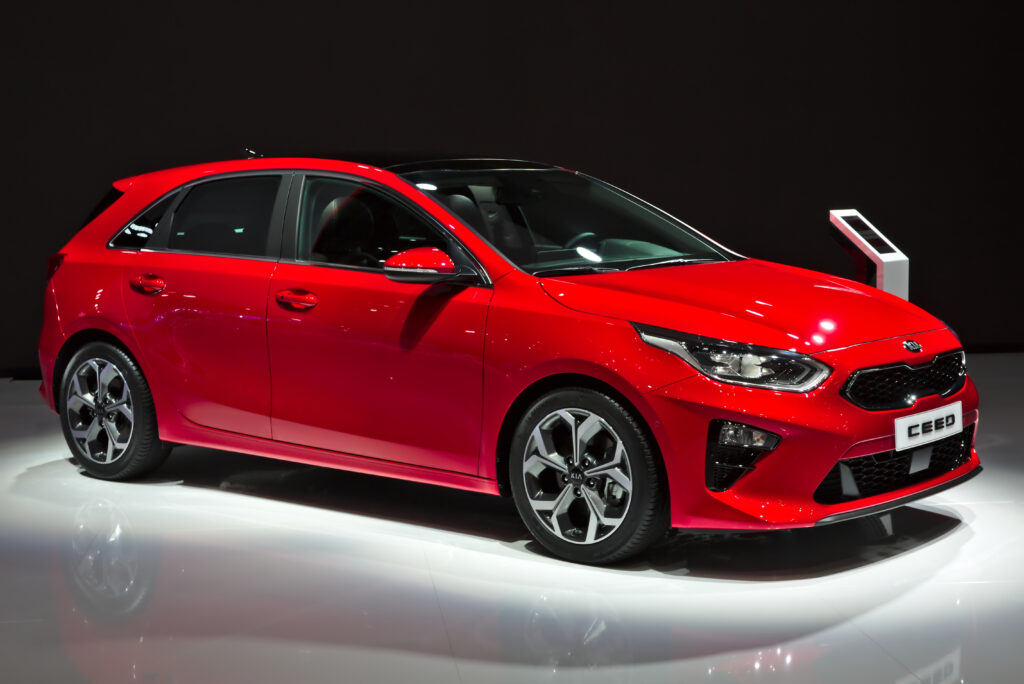
When our Kia Ceed reversing camera stops working, everything changes behind the wheel. Suddenly reversing feels like threading a needle while blindfolded. We rely on that tiny lens far more than we admit—until the day it glitches, freezes, fogs up, or disappears entirely. Today, we’re diving deep into why the reversing camera fails, how to diagnose the issue like seasoned pros, and what fixes genuinely work.
Whether we drive a 2007 Ceed, a 2012 facelift, or a modern 2019+ third-gen model, the symptoms often look the same—but the root causes vary. So let’s take a calm breath, grab a metaphorical toolkit, and unravel this together.
Content in this publication
- Understanding How the Kia Ceed Reversing Camera System Works
- Common Symptoms When the Kia Ceed Reversing Camera Fails
- Top Reasons Why the Kia Ceed Reversing Camera Is Not Working
- Step-By-Step Troubleshooting for a Kia Ceed Reversing Camera Not Working
- Step 1: Confirm Whether the Reverse Lights Work
- Step 2: Inspect the Infotainment Screen for Messages
- Step 3: Clean the Camera Lens Thoroughly
- Step 4: Check Tailgate Wiring for Breaks
- Step 5: Reset the Infotainment System
- Step 6: Test Voltage at the Camera Connector
- Step 7: Inspect for Water Damage
- Step 8: Test or Replace the Camera Unit
- Step 9: Verify Parking Line Calibration (Newer Models)
- Step 10: Consider Software Update for AVN Unit
- Typical Repair Costs for Kia Ceed Camera Issues
- Preventing Kia Ceed Reversing Camera Problems
- How Weather Affects the Camera System
- Differences Between Ceed Generations (2007–2024)
- Should We Replace or Repair the Camera?
- DIY vs Professional Repair — What’s Best?
- Final Thoughts
- FAQs
Understanding How the Kia Ceed Reversing Camera System Works
Before fixing anything, we need to understand the backbone of the system. The reversing camera setup on the Ceed includes:
- A tailgate-mounted camera module
- Wiring loom running through the boot hinge
- Reverse gear signal feed
- Infotainment head unit (AVN display)
- CAN-bus communication
- Optional parking sensor integration
When one link in the chain weakens, the entire display can malfunction—much like a domino effect where the first brick refuses to fall.
Common Symptoms When the Kia Ceed Reversing Camera Fails
Recognising patterns helps us pinpoint faults faster. We commonly see:
- A black screen when shifting into reverse
- “Check Surroundings” or “Camera Unavailable” messages
- Flickering or rolling image
- Frozen screen image
- Distorted, foggy, or blurry visuals
- Intermittent on/off behaviour
- Delay of more than 2–3 seconds before image appears
- Parking lines missing or misaligned
Each symptom tells a story—some whisper electrical issues, others scream “replace me.”
Top Reasons Why the Kia Ceed Reversing Camera Is Not Working
Let’s break down the most common culprits we’ve seen across multiple Ceed generations.
Faulty Reversing Camera Module
This is the number-one cause. Camera modules wear out due to:
- Moisture ingress
- Corrosion behind the lens
- Internal PCB failure
- Physical impact or tailgate knocks
On older Ceeds (especially 2007–2012), moisture is the silent assassin.
Damaged Wiring in the Tailgate Loom
Every time we lift the boot, the wiring flexes. Over the years, that loom suffers:
- Broken copper strands
- Cracked insulation
- Short circuits
- Intermittent contacts
If our camera works only sometimes, the hinge wiring is a prime suspect.
Blown Reverse Light Fuse or Signal Failure
The reversing camera activates when the reverse gear sends power to the reverse lights. If that circuit fails, the camera never wakes up.
Symptoms include:
- Reverse lights not working
- Camera not switching on
- No “reverse” display trigger
Infotainment Unit Glitches or Software Bugs
Especially on newer Ceed models with larger touchscreens, we’ve seen:
- Frozen head units
- Bootlooping screens
- Delayed camera switching
- Missing camera configuration
A quick reset often works wonders.
Dirty, Scratched, or Fogged Lens
Sometimes the issue is embarrassingly simple—a dirty lens. But condensation or internal fogging is a different beast entirely.
Bad Camera Ground or Corroded Connectors
Corrosion can:
- Reduce voltage
- Interrupt video feed
- Cause flickering or loss of signal
Humidity, water from boot seals, or winter road salt accelerates the rot.
Aftermarket Radio or Retrofit Issues
If our Ceed has had a new radio installed, wiring mismatches can break the camera feed entirely.
You may be interested in reading Kia Ceed Door Not Opening — Causes, Fixes, and Complete Troubleshooting Guide
Step-By-Step Troubleshooting for a Kia Ceed Reversing Camera Not Working
Now let’s shift gears from understanding to hands-on problem-solving.
Step 1: Confirm Whether the Reverse Lights Work
Because the camera is triggered by the reverse light circuit, we start here.
- Put the car in reverse (with ignition on, engine optional).
- Check if the rear reverse lights illuminate.
If no, we check:
- Fuses
- Bulbs (for halogen-equipped models)
- Reverse gear switch (mostly older Ceeds)
If yes, proceed to the next step.
Step 2: Inspect the Infotainment Screen for Messages
The display gives clues:
- Black screen → loss of video signal
- Blue screen → NTSC video feed missing
- Delayed screen → weak power/ground
- Frozen screen → head unit issue
Screens never lie—they just speak in riddles.
Step 3: Clean the Camera Lens Thoroughly
A simple wipe with a microfiber cloth can solve:
- Blurry image
- Foggy view
- Daytime glare issues
If water is visible inside the lens, the camera is likely failing.
Step 4: Check Tailgate Wiring for Breaks
This is a big one—about 40% of Ceed camera failures trace back to the boot loom.
Look for:
- Stiffness
- Cracks
- Exposed wires
- Green corrosion on copper
We gently flex the rubber boot and watch for image flickering—a sure sign of broken wires.
Step 5: Reset the Infotainment System
For 2016+ Ceeds:
- Hold the power button for 10 seconds
- Screen will reboot
- Reverse again to test
For older models, disconnect the negative battery terminal for 10 minutes.
Step 6: Test Voltage at the Camera Connector
With a multimeter, check:
- 12V feed when in reverse
- Stable ground
- Video signal continuity
If power is present but no video, the camera is likely dead.
Step 7: Inspect for Water Damage
Remove the tailgate trim and look for:
- Moisture around the camera
- Rust inside the housing
- Dripping onto the connector
Water is the enemy—it creeps in silently and destroys quietly.
Step 8: Test or Replace the Camera Unit
A replacement camera is often affordable:
- Kia OEM: higher quality but pricier
- Aftermarket: cheaper and fully functional
Typically the Ceed uses a standard NTSC feed, so aftermarket options plug straight in.
You may be interested in readingKia Ceed Door Not Opening — Causes, Fixes, and Complete Troubleshooting GuideYou may be interested in reading
 Kia Ceed Boot Won’t Open: Causes, Fixes & Expert Tips
Step 9: Verify Parking Line Calibration (Newer Models)
If we replaced the camera but lines look odd or misaligned, calibration via hidden menus or dealer tools may be required.
Step 10: Consider Software Update for AVN Unit
Kia occasionally releases updates fixing:
- Camera delay
- Black screen issues
- Display glitches
A dealership can flash the update.
Typical Repair Costs for Kia Ceed Camera Issues
Here’s what we usually see:
| Issue | Typical Cost (UK) |
|---|---|
| New camera (aftermarket) | £45–£120 |
| New genuine Kia camera | £180–£350 |
| Boot loom repair | £70–£150 |
| Fuse/switch replacement | £5–£25 |
| Dealer diagnostics | £80–£120 |
| Infotainment recoding | £60–£150 |
Budgeting ahead always keeps us calm.
Preventing Kia Ceed Reversing Camera Problems
Prevention is cheaper than repair. Here’s how we keep the camera happy:
- Clean the lens weekly.
- Avoid high-pressure water jets directly on the camera.
- Check boot wiring annually.
- Keep tailgate seals in good condition.
- Update infotainment software when available.
Small habits build big savings.
How Weather Affects the Camera System
Weather plays tricks on the reversing camera:
- Rain → blurred droplets
- Cold frost → fogging inside lens
- Heat → camera distortion
- Humidity → internal corrosion
If seasons change, symptoms often follow.
Differences Between Ceed Generations (2007–2024)
Each generation has quirks.
2007–2012 Kia Ceed
- Most common issue: wiring loom and water-damaged cameras
- Slow head unit response
2012–2018 Kia Ceed
- Improved camera quality
- Still prone to wiring breaks
- Some AVN software bugs
2019–2024 Kia Ceed
- Better moisture sealing
- Occasional glitchy infotainment
- Calibration needed after replacements
Should We Replace or Repair the Camera?
A simple rule:
- If moisture is present → replace.
- If wiring is cracked → repair.
- If video feed missing but power present → replace.
- If intermittent → check boot loom first.
Repairs are often more permanent than they seem.
DIY vs Professional Repair — What’s Best?
DIY if:
- Issue is fuse-related
- Cleaning or resetting resolves it
- Wiring is visibly cracked
- Camera replacement is straightforward
Professional repair if:
- Head unit needs coding
- Water damage is extensive
- Calibration is required
- Warranty still active
Knowing our limits saves money and stress.
Final Thoughts
When our Kia Ceed reversing camera stops working, it can feel like the entire safety net disappears. But with the right approach—methodical, calm, and informed—we can unravel the cause and solve it efficiently. We’ve explored wiring failures, moisture issues, calibration quirks, failed modules, software bugs, and everything in between.
With a bit of patience and the troubleshooting steps above, most Ceed owners can restore their reversing camera without breaking the bank. And in cases where replacement is necessary, understanding the system empowers us to choose the best route.
Reversing shouldn’t feel like guesswork. Once the camera returns to life, we regain not just visibility—but confidence.
FAQs
1. Why does my Kia Ceed reversing camera show a black screen?
This typically means the camera is receiving power but no video signal is reaching the display. Common causes include damaged wiring, a faulty camera module, or a loose connector.
2. Why does the reversing camera only work sometimes?
Intermittent operation is usually due to broken wiring in the tailgate hinge or corroded connectors that work depending on boot position.
3. Can I install an aftermarket reversing camera on my Kia Ceed?
Yes—most aftermarket NTSC cameras work perfectly and plug into the factory system with small adapters.
You may be interested in readingKia Ceed Door Not Opening — Causes, Fixes, and Complete Troubleshooting GuideYou may be interested in reading
Kia Ceed Boot Won’t Open: Causes, Fixes & Expert TipsYou may be interested in reading
 Kia Ceed Heater Not Working: Causes, Diagnosis, and Expert Fixes
4. Why is my camera image blurry or cloudy?
A dirty lens or internal condensation causes fogging. If water is inside the camera, replacement is the only reliable fix.
5. Do I need to reprogram anything after replacing the camera?
Older Ceeds do not require coding, but newer models with dynamic guidelines may need calibration via dealership software.
If you want to know other articles similar to Kia Ceed Reversing Camera Not Working: The Complete Troubleshooting Guide you can visit the category Common Problems.
Volvo XC60 360 Camera Not Working: Complete Troubleshooting & Fix Guide
Volvo XC60 Key Fob Not Working: Causes, Fixes, and Expert Solutions
Volvo XC60 Low Battery Warning: Causes, Fixes, and Prevention Guide
Volvo XC60 No Sound: Causes, Fixes, and Complete Troubleshooting Guide
Volvo XC60 Common Problems: What Owners Really Experience
Volvo XC60 Issues: The Truth Behind This Popular SUV
Leave a Reply
More content of your interest