

Kia Niro Key Not Detected – Complete Troubleshooting Guide

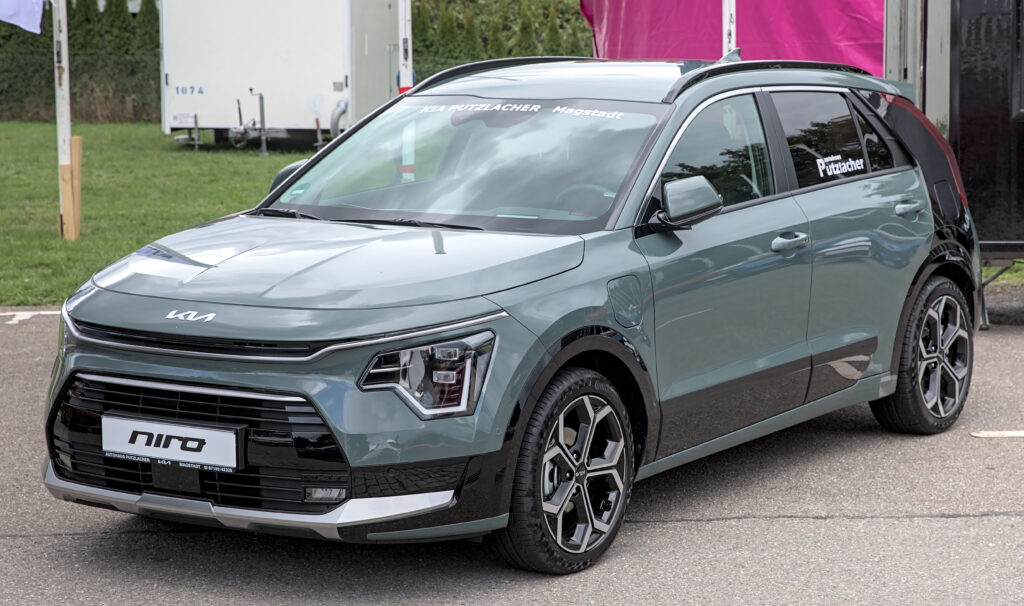
Few things are more frustrating than sliding into your Kia Niro, pressing the brake, hitting the start button—and being greeted by that cold, unhelpful message: “Key Not Detected.” It feels like the car is playing hard to get. We’ve all been there, juggling groceries, coffee, and life, wondering why a vehicle built in the age of smart tech suddenly can’t “see” a tiny fob.
Let’s break this down together. We’ll explore why this happens, how to fix it fast, and how to stop it from happening again. Think of this guide as your roadside companion—calm, practical, and always ready to help.
Content in this publication
- Understanding the “Key Not Detected” Message
- Common Causes of the Error
- Quick Fixes You Can Try Right Now
- How to Start Your Kia Niro When the Key Isn’t Detected
- Key Fob Battery Replacement Guide
- When the Problem Isn’t the Key
- Environmental Triggers We Often Ignore
- Model-Year Nuances in the Kia Niro Lineup
- When Reprogramming Becomes Necessary
- Estimated Repair Costs
- How to Prevent “Key Not Detected” in the Future
- Is This a Sign of Bigger Electrical Problems?
- Why This Issue Feels So Personal
- Closing Thoughts
- FAQs
Understanding the “Key Not Detected” Message
The Kia Niro relies on a proximity-based smart key system. When the car senses the fob nearby, it allows entry and ignition. When it doesn’t, you get the dreaded message.
This system uses:
- Low-frequency antennas inside the cabin
- Radio signals from the key fob
- A body control module that verifies identity
If any part of that chain breaks, the car shrugs and says, “Nope, I don’t know you.”
Common Causes of the Error
1. Weak or Dead Key Fob Battery
The number one culprit. A fading battery weakens the signal until the car can’t read it.
2. Interference from Other Devices
Phones, power banks, wireless earbuds—even other key fobs—can scramble the signal.
3. Key Fob Damage
Water exposure, drops, or internal wear can damage the transmitter.
4. Vehicle 12V Battery Issues
A weak car battery can’t properly power the receiver modules.
5. Software Glitches
Rare, but possible after updates or electrical hiccups.
Quick Fixes You Can Try Right Now
Before calling for help, try these fast solutions:
- Hold the key fob directly against the Start button
- Remove other electronics from your pockets
- Try your spare key
- Lock and unlock the car manually
- Restart the infotainment system
These small actions often jolt the system back to life.
You may be interested in reading Kia Niro Not Charging: The Real Reasons and Real Fixes
How to Start Your Kia Niro When the Key Isn’t Detected
Emergency Start Method
Every Kia Niro has a built-in backup method:
- Sit in the driver’s seat
- Press the brake pedal
- Touch the key fob directly to the Start/Stop button
- Press the button
Even with a dead fob battery, this method usually works. It’s like whispering directly into the car’s ear.
Key Fob Battery Replacement Guide
What You’ll Need
- CR2032 coin battery
- Small flathead screwdriver
Steps
- Slide the mechanical key out
- Insert the screwdriver into the notch
- Gently pry the fob open
- Replace the battery (positive side up)
- Snap it shut
This two-minute fix solves most “key not detected” errors.
When the Problem Isn’t the Key
Check the Car’s 12V Battery
A weak 12V battery can cause:
- Delayed starts
- Random warning messages
- Key detection failures
If your dashboard lights flicker or the car feels sluggish, the battery may be crying for help.
Environmental Triggers We Often Ignore
Cold Weather
Low temperatures drain batteries faster—both in the fob and the car.
High Humidity
Moisture can seep into electronics over time.
Urban Interference
Parking near cell towers, offices, or dense Wi-Fi zones can disrupt signals.
Modern cars are smart, but they’re also sensitive.
Model-Year Nuances in the Kia Niro Lineup
First Generation (2017–2019)
- More prone to fob battery warnings
- Occasional antenna calibration issues
Second Generation (2020–2023)
- Improved detection range
- Still sensitive to interference
Latest Models (2024–Present)
- Enhanced encryption
- Faster recognition
- Still dependent on battery health
No generation is immune—only better prepared.
When Reprogramming Becomes Necessary
If:
- Both keys fail
- Batteries are new
- The car still won’t detect
Then the keys may need reprogramming. This usually requires:
You may be interested in readingKia Niro Not Charging: The Real Reasons and Real FixesYou may be interested in reading
 Kia Niro Interior Lights Not Working: Complete Troubleshooting Guide
- Dealer diagnostic tools
- VIN verification
- Security code access
It’s not cheap, but it restores harmony between car and key.
Estimated Repair Costs
| Fix Type | Typical Cost |
|---|---|
| Fob battery | $3–$8 |
| New key fob | $120–$250 |
| Programming | $50–$150 |
| 12V battery | $120–$200 |
| Antenna repair | $200–$500 |
Most issues stay on the affordable side—especially when caught early.
How to Prevent “Key Not Detected” in the Future
Daily Habits That Help
- Replace fob batteries yearly
- Avoid dropping keys
- Keep them dry
- Don’t store them next to phones
- Use your spare key occasionally
A little care goes a long way.
Is This a Sign of Bigger Electrical Problems?
Usually, no. But if you notice:
- Repeated warning messages
- Random system resets
- Other sensor failures
Then it’s time for a diagnostic scan. Think of it as a wellness check for your car’s nervous system.
Why This Issue Feels So Personal
Your key is your handshake with the car. When it fails, it feels like rejection. But in reality, it’s just a tired battery or a confused signal. The fix is often simple—almost poetic in its smallness.
Closing Thoughts
The “Kia Niro key not detected” message isn’t a catastrophe—it’s a nudge. A reminder that even smart machines rely on tiny, human-sized components. Most of the time, a new battery or a quick reset is all it takes to restore the bond between driver and vehicle.
We don’t need panic. We need a coin battery, a calm breath, and the confidence that we’ve got this.
FAQs
1. Can I drive my Kia Niro with a dead key fob battery?
Yes. Use the emergency start method by touching the fob to the Start button.
2. How often should I replace the key fob battery?
Once a year is a safe rule, even if it still works.
3. Will the car warn me before the key battery dies?
Often yes, but not always. Some fail without warning.
4. Can interference really stop the key from working?
Absolutely. Phones and wireless devices can block the signal.
Kia Niro Not Charging: The Real Reasons and Real FixesYou may be interested in reading
Kia Niro Interior Lights Not Working: Complete Troubleshooting GuideYou may be interested in reading
 Volkswagen ID.3 Problems: What Owners Really Experience
5. Is this issue covered under warranty?
Key fobs usually aren’t, but related electronic faults might be.
If you want to know other articles similar to Kia Niro Key Not Detected – Complete Troubleshooting Guide you can visit the category Common Problems.
Volvo XC60 360 Camera Not Working: Complete Troubleshooting & Fix Guide
Volvo XC60 Key Fob Not Working: Causes, Fixes, and Expert Solutions
Volvo XC60 Low Battery Warning: Causes, Fixes, and Prevention Guide
Volvo XC60 No Sound: Causes, Fixes, and Complete Troubleshooting Guide
Volvo XC60 Common Problems: What Owners Really Experience
Volvo XC60 Issues: The Truth Behind This Popular SUV
Leave a Reply
More content of your interest