

Land Rover Discovery Sport Key Fob Battery Change: Complete DIY Guide

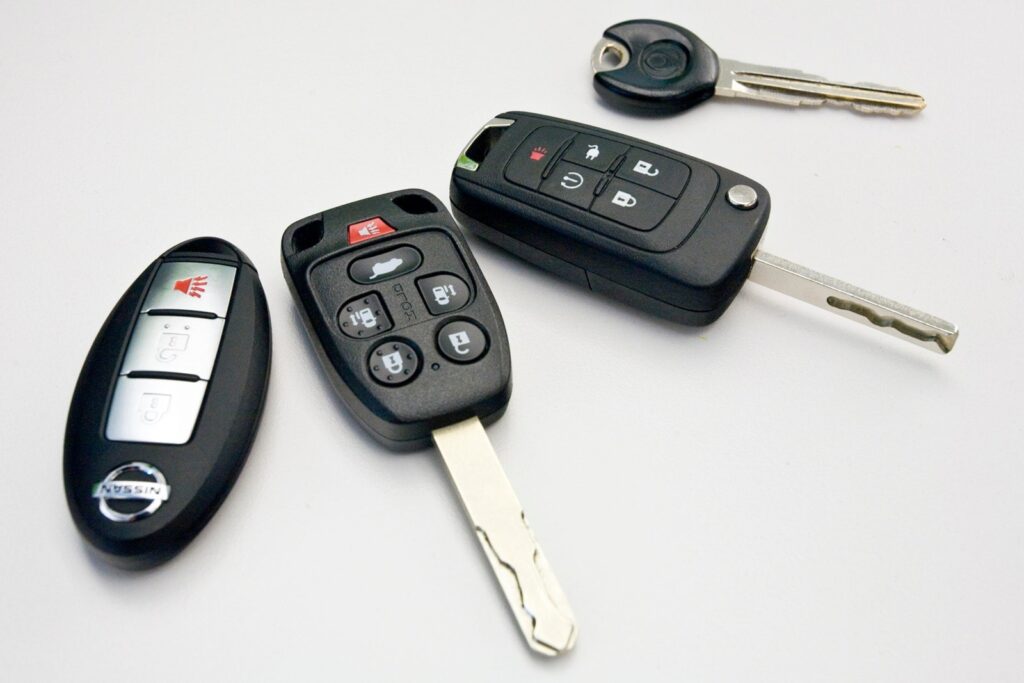
Modern vehicles feel a bit like magic. Press a button, and the doors unlock. Walk away, and the car locks itself. But behind that convenience lies a tiny powerhouse—the key fob battery. When it begins to fade, your Land Rover Discovery Sport key fob can suddenly behave like a sleepy remote control.
We’ve all been there: you press unlock… nothing happens. You press again… maybe a flicker. It’s the subtle signal that the battery inside your key fob is reaching the end of its life.
In this detailed guide, we’ll walk through everything you need to know about a Land Rover Discovery Sport key fob battery change—from identifying the right battery to replacing it safely and troubleshooting issues afterward.
Let’s dive in.
Content in this publication
- Why the Discovery Sport Key Fob Battery Matters
- Understanding the Discovery Sport Key Fob Design
- How Long Does the Key Fob Battery Last?
- Tools You Need for a Key Fob Battery Change
- Step-by-Step: Land Rover Discovery Sport Key Fob Battery Change
- Testing the Key Fob After Battery Replacement
- Do You Need to Reprogram the Key?
- How to Reset the Key Fob (If Needed)
- What Happens If the Key Fob Battery Dies Completely?
- Common Mistakes During Battery Replacement
- When Should You Replace the Key Fob Battery?
- Cost of a Discovery Sport Key Fob Battery Change
- Where to Buy Replacement Batteries
- Tips to Extend Key Fob Battery Life
- Differences Between Discovery Sport Key Generations
- Signs You May Need a New Key Fob Instead
- Environmental Disposal of Old Batteries
- Closing Thoughts
- Frequently Asked Questions
- 1. What battery does a Land Rover Discovery Sport key fob use?
- 2. How often should the key fob battery be replaced?
- 3. Do I need to reprogram the key after replacing the battery?
- 4. Can I start the car if the key fob battery is dead?
- 5. Why is my key fob still not working after changing the battery?
Why the Discovery Sport Key Fob Battery Matters
Your key fob is essentially a miniature wireless transmitter. Inside the slim casing sits a coin-style battery that powers several functions.
Functions Controlled by the Key Fob
- Locking and unlocking doors
- Opening the tailgate
- Activating the panic alarm
- Remote start (on certain models)
- Keyless entry and push-button ignition
When the battery weakens, the signal becomes unreliable. It’s like trying to talk through a walkie-talkie with dying batteries—the connection fades.
Signs Your Key Fob Battery Is Dying
A failing key fob battery usually gives warning signs before it stops working entirely.
Common symptoms include:
- Reduced remote range
- Multiple presses needed to unlock doors
- “Smart Key Battery Low” message on the dashboard
- Intermittent keyless entry
- Remote functions failing randomly
Ignoring these early signs can leave you fumbling outside your car one morning.
Understanding the Discovery Sport Key Fob Design
The Discovery Sport uses a sleek, compact smart key that blends modern design with durable construction.
Components Inside the Key Fob
Inside the casing you’ll find:
- Coin cell battery
- Circuit board
- Button pad
- Metal emergency key
- Plastic housing
The battery sits in a small cradle on the circuit board.
Typical Battery Type Used
Most Land Rover Discovery Sport key fobs use a CR2032 lithium coin battery.
This battery is widely available and inexpensive.
Typical specs:
- Voltage: 3 volts
- Diameter: 20 mm
- Thickness: 3.2 mm
- Lifespan: 2–4 years
How Long Does the Key Fob Battery Last?
Under normal conditions, the battery can last two to four years.
However, lifespan depends on several factors.
Factors Affecting Battery Life
- Frequency of use
- Climate conditions
- Signal interference
- Quality of the battery
- Storage near electronics
For example, keeping the key next to a smartphone or laptop can slowly drain power due to constant signal communication.
Tools You Need for a Key Fob Battery Change
The beauty of replacing a key fob battery is that it requires very little equipment.
Basic Tools
You’ll need:
- CR2032 replacement battery
- Small flathead screwdriver (optional)
- Clean cloth or gloves
That’s it.
No advanced tools. No trip to the dealership.
Step-by-Step: Land Rover Discovery Sport Key Fob Battery Change
Let’s walk through the process together. It takes less than five minutes.
Step 1: Remove the Emergency Key
Every Discovery Sport smart key contains a hidden mechanical key.
To remove it:
- Flip the key fob over.
- Slide the small release latch.
- Pull out the metal emergency key.
Once removed, you’ll see a small opening.
Step 2: Open the Key Fob Case
Insert the metal emergency key or a flat screwdriver into the slot.
Gently twist.
The casing will separate into two halves.
Be careful not to apply excessive force—this is precision plastic.
Step 3: Locate the Battery
Inside the opened fob you’ll see the circular battery.
It sits in a small clip or holder.
Take note of the battery orientation before removing it.
You may be interested in reading Land Rover Discovery Sport Low Battery Warning: Causes, Fixes, and What It Really Means
Usually:
Positive (+) side faces upward.
Step 4: Remove the Old Battery
Use your fingernail or screwdriver to gently lift the battery out.
Avoid touching the circuit board directly.
It’s delicate.
Step 5: Insert the New Battery
Place the CR2032 battery into the holder.
Ensure:
- Positive side faces the correct direction
- Battery sits flat in the slot
- Contacts align properly
A misaligned battery can prevent the key from working.
Step 6: Reassemble the Key Fob
Snap the two halves back together.
Then slide the emergency key back into place.
You should hear a soft click.
Testing the Key Fob After Battery Replacement
Once reassembled, test the key immediately.
Simple Test Procedure
Stand near the car and press:
- Lock button
- Unlock button
- Tailgate button
If everything works instantly, the battery change was successful.
Do You Need to Reprogram the Key?
Good news—no reprogramming is required in most cases.
The Discovery Sport key fob retains its programming even when the battery is removed.
However, if the key stops responding, try the following.
How to Reset the Key Fob (If Needed)
Occasionally the vehicle may not immediately recognize the key.
Try this quick reset:
- Enter the vehicle
- Hold the key near the start button
- Press the brake pedal
- Start the engine
This helps the vehicle re-sync with the key.
What Happens If the Key Fob Battery Dies Completely?
If the battery dies entirely, you can still access your vehicle.
Using the Emergency Key
The hidden mechanical key unlocks the driver’s door.
Once inside:
- Hold the key fob near the steering column
- Press the start button
The vehicle can detect the key through RFID.
Think of it as a backup communication channel.
Common Mistakes During Battery Replacement
Even simple tasks can go wrong.
Here are a few pitfalls to avoid.
Mistake #1: Installing Battery Backwards
This is the most common issue.
Always check the orientation.
Mistake #2: Using the Wrong Battery Type
Some people try using:
- CR2025
- CR2016
While they may fit loosely, they won’t provide reliable power.
Stick with CR2032.
Mistake #3: Damaging the Plastic Housing
Using excessive force when opening the fob can crack the casing.
You may be interested in readingLand Rover Discovery Sport Low Battery Warning: Causes, Fixes, and What It Really MeansYou may be interested in reading
 How to Charge Land Rover Discovery Sport Battery: Complete Step-by-Step Guide
Work gently.
Mistake #4: Touching Battery Contacts
Oils from fingers can affect conductivity.
Use gloves or handle by the edges.
When Should You Replace the Key Fob Battery?
A proactive approach prevents inconvenient lockouts.
Recommended Replacement Schedule
Replace every:
2–3 years
Even if it still works.
Think of it like replacing smoke detector batteries—better early than late.
Cost of a Discovery Sport Key Fob Battery Change
One of the cheapest maintenance tasks you’ll ever perform.
Typical Costs
| Item | Price |
|---|---|
| CR2032 Battery | $3 – $8 |
| Pack of 5 | $10 – $15 |
| Dealer replacement | $40 – $80 |
DIY replacement saves money instantly.
Where to Buy Replacement Batteries
CR2032 batteries are widely available.
You can find them at:
- Supermarkets
- Electronics stores
- Automotive shops
- Online retailers
Brands like Duracell, Panasonic, and Energizer offer reliable options.
Tips to Extend Key Fob Battery Life
Want your new battery to last longer?
Here are some smart habits.
Battery Saving Tips
- Keep key away from smartphones
- Store keys away from the car overnight
- Avoid pressing buttons unnecessarily
- Use high-quality batteries
- Replace batteries in both keys at the same time
Small habits can extend battery life significantly.
Differences Between Discovery Sport Key Generations
The Discovery Sport has had minor key design updates over the years.
2015–2019 Models
- Traditional smart key
- Replaceable CR2032 battery
- Separate emergency key slot
2020–Present Models
- Updated design
- Similar battery replacement method
- Slightly different casing shape
Fortunately, the battery replacement procedure remains nearly identical.
Signs You May Need a New Key Fob Instead
Sometimes the problem isn’t the battery.
If issues persist, the key itself may be failing.
Possible Key Fob Failures
- Water damage
- Worn buttons
- Broken circuit board
- Signal transmitter failure
If the key still doesn’t work after replacing the battery, professional diagnosis may be required.
Environmental Disposal of Old Batteries
Coin batteries should never be thrown into regular trash.
Safe Disposal Options
- Electronics recycling centers
- Supermarket battery recycling bins
- Local hazardous waste collection
Lithium batteries contain materials that should be recycled responsibly.
Closing Thoughts
Replacing the Land Rover Discovery Sport key fob battery is one of those small maintenance tasks that delivers huge convenience. It takes just a few minutes, costs a few dollars, and instantly restores reliable remote access to your vehicle.
Think of the key fob battery as the heartbeat of your remote system. When it weakens, the signals grow faint. But with a fresh CR2032 battery, the connection becomes strong again—like flipping a switch from whisper to clear conversation.
The best part? You don’t need a mechanic, special tools, or dealership visit. Just a new battery and a few careful steps.
So next time your Discovery Sport key feels sluggish, you’ll know exactly what to do.
Frequently Asked Questions
1. What battery does a Land Rover Discovery Sport key fob use?
Most Discovery Sport key fobs use a CR2032 3-volt lithium coin battery.
2. How often should the key fob battery be replaced?
Typically every 2–4 years, depending on usage and battery quality.
3. Do I need to reprogram the key after replacing the battery?
No. The key retains its programming even after the battery is removed.
4. Can I start the car if the key fob battery is dead?
Yes. Use the mechanical key to enter and hold the fob near the start button.
5. Why is my key fob still not working after changing the battery?
Possible causes include:
- Incorrect battery installation
- Faulty replacement battery
- Damaged key fob electronics
In such cases, professional diagnosis may be required.
You may be interested in readingLand Rover Discovery Sport Low Battery Warning: Causes, Fixes, and What It Really MeansYou may be interested in reading
How to Charge Land Rover Discovery Sport Battery: Complete Step-by-Step GuideYou may be interested in reading
 Coolant for Land Rover Discovery Sport: The Complete Guide to Choosing, Checking, and Maintaining Your Engine Coolant
If you want to know other articles similar to Land Rover Discovery Sport Key Fob Battery Change: Complete DIY Guide you can visit the category Service and Parts.
Volvo XC60 Headlight Adjustment for Europe: The Complete Practical Guide
Volvo XC60 City Safety Service Required: What It Means, Causes, and Fixes
Volvo XC60 Battery Replacement: The Complete Owner’s Guide
Volvo XC60 Engine System Service Required: Causes, Fixes, and What It Really Means
Volvo XC60 Engine Specs: The Complete Guide to Power, Performance, and Efficiency
Volvo XC60 Oil Capacity: Complete Guide for Every Engine and Year
Leave a Reply
More content of your interest