

Mazda 3 i-STOP Flashing: The Complete Guide We All Wish We Had Sooner

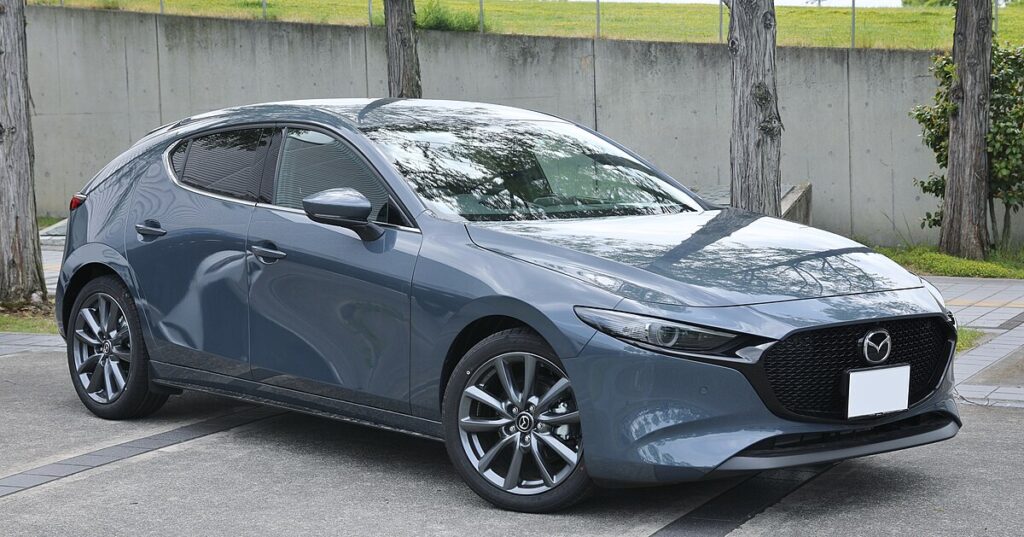
When that little green i-STOP light starts flashing on the Mazda 3 dashboard, it feels like the car is trying to tell us something—but in Morse code. We’ve all been there, squinting at the dash, wondering whether the engine is about to give up or the battery simply needs a hug.
In this comprehensive guide, we’re diving deep into why the Mazda 3 i-STOP starts flashing, how to diagnose the cause like seasoned pros, and what steps we can take to fix it—without losing our minds or emptying our wallets.
Let’s make sense of this blinking mystery.
Content in this publication
- What Exactly Is Mazda’s i-STOP System?
- Why Does the i-STOP Light Flash Instead of Staying On?
- Most Common Reasons the Mazda 3 i-STOP Starts Flashing
- How the Mazda 3 Warns You With Other Lights
- How To Diagnose a Flashing i-STOP Light (Step-By-Step)
- How To Reset the Mazda 3 BMS (Battery Management System)
- Essential Maintenance Tasks to Prevent i-STOP Flashing
- When Does i-STOP Turn Off Automatically?
- How Much Does It Cost To Fix i-STOP Issues?
- Is It Safe To Drive With the i-STOP Flashing?
- Advanced Tips for Mazda 3 Owners
- Should I Disable i-STOP Completely?
- Closing Thoughts: Making Peace with a Flashing i-STOP Light
- FAQs
What Exactly Is Mazda’s i-STOP System?
Mazda’s i-STOP is the brand’s unique idle-stop system, designed to reduce fuel consumption by shutting off the engine when you’re at a standstill. Think of it as the car taking a tiny nap to save energy.
But unlike other stop-start systems, Mazda’s version restarts the engine using combustion, not the starter motor—which is clever, efficient, and… sometimes a little picky.
Why Does the i-STOP Light Flash Instead of Staying On?
A steady i-STOP light means the system is simply inactive.
But a flashing i-STOP light?
That’s Mazda-speak for a malfunction or failure condition. Something is preventing the system from working safely.
This could range from a low battery to a faulty sensor or even a dirty MAF. The challenge is figuring out which one’s guilty.
Most Common Reasons the Mazda 3 i-STOP Starts Flashing
Below is the shortlist—our “culprit list”—of the most frequent causes:
1. Weak or Deteriorating Battery
Mazda’s i-STOP is extremely sensitive to battery health. Even if your Mazda 3 starts normally, the i-STOP may refuse to work if the battery isn’t at peak performance.
2. BMS Malfunction
The Battery Management System (BMS) monitors voltage and charging behavior. If it detects inconsistent values, i-STOP throws a tantrum and flashes.
3. Alternator Performance Issues
If the alternator can’t meet electrical demand, the car disables i-STOP to prioritize essentials.
4. Faulty Brake Pedal Switch
i-STOP depends on brake-switch data. Any irregularity in its readings causes a malfunction.
5. Temperature Conditions
If the engine or cabin temperature is outside of Mazda’s acceptable range, the system shuts down.
6. Dirty or Faulty Sensors (MAF/O2/etc.)
A dirty MAF or aging O2 sensor can disrupt the engine’s efficiency calculations.
7. AC System Load
If the AC demands too much power—especially on hot days—the i-STOP light may flash.
8. ECU Software Glitches
Sometimes, it’s not a part that’s failing… it’s the brain forgetting how to think clearly.
How the Mazda 3 Warns You With Other Lights
Often, the i-STOP light doesn’t flash alone. It brings friends.
You may be interested in reading Mazda 3 Clutch Replacement: Complete Professional Guide for Removing, Checking, and Installing the Clutch Assembly
Common pairings include:
- Check Engine Light
- i-ELOOP Warning
- Traction Control Light
- Battery Light
If multiple lights glow at once, the issue is likely electrical.
How To Diagnose a Flashing i-STOP Light (Step-By-Step)
Let’s break down a real troubleshooting workflow we use to identify the root cause quickly and accurately.
Step 1: Check Battery Voltage
Use a multimeter or OBD2 scanner.
- Healthy battery (idle): 12.5–12.8V
- Charging (engine on): 13.7–14.4V
If numbers fall short, the battery or alternator is suspect.
Step 2: Review i-STOP Conditions With an OBD2 Scanner
Scan for Mazda-specific codes, especially:
- P0606
- P2507
- P0171 (lean condition)
- BMS-related codes
Step 3: Inspect the Battery Terminals
Look for:
- corrosion
- loose terminals
- frayed cables
Even a slightly loose terminal can disable i-STOP.
Step 4: Evaluate Sensor Readings
Log live data for:
- MAF
- O2 sensors
- coolant temp
- intake air temp
Any “impossible” values mean something needs cleaning or replacing.
Step 5: Brake Pedal Switch Test
Check whether brake lights activate instantly when the pedal is pressed. If there’s a delay, replace the switch.
Step 6: Reset the BMS
If the battery was recently changed or disconnected, the BMS needs recalibration.
How To Reset the Mazda 3 BMS (Battery Management System)
Here’s the commonly used method:
- Turn the ignition ON (engine off).
- Press and hold the i-STOP OFF button for 5–10 seconds.
- The i-STOP light should blink slowly.
- Release the button.
- Restart the car.
If the system resets successfully, the flashing stops. If not, dig deeper.
Essential Maintenance Tasks to Prevent i-STOP Flashing
Keep the Battery Healthy
- Use the correct battery type (EFB or AGM)
- Avoid cheap replacements
- Test every 6 months
Clean the MAF Sensor
A quick spray of MAF cleaner works miracles.
Update ECU Software
Mazda dealerships often apply relevant patches that improve i-STOP functionality.
Check Electrical Loads
Aftermarket accessories can disrupt voltage management.
Ensure Proper Oil Level
Low or dirty oil affects engine restart dynamics.
When Does i-STOP Turn Off Automatically?
Even if everything is working perfectly, i-STOP won’t activate under these conditions:
You may be interested in readingMazda 3 Clutch Replacement: Complete Professional Guide for Removing, Checking, and Installing the Clutch AssemblyYou may be interested in reading
 Mazda 3 Clutch Replacement Cost: The Complete 2025 Guide We All Need
- battery temperature too low
- engine is still warming up
- AC demand is too high
- steering wheel is turned sharply
- i-ELOOP capacitor is charging
- outside temperature extreme
It’s not always a malfunction—sometimes, the system is simply being cautious.
How Much Does It Cost To Fix i-STOP Issues?
Cost varies depending on the culprit:
| Issue | Estimated Cost |
|---|---|
| Battery replacement | £90–£180 |
| Brake switch | £20–£40 |
| MAF cleaning | £10 (DIY) |
| Alternator repair | £150–£350 |
| ECU update | Usually free |
| BMS reset | Free–£50 |
Is It Safe To Drive With the i-STOP Flashing?
Yes—the car is safe to drive.
But:
- fuel economy might drop
- engine idle may feel rougher
- battery strain increases
We recommend diagnosing the issue soon to prevent long-term damage.
Advanced Tips for Mazda 3 Owners
1. Use a Smart Charger
Give your battery a maintenance charge every few weeks.
2. Avoid Very Short Trips
Mazda systems need time to replenish battery charge.
3. Don’t Jump-Start Often
This can confuse the BMS and trigger flashing again.
4. Scan Codes Before Clearing
Always document codes before resetting anything.
Should I Disable i-STOP Completely?
Some owners prefer turning it off permanently due to:
- increased battery wear
- inconvenience in traffic
- inconsistent activation
Mazda allows manual deactivation via the button—but it resets at every engine cycle unless reprogrammed.
Closing Thoughts: Making Peace with a Flashing i-STOP Light
The Mazda 3 i-STOP flashing is like a polite nudge from the car saying, “Hey… something feels off.” It’s not a disaster, but it does require attention. With the steps we’ve shared, we can diagnose most issues from home, save time, and avoid unnecessary dealership visits.
Whenever that light starts blinking again, remember:
It’s not the end of the world—it’s just your Mazda being dramatic.
FAQs
1. Why is my Mazda 3 i-STOP light flashing after replacing the battery?
Because the BMS wasn’t reset. Perform a BMS reset and the flashing should stop.
2. Does a flashing i-STOP mean my battery is dead?
Not always—but a weak battery is the most common reason.
3. Can a dirty MAF sensor cause the i-STOP to flash?
Absolutely. A dirty MAF disrupts combustion calculations.
4. What scanners work best for diagnosing Mazda i-STOP issues?
We recommend OBD2 devices that support Mazda-specific PIDs, such as the Autel AP200 or OBDLink MX+.
5. How long does Mazda’s i-STOP system battery last?
Typically 3–5 years, depending on climate and driving habits.
You may be interested in readingMazda 3 Clutch Replacement: Complete Professional Guide for Removing, Checking, and Installing the Clutch AssemblyYou may be interested in reading
Mazda 3 Clutch Replacement Cost: The Complete 2025 Guide We All NeedYou may be interested in reading
 Mazda 3 DPF Light Flashing: The Complete Guide to Causes, Fixes, and Prevention
If you want to know other articles similar to Mazda 3 i-STOP Flashing: The Complete Guide We All Wish We Had Sooner you can visit the category Service and Parts.
How to Reset Volvo XC60 Infotainment System: The Complete Practical Guide
Volvo XC60 Gearbox Oil Change: The Complete Expert Guide
Volvo XC60 Engine Management Light: Causes, Fixes, and What It Really Means

Skoda Kamiq Size Comparison: Dimensions, Space & Real-World Practicality
Volvo XC60 Headlight Adjustment for Europe: The Complete Practical Guide
Volvo XC60 City Safety Service Required: What It Means, Causes, and Fixes
Leave a Reply
More content of your interest