

VW ID.3 Service Reset: The Complete Owner’s Guide

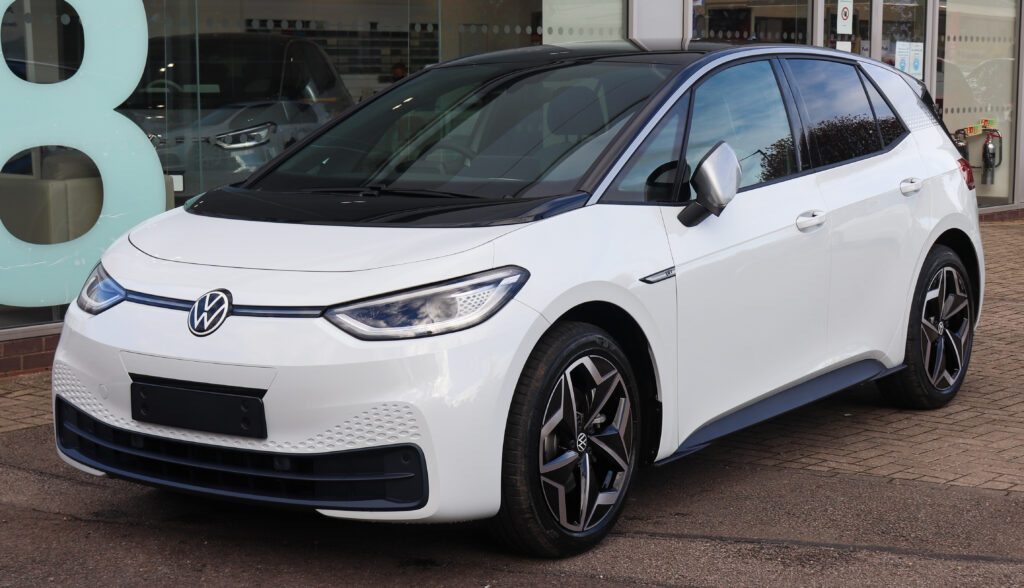
Owning a Volkswagen ID.3 feels like stepping into tomorrow. It’s silent, smooth, and smarter than most of us before our first coffee. But even the smartest EV still nudges us with reminders—especially that stubborn service due message. That’s where the VW ID.3 service reset becomes your secret weapon.
We’re not talking about ignoring maintenance. We’re talking about knowing how your car communicates, how to respond after a service, and how to stay in control. Think of it like resetting your smartwatch after a workout—you’re not cheating the system, you’re telling it, “We’ve done the work.”
Let’s break it down together.
Content in this publication
- Understanding the VW ID.3 Service Indicator
- Can You Reset the VW ID.3 Service Light Yourself?
- VW ID.3 Service Reset via Infotainment (Manual Method)
- When Manual Reset Doesn’t Work
- Using an OBD Tool for VW ID.3 Service Reset
- Why Your ID.3 Still Needs Servicing
- Common Mistakes Owners Make
- How Often Should You Reset the Service Indicator?
- Service Reset vs. Warning Lights
- Is Resetting Safe for Warranty?
- VW ID.3 Service Reset After Battery Work
- Why the ID.3 Feels Different from Petrol VW Models
- Keeping a Personal Service Log
- The Psychology of a Clean Dashboard
- Future Updates May Change the Process
- Closing Thoughts: Stay in Control
- FAQs
Understanding the VW ID.3 Service Indicator
Volkswagen designed the ID.3 to be intuitive, but service reminders still confuse many owners.
What Triggers the Service Reminder?
The service alert appears based on:
- Time intervals (usually every 12–24 months)
- Mileage thresholds
- Software-defined inspection schedules
It doesn’t necessarily mean something is wrong. It simply means your ID.3 believes it’s time for a check-up.
Why It Matters
Ignoring the reminder can:
- Distract you every time you start the car
- Affect resale perception
- Create uncertainty about maintenance history
Resetting it after legitimate servicing keeps your digital cockpit clean and honest.
Can You Reset the VW ID.3 Service Light Yourself?
Short answer: Yes, sometimes.
Long answer: it depends on the type of reminder.
The ID.3 separates:
- Inspection reminders
- Oil/service-style intervals (software-based for EVs)
Some can be reset via the infotainment system. Others require diagnostic tools.
VW ID.3 Service Reset via Infotainment (Manual Method)
This method works on many ID.3 software versions for basic inspection reminders.
Step-by-Step Process
- Sit in the driver’s seat and close all doors
- Turn the ignition on (do not start driving)
- Open the Vehicle menu on the infotainment screen
- Navigate to Service or Vehicle Status
- Select Inspection or Service Interval
- Choose Reset
- Confirm when prompted
If successful, the reminder disappears like fog under sunlight.
If “Reset” is greyed out, your ID.3 is politely telling you: This one needs a tool.
When Manual Reset Doesn’t Work
Some service reminders are locked behind diagnostic access.
This usually applies to:
- Major inspection intervals
- Software-calculated maintenance cycles
- Dealer-verified service records
In these cases, you’ll need:
- OBD diagnostic tool (VCDS, OBDeleven, ODIS)
- Or a Volkswagen service center
Think of it as a digital handshake between your car and professional equipment.
Using an OBD Tool for VW ID.3 Service Reset
For DIY enthusiasts, OBD tools feel like a backstage pass.
You may be interested in reading Volkswagen ID.3 Battery Capacity: Powering the Electric Everyday
What You Need
- OBDeleven or VCDS-compatible device
- Smartphone or laptop
- Basic comfort with menus
General Workflow
- Plug the OBD device into the port
- Open the app/software
- Select your vehicle
- Navigate to Service Interval Reset
- Execute reset command
Most apps even label it clearly: “Reset Service Reminder.”
It’s like telling your ID.3, “We’ve already been to the doctor.”
Why Your ID.3 Still Needs Servicing
Resetting the reminder doesn’t replace maintenance.
Even EVs need:
- Brake fluid changes
- Cabin filter replacement
- Software checks
- Suspension inspection
- Cooling system evaluation
The service reset is a bookmark, not an eraser.
Common Mistakes Owners Make
Resetting Without Servicing
This creates a false maintenance timeline.
Ignoring Software Updates
Some reminders are tied to firmware logic.
Using Cheap OBD Tools
Low-quality tools can miswrite data.
Treat your ID.3 like a laptop on wheels—bad software tools can do more harm than good.
How Often Should You Reset the Service Indicator?
Only after:
- Scheduled maintenance
- DIY-approved service tasks
- Professional inspection
Typical cadence:
- Every 12 months
- Or every 9,000–12,000 miles
Your ID.3 isn’t nagging—it’s pacing you.
Service Reset vs. Warning Lights
A service reminder is not a fault code.
| Indicator Type | Meaning | Reset Method |
|---|---|---|
| Service Due | Scheduled check | Menu / OBD |
| Yellow Warning | Advisory fault | Diagnose |
| Red Warning | Critical issue | Immediate service |
Never reset a warning without understanding it.
Is Resetting Safe for Warranty?
Yes—if the service was performed.
Volkswagen warranties care about:
- Actual maintenance
- Service records
- Compliance with intervals
Resetting the reminder after a proper service aligns with warranty terms.
VW ID.3 Service Reset After Battery Work
High-voltage systems are monitored carefully.
After:
You may be interested in readingVolkswagen ID.3 Battery Capacity: Powering the Electric EverydayYou may be interested in reading
 Volkswagen ID.3 Battery Life: How Long It Really Lasts
- Battery inspection
- Cooling system service
- Software updates
The service interval often must be reset using diagnostic tools. Manual reset usually won’t appear.
Why the ID.3 Feels Different from Petrol VW Models
Traditional VW cars used button sequences.
The ID.3 uses:
- Software logic
- Touch-based menus
- Over-the-air updates
It behaves more like a smartphone than a Golf.
Keeping a Personal Service Log
Even with digital records, we recommend:
- Notebook in glove box
- Spreadsheet on phone
- Photos of service receipts
It adds resale value and peace of mind.
The Psychology of a Clean Dashboard
A cleared service message does more than tidy your screen.
It:
- Reduces cognitive noise
- Builds trust in the car
- Makes every start feel fresh
Like resetting a to-do list—suddenly, everything feels possible again.
Future Updates May Change the Process
Volkswagen continues evolving the ID.3 platform.
Future software may:
- Automate resets after dealer sync
- Lock more functions behind authentication
- Add predictive service windows
Staying updated means staying empowered.
Closing Thoughts: Stay in Control
The VW ID.3 service reset isn’t about dodging responsibility. It’s about understanding your car’s language. When we reset after real maintenance, we’re keeping our EV honest, organized, and in rhythm with us.
Your ID.3 isn’t just a car—it’s a companion in motion. Treat its reminders like friendly taps on the shoulder, not scolding alarms. Reset them when earned, and every drive starts clean, calm, and confident.
FAQs
1. Can I reset the VW ID.3 service light without tools?
Yes, some inspection reminders can be reset through the infotainment menu.
2. Why is the reset option greyed out?
That reminder requires a diagnostic tool or dealer access.
3. Does resetting affect warranty?
No, as long as the service was actually performed.
4. Is it bad to reset without servicing?
It can misrepresent maintenance history and harm long-term reliability.
5. Will software updates change the reset process?
Yes. Future updates may modify or restrict manual resets.
Volkswagen ID.3 Battery Capacity: Powering the Electric EverydayYou may be interested in reading
Volkswagen ID.3 Battery Life: How Long It Really LastsYou may be interested in reading
 Volkswagen ID.3 Battery Range Loss: Why It Happens and How We Beat It
If you want to know other articles similar to VW ID.3 Service Reset: The Complete Owner’s Guide you can visit the category Service and Parts.
How to Reset Volvo XC60 Infotainment System: The Complete Practical Guide
Volvo XC60 Gearbox Oil Change: The Complete Expert Guide
Volvo XC60 Engine Management Light: Causes, Fixes, and What It Really Means

Skoda Kamiq Size Comparison: Dimensions, Space & Real-World Practicality
Volvo XC60 Headlight Adjustment for Europe: The Complete Practical Guide
Volvo XC60 City Safety Service Required: What It Means, Causes, and Fixes
Leave a Reply
More content of your interest