

Toyota Sequoia Key Fob Battery Replacement: Complete DIY Guide

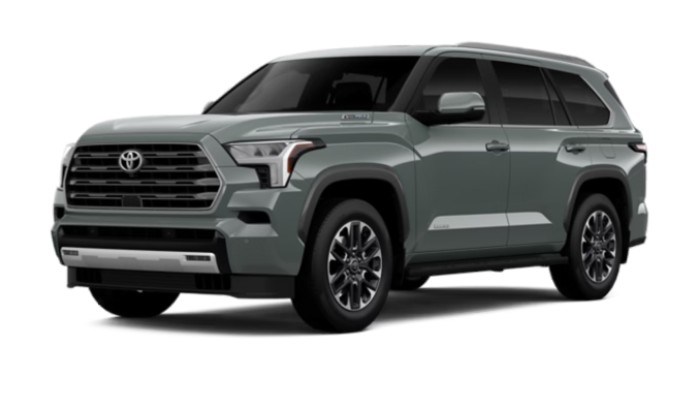
When your Toyota Sequoia key fob suddenly needs three button presses instead of one, only works when you stand next to the SUV, or flashes a frustrating “Key Not Detected” message, there’s a good chance the little coin battery inside the remote is running out of energy.
Fortunately, Toyota Sequoia key fob battery replacement is one of those maintenance jobs that looks more intimidating than it really is. We don't need dealership equipment, complicated programming software, or a toolbox worthy of a professional mechanic. In most cases, a fresh lithium coin battery and a small screwdriver are all we need.
There is one catch, though: not every Sequoia key fob necessarily uses the same battery. Battery type can vary with model year, key design, and remote part number. Toyota's 2022 Sequoia owner's manual, for example, specifically calls for a CR2032 lithium battery in its electronic key. Different replacement sources for newer 2023-and-later Sequoia smart keys list either CR2032 or CR2450 depending on the particular remote, so checking the battery already installed in your fob remains the safest approach.
Think of the old battery as the label on an empty printer cartridge: before ordering a replacement, read the number printed on it.
In this guide, we'll cover how to identify the correct battery, open the remote without damaging it, install the replacement correctly, troubleshoot a fob that still doesn't work, and recognize when the battery isn't actually the problem.
Content in this publication
- What Battery Does a Toyota Sequoia Key Fob Use?
- How Do We Know the Toyota Sequoia Key Fob Battery Is Dying?
- What We Need for Toyota Sequoia Key Fob Battery Replacement
- Toyota Sequoia Key Fob Battery Replacement: Step-by-Step
- Step 1: Confirm the Replacement Battery
- Step 2: Remove the Mechanical Emergency Key
- Step 3: Find the Key Fob Opening Slot
- Step 4: Carefully Separate the Key Fob
- Step 5: Identify the Existing Battery
- Step 6: Note the Battery Orientation
- Step 7: Remove the Old Battery
- Step 8: Install the New Battery
- Step 9: Reassemble the Toyota Sequoia Key Fob
- Step 10: Test Every Key Fob Function
- Do We Need to Reprogram the Sequoia Key Fob After Changing the Battery?
- Toyota Sequoia Key Fob Not Working After Battery Replacement
- How Long Does a Toyota Sequoia Key Fob Battery Last?
- Can We Start a Toyota Sequoia With a Dead Key Fob Battery?
- Can We Replace the Toyota Sequoia Key Fob Battery Ourselves?
- Mistakes to Avoid When Changing a Sequoia Key Fob Battery
- What If the Sequoia Key Fob Battery Keeps Dying?
- Key Fob Battery vs. Toyota Sequoia 12-Volt Battery
- Should We Replace the Spare Key Fob Battery Too?
- Toyota Sequoia Key Fob Battery Replacement Cost
- How to Make the New Key Fob Battery Last Longer
- When Battery Replacement Isn't Enough
- Final Thoughts on Toyota Sequoia Key Fob Battery Replacement
- Frequently Asked Questions
- 1. What battery does a Toyota Sequoia key fob take?
- 2. Does a Toyota Sequoia key fob need reprogramming after changing the battery?
- 3. Why is my Toyota Sequoia key fob still not working with a new battery?
- 4. Can I start my Toyota Sequoia if the key fob battery is dead?
- 5. How can I tell when my Toyota Sequoia key fob battery needs replacing?
What Battery Does a Toyota Sequoia Key Fob Use?
For many Toyota Sequoia smart keys, CR2032 is the battery you'll encounter. Toyota's 2022 owner's manual explicitly specifies a CR2032 lithium coin battery and instructs owners to install it with the positive terminal facing upward.
Earlier Sequoia remote configurations can be different, however. Some remote-head keys and separate wireless remotes use different coin-cell batteries, which is why shopping simply for “Toyota Sequoia battery” can occasionally lead us down the wrong road.
Newer third-generation Sequoia smart keys deserve particular attention. Some replacement-battery suppliers identify CR2450 cells for 2023–2026 Sequoia smart keys, while listings for certain OEM-style HYQ14FBX Sequoia remotes specify CR2032.
That makes one simple rule more valuable than any online compatibility chart:
Open your key fob and match the exact battery code printed on the original battery.
If it says CR2032, install a CR2032. If it says CR2450, buy a CR2450. Don't choose a battery simply because the diameter looks similar.
Toyota Sequoia Key Fob Battery Size at a Glance
The most useful general guide is:
| Sequoia key configuration | Common battery |
|---|---|
| Many electronic/smart keys through 2022 | CR2032 |
| Some traditional remote-head keys | May differ by remote |
| Some 2023+ smart-key configurations | CR2032 or CR2450 depending on fob |
| Unknown or replacement key | Check existing battery/fob part number |
Toyota specifically documents a CR2032 for the 2022 Sequoia electronic key.
The table should therefore be treated as a starting point rather than permission to skip checking the old battery.
Why CR2032 and CR2450 Aren't Interchangeable
They may both look like shiny silver coins, but coin-cell battery codes tell us something important about physical dimensions.
Trying to squeeze the wrong battery into the holder can create poor electrical contact or potentially damage the contacts. A battery that's too thin may move around; one that's too thick may put unnecessary pressure on the holder.
So when we're unsure, matching the number stamped onto the original battery beats guessing every time.
How Do We Know the Toyota Sequoia Key Fob Battery Is Dying?
Key-fob batteries rarely go from perfect to completely dead overnight. Most give us warning signs first.
One of the earliest symptoms is reduced operating range. Maybe the doors once unlocked from across the driveway but now we're practically touching the door handle before anything happens.
Toyota itself notes that when the electronic-key battery becomes depleted, the smart-key and wireless-remote functions may stop operating properly and their effective range can decrease.
Other common symptoms include:
- Lock or unlock buttons working intermittently
- Several button presses being required
- Reduced remote range
- Smart-entry functions behaving inconsistently
- Vehicle occasionally displaying a key-detection warning
- Push-button start becoming less reliable
- Panic or liftgate buttons responding slowly
- One key working normally while the spare behaves poorly
If everything works normally with your spare key but badly with your everyday fob, the battery becomes an especially obvious suspect.
Is a “Key Not Detected” Message Always Caused by the Battery?
No.
A weak key-fob battery is a common and inexpensive possibility, so it makes sense to check it first. But a key-detection warning can also involve interference, a damaged remote, vehicle electrical problems, or issues with the smart-key system itself.
That means battery replacement should be viewed as the easiest diagnostic step, not a magical cure for every smart-key problem.
If a fresh, correctly installed battery changes nothing, we'll want to investigate further rather than repeatedly replacing perfectly good batteries.
What We Need for Toyota Sequoia Key Fob Battery Replacement
This job normally requires surprisingly little.
We generally need:
- Correct lithium coin-cell battery
- Small flathead screwdriver or suitable pry tool
- Clean, well-lit workspace
- Soft cloth or microfiber towel
- The Sequoia key fob
Toyota's 2022 instructions mention a flathead screwdriver, a small flathead screwdriver, and a CR2032 battery for that particular electronic key.
A plastic pry tool can also be convenient because it reduces the chance of leaving marks in the housing.
Should We Buy a Cheap Battery or a Name-Brand Battery?
For such a small component, buying a decent battery makes sense.
The price difference between an unknown coin cell and a fresh battery from a recognized manufacturer is usually modest. More importantly, we want a battery with good shelf life and consistent voltage.
Check the expiration date if the packaging provides one. A battery may be technically “new” because it has never been used but still have spent years sitting on a shelf.
It's like replacing a flashlight battery with another battery from the mystery drawer in the kitchen. We haven't really eliminated the battery as the problem.
Toyota Sequoia Key Fob Battery Replacement: Step-by-Step
The exact shell design changes depending on model year, but the basic procedure is remarkably similar.
We remove the mechanical key if equipped, separate the casing, locate the battery, replace it without disturbing surrounding electronics, close everything, and test the remote.
Let's walk through it carefully.
Step 1: Confirm the Replacement Battery
Before dismantling anything, make sure we have the battery we expect to use.
If we're uncertain about battery size, we can open the fob first, read the code printed on the existing battery, and then purchase its exact replacement.
Again, don't assume that every Sequoia uses the same battery simply because an online article says “CR2032.”
Step 2: Remove the Mechanical Emergency Key
Many Sequoia smart keys contain a small mechanical key inside the remote.
Look for the release lever or sliding tab along the edge of the fob. Move the release while pulling the mechanical key outward.
Don't force it.
Once removed, the key may also expose the slot used for separating the fob housing.
Step 3: Find the Key Fob Opening Slot
Look along the seam between the two halves of the remote.
There's usually a small notch designed for opening the casing. Insert the mechanical key tip, a plastic pry tool, or a small flathead screwdriver into the appropriate slot.
Using the designated opening point matters. Randomly attacking the seam with a screwdriver is how an easy battery replacement turns into a scratched or cracked key fob.
Step 4: Carefully Separate the Key Fob
Gently twist the tool rather than aggressively levering upward.
We want the plastic clips to release gradually.
If the shell doesn't open, reposition the tool and try again rather than increasing force dramatically. Key-fob plastic can become more brittle with age, particularly on a remote that's spent years being dropped, heated in the sun, and carried around in pockets.
Once the housing begins to separate, use your fingers to finish opening it.
Don't Let the Internal Pieces Fall Out
Open the remote over a table.
Some fobs contain loose buttons, rubber membranes, or internal modules that can move when the casing separates. Opening the fob vertically over the floor creates an unnecessary scavenger hunt.
A towel underneath the remote also prevents small parts from bouncing away.
Step 5: Identify the Existing Battery
Now we reach the most important verification step.
Look at the lettering printed on the battery.
You may see something such as:
CR2032 3V
or another coin-battery designation.
Buy or install the exact size specified for that remote.
This is particularly important on newer Sequoia keys because replacement sources don't universally agree on one battery size for every current-generation remote configuration.
Step 6: Note the Battery Orientation
Before removing the old battery, look at which side faces outward.
On the 2022 electronic key described by Toyota, the replacement CR2032 is installed with the “+” terminal facing upward.
Other fob designs should still be checked rather than assumed.
Taking a quick phone photo before removing the battery isn't excessive. It's insurance against the classic “Wait... which side was up?” moment.
Step 7: Remove the Old Battery
Use a small screwdriver or fingernail to release the battery gently from its holder.
Avoid bending the metal battery contacts. Those small tabs provide the electrical connection between the cell and circuit board, and they don't appreciate being treated like pry bars.
We also want to avoid scraping or puncturing the coin cell.
Once removed, set it aside somewhere children and pets cannot access it.
Step 8: Install the New Battery
Slide the new battery beneath any retaining tabs and press it gently into position.
Make sure that:
- The correct battery size is installed.
- Polarity matches the original installation.
- The battery sits completely flat.
- The battery isn't loose.
- No battery-holder contacts have been bent.
If the battery requires significant force, stop. We may have the wrong size or may be inserting it incorrectly.
The correct battery should fit naturally.
Step 9: Reassemble the Toyota Sequoia Key Fob
Align the two halves of the housing.
Press around the perimeter until the plastic clips snap together.
Don't press only in the center because doing so can stress the circuit board. Work progressively around the outer edge instead.
Then reinstall the mechanical emergency key.
The casing should close evenly with no unusual gaps.
Step 10: Test Every Key Fob Function
Before declaring victory, test:
- Lock
- Unlock
- Panic alarm
- Rear hatch/liftgate button, if equipped
- Smart-entry function
- Push-button starting
Walk several feet away and test again.
If the remote suddenly works from normal range, we've almost certainly solved the problem.
Do We Need to Reprogram the Sequoia Key Fob After Changing the Battery?
Normally, simply replacing the coin-cell battery does not erase the key's programming.
We're replacing the fob's power source, not replacing the electronic key itself.
That's an important distinction.
Replacing or adding an entire smart key can involve programming procedures. Replacing the battery inside an already registered key is ordinary maintenance.
Therefore, if the fob completely stops working after battery replacement, don't immediately assume it mysteriously “forgot” the vehicle.
First check the battery installation.
Toyota Sequoia Key Fob Not Working After Battery Replacement
This is where frustration usually begins.
We replace the battery, snap the remote together, proudly walk toward the Sequoia... and nothing happens.
Before assuming we need a dealership visit, let's check the easy possibilities.
Check the Battery Polarity
Open the fob again.
Make sure the positive and negative sides are facing the right direction.
Installing the battery upside down is probably the most harmless mistake we can make, but it can make a brand-new battery look completely dead.
Confirm the Battery Size
Read the code.
Not the packaging.
Not the online listing.
Read the battery currently sitting inside the key fob and compare it with the original.
CR2032, CR2025, CR2016, and CR2450 batteries may all resemble one another at first glance, but resemblance doesn't equal compatibility.
Check the Battery Contacts
Inspect the small metal contacts.
They should touch the battery firmly.
If a contact is visibly bent away from the battery, we may have found the issue. Be extremely careful before attempting to reposition delicate contacts because aggressive bending can break them.
Try Another Fresh Battery
Even new batteries can occasionally be weak, old, or defective.
Trying another battery from a fresh package is inexpensive and helps eliminate the replacement cell as a variable.
Verify the Circuit Board Is Properly Seated
If the circuit-board module shifted while the remote was open, buttons may no longer line up correctly.
Open the housing and make sure all internal pieces sit exactly where they're supposed to.
Test the Spare Key
This is one of our best diagnostic tricks.
If the spare key operates the Sequoia normally, the vehicle's smart-key system is probably functioning, directing our attention back toward the problematic remote.
If neither key operates correctly, the issue could extend beyond a coin-cell battery.
How Long Does a Toyota Sequoia Key Fob Battery Last?
There isn't one universal expiration date because battery life depends on usage, battery quality, environmental conditions, smart-key behavior, and the specific remote.
Instead of changing the battery according to a rigid calendar, watch for symptoms.
A noticeable reduction in operating range is particularly useful. Toyota lists reduced range and improper smart-key/wireless-remote operation as possible symptoms of a depleted electronic-key battery.
If your Sequoia starts behaving like it suddenly wants the key fob within arm's reach, that's your remote asking for attention.
What Makes a Key Fob Battery Drain Faster?
Several things can shorten usable battery life:
- Frequent button usage
- Old replacement batteries
- Extreme temperatures
- Moisture inside the key housing
- Damaged buttons remaining partially pressed
- Electrical faults inside the remote
- Certain environments that create repeated smart-key communication or interference
If we're replacing the battery unusually frequently, the solution may not be “buy more batteries.”
Something else may deserve investigation.
Can We Start a Toyota Sequoia With a Dead Key Fob Battery?
On push-button-start vehicles, a depleted remote battery doesn't necessarily mean the vehicle becomes a giant immovable brick.
Smart-key systems can have an emergency recognition procedure allowing the vehicle to detect the transponder at very close range even when normal remote operation is unavailable.
The exact procedure depends on model year, so the owner's manual should be the final authority.
On many Toyota smart-key vehicles, this involves bringing the electronic key directly against or extremely close to the engine Start/Stop button while following the specified starting procedure.
That distinction matters because the fob contains more than the replaceable battery-powered remote electronics.
What About Unlocking the Door?
That's why many smart keys hide a mechanical emergency key inside the remote.
If the electronic unlocking function fails, remove the mechanical key and use the physical door-lock procedure specified for your Sequoia.
It's an elegantly old-school backup hiding inside a very modern piece of electronics.
Can We Replace the Toyota Sequoia Key Fob Battery Ourselves?
For most owners, absolutely.
Battery replacement doesn't normally require automotive repair experience. If we can gently open a plastic casing without treating it like a paint-can lid, we're already most of the way there.
The job becomes more appropriate for a professional when:
- The casing is cracked
- Battery contacts are broken
- The remote was submerged in water
- Buttons are physically damaged
- A new battery doesn't restore operation
- The circuit board is corroded
- The vehicle no longer recognizes the key
- The entire remote requires replacement
A battery costs very little compared with an electronic smart key, so careful handling is worthwhile.
Mistakes to Avoid When Changing a Sequoia Key Fob Battery
Replacing a key battery is simple, but simple jobs invite rushed mistakes.
The biggest one is buying a battery solely from an internet compatibility chart.
Other mistakes include using excessive force to open the housing, bending electrical contacts, installing the battery upside down, touching or dislodging circuit-board components unnecessarily, losing the mechanical key, and assuming the remote requires reprogramming the instant something doesn't work.
Don't Force the Fob Open
If it feels like we're trying to split a walnut, something is wrong.
Find the proper opening notch.
A gentle twisting motion usually works better than brute leverage.
Don't Mix Up Two Similar-Looking Batteries
Coin cells are deceptive. A slightly different thickness may be difficult to notice by eye.
Read the full battery code.
Don't Throw Coin Batteries in an Accessible Trash Can
Coin batteries are small enough to pose a serious ingestion hazard, especially around children. Toyota specifically warns that removed batteries and small electronic-key components should be kept away from children.
Follow local battery-disposal requirements rather than leaving the old cell loose where someone can reach it.
What If the Sequoia Key Fob Battery Keeps Dying?
One battery dying after a long period of use is ordinary.
Repeated batteries dying unusually quickly deserve attention.
Start by trying a fresh, reputable replacement battery. If the same issue returns quickly, inspect the key for signs of physical damage or moisture.
A stuck button can also matter. If a button remains depressed in a pocket or purse, the remote may behave differently from one sitting untouched.
Compare battery life with your spare fob if possible.
If one remote repeatedly consumes batteries while the other doesn't, the remote itself becomes the obvious variable.
Key Fob Battery vs. Toyota Sequoia 12-Volt Battery
Here's an easy source of confusion.
The key fob battery and the vehicle's 12-volt battery are completely separate things.
A weak fob battery might cause:
- Poor remote range
- Intermittent unlocking
- Key-detection issues
- Smart-entry problems
A weak vehicle battery can cause much broader symptoms:
- Slow or failed starting
- Dim lighting
- Electrical warnings
- Multiple systems behaving strangely
- Vehicle failing to power up normally
If pressing the remote unlocks the Sequoia perfectly but the SUV itself struggles to start, blaming the CR2032 won't get us very far.
Diagnosis is all about following the symptoms.
Should We Replace the Spare Key Fob Battery Too?
Not necessarily, but it's worth testing.
If both fobs are the same age and still use their original batteries, the spare may not be far behind the primary remote.
On the other hand, there's no need to replace a healthy battery simply because we opened a package containing two cells.
Store spare coin batteries in their original packaging in a cool, dry location and keep them away from children.
Toyota Sequoia Key Fob Battery Replacement Cost
DIY replacement is usually one of the cheapest fixes we can perform on a modern SUV because we're buying only a small lithium coin cell.
Having a dealer, locksmith, or repair shop perform the replacement may cost more because we're paying for service convenience rather than merely the battery itself.
There's nothing wrong with that, particularly if the housing is difficult to open or we simply don't want to risk damaging an expensive smart key.
But for someone comfortable with a two-minute DIY job, changing the battery at home makes plenty of sense.
How to Make the New Key Fob Battery Last Longer
There's no secret trick that makes a coin cell immortal, but sensible habits help.
Keep the remote dry, don't leave it exposed to extreme heat unnecessarily, replace damaged key housings, avoid carrying it in a way that constantly presses buttons, and use fresh batteries from reputable sources.
Most importantly, don't keep opening the remote unnecessarily.
Every disassembly carries a small risk of damaged clips, disturbed seals, or moved internal components.
When it works, leave it alone.
When Battery Replacement Isn't Enough
We love simple fixes because they're cheap, quick, and satisfying.
But batteries don't fix broken electronics.
If your Toyota Sequoia key fob remains completely unresponsive with a verified fresh battery installed correctly, the problem may involve:
- Damaged circuit board
- Broken battery holder
- Corrosion
- Water intrusion
- Failed button contacts
- Physical key damage
- Smart-key system issue
- Vehicle electrical fault
- Lost key registration or replacement-key programming issue
At that point, a Toyota dealer or qualified automotive locksmith can help distinguish between a defective remote and a vehicle-side problem.
This is particularly important before purchasing an entirely new smart key, because replacement and programming costs are far greater than the cost of testing another battery.
Final Thoughts on Toyota Sequoia Key Fob Battery Replacement
A weak Sequoia remote can feel like the beginning of an expensive electronic problem, but often the solution is sitting in a battery package smaller than a pack of gum.
The basic Toyota Sequoia key fob battery replacement process is straightforward: identify the correct battery, remove the emergency key when applicable, carefully open the remote, match the original battery number and polarity, install the fresh cell, reassemble the casing, and test every function.
For many Sequoia electronic keys, particularly the configuration documented in Toyota's 2022 owner's manual, the correct battery is a CR2032 lithium coin cell. However, different key designs and newer Sequoia remote configurations make it wise to verify the battery physically instead of assuming every model year uses the same cell.
That's the detail worth remembering.
Match the battery to the key fob, not merely to the Toyota Sequoia nameplate.
Do that, handle the remote gently, and this little maintenance task can save us an unnecessary trip to the dealership.
Frequently Asked Questions
1. What battery does a Toyota Sequoia key fob take?
Many Toyota Sequoia electronic keys use a CR2032 lithium coin battery. Toyota specifically identifies CR2032 for the electronic key in its 2022 Sequoia owner's manual. However, battery type can differ with remote design and model year. Some replacement sources list different batteries for newer Sequoia fobs, so the safest method is to open the remote and match the exact code printed on the existing battery.
2. Does a Toyota Sequoia key fob need reprogramming after changing the battery?
Normally, no. Replacing the coin-cell battery doesn't ordinarily erase the electronic key's existing vehicle registration. If the remote stops working after battery replacement, check battery polarity, battery size, contact position, and internal assembly before assuming the key needs programming.
3. Why is my Toyota Sequoia key fob still not working with a new battery?
The new battery may be installed backward, may be the wrong size, may be weak despite being new, or may not be making proper contact. The key's internal circuit board or buttons could also be damaged. If a spare key works correctly while the affected remote doesn't, the problem is more likely to be inside that particular key fob.
4. Can I start my Toyota Sequoia if the key fob battery is dead?
Many push-button-start Toyota vehicles provide an emergency method for recognizing an electronic key when its battery is depleted, typically by positioning the key very close to the Start/Stop button while following the specified starting procedure. Because procedures can differ between Sequoia model years, consult the owner's manual for your exact vehicle.
5. How can I tell when my Toyota Sequoia key fob battery needs replacing?
Reduced remote range is one of the clearest warning signs. You may also experience intermittent locking or unlocking, poor smart-entry operation, multiple button presses being required, or key-detection warnings. Toyota notes that a depleted electronic-key battery can reduce operating range and prevent smart-key and wireless-remote functions from working properly.
If you want to know other articles similar to Toyota Sequoia Key Fob Battery Replacement: Complete DIY Guide you can visit the category Service and Parts.
Kia Sorento Service Reset: How to Reset the Service Light
Kia Sorento Fuel Tank Capacity: Gallons, Litres and Model Differences
Kia Sorento Tyre Pressure: Recommended PSI, Bar and Complete Guide
Kia Sorento Boot Space: How Much Luggage Space Does It Really Have?
Kia Sorento Towing Capacity: How Much Can a Sorento Tow?

Honda Passport Payload Capacity: How Much Weight Can It Carry?
Leave a Reply
More content of your interest