

BMW X1 Key Battery Replacement: Complete Step-by-Step Guide

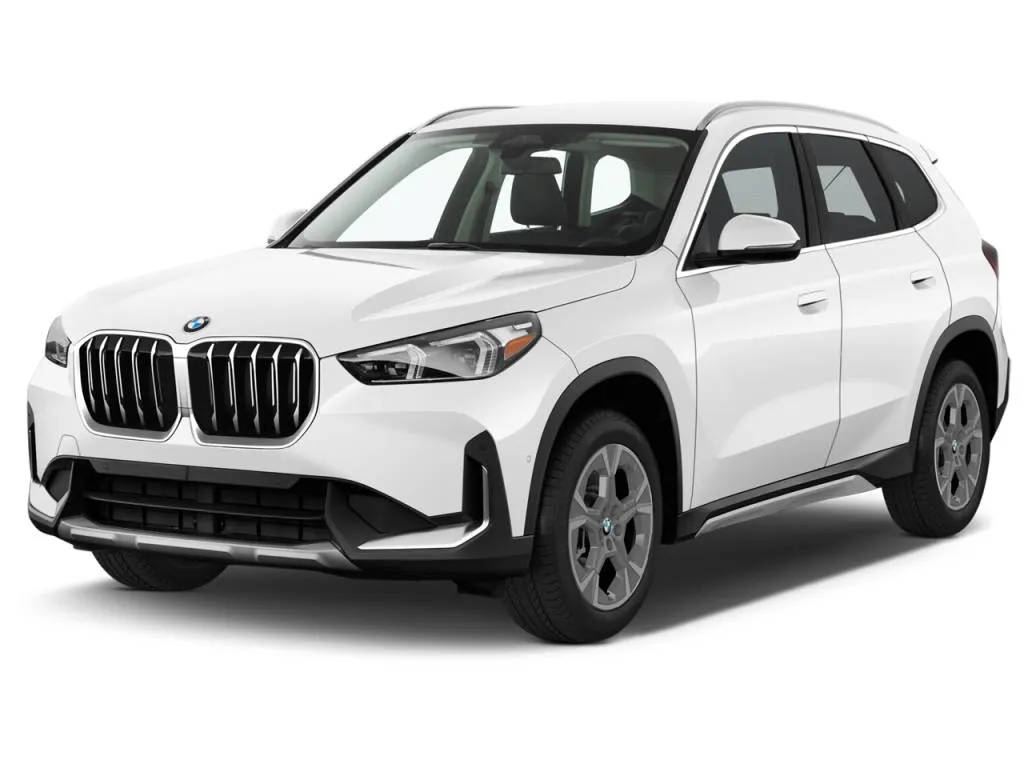
Few things are more frustrating than walking up to your BMW X1, pressing the key fob… and nothing happens. No unlock sound, no blinking lights, no friendly welcome from your car. In many cases, the culprit is surprisingly simple: a dead key battery.
The good news? Replacing the BMW X1 key battery is one of the easiest maintenance tasks you can do yourself. No dealership visit. No special tools. Just a few minutes and a small battery.
In this complete guide, we’ll walk through everything you need to know — from identifying the right battery type to replacing it safely in different BMW X1 generations.
Content in this publication
- Why the BMW X1 Key Battery Matters
- BMW X1 Key Battery Types
- BMW X1 Generations and Key Types
- Tools Needed for BMW X1 Key Battery Replacement
- How to Replace the BMW X1 Key Battery
- How Long a BMW Key Battery Lasts
- BMW X1 Key Battery Warning Message
- What Happens If the Key Battery Dies Completely
- How Much Does BMW X1 Key Battery Replacement Cost
- Common BMW X1 Key Battery Replacement Mistakes
- Tips to Extend BMW Key Battery Life
- BMW Digital Key vs Traditional Key Battery
- When the Key Still Doesn’t Work After Battery Replacement
- Should You Replace Both BMW Key Batteries?
- BMW X1 Key Battery Replacement for Comfort Access
- Environmental Disposal of Key Batteries
- Final Thoughts on BMW X1 Key Battery Replacement
- Frequently Asked Questions
Why the BMW X1 Key Battery Matters
Your BMW key is more than a simple remote. It’s a small piece of engineering that communicates wirelessly with the car.
Inside the key fob are:
- A radio transmitter
- A microchip for authentication
- A battery that powers the system
When the battery weakens, communication between the key and the car starts to fail.
Common signs the battery is dying
- The car unlocks only when you’re very close
- Remote lock/unlock works intermittently
- The keyless entry system becomes unreliable
- A “Key battery low” message appears on the dashboard
If you notice these symptoms, it’s time for a quick battery swap.
BMW X1 Key Battery Types
Before replacing the battery, we need to know which one your key uses.
Most common BMW X1 key battery
The majority of BMW X1 models use:
CR2032 Lithium Coin Battery
These batteries are inexpensive and widely available.
You can find them at:
- Supermarkets
- Electronics stores
- Auto parts shops
- Online retailers
Battery specifications
Typical CR2032 specs include:
- Voltage: 3V
- Diameter: 20 mm
- Thickness: 3.2 mm
Despite its small size, it’s powerful enough to operate the key fob for 2–4 years.
BMW X1 Generations and Key Types
Different BMW X1 generations use slightly different key designs.
BMW X1 E84 (2009–2015)
Key features:
- Traditional BMW rectangular key fob
- Replaceable coin battery
- Manual battery access
BMW X1 F48 (2016–2022)
This generation introduced:
- Modern BMW smart key
- Comfort Access compatibility
- Easier battery replacement slot
BMW X1 U11 (2023–Present)
Newest generation keys often include:
- Sleeker design
- Digital key support via smartphone
- Replaceable CR2032 battery
While the keys look different, the replacement process is very similar.
Tools Needed for BMW X1 Key Battery Replacement
The beauty of this task is its simplicity.
In most cases, all you need is:
- A CR2032 battery
- A small flat screwdriver (optional)
- A clean working surface
That’s it.
No coding. No electronics knowledge.
How to Replace the BMW X1 Key Battery
Let’s walk through the process step by step.
Step 1 – Remove the emergency key
Every BMW key contains a hidden mechanical key.
To access it:
- Turn the key over
- Locate the small release button
- Press and pull the emergency key blade out
This reveals the battery compartment.
Step 2 – Open the battery compartment
After removing the emergency key:
- Look for the small slot in the casing
- Insert the key blade or a small screwdriver
- Gently twist to open the cover
The back of the key will pop open.
Step 3 – Remove the old battery
Inside the key fob you’ll see the coin battery.
To remove it:
- Slide it out using your fingernail
- Or gently pry it out with the key blade
Be careful not to bend the contacts.
Step 4 – Insert the new battery
Place the new battery in the same orientation.
You may be interested in reading Does BMW X1 Require Premium Gas? A Complete Owner’s Guide
Important tip:
The positive (+) side usually faces up.
If inserted incorrectly, the key will not work.
Step 5 – Reassemble the key
Once the battery is installed:
- Snap the cover back into place
- Reinsert the emergency key blade
- Test the key functions
Your BMW should now respond normally.
How Long a BMW Key Battery Lasts
Most BMW X1 key batteries last:
2 to 4 years
However, battery life depends on several factors.
Factors affecting battery lifespan
- Frequency of use
- Environmental temperature
- Keyless entry usage
- Battery quality
Keys used with Comfort Access systems may drain batteries slightly faster.
BMW X1 Key Battery Warning Message
Many modern BMWs display a dashboard warning.
Common warning
“Remote control battery discharged.”
When this appears, the battery usually still works — but not for long.
What you should do
Replace the battery within a few weeks to avoid losing remote functionality.
What Happens If the Key Battery Dies Completely
If the battery dies, don’t panic.
You can still unlock and start the car.
How to unlock the door
Use the hidden mechanical key.
Insert it into the driver's door lock.
How to start the engine
Most BMW X1 models allow starting by:
- Placing the key near the steering column
- Or inside a designated key slot
The car can read the chip even without battery power.
How Much Does BMW X1 Key Battery Replacement Cost
One of the best parts of this repair is the low cost.
DIY battery replacement cost
Typical price:
- $3–$8 per battery
Dealer replacement cost
At a dealership, you might pay:
- $20–$50
That includes labor and the battery.
Doing it yourself saves both time and money.
Common BMW X1 Key Battery Replacement Mistakes
Even simple tasks can go wrong.
Here are the most common mistakes.
Installing the battery upside down
Always check the polarity.
The + symbol must face up in most BMW keys.
Using the wrong battery type
Some people accidentally buy:
- CR2025
- CR2016
These batteries are thinner and may cause connection issues.
Forcing the casing open
Always use gentle pressure.
The plastic clips can break if forced.
Tips to Extend BMW Key Battery Life
Want your key battery to last longer?
You may be interested in readingDoes BMW X1 Require Premium Gas? A Complete Owner’s GuideYou may be interested in reading
 Volkswagen Tiguan Tire Pressure: The Complete Guide for Optimal Performance
Follow these simple tips.
Frequent locking/unlocking drains battery power faster.
Keep keys away from electronics
Devices like phones can interfere with signals and increase power usage.
Store keys at room temperature
Extreme heat or cold reduces battery lifespan.
BMW Digital Key vs Traditional Key Battery
Newer BMW models offer Digital Key functionality.
Instead of using a physical key:
- You unlock the car using your smartphone
- The phone communicates via NFC or Bluetooth
Advantages of digital key
- No battery replacement required
- Convenient sharing with family members
- Remote locking and unlocking
However, most owners still keep the physical key as backup.
When the Key Still Doesn’t Work After Battery Replacement
Sometimes replacing the battery doesn’t fix the problem.
Possible causes include:
Key damage
If the key was dropped or exposed to water, the electronics may fail.
Vehicle receiver issue
Rarely, the car’s antenna module may malfunction.
Key desynchronization
In rare cases the key may need reprogramming.
A BMW dealership or specialist can diagnose these problems.
Should You Replace Both BMW Key Batteries?
Many BMW owners have two keys.
If one battery dies, the other likely isn’t far behind.
Recommended approach
Replace both batteries at the same time.
Benefits:
- Prevents unexpected failure
- Saves time later
- Keeps both keys reliable
BMW X1 Key Battery Replacement for Comfort Access
BMW’s Comfort Access system allows you to:
- Unlock the car by touching the handle
- Start the engine without inserting the key
Because the key constantly communicates with the car, battery usage increases slightly.
Typical battery lifespan with Comfort Access
Usually around:
2–3 years
Regular replacement keeps the system working flawlessly.
Environmental Disposal of Key Batteries
Coin batteries contain lithium and should not be thrown in normal trash.
Best disposal options
- Electronics recycling centers
- Battery recycling bins
- Auto parts stores
Responsible disposal helps protect the environment.
Final Thoughts on BMW X1 Key Battery Replacement
Replacing the BMW X1 key battery is one of those rare car maintenance tasks that’s both simple and satisfying. With just a small CR2032 battery and a couple of minutes, you can restore full functionality to your key fob.
Instead of scheduling a dealership visit or worrying about a failing key, a quick DIY battery swap keeps everything working smoothly.
Think of it like replacing the batteries in a watch — small effort, big impact.
And the next time your BMW greets you with a silent lock button, you’ll know exactly what to do.
Frequently Asked Questions
How often should a BMW X1 key battery be replaced?
Most BMW key batteries last 2–4 years, depending on usage and environmental conditions.
What battery does a BMW X1 key use?
Most BMW X1 keys use a CR2032 lithium coin battery.
Can I replace the BMW X1 key battery myself?
Yes. The process takes only a few minutes and requires no special tools.
Will my car start if the key battery dies?
Yes. You can still start the car by placing the key near the steering column or key reader.
Why does my BMW say key battery low after replacement?
If the warning remains, check that the battery is installed correctly or replace it with a new high-quality battery.
You may be interested in readingDoes BMW X1 Require Premium Gas? A Complete Owner’s GuideYou may be interested in reading
Volkswagen Tiguan Tire Pressure: The Complete Guide for Optimal PerformanceYou may be interested in reading
Volkswagen Tiguan Size: Dimensions, Space, and Practicality ExplainedIf you want to know other articles similar to BMW X1 Key Battery Replacement: Complete Step-by-Step Guide you can visit the category Service and Parts.
SEAT Leon Warning Lights: Complete Guide to Dashboard Symbols and Meanings
SEAT Leon Key Battery Replacement: The Complete Expert Guide
SEAT Leon Insurance Group: Costs, Ratings, and How to Save Big
SEAT Leon Boot Space: The Ultimate Practicality Guide We Didn’t Know We Needed
SEAT Leon Tyre Pressure: The Complete Expert Guide for Optimal Performance

Ford Mondeo Key Fob Not Working: Complete Troubleshooting & Fix Guide
Leave a Reply
More content of your interest