
Kia Carnival Turn Off Speed Warning: Complete Guide

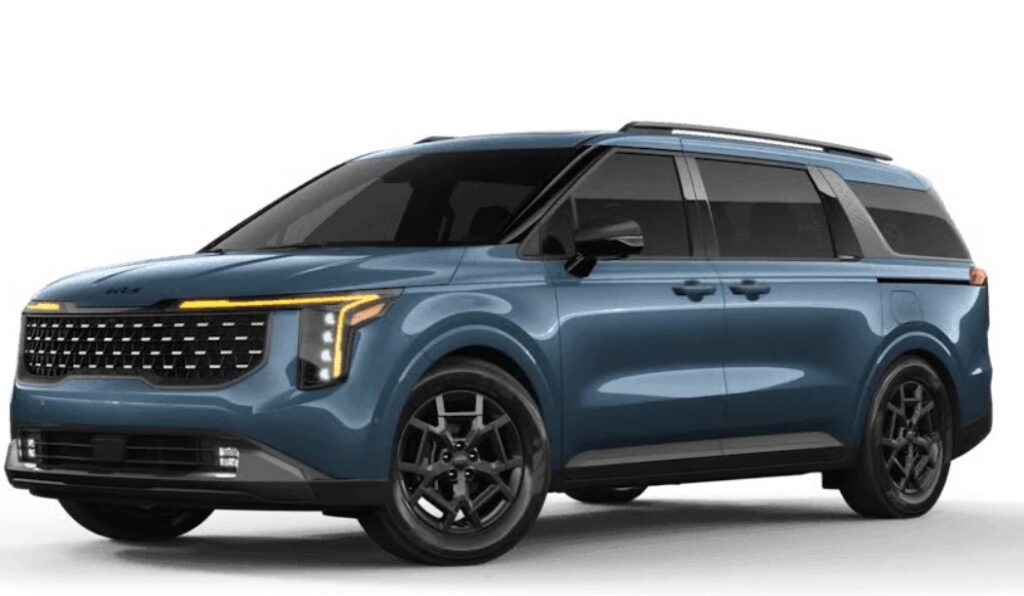
If you have been searching for Kia Carnival turn off speed warning instructions, chances are you already know exactly how irritating that little chime can become. We are driving along peacefully, the road changes from one speed zone to another, and suddenly the Carnival starts reminding us that we are a few kilometres—or miles—over the detected limit.
The good news is that many Kia Carnival models allow us to disable the speed-limit warning, change it to information-only mode, or mute its audible alert. The less convenient news? The exact behavior depends on the model year, market, trim, and infotainment software version.
On many recent Carnival models, the main route is:
Setup → Vehicle → Driver Assistance → Speed Limit
From there, Kia may offer Speed Limit Assist, Speed Limit Warning, Speed Limit Information, or Off. Kia's current documentation confirms that selecting Off disables Intelligent Speed Limit Assist on vehicles where that option is available.
There is another twist worth knowing before we dive in. On some vehicles sold in markets such as Europe and Australia, the warning may automatically return every time the vehicle is restarted. Kia documentation specifically notes this behavior for certain versions.
So, let us untangle the menus, buttons, warning sounds, and regional differences without turning this into an owner's-manual scavenger hunt.
Content in this publication
- What Is the Kia Carnival Speed Warning?
- How to Turn Off Speed Warning on a Kia Carnival
- Can We Turn Off Only the Kia Carnival Speed Warning Sound?
- What Does Speed Limit Information Mode Do?
- Speed Limit Assist vs Speed Limit Warning
- Why Does the Speed Warning Come Back After Restarting?
- Kia Carnival Speed Warning in Australia
- Kia Carnival Speed Warning in Europe
- Kia Carnival Speed Warning in the United States
- What Is the Kia Carnival Speed Limit Offset?
- Why Does My Kia Carnival Think the Speed Limit Is Wrong?
- Can Dirty Cameras Affect Speed Recognition?
- Do Not Confuse Speed Warning With Manual Speed Limit Assist
- What If There Is No Off Option?
- Can We Lower the Warning Volume Instead?
- Why Does the Speed Warning Beep at Only 1 km/h Over?
- Why Can't I Permanently Disable the Kia Carnival Speed Warning?
- Should We Use Coding Tools to Permanently Disable It?
- Does Turning Off Speed Warning Disable Cruise Control?
- Does Turning Off ISLA Affect the Speed-Limit Sign Display?
- Can the Kia Dealer Permanently Turn It Off?
- Kia Carnival Speed Warning Not Turning Off
- What If the Setting Is Greyed Out?
- Best Kia Carnival Speed Warning Setting for Everyday Driving
- How to Make the Process Less Annoying
- Kia Carnival Speed Warning Troubleshooting
- Is It Safe to Turn Off the Speed Warning?
- Kia Carnival Turn Off Speed Warning: The Bottom Line
- Frequently Asked Questions
- 1. How do I turn off the speed warning on a Kia Carnival?
- 2. Why does my Kia Carnival speed warning turn itself back on?
- 3. Can I permanently turn off the Kia Carnival speed warning?
- 4. Can I turn off the beep but keep the speed-limit display?
- 5. What is the difference between Speed Limit Warning and Speed Limit Information?
What Is the Kia Carnival Speed Warning?
The warning most owners are referring to is normally part of Kia's Intelligent Speed Limit Assist, commonly abbreviated as ISLA.
ISLA uses information from the vehicle's forward-facing camera and, depending on the configuration, navigation data to determine the speed limit of the road. Once it recognizes a limit, the system can show that speed on the instrument cluster.
Depending on how we configure it, the Carnival can simply display the limit, warn us when we exceed it, or interact with compatible cruise-control functions.
In Speed Limit Warning mode specifically, Kia says the system informs the driver about the detected speed limit and warns when the vehicle travels faster than that limit.
That means the annoying beep is not necessarily a traditional programmable speed alarm. It may be an ADAS feature reacting to what the vehicle believes the posted limit is.
And that distinction matters.
How to Turn Off Speed Warning on a Kia Carnival
For many recent Kia Carnival models equipped with the appropriate infotainment system, we can turn the function off through the center touchscreen.
The typical sequence is:
- Park the Carnival safely and leave the vehicle switched on.
- Open Setup on the infotainment screen.
- Select Vehicle.
- Choose Driver Assistance.
- Open Speed Limit.
- Select Off, Speed Limit Information, or another available option depending on what we want.
Kia's 2026 Carnival Features & Functions Guide lists precisely this general structure and says ISLA can be switched off from the Vehicle Settings menu.
If we select Off, ISLA is disabled.
If we select Speed Limit Information, the Carnival can continue showing speed-limit information without behaving exactly like the full warning mode.
For many drivers, that second choice is the sweet spot.
We keep the useful roadside information but lose some of the nagging.
On compatible newer systems, look for:
Setup → Vehicle → Driver Assistance → Speed Limit → Off
Kia's Carnival-specific documentation also lists Speed Limit Assist, Speed Limit Warning, Speed Limit Information, and Off as selectable settings.
However, do not panic if your screen looks slightly different.
Earlier Carnival models may place driver-assistance configuration within the instrument cluster rather than relying entirely on the infotainment touchscreen.
Older Kia Carnival Models
Earlier versions of the Carnival can use the steering-wheel controls and instrument-cluster User Settings menu.
Kia's documentation for the 2022 Carnival, for example, describes entering User Settings, choosing Driver Assistance, and then accessing Intelligent Speed Limit Assist settings through the cluster.
So if we cannot find the option on the touchscreen, the steering-wheel menu is the next logical place to look.
Model-year differences can make two Carnivals sitting side-by-side behave like cousins rather than twins.
Can We Turn Off Only the Kia Carnival Speed Warning Sound?
On some newer Kia infotainment systems, yes.
This is an important distinction because we may want to retain the visual speed-limit information while getting rid of the repetitive sound.
Kia's current infotainment documentation includes a setting called Speed limit warning sound under the driver-assistance warning methods. It also indicates that holding the steering-wheel mute button can toggle the speed-limit warning sound on compatible systems.
That gives us potentially two approaches.
We can turn off the entire Intelligent Speed Limit Assist system, or we can leave the information active while disabling—or reducing—the audible alert where supported.
The second solution is often much more sensible.
After all, ripping out the whole feature because we dislike one beep is a little like switching off the refrigerator because we dislike its door alarm.
Owners of newer Carnivals should check whether pressing and holding the mute button on the steering wheel changes the speed-warning behavior.
Kia documentation says that, depending on infotainment software, holding this button may switch between Intelligent Speed Limit Assist/Speed Limit Warning and Speed Limit Information.
Other current Kia infotainment documentation describes the same button as a shortcut for toggling the speed-limit warning sound.
The exact function therefore depends on the vehicle's software.
If nothing happens on your Carnival, it does not necessarily mean there is a fault. Your particular software version may simply not support the shortcut.
What Does Speed Limit Information Mode Do?
This is arguably the most useful setting for drivers who dislike constant alerts.
Speed Limit Information generally keeps the road-speed information visible but reduces the intervention associated with Speed Limit Warning or Speed Limit Assist.
Kia describes this setting as providing information on speed limits and additional road signs.
That sounds simple, but it can dramatically change the experience behind the wheel.
Instead of the Carnival behaving like an anxious passenger saying, "You are speeding, you are speeding," every few minutes, it quietly displays the information and lets us make the driving decision.
For many owners, this is preferable to switching the system completely off.
Speed Limit Assist vs Speed Limit Warning
These names are remarkably similar, which makes the menu more confusing than it needs to be.
Speed Limit Assist
Speed Limit Assist is the more involved setting.
It detects the road's speed limit and can prompt us to modify the set speed of compatible systems such as Smart Cruise Control or Manual Speed Limit Assist.
Kia says this mode is designed to help the driver remain within the recognized speed limit.
Speed Limit Warning
Speed Limit Warning is simpler.
It displays the recognized limit and warns us if we exceed it.
It does not mean the Carnival has physically limited the vehicle to that speed.
Think of it as the difference between a coach helping us change pace and a spectator shouting that we are running too fast.
Speed Limit Information
This mode strips the system back further.
The Carnival provides speed-limit information and applicable road-sign information but avoids some of the active warning behavior.
Off
Off disables ISLA where the option is permitted and available.
Simple enough—at least until we restart the vehicle.
Why Does the Speed Warning Come Back After Restarting?
This is where many owners think they have done something wrong.
They have not.
On some Carnival configurations, especially those subject to particular regional safety requirements, disabling the warning is not necessarily permanent.
Kia documentation for certain markets explicitly states that when the vehicle is turned off and restarted, the speed-limit warning automatically turns on again.
In practical terms, we can switch it off during one journey, park the Carnival, return later, and discover that the system has come back to life.
It can feel like playing whack-a-mole with a touchscreen.
Is There a Permanent Kia Carnival Speed Warning Disable Setting?
Not necessarily.
If our Carnival remembers Off after restarting, wonderful.
If it does not, the behavior may be intentional rather than a software fault.
Certain markets impose requirements around Intelligent Speed Assistance systems, and Kia configures vehicles differently depending on where they are sold.
This is why online advice can be so contradictory.
One owner says, "Mine stays off forever."
Another says, "Mine turns back on every morning."
Both may be completely correct.
They may simply own Carnivals from different markets or software generations.
Kia Carnival Speed Warning in Australia
Australian Carnival owners are particularly likely to encounter discussions about a speed warning that reactivates after the engine restarts.
Kia documentation covering relevant regional configurations notes that the system may automatically enable the warning again after a restart.
For these vehicles, the practical solution may therefore be a shortcut rather than a genuinely permanent shutdown.
If the steering-wheel mute shortcut is supported, it can make the process substantially less irritating because we do not have to tunnel through several touchscreen menus every time we drive.
Check the owner's manual corresponding to your exact model year because software changes can alter the shortcut's function.
Kia Carnival Speed Warning in Europe
European-market vehicles can behave similarly.
Recent vehicle regulations have pushed manufacturers toward increasingly prominent speed-assistance systems, so some settings are deliberately restored after a new driving cycle.
The key thing for us as owners is not to assume a system malfunction just because Off refuses to remain selected indefinitely.
If the warning returns every time we start the Carnival, first check the manual for our exact country and model year before visiting the dealer.
It may simply be programmed that way.
Kia Carnival Speed Warning in the United States
U.S.-market Carnivals may offer more persistent configuration behavior depending on model year and equipment.
For example, Kia's 2026 U.S. Carnival Features & Functions Guide states that ISLA can be switched on or off through the infotainment system and lists Off as an available mode.
Kia also lists Intelligent Speed Limit Assist among the available or standard driver-assistance technologies on recent Carnival models.
Again, exact menus remain trim- and software-dependent.
We should treat the owner's manual for the actual VIN and market as the final authority rather than assuming a YouTube video from another country applies to our Carnival.
What Is the Kia Carnival Speed Limit Offset?
Here is another setting worth knowing.
Some Carnivals let us configure a Speed Limit Offset.
Instead of warning at exactly the detected posted limit, the system applies an offset to the recognized value.
Kia's documentation confirms that Speed Limit Warning and Speed Limit Assist can operate using this offset and explains that setting the offset to zero bases operation directly on the detected limit.
That does not necessarily mean every vehicle allows us to choose any tolerance we want, and available ranges can differ.
Still, if the issue is that the Carnival warns too aggressively rather than that we dislike the feature altogether, checking the offset setting makes sense.
When an Offset Is Better Than Turning Everything Off
Imagine the road is posted at 60 mph and the warning begins the instant our displayed speed nudges above the system's threshold.
We might find the warning distracting because tiny speed fluctuations are normal.
Where the vehicle allows an appropriate offset adjustment, that may give us a more comfortable experience without losing the safety information entirely.
The feature becomes a safety net rather than a mosquito buzzing beside our ear.
Why Does My Kia Carnival Think the Speed Limit Is Wrong?
Now we get to one of the biggest reasons owners want the feature disabled.
Sometimes the warning itself works perfectly—but the information feeding it is wrong.
ISLA relies partly on recognizing road signs and, depending on specification, navigation information.
Real roads are messy.
A camera may encounter temporary construction signs, obscured signs, parallel roads, exit-ramp signs, faded markings, supplementary signs or recently changed speed limits.
Navigation data can also lag behind real-world changes.
The result?
The Carnival may believe we are in a 30 mph zone while traffic is correctly traveling under a different posted limit.
Suddenly the warning becomes less like a helpful assistant and more like a smoke detector going off while we make toast.
Can Dirty Cameras Affect Speed Recognition?
Potentially.
Because ISLA uses the front-facing camera to recognize relevant road information, anything affecting camera visibility can reduce the reliability of recognition.
Dirt, snow, heavy rain, condensation, bright glare, damaged glass, stickers or obstructions near the camera area may interfere with driver-assistance functions.
If the speed-limit display has suddenly become wildly inaccurate, inspecting the windshield around the forward camera is a sensible first step.
We should not attempt to cover the camera deliberately just to defeat the warning.
That camera can support other important driver-assistance features as well.
Do Not Confuse Speed Warning With Manual Speed Limit Assist
This catches plenty of Carnival owners.
Manual Speed Limit Assist, or MSLA, is a different function.
MSLA lets the driver establish a vehicle-speed limit using steering-wheel controls. Kia's Carnival manuals describe Manual Speed Limit Assist separately from Intelligent Speed Limit Assist.
If our Carnival refuses to accelerate normally above a particular manually chosen speed, we may have activated MSLA rather than simply triggered the ISLA speed warning.
A warning chime and a vehicle that actively resists exceeding a selected speed are not the same symptom.
Understanding which feature is active saves us from chasing the wrong setting.
What If There Is No Off Option?
First, do not assume anything has been removed or broken.
Check whether the system offers:
Speed Limit Information, Speed Limit Warning, Speed Limit Assist, a warning-sound setting, or a steering-wheel shortcut.
The precise choices depend on the vehicle.
Kia itself notes that some settings may not be available depending on vehicle features and specifications.
Software versions can also alter functionality.
If your Carnival recently received an infotainment update and the menu changed, consult the latest manual or ask a Kia dealer to identify the behavior for your specific VIN.
Can We Lower the Warning Volume Instead?
Sometimes.
Under Driver Assistance → Warning Methods, compatible Kia systems offer control over warning volume.
However, this setting may affect several driver-assistance functions rather than only the speeding alert.
Kia also warns that even when a warning volume is turned off on certain systems, some safety functions may continue producing a low-volume warning.
That is why we should resist randomly setting every driver-assistance warning to minimum volume.
Our goal is to eliminate an unwanted nuisance without accidentally muting something we genuinely want to hear.
Why Does the Speed Warning Beep at Only 1 km/h Over?
Depending on configuration, the system may compare the detected speed limit against the vehicle's speed using its configured offset.
With a zero offset, the warning threshold can closely correspond to the recognized speed limit. Kia specifically notes that setting the offset to zero causes the speed warning to operate according to the recognized limit.
That is why it can seem hypersensitive.
A tiny downhill slope, momentary acceleration or small speed variation may be enough to trigger it.
Before disabling ISLA entirely, inspect the offset options available on your Carnival.
Why Can't I Permanently Disable the Kia Carnival Speed Warning?
Usually one of three things is happening.
The vehicle may be configured for a market where speed-warning functionality is restored at every startup. The infotainment software may only permit a temporary change. Or the driver may be turning off the audible warning without disabling the underlying ISLA function—or vice versa.
The most important clue is what happens after a complete ignition cycle.
If the setting returns every single time and the owner's manual says the warning automatically reactivates, there is probably nothing wrong with the Carnival.
It is functioning as designed.
Should We Use Coding Tools to Permanently Disable It?
We would be cautious.
Owners sometimes discuss aftermarket coding, diagnostic tools, software modifications and modules that attempt to alter factory driver-assistance behavior.
The problem is that modern safety systems are interconnected.
A modification intended to silence one chime could affect diagnostics, warranty discussions, software updates or other ADAS functions.
And because regulatory requirements differ by country, a modification that works technically may not be appropriate legally.
For most drivers, factory-supported settings are the cleanest route.
If the system's behavior appears abnormal, a Kia dealer can also check whether the infotainment or ADAS software is current.
Does Turning Off Speed Warning Disable Cruise Control?
Normally, switching off Intelligent Speed Limit Assist does not mean we have disabled every form of cruise control.
ISLA and Smart Cruise Control are related but distinct systems.
Speed Limit Assist can provide information that helps adjust compatible cruise-control settings, but turning off the road-speed warning is not the same thing as removing cruise control from the vehicle.
Still, behavior can differ by configuration.
After changing the setting, test cruise functions in safe conditions rather than assuming they work exactly as before.
Does Turning Off ISLA Affect the Speed-Limit Sign Display?
If we select Off, it may.
That is why Speed Limit Information mode deserves another mention.
Drivers who still like seeing the recognized road limit but dislike the audible warning should consider information-only functionality where available.
It gives us most of the useful visual information without the same level of intervention.
That can be a much better compromise.
Can the Kia Dealer Permanently Turn It Off?
Do not assume so.
If your Carnival automatically restores the warning because of its market configuration, a dealer may not have an approved option to make Off permanent.
There is no magic hidden dealer button guaranteed to solve this across all Carnivals.
The dealer may, however, confirm whether your behavior is normal, identify applicable software updates and verify whether your vehicle supports a mute shortcut or different Speed Limit Information setting.
That is especially worthwhile if two otherwise identical Carnival models appear to behave differently.
Kia Carnival Speed Warning Not Turning Off
Suppose we select Off and the warning continues immediately.
Before assuming there is a defect, verify what is actually producing the beep.
The Carnival contains multiple driver-assistance alerts, including lane-safety warnings, forward-collision warnings, parking warnings, driver-attention alerts and speed-related functions.
A tone that sounds like the speed warning may belong to something else entirely.
Watch the instrument cluster when the sound occurs.
If a speed-limit symbol changes color or flashes, ISLA is the likely source.
If another warning icon appears, investigate that system instead.
What If the Setting Is Greyed Out?
Certain safety settings may be unavailable while driving.
Kia's 2026 Carnival guide specifically recommends adjusting ISLA settings while the vehicle is stationary, in Park, with the ignition or Start/Stop system switched on.
So if the menu refuses to cooperate while we are rolling down the motorway, that may be deliberate.
Pull over somewhere safe, put the Carnival in Park and try again.
It is far better than poking through nested menus at highway speed anyway.
Best Kia Carnival Speed Warning Setting for Everyday Driving
For drivers who simply hate the repeated sound, we would first try Speed Limit Information rather than completely disabling the system.
Why?
Because the recognized speed-limit sign remains useful.
When we enter an unfamiliar road, leave a construction zone or simply miss a roadside sign, the cluster display can answer the familiar question: "Wait—what is the limit here?"
Information-only mode lets the system whisper rather than shout.
If the visual display itself is distracting or consistently inaccurate, then Off may make more sense where the vehicle permits it.
How to Make the Process Less Annoying
Once we understand which configuration our Carnival uses, the experience becomes much easier.
If the setting stays off after restart, configure it once and move on.
If the warning automatically returns after every restart, learn the shortest supported shortcut. On compatible infotainment versions, the steering-wheel mute button can provide faster access to speed-warning behavior than navigating deep into Vehicle Settings.
That turns a frustrating ritual into a two-second habit.
Not perfect, perhaps, but much better.
Kia Carnival Speed Warning Troubleshooting
When the system does not behave as expected, work from the simplest explanation outward.
Confirm that we are adjusting Intelligent Speed Limit Assist, not Manual Speed Limit Assist. Then verify whether the menu offers Off or Speed Limit Information. Try changing settings while parked. Check whether holding the steering-wheel mute button works. Restart the vehicle and see whether the setting is retained. Finally, compare the behavior with the manual for the exact model year and country.
If the recognized limits themselves are frequently incorrect, inspect the windshield camera area and ensure navigation/software data is current.
That method is far more effective than randomly disabling every assistance feature in the car.
Is It Safe to Turn Off the Speed Warning?
The feature exists to help drivers recognize and comply with posted limits.
Turning it off means we take full responsibility for monitoring roadside signage and maintaining an appropriate legal speed.
Even when ISLA is active, though, we should not treat the displayed number as infallible. Kia itself emphasizes that these driver-assistance systems do not replace attentive driving.
Signs, road conditions and local traffic rules always take priority over assumptions made by the car.
Technology should assist our judgment, not replace it.
Kia Carnival Turn Off Speed Warning: The Bottom Line
For most recent Kia Carnival models, the first place to look is:
Setup → Vehicle → Driver Assistance → Speed Limit
From there, choose Off if we want to disable Intelligent Speed Limit Assist completely, or Speed Limit Information if we want to retain the displayed road limit without the same warning behavior.
On compatible newer systems, holding the mute button on the steering wheel may provide an easier shortcut for changing or muting speed-limit warning behavior. Kia notes that exact shortcut functionality can depend on the infotainment software version.
The biggest catch is persistence.
Some Carnivals remember the setting. Others—particularly certain regional versions—automatically reactivate the speed warning after the vehicle is restarted. Kia documents this behavior explicitly on applicable versions.
So if the alert keeps returning, we should not automatically assume our Carnival has a fault.
Sometimes the car is simply following its programming with almost comical determination.
Once we know whether our model supports permanent Off, information-only mode, a warning-sound toggle or the steering-wheel shortcut, dealing with the speed alert becomes considerably easier.
Frequently Asked Questions
1. How do I turn off the speed warning on a Kia Carnival?
On many recent models, go to Setup → Vehicle → Driver Assistance → Speed Limit → Off. The exact menu can vary by model year and market. Some older models place these options within the instrument-cluster User Settings menu instead.
2. Why does my Kia Carnival speed warning turn itself back on?
Some regional Carnival configurations automatically reactivate the speed-limit warning whenever the vehicle is restarted. Kia specifically documents this behavior on applicable vehicles, so it may be normal rather than a malfunction.
3. Can I permanently turn off the Kia Carnival speed warning?
It depends on the market and software configuration. Some Carnivals can retain the Off setting, while others restore the warning after each ignition cycle. If yours automatically returns, a permanent factory-supported disable option may not be available.
4. Can I turn off the beep but keep the speed-limit display?
On compatible models, yes. Look for Speed Limit Information or a Speed limit warning sound setting. Newer Kia infotainment systems may also support a steering-wheel mute-button shortcut for changing the audible speed-warning behavior.
5. What is the difference between Speed Limit Warning and Speed Limit Information?
Speed Limit Warning displays the detected road limit and warns when the vehicle exceeds it. Speed Limit Information primarily provides speed-limit and road-sign information without the same warning behavior. Choosing information mode can therefore be a good compromise when we still want the displayed speed limit but dislike the alert.
If you want to know other articles similar to Kia Carnival Turn Off Speed Warning: Complete Guide you can visit the category Service and Parts.
Vauxhall Mokka Tyre Pressure Reset: Complete Guide
How to Reset the Tire Pressure System on Your Hyundai Tucson
Hyundai Kona Tire Pressure: Complete PSI Guide
Vauxhall Corsa Timing Belt Replacement Cost UK 2026
Mazda CX-5 Tire Size Chart: 2013–2026 Guide
How to Reset a Honda Civic: Complete Step-by-Step Guide
Leave a Reply
More content of your interest