
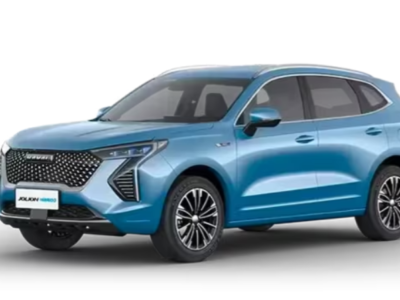
How to Start Haval Jolion With Spare Key: Complete Guide

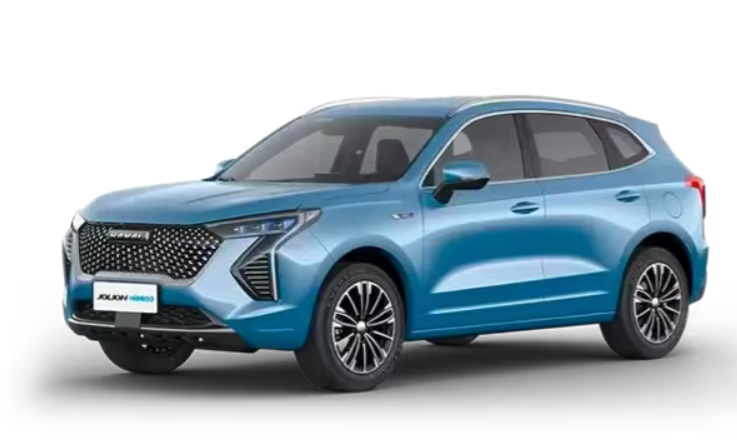
Knowing how to start a Haval Jolion with a spare key can save us considerable frustration when the original smart key stops working, its battery runs flat, or the vehicle suddenly displays a key detection warning.
The Haval Jolion features a modern keyless entry and push-button starting system designed to make everyday driving more convenient. However, when the electronic key stops responding, we may find ourselves wondering whether the spare key can still start the vehicle.
Fortunately, the Haval Jolion includes emergency key recognition procedures that can help us regain access and start the car in certain situations.
In this comprehensive guide, we'll explain how to start a Haval Jolion using a spare smart key, what to do when the key fob battery is dead, how to use the emergency mechanical key on compatible models, and how to troubleshoot common starting problems.
We'll also discuss differences between petrol and hybrid versions, spare key programming, battery replacement, and practical ways to avoid future problems.
Content in this publication
- Can You Start a Haval Jolion With a Spare Key?
- How to Start Haval Jolion With a Spare Smart Key
- How to Start a Haval Jolion With a Dead Key Fob Battery
- How to Start Haval Jolion With a Mechanical Spare Key
- Where Is the Haval Jolion Emergency Key Location?
- Haval Jolion Key Not Detected: Common Causes
- How to Replace a Haval Jolion Spare Key Battery
- Why Won't My Haval Jolion Start With the Spare Key?
- Haval Jolion Spare Key Troubleshooting Chart
- How to Start Haval Jolion Hybrid With a Spare Key
- Can You Start a Haval Jolion Without the Original Smart Key?
- Does a Haval Jolion Spare Key Need Programming?
- How Much Does a Haval Jolion Spare Key Replacement Cost?
- How to Prevent Haval Jolion Spare Key Problems
- Common Mistakes When Starting a Haval Jolion With a Spare Key
- When Should You Contact a Haval Service Centre?
- Frequently Asked Questions About How to Start Haval Jolion With Spare Key
- 1. Can I start my Haval Jolion if the key fob battery is dead?
- 2. Where do I put the spare key to start my Haval Jolion?
- 3. Can I start a Haval Jolion with only the mechanical key?
- 4. Why does my Haval Jolion say key not detected?
- 5. Do I need to reprogram my Haval Jolion key after changing the battery?
- Conclusion: How to Start Haval Jolion With Spare Key
Can You Start a Haval Jolion With a Spare Key?
Yes, you can start a Haval Jolion with a spare key, provided that the key is compatible with your vehicle and recognised by its electronic security system.
Most Haval Jolion vehicles equipped with push-button starting use an electronic smart key. When the spare smart key is correctly programmed, it should work just like the original key.
However, there are two different types of spare keys worth understanding.
Spare Smart Key
A spare smart key is an electronic remote that communicates with the vehicle's keyless entry and starting system.
It normally allows us to:
- Lock and unlock the doors remotely.
- Access the vehicle using keyless entry.
- Start the engine using the Start/Stop button.
- Activate certain remote functions, depending on the model.
- Use the emergency recognition system if the key battery becomes depleted.
A properly functioning spare smart key should allow us to start the vehicle without special procedures.
Mechanical Emergency Key
The mechanical emergency key is a physical metal key blade, usually stored inside the smart key housing.
Its primary purpose is to unlock the driver's door when the electronic remote is unavailable.
Certain Haval Jolion configurations also describe a special starting procedure involving the original mechanical emergency key and a designated recognition position inside the vehicle.
However, this feature is not universal across every Jolion model or market.
The exact procedure depends on the vehicle's year, equipment, and regional specification.
How to Start Haval Jolion With a Spare Smart Key
Starting your Haval Jolion with a properly functioning spare smart key is usually straightforward.
We simply need to follow the normal starting procedure.
Step 1: Unlock the Haval Jolion
Approach your vehicle with the spare smart key.
Press the unlock button on the remote control or use the keyless entry function if your model supports it.
If the vehicle recognises the key, the doors should unlock normally.
If the remote buttons do not respond, the battery may be weak or discharged.
Step 2: Enter the Vehicle With the Spare Key
Sit in the driver's seat and ensure that the spare smart key is inside the passenger compartment.
Avoid leaving the key in the boot or next to electronic devices that might interfere with its signal.
The vehicle needs to detect an authorised smart key before it can activate the starting system.
Step 3: Check the Transmission Position
Before starting the car, make sure the transmission is in the correct position.
For automatic Haval Jolion models:
- Place the transmission in Park (P).
- Apply the parking brake.
- Press and hold the brake pedal.
- Keep the smart key inside the vehicle.
For manual versions, follow the manufacturer's instructions concerning Neutral and clutch pedal operation.
With the correct pedal depressed, press the engine Start/Stop button.
If the spare smart key is recognised, the vehicle should activate its starting system.
On conventional petrol models, the engine will normally start.
On hybrid versions, the vehicle may enter its READY state without the petrol engine immediately running.
Step 5: Check the Dashboard
After starting, inspect the instrument cluster.
If everything is functioning correctly, no key recognition warning should remain.
If the dashboard displays a message such as "Key Not Detected," the spare key may have a weak battery or another recognition problem.
In that situation, we can try the emergency starting procedure.
How to Start a Haval Jolion With a Dead Key Fob Battery
A dead smart key battery does not necessarily mean we cannot start the vehicle.
Many Haval Jolion configurations feature an emergency recognition system designed to identify the authorised key even when its remote-control battery is depleted.
Step 1: Unlock the Door Manually
If the electronic remote no longer unlocks the vehicle, remove the mechanical emergency key from the smart key housing.
Depending on the key design, this usually involves pressing a release button and sliding out the metal blade.
Next, locate the mechanical door lock on the driver's side.
Some Jolion models have a protective cover concealing the keyhole.
Carefully remove the cover, insert the mechanical key, and unlock the door.
The vehicle's alarm may activate when the door is opened manually.
Step 2: Find the Emergency Key Recognition Location
The emergency detection point depends on the Haval Jolion version.
On some configurations, it is located at the bottom of the front cup holder.
Other versions use a designated position in or near the front storage compartment.
Look for a key symbol or the recognition location illustrated in your owner's manual.
Important: Not every Haval Jolion uses the same emergency key position. Always verify the correct location for your specific model before proceeding.
Step 3: Position the Smart Key Correctly
Place the smart key directly against the designated emergency recognition point.
The vehicle's backup detection system may recognise the key even though its battery is too weak for normal wireless communication.
Avoid holding the key several centimetres away from the marked position.
Correct placement is essential for reliable recognition.
Step 4: Start the Vehicle
Once the smart key is positioned correctly:
- Sit in the driver's seat.
- Make sure the transmission is in Park (P).
- Apply the parking brake.
- Press and hold the brake pedal.
- Press the engine Start/Stop button.
If the key is recognised and the vehicle's electrical system is functioning normally, the Jolion should start.
Step 5: Replace the Smart Key Battery
After successfully starting the vehicle, replace the discharged smart key battery as soon as possible.
Although the emergency starting system is useful, we should not rely on it for everyday driving.
A healthy key fob battery makes locking, unlocking, and starting the vehicle much more convenient.
How to Start Haval Jolion With a Mechanical Spare Key
Some Haval Jolion owner's manuals describe an emergency starting procedure that uses the vehicle's original mechanical key.
This can be particularly helpful when the electronic smart key is unavailable.
However, the availability of this procedure depends on the vehicle configuration.
Step 1: Identify the Original Mechanical Key
Make sure you're using the original mechanical emergency key supplied with the vehicle or an appropriate manufacturer-authorised replacement.
We should not assume that an ordinary copied metal key will work with an electronic recognition system.
Step 2: Unlock the Driver's Door
Insert the mechanical key into the driver's door lock.
Turn it carefully to unlock the vehicle.
Once the door is open, enter the car and prepare to follow the emergency starting procedure described in the owner's manual.
Step 3: Locate the Designated Position
On Jolion configurations that support mechanical-key emergency starting, the recognition location may be at the bottom of the front cup holder.
Remove any items from the cup holder and locate the appropriate marking.
Some models may require the cup holder insert to be removed.
Step 4: Place the Mechanical Key in Position
Position the original mechanical key at the marked location according to the manufacturer's instructions.
You may be interested in reading Is Haval Jolion a Good Car? Honest Review, Reliability, Pros and Cons
The key must be positioned correctly for the vehicle's emergency recognition system to operate.
Step 5: Follow the Normal Starting Procedure
Apply the parking brake, select the required transmission position, and press the appropriate pedal.
Then press the Start/Stop button.
If your particular vehicle supports this procedure and recognises the key, it may permit starting.
If nothing happens, do not repeatedly attempt to force the system.
Instead, consult the exact owner's manual or contact an authorised GWM service centre.
Where Is the Haval Jolion Emergency Key Location?
One of the most common questions is where to place the spare key when the car cannot detect it.
Unfortunately, the emergency recognition position is not identical across every Jolion version.
| Haval Jolion configuration | Possible emergency key location |
|---|---|
| Certain earlier Jolion models | Bottom of the front cup holder |
| Some Jolion petrol versions | Front armrest storage area |
| Certain Jolion hybrid versions | Designated cup holder recognition point |
| Some newer configurations | Area near the front storage compartment |
| Mechanical key procedure, where supported | Marked position in the front cup holder |
These examples are based on different vehicle configurations and should not be treated as universal specifications.
How to Find the Key Recognition Symbol
Inspect the centre console for a small key symbol or designated marking.
Depending on the model, the recognition point may be located underneath a removable insert or within a storage compartment.
If you're unable to identify it, use the illustrations in the owner's manual.
There is no need to remove dashboard panels or interfere with the vehicle's electrical wiring.
Haval Jolion Key Not Detected: Common Causes
The message "Key Not Detected" can appear even when the smart key is physically inside the car.
This warning usually means the vehicle is unable to establish the required electronic communication with the key.
Several problems may cause this situation.
1. Weak Smart Key Battery
A weak or depleted battery is one of the most common reasons for key recognition problems.
Typical symptoms include:
- Reduced remote-control operating range.
- Lock and unlock buttons responding intermittently.
- Difficulty starting the vehicle.
- Key detection warnings appearing on the dashboard.
- Having to position the key near the emergency recognition point.
Replacing the key battery may resolve these issues.
2. Electronic Signal Interference
Smart keys communicate with the vehicle through wireless signals.
Nearby electronic devices or sources of radio interference can occasionally disrupt this communication.
Try moving the key away from mobile phones, other keys, and electronic accessories.
If the problem occurs only in a particular location, signal interference may be contributing to the issue.
3. Damaged Spare Key
Smart keys contain sensitive electronic components.
Dropping the key, exposing it to moisture, or damaging its internal circuitry can prevent proper communication with the vehicle.
If replacing the battery does not help, a qualified technician may need to inspect the key.
4. Incorrectly Programmed Replacement Key
A replacement smart key must be compatible with the vehicle's security system.
A remote that looks identical to the original may not work unless it has been correctly registered.
This is particularly important when purchasing aftermarket or second-hand keys.
5. Vehicle Electrical Problems
Sometimes the key itself is functioning correctly, but the vehicle cannot detect it.
Potential causes include a weak 12-volt vehicle battery, damaged wiring, electronic antenna problems, or faults within the starting system.
If neither the original nor spare key works, professional diagnosis may be necessary.
How to Replace a Haval Jolion Spare Key Battery
Replacing a Haval Jolion smart key battery is often a simple maintenance task.
Many Jolion key configurations use a CR2032 3V lithium coin-cell battery.
However, we should verify the correct battery specification for our particular smart key before purchasing a replacement.
Step-by-Step Battery Replacement
- Locate the mechanical key release button.
- Remove the mechanical emergency key.
- Carefully open the smart key housing using the procedure specified in the owner's manual.
- Identify the existing battery and its orientation.
- Remove the old battery.
- Insert the correct replacement battery, observing the specified polarity.
- Reassemble the housing carefully.
- Test the lock and unlock buttons.
Avoid touching the internal electronic components unnecessarily.
If the key housing is difficult to open, consult a qualified technician rather than forcing it.
How Often Should We Replace the Battery?
Smart key battery life depends on several factors, including how frequently the remote is used, environmental conditions, and storage habits.
Instead of relying on a fixed replacement interval, pay attention to symptoms of declining battery performance.
Reduced operating range and intermittent remote response are common warning signs.
Button batteries are also hazardous if swallowed, so always keep old and new batteries away from children and pets.
Why Won't My Haval Jolion Start With the Spare Key?
If the vehicle refuses to start with the spare key, there may be a problem with key recognition, the starting conditions, or the car's electrical system.
The Spare Key Is Not Recognised
If the key has a dead battery or is not correctly programmed, the vehicle may refuse to start.
Try the specified emergency detection procedure.
If it still does not work, the key may need inspection.
The Brake Pedal Is Not Being Detected
Most automatic Haval Jolion versions require the brake pedal to be depressed before starting.
If the vehicle cannot detect the required brake input, the starting system may remain inactive.
Make sure the pedal is pressed firmly.
If the problem continues, a faulty brake pedal switch or related electrical issue may need attention.
The Transmission Is in the Wrong Position
The starting system normally requires the transmission to be in an approved position, commonly Park on automatic models.
Check the gear selector before attempting to start.
The 12-Volt Battery Is Discharged
A weak vehicle battery can cause starting problems even when the smart key works perfectly.
Possible symptoms include:
- Dim dashboard lights.
- Electronic systems failing to activate.
- Unusual clicking noises.
- Intermittent warning messages.
- The vehicle failing to respond to the Start/Stop button.
A battery test can help identify whether the vehicle's 12-volt system is responsible.
The Immobiliser Has a Fault
The electronic immobiliser is designed to prevent unauthorised vehicle starting.
If it cannot verify the required key authorisation, the vehicle may refuse to start.
Immobiliser faults should be diagnosed by an authorised GWM technician or appropriately qualified automotive specialist.
Haval Jolion Spare Key Troubleshooting Chart
The following table summarises common spare key problems and possible solutions.
| Problem | Possible cause | Recommended solution |
|---|---|---|
| Spare key doesn't unlock doors | Dead key battery | Use mechanical entry and replace battery |
| Key not detected warning | Weak battery or interference | Try emergency recognition procedure |
| Spare key unlocks but won't start car | Starting system or key recognition problem | Check brake, transmission, and key position |
| Both smart keys fail | Vehicle electrical fault | Test the 12-volt battery and starting system |
| Replacement key doesn't work | Incorrect programming | Seek authorised key programming |
| Mechanical key unlocks but doesn't start car | Unsupported emergency starting configuration | Consult exact vehicle manual |
| Hybrid starts silently | Normal hybrid operation may be occurring | Check READY indicator |
How to Start Haval Jolion Hybrid With a Spare Key
The Haval Jolion Hybrid uses an electronic starting system similar to the petrol model.
A properly programmed spare smart key should normally allow us to start the vehicle using the Start/Stop button.
However, hybrid models behave differently from conventional petrol vehicles.
Understanding the READY Indicator
When a conventional petrol vehicle starts, we normally hear the engine running.
With the Jolion Hybrid, the petrol engine does not necessarily start immediately.
The hybrid system can enter a drive-ready state while the petrol engine remains switched off.
This is normal because the vehicle may use electric propulsion under certain operating conditions.
Therefore, the READY indicator is an important confirmation that the hybrid system is ready for driving.
Emergency Starting Procedure for Hybrid Models
If the hybrid cannot detect the smart key:
- Enter the vehicle using the mechanical emergency key if necessary.
- Locate the designated emergency recognition point.
- Place the authorised smart key in the correct position.
- Select Park (P).
- Apply the parking brake.
- Press and hold the brake pedal.
- Press the Start/Stop button.
- Check for the READY indicator.
If READY appears, the hybrid system has successfully entered its operating state.
If it does not appear, further troubleshooting may be necessary.
Can You Start a Haval Jolion Without the Original Smart Key?
Yes, but only under certain conditions.
You may be interested in readingIs Haval Jolion a Good Car? Honest Review, Reliability, Pros and ConsYou may be interested in reading
 Peugeot 308 Clutch Replacement Cost: Complete UK Guide for 2026
If we have a correctly programmed spare smart key, we generally do not need the original key to start the vehicle.
The spare smart key provides the same basic starting functionality.
Some models also support a specific mechanical-key emergency starting procedure.
However, if all authorised keys are missing, starting the car normally requires assistance from an authorised dealer or qualified automotive locksmith.
Does the Haval Jolion Have a Traditional Ignition Slot?
Most modern Haval Jolion configurations use push-button starting instead of a traditional ignition cylinder.
This means there is normally no conventional ignition slot where we can insert the metal key to start the engine.
The mechanical emergency key is generally used for manual door access, with additional emergency recognition functionality on certain versions.
Can a Copied Mechanical Key Start the Jolion?
We should not assume that an ordinary copied key blade can start the vehicle.
Even if it successfully unlocks the door, that does not establish compatibility with the vehicle's electronic security system.
The specific emergency mechanical-key functionality described for some Jolion versions must be verified against the applicable owner's manual.
Does a Haval Jolion Spare Key Need Programming?
Whether programming is necessary depends on the type of spare key.
Original Spare Smart Key
An original spare smart key supplied with the vehicle should already be registered to its security system.
No additional programming should normally be required.
If it stops working, check the battery first.
New Replacement Smart Key
A completely new electronic key generally needs to be registered to the vehicle.
This may require manufacturer-authorised diagnostic equipment or specialist programming tools.
The exact procedure depends on the model and security configuration.
Second-Hand Smart Key
Purchasing a used smart key can be risky.
Even when the key looks identical, it may not be compatible with your vehicle.
Some previously registered keys may also have restrictions that complicate reuse.
Before buying a second-hand key, confirm compatibility and programming requirements with a specialist.
How Much Does a Haval Jolion Spare Key Replacement Cost?
The cost of replacing a Haval Jolion key depends on the country, the type of key, and whether programming is required.
A simple coin-cell battery replacement is generally much less expensive than replacing the complete smart key.
| Service | Expected relative cost |
|---|---|
| Smart key battery replacement | Low |
| Mechanical key cutting | Low to moderate |
| Smart key programming | Moderate to high |
| Genuine smart key replacement | Higher |
| All-keys-lost replacement service | Potentially very high |
Prices vary by location and service provider, so requesting a quotation is the best way to understand the actual cost.
If your existing spare smart key works intermittently, replacing its battery before purchasing a new remote may save money.
How to Prevent Haval Jolion Spare Key Problems
Preventive maintenance can help us avoid unexpected starting difficulties.
Keep the Spare Key Somewhere Safe
Store the spare smart key in a secure and dry location.
Avoid keeping the main key and spare key together, since losing them both could leave us without vehicle access.
Test the Spare Key Regularly
We recommend checking the spare smart key periodically.
Test whether it can lock, unlock, and start the car.
This helps identify battery or electronic problems before an emergency.
Replace Weak Batteries Promptly
Do not ignore reduced operating range or intermittent response.
These symptoms can indicate that the key battery is approaching the end of its useful life.
Protect the Key From Moisture and Heat
Avoid leaving smart keys in excessively hot areas or exposing them to water.
Internal electronic components can become damaged under harsh conditions.
Learn the Emergency Starting Procedure
Locate the emergency recognition point in your Haval Jolion before you actually need it.
Knowing the correct position can make a significant difference when the key battery fails unexpectedly.
Common Mistakes When Starting a Haval Jolion With a Spare Key
Understanding what not to do is just as important as knowing the correct procedure.
Mistake 1: Assuming Every Jolion Has the Same Emergency Key Location
Emergency recognition points can differ between models.
Always consult the instructions for your particular vehicle.
Mistake 2: Holding the Key Too Far From the Sensor
When using emergency recognition, the smart key may need to be placed directly against the designated location.
Simply keeping it nearby may not be sufficient.
Mistake 3: Forgetting to Press the Brake
The vehicle requires the correct pedal input before the starting system can activate.
Without that input, pressing the Start/Stop button may only switch on the electrical accessories.
Mistake 4: Using an Incompatible Replacement Key
Not all visually similar Haval keys are electronically compatible.
A replacement must meet the security requirements of the specific vehicle.
Mistake 5: Confusing a Dead Key Battery With a Dead Car Battery
A dead smart key battery and a discharged 12-volt vehicle battery are different problems.
The emergency key recognition procedure cannot compensate for a vehicle electrical system that lacks sufficient power.
When Should You Contact a Haval Service Centre?
Although many spare key problems are relatively simple, professional assistance may be necessary in certain situations.
We recommend contacting an authorised GWM service centre if:
- Neither the main nor spare smart key is recognised.
- The emergency starting procedure repeatedly fails.
- The smart key is physically damaged.
- The vehicle displays persistent immobiliser warnings.
- A newly purchased replacement key requires programming.
- The car experiences recurring electrical faults.
- The mechanical emergency starting procedure does not work despite following the correct manual instructions.
A qualified technician can inspect the key, vehicle battery, electronic recognition system, and related components.
Frequently Asked Questions About How to Start Haval Jolion With Spare Key
1. Can I start my Haval Jolion if the key fob battery is dead?
Yes, many Haval Jolion models provide an emergency recognition system that can detect the authorised smart key even when its coin-cell battery is depleted.
Place the key at the designated emergency recognition position and follow the normal starting procedure.
The exact location depends on the vehicle configuration.
2. Where do I put the spare key to start my Haval Jolion?
If the spare smart key is functioning normally, it can generally remain inside the vehicle while you press the Start/Stop button.
If emergency recognition is required, the designated position may be at the bottom of the front cup holder or near a front storage compartment, depending on the model.
Always verify the location in your owner's manual.
3. Can I start a Haval Jolion with only the mechanical key?
Certain Jolion configurations describe an emergency starting procedure involving the original mechanical key positioned at a marked location inside the vehicle.
However, this function is not guaranteed across every version, and an ordinary copied metal key should not be assumed to work.
4. Why does my Haval Jolion say key not detected?
Possible reasons include a weak smart key battery, electronic interference, physical key damage, incorrect programming, or problems with the vehicle's key recognition system.
Try the emergency recognition procedure and inspect the key battery.
If the problem continues, professional diagnosis is recommended.
5. Do I need to reprogram my Haval Jolion key after changing the battery?
Normally, replacing the battery in an existing correctly programmed smart key does not require reprogramming.
However, a completely new replacement smart key generally requires registration with the vehicle's electronic security system.
If your original key still doesn't work after replacing the battery, check for damage or other recognition problems.
Conclusion: How to Start Haval Jolion With Spare Key
Understanding how to start a Haval Jolion with a spare key is essential when the original key stops working or its battery becomes discharged.
Fortunately, starting the vehicle with a functioning spare smart key is usually straightforward. We simply need to keep the key inside the cabin, press the appropriate pedal, and use the Start/Stop button.
When the key battery is dead, the emergency recognition system may allow us to start the vehicle by placing the smart key at the designated location.
Certain Jolion versions also describe an emergency starting procedure involving the original mechanical key, although availability varies by model and configuration.
The most important consideration is identifying the procedure specified for your particular vehicle.
You may be interested in readingIs Haval Jolion a Good Car? Honest Review, Reliability, Pros and ConsYou may be interested in reading
Peugeot 308 Clutch Replacement Cost: Complete UK Guide for 2026You may be interested in reading
 Toyota Corolla AE86 Engine Swap – The Ultimate Guide
By checking the spare key regularly, replacing weak batteries, and familiarising ourselves with the emergency recognition location, we can minimise starting problems and enjoy greater confidence whenever we drive our Haval Jolion.
If you want to know other articles similar to How to Start Haval Jolion With Spare Key: Complete Guide you can visit the category Blog.
Is Haval Jolion a Good Car? Honest Review, Reliability, Pros and Cons
How to Calculate Per Diem on an Auto Loan

How to Calculate the Residual Value of a Car

Is the Honda Passport Selling Well? Sales Numbers Tell the Story

Is Nissan Rogue a Good Car? Reliability, Pros, Cons & What to Know
Nissan Rogue Not Starting? Common Causes and How to Fix It
Leave a Reply
More content of your interest