
Software Update Jeep Grand Cherokee

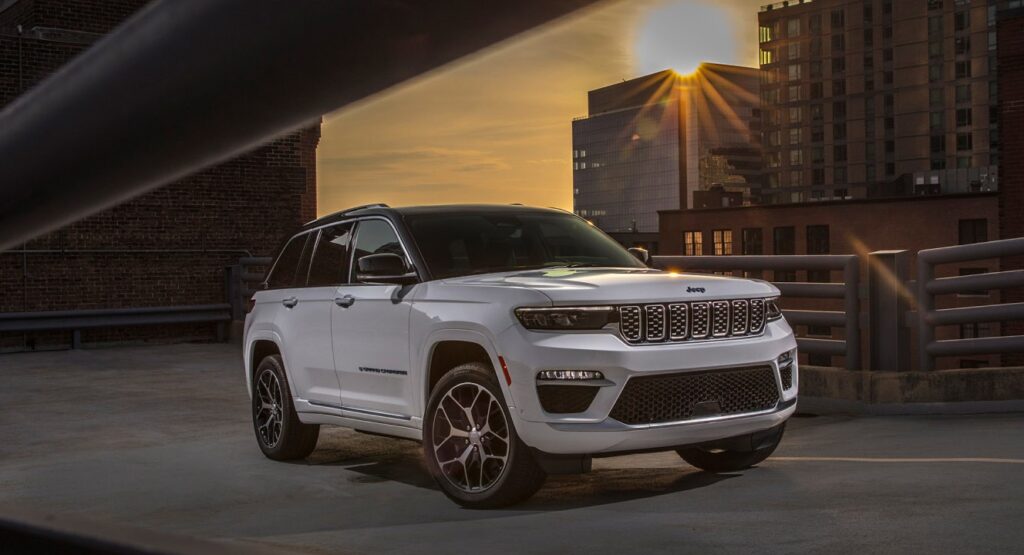
Modern vehicles are no longer just machines with engines and wheels. Today, a vehicle like the Jeep Grand Cherokee feels more like a rolling computer on steroids. Touchscreens, navigation systems, wireless connectivity, adaptive cruise control, lane assist, and digital dashboards all depend on software working perfectly behind the scenes.
That is exactly why software updates matter.
A software update in a Jeep Grand Cherokee can transform the way the SUV behaves. Sometimes it fixes annoying glitches. Other times it improves fuel efficiency, transmission behavior, infotainment speed, or even safety systems. Think of it like giving your SUV a fresh brain instead of just changing the oil.
In this guide, we will explore everything about Jeep Grand Cherokee software updates, from how they work to common problems, installation methods, troubleshooting tips, and why staying updated can dramatically improve your driving experience.
Content in this publication
- Why Software Updates Matter in the Jeep Grand Cherokee
- Understanding the Uconnect System
- How Jeep Grand Cherokee Software Updates Work
- Signs Your Jeep Grand Cherokee Needs a Software Update
- How To Check for a Jeep Grand Cherokee Software Update
- How To Update Jeep Grand Cherokee Software
- Step-by-Step OTA Update Process
- Updating via USB Drive
- Most Common Jeep Grand Cherokee Software Problems
- Transmission Software Updates
- ECU Updates Explained
- Safety Features and Software Updates
- How Long Do Jeep Software Updates Take?
- Can a Software Update Improve Performance?
- Battery Concerns During Updates
- Should You Update Immediately or Wait?
- Do Software Updates Void Warranty?
- Jeep Grand Cherokee Recall Updates
- Troubleshooting Failed Software Updates
- Can You Roll Back a Jeep Software Update?
- Tips To Keep Your Jeep Grand Cherokee Running Smoothly
- Future of Jeep Grand Cherokee Software Updates
- Final Thoughts
- FAQs
Why Software Updates Matter in the Jeep Grand Cherokee
Years ago, updating a car meant replacing physical components. Today, manufacturers can improve vehicles digitally.
A software update can:
- Fix infotainment bugs
- Improve touchscreen responsiveness
- Enhance navigation accuracy
- Correct transmission shifting behavior
- Improve fuel economy
- Solve Bluetooth connectivity problems
- Patch cybersecurity vulnerabilities
- Optimize advanced driver-assistance systems
It is similar to updating your smartphone. Ignore updates for too long, and eventually things start feeling slow, buggy, or unreliable.
The Jeep Grand Cherokee especially relies heavily on software because of its advanced Uconnect system and electronic driving technologies.
Understanding the Uconnect System
What Is Uconnect?
The Uconnect system is the digital heart of the Jeep Grand Cherokee.
It controls:
- Navigation
- Entertainment
- Bluetooth
- Voice commands
- Smartphone integration
- Climate settings
- Vehicle settings
- Wi-Fi hotspot functionality
When Jeep releases software updates, many of them specifically target the Uconnect platform.
Different Uconnect Versions in the Grand Cherokee
Different generations of the Jeep Grand Cherokee use different Uconnect systems.
Older Models
Models from the early 2010s often use:
- Uconnect 5.0
- Uconnect 8.4
Newer Models
Recent Grand Cherokee models feature:
- Uconnect 5
- Larger touchscreens
- Faster processors
- Wireless Apple CarPlay
- Wireless Android Auto
The newer the system, the more software-driven the SUV becomes.
How Jeep Grand Cherokee Software Updates Work
Software updates can happen in two primary ways.
Over-the-Air (OTA) Updates
Newer Jeep Grand Cherokee models support OTA updates.
This means the vehicle downloads updates automatically using:
- Wi-Fi
- Cellular connection
It is almost magical. You park your SUV overnight, and the next morning the system suddenly feels smoother and faster.
USB Software Updates
Older models usually require manual updates through a USB drive.
The process typically involves:
- Downloading update files
- Copying them to a USB stick
- Plugging the USB into the vehicle
- Following on-screen instructions
It sounds technical, but it is usually straightforward if done carefully.
Signs Your Jeep Grand Cherokee Needs a Software Update
Sometimes the SUV practically begs for an update.
Common Symptoms
Frozen Touchscreen
The infotainment system may:
- Lag
- Freeze
- Restart randomly
Bluetooth Problems
You may notice:
- Calls dropping
- Devices disconnecting
- Music stuttering
Navigation Errors
Outdated software can cause:
- Incorrect routes
- Missing streets
- Slow GPS response
Transmission Weirdness
In some cases, software updates improve transmission behavior by correcting shifting logic.
Backup Camera Glitches
A delayed or black backup camera screen is another common indicator.
When your SUV behaves like a confused laptop, software is often the culprit.
How To Check for a Jeep Grand Cherokee Software Update
Checking for updates is easier than many drivers think.
Method 1: Through Uconnect
Most newer systems allow you to:
- Open Settings
- Select System Information
- Choose Software Update
The vehicle will search for available updates automatically.
Method 2: Jeep Owner Website
You can also check using your VIN number on the official Jeep website.
This method helps identify:
- Pending recalls
- Available infotainment updates
- Security patches
Method 3: Dealership Inspection
Dealerships can scan the vehicle for:
- ECU updates
- Transmission software updates
- Recall-related patches
This is often the safest option for major updates.
How To Update Jeep Grand Cherokee Software
Preparing for the Update
Before updating:
You may be interested in reading Jeep Grand Cherokee Key Battery Replacement
- Park safely
- Keep the engine running if recommended
- Ensure stable Wi-Fi
- Avoid interrupting the process
Interrupting an update is like unplugging a computer during surgery. Things can get messy quickly.
Step-by-Step OTA Update Process
Downloading the Update
The system may notify you automatically.
The screen often displays:
- Update size
- Estimated installation time
- New features included
Installing the Update
Installation may take:
- 10 minutes
- 30 minutes
- Sometimes over an hour
During installation:
- Some features become unavailable
- The screen may restart multiple times
Patience is critical.
Updating via USB Drive
What You Need
You usually need:
- A USB drive
- Internet access
- Vehicle VIN
USB Formatting Tips
The USB drive often needs:
- FAT32 formatting
- Sufficient storage space
Using the wrong format can prevent the update from being recognized.
Installation Process
After plugging in the USB:
- The system detects the update
- Confirmation appears
- Installation begins automatically
Do not remove the USB until completion.
Most Common Jeep Grand Cherokee Software Problems
Even advanced systems can misbehave.
Infotainment Freezing
This is one of the most reported issues.
Possible causes include:
- Corrupted updates
- Memory overload
- Outdated firmware
Apple CarPlay Problems
Apple CarPlay connectivity issues may include:
- Black screens
- Random disconnects
- Audio lag
Software updates frequently resolve these headaches.
Android Auto Glitches
Android Auto users sometimes encounter:
- Voice assistant failures
- Delayed response times
- Connection instability
Again, updates are often the cure.
Transmission Software Updates
Many people assume transmission problems are purely mechanical.
That is not always true.
Modern transmissions rely heavily on software logic.
What Transmission Updates Can Fix
Software updates may improve:
- Shift timing
- Gear hunting
- Rough downshifts
- Hesitation during acceleration
A single software patch can make the SUV feel completely different on the road.
ECU Updates Explained
What Is the ECU?
The Engine Control Unit acts as the vehicle’s brain.
It manages:
- Fuel delivery
- Ignition timing
- Emissions systems
- Engine performance
Benefits of ECU Updates
ECU software updates can:
- Improve efficiency
- Reduce emissions
- Fix idle issues
- Improve throttle response
Sometimes the difference feels subtle. Other times it feels like the SUV suddenly woke up from a nap.
Safety Features and Software Updates
Safety systems depend heavily on software.
Advanced Driver Assistance Systems
Features like:
- Adaptive cruise control
- Lane departure warning
- Blind spot monitoring
- Automatic emergency braking
all rely on digital processing.
Why Updates Matter for Safety
A bug in safety software can impact:
- Sensor accuracy
- Camera performance
- Braking responses
Manufacturers release updates partly to maintain safety compliance.
How Long Do Jeep Software Updates Take?
The time varies significantly.
Typical Update Times
| Update Type | Estimated Time |
|---|---|
| Small infotainment patch | 10–20 minutes |
| Major Uconnect update | 30–60 minutes |
| ECU or transmission update | 1–2 hours |
| Dealership reprogramming | Half-day possible |
The bigger the update, the more patience required.
Can a Software Update Improve Performance?
Absolutely.
Unexpected Improvements
Drivers often report:
- Faster touchscreen response
- Smoother acceleration
- Better fuel economy
- Improved voice recognition
- Quicker navigation loading
It is like replacing muddy boots with running shoes.
You may be interested in readingJeep Grand Cherokee Key Battery ReplacementYou may be interested in reading
Water Pump Replacement Cost Jeep Grand CherokeeBattery Concerns During Updates
Can an Update Drain the Battery?
Yes.
Updates consume power because multiple electronic systems stay active.
That is why some updates require:
- The engine running
- A charger connected
- Stable battery voltage
Low Battery Risks
A dying battery during installation can corrupt software.
Worst-case scenarios may require dealership recovery tools.
Should You Update Immediately or Wait?
This debate feels endless in the automotive world.
Reasons To Update Quickly
- Security fixes
- Bug corrections
- Better performance
Reasons Some Drivers Wait
- Fear of new bugs
- Temporary instability
- Compatibility concerns
Many drivers prefer waiting a few weeks to see community feedback.
That approach is understandable.
Do Software Updates Void Warranty?
Official Jeep software updates do not void the warranty.
However, unofficial modifications can.
Factory vs Third-Party Software
Factory updates are safe.
Unauthorized tuning software may:
- Void warranties
- Affect emissions compliance
- Create reliability problems
Always proceed carefully with aftermarket tuning.
Jeep Grand Cherokee Recall Updates
Sometimes updates are connected to recalls.
Why Recall Software Updates Happen
Manufacturers may release patches to correct:
- Brake system bugs
- Electrical issues
- Airbag communication problems
- Powertrain glitches
These updates are usually free at dealerships.
Troubleshooting Failed Software Updates
Not every update goes smoothly.
Common Failure Causes
- Weak Wi-Fi
- Corrupted USB files
- Battery voltage drops
- Interrupted installation
Basic Troubleshooting Steps
Try these:
- Restart the vehicle
- Retry the update
- Use a different USB drive
- Check internet stability
- Visit a dealership
Simple fixes often solve the problem.
Can You Roll Back a Jeep Software Update?
Usually, no.
Most factory systems do not support easy rollback options.
Once installed, the new software becomes permanent unless a dealership performs advanced reprogramming.
That is why reading update notes beforehand matters.
Tips To Keep Your Jeep Grand Cherokee Running Smoothly
Best Practices
To avoid software headaches:
- Install updates regularly
- Maintain a healthy battery
- Use quality USB drives
- Avoid interrupting installations
- Back up settings when possible
Stay Connected
Enabling Wi-Fi connectivity helps your SUV receive updates faster.
Think of it as feeding your vehicle fresh intelligence continuously.
Future of Jeep Grand Cherokee Software Updates
The automotive industry is moving rapidly toward software-defined vehicles.
What the Future May Bring
We may soon see:
- Fully automated OTA repairs
- Subscription-based feature upgrades
- AI-powered diagnostics
- Cloud-based driving profiles
The line between cars and computers keeps getting blurrier every year.
And honestly, the Jeep Grand Cherokee sits right in the middle of that transformation.
Final Thoughts
A software update for the Jeep Grand Cherokee is far more important than many drivers realize. It is not merely about adding flashy animations to the touchscreen. These updates improve reliability, safety, performance, connectivity, and overall driving satisfaction.
Modern SUVs live and breathe through software. The engine may provide muscle, but software provides intelligence.
Ignoring updates can leave your vehicle vulnerable to glitches, slow performance, or even safety concerns. Meanwhile, staying current helps your Grand Cherokee feel polished, responsive, and future-ready.
In many ways, updating your Jeep is like sharpening a blade. The SUV still works without it, but everything becomes smoother once it is properly refined.
FAQs
How do I know if my Jeep Grand Cherokee needs a software update?
You may notice infotainment lag, Bluetooth problems, navigation errors, or update notifications appearing on the Uconnect screen.
Can I update my Jeep Grand Cherokee software at home?
Yes. Many updates can be installed at home through Wi-Fi or a USB drive, especially infotainment updates.
How long does a Jeep software update take?
Minor updates may take 10–20 minutes, while larger system updates can require over an hour.
You may be interested in readingJeep Grand Cherokee Key Battery ReplacementYou may be interested in reading
Water Pump Replacement Cost Jeep Grand CherokeeYou may be interested in reading
Best Car Battery for Jeep Grand CherokeeWill a software update fix transmission problems?
In some cases, yes. Modern transmissions rely on software logic, and updates can improve shifting behavior and responsiveness.
Are Jeep Grand Cherokee software updates free?
Most official software updates and recall-related updates are free, particularly when performed through authorized dealerships.
If you want to know other articles similar to Software Update Jeep Grand Cherokee you can visit the category Service and Parts.
Vauxhall Meriva Head Gasket Replacement Cost UK: Complete Price Guide
Vauxhall Meriva Tyre Pressure PSI: Complete Guide
Vauxhall Meriva Fault Codes: Meanings, Causes, and Fixes
Vauxhall Meriva Door With Key Symbol: Meaning, Causes, and Fixes
Vauxhall Meriva Code 59 and 60: Causes, Reset Steps, and Solutions
Vauxhall Meriva Immobiliser Reset: Complete Troubleshooting Guide
Leave a Reply
More content of your interest