

BMW 2 Series Key Battery Replacement: Complete DIY Guide

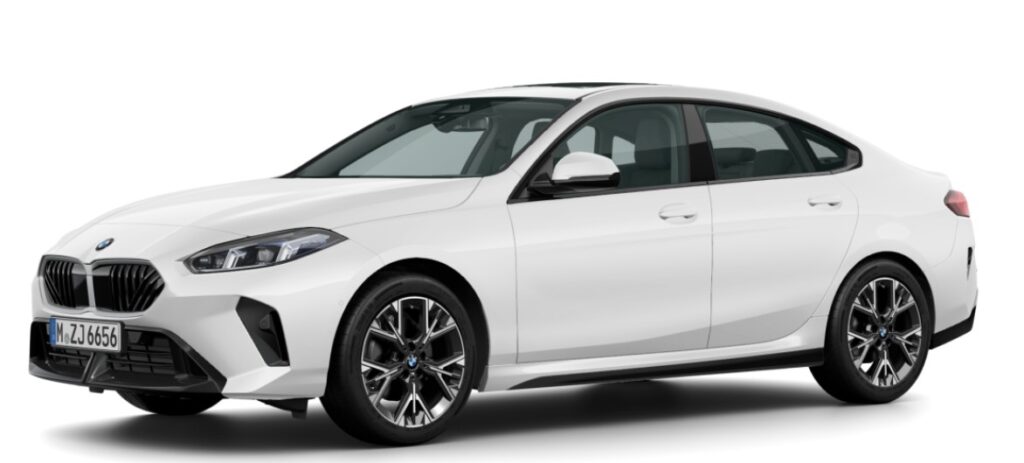
A BMW 2 Series key fob is easy to overlook—until it stops cooperating. One morning, it unlocks the car from across the driveway. The next, we are standing beside the driver’s door, pressing the button repeatedly as though extra enthusiasm might revive it.
Fortunately, a weak key battery rarely means the key itself has failed. In most cases, BMW 2 Series key battery replacement is a quick, inexpensive job that we can handle at home without diagnostic equipment, coding software, or a trip to the dealership.
The important detail is that BMW has used several key designs across the 2 Series range. A first-generation 2 Series Coupé may not use the same battery or opening method as a newer G42 Coupé, an Active Tourer, a Gran Tourer, or a Gran Coupé. Instead of forcing every BMW key into one set of instructions, we need to identify the fob first.
In this guide, we will cover the common key styles, likely battery sizes, replacement steps, warning signs, troubleshooting methods, emergency entry options, and mistakes that can turn a five-minute task into an expensive headache.
Content in this publication
- Why the BMW 2 Series Key Battery Eventually Fails
- Signs Your BMW 2 Series Key Battery Needs Replacing
- Which BMW 2 Series Models Does This Guide Cover?
- What Battery Does a BMW 2 Series Key Use?
- Tools Needed for BMW 2 Series Key Battery Replacement
- Before Opening the BMW Key Fob
- How to Replace a BMW 2 Series Key Battery
- Step 1: Remove the Mechanical Emergency Key
- Step 2: Find the Battery-Cover Release
- Step 3: Release the Rear Cover Carefully
- Step 4: Note the Battery Orientation
- Step 5: Remove the Old Coin Battery
- Step 6: Install the New Battery
- Step 7: Refit the Key Cover
- Step 8: Reinsert the Mechanical Key
- Step 9: Test Every Key Function
- Does a BMW Key Need Reprogramming After Battery Replacement?
- What to Do When the New Battery Does Not Work
- How to Start a BMW 2 Series With a Weak Key Battery
- How to Unlock the BMW When the Key Battery Is Dead
- BMW Comfort Access and Battery Drain
- How Long Does a BMW 2 Series Key Battery Last?
- Should We Replace Both BMW Key Batteries Together?
- Choosing a Good Replacement Battery
- Common BMW Key Battery Replacement Mistakes
- BMW Digital Key as a Useful Backup
- When BMW Key Battery Replacement Is Not Enough
- Key Battery or Car Battery: How Can We Tell?
- A Quick BMW 2 Series Key Battery Checklist
- How to Prevent Future Key Problems
- Final Thoughts on BMW 2 Series Key Battery Replacement
- Frequently Asked Questions
Why the BMW 2 Series Key Battery Eventually Fails
The key fob contains a small coin-cell battery that powers its wireless transmitter. Every time we lock the doors, open the boot, activate the panic function, or use Comfort Access, the remote consumes a tiny amount of energy.
Those tiny demands eventually add up.
A BMW key battery may also drain faster when:
- The key is stored close to the vehicle
- Comfort Access communicates with the key frequently
- Buttons are pressed accidentally inside a bag or pocket
- The battery is old or of poor quality
- The key is exposed to extreme heat or cold
- Moisture has entered the housing
- The replacement battery has been stored for several years
- The fob has an internal electrical fault
A key battery usually fades gradually rather than dying like a light bulb. Its range may shrink first. We may need to press a button twice, stand closer to the vehicle, or hold the key in a particular direction. Think of it like a voice growing quieter rather than suddenly falling silent.
Signs Your BMW 2 Series Key Battery Needs Replacing
A completely unresponsive key is only one possible symptom. The car often gives us several warnings before the battery runs out.
Reduced Remote-Control Range
A healthy key should operate from a reasonable distance in an open area. When the battery weakens, the remote may work only when we are standing close to the door.
Before blaming the battery, test the key in another location. Radio interference from buildings, security equipment, phone towers, chargers, or other vehicles can temporarily reduce its range.
BMW Key Battery Warning Message
Depending on the model and equipment, the instrument cluster or central display may show a message such as:
- Remote control battery discharged
- Replace remote control battery
- Hold remote control against steering column
- Vehicle key not detected
- Remote control missing
The exact wording varies by model year and iDrive generation. A battery warning should be treated as an early reminder rather than an emergency. The key may continue working for a while, but replacing the battery promptly prevents an inconvenient lockout.
Comfort Access Stops Working Reliably
Comfort Access allows compatible BMWs to unlock when we touch the door handle while carrying the key. A weak battery can make this feature intermittent.
The buttons may still operate even when passive entry becomes unreliable because Comfort Access requires consistent communication between the car and the remote.
The Engine Does Not Detect the Key Immediately
The vehicle may ask us to hold the remote near a marked area on the steering column. This can happen when the key battery is too weak for normal wireless detection.
It does not automatically mean the key has lost its programming.
The Spare Key Works Normally
This is one of the simplest tests. When the spare key operates every function correctly but the main remote does not, the problem is likely inside the main key. A depleted coin battery is the first and cheapest possibility to eliminate.
Which BMW 2 Series Models Does This Guide Cover?
The BMW 2 Series badge has appeared on several distinct vehicles. This guide broadly applies to physical remote keys supplied with:
- BMW F22 2 Series Coupé
- BMW F23 2 Series Convertible
- BMW F87 M2
- BMW G42 2 Series Coupé
- BMW G87 M2
- BMW F44 2 Series Gran Coupé
- BMW F45 2 Series Active Tourer
- BMW F46 2 Series Gran Tourer
- BMW U06 2 Series Active Tourer
- Related regional variants and model-year updates
The opening method and battery specification may differ, even between keys that belong to vehicles carrying the same 2 Series name.
BMW provides model-specific digital handbooks through its owner resources, iDrive, the BMW Driver’s Guide, and the My BMW App. Checking the handbook associated with the vehicle identification number is the safest way to confirm the exact procedure.
What Battery Does a BMW 2 Series Key Use?
Many BMW 2 Series remotes use either a CR2032 or CR2450 3-volt lithium coin battery. However, we should not buy a battery based only on the vehicle’s badge.
BMW has changed key housings and electronics across generations, production dates, body styles, and markets. Two keys for different 2 Series models may look similar from the front while using different cells inside.
Common BMW Key Battery Types
| Battery | Voltage | Approximate Diameter | Common Characteristics |
|---|---|---|---|
| CR2032 | 3 volts | 20 mm | Thin and widely available |
| CR2450 | 3 volts | 24.5 mm | Wider and generally higher-capacity |
| Rechargeable internal cell | Varies | Not normally user-replaceable | Found in some older BMW key designs |
The number is not random. In a CR2032, for example, “20” refers approximately to the diameter in millimetres, while “32” represents a thickness of about 3.2 millimetres.
How to Confirm the Correct Battery
Use at least one of these methods:
- Check the vehicle-specific owner’s handbook.
- Open the key and read the code printed on the old battery.
- Look for a battery marking inside the removable cover.
- Compare the replacement physically with the original.
- Ask a BMW parts department using the VIN.
The old battery’s printed code is usually the clearest clue. Replace it with the same designation, not merely a coin cell that seems to fit.
Why Battery Thickness Matters
Installing a thinner battery may create poor contact. Installing a thicker one may distort the retaining clips or prevent the cover from closing.
A coin battery is not a button we should force into the wrong hole. A near match is still the wrong match.
Tools Needed for BMW 2 Series Key Battery Replacement
This job normally requires only a few items:
- Correct replacement coin battery
- The key’s removable mechanical blade
- Small flat plastic trim tool
- Clean, dry cloth
- Optional small flat-blade screwdriver
- Optional nitrile gloves
A metal screwdriver can work, but it can also scar the plastic or slip against the circuit board. A plastic pry tool is gentler.
Avoid knives, scissors, drill bits, or oversized screwdrivers. The key housing is compact, and brute force can snap a retaining tab before we realise what happened.
Before Opening the BMW Key Fob
Preparation makes the job smoother.
Park the vehicle somewhere accessible, lower a window if practical, and keep the spare key nearby. Work over a clean table rather than a driveway, carpet, or sink. The battery and small components have a talent for rolling into impossible places.
Take a quick photo of the key before removing the old cell. More importantly, photograph the battery while it is still seated so we can remember which side faces upward.
Look for the plus symbol. Battery polarity matters.
How to Replace a BMW 2 Series Key Battery
The following method applies to many BMW 2 Series remotes with a removable emergency key and rear battery cover. The exact release point may vary slightly.
Step 1: Remove the Mechanical Emergency Key
Locate the small release button or slider on the rear or side of the fob.
Hold the release while pulling the metal key blade from the housing. Do not yank it at an angle. It should slide out smoothly once the catch is fully pressed.
The mechanical blade is more than an emergency tool. On many BMW remotes, its tip also helps release the battery cover.
Step 2: Find the Battery-Cover Release
Inspect the cavity where the mechanical key was stored. Look for:
- A narrow slot
- A small tab
- A recessed opening
- A seam around the rear cover
Insert the end of the mechanical key or a plastic trim tool into the designated opening.
Step 3: Release the Rear Cover Carefully
Apply gentle leverage until the cover begins to lift.
Do not twist aggressively around the entire edge. Many covers are held by small plastic clips. Once the first clip releases, the rest should separate with modest pressure.
If the cover refuses to move, stop and inspect the housing again. Forcing the wrong seam can split the casing or mark the decorative trim.
Step 4: Note the Battery Orientation
Before touching the cell, examine which face is visible.
In many keys, the positive side marked with a + faces upward, but we should never assume this applies to every design. Copy the orientation of the original battery.
Step 5: Remove the Old Coin Battery
Use a fingernail or plastic tool to lift the battery from beneath its retaining edge.
Avoid pushing directly against delicate metal contacts. Those contacts need enough spring tension to hold the new battery securely.
If the battery feels trapped, look for a small relief notch. It may need to slide sideways before lifting.
Step 6: Install the New Battery
Remove the replacement battery from its packaging immediately before installation.
Hold it by the edges where practical and place it under the retaining lip. Press gently until it sits flat and secure.
Confirm that:
- The battery code matches the original
- The polarity is correct
- The cell is seated fully
- No contact is bent
- No packaging film remains attached
Step 7: Refit the Key Cover
Align the cover with the housing. Engage the fixed tabs first, then press around the edge until each clip clicks into place.
The seam should be even. A raised corner may indicate that the cover is misaligned or the battery is not seated correctly.
Step 8: Reinsert the Mechanical Key
Slide the emergency blade back into its channel until it clicks.
Give it a light pull to ensure it is locked in place.
Step 9: Test Every Key Function
Stand near the vehicle and test:
- Lock
- Unlock
- Boot or tailgate release
- Panic function, where fitted
- Comfort Access
- Engine start
- Automatic profile recognition, where applicable
Then move farther away and test the remote range.
Does a BMW Key Need Reprogramming After Battery Replacement?
In most cases, no. Replacing a removable coin battery does not erase the key’s coding or vehicle authorisation.
The key’s identity is stored separately from the disposable battery. Changing the cell is similar to replacing batteries in a television remote: we are restoring power, not introducing a new remote to the system.
Temporary delays can occur. The vehicle may need a button press, an unlock-and-lock cycle, or a normal engine start before every convenience feature behaves as expected.
If the key still is not recognised, the problem may involve the battery installation, contacts, remote electronics, antenna system, or key programming rather than a routine synchronisation issue.
What to Do When the New Battery Does Not Work
A fresh battery should restore normal operation immediately. When it does not, we need to troubleshoot methodically instead of repeatedly taking the key apart.
Check the Battery Polarity
Remove the cover and compare the cell’s orientation with the photo taken before removal.
A reversed battery usually does not damage the remote, but the key will not operate.
Confirm the Battery Number
A CR2032 and CR2025 have the same diameter but different thicknesses. One may slide into a holder designed for the other, yet fail to maintain proper contact.
The printed designation must match the original battery.
Try Another Fresh Battery
New does not always mean good. Coin batteries can arrive discharged, damaged, counterfeit, or depleted after long storage.
Use a sealed battery from a recognised manufacturer and a reliable retailer.
Inspect the Metal Contacts
Look for:
- Flattened contact tabs
- Corrosion
- Dirt
- Moisture residue
- A battery sitting above the holder
- A contact trapped beneath the cell
Do not scrape or bend components aggressively. A tiny adjustment can become a broken contact surprisingly quickly.
Test the Spare BMW Key
If both keys fail at the same time, the vehicle may be the problem. Possible causes include:
- Weak 12-volt vehicle battery
- Remote receiver issue
- Comfort Access antenna fault
- Electrical interference
- Fuse or control-module problem
- Vehicle software issue
If only one key fails, the fault is more likely inside that key.
Move Away From Radio Interference
Try the remote in another location. Strong nearby transmissions can interfere with key communication.
Possible sources include radio equipment, building access systems, wireless chargers, mobile devices, power infrastructure, and other transmitters.
Check for Water or Impact Damage
A battery replacement cannot repair a cracked circuit board or corroded electronics.
If the key stopped working after being dropped, washed, soaked, or crushed, it may need professional repair or replacement.
How to Start a BMW 2 Series With a Weak Key Battery
A weak remote battery does not necessarily leave the vehicle immobilised.
BMW keys usually contain a passive transponder that can still be recognised at close range. If the vehicle displays a key-not-detected warning, hold the remote against the marked area on the steering column or another location specified in the owner’s handbook. Then press the brake or clutch and operate the Start/Stop button.
The exact detection point varies, so the vehicle-specific manual should take priority over generic instructions.
Why the Emergency Start Method Works
The normal key signal relies on battery-powered radio communication. The backup recognition method uses close-range induction or another passive authentication process.
It is like speaking into someone’s ear when we can no longer shout across the room.
How to Unlock the BMW When the Key Battery Is Dead
Remove the mechanical key blade from the remote.
On many BMW 2 Series models, the driver’s door contains a concealed mechanical lock cylinder. It may sit behind a removable cap near the door handle.
Use the mechanical blade according to the handbook instructions. Work carefully because painted handle covers and retaining clips can be damaged by incorrect leverage.
Once inside, use the emergency key-detection method to start the vehicle.
A dead remote battery and a dead vehicle battery can produce similar symptoms. If the central locking, interior lights, displays, and other electrical systems are also lifeless, investigate the car’s 12-volt battery rather than assuming the key is responsible.
BMW Comfort Access and Battery Drain
Comfort Access is one reason a key may communicate with the car more frequently than a basic remote.
Storing the key immediately beside the vehicle can cause repeated communication attempts on some systems. As a sensible precaution, keep the key several metres from the parked car when possible.
This also improves security. Signal-relay theft is designed to extend communication between a nearby key and the vehicle. A quality signal-blocking pouch can reduce exposure, although the pouch should be tested regularly to confirm it actually blocks the key.
How to Test a Signal-Blocking Pouch
Place the key inside the pouch, close it fully, and stand beside the vehicle.
Try to unlock the car using Comfort Access and the remote buttons through the pouch. If the vehicle responds, the pouch is not blocking the signal effectively.
How Long Does a BMW 2 Series Key Battery Last?
There is no universal lifespan. Usage, battery quality, temperature, storage location, Comfort Access activity, and key condition all influence longevity.
A coin battery may last several years under normal conditions, but heavy use can shorten that period. Rather than replacing it on an arbitrary schedule, watch for reduced range and dashboard warnings.
We can also replace both primary and spare-key batteries during the same maintenance session when they are the same age. Otherwise, the spare may fail precisely when we need it.
Should We Replace Both BMW Key Batteries Together?
Replacing both batteries is sensible when:
- Both keys are used regularly
- Both batteries were installed at the same time
- The vehicle is several years old
- The spare has been sitting unused for a long period
- We are preparing for a trip
- The second battery costs very little
However, verify the battery type inside each remote. Previous owners may have replaced a key, and the two housings may not be identical.
Choosing a Good Replacement Battery
The cheapest multipack is not always the best value.
Look for:
- Recognised battery manufacturer
- Clear expiry or best-before date
- Intact sealed packaging
- Exact battery designation
- Reputable seller
- Clean, undamaged surfaces
Avoid loose batteries stored in an open drawer. Coin cells can short against metal objects, gather contamination, or lose charge over time.
Can We Touch a Coin Battery With Our Fingers?
Briefly touching the battery is unlikely to ruin it, but holding it by the edges is good practice. Oils and moisture can contaminate the contact surfaces.
If we touch both faces, wipe the battery gently with a clean, dry, lint-free cloth. Do not use water or household cleaner.
Common BMW Key Battery Replacement Mistakes
The procedure is simple, yet a few errors appear repeatedly.
Buying a Battery Before Opening the Key
Model lists on retailer websites are not always precise. Production changes and replacement keys can make those lists unreliable.
Confirm the number printed on the installed battery.
Prying From the Wrong Side
Decorative trim, logos, and housing seams are not necessarily access points. Use the release opening associated with the emergency blade.
Using Excessive Force
When a BMW key cover does not release, more force is rarely the answer. We are probably pushing at the wrong angle or against the wrong tab.
Installing the Battery Upside Down
This is the classic mistake. A quick photo prevents it.
Bending the Contact Tabs
A key may work intermittently when the battery is loose. Avoid levering directly against the contact springs.
Assuming the Key Needs Coding
Coding should not be the first response after a simple battery change. Recheck the battery type, polarity, seating, and contacts before paying for diagnostics.
Throwing the Old Battery in Household Waste
Lithium coin cells should be taken to an appropriate battery recycling point. Keep used and new cells away from children and pets. Coin batteries are dangerous if swallowed and require urgent medical attention.
BMW Digital Key as a Useful Backup
Compatible BMW models can use certain smartphones or smartwatches as a Digital Key. Depending on the vehicle, device, country, and equipment, the digital key may unlock and start the car without the physical remote.
BMW states that setup typically uses the My BMW App and compatible wallet technology, while availability depends on the vehicle and mobile device. A physical key is still supplied and remains an important backup.
Digital Key is convenient, but it should complement sensible physical-key maintenance rather than replace it completely.
When BMW Key Battery Replacement Is Not Enough
Professional help may be necessary when:
- The key remains dead with multiple verified batteries
- The circuit board is corroded
- The housing has been crushed or cracked
- Buttons are torn or stuck
- The key was submerged
- The vehicle recognises one key but not the other
- Neither key operates the central locking
- The key starts the car but remote buttons do not work
- The battery contacts are detached
- The vehicle reports persistent key-detection faults
A BMW dealer can identify authorised keys and order a replacement using ownership documentation and the VIN. Independent automotive locksmiths may also repair housings, microswitches, or circuit boards, depending on the key type and local regulations.
Never hand over the vehicle, keys, or security information to an unverified service provider.
Key Battery or Car Battery: How Can We Tell?
A weak key battery usually causes remote-specific symptoms. A weak 12-volt vehicle battery affects the whole car.
| Symptom | More Likely Key Battery | More Likely Vehicle Battery |
|---|---|---|
| Reduced remote range | Yes | No |
| Spare key works normally | Yes | No |
| Key battery warning | Yes | No |
| Interior lights are weak | No | Yes |
| Starter turns slowly | No | Yes |
| Multiple keys fail together | Possible | Yes |
| Car unlocks mechanically but displays remain dead | No | Yes |
| Remote buttons fail but emergency start works | Yes | Possible |
The table provides clues, not a final diagnosis. Electrical faults can overlap.
A Quick BMW 2 Series Key Battery Checklist
Before finishing the job, confirm that we have:
- Identified the correct key style
- Purchased the exact battery code
- Removed the mechanical blade safely
- Opened only the intended battery cover
- Recorded the original polarity
- Installed a fresh battery
- Seated the battery beneath the contacts
- Closed every housing clip
- Reinserted the emergency key
- Tested lock, unlock, boot, start, and Comfort Access
- Recycled the old battery responsibly
How to Prevent Future Key Problems
A little care can extend the life of the remote and make future replacement easier.
Keep the key dry. Avoid placing it in the same pocket as coins, tools, or heavy objects. Do not leave it in direct sunlight on a dashboard. Store the spare somewhere secure but accessible, and test it every few months.
We should also avoid attaching an oversized bundle of keys to the remote. Weight and repeated impacts can stress the housing like a small hammer swinging beneath it.
When a warning first appears, replace the battery rather than waiting for complete failure. A two-minute precaution at home is far better than fumbling with a concealed door lock in the rain.
Final Thoughts on BMW 2 Series Key Battery Replacement
Replacing a BMW 2 Series key battery is usually one of the easiest maintenance jobs we can perform. The key points are simple: identify the remote, confirm the exact battery number, preserve the original polarity, open the housing gently, and test every function afterward.
Most problems arise when we rush. We order a battery based on a generic model list, pry at the wrong seam, or assume a non-working remote needs expensive coding.
The BMW 2 Series family includes several generations and body styles, so there is no single battery specification that applies with certainty to every key. When in doubt, trust the code on the original cell and the handbook linked to the vehicle’s VIN.
Treat the fob like the compact electronic device it is—not like an indestructible chunk of plastic—and it should continue opening the door long after the new battery clicks into place.
Frequently Asked Questions
1. What battery does a BMW 2 Series key fob take?
Many BMW 2 Series key fobs use a CR2032 or CR2450 3-volt lithium coin battery. The correct type depends on the key design, production date, and model. Open the battery compartment and match the code printed on the original cell.
2. Do I need to reprogram my BMW key after changing its battery?
Normally, no. Replacing a removable key-fob battery does not erase the key’s vehicle authorisation. If the remote does not work afterward, check the battery code, polarity, seating, and metal contacts before considering programming or diagnostics.
3. Why does my BMW key still not work with a new battery?
The battery may be reversed, incorrect, discharged, or poorly seated. The key could also have bent contacts, water damage, worn buttons, a cracked circuit board, or an internal transmitter fault. Test the spare key to help separate a key problem from a vehicle-side issue.
4. Can I start my BMW 2 Series when the key battery is dead?
Usually, yes. Hold the key against the emergency detection point specified in the owner’s handbook—often near the steering column—while pressing the brake or clutch and the Start/Stop button. Use the mechanical blade if the doors will not unlock remotely.
5. How much does BMW 2 Series key battery replacement cost?
A DIY replacement generally costs only the price of a quality coin battery. Dealership or locksmith charges are higher when the key requires diagnosis, housing repair, circuit-board work, or complete replacement. Always confirm that a simple battery issue has been ruled out first.
If you want to know other articles similar to BMW 2 Series Key Battery Replacement: Complete DIY Guide you can visit the category Service and Parts.
Land Rover Defender 90 Tyre Pressure: Complete Guide
Land Rover Defender 90 Weight: Kerb Weight, GVW and Payload Explained
Land Rover Defender 90 Towing Capacity: Complete Guide
Land Rover Defender 90 Boot Space: Size, Dimensions and Practicality

Toyota Hilux Key Battery Replacement: Complete DIY Guide
Toyota Hilux Windscreen Replacement Cost: Prices, Factors, and Money-Saving Tips
Leave a Reply
More content of your interest