

How to Reset the Mazda CX-5 Tire Pressure Light (TPMS Reset Guide)

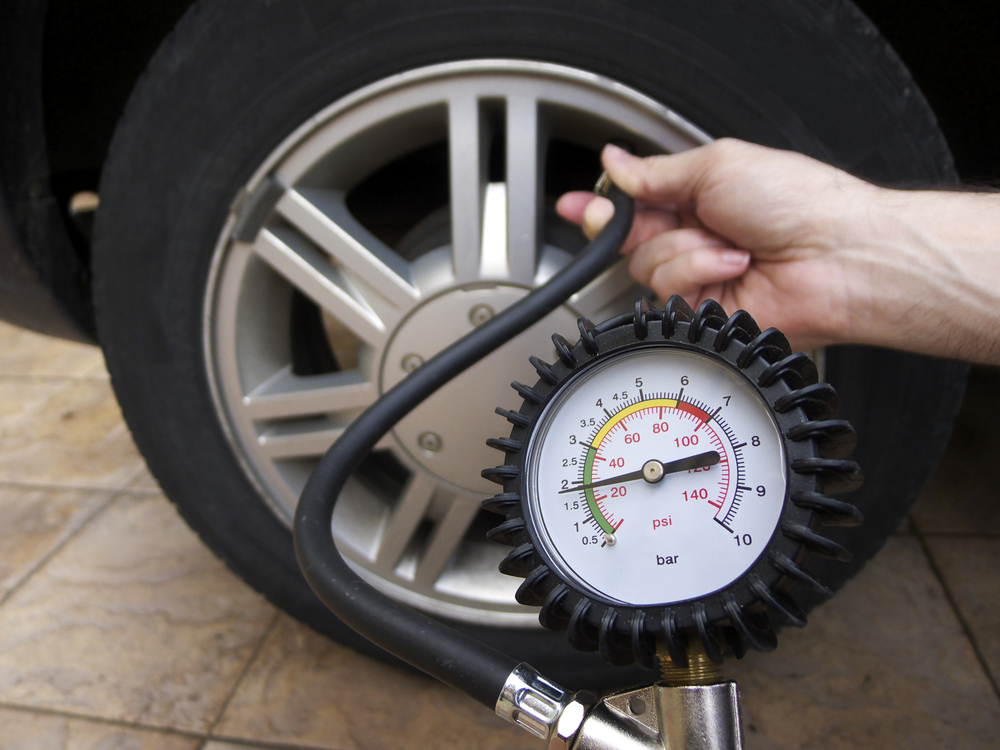
Keeping your Mazda CX-5’s tire pressure light off isn’t just about avoiding dashboard alerts — it’s about ensuring peak performance, optimal safety, and maximum fuel efficiency. Below, we’ve crafted the definitive guide to resetting your Mazda CX-5 TPMS (Tire Pressure Monitoring System), diagnosing persistent warnings, and maintaining ideal tire pressure across all model years.
Content in this publication
- ⚙️ Understanding the Mazda CX-5 Tire Pressure Monitoring System (TPMS)
- 🚨 Common Causes of the Mazda CX-5 Tire Pressure Light
- 🧭 Step-by-Step: How to Reset the Mazda CX-5 Tire Pressure Light
- 🔧 If the Mazda CX-5 Tire Pressure Light Won’t Turn Off
- 💡 Using a TPMS Relearn Tool (Advanced Method)
- 🧰 Recommended Tire Pressures by Model Year
- 🧤 Maintenance Tips for Long-Term TPMS Health
- 🧩 FAQs About the Mazda CX-5 Tire Pressure Light
- 🚗 Final Thoughts: Keep Your CX-5 Rolling Safely
⚙️ Understanding the Mazda CX-5 Tire Pressure Monitoring System (TPMS)
The TPMS monitors the air pressure inside your tires and warns you when it falls below a safe threshold. This system ensures:
- Consistent fuel efficiency by reducing rolling resistance
- Balanced tire wear for longer tire life
- Improved handling and braking in every driving condition
- Reduced blowout risk at high speeds
If the light stays on, flickers, or reappears after a reset, it signals that the system needs attention — or that one or more tires still have incorrect pressure.
🚨 Common Causes of the Mazda CX-5 Tire Pressure Light
| Cause | Description | Typical Fix |
|---|---|---|
| Low Tire Pressure | Pressure below recommended PSI | Inflate to spec levels |
| Temperature Changes | Cold weather reduces PSI | Recheck pressures when cold |
| Tire Rotation/Replacement | Sensors lose position data | Perform TPMS relearn/reset |
| Faulty TPMS Sensor | Battery depletion or failure | Replace faulty sensor |
| Slow Leak | Nail or bead leak | Repair or replace affected tire |
🧭 Step-by-Step: How to Reset the Mazda CX-5 Tire Pressure Light
Follow these precise steps to reset the warning light and restore system calibration:
Step 1: Verify Tire Pressure
Use a reliable digital gauge to check all four tires (and the spare if equipped).
- Find the recommended PSI on the sticker located on the driver’s door jamb.
- Common recommended pressures: 35 psi (front/rear) for most trims.
Step 2: Inflate to the Correct PSI
Adjust the pressure when the tires are cold (after the car has been parked for 3+ hours).
Overinflation or underinflation can both trigger the light.
 Mazda CX-5 Tire Size Chart: Complete Guide for Every Model and Trim
Depending on the CX-5 model year:
- 2013–2016: Button located under the dashboard near the steering column.
- 2017–2025: TPMS reset is handled automatically through vehicle sensors once pressure is correct — but can also be triggered through Mazda Connect settings in some trims.
Step 4: Perform the Reset
- Turn the ignition ON, but do not start the engine.
- Hold the TPMS reset button for 10–15 seconds until the TPMS indicator blinks twice.
- Start the car and drive for at least 5–10 minutes at over 20 mph to allow system recalibration.
Step 5: Confirm the Reset
If the light turns off after driving, the system has relearned successfully.
If it remains on, check pressures again — or proceed to diagnosis.
🔧 If the Mazda CX-5 Tire Pressure Light Won’t Turn Off
If the warning persists after following all reset steps, inspect for these potential issues:
- Slow Tire Leak – Check for punctures, bead leaks, or damaged valve stems.
- Incorrect Tire Pressure – Ensure every tire matches the exact PSI listed on the label.
- Defective TPMS Sensor – Sensors have a finite battery life (approx. 7–10 years).
- System Error After Tire Rotation – Sensors might need to be relearned using a TPMS reset tool.
- Software Glitch – A diagnostic reset may be required at a Mazda service center.
💡 Using a TPMS Relearn Tool (Advanced Method)
A TPMS relearn tool helps the car recognize sensor IDs after tire rotations or replacements.
How to Use:
- Turn ignition to ON (engine off).
- Activate the relearn mode (refer to your owner’s manual).
- Use the tool to trigger each tire sensor starting from the front left tire in clockwise order.
- Wait for the system confirmation — the horn or light blink usually indicates successful pairing.
🧰 Recommended Tire Pressures by Model Year
| Model Year | Engine | Front PSI | Rear PSI | Spare |
|---|---|---|---|---|
| 2013–2016 | 2.0L / 2.5L Petrol | 35 | 35 | 60 |
| 2017–2021 | 2.5L / 2.5 Turbo | 35 | 35 | 60 |
| 2022–2025 | 2.5L / 2.5 Turbo / Hybrid | 35 | 35 | 60 |
Pro Tip: Always check pressures monthly and before long trips, especially during cold snaps or after tire servicing.
You may be interested in readingYou may be interested in readingMazda CX-5 Key Fob Battery Replacement: Complete Step-by-Step Guide (2013–2025)
🧤 Maintenance Tips for Long-Term TPMS Health
- Check tire pressure monthly or every 1,000 miles.
- Use nitrogen inflation for more stable pressure (optional).
- Avoid cheap tire sealants, which can damage sensors.
- Rotate tires regularly (every 6,000–8,000 miles).
- Replace TPMS sensors during tire replacement if they’re over 7 years old.
🧩 FAQs About the Mazda CX-5 Tire Pressure Light
Q: Can I reset the light without checking tire pressure?
No — the TPMS only clears when all tires meet correct PSI levels.
Q: Why does the light come on after temperature changes?
Cold weather causes air to contract, reducing PSI. Inflate when cold and avoid resetting until corrected.
Q: How long does it take for the TPMS light to go off after fixing pressure?
Typically within 5–15 minutes of driving above 20 mph.
Q: Can I drive with the TPMS light on?
You can, but it’s unsafe. Reduced grip, poor braking, and uneven wear can occur.
Q: How much does it cost to replace a TPMS sensor?
In the UK, expect £40–£80 per sensor, plus ~£50/hour labour at independent garages.
🚗 Final Thoughts: Keep Your CX-5 Rolling Safely
Resetting the Mazda CX-5 tire pressure light is straightforward once you know the process — but maintaining proper tire pressure is the real key. Regular checks prevent premature wear, improve fuel economy, and safeguard your journey.
You may be interested in readingMazda CX-5 Tire Size Chart: Complete Guide for Every Model and TrimYou may be interested in reading
Mazda CX-5 Key Fob Battery Replacement: Complete Step-by-Step Guide (2013–2025)You may be interested in reading
 How to Change the Battery in a Mazda CX-5: The Complete Step-by-Step Guide
By mastering this routine, you extend the life of your tires, protect your TPMS sensors, and drive with total peace of mind.
If you want to know other articles similar to How to Reset the Mazda CX-5 Tire Pressure Light (TPMS Reset Guide) you can visit the category Service and Parts.
Audi A6 Weight: Complete Guide by Model and Generation
Audi A6 Oil Capacity: Complete Engine and Oil Guide
Audi A6 Timing Chain Replacement Cost: Complete Guide

Kia Carnival Engine Oil: Complete Type, Capacity, and Change Guide
Kia Carnival Key Battery Replacement: Complete DIY Guide
Kia Carnival Battery Replacement: Complete Owner’s Guide
Leave a Reply
More content of your interest