

How to Replace the Key Fob Battery on the Mazda CX-5 (2017–2026)


Is your Mazda CX-5 key fob only working when you stand next to the vehicle? Are the lock and unlock buttons responding inconsistently, or are you seeing a low key battery warning? In many cases, the solution is a simple coin-cell battery replacement.
We'll walk through how to replace the Mazda CX-5 key fob battery on 2017–2026 models, including the differences between older and newer key designs. The job usually takes about five to ten minutes, but using the correct battery and opening method matters.
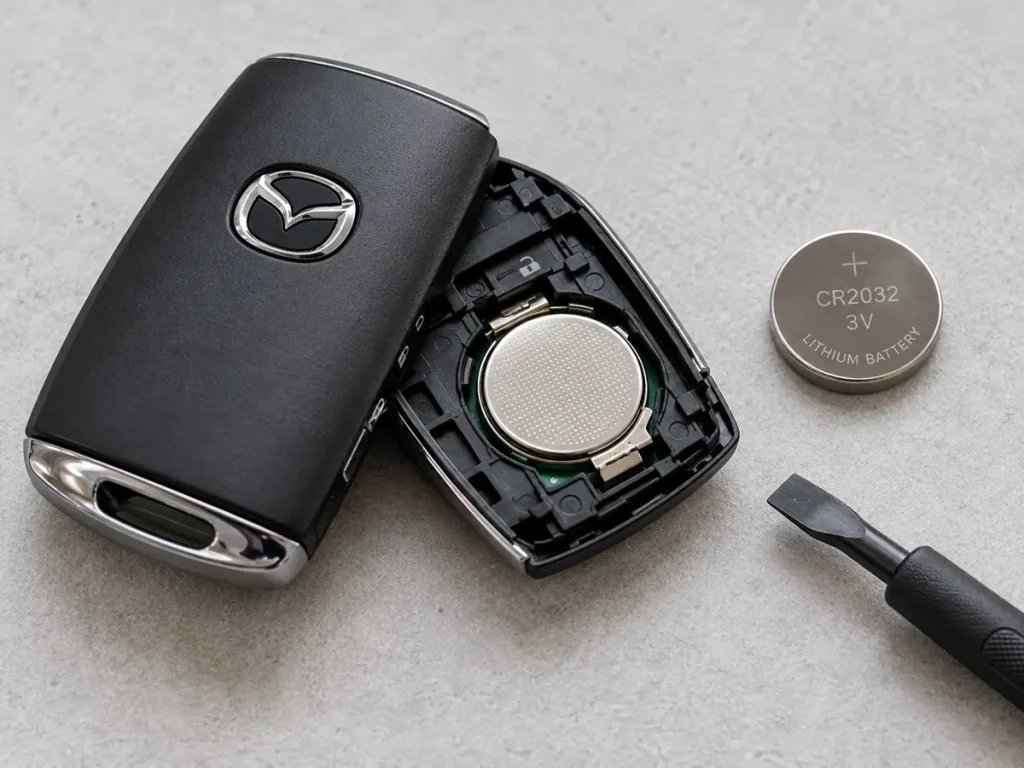
Illustrative image: Mazda-style smart key opened to show a coin-cell battery. Actual key shapes, release tabs, and covers vary by model year and market.
Content in this publication
- Quick Answer: How Do You Change a Mazda CX-5 Key Fob Battery?
- What Battery Does a Mazda CX-5 Key Fob Use?
- What You'll Need Before Starting
- How to Replace the Mazda CX-5 Key Fob Battery: Step by Step
- Step 1: Release the Emergency Key or Lower Cover
- Step 2: Locate the Case Seam and Opening Tab
- Step 3: Carefully Open the Key Fob Housing
- Step 4: Locate the Battery and Remove Its Protective Cap
- Step 5: Remove the Old Coin Battery
- Step 6: Insert the New Battery Correctly
- Step 7: Reinstall the Battery Cap and Close the Housing
- Step 8: Test the Remote Next to Your CX-5
- Instructions by Mazda CX-5 Key Design
- Signs Your Mazda CX-5 Key Fob Battery Is Low
- How Long Does a Mazda CX-5 Key Fob Battery Last?
- Why Is My Mazda CX-5 Key Fob Not Working After a Battery Change?
- Do You Need to Reprogram the CX-5 Key After Replacing the Battery?
- Can You Start a Mazda CX-5 with a Dead Key Fob Battery?
- Mistakes to Avoid When Changing the Battery
- Frequently Asked Questions
- Final Thoughts
Quick Answer: How Do You Change a Mazda CX-5 Key Fob Battery?
First, identify which Mazda key you have and check its required battery type. Release the hidden mechanical key or removable lower cover, open the battery-access cover with a tape-wrapped flathead screwdriver or plastic pry tool, remove the old cell, and fit an identical replacement with the positive (+) side facing the direction shown in the key. Refit the battery cap and housing, then test lock and unlock.
Important: There is no universal battery for every 2017–2026 CX-5 key. The older and newer designs can take different coin cells.
What Battery Does a Mazda CX-5 Key Fob Use?
The two relevant battery sizes are CR2025 and CR2032. Both are 3-volt lithium coin batteries, but they are not the same thickness. Choosing the wrong size can cause a poor connection or damage the battery holder.
| Model year / key design | Battery guidance | What to check |
|---|---|---|
| 2017–2019 CX-5 | CR2025 in U.S. Mazda owner manuals | Confirm the label on the original cell and your key's manual |
| 2020 CX-5 | May use CR2025 (Type A) or CR2032 (Type B), depending on key design/market | Identify the actual transmitter before purchasing |
| 2021–2025 CX-5 | CR2032 in the newer-design Mazda manuals checked | Check the existing cell and market-specific owner's manual |
| 2026 CX-5 | CR2032 in Mazda's 2026 U.S. owner's manual | Follow the removable-cover sequence for the actual fob |
Best practice: Open the battery cover and read the lettering on the old battery before discarding it. If a replacement remote or aftermarket key has been supplied, verify that particular remote rather than relying only on the vehicle's year.
CR2025 vs. CR2032: What's the Difference?
The first two digits indicate a nominal 20 mm diameter. The final two digits describe thickness: a CR2025 is approximately 2.5 mm thick and a CR2032 is approximately 3.2 mm thick. Both provide 3 volts, but their different thicknesses matter to the contacts inside a key fob. Do not force a CR2032 into a holder designed for CR2025—or substitute a thinner battery just because it fits inside.
What You'll Need Before Starting
- A new CR2025 or CR2032 battery, confirmed for your key
- A small flathead screwdriver, ideally with electrical or masking tape wrapped around the tip
- Alternatively, a thin plastic pry tool
- A clean, well-lit tabletop and a soft cloth
- About five to ten minutes
Keep coin batteries and used batteries away from children and pets. Swallowing a button or coin-cell battery is a medical emergency, even if symptoms are not immediately obvious.
How to Replace the Mazda CX-5 Key Fob Battery: Step by Step
These steps explain the common access points, followed by important differences between 2017–2019 and newer-design keys. Use the illustrations as visual guidance, not as an exact picture of every model-year transmitter.
Step 1: Release the Emergency Key or Lower Cover
On many 2017–2019 Mazda CX-5 keys, press the small release knob and pull out the auxiliary (mechanical) key. Place it safely on the table. On many newer side-button-style transmitters, slide or press the small release knob and remove the lower cover first; the emergency blade may be accessible beneath this piece.
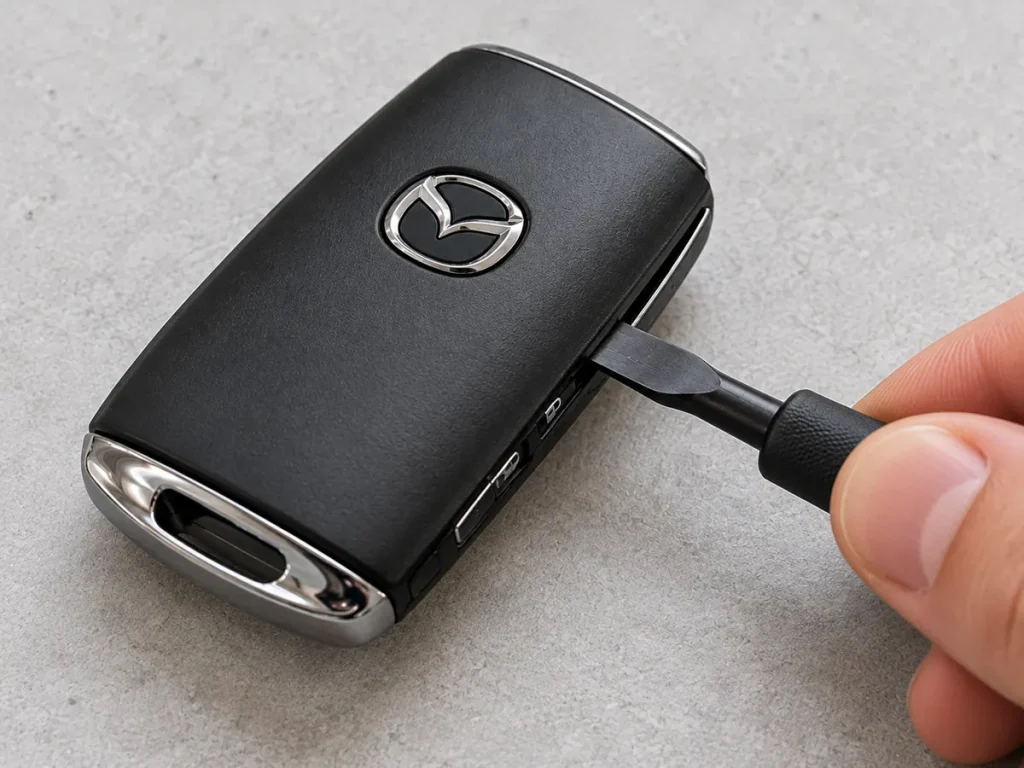
Illustration: Removing the auxiliary mechanical key. Your release mechanism may differ.
Avoid pulling hard against a closed latch. If the key doesn't slide out, locate the release button rather than using leverage on the metal blade.
Step 2: Locate the Case Seam and Opening Tab
Inspect the area revealed by the removed key or lower cover. The older key has a seam around its shell. Many newer designs also have a plastic locking tab that must be released before the upper cover can be lifted.
Wrap the screwdriver tip with tape to reduce scuffs, and place it only at the intended seam or slot. A plastic pry tool can be even gentler on painted and chrome-look surfaces.
Step 3: Carefully Open the Key Fob Housing
Apply a small twisting motion to start opening the cover. Then move the tool along the gap, working gradually rather than lifting one corner aggressively. Do not stab into the case or insert the tool deeply enough to touch the circuit board.
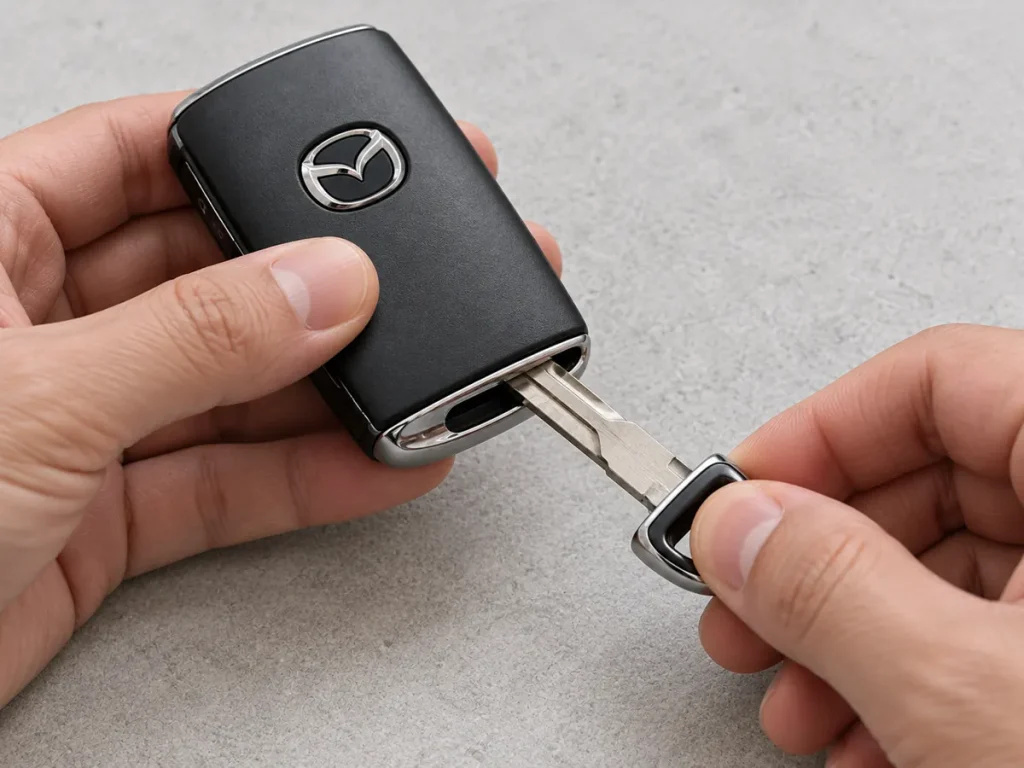
Illustration: Gently releasing the outer shell with a small pry tool.
If the halves resist, stop and look for another tab. On 2021–2026-style keys, the upper cover may only release after the lower cover is removed and its retaining tab is pressed.
Step 4: Locate the Battery and Remove Its Protective Cap
Inside the housing you'll see a circular coin-cell holder. Some CX-5 keys have an additional round battery cap over the cell. Lift this cap gently and set it aside. On older keys, pay particular attention to the rubber sealing ring around the battery area: avoid pinching, stretching, or losing it.
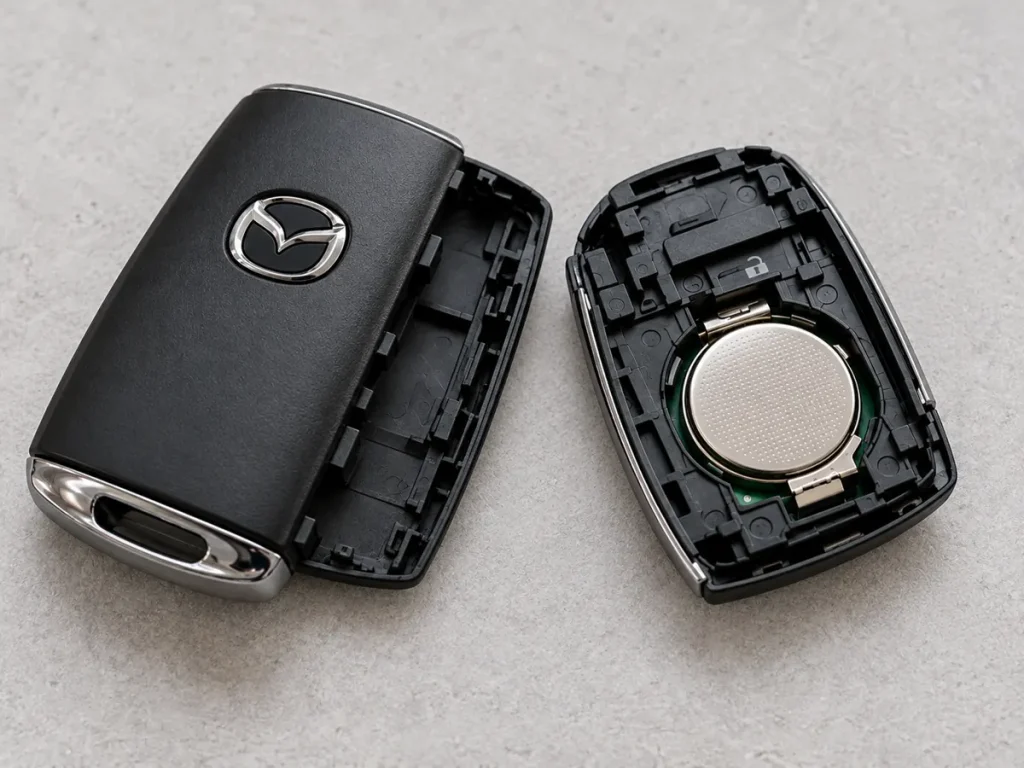
Illustration: Open key-fob housing and battery compartment.
Do not remove screws, pry up the circuit board, or bend electrical contacts to reach the coin cell. If the cap or seal seems stuck, consult the relevant owner's manual before applying extra force.
Step 5: Remove the Old Coin Battery
Look at which face of the battery points upward and note its size. Use a fingernail or the tape-covered screwdriver at the designated edge of the holder to ease the battery out. Avoid shorting the two sides of the battery with a metal tool, and don't press against delicate metal terminals.
Place the old battery somewhere it cannot roll away. It should go to an appropriate battery collection or recycling point, not loose in a household trash bin where local rules prohibit that disposal.
Step 6: Insert the New Battery Correctly
Install an identical battery type. Mazda's replacement instructions for the key designs covered here specify the positive (+) side facing up. Slide the replacement under the appropriate retaining lip and press gently until it is seated evenly.
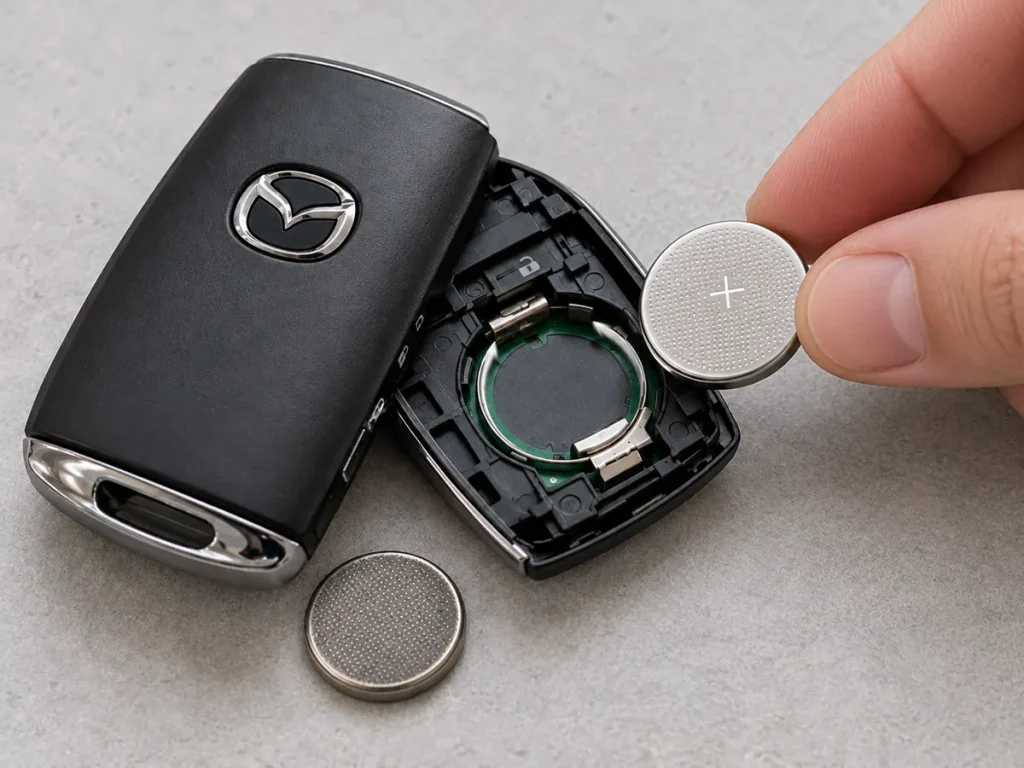
Illustration: Installing a fresh coin-cell battery with its positive (+) face upward.
Check that the cell lies flat, the spring contact is not bent, and the rubber sealing ring remains in place where fitted. If the battery rocks, rises at one edge, or needs excessive pressure, double-check the part number.
Step 7: Reinstall the Battery Cap and Close the Housing
Put the battery cap back in its original position. Align the case tabs and press around the edge until the cover clicks into place. With newer side-button-style remotes, reattach the upper cover and then the lower cover, inserting their tabs into the correct slots.
Finally, slide the auxiliary key back into position if you removed it. The body should feel secure, with no visible gap or loose corner.
Step 8: Test the Remote Next to Your CX-5
Stand near the vehicle and press lock and unlock. Check that the expected locks or indicator lights respond. If your CX-5 has a power liftgate release, test that button as well, where safe to do so.
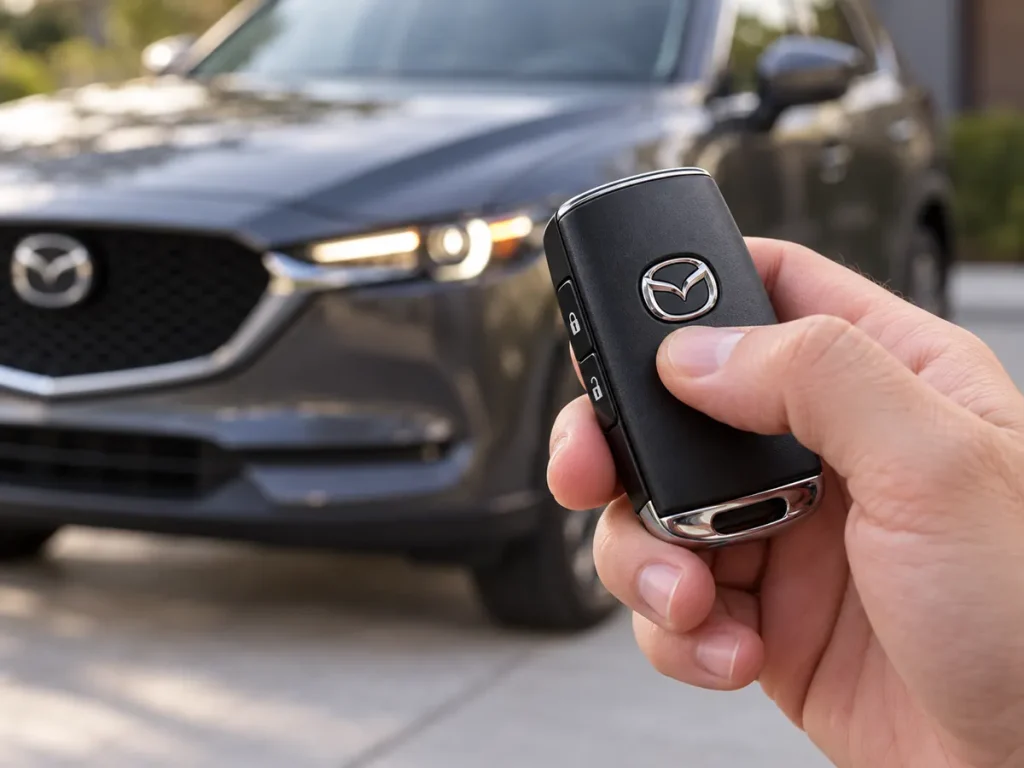
Illustration: Checking the key after reassembly.
Try normal keyless entry and engine start only after confirming the remote works. If the buttons still fail, review the troubleshooting section below before buying a replacement transmitter.
Instructions by Mazda CX-5 Key Design
2017–2019 Mazda CX-5: Older Remote Design
The U.S. owner's manuals for these years identify a CR2025 battery. The basic access sequence is to release the auxiliary key, carefully separate the cover with a tape-wrapped screwdriver, remove the battery cap, change the cell with its positive face up, and reassemble everything. Be especially careful with the rubber ring around the battery compartment.
2020 Mazda CX-5: Check Type A or Type B
This transition period deserves extra attention. Mazda documentation for some markets distinguishes a Type A key using CR2025 from a Type B key using CR2032. Key shape matters more than a blanket internet chart. Check your own transmitter and your market's manual before buying a battery.
Newer CX-5 transmitters typically use a CR2032 coin cell and a removable lower cover. Start by releasing the lower cover, unlock the retaining tab for the upper cover, carefully slide and twist a tape-covered screwdriver at the designated gap, then remove the battery cap and coin cell. Reassembly reverses the process.
2026 Mazda CX-5: Follow the Two-Cover Procedure
Mazda's 2026 U.S. manual identifies CR2032. Its documented method begins with removing the lower cover while pressing the release knob, pressing the tab to unlock the upper cover, and then gently removing the upper cover and battery cap. Replace the coin cell with the positive side upward and correctly reattach both covers.
Signs Your Mazda CX-5 Key Fob Battery Is Low
A dying key battery doesn't always fail all at once. Typical warning signs include:
- You must stand closer to the car for the buttons to work.
- Locking or unlocking works intermittently.
- The transmitter's indicator fails to light when a button is pressed.
- The instrument cluster shows a low-key-battery message or the green KEY indicator flashes, depending on year and equipment.
- The vehicle sometimes struggles to detect a key that is normally recognized.
These symptoms can also occur with radio interference, worn buttons, moisture damage, or a fault in the car's keyless-entry system. Replacing a confirmed weak battery is the easiest first check, not a guaranteed fix.
How Long Does a Mazda CX-5 Key Fob Battery Last?
Mazda's owner's manuals commonly describe an approximate battery life of one year and recommend replacement when warning signs appear. Your actual interval can vary with use, storage, radio interference, and battery quality. Owners who use passive entry frequently or store the key near electronic devices may notice a different lifespan.
We recommend keeping one properly labeled spare coin cell at home rather than assuming a particular three-year or five-year replacement schedule. Store it safely in its original child-resistant packaging.
Why Is My Mazda CX-5 Key Fob Not Working After a Battery Change?
The Battery Is Backward or the Wrong Size
Reopen the case and verify the engraved battery number and positive-side orientation. A thinner coin cell may sit loosely, while a thicker one may stress the holder. Replace it with the exact size specified for the remote.
The Battery Cap or Metal Contact Is Not Seated
Check that the coin cell sits flat and the protective cap is fully engaged. Inspect for a loose spring contact without bending or scraping it. If a retaining clip is broken, a replacement battery alone will not solve the issue.
The New Battery Is Discharged or Damaged
Even new batteries can be depleted if they're old stock, have been stored poorly, or come from unreliable packaging. Try a fresh cell from a reputable source if the first replacement fails.
The Key Fob Is in Power-Saving Mode or Affected by Interference
Some modern Mazda key systems have a power-saving function; nearby electronic devices can also interfere with radio signals. Consult the specific manual before assuming the remote needs programming or replacement.
The Remote Has Physical Damage
Water exposure, a cracked circuit board, damaged switches, or corrosion can prevent the remote from working. If neither key works, the vehicle's 12-volt battery or its receiver system may also need checking. An authorized Mazda dealer or qualified automotive locksmith can diagnose these faults.
Do You Need to Reprogram the CX-5 Key After Replacing the Battery?
Normally, no. A routine coin-cell battery change does not erase the remote's existing registration to the vehicle. If the remote was working before the battery ran flat, it should usually work again once the correct battery is installed and the case is properly assembled.
If it still isn't recognized, first verify the battery and contacts, then try a spare key. Don't pay for programming until simpler causes have been ruled out.
Can You Start a Mazda CX-5 with a Dead Key Fob Battery?
Many push-button-start CX-5 models offer an emergency starting procedure that recognizes the transmitter even when its coin battery is weak. The exact positioning and button sequence depend on the model and equipment, so follow your vehicle's Engine Start Function When Key Battery Is Dead instructions.
The auxiliary mechanical key can also provide access to a door lock on applicable models, but it doesn't replace the vehicle's electronic starting procedure. If your vehicle cannot be started, avoid repeated improvised attempts and consult the owner's manual or roadside assistance.
Mistakes to Avoid When Changing the Battery
- Buying by model year alone: Check the key type, especially around 2020.
- Forcing the housing: Locate and release the plastic tab first.
- Using a bare metal screwdriver aggressively: Tape its tip and pry gently.
- Losing the sealing ring: Keep moisture protection in place.
- Touching circuit-board contacts: Handle the coin cell by its edges where possible.
- Reversing polarity: Follow the + marking and the Mazda instructions.
- Leaving the old battery unsecured: Store and dispose of it safely.
Frequently Asked Questions
1. What battery does a 2017 Mazda CX-5 key fob take?
The U.S. 2017 Mazda CX-5 owner's manual specifies a CR2025 3V lithium coin battery. Check the original battery if the key has been replaced or differs from the factory transmitter.
2. Does a 2024 Mazda CX-5 key fob use CR2032?
Yes. Mazda's 2024 U.S. owner manual specifies CR2032 or an equivalent battery for its covered key design. Confirm the number on your actual battery before replacement.
3. Which battery goes in a 2026 Mazda CX-5 key?
The U.S. 2026 Mazda CX-5 owner's manual specifies a CR2032 battery. Install the positive (+) face upward and reinstall the battery cap and both covers as directed.
4. Will changing the key fob battery reset the Mazda CX-5 remote?
A normal battery replacement should not erase the key's registration. If it stops working after the change, inspect battery size, orientation, contacts, and case assembly before considering reprogramming.
5. Can I use CR2032 instead of CR2025 in my Mazda key?
Not unless your specific key is designed to accept CR2032. Although both cells are 3 volts and 20 mm in diameter, the CR2032 is thicker. The safest choice is to match the battery specification printed on the original cell or stated in your manual.
Final Thoughts
Replacing a Mazda CX-5 key fob battery is a straightforward DIY task when you know which remote you have. The two things to get right are the battery type and the opening sequence. For 2017–2019 keys, expect the older emergency-key and CR2025 arrangement; for many newer keys, expect a removable-cover design and CR2032. The 2020 model year deserves an extra check because different key types are documented.
Take your time, protect the cover while prying, avoid touching the electronics, and test the key after reassembly. A few careful minutes can often restore reliable locking and unlocking without the cost of a new remote.
If you want to know other articles similar to How to Replace the Key Fob Battery on the Mazda CX-5 (2017–2026) you can visit the category Service and Parts.
Volvo S90 Engine Oil: Type, Capacity & Change Guide
Volvo S90 Boot Space: Size, Capacity and Practicality
SEO Title: Volvo S90 Oil Capacity: Complete Guide by Engine

Kia Sorento Oil Type: Complete Guide by Year & Engine
Kia Sorento Engine Capacity: Complete Guide by Year
Peugeot 308 Clutch Replacement Cost: Complete UK Guide for 2026
Leave a Reply
More content of your interest