
Ford Kuga Navigation Fault: Complete Guide to Fixing SYNC GPS Issues

Content in this publication
- Understanding the Ford Kuga Navigation Fault
- Why Navigation Faults Happen in the Ford Kuga
- Recognising the Symptoms Early
- Diagnosing the Navigation Fault
- Resetting the Ford Kuga Navigation System
- Updating SYNC and Map Software
- GPS Antenna Problems: A Major Root Cause
- APIM Module Faults: When the Brain Fails
- Corrupted Navigation Data
- Navigation Fault After Battery Replacement
- Interference & Signal Issues
- Preventing Navigation Faults in the Future
- When to Visit a Ford Dealer
- Cost Summary Table for Navigation Fault Repairs
- Final Thoughts
- FAQs
When the Ford Kuga’s navigation system decides to misbehave, it feels like setting out on a road trip with a broken compass. We’ve all been there—ready to follow the on-screen map, only to see a frozen display, spinning loading rings, or a sarcastically blank GPS signal. In this guide, we dive straight into the core of the issue, exploring causes, fixes, and prevention so we can get back on the road with confidence.
Modern car tech is a marvel—until it isn’t. The Kuga’s SYNC system is powerful but prone to hiccups.
- GPS antenna faults
- Outdated SYNC software or expired map licenses
- Corrupted map data
- Internal SYNC module glitches
- Low battery voltage or wiring issues
- Damaged SD cards (in older models)
- Faulty APIM unit (Accessory Protocol Interface Module)
Which Kuga Models Are Most Affected?
Different years suffer different symptoms:
- 2013–2016 Kuga → SD-card-based maps, common card-reader & map corruption issues.
- 2017–2019 Kuga → SYNC 3 GPS antenna failures.
- 2020+ Kuga → Connectivity-based issues, server lag, occasional APIM lockups.
Recognising the Symptoms Early
It’s helpful to know what signs point to an emerging navigation fault.
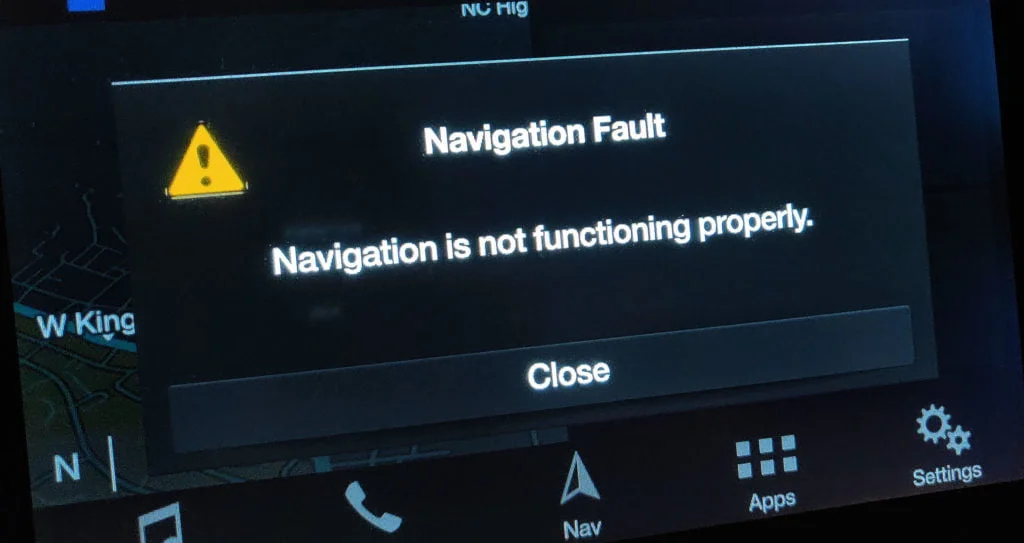
- “Navigation Fault” message appears on screen
- GPS position stuck in one spot
- Vehicle icon drifting or floating off-road
- Map won’t load
- Missing or blank map
- Directions fail to start
- SYNC resets or freezes
- Location accuracy shows wildly incorrect readings
When It’s More Than a Software Error
If the Kuga’s map thinks you’re driving through the middle of the ocean, that’s usually a clear GPS antenna issue—not your driving style.
Let’s break down how we can pinpoint the fault logically rather than guessing.
Step-by-Step Diagnosis
- Restart SYNC
- Check for system updates
- Inspect SD card (if fitted)
- Verify GPS signal strength
- Run APIM diagnostics (dealer or advanced tools)
- Check roof antenna connections
- Test the car battery’s voltage
Tools That Help With Diagnosis
- FORScan (advanced owners)
- Official SYNC update checker
- OBD2 scanner
- Multimeter
- USB stick for updates
- Replacement SD map card
Before panicking, a simple reset often wakes up the system.
Soft Reset (SYNC 3 & SYNC 4)
- Hold Seek Up + Power button for 10 seconds
- System reboots automatically
Master Reset (Factory Reset)
Navigate to:
Settings → General → Master Reset
 Mazda 3 Battery Management System Malfunction: The Complete Troubleshooting & Prevention Guide
This wipes paired phones, saved addresses, and preferences.
Hard Reset (Battery Disconnect)
- Disconnect battery for 10–15 minutes
- Reconnect
- Allow SYNC to reboot and rebuild GPS lock
Updating SYNC and Map Software
Outdated software is one of the top causes of navigation errors.
How to Update Your SYNC System
- Visit Ford’s official SYNC update site
- Enter VIN
- Download update to USB
- Install via car’s USB port
- Wait for reboot
Ensuring Map Data Is Current
Maps need regular updates because new roads appear, old ones vanish, and speed limits change.
On SD-Card Models
- Replace SD card if outdated or corrupted
- Ensure it matches region and version
On SYNC 3+
- Update maps via USB
- Use Wi-Fi for incremental updates (some models)
GPS Antenna Problems: A Major Root Cause
If your Kuga thinks you’ve drifted into another continent, this is where we should look.
How the GPS Antenna Fails
- Water ingress via roof
- Corrosion on connectors
- Internal module failure
- Damaged coaxial cable
Symptoms of a Bad GPS Antenna
- Zero or weak GPS bars
- Navigation Fault appears immediately on startup
- Vehicle location drifts or freezes
- Long time acquiring satellites
Replacing the GPS Antenna
Depending on model, the antenna is:
- Integrated into the shark-fin roof unit
- Connected to APIM under dashboard
Expect:
- Labour 1–2 hours
- Part cost £40–£120
APIM Module Faults: When the Brain Fails
The APIM is the command centre for SYNC.
Signs of a Failing APIM
- Frequent reboots
- Frozen touchscreen
- Navigation unavailable
- Bluetooth & voice control issues
- Black screen on cold mornings
APIM Replacement Costs
- Used unit: £120–£250
- New unit: £400–£700
- Labour: £100–£200
- Programming required
Sometimes SYNC is simply confused. We’ve all had those days.
You may be interested in readingMazda 3 Battery Management System Malfunction: The Complete Troubleshooting & Prevention GuideYou may be interested in reading
 Common Mazda 3 Problems: The Complete Guide to the Most Frequent Issues
Why Data Becomes Corrupted
- Interrupted updates
- Bad SD card
- Failing storage chip
- Low voltage events
- Sudden shutdown mid-install
How to Fix Map Corruption
- Re-install map package
- Replace SD card
- Update system fully
- Perform a master reset
A classic problem we see more than expected.
- System loses stored satellite data
- Voltage drop interrupts internal processes
- APIM boots into recovery mode
How to Restore GPS After Battery Service
- Perform a soft reset
- Let car idle for 10 minutes to reacquire satellites
- Update SYNC
- Check battery health if issues persist
Interference & Signal Issues
The Kuga relies on continuous satellite access.
Common Sources of Interference
- Aftermarket dash cams
- Windshield tint with metal layers
- Phone mounts near antenna
- Faulty USB adapters
- Roof bar clamps pressing on antenna housing
How to Reduce Interference
- Reposition devices
- Remove metallic adhesive tint
- Isolate wiring
- Inspect roof fittings
We can avoid many headaches with simple habits.
Maintenance Tips
- Keep SYNC software updated
- Replace aging SD cards
- Avoid cheap electronics plugged into USB ports
- Protect roof antenna from water exposure
- Use stable voltage when updating maps
When to Visit a Ford Dealer
Although many fixes are DIY-friendly, some issues deserve professional hands.
Dealer-Recommended Situations
- APIM module failure
- Complex wiring faults
- Persistent GPS dropouts
- Software updates that require dealer tools
- Warranty-related repairs
| Issue | Estimated Cost | Difficulty |
|---|---|---|
| SD Card Replacement | £30–£90 | Easy |
| SYNC Software Update | Free | Easy |
| GPS Antenna Replacement | £40–£120 | Medium |
| APIM Module Replacement | £250–£900 | High |
| Wiring Repair | £80–£200 | Medium |
| Full Diagnostics | £50–£150 | Low |
Final Thoughts
A Ford Kuga navigation fault can feel like driving blindfolded through a maze, but once we understand the core issues—GPS antennas, software glitches, map corruption, APIM faults—the solution becomes far less intimidating. With the right steps, these issues are almost always fixable, often without dealership-level tools. Whether we’re updating SYNC, replacing a failing component, or simply resetting the system, the goal is clear: get back to smooth, accurate navigation that leads us where we want to go.
FAQs
Because SYNC can’t load maps or access GPS due to software errors, corrupted data, or hardware faults.
Perform a soft reset, update software, or check the APIM for deeper issues.
Yes—low voltage can corrupt data and reduce GPS lock reliability.
You may be interested in readingMazda 3 Battery Management System Malfunction: The Complete Troubleshooting & Prevention GuideYou may be interested in reading
Common Mazda 3 Problems: The Complete Guide to the Most Frequent IssuesYou may be interested in reading
 Mazda 3 i-STOP Not Working: The Complete Troubleshooting Guide
4. What’s the most common cause of incorrect location tracking?
A failing GPS antenna or weak signal reception.
5. Can I replace the APIM myself?
Technically yes, but it requires coding and is best handled by professionals.
If you want to know other articles similar to Ford Kuga Navigation Fault: Complete Guide to Fixing SYNC GPS Issues you can visit the category Common Problems.
Vauxhall Meriva Red Warning Light Door With Key: Meaning, Causes, and Fixes
Vauxhall Meriva Boot Won’t Open: Causes, Fixes, and Emergency Access
Vauxhall Meriva Problems: Common Faults, Symptoms and Fixes

Hyundai i40 Heater Not Working: Causes, Diagnosis, and Fixes
Hyundai i40 Common Problems: Complete Owner’s Guide
Hyundai i40 Automatic Gearbox Problems: Symptoms, Causes, and Repair Advice
Leave a Reply
More content of your interest