

Volvo XC60 No Sound: Causes, Fixes, and Complete Troubleshooting Guide

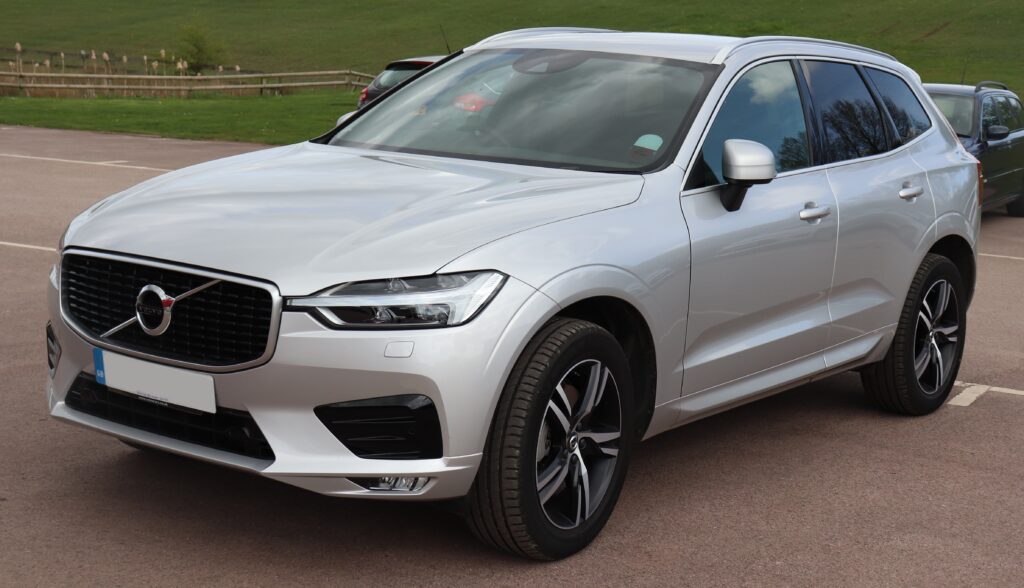
When your Volvo XC60 suddenly goes silent, it feels like stepping into a vacuum—no music, no navigation voice, no alerts. Just… nothing. And let’s be honest, driving without sound in a modern car feels like watching a movie on mute.
So what’s going on?
In this deep dive, we’ll unpack every possible reason behind the “Volvo XC60 no sound” issue, explore practical fixes, and help you restore your audio system without unnecessary stress (or costly guesswork).
Content in this publication
- Understanding the Volvo XC60 Audio System
- Why Your Volvo XC60 Has No Sound
- Quick Checks Before You Panic
- Muted System or Volume Glitch
- Infotainment System Freeze or Crash
- Bluetooth and Connectivity Issues
- Amplifier Problems
- Blown Fuse: A Hidden Issue
- Speaker Malfunction
- Software Updates and Bugs
- Navigation and Warning Sounds Missing
- Android Automotive vs Sensus Systems
- When There’s Sound… But No Music
- Hard Reset: The Last Resort
- When to Visit a Mechanic
- Preventing Future Audio Issues
- Real-World Scenario: What We’ve Seen
- Troubleshooting Checklist
- Closing Thoughts: Silence Isn’t Always Serious
- FAQs About Volvo XC60 No Sound
Understanding the Volvo XC60 Audio System
How the Sound System Works
The audio system in the Volvo XC60 isn’t just a radio—it’s a network of components working in harmony:
- Infotainment system (Sensus or Android Automotive)
- Amplifier
- Speakers (including optional premium systems like Bowers & Wilkins)
- Software control modules
- Connectivity inputs (Bluetooth, USB, radio)
When sound disappears, it’s often not just one piece—it’s the communication between them.
Why Your Volvo XC60 Has No Sound
Common Causes at a Glance
Let’s break it down into digestible chunks:
- Software glitches
- Muted or incorrect settings
- Amplifier failure
- Blown fuse
- Faulty speakers
- Connectivity issues
- Infotainment system crash
Think of it like a band—if one member stops playing, the whole performance suffers.
Quick Checks Before You Panic
Start With the Basics
Before diving into diagnostics, let’s rule out the obvious:
- Is the volume turned up?
- Is the system muted?
- Are you on the correct audio source?
- Is Bluetooth connected but not playing?
It sounds simple, but you’d be surprised how often the fix is just a tap away.
Muted System or Volume Glitch
The Silent Culprit
Sometimes the system is technically “working,” but:
- Volume is set to zero
- Audio is muted in settings
- A glitch resets volume levels
How to Fix It
- Increase volume manually
- Check audio settings in the infotainment menu
- Restart the system (more on that later)
Infotainment System Freeze or Crash
When Software Goes Rogue
Modern XC60 models rely heavily on software. And like any tech, it can freeze.
Symptoms include:
- No sound across all sources
- Touchscreen lag
- System not responding
Solution: Soft Reset
- Press and hold the home button (center screen)
- Wait for the system to reboot
This is like giving your car’s brain a quick nap—it often wakes up refreshed.
Bluetooth and Connectivity Issues
The Invisible Disconnect
Bluetooth can be tricky:
You may be interested in reading Volvo XC60 Low Battery Warning: Causes, Fixes, and Prevention Guide
- Connected but no audio
- Audio routed to phone instead of car
- App not playing sound
Fix It Fast
- Disconnect and reconnect Bluetooth
- Restart your phone
- Switch to another source (FM radio) to test sound
If FM works but Bluetooth doesn’t, you’ve found your culprit.
Amplifier Problems
The Heart of the Audio System
The amplifier boosts sound signals to your speakers. If it fails:
- No sound at all
- Intermittent audio
- Distorted or weak sound before failure
What Causes Amplifier Failure?
- Electrical faults
- Water damage (rare but possible)
- Software miscommunication
What You Can Do
- Restart infotainment system
- Check for error messages
- Visit a technician if the issue persists
Small Part, Big Impact
A blown fuse can completely cut power to the audio system.
Signs of a Blown Fuse
- No sound at all
- System appears on but silent
Fix
- Locate fuse box (usually under dashboard or hood)
- Check audio-related fuses
- Replace if necessary
Speaker Malfunction
When the Sound Can’t Get Out
If only certain speakers aren’t working:
- You may have a blown speaker
- Wiring could be damaged
Test It
- Adjust balance/fader settings
- Play audio and isolate each speaker
If one corner of the car is silent, that’s your clue.
Software Updates and Bugs
Technology Needs Maintenance Too
Volvo regularly releases updates for its systems.
Outdated software can cause:
- Audio dropouts
- No sound issues
- Connectivity bugs
Solution
- Check for updates via infotainment system
- Install latest software
Not Just Music
Sometimes the issue is selective:
- No navigation voice
- No parking sensor beeps
- No alerts
Possible Causes
- Settings disabled
- Volume for alerts set to zero
- Software glitch
Fix
- Check sound settings for alerts
- Reset infotainment system
Android Automotive vs Sensus Systems
Different Systems, Different Behaviors
Older XC60 models use Sensus, while newer ones use Android Automotive.
- Sensus: More prone to freezes
- Android Automotive: App-based issues more common
Understanding your system helps narrow down the issue faster.
When There’s Sound… But No Music
Source-Specific Problems
If radio works but Spotify doesn’t:
- App issue
- Connectivity problem
- Account glitch
Fix
- Restart app
- Log out and back in
- Switch sources to confirm system works
Hard Reset: The Last Resort
When Nothing Else Works
A factory reset can fix deep software issues.
⚠️ Warning: This will erase settings.
Steps
- Go to system settings
- Select factory reset
- Follow instructions
Think of it as hitting the “reset button” on your car’s digital soul.
You may be interested in readingVolvo XC60 Low Battery Warning: Causes, Fixes, and Prevention GuideYou may be interested in reading
Volvo XC60 Key Fob Not Working: Causes, Fixes, and Expert SolutionsWhen to Visit a Mechanic
Know When to Stop DIY
If you’ve tried everything and still have no sound:
- Amplifier may be faulty
- Wiring could be damaged
- Control module may need replacement
At this point, professional diagnostics are worth it.
Preventing Future Audio Issues
Stay Ahead of the Silence
- Keep software updated
- Avoid moisture exposure
- Use high-quality cables and accessories
- Restart system occasionally
Prevention is always easier than troubleshooting.
Real-World Scenario: What We’ve Seen
Let’s paint a quick picture:
You hop into your XC60, start the engine, and play your favorite track—nothing. You check volume, switch sources, still silence. A quick infotainment reset later… boom, sound is back.
This is more common than you think.
Troubleshooting Checklist
Step-by-Step Summary
If your Volvo XC60 has no sound, follow this:
- Check volume and mute settings
- Switch audio sources
- Restart infotainment system
- Reconnect Bluetooth
- Check fuses
- Test speakers individually
- Update software
- Consider factory reset
- Visit a professional if needed
Closing Thoughts: Silence Isn’t Always Serious
The good news? Most “Volvo XC60 no sound” issues are minor—usually software-related and easily fixable.
It’s like your car just forgot how to sing for a moment. A quick reset, a settings tweak, or a reconnect—and the music comes back.
But if the silence lingers, don’t ignore it. Your XC60 is smart, but even smart systems need a little help sometimes.
FAQs About Volvo XC60 No Sound
1. Why is my Volvo XC60 completely silent?
It’s usually due to a software glitch, muted settings, or amplifier issues. Start with a system restart.
2. How do I reset the Volvo XC60 infotainment system?
Press and hold the home button on the screen until it restarts.
3. Can a blown fuse cause no sound?
Yes, a blown audio fuse can cut power to the system entirely.
4. Why does Bluetooth connect but no sound plays?
Audio may be routed incorrectly. Disconnect and reconnect your device.
You may be interested in readingVolvo XC60 Low Battery Warning: Causes, Fixes, and Prevention GuideYou may be interested in reading
Volvo XC60 Key Fob Not Working: Causes, Fixes, and Expert SolutionsYou may be interested in reading
Volvo XC60 360 Camera Not Working: Complete Troubleshooting & Fix Guide5. Do I need a mechanic for this issue?
Not always. Most problems are software-related, but hardware issues require professional help.
If you want to know other articles similar to Volvo XC60 No Sound: Causes, Fixes, and Complete Troubleshooting Guide you can visit the category Common Problems.
Vauxhall Meriva Red Warning Light Door With Key: Meaning, Causes, and Fixes
Vauxhall Meriva Boot Won’t Open: Causes, Fixes, and Emergency Access
Vauxhall Meriva Problems: Common Faults, Symptoms and Fixes

Hyundai i40 Heater Not Working: Causes, Diagnosis, and Fixes
Hyundai i40 Common Problems: Complete Owner’s Guide
Hyundai i40 Automatic Gearbox Problems: Symptoms, Causes, and Repair Advice
Leave a Reply
More content of your interest