

Volvo XC60 360 Camera Not Working: Complete Troubleshooting & Fix Guide

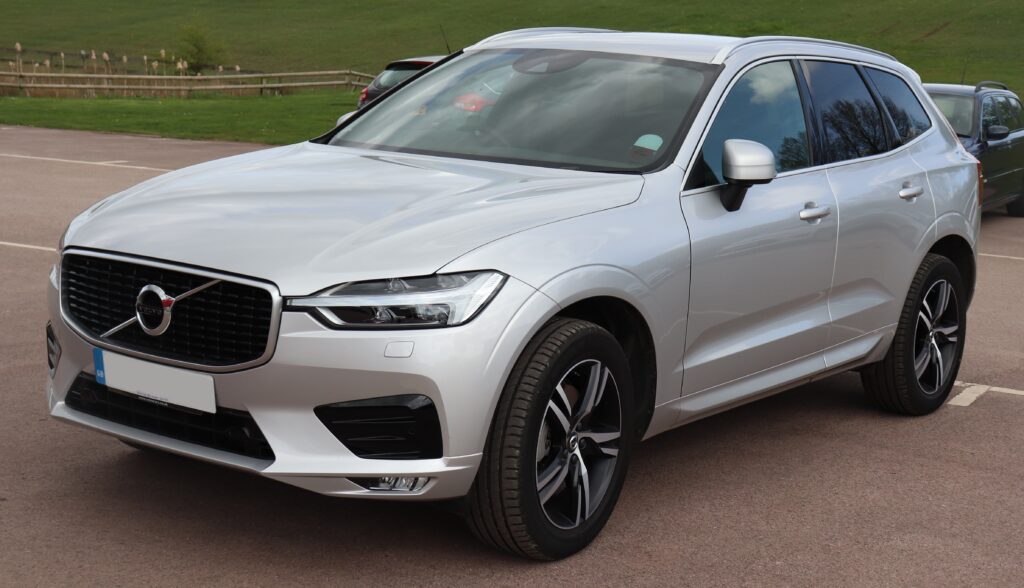
When the 360-degree camera system in your Volvo XC60 suddenly stops working, it feels like losing a sixth sense. That bird’s-eye view—your parking superpower—disappears, and suddenly tight spaces feel tighter, curbs seem closer, and confidence drops.
We’ve all been there: reversing into a parking spot, expecting that crisp surround view… and instead, a blank screen, glitchy image, or error message pops up.
So what’s going on?
Let’s break it down together—step by step—like real owners who just want things to work again.
Content in this publication
- Understanding the Volvo XC60 360 Camera System
- Common Symptoms of a Faulty 360 Camera
- Top Reasons Why the 360 Camera Stops Working
- Step-by-Step Troubleshooting Guide
- DIY Fixes vs Professional Repairs
- How Much Does It Cost to Fix?
- Preventing Future Camera Issues
- Weather and Environmental Impact
- When the Problem Comes and Goes
- Is It Safe to Drive Without the 360 Camera?
- Volvo XC60 Model Years and Camera Issues
- Dealer vs Independent Repair Shops
- Quick Troubleshooting Checklist
- Final Thoughts: Don’t Panic—Diagnose
- Conclusion
- FAQs
Understanding the Volvo XC60 360 Camera System
Before we fix it, we need to understand it.
How the 360 Camera Actually Works
The system uses multiple cameras placed around the vehicle:
- Front grille camera
- Rear tailgate camera
- Side mirror cameras
These cameras stitch together a top-down “bird’s-eye” view using software.
Why It’s So Useful
- Makes parking stress-free
- Helps avoid curb rash
- Improves visibility in tight spaces
- Enhances overall driving safety
But here’s the catch: if even one camera or sensor fails, the whole system can stop working.
Common Symptoms of a Faulty 360 Camera
Not all problems look the same. Here’s what you might notice:
Typical Warning Signs
- Black screen when activating camera
- “Camera temporarily unavailable” message
- Distorted or flickering image
- Missing sections in the 360 view
- System lag or freezing
Think of it like a puzzle—if one piece is missing, the picture doesn’t make sense anymore.
Top Reasons Why the 360 Camera Stops Working
Let’s get into the real causes.
1. Dirty or Obstructed Cameras
This is the most common—and thankfully the easiest—issue.
What Happens?
Mud, snow, rain, or dust covers the lenses.
Fix:
- Clean each camera gently with a microfiber cloth
- Avoid harsh chemicals
Sometimes, it’s that simple.
2. Software Glitches (The Silent Culprit)
Modern cars are basically computers on wheels.
Symptoms:
- Camera works intermittently
- System freezes or lags
- Random error messages
Fix:
- Restart the infotainment system
- Perform a system reset
- Update software (more on this later)
3. Faulty Camera Hardware
If cleaning doesn’t work, hardware might be the issue.
Signs:
- One camera angle missing
- Blurry or permanently dark feed
Common Causes:
- Water damage
- Internal sensor failure
- Physical impact (even minor)
4. Wiring or Connection Issues
Think of wiring as the nervous system.
What Can Go Wrong:
- Loose connectors
- Damaged cables
- Corrosion
Even a tiny break in the connection can shut down the system.
5. Infotainment System Malfunction
The camera feeds are processed through the central screen.
Symptoms:
- Screen works but camera doesn’t display
- Delayed or frozen image
Fix:
- Reboot the system
- Check for software updates
6. Sensor Calibration Problems
The cameras need proper alignment to stitch images correctly.
When This Happens:
- After accidents
- After mirror replacement
- After windshield or body repairs
Step-by-Step Troubleshooting Guide
Let’s walk through a practical approach.
Step 1: Inspect and Clean All Cameras
- Check front, rear, and side cameras
- Remove dirt, water, or ice
- Test system again
Step 2: Restart the Infotainment System
Sometimes, a quick reboot works wonders.
How to Do It:
- Press and hold the home button
- Wait for screen reset
Step 3: Check for Software Updates
Volvo regularly releases updates.
Why It Matters:
- Fixes bugs
- Improves camera performance
Step 4: Test Each Camera Individually
Switch views manually.
- Front view
- Rear view
- Side views
If one fails → that’s your culprit.
Step 5: Look for Error Messages
Pay attention to what the system tells you.
- “Camera blocked” → likely dirt
- “System unavailable” → software or wiring
Step 6: Visit a Professional (If Needed)
If nothing works, it’s time for diagnostics.
DIY Fixes vs Professional Repairs
Let’s be honest—not everything should be DIY.
What You Can Fix Yourself
- Cleaning cameras
- Restarting system
- Checking settings
What Needs a Technician
- Camera replacement
- Wiring repairs
- Software reprogramming
- Calibration
How Much Does It Cost to Fix?
Let’s talk numbers.
Estimated Costs
- Cleaning: Free
- Software update: Free–$150
- Camera replacement: $200–$800 per camera
- Wiring repair: $150–$500
- Full system repair: $500–$1,500+
Yes, it can get pricey—but catching issues early saves money.
Preventing Future Camera Issues
Prevention is always cheaper than repair.
Smart Habits
- Clean cameras regularly
- Avoid pressure washing directly on lenses
- Update software periodically
- Inspect after minor collisions
Weather and Environmental Impact
Your environment matters more than you think.
Common Environmental Triggers
- Heavy rain → water intrusion
- Snow/ice → lens blockage
- Dust → blurry image
Think of the cameras like your eyes—if something covers them, vision disappears.
When the Problem Comes and Goes
Intermittent issues are the trickiest.
Possible Causes
- Loose wiring
- Software bugs
- Moisture inside camera housing
These are the “ghost problems”—they appear and vanish unpredictably.
Is It Safe to Drive Without the 360 Camera?
Short answer: Yes.
But…
What You Lose
- Parking precision
- Full visibility
- Extra safety layer
It’s like driving without a mirror—you can, but it’s not ideal.
Volvo XC60 Model Years and Camera Issues
Some model years report more issues than others.
Common Trends
- Early models → more software bugs
- Newer models → more sensor complexity
More tech = more potential failure points.
Dealer vs Independent Repair Shops
Where should you go?
Dealer Pros
- Genuine parts
- Specialized tools
- Software expertise
Independent Shop Pros
- Lower cost
- Faster service
Choose based on complexity and budget.
Quick Troubleshooting Checklist
Let’s simplify everything into one list:
- Clean all cameras
- Restart infotainment system
- Check software updates
- Test individual camera views
- Look for warning messages
- Inspect for physical damage
- Visit technician if needed
Save this—it’s your go-to playbook.
Final Thoughts: Don’t Panic—Diagnose
When your Volvo XC60 360 camera stops working, it’s easy to assume the worst. But more often than not, the issue is surprisingly simple.
Start small. Clean. Reset. Test.
And only escalate when needed.
Because sometimes, the difference between a $0 fix and a $1,000 repair… is just a dirty lens.
Conclusion
We’ve walked through everything—from simple fixes to complex repairs. The key takeaway? Stay calm, be methodical, and don’t jump straight to expensive solutions.
Your 360 camera system is a brilliant piece of technology—but like all tech, it needs a little care and attention.
Treat it well, and it’ll return the favor every time you park.
FAQs
1. Why is my Volvo XC60 360 camera showing a black screen?
This is usually caused by a software glitch, faulty camera, or wiring issue. Start with a system reset and camera cleaning.
2. Can I reset the 360 camera system myself?
Yes. Restarting the infotainment system often resolves temporary issues.
3. How do I know which camera is faulty?
Switch between individual camera views. The one not displaying correctly is likely the problem.
4. Does weather affect the 360 camera?
Absolutely. Rain, snow, and dirt can block lenses or cause temporary malfunctions.
5. Is it expensive to fix a Volvo XC60 camera?
It depends. Minor issues are free to fix, while hardware repairs can cost several hundred dollars.
If you want to know other articles similar to Volvo XC60 360 Camera Not Working: Complete Troubleshooting & Fix Guide you can visit the category Common Problems.
Toyota Hilux Issues: Common Problems, Causes and What to Check
Subaru XV Not Starting: Causes, Diagnosis, and Fixes
BMW M2 Issues: Common Problems, Reliability and What Owners Should Know
Subaru XV Issues: Common Problems, Reliability and What Owners Should Know
Subaru XV Hybrid Problems: What Owners Should Know
Mazda CX-9 Air Conditioning Problems: Causes, Fixes, and Troubleshooting
Leave a Reply
More content of your interest