

SEAT Leon Infotainment System Not Working: Causes, Fixes, and Expert Solutions

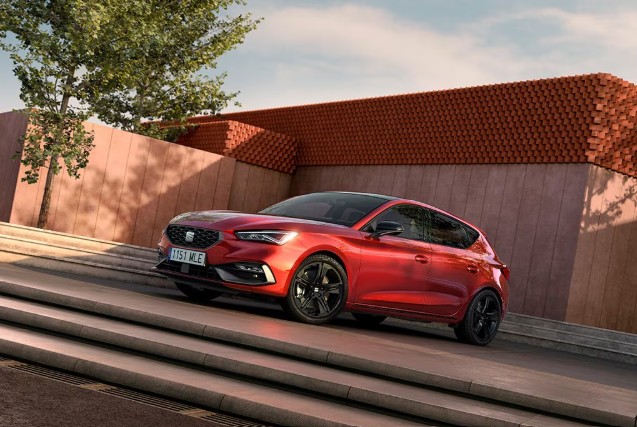
We’ve all been there—you jump into your SEAT Leon, ready for a smooth drive, only to be greeted by a frozen screen, no sound, or a system that simply refuses to wake up. It feels like your car just lost its brain, right?
The infotainment system isn’t just a fancy add-on anymore—it’s the nerve center of your driving experience. So when it fails, everything feels… off.
Let’s break it down together. We’ll explore why your SEAT Leon infotainment system is not working, how to fix it step by step, and when it’s time to call in the professionals.
Content in this publication
- What Is the SEAT Leon Infotainment System?
- Common Symptoms of Infotainment Failure
- Why Is the SEAT Leon Infotainment System Not Working?
- Quick Fixes You Can Try First
- Advanced Troubleshooting Steps
- When the Screen Is Completely Black
- Infotainment Freezing or Lagging
- Bluetooth and Connectivity Issues
- Apple CarPlay and Android Auto Not Working
- Hardware Failure: When It’s Not Software
- Cost of Repairing the Infotainment System
- Can You Drive Without the Infotainment System?
- Preventing Future Infotainment Problems
- Dealer vs Independent Repair: What’s Better?
- Real-World Owner Experiences
- Is This a Common Problem in the SEAT Leon?
- Should You Replace or Repair?
- Closing Thoughts: Bringing Your Infotainment Back to Life
- FAQs
What Is the SEAT Leon Infotainment System?
A Digital Command Center on Wheels
The infotainment system in the SEAT Leon integrates:
- Navigation
- Media playback
- Bluetooth connectivity
- Smartphone integration (Apple CarPlay / Android Auto)
- Vehicle settings
Think of it as your car’s personal assistant—only quieter (when it works).
Common Symptoms of Infotainment Failure
Signs Something’s Not Right
If your infotainment system is failing, you might notice:
- Screen not turning on
- Touchscreen unresponsive
- No audio output
- Bluetooth not connecting
- System stuck on logo
- Random reboots
These symptoms often hint at deeper issues—software, hardware, or even electrical faults.
Why Is the SEAT Leon Infotainment System Not Working?
Understanding the Root Causes
Let’s unpack the most common reasons behind the problem.
1. Software Glitches and Bugs
Modern cars rely heavily on software. Sometimes, it simply crashes.
- Temporary system freeze
- Outdated firmware
- Corrupted updates
It’s like your phone freezing—except you can’t just toss it in your pocket and ignore it.
2. Battery or Power Issues
Low voltage can wreak havoc on electronics.
- Weak battery
- Faulty alternator
- Loose wiring
Even a slight voltage drop can cause the system to reboot endlessly.
3. Faulty Touchscreen or Display
Hardware failure is another culprit.
- Dead pixels
- Cracked screen
- Internal display failure
4. Blown Fuse
A simple but often overlooked issue.
- Infotainment fuse blown
- Power supply interrupted
5. Connectivity Problems
If your system works partially:
- Bluetooth not pairing
- USB ports not responding
- CarPlay/Android Auto failing
Quick Fixes You Can Try First
Before rushing to a mechanic, let’s try some simple solutions.
Soft Reset the Infotainment System
This is the easiest fix—and surprisingly effective.
You may be interested in reading SEAT Leon No Heat in Car: Causes, Fixes, and Hidden Solutions We Often Overlook
How to do it:
- Press and hold the power button for 10–15 seconds
- Wait for the system to reboot
Restart the Car
Yes, it sounds obvious—but it works.
- Turn off the engine
- Lock the car
- Wait 5–10 minutes
- Restart
Sometimes, the system just needs a nap.
Check the Battery Health
A weak battery can cause system instability.
- Look for slow engine start
- Check dashboard warning lights
Advanced Troubleshooting Steps
If basic fixes don’t work, it’s time to dig deeper.
Check the Infotainment Fuse
Locate the fuse box (usually under the dashboard or hood).
- Find the infotainment fuse
- Inspect for damage
- Replace if blown
Update the System Software
Outdated software can cause glitches.
- Visit the official SEAT website
- Download the latest update
- Install via USB
Disconnect and Reconnect the Battery
⚠️ Use caution here.
- Disconnect battery for 10–15 minutes
- Reconnect and restart
This resets the car’s electronic systems.
When the Screen Is Completely Black
No Display at All? Try This
If your screen is totally dead:
- Check fuse first
- Test battery voltage
- Look for loose connections
If nothing works, the display unit may need replacement.
Infotainment Freezing or Lagging
A System That Feels “Heavy”
If your system is slow:
- Clear cached data (if possible)
- Remove unused devices
- Update software
Bluetooth and Connectivity Issues
Why Your Phone Won’t Connect
If Bluetooth fails:
- Delete paired devices
- Re-pair your phone
- Restart both phone and car
Apple CarPlay and Android Auto Not Working
Integration Problems Explained
Common issues include:
- Faulty USB cable
- Incompatible phone
- Software mismatch
Try:
- Using a different cable
- Updating your phone OS
- Checking compatibility
Hardware Failure: When It’s Not Software
Signs You Need a Replacement
- Screen flickering
- No response at all
- Persistent black screen
At this point, repairs may not be enough.
Cost of Repairing the Infotainment System
What Should You Expect?
Costs vary depending on the issue:
You may be interested in readingSEAT Leon No Heat in Car: Causes, Fixes, and Hidden Solutions We Often OverlookYou may be interested in reading
SEAT Leon Navigation Database Not Available: Complete Fix Guide- Software update: Free–$100
- Fuse replacement: $10–$50
- Screen replacement: $300–$1,000+
- Full unit replacement: $800–$2,000+
Can You Drive Without the Infotainment System?
Is It Safe?
Yes—but with limitations.
You’ll lose:
- Navigation
- Music
- Hands-free calling
But the car itself will still function normally.
Preventing Future Infotainment Problems
Smart Habits That Save Headaches
- Keep software updated
- Avoid cheap USB cables
- Maintain battery health
- Don’t overload the system
Dealer vs Independent Repair: What’s Better?
Choosing the Right Help
- Dealer (SEAT):
- Genuine parts
- Higher cost
- Independent garage:
- Cheaper
- Variable expertise
Real-World Owner Experiences
What Other Drivers Report
Many SEAT Leon owners mention:
- Random system freezes
- Bluetooth inconsistencies
- Occasional black screens
The good news? Most issues are fixable without major repairs.
Is This a Common Problem in the SEAT Leon?
Reliability Perspective
Infotainment glitches are common across modern vehicles—not just SEAT.
Blame it on:
- Complex software
- Increased connectivity
- Rapid tech evolution
Should You Replace or Repair?
Making the Right Call
Ask yourself:
- Is the issue recurring?
- Is repair cost close to replacement?
- Is the car still under warranty?
If yes—replacement might be smarter.
Closing Thoughts: Bringing Your Infotainment Back to Life
When your SEAT Leon infotainment system stops working, it can feel like your car has lost its voice. But in most cases, the issue is fixable—often with simple steps like a reset or update.
We don’t need to panic—we just need to troubleshoot smartly.
Think of it like this: your infotainment system is like a moody smartphone. Sometimes it just needs a restart… and sometimes it needs a bit more care.
Stay patient, follow the steps, and you’ll likely get everything back up and running.
FAQs
1. Why is my SEAT Leon screen not turning on?
It could be due to a blown fuse, battery issue, or hardware failure. Start with a reset and fuse check.
2. How do I reset my SEAT Leon infotainment system?
Press and hold the power button for 10–15 seconds until the system reboots.
3. Can a weak battery affect infotainment?
Yes, low voltage can cause system crashes, reboots, or failure to start.
4. How much does it cost to replace the infotainment system?
It can range from $800 to $2,000 depending on the model and issue.
You may be interested in readingSEAT Leon No Heat in Car: Causes, Fixes, and Hidden Solutions We Often OverlookYou may be interested in reading
SEAT Leon Navigation Database Not Available: Complete Fix GuideYou may be interested in reading
 VW Touareg Not Recognizing Key: Complete Fix & Troubleshooting Guide
5. Why is Bluetooth not working in my SEAT Leon?
It may be due to pairing issues, outdated software, or interference. Try reconnecting your device.
If you want to know other articles similar to SEAT Leon Infotainment System Not Working: Causes, Fixes, and Expert Solutions you can visit the category Common Problems.
BMW 2 Series Drivetrain Fault: Causes, Symptoms, and Fixes
BMW 2 Series SOS Call System Failure: Causes, Diagnosis, and Fixes
BMW 2 Series Not Starting: Causes, Diagnosis, and Fixes
BMW 2 Series Rear Indicator Failure: Causes, Diagnosis, and Repair
BMW 2 Series Washer Jets Not Working: Complete Diagnostic Guide
BMW 2 Series Active Tourer Problems: Reliability Guide
Leave a Reply
More content of your interest