
Ford EcoSport Dashboard Symbols & Warning Lights


Ford EcoSport dashboard symbols tell us when a feature is working, when something needs attention and when we should stop. Recognising the picture is useful, but its colour, whether it flashes and the message beside it determine the next step. A wrench, an oil can and an engine outline are not interchangeable warnings.
This guide explains common Ford EcoSport warning lights with images, meanings and practical actions. We also cover diesel-specific indicators, normal lighting symbols and messages that can appear without a separate warning lamp.
Match the symbol to your vehicle: EcoSport equipment varies by production year, engine and country. This guide covers common versions across several markets, so not every car has every feature shown. The illustrations are Ford handbook graphics, often monochrome. Use the actual dashboard colour and your vehicle’s message to judge urgency, and follow the handbook for your exact model.
Content in this publication
- Ford EcoSport Warning Light Colours Explained
- Urgent Ford EcoSport Warning Lights
- Engine Warning Light, Wrench and Reduced Power
- Diesel EcoSport Dashboard Symbols
- ABS, Tyres and Stability Control
- Safety, Open Panels and Blind Spot Monitoring
- Normal Lighting and Driving Indicators
- Common Messages Without a Dedicated Dashboard Lamp
- What to Do When Several EcoSport Warning Lights Appear
- Conclusion
- Frequently Asked Questions
Ford EcoSport Warning Light Colours Explained
Colour helps us prioritise, but it does not identify the failed component. A red seat belt reminder requires a different response from red oil pressure, and a flashing stability-control symbol can simply mean that the system is helping maintain grip.
| Indicator state | General meaning | Recommended response |
|---|---|---|
| Red fault warning | A potentially serious problem or immediate safety issue | Read the message and stop safely when instructed. |
| Amber or yellow | A malfunction, unavailable feature or attention required | Check the instructions and arrange the appropriate action. |
| Green or blue | Usually a feature or operating state | Confirm that it matches the intended function. |
| Flashing | Active intervention, a reminder or a specific fault | Identify the symbol before deciding whether to continue. |
| Text message | Additional information or a direct instruction | Read the entire message, not just its heading. |
Several lights illuminate briefly when we switch on the ignition. That startup check is normally expected. A lamp that stays on after starting, appears during driving or fails its expected self-check needs attention. Some screen-based warnings do not appear in the same way as physical lamps during startup.
Urgent Ford EcoSport Warning Lights
Engine Oil Pressure Warning Light
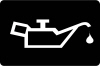 | Stop safely and switch off the engine.The oil-can symbol warns of a lubrication-pressure problem when it illuminates with the engine running. It is not simply an oil-change reminder. Continuing to drive can damage the engine, even if it still sounds normal.Once safely parked, check the oil level using the procedure for your engine. Add the correct oil if needed without overfilling, but remember that normal oil quantity does not prove adequate pressure. If the warning remains or returns, leave the engine off and arrange assistance. Repeatedly restarting to see whether it disappears is not a safe diagnostic method. |
Engine Coolant Temperature Warning
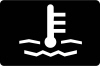 | Red: stop safely. Blue, where fitted: the engine is cold.A red thermometer warning or overheating message requires a safe stop and engine shutdown as directed by the handbook. Do not keep driving because the coolant level appears normal; a circulation, airflow or other cooling fault can exist with fluid still in the reservoir.Never remove a hot coolant cap. Allow the system to cool before checking the level. Some earlier EcoSport versions also use a blue indication for a cold engine. That is an operating-state indicator rather than overheating. Avoid heavy demands while the engine warms, and investigate an unexpected indication that does not behave as described in your handbook. |
Brake System Warning Light
 | Check the parking brake; stop if the warning persists after release.The brake symbol can illuminate because the parking brake is applied. If it stays on after normal release, it may indicate low brake fluid or a brake-system fault. Check the accompanying message and any change in pedal feel.Stop safely and seek assistance if braking is abnormal or a fault warning remains. Do not assume a fluid top-up completes the repair, because the reason for a low level must be identified. Driving with the parking brake partly applied can also damage braking components. A red brake warning together with ABS needs particular caution. |
Battery or Charging System Warning
 | Move to safety and arrange an immediate charging-system check.The battery-shaped light can appear normally with ignition on before starting. If it illuminates with the engine running, the charging system may not be working correctly. It does not automatically mean the battery itself is the failed part.Switch off unnecessary electrical loads while reaching a safe place, keeping essential lights and visibility systems operating. The vehicle may run briefly on stored energy, but that is not a reliable plan for completing the journey. Stop promptly if overheating or other serious symptoms appear. A successful jump start does not prove that the charging fault is repaired. |
Power Steering Warning Light
 | Expect heavier steering and stop safely if control is affected.The steering-wheel symbol can identify a power-assistance malfunction. On applicable EcoSport versions, steering remains mechanically possible but may require substantially more effort, particularly at low speed.Keep firm control and follow any display instruction. If the wheel is difficult to operate safely, arrange assistance rather than attempting to finish the trip. Do not assume a restart that temporarily clears the lamp has repaired the cause. Record whether the warning appeared at startup, during parking or while travelling. |
Engine Warning Light, Wrench and Reduced Power
Check Engine or Service Engine Soon Light
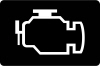 | Arrange diagnosis; treat flashing or rough running as more urgent.The engine outline indicates a monitored engine or emissions fault. It does not identify one failed sensor or prove that scheduled servicing is due. On some market versions, the handbook calls it the malfunction indicator lamp or Service Engine Soon indicator.A flashing light can indicate misfire and a risk of exhaust-system damage. Ease off and reduce engine load. If flashing continues, the engine shakes or power drops significantly, stop safely and seek help. With a steady light and normal running, arrange prompt diagnosis and follow any additional instruction. Preserve codes before clearing them so the original condition can be investigated. |
Powertrain Warning: Wrench or Gear Symbol
  | Read the message and have the powertrain checked.EcoSport generations can use different powertrain-warning graphics. A wrench or a gear containing an exclamation mark can indicate a powertrain malfunction. It should not automatically be dismissed as a routine oil-service reminder.The engine may continue running with reduced performance. If the warning flashes, reduce speed and avoid heavy acceleration while finding a safe place to assess the instructions. If both engine and powertrain lamps illuminate, stop safely; continued operation can lead to further power loss or an engine stop. Do not use repeated ignition cycling as a substitute for diagnosis. |
Why the EcoSport Wrench Light Is Not a Diagnosis
The powertrain includes several systems, so one symbol cannot tell us which part needs replacement. The useful evidence is the complete message, stored diagnostic codes and the circumstances in which the fault occurs.
Tell the workshop whether the car lost acceleration, shifted differently, stalled or showed another warning. A generic code reader may not access every relevant module. An oil-change reset and a powertrain-fault repair are different procedures, even if drivers sometimes call both a “service light reset”.
Diesel EcoSport Dashboard Symbols
Glow Plug or Diesel Preheating Indicator
 | Wait for preheating to finish when instructed before starting.The coil-shaped light belongs to diesel starting assistance. Brief illumination before starting can be normal, especially in colder conditions. It is not a particulate-filter cleaning indicator.Use the starting procedure for your version and avoid repeated starting attempts without allowing the system to operate normally. If the symbol behaves unexpectedly while driving or a fault message appears, arrange diagnosis. Difficult starting can have several causes, so the indicator alone does not prove all glow plugs require replacement. |
Diesel Particulate Filter Warning
 | Follow the specific message and arrange a check when requested.The filter symbol relates to the diesel particulate filter on equipped versions. Some earlier EcoSport instructions call for professional inspection when this warning appears. We should not replace that instruction with a universal recommendation to drive at high speed.If your exact handbook or display provides a cleaning-drive procedure, follow it only in suitable road conditions and without other serious warnings. Do not attempt regeneration driving when the vehicle is overheating, running badly or displaying a stop instruction. Persistent warnings or reduced power require diagnosis. Exhaust components can become very hot during cleaning, so avoid parking over dry grass or other combustible material. |
Oil Dilution Warning
 | Arrange prompt inspection; this is different from low oil pressure.Some diesel EcoSports have an oil-dilution indication. It can mean fuel has contaminated the engine oil, reducing its ability to perform as intended. Adding more oil or resetting a maintenance counter does not correct that condition.Have the oil and underlying cause checked according to the engine-specific instructions. Report any unusual rise in the measured oil level, repeated interrupted short journeys or associated filter warnings. If a red pressure warning also appears, follow the urgent pressure-warning response and switch off after stopping safely. |
Water in Fuel Warning
 | Have the water removed using the prescribed procedure promptly.On equipped diesels, this symbol indicates excess water in the fuel filter. Water contamination can harm fuel-system components, so do not treat it as an ordinary low-fuel reminder.Follow the handbook’s draining instructions only if you can carry them out correctly and safely; otherwise arrange professional assistance. Avoid opening unfamiliar fuel-system connections or relying on additives to make the warning disappear. If it returns after attention, the cause needs investigation rather than repeated clearing of the lamp. |
ABS, Tyres and Stability Control
ABS Warning Light
 | Arrange inspection and allow extra stopping distance.If the ABS lamp remains on while driving, the anti-lock braking function may be unavailable. Basic braking can remain, but the wheels may lock under hard braking. Avoid sudden inputs and adapt to slippery conditions.A red brake warning alongside ABS changes the priority. Stop safely if there is a brake-system fault message or abnormal pedal response. Several brake-related lamps can share one cause, but that does not make them safe to ignore. A normal-feeling brake pedal during gentle driving does not test every safety function. |
Tyre Pressure Warning Light
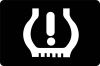 | Slow down smoothly, stop safely and check all tyres.The tyre-shaped symbol with an exclamation mark warns of pressure loss on equipped vehicles. Use a gauge and inspect each tyre for damage. A tyre can be underinflated without looking flat, while visible deflation or strong pulling may make further driving unsafe.Set cold pressures to the vehicle label for the fitted tyres and load. A light that flashes before staying on can indicate a monitoring-system fault on applicable versions. Repair leaks and correct pressures before any reset or relearn. Resetting the system does not repair a puncture or replace a failed sensor. |
Stability and Traction Control Indicator
 | Flashing usually means intervention; steady illumination needs attention.The skidding-car symbol normally flashes when stability or traction control is regulating grip. Ease off the accelerator and adapt your speed to the surface. Repeated intervention is useful feedback about limited traction.If the light stays on, or fails its expected ignition check, the system may be malfunctioning. Read the display and arrange inspection. Driving can feel normal with reduced assistance until a sudden manoeuvre is needed. Do not rely on electronics to compensate for excessive speed or unsuitable tyres. |
Stability Control OFF Indicator
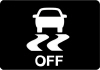 | Check whether the function was deliberately switched off.The OFF symbol indicates a disabled setting on equipped cars. It differs from the flashing light seen during normal traction intervention. Check the control and restore the normal setting for everyday road use unless the handbook describes a specific exception.If OFF appears unexpectedly or the feature cannot be restored, look for a malfunction message. Switching the system off to suppress an unwanted warning does not repair the cause. |
Hill Start Assist Warning
 | Hold the vehicle with the brake pedal and arrange a check.On some versions, this indicator identifies a hill-start-assistance malfunction. The system may no longer provide its usual brief holding assistance when pulling away on a gradient.Use normal brake control and do not assume the vehicle will remain stationary when the pedal is released. Hill start assist is not a replacement for the parking brake. Follow the display instructions and have a persistent fault checked, particularly if other braking warnings are present. |
Safety, Open Panels and Blind Spot Monitoring
Airbag Warning Light
 | Arrange a restraint-system inspection promptly.An airbag lamp that stays on, flashes or fails its expected startup check can indicate a fault in the restraint system. Protection during a collision may be affected even if the vehicle otherwise drives normally.Do not probe airbag connectors or move wiring under a seat to try to clear the warning. Mention recent seat work, electrical issues or collision repairs to the technician. A separate passenger-airbag status indication is different from a malfunction warning and should be read using its own instructions. |
Seat Belt Reminder
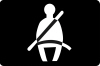 | Fasten occupied-seat belts correctly before moving.The seat belt symbol and chime remind us to buckle up. Check that every occupied-seat buckle has latched and that the belt is correctly positioned. Some versions provide additional information about passenger or rear-seat status.Secure bags in an appropriate place rather than leaving them on a passenger seat where they may affect a reminder. If the warning persists with correctly fastened belts, arrange inspection. Do not use a buckle substitute to silence it. |
Door, Bonnet or Tailgate Open Warning
 | Stop safely and check the indicated opening.A door-ajar graphic can appear when a door, bonnet or luggage-compartment opening is not properly closed. The exact display differs by generation. Pull over before inspecting it rather than reaching for handles while driving.Check for an obstruction and confirm the relevant latch is secure. A warning that persists after closing can indicate a latch or sensing problem. Do not continue with an insecure bonnet simply because the panel looks almost closed. |
Blind Spot Information System OFF or Fault Indicator
 | Check the message and continue making direct observations.On equipped EcoSports, this dashboard symbol can indicate that blind spot monitoring has been switched off or that a fault has been detected. It is different from a mirror warning that alerts us to detected traffic.Check whether the setting change was intentional. If the display identifies a blocked sensor, inspect the relevant exterior area when parked and follow the cleaning instructions. Persistent faults require attention. A clear mirror indicator never replaces mirrors and an appropriate blind-spot check before changing lanes. |
Anti-Theft or Immobilizer Indicator
 | Flashing while the security system is armed can be normal.The security symbol relates to the vehicle’s anti-theft system. A normal parked flashing pattern is different from a key-recognition problem during starting. Use the handbook to match the pattern to your car.If the engine will not start, read any key message and use the prescribed starting procedure. Do not assume the immobilizer is faulty merely because the symbol flashes while the car is locked. A persistent recognition problem needs investigation rather than attempts to bypass the security system. |
Normal Lighting and Driving Indicators
Lamps On Indicator
 | Normal status for selected exterior lighting.This indicator confirms the relevant low-beam or side and rear lighting selection, depending on the version. It does not prove that every bulb outside the vehicle works. Check that the lighting setting suits the conditions, especially at dusk, in rain or when entering a tunnel. |
High Beam Indicator
 | Normal blue indication when main beam is illuminated.The main-beam symbol appears when full beam is selected or the headlight flasher is used. Dip the lights whenever other road users could be dazzled. A blue high-beam lamp is separate from any blue cold-engine indication on an older cluster; the shape tells us which system is involved. |
Automatic High Beam Indicator
 | The assistance feature is switched on where fitted.The headlamp containing an A relates to automatic high-beam assistance. It should not be confused with the plain blue lamp confirming full beam is actually illuminated. Availability varies by market and model.Keep watching other traffic and override the feature when necessary. Camera visibility and difficult lighting conditions can limit automatic operation. Do not assume this symbol should be present on every EcoSport. |
Front and Rear Fog Light Indicators
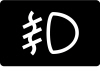 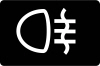 | Normal status when the corresponding fog lamps are selected.Front and rear fog symbols point in different directions and can use different colours on the dashboard. Their illumination normally confirms a lighting choice, not a fault.Use fog lamps when visibility and local rules justify them. Switch them off when conditions improve, particularly the bright rear fog lamp, which can dazzle following traffic. Not every EcoSport has both functions. |
Direction Indicators and Hazard Lights
 | Normal flashing; check an unexpectedly rapid rate.The arrows flash with the turn signals or hazard lights. A sudden increase in flashing rate can indicate a failed indicator bulb on applicable systems. Inspect the exterior lamps when parked; the arrow on the dashboard does not guarantee every outside lamp is working. |
Cruise Control Indicator
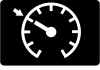 | Normal confirmation of cruise-control operation.This symbol relates to the cruise-control feature on equipped versions. Check the set-speed information to understand whether a speed has been selected. Conventional cruise control does not automatically provide radar-based following-distance control.Use it only in suitable conditions and remain ready to brake. If the feature becomes unavailable, control speed normally and check any associated message. Do not assume EcoSport equipment matches the assistance features on another Ford model. |
Low Fuel Warning Light
 | Refuel promptly and avoid relying on estimated range.The fuel-pump symbol means the remaining fuel is low. The point at which it appears and the estimated remaining distance vary with model and conditions. Driving uphill, towing or heavy traffic can change consumption quickly.Use the correct fuel for your engine and avoid deliberately running the tank dry. If a diesel has run out, follow its specific restarting procedure rather than repeatedly cranking without guidance. |
Overspeed Indicator
 | Reduce speed and follow the applicable road limit.Some market versions display an overspeed indication, including a greater-than-120 graphic. In the relevant handbook this appears above 120 km/h, but other warnings or configurable reminders can differ by market.This is not a universal speed-limit-recognition system, and the threshold is not permission to drive that fast. Follow the posted limit and conditions. Use the local handbook to distinguish a mandatory market-specific alert from any adjustable speed reminder. |
Common Messages Without a Dedicated Dashboard Lamp
Oil Change Required and Service Reminders
An oil-change reminder concerns maintenance and is different from low oil pressure, oil dilution or a powertrain fault. Check which message is present before following a reset procedure. Arrange the required service and use the correct oil specification for the engine.
Reset the reminder only after the maintenance has been completed. Clearing a counter does not change the oil or repair an active fault. If the wrench or engine lamp remains afterward, it needs its own diagnosis.
Transmission Hot or Transmission Malfunction
Some automatic versions communicate transmission conditions through text messages. Follow the exact instruction: a warning to stop and cool is different from a limited-operation message. Avoid hard acceleration, repeated attempts to force a gear or continued creeping against a struggling transmission.
If the vehicle cannot select a gear safely or the message requests a stop, secure it and obtain assistance. Cooling procedures can vary, so do not replace the handbook’s instructions with a blanket rule about idling or switching off.
Auto Start-Stop Status, Where Fitted
An unavailable start-stop function can reflect operating conditions rather than a fault. Battery charge, temperature and cabin demands can affect whether an automatic engine stop occurs. Read any associated message before assuming something has failed.
An automatic stop is not the same as switching the vehicle fully off. Follow the normal parking and shutdown procedure before leaving the driver’s seat. Start-stop equipment and display graphics are not universal across EcoSport versions.
What to Do When Several EcoSport Warning Lights Appear
Start with the most urgent instruction and the way the car behaves. Multiple warnings can share an electrical or communication cause, but we should not assume a battery replacement will resolve all of them. Brake, oil-pressure and temperature warnings still require their own response.
- Move to a safe stopping place when necessary.
- Read the full messages and note which lights are steady or flashing.
- Switch off if instructed and avoid repeated restarts with a serious fault.
- Photograph the dashboard only while safely parked.
- Have the affected systems checked before codes are erased.
A basic reader may retrieve engine codes without accessing every brake, restraint or body-control module. Diagnosis should combine the codes with symptoms and operating conditions. Disconnecting the battery or clearing a screen is not proof of a repair.
Conclusion
Understanding Ford EcoSport dashboard symbols means combining the picture with its colour, behaviour and message. Oil pressure, overheating, braking faults and significant powertrain warnings need a careful response. Other indicators simply describe lighting, security or a selected driving feature.
Match the advice to your EcoSport’s engine, year and market, then follow the handbook’s instruction. That helps us avoid unnecessary resets while giving a genuine fault the attention it needs.
Frequently Asked Questions
1. What does the wrench light mean on a Ford EcoSport?
It can indicate a powertrain malfunction. Do not automatically treat it as a routine service reminder. Read the message, note any loss of power and arrange diagnosis. If the engine warning also appears, stop safely and follow the handbook instructions.
2. Can I drive with the EcoSport check engine light on?
A steady light with normal running and no stop instruction may allow careful travel for diagnosis. Flashing, rough running or severe power loss requires greater urgency. Reduce load and stop safely if symptoms persist.
3. Why is the coolant light blue instead of red?
Some earlier EcoSports use blue to indicate a cold engine. It should behave as described in the handbook as the engine warms. Red identifies a much more urgent cooling condition and requires stopping safely and following the shutdown instructions.
4. How do I reset the EcoSport tyre pressure warning?
Check every tyre, repair damage and set the correct cold pressures first. Then use the reset or relearn procedure for your particular model if required. A puncture or monitoring-system fault cannot be repaired by resetting the display.
5. Is the oil light just a reminder to change the oil?
No. An oil-pressure warning with the engine running requires a safe stop and engine shutdown. Oil-change and diesel oil-dilution messages have different meanings. Identify the exact warning before adding oil or attempting any reset.
If you want to know other articles similar to Ford EcoSport Dashboard Symbols & Warning Lights you can visit the category Service and Parts.
Kia Picanto Dashboard Warning Lights & Symbols: Complete Guide

Hyundai i20 Dashboard Warning Lights Guide

Vauxhall Antara Dashboard Lights: Complete Warning Symbol Guide

Hyundai i10 Dashboard Warning Lights and Their Meanings: Complete Guide

Peugeot 308 Dashboard Symbols, Warning Lights & Fault Guide

Hyundai Kona Dashboard Warning Lights
Leave a Reply
More content of your interest