

Honda Passport Key Fob Battery Replacement: Complete DIY Guide

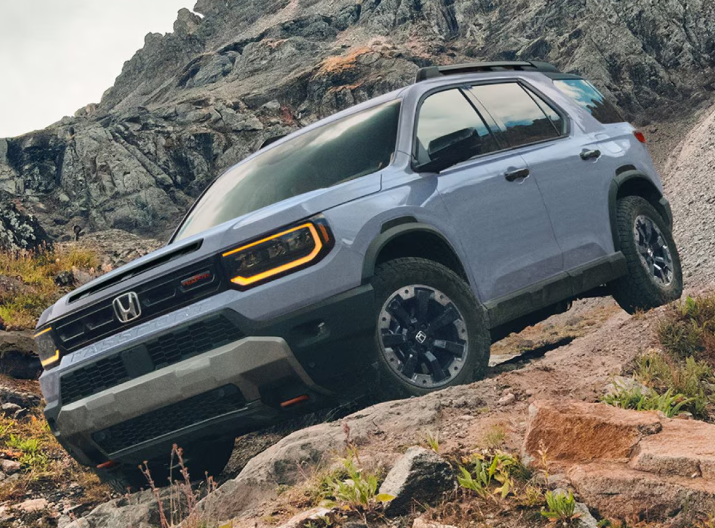
A Honda Passport key fob battery replacement is one of those tiny maintenance jobs that can suddenly feel very important. One day, the remote unlocks your Passport from halfway across the parking lot. A few weeks later, you are standing beside the driver’s door pressing the button three times and wondering whether the key fob has developed an attitude.
Fortunately, the problem is usually much less dramatic.
In many Honda Passport model years, replacing the key fob battery takes only a few minutes and requires little more than a fresh coin-cell battery and something suitable for opening the remote. Honda identifies the CR2032 battery for recent Passport models including the 2021, 2023, and 2025 model years.
We are going to walk through the complete process, explain the warning signs of a dying battery, cover common mistakes, and show what to do if the key fob still refuses to work afterward.
The nice part? In most cases, we do not need to visit a dealership, reprogram the key, or replace the entire remote.
Content in this publication
- What Battery Does a Honda Passport Key Fob Use?
- How Do We Know the Key Fob Battery Is Dying?
- What We Need Before Starting
- Honda Passport Key Fob Battery Replacement Step by Step
- Step 1: Remove the Built-In Mechanical Key
- Step 2: Locate the Opening Point
- Step 3: Protect the Key Fob Housing
- Step 4: Carefully Separate the Two Halves
- Step 5: Identify the Existing Battery
- Step 6: Note the Battery Polarity
- Step 7: Remove the Old Battery
- Step 8: Insert the New Battery
- Step 9: Reassemble the Key Fob
- Step 10: Test Every Key Fob Function
- Does a Honda Passport Key Fob Need Reprogramming After Battery Replacement?
- What If the Honda Passport Key Fob Does Not Work After Battery Replacement?
- Could Radio Interference Be the Real Problem?
- How Long Does a Honda Passport Key Fob Battery Last?
- Should We Replace Both Key Fob Batteries at the Same Time?
- Can We Use a CR2025 Instead of a CR2032?
- Cheap vs Premium Key Fob Batteries
- Can We Start the Honda Passport With a Weak Key Fob Battery?
- What About the Emergency Mechanical Key?
- Common Honda Passport Key Fob Battery Replacement Mistakes
- Important Coin Battery Safety
- Is DIY Honda Passport Key Fob Battery Replacement Worth It?
- When Should We Visit a Honda Dealer or Locksmith?
- Honda Passport Key Fob Battery Replacement Checklist
- Closing Thoughts
- Frequently Asked Questions
- 1. What battery does a Honda Passport key fob take?
- 2. How often should I replace my Honda Passport key fob battery?
- 3. Do I have to reprogram my Honda Passport key fob after changing the battery?
- 4. Why is my Honda Passport key fob still not working with a new battery?
- 5. Can a weak Honda Passport key fob battery stop the vehicle from starting?
What Battery Does a Honda Passport Key Fob Use?
For many modern Honda Passport keyless remotes, the answer is a CR2032 3-volt lithium coin-cell battery.
Honda's documentation for the 2023 Passport specifically identifies the replacement remote battery as a CR2032. The same battery specification appears in documentation for the 2021 and 2025 Passport.
That makes the basic shopping list refreshingly simple.
| Item | Typical Requirement |
|---|---|
| Battery | CR2032 3V lithium coin cell |
| Quantity | 1 |
| Special programming | Normally not required |
| Typical job difficulty | Easy |
| Typical replacement time | A few minutes |
| Main tool | Built-in key, coin, or small flat tool depending on fob |
Still, we should never blindly order a battery solely because another Passport owner uses one. Check the battery already installed in your remote or verify the specification in the owner's manual for your exact model year.
Honda redesigned the Passport for the 2026 model year, and remote construction can change as vehicles evolve. The safest approach is always to confirm the battery specification for the particular key fob sitting in our hand.
How Do We Know the Key Fob Battery Is Dying?
Coin batteries rarely fail with fireworks and dramatic warning bells. They usually fade quietly.
Think of the battery like someone gradually lowering the volume on a radio. The key fob continues functioning, but its signal becomes weaker until eventually the vehicle can barely hear it.
Reduced Remote Range
One of the earliest symptoms is decreasing range.
Maybe the Passport used to unlock from 30 or 40 feet away, yet now we need to stand almost beside it.
Honda specifically notes that if the operating distance of the remote changes, the battery may be low.
This makes reduced range one of our best early clues.
Another common symptom is inconsistent operation.
We press LOCK.
Nothing.
We press it again.
Still nothing.
Then we move two steps closer, press it a third time, and suddenly the lights flash.
That can certainly indicate a weak battery, although radio interference can sometimes produce similar symptoms.
The Key Fob LED Does Not Light Up
Honda gives us an especially useful diagnostic clue.
If the indicator light does not illuminate when a remote button is pressed, Honda recommends replacing the remote battery.
That does not mean every remote malfunction is battery-related, but it makes the battery the obvious first suspect.
Low Keyless Remote Battery Warning
Some Passport configurations can warn us through the driver information interface when the remote battery is weak.
If that message appears, replacing the battery sooner rather than later makes sense. Waiting until the battery is completely exhausted offers no real benefit.
Keyless Entry Becomes Unreliable
The Passport may sometimes fail to recognize the remote immediately.
We might notice:
- inconsistent door unlocking;
- delayed response when touching the door handle;
- occasional key detection warnings;
- reduced remote-start reliability;
- the need to bring the fob unusually close to the vehicle.
However, we should not assume that every detection issue means the coin cell is dead.
Strong nearby radio signals, wireless devices, computers, phones, and metallic objects around the remote can interfere with communication. Honda warns that these conditions can make keyless operation unstable.
What We Need Before Starting
Honda Passport key fob battery replacement does not require a toolbox worthy of an engine rebuild.
Usually, we need only:
- one new CR2032 battery, after confirming compatibility;
- the Passport key fob;
- the removable mechanical key;
- a coin or small flat-tip tool if required by the fob design;
- a soft cloth to protect the plastic housing.
Honda's instructions for recent Passport remotes recommend wrapping the opening tool to reduce the risk of scratching the casing.
That tiny precaution can keep a five-minute battery job from leaving permanent marks.
Honda Passport Key Fob Battery Replacement Step by Step
Now we reach the part most owners came here for.
The exact shape of the fob can vary by year, but the basic strategy for recent Passport remotes is remarkably straightforward.
Step 1: Remove the Built-In Mechanical Key
Look at the side or rear of the key fob for the small release mechanism.
Press or slide the release and pull out the built-in emergency key.
Do not lose it.
This mechanical key is useful if electronic unlocking is unavailable, and on some remote designs it also helps us separate the key fob housing.
Honda's replacement procedure begins by removing this built-in key.
Step 2: Locate the Opening Point
After removing the key, inspect the housing closely.
We should see a seam running around the perimeter of the fob and usually a small opening or edge where the two halves can be separated.
Older Passport instructions describe carefully prying at the edge with a coin, while newer Honda remote designs may use the grip of the mechanical key at a dedicated slot.
The principle is the same: open the case gently rather than forcing it apart.
Step 3: Protect the Key Fob Housing
Wrap the coin, mechanical key grip, or flat tool with a thin cloth if needed.
Why bother?
Because glossy key-fob plastic scratches surprisingly easily.
We are trying to replace a $3-ish battery, not turn the remote into something that looks like it survived a fight with a set of house keys.
Step 4: Carefully Separate the Two Halves
Insert the appropriate opening tool into the designated edge or slot.
Twist gently.
The housing should begin separating.
Work slowly rather than pushing harder if it resists.
Do Not Let the Buttons Fall Out
Some fobs contain loose internal button components or rubber membranes.
When opening the case, keep track of how everything is positioned.
Opening the remote over a table instead of standing over a parking lot is a very good idea. Tiny plastic pieces have an almost magical ability to disappear into cracks.
Step 5: Identify the Existing Battery
Before removing anything, look at the coin cell.
You should see its battery designation printed on the surface.
For many Passport models, that designation will read:
CR2032
This is also our final opportunity to confirm that the replacement battery matches the old one.
Step 6: Note the Battery Polarity
Pay attention to the orientation of the battery.
Coin cells have a positive side marked with a "+" symbol.
Do not assume orientation from memory. Look at how the original battery is installed and reproduce that arrangement exactly.
Honda specifically instructs owners to install the replacement with the correct polarity.
Step 7: Remove the Old Battery
Carefully lift the battery from its holder.
Avoid aggressively scraping the internal electrical contacts.
If it feels stuck, look at how the retaining tabs hold it rather than attacking it with a screwdriver.
Gentle pressure wins here.
Avoid Damaging the Contact Tabs
Those tiny metal contacts provide electrical connection between the battery and circuit board.
Bending one badly can turn an easy battery replacement into an actual key-fob repair.
We want to lift the battery—not remodel the remote.
Step 8: Insert the New Battery
Take the fresh battery and install it in the same orientation as the original.
Make sure it seats fully beneath any retaining tabs.
The battery should sit flat rather than tilted.
If it refuses to settle properly, do not immediately force the casing shut. Recheck the battery position first.
Step 9: Reassemble the Key Fob
Align the two halves of the housing.
Press around the edges until the clips snap back together.
Check that the seam looks even all the way around.
Then slide the mechanical key back into its original position.
Step 10: Test Every Key Fob Function
Before putting everything away, test the remote.
Try the major buttons applicable to your Passport:
- lock;
- unlock;
- tailgate;
- panic;
- remote start, if equipped.
Stand reasonably close to the vehicle initially.
If everything responds normally, congratulations. Our Honda Passport key fob battery replacement is finished.
Does a Honda Passport Key Fob Need Reprogramming After Battery Replacement?
Normally, no.
Replacing the small coin battery does not usually erase the key fob's existing pairing with the Passport.
That is an important distinction.
We are replacing the remote's power source, not replacing the electronic identity stored inside it.
Imagine changing batteries in a television remote. The television does not suddenly forget which remote belongs to it.
The same general principle applies here.
If the Passport remote worked before the battery weakened, it should ordinarily return to normal operation after a correctly installed replacement battery.
What If the Honda Passport Key Fob Does Not Work After Battery Replacement?
This is where many DIY guides stop too early.
Sometimes we install the new battery, click the housing together, push UNLOCK, and...
Nothing happens.
Before assuming the key fob is dead, run through a few simple checks.
Check the Battery Orientation
Open the remote again.
Verify polarity against the original configuration and markings inside the battery holder.
A backwards coin cell is one of the easiest mistakes to make—and one of the easiest to fix.
Make Sure the Battery Is Fully Seated
A battery can look correctly installed while failing to make reliable electrical contact.
Check whether it is sitting securely under the retaining clips.
If it rocks or appears crooked, reposition it.
Confirm the Battery Is Actually Fresh
New packaging does not automatically guarantee a healthy battery.
Coin cells can lose charge during long storage periods, particularly when stored improperly.
If we have another trusted CR2032 available, testing with it can quickly eliminate the battery itself as the problem.
Check for Bent Contacts
Inspect the battery holder.
Did we accidentally push a contact away while removing the old cell?
The contact must touch the battery firmly enough to complete the circuit.
Do not aggressively reshape delicate internal components unless you know exactly what you are doing.
If the case came apart more dramatically than expected, make sure the button membrane and other internal pieces returned to their correct positions.
A remote can have perfect battery voltage and still fail to operate correctly if a button no longer presses the internal switch.
Could Radio Interference Be the Real Problem?
Absolutely.
This deserves more attention because owners occasionally replace a perfectly good battery when the environment is really causing the trouble.
Honda explains that keyless remote operation can become unstable near strong radio signals. Carrying the remote beside wireless equipment or covering it with metal can also interfere with communication.
Suppose the key works perfectly at home but behaves strangely in one particular parking garage.
That pattern should make us suspicious of interference.
Try using the fob in another location before condemning it.
How Long Does a Honda Passport Key Fob Battery Last?
There is no universal expiration date.
Honda notes in its Passport documentation that communication between the vehicle and remote consumes battery power and says keyless-remote battery life is about two years, although actual lifespan varies depending on use.
Some owners may get longer.
Others may get less.
Usage frequency, storage conditions, temperature, and exposure to strong radio signals can all influence real-world battery life.
Why Storage Location Matters
We rarely think about where our car keys spend the night.
Maybe they sit beside a computer, television, wireless charging station, router, or other electronic equipment.
Honda notes that the remote battery can be consumed while the remote receives strong radio waves and recommends avoiding storage near electrical appliances such as televisions and computers.
Moving the keys to a quiet drawer may therefore be better than leaving them in the middle of an electronic jungle.
Should We Replace Both Key Fob Batteries at the Same Time?
If our Passport came with two remotes that have been used for roughly the same amount of time, replacing both batteries together can be convenient.
It is not mandatory.
But consider the situation.
Remote number one dies today.
Remote number two has lived through exactly the same three winters, summers, and thousands of keyless-entry communications.
Its battery may not be far behind.
Replacing both is cheap preventive maintenance and gives us confidence that the backup remote really is a backup.
Can We Use a CR2025 Instead of a CR2032?
We should use the battery specification Honda calls for rather than improvising.
A CR2025 and CR2032 may share the same basic diameter, but they differ in thickness and capacity.
That difference matters.
A thinner cell could create poor contact in a holder designed for a thicker battery. Forcing an incorrect battery can also damage the battery tray or contacts.
When Honda specifies CR2032, use CR2032.
Simple beats clever here.
Does battery brand matter?
Not in the sense that our Passport requires some mystical Honda-exclusive coin cell. Honda states that replacement batteries are commercially available.
However, battery quality and freshness matter.
A reputable cell purchased from a source with good inventory turnover generally makes more sense than an unknown battery that may have spent years sitting in a warehouse.
We should also check the expiration or best-before information on the package whenever available.
A key fob consumes very little energy, so starting with a fresh, well-made battery can translate into a long service life.
Can We Start the Honda Passport With a Weak Key Fob Battery?
A weak remote battery does not necessarily mean we are immediately stranded.
Modern Honda keyless systems include procedures designed to help when the remote battery becomes too weak for normal wireless recognition.
On Honda systems using this arrangement, the remote can be brought directly to the ENGINE START/STOP button so the vehicle can recognize it at very close range. Honda documents this type of emergency starting procedure in its current keyless systems.
The exact message and sequence may vary by Passport model year, so we should follow the owner's manual for our vehicle.
The important point is this:
A dead coin battery and an invalid vehicle key are not the same thing.
The immobilizer identity remains part of the remote.
What About the Emergency Mechanical Key?
Remember the metal key we removed at the beginning?
It exists for situations exactly like these.
If the keyless system cannot unlock the vehicle normally, the built-in mechanical key provides a backup method of entering the Passport according to the procedures for the specific model.
That is why we should never remove it permanently or leave it sitting on the kitchen counter after changing the battery.
Put it back.
Future us may be grateful.
Common Honda Passport Key Fob Battery Replacement Mistakes
The job is simple, but several mistakes appear again and again.
Using the Wrong Battery
Always confirm the battery code.
A coin cell that looks almost identical is not automatically interchangeable.
Installing the Battery Backwards
Check polarity before removing the old cell and again before closing the case.
Ten seconds of attention can save ten minutes of confusion.
Forcing the Housing Open
If the case refuses to separate, reconsider where we are applying pressure.
Plastic retaining clips are small.
Brute force is not our friend.
Losing Internal Pieces
Open the key fob over a clean, flat work surface.
Avoid doing the job outside, over a sink, or beside the mysterious gap between a car seat and center console where small objects apparently travel to another dimension.
Touching or Bending Everything Inside
There is no prize for exploring the circuit board.
If we only need a battery, touch only what we need to touch.
Assuming Every Keyless Problem Is a Battery Problem
If the remote still fails with a verified fresh battery, further diagnosis may be needed.
Potential issues can include:
- damaged internal contacts;
- worn buttons;
- water damage;
- cracked circuit-board solder joints;
- physical damage to the fob;
- vehicle-side keyless-entry faults;
- radio interference;
- loss of key programming in unusual circumstances.
At that point, professional diagnosis may be more productive than repeatedly buying batteries.
Important Coin Battery Safety
This section matters more than the tiny size of the battery might suggest.
Coin-cell batteries can be extremely dangerous when swallowed.
Honda explicitly warns that a remote-transmitter battery can cause severe internal burns and potentially death if swallowed, and instructs owners to keep new and used batteries away from children.
Treat the old battery carefully the moment it comes out.
Do not leave it loose on a table, nightstand, countertop, or anywhere a young child could find it.
Dispose of the Old Battery Properly
Do not casually throw used coin cells into the environment.
Honda advises owners to follow local regulations for battery disposal.
Battery collection and recycling rules differ by location, so use an appropriate recycling or disposal service available in your area.
Is DIY Honda Passport Key Fob Battery Replacement Worth It?
For most owners, yes.
This is exactly the kind of maintenance task that makes sense to learn.
The process is quick, the battery is inexpensive, and the risk is small when we work carefully.
Better still, knowing how the remote opens means the next replacement will feel almost laughably easy.
The first time, we might stare suspiciously at the key fob for five minutes.
The second time, we will probably finish before our coffee cools.
When Should We Visit a Honda Dealer or Locksmith?
Battery replacement and key repair are two different jobs.
Consider professional help if:
- a confirmed fresh battery does not restore operation;
- the key fob has significant water damage;
- the housing is broken;
- battery contacts are damaged;
- buttons no longer activate their switches;
- the Passport does not recognize the remote at all;
- a replacement remote needs programming;
- the mechanical key is missing or damaged.
An automotive locksmith may also handle many remote-related problems, while a Honda dealership can diagnose the vehicle and keyless system using manufacturer-specific procedures.
Honda Passport Key Fob Battery Replacement Checklist
Before closing the remote for the final time, we can run through this quick checklist:
- Confirm the correct battery specification.
- Remove the mechanical key.
- Open the case carefully at the intended slot or edge.
- Note the original battery polarity.
- Remove the old coin cell without damaging the contacts.
- Install the fresh battery securely.
- Confirm correct polarity.
- Reassemble the housing evenly.
- Reinsert the mechanical key.
- Test lock, unlock, tailgate, panic, and remote start functions where equipped.
- Dispose of the old battery safely.
That is essentially the entire job.
No scanner. No laptop. No elaborate reset ritual.
Just a tiny battery inside a surprisingly important piece of electronics.
Closing Thoughts
A Honda Passport key fob battery replacement is one of the easiest ways to solve weak remote range, intermittent locking, or an unresponsive keyless remote before the inconvenience grows.
For many recent Passport models, including the 2021, 2023, and 2025 versions, Honda specifies a CR2032 coin-cell battery. Still, verifying the old battery or owner's manual for our exact model year remains the smartest habit, particularly when dealing with redesigned or differently equipped remotes.
The replacement process is straightforward: remove the built-in key, carefully open the housing, observe the old battery's orientation, install the correct replacement, reassemble the fob, and test it.
Most importantly, we should not wait until the remote becomes completely useless. Reduced operating range, inconsistent response, or a weak-battery message are all good reasons to deal with the problem early.
It is a tiny piece of maintenance—but when we are standing beside a locked Passport in the rain, that little CR2032 can suddenly feel like the most important battery in the world.
Frequently Asked Questions
1. What battery does a Honda Passport key fob take?
Many recent Honda Passport key fobs use a CR2032 3-volt lithium coin battery. Honda documentation confirms the CR2032 specification for multiple recent Passport model years, including 2021, 2023, and 2025. Always verify the battery installed in your specific remote or check the owner's manual before purchasing a replacement.
2. How often should I replace my Honda Passport key fob battery?
There is no mandatory fixed interval, although Honda states that keyless-remote battery life can be around two years, depending on how regularly the remote is used and the conditions in which it is stored. Replace it when range becomes noticeably shorter, the vehicle displays a weak-battery warning, or the remote's indicator stops illuminating.
3. Do I have to reprogram my Honda Passport key fob after changing the battery?
Normally, no. Simply changing the coin-cell battery does not usually remove the remote's existing pairing with the vehicle. Once the correct battery has been installed properly, the key fob should resume normal operation. If it does not, check battery polarity, electrical contact, and battery condition before assuming reprogramming is necessary.
4. Why is my Honda Passport key fob still not working with a new battery?
Start by checking that the battery is installed with the correct polarity and is seated firmly against the contacts. Make sure the replacement battery is fresh and that no internal pieces shifted while opening the case. Radio interference can also affect keyless operation. If all of these checks are satisfactory, the remote may have internal damage or the vehicle's keyless system may need professional diagnosis.
5. Can a weak Honda Passport key fob battery stop the vehicle from starting?
A very weak battery can interfere with normal keyless detection, but that does not necessarily mean the vehicle key itself has become invalid. Honda keyless systems provide a backup procedure that involves placing the remote directly against or near the ENGINE START/STOP button so it can be recognized at close range. Follow the procedure in the owner's manual for your specific Passport model year.
If you want to know other articles similar to Honda Passport Key Fob Battery Replacement: Complete DIY Guide you can visit the category Service and Parts.
Volvo S90 Engine Oil: Type, Capacity & Change Guide
Volvo S90 Boot Space: Size, Capacity and Practicality
SEO Title: Volvo S90 Oil Capacity: Complete Guide by Engine

Kia Sorento Oil Type: Complete Guide by Year & Engine
Kia Sorento Engine Capacity: Complete Guide by Year
Peugeot 308 Clutch Replacement Cost: Complete UK Guide for 2026
Leave a Reply
More content of your interest