

Hyundai Tucson Dashboard Warning Lights and Symbols

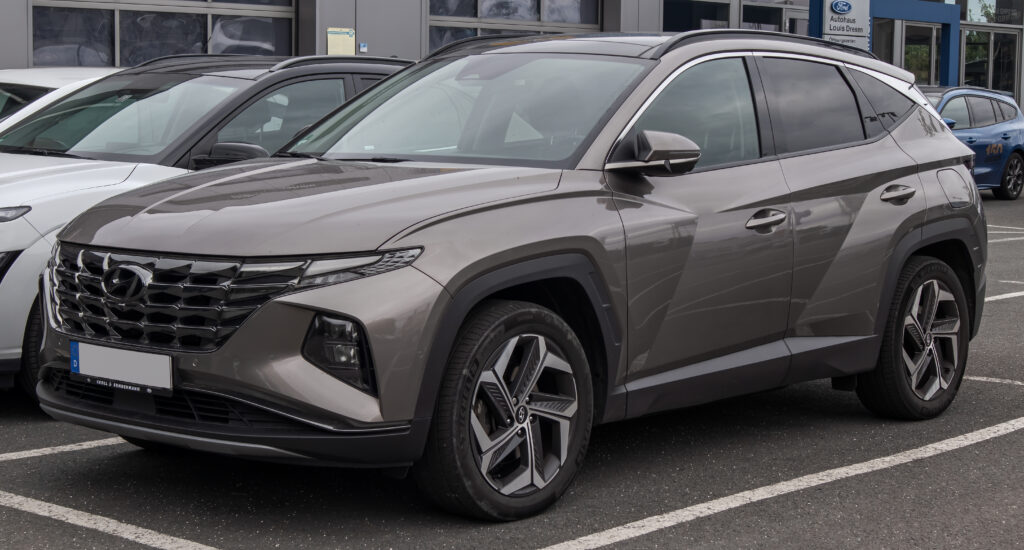
A light appearing on the dashboard can be unsettling, especially when the Tucson still seems to drive normally. The most useful first step is to identify the symbol, its color, whether it is flashing, and the message beside it. Together, those details tell us much more than color alone.
This guide explains common Hyundai Tucson dashboard warning lights and symbols, with a small illustration beside each meaning. We cover urgent engine and brake warnings, driver-assistance alerts, normal operating indicators, and selected diesel and hybrid features.
Which Tucson does this cover? The explanations draw mainly on Hyundai’s fourth-generation Tucson guidance, with selected symbols also found on earlier versions. Equipment varies by year, country, trim, and powertrain. The images are reference illustrations of Hyundai symbols, not an exact reproduction of every instrument cluster. Use your vehicle’s message and matching owner’s manual when the display differs.
Content in this publication
- What Do the Warning Light Colors Mean?
- Why Do Several Lights Come On Before Starting?
- Red Warning Lights: Engine, Brakes, and Safety
- Amber Warning Lights and Driver-Assistance Alerts
- 6. ABS Warning Light
- 7. Electronic Parking Brake Warning Light
- 8. Electric Power Steering Warning Light
- 9. Check Engine Light or Malfunction Indicator Lamp
- 10. Tire Pressure Warning Light
- 11. Master Warning Light: Triangle with an Exclamation Mark
- 12. Electronic Stability Control Indicator
- 13. 4WD or AWD System Warning Light
- 14. Headlight or Exterior Lighting Warning
- 15. Forward Safety or FCA Warning Light
- 16. Lane Safety or Lane Keeping Assist Indicator
- Diesel and Exhaust-System Warning Lights
- Operating Indicators and Model-Specific Symbols
- What Should We Do When Multiple Warnings Appear?
- Can We Reset Hyundai Tucson Warning Lights?
- Understanding Your Tucson’s Dashboard
- Frequently Asked Questions
What Do the Warning Light Colors Mean?
| Color | Typical meaning | How we should respond |
|---|---|---|
| Red | Urgent warning or a condition requiring attention | Identify it immediately. Stop safely for critical engine or braking warnings. |
| Amber / yellow | A fault, unavailable feature, or condition to check | Read the message and follow the specified action. |
| Green | A feature is operating or ready | Usually a normal status indication. |
| Blue | High-beam headlights are on | Use lighting appropriately for other road users. |
| White / gray | Selected, standby, or unavailable operating state | Interpret it according to the feature shown. |
A red parking-brake light can be normal when parked, while a red oil-pressure light with the engine running is urgent. AUTO HOLD also changes meaning by color. We should identify the actual symbol before deciding whether it is safe to continue.
Why Do Several Lights Come On Before Starting?
Many warning lamps illuminate briefly when the ignition is switched on so their operation can be checked. Some remain on until the engine starts. This startup behavior differs from a warning that appears during driving or fails to clear afterward.
Notice which light remains and whether there is a message. The duration of the check varies by system, so we should not apply one universal number of seconds to every indicator.
Red Warning Lights: Engine, Brakes, and Safety
1. Engine Oil Pressure Warning Light
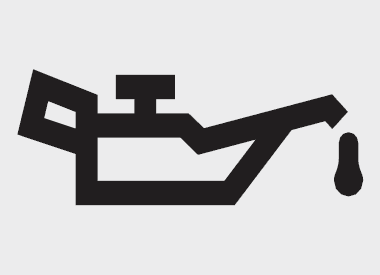 | Red · Stop safely and switch off the engine. |
The oil-can symbol warns that engine oil pressure is too low. This is a lubrication warning, not a scheduled oil-change reminder. Continuing to run the engine can cause serious damage.
We should stop somewhere safe, switch off the engine, and check the oil level using the procedure in the owner’s manual. Add the correct oil only if the level is low, taking care not to overfill.
If oil is unavailable, the level is already correct, or the warning remains, arrange assistance. A normal dipstick reading does not prove that oil pressure is adequate.
2. Parking Brake and Brake Fluid Warning Light
 | Red · Parking brake applied, or brake fluid needs urgent attention. |
This warning can appear normally while the parking brake is applied. If it stays on after release, we should treat it as a possible low-brake-fluid condition and stop safely.
Check for an accompanying message and changes in pedal feel. Do not continue if the warning persists, fluid is leaking, or braking performance is abnormal.
Topping up fluid does not explain why it became low. Have the cause investigated. Depending on the market, the warning may use a circular exclamation mark or a BRAKE label.
3. Battery and Charging System Warning Light
 | Red · The electrical charging system needs attention. |
The battery-shaped symbol does not tell us to buy a new battery automatically. On conventional versions, it can indicate an alternator or electrical charging fault.
If it appears while driving, move to a safe location and stop. The vehicle may have only a limited amount of usable electrical power remaining. Arrange assistance rather than assuming that a long drive will recharge it.
Any belt inspection must be carried out with the engine stopped. Hybrid and other electrified versions have different charging arrangements, so use the instructions for the exact powertrain.
4. Engine Coolant Temperature Warning Light
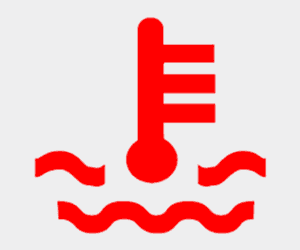 | Red · The engine is overheating. |
A thermometer over waves indicates excessively high coolant temperature. Some clusters also communicate overheating through the temperature gauge or a written message.
Stop safely and follow the overheating instructions for your Tucson. Do not continue driving with an overheating engine. If steam is escaping, keep away from the engine compartment until it subsides.
Never remove a coolant pressure cap while the system is hot. The contents can be pressurized and cause burns. An overheating warning is not the same as the snowflake that reports low outside temperature.
5. Airbag and SRS Warning Light
 | Red · A restraint-system malfunction may be present. |
The person-and-airbag symbol normally illuminates briefly during the startup check. If it remains on or appears while driving, the Supplemental Restraint System needs inspection.
We should not assume that the affected protection will function normally in a collision. Arrange professional diagnosis rather than attempting to disconnect airbag wiring or under-seat connectors.
This warning differs from the passenger-airbag status indicator. A passenger-airbag OFF indication can be normal under specified occupancy conditions, while an SRS warning reports a system problem.
Amber Warning Lights and Driver-Assistance Alerts
6. ABS Warning Light
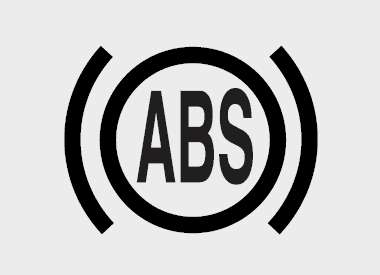 | Amber · Anti-lock braking assistance has a fault. |
If the ABS light stays on after startup, the anti-lock function needs inspection. Hyundai explains that the hydraulic braking system can still operate with an ABS fault, but we should not expect normal anti-lock intervention.
Avoid abrupt braking and have the system checked promptly. If braking feels abnormal, stop and arrange assistance.
ABS plus the red brake warning: This combination can indicate an Electronic Brake Force Distribution problem. Stop safely and seek assistance; do not treat it like an isolated ABS warning.
7. Electronic Parking Brake Warning Light
 | Amber EPB · An electronic parking-brake-related warning. |
The EPB letters identify the Electronic Parking Brake warning. Despite similar names, EPB and Electronic Brake Force Distribution are different systems.
If EPB remains illuminated, read the message and arrange inspection. Hyundai notes that it can also illuminate alongside an ESC fault, so the light alone does not prove that the parking-brake mechanism has failed.
Before moving, confirm that the parking brake releases correctly. If the vehicle cannot be secured or the brake will not release, obtain assistance instead of trying to force normal operation.
8. Electric Power Steering Warning Light
 | Amber or red, depending on version · Steering assistance needs checking. |
The steering-wheel warning relates to the electric power steering system, also called EPS or Motor Driven Power Steering (MDPS). Steering effort may change if assistance is reduced.
We should slow down carefully and stop safely if the vehicle becomes difficult to steer. A warning that remains illuminated requires diagnosis.
Do not look for a hydraulic power-steering reservoir on a version using electric assistance. The symbol identifies the affected system, but it does not establish whether the cause is electrical, mechanical, or related to another fault.
9. Check Engine Light or Malfunction Indicator Lamp
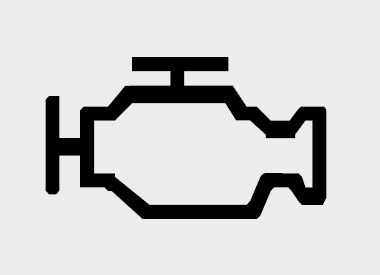 | Amber · An engine, powertrain, or emissions fault has been detected. |
The engine-shaped symbol is commonly called the check engine light or MIL. It covers many possible conditions, so we cannot identify the failed component just by looking at the dashboard.
Arrange diagnosis promptly. If the vehicle runs roughly, loses significant power, produces unusual noises, or shows additional critical warnings, stop safely and seek assistance.
A flashing warning needs particular attention. Diesel and gasoline fault conditions can differ, so do not apply one generic reset or driving procedure to every Tucson. Record the symptoms and have diagnostic codes checked.
10. Tire Pressure Warning Light
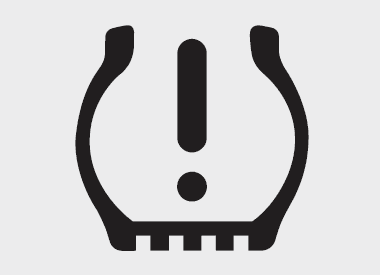 | Amber · Low tire pressure or a TPMS malfunction. |
The tire-shaped symbol with an exclamation mark usually means that one or more tires are significantly underinflated. Stop safely and inspect the tires, especially if handling has changed.
Measure pressures when the tires are cold and use the vehicle’s tire-information label. Do not use the maximum pressure printed on the tire sidewall as the target.
A warning that blinks for approximately one minute before staying on can indicate a Tire Pressure Monitoring System fault. Correcting inflation, fixing a puncture, and diagnosing a failed sensor are different tasks; resetting a warning does not replace them.
11. Master Warning Light: Triangle with an Exclamation Mark
 | Amber · Read the accompanying message to identify the issue. |
The yellow triangle is a general alert. Depending on the model, it can accompany warnings involving driver-assistance equipment, blocked radar, lighting, or tire-pressure monitoring.
The triangle itself does not identify a single failed part. We should read the message in the cluster before deciding what action to take.
Photograph the message once safely parked if it appears intermittently. Do not describe the master warning as harmless simply because it is amber; the actual issue and the vehicle’s behavior determine the urgency.
12. Electronic Stability Control Indicator
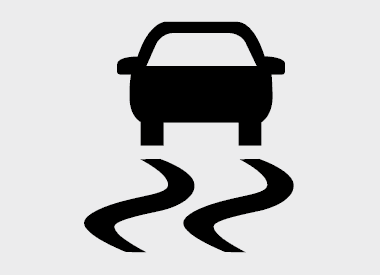 | Flashing · Intervention. Continuously on · Possible ESC fault. |
The car-with-skid-marks symbol can flash while Electronic Stability Control is helping manage traction and stability. During intervention, ease off the accelerator and adapt speed to the road surface.
If it remains on after the startup check, arrange inspection. A persistent warning is different from brief flashing on a slippery road.
A separate ESC OFF indication reports that the system has been deactivated. Check the selected setting, but do not assume that every ESC-related warning simply means someone pressed the switch.
13. 4WD or AWD System Warning Light
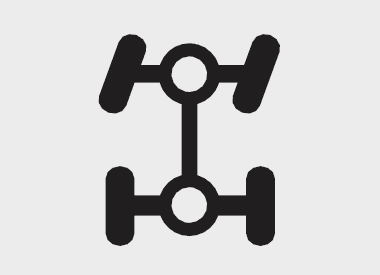 | Amber · The four-wheel-drive system has detected a fault. |
On equipped versions, this symbol warns of a problem with the four-wheel-drive system. It is different from the 4WD LOCK mode indicator.
Read any accompanying message and have the vehicle inspected. Until the cause is understood, do not assume that the usual all-wheel-drive assistance is available.
The symbol alone cannot tell us which sensor, connection, or component is involved. If there are abnormal noises, severe vibration, or instructions to stop, discontinue the journey safely and arrange assistance.
14. Headlight or Exterior Lighting Warning
 | Amber · A monitored lighting function needs attention. |
The exact symbol and monitored lights vary by equipment. A warning can concern the headlights or a related lighting component; LED-equipped versions may use a dedicated LED headlight warning.
When safely parked, check which exterior lights are working. Arrange inspection for a persistent or flashing warning, and avoid driving in conditions where the available lighting is inadequate.
Do not confuse this fault warning with the normal blue high-beam indicator. One reports a lighting problem; the other tells us that the main beams are switched on.
15. Forward Safety or FCA Warning Light
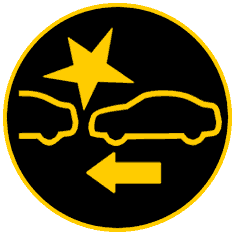 | Amber · Forward collision assistance is disabled, unavailable, or faulty. |
Forward Collision-Avoidance Assist uses sensors to support collision warnings and, under specified conditions, braking assistance. An amber Forward Safety warning can appear when the feature is deselected or temporarily unavailable, as well as when a malfunction is detected.
Check the message and, when safely parked, look for snow or dirt obstructing the relevant sensor areas. Do not reposition sensors yourself.
If the warning remains after visibility is restored and the function is enabled, arrange inspection. A red flashing Forward Safety alert can indicate active intervention; respond to the road situation immediately.
16. Lane Safety or Lane Keeping Assist Indicator
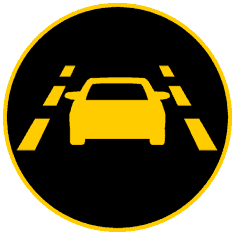 | Color and display state distinguish availability, assistance, and warnings. |
On applicable recent Tucsons, gray can indicate that Lane Keeping Assist operating conditions are not satisfied, while green indicates that they are. Green flashing can report active assistance.
A yellow Lane Safety indicator can mean the feature is deselected, disabled, or malfunctioning. Check the message and settings before assuming that a component needs replacement.
Road markings and camera visibility influence operation. Keep control of the steering at all times and have a persistent fault inspected. Earlier clusters may use different colors or graphics.
Diesel and Exhaust-System Warning Lights
17. Diesel Particulate Filter or Exhaust Filter Warning
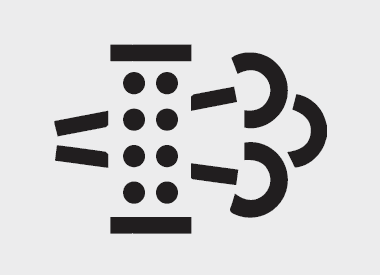 | Amber · The exhaust particulate filter needs attention. |
Diesel versions can display a DPF warning; certain gasoline versions have a GPF warning. The shared filter-style graphic does not mean that the same regeneration procedure applies to both engines.
Frequent short trips can prevent normal filter cleaning. Follow the driving procedure in the manual only when it applies to your exact engine and can be performed safely and legally.
We should not prescribe one speed, gear, or engine RPM for every Tucson. If the light flashes, a fault message appears, or the warning persists, arrange inspection instead of repeatedly attempting regeneration.
18. Water in Fuel Filter Warning: Diesel Models
 | Amber · Water has accumulated in the diesel fuel filter. |
This warning is specific to applicable diesel versions. It indicates that collected water needs to be removed from the fuel filter by a suitably qualified workshop.
Arrange attention promptly. Continuing to drive with the warning can affect performance and damage expensive fuel-system components.
Do not confuse it with the low-fuel warning or assume that adding more diesel will solve it. We should also avoid attempting to drain or open the system without the correct procedure and equipment.
19. Glow Plug or Diesel Preheat Indicator
 | Amber coil · Diesel preheating; persistent illumination can indicate a fault. |
The coil-shaped symbol normally appears while the diesel engine is being preheated. Follow the startup instructions and wait for it to go out where required.
Illumination time depends on conditions such as temperature and battery state. A brief preheat indication by itself is not a malfunction.
If the light remains on or flashes after the engine has warmed up, or appears while driving, have the preheating system checked. This is not a gasoline-engine warning.
Operating Indicators and Model-Specific Symbols
20. AUTO HOLD Indicator
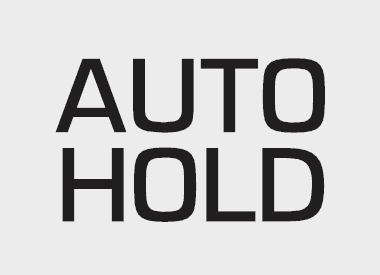 | White · Enabled. Green · Holding. Yellow · Malfunction. |
AUTO HOLD can maintain brake pressure after the vehicle stops, subject to the system’s operating conditions. White means the feature has been switched on; green indicates that it is holding the vehicle.
Yellow indicates a fault and requires inspection. Keep control with the brake pedal and follow the displayed instructions.
We should not treat AUTO HOLD as a substitute for securely parking the vehicle. Before leaving, select the appropriate parked position and apply the parking brake as instructed in the manual.
21. Immobilizer and Smart Key Indicator
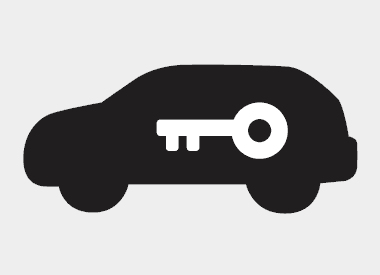 | Key-recognition status or an immobilizer-related warning. |
The car-and-key symbol can illuminate normally when a recognized key is detected. Its behavior differs between conventional-key and smart-key versions.
Flashing, failure to recognize the key, or an accompanying key warning needs to be interpreted with the startup situation. Make sure the correct key is inside the vehicle and read the message.
If recognition fails, use the emergency starting instructions for your model or contact assistance. Do not assume that every immobilizer indication means the key battery is flat.
22. 4WD LOCK Indicator
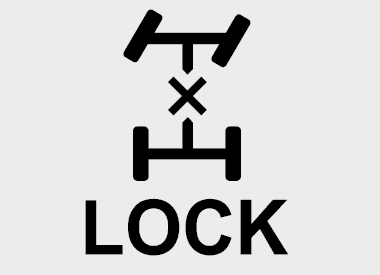 | Selected drive mode · Different from a 4WD malfunction warning. |
This indicator appears when the applicable four-wheel-drive lock mode is selected. It reports a chosen operating mode rather than automatically indicating a fault.
The feature is intended for the conditions described in the owner’s manual. Hyundai cautions against using the applicable lock mode on dry paved roads or highways because drivetrain noise, vibration, or damage can result.
Availability and operation differ across generations. We should not assume that every Tucson AWD version has the same lock function or control.
23. Downhill Brake Control Indicator
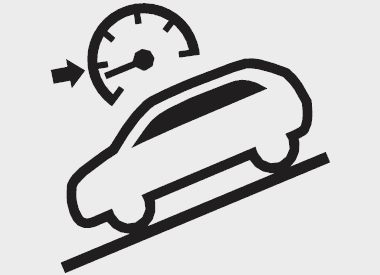 | System status · Yellow indicates a DBC malfunction. |
Downhill Brake Control helps manage speed on suitable descents by applying braking under specified operating conditions.
A normal indicator shows the system has been activated; flashing can indicate that it is operating. A yellow warning reports a malfunction and needs inspection.
We should follow the speed, gear, and surface limitations in the vehicle’s manual. If the system is unavailable, maintain direct control of speed and do not expect automatic downhill braking assistance.
24. AUTO STOP and Idle Stop and Go Indicator
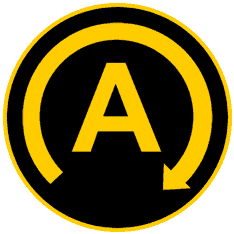 | Operating status of the automatic engine stop/start system. |
On equipped models, Idle Stop and Go can stop the engine when the vehicle is stationary and restart it when conditions require. The AUTO STOP indicator reports that operating state.
The system does not stop the engine at every halt. Operating conditions and vehicle demands affect availability, so an engine that keeps running does not by itself prove a fault.
Read any malfunction message separately from the normal status display. Hybrid engine shutdown follows different powertrain logic and should not automatically be diagnosed as a conventional stop/start problem.
25. Icy Road Warning: Snowflake Symbol
 | Low outside temperature · Be alert for slippery surfaces. |
The snowflake warns that conditions may allow ice to form. On applicable versions, the warning is triggered around 4°C (40°F), with a chime or flashing temperature display.
Reduce speed where appropriate, increase following distance, and avoid sudden steering or braking. Bridges and shaded areas deserve extra care.
This indicator is not a measurement of tire grip or proof that ice is present. Equally, its absence does not guarantee an ice-free road. It is unrelated to engine overheating.
26. READY Indicator: Hybrid and Plug-in Hybrid
 | Green · The hybrid system is ready for the vehicle to move. |
READY confirms that the hybrid drive system is active. The gasoline engine can be silent while the vehicle remains capable of moving under electric power.
We should check the indicator rather than use engine sound to decide whether the vehicle is switched on. Before leaving the driver’s seat, secure and switch off the vehicle correctly.
If READY does not appear after the correct startup procedure, or a hybrid-system warning appears, follow the manual. A message instructing you to stop safely requires a safe stop and professional assistance.
27. Overspeed Warning: Selected Markets
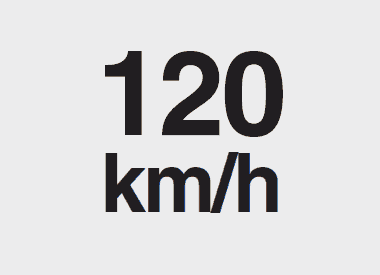 | Speed alert · Availability and trigger depend on the market. |
Some Tucson versions include a dedicated overspeed warning. The illustrated 120 km/h symbol belongs to a market-specific alert and is not fitted to every vehicle.
If it activates, reduce speed safely and comply with the road’s actual speed limit. The warning threshold is not permission to drive at that speed.
Newer speed-limit displays and assistance features can look different. We should distinguish a local speed reminder from a mechanical warning and refer to the manual for the fitted system.
Reference sources: Hyundai Tucson owner’s manual — warning and indicator lights; Hyundai Tucson Hybrid quick reference guide. Symbol illustrations: DASH-LIGHTS.COM, including shared Hyundai pictograms. Appearance and availability vary by vehicle.
What Should We Do When Multiple Warnings Appear?
Several warnings do not automatically mean several independent failures. Systems share information, and one underlying condition can affect more than one function. The lights themselves cannot establish the diagnosis.
- Prioritize the most serious warning. Low oil pressure, overheating, abnormal braking, or an instruction to stop takes priority over a convenience-feature alert.
- Stop safely when required. Do not troubleshoot the instrument menu while driving.
- Record the exact message. Once parked, photograph the display and note whether the warning is steady or flashing.
- Describe the symptoms. Rough running, heavy steering, vibration, and recent tire or battery work can help the technician.
- Preserve diagnostic information. Avoid clearing fault codes before the cause has been investigated.
Can We Reset Hyundai Tucson Warning Lights?
There is no single reset that repairs all dashboard warnings. A service reminder may need resetting after maintenance, while a fault indicator requires its cause to be addressed. Correcting tire pressure is also different from diagnosing a TPMS malfunction.
Disconnecting the battery or repeatedly restarting the vehicle may change the display without fixing the problem. We should follow the procedure for the specific warning and have persistent faults checked with suitable diagnostic equipment.
Understanding Your Tucson’s Dashboard
The best way to interpret Hyundai Tucson dashboard warning lights is to combine the symbol with its operating context. Ask whether the engine is running, whether the light is flashing, what the vehicle is doing, and what the message says.
Give urgent mechanical warnings immediate attention, arrange inspection for persistent faults, and recognize normal status indicators such as green AUTO HOLD or READY. Keep the correct owner’s manual accessible so unfamiliar alerts can be checked without guessing.
Frequently Asked Questions
1. What does the yellow triangle mean on a Hyundai Tucson?
It is the master warning light. It directs us to a message describing the condition, which can involve a driver-assistance system, blocked sensor, lighting issue, or another monitored function. The triangle alone does not identify the problem.
2. Can I drive with the Tucson check engine light on?
Arrange diagnosis promptly rather than planning a long journey. If the light flashes, the vehicle runs roughly, power drops significantly, or other serious warnings appear, stop safely and seek assistance. The correct response depends on the engine and accompanying symptoms.
3. Why is AUTO HOLD yellow instead of green?
On the covered Tucson systems, white means AUTO HOLD is enabled, green means it is holding the stopped vehicle, and yellow indicates a malfunction. Use the brake pedal to maintain control and arrange inspection.
4. Why does the tire-pressure light blink and then stay on?
Blinking for about one minute before remaining illuminated can indicate a TPMS fault. Check actual tire pressures as well, because a monitoring-system problem does not prove that the tires are correctly inflated. Have persistent faults diagnosed.
5. Is a green READY light normal on a Tucson Hybrid?
Yes. It indicates that the hybrid system is ready for driving, even if the gasoline engine is silent. It is an operating indicator, not an instruction to charge the battery or a mechanical fault warning.
If you want to know other articles similar to Hyundai Tucson Dashboard Warning Lights and Symbols you can visit the category Service and Parts.
MG HS Tyre Pressure Guide: Correct PSI and TPMS
Toyota Yaris Cross Dashboard Symbols

BMW 3 Series Warning Lights: The Complete Guide to Understanding Every Dashboard Symbol
Nissan Qashqai Fuel Tank Capacity: Complete Guide

Suzuki Swift Fuel Tank Capacity: Complete Guide
Mazda CX-5 Weight (2013–2026): Complete Guide in Pounds and KG
Leave a Reply
More content of your interest