

MINI Cooper Key Fob Battery Replacement

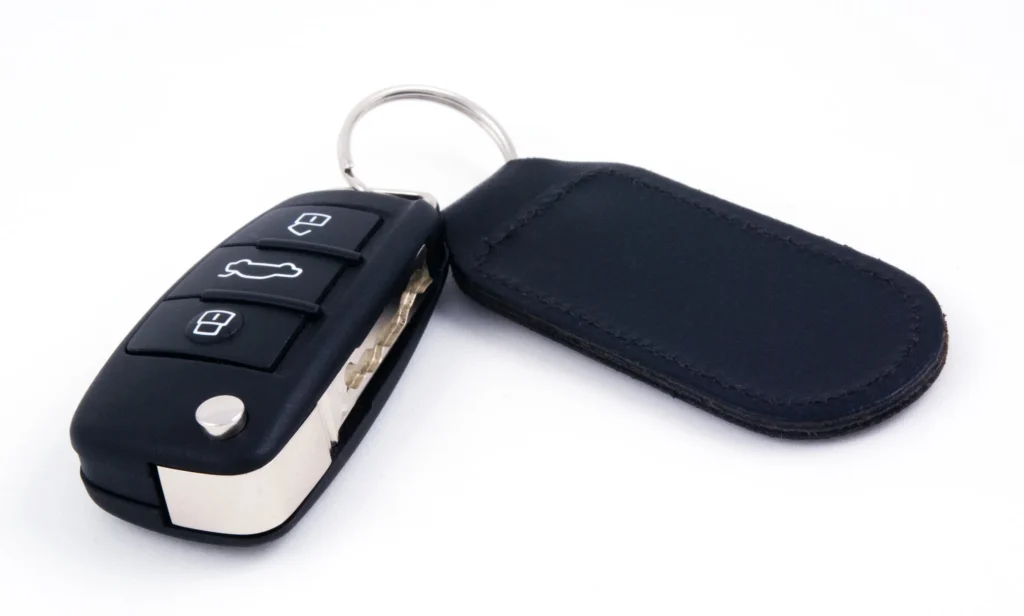
A MINI key that only unlocks the car from a few steps away can turn a simple trip into a guessing game. A weak battery is one possible cause, and on many MINI remotes we can replace it at home. The important first step is identifying the key, because not every MINI uses the same battery arrangement.
The quick answer: many MINI Cooper keys with a serviceable battery compartment use a CR2032 3V lithium coin cell. We remove the appropriate cover, replace the battery with the specified polarity, close the housing, and test the remote. However, some older MINI keys contain a rechargeable battery and should not be opened using the same procedure.
This MINI Cooper key fob battery replacement guide explains the common designs, the tools we need, and what to check if the key still does not work. We’ll also cover an exception that many guides overlook: some early keys need initialization after a battery change.
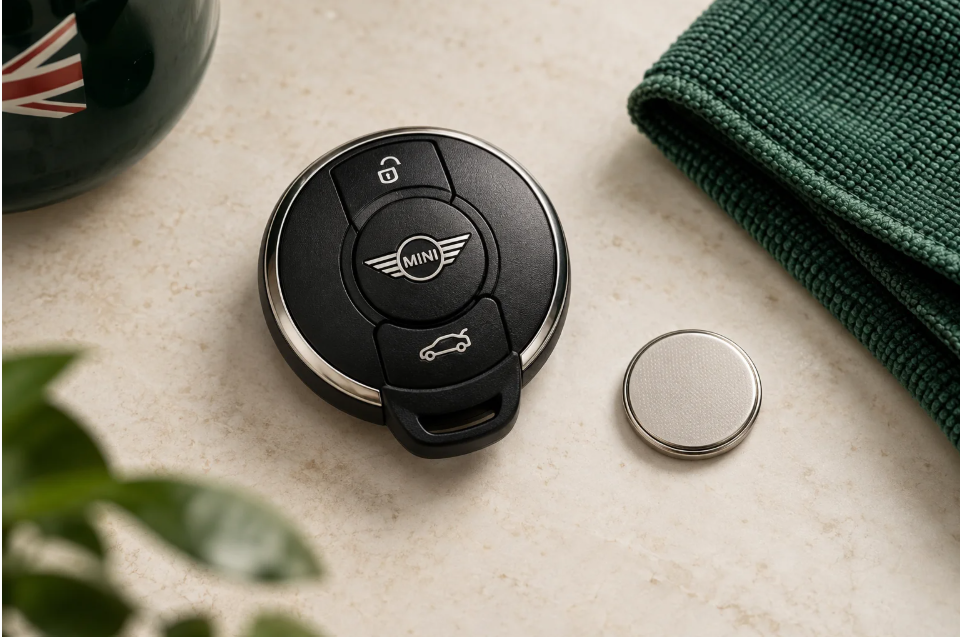
Identify the key and confirm the battery specification before starting.
Image note: The six images in this guide are original AI-generated illustrations of representative MINI-style keys. They are not photographs of a repair or factory diagrams. Button positions, release catches, and housings can differ; follow the manual for your exact transmitter.
Content in this publication
- Which MINI Key Fob Do We Have?
- What Battery Does a MINI Cooper Key Fob Take?
- Tools and Preparation
- How to Replace the Battery in a Round MINI Key Fob
- Step 1: Release the Integrated Mechanical Key
- Step 2: Open the Outer Cover at Its Intended Recess
- Step 3: Lift the Separate Battery Cover
- Step 4: Remove the Old Battery
- Step 5: Fit the Correct Cell With the Right Polarity
- Step 6: Refit Both Covers and the Mechanical Key
- Step 7: Test the Key Near the Vehicle
- Replacing the Battery in a MINI Key With a Twist-Open Lid
- What if the MINI Key Battery Is Rechargeable?
- Does a MINI Key Need Resetting After Battery Replacement?
- MINI Key Fob Not Working After a New Battery
- Can We Start a MINI With a Dead Key Fob Battery?
- How Long Does a MINI Key Battery Last?
- Battery Replacement or a Complete New Key?
- Final Thoughts
- Frequently Asked Questions
Which MINI Key Fob Do We Have?
Before buying a battery or inserting a tool into the case, compare the key with the owner’s manual. We need to know whether the battery is removable, which cover opens, and whether the vehicle has an ignition slot or a newer key-detection system.
A year-only chart cannot answer all those questions. Equipment, body style, market, and replacement transmitters can change the result. The examples below show why matching the actual key is more useful than assuming every MINI Cooper has the same remote.
| Documented MINI example | Battery arrangement | What it means for this job |
|---|---|---|
| 2003 Hardtop master remote | Replaceable CR2032 | The manual also includes initialization after a battery change. |
| 2006 master remote | Battery charged in the ignition during driving | Do not assume it uses a removable disposable coin cell. |
| 2012 Hardtop / Clubman remote | Rechargeable standard remote; replaceable battery with Comfort Access | Confirm the equipment and transmitter before opening. |
| 2024 Cooper SE round-key design | Replaceable CR2032 3V | Outer cover and separate battery-compartment cover. |
| 2025 Cooper F65 / F66 documented key | Replaceable CR2032 3V | Release the outer cover, then turn the battery lid with a coin. |
These are manufacturer-documented examples, not universal production cutoffs. If we cannot confidently match the key, MINI’s VIN-based owner’s manual lookup is a better starting point than an online seller’s broad compatibility claim.
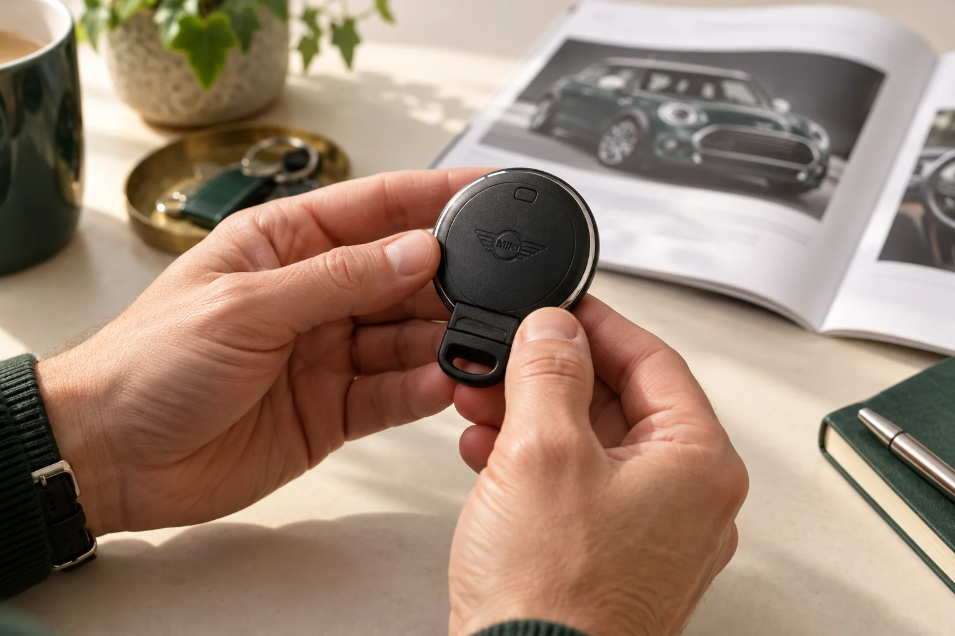
Similar-looking MINI keys can use different battery systems. AI-generated illustration.
Why Comfort Access Matters on Older MINIs
The 2012 manual distinguishes the standard rechargeable remote from the replaceable-battery Comfort Access version. Two similar-looking keys can therefore need different treatment. Having a Start/Stop button does not, by itself, prove which battery system is fitted.
We should confirm the specification before prying at a seam. A stubborn case might be a sealed design, rather than a removable cover that simply needs more force.
What Battery Does a MINI Cooper Key Fob Take?
CR2032 3V is the specified replacement in several MINI manuals and in MINI’s vehicle-key battery FAQ. That makes it a common answer, but not a reason to ignore the existing cell or the vehicle-specific instructions.
For a serviceable remote, read the battery marking and compare it with the manual. If a previous owner fitted an incorrect cell, copying that mistake can leave the new battery loose or put pressure on the housing. Resolve a mismatch before reassembly.
Can We Substitute CR2025 or a Rechargeable Coin Cell?
Use the exact battery specification required by the transmitter. A battery that looks similar is not automatically compatible: dimensions, chemistry, and electrical characteristics all matter.
In particular, don’t put a disposable CR2032 into a circuit designed to charge a rechargeable battery. Likewise, don’t choose a rechargeable replacement for a normal CR2032 compartment simply because it seems more economical. Matching the specification is more important than matching the appearance.
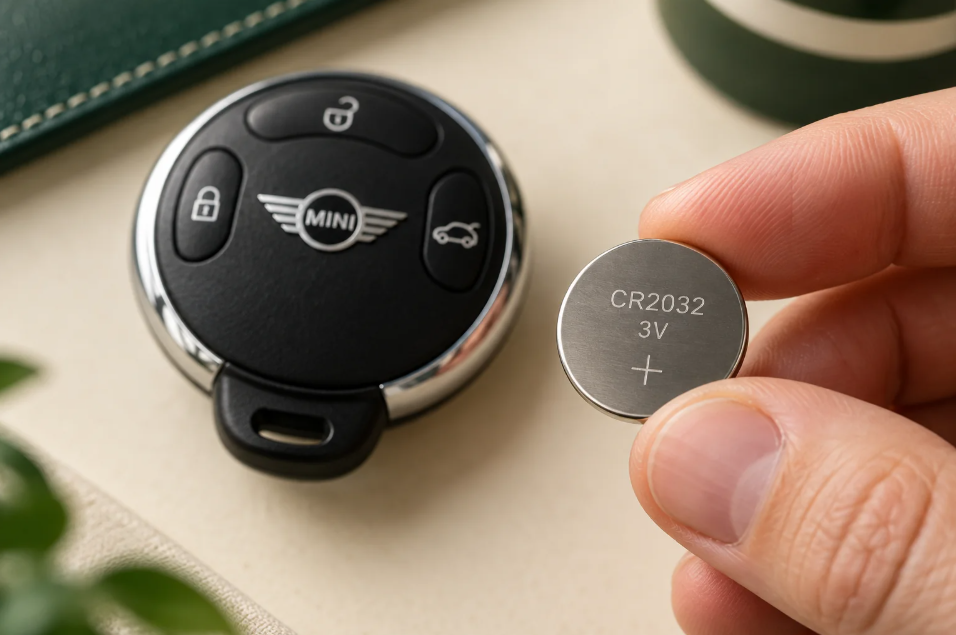
CR2032 is common in serviceable MINI keys; confirm it is correct for your remote. AI-generated illustration.
Tools and Preparation
For a key with an owner-serviceable battery compartment, set up a clean, dry working area before starting. We suggest allowing about 10–15 minutes for a first attempt, including checking the manual and testing the result. That is a planning allowance, not a guaranteed repair time.
We’ll need:
- The correctly specified fresh battery.
- The integrated mechanical key, where the manual uses it to release a cover.
- A suitable coin for a turn-to-open battery lid, if fitted.
- A small screwdriver or opening tool only where the instructions call for one.
- A soft cloth and a small tray for loose parts.
- A phone camera to record the original battery position.
Remove any decorative silicone sleeve so that we can see the actual housing. Keep drinks away from the workspace, and place the remote over the cloth before opening it. Small covers are easier to find on a clear desk than on a car seat or gravel driveway.
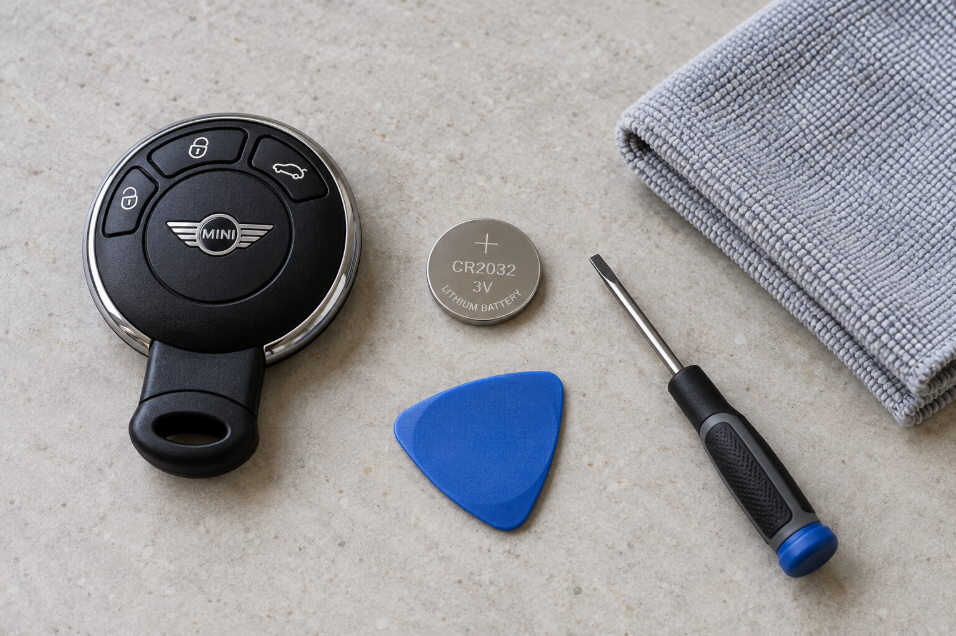
Prepare a clear work surface and use only the opening method specified for your key. AI-generated illustration.
Handle Coin Batteries Safely
Keep new and used coin batteries away from children. Swallowing a battery can cause serious internal injury; seek immediate medical help if swallowing or insertion into the body is suspected. Place the removed cell somewhere secure as soon as it comes out.
Don’t use a key with a battery cover that will not close securely. Keep it out of children’s reach and arrange a repair. Dispose of the old cell through an appropriate battery collection service or workshop.
How to Replace the Battery in a Round MINI Key Fob
This section covers the common round-key arrangement with an integrated mechanical key, an outer cover, and a separate battery lid, as documented for models such as the Cooper SE. If your remote has a different release mechanism, use the relevant section below.
Step 1: Release the Integrated Mechanical Key
Find the release button or catch and withdraw the mechanical key according to the manual. Put the blade in the tray instead of leaving it near the edge of the work surface.
The release should disengage before the blade moves. If it feels stuck, inspect the catch instead of pulling harder. We are removing a retained component, not separating the whole remote at this stage.
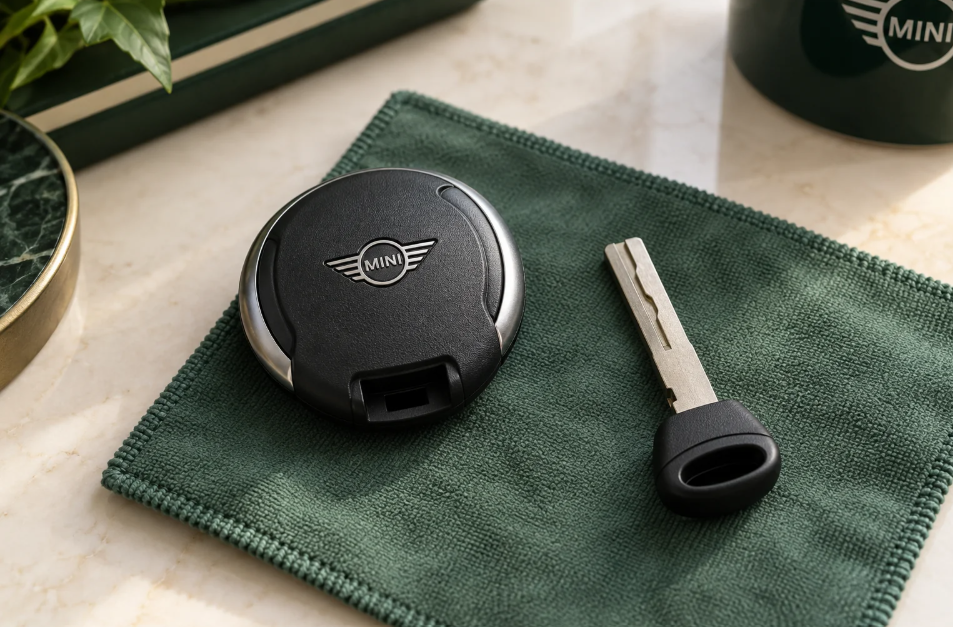
On the applicable round-key design, release the integrated mechanical key first. AI-generated illustration.
Step 2: Open the Outer Cover at Its Intended Recess
On the documented design, the integrated key fits into a designated opening to lift the outer cover. Locate that opening in the manual illustration and use a controlled movement to release the cover.
Avoid levering against the decorative silver ring or pushing a screwdriver randomly between the shell halves. If the plastic visibly bends, stop and check the opening point. The goal is to release the retaining features without damaging them.
Step 3: Lift the Separate Battery Cover
Removing the outer cover may reveal another small lid over the battery. On this design, the integrated key is also used at the battery cover’s opening point. Lift the lid and set it beside the outer cover.
We do not need to remove the circuit board for an ordinary battery swap. Take a quick photo before disturbing the cell, especially if the holder’s orientation is not immediately obvious.
Step 4: Remove the Old Battery
Check the battery code and note its installed position. Follow the holder’s release direction, easing the cell out at the designated edge with an appropriate small tool if required.
Keep the tool away from the circuit board and avoid bending the metal contacts. A contact that is flattened or twisted can make the remote unreliable even with a fresh battery. If anything looks corroded or broken, pause the replacement and have the key inspected.
Step 5: Fit the Correct Cell With the Right Polarity
The MINI procedure for this CR2032 design specifies the positive (+) face upward in the open holder. Hold the replacement by its edges, fit it into the retaining features, and check that it sits securely.
Do not use the battery lid to force an incorrectly seated cell down. If it stands proud or moves excessively, check the specification and placement before continuing. Follow the markings for the actual transmitter if it differs from this example.
Step 6: Refit Both Covers and the Mechanical Key
Replace the battery lid, then the outer cover. Align the tabs before pressing the covers into place. Finally, return the mechanical key until its retaining mechanism engages.
Look around the housing for uneven gaps and check that the buttons move freely. If the case needs unusually strong pressure to close, reopen it and inspect the internal alignment. A trapped component will not be fixed by squeezing harder.
Step 7: Test the Key Near the Vehicle
With the MINI parked safely, test unlock and lock while keeping the key in your hand. Check normal starting and, where fitted, Comfort Access. If testing the luggage-compartment button, keep people and objects clear of any moving door.
We want to confirm the functions we actually use, rather than stopping after a single successful button press. Keep a spare key accessible until the repaired remote has proved reliable.
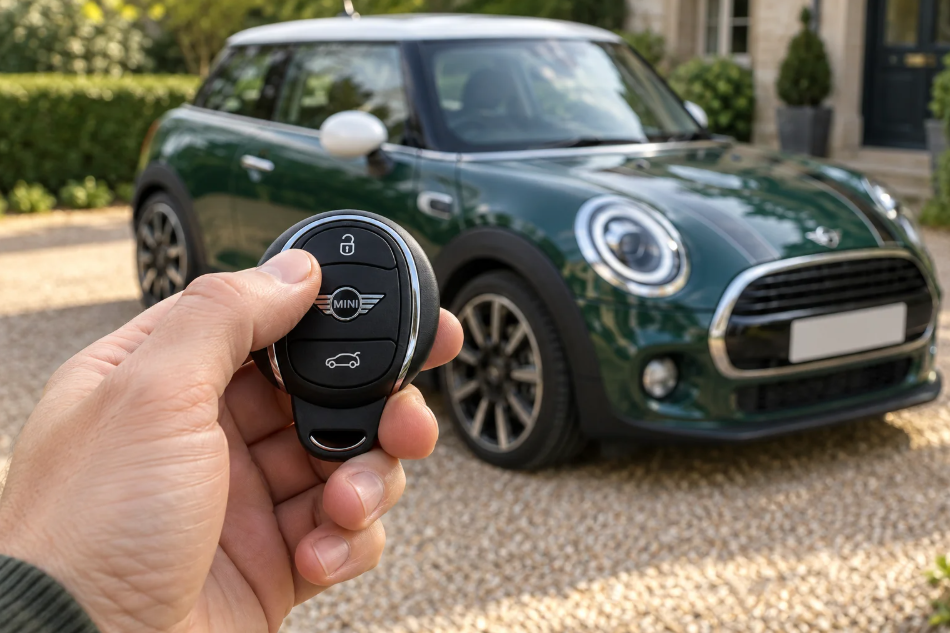
After reassembly, check locking, unlocking, and normal key recognition. AI-generated illustration.
Replacing the Battery in a MINI Key With a Twist-Open Lid
The documented 2025 Cooper F65/F66 key uses a different cover arrangement. We should not apply the round-key prying method to its battery lid.
- Hold the release button and disengage the outer cover from its lower retaining mechanism.
- Release the upper retaining point and remove the cover.
- Use a suitable coin to turn the battery-compartment lid counterclockwise.
- Remove the old cell and fit the specified CR2032 3V with its positive face upward.
- Turn the lid clockwise to close it, checking that the alignment arrows face each other.
- Refit the outer cover so its upper and lower retaining points engage.
Match those actions to the illustrations in your manual. A rotating lid should be opened by its intended motion, not lifted at the edge. After reassembly, use the same functional checks described above.
What if the MINI Key Battery Is Rechargeable?
Some older MINI remotes recharge during driving while inserted into the ignition. MINI’s 2006 manual describes this arrangement and recommends using each master key at least twice a year to maintain its charge.
That does not mean every MINI remote can be charged. A normal replaceable CR2032 is not recharged simply by driving, placing the key in the cabin, or leaving it on a wireless phone-charging pad.
Why We Should Not Cut Open a Sealed Remote
A sealed rechargeable key is a different repair from opening a removable battery cover. It may require electronics work and restoration of the housing. Cutting or forcing it apart can damage the board or leave the case unable to protect its contents.
If the confirmed rechargeable remote no longer holds charge after normal use, ask a MINI service center or a qualified automotive-key specialist to assess it. Tell them whether it still starts the car and whether the spare works; those details help define the problem.
Does a MINI Key Need Resetting After Battery Replacement?
For the later serviceable designs covered here, the published battery-change procedure ends with reassembly, without a separate programming step. We normally check the battery and installation first if the same registered key stops working after a swap.
Early keys can be different. The 2003 MINI manual specifically includes initialization after a battery change. Therefore, “MINI keys never need resetting” is too broad. Use the initialization instructions for the exact early key rather than an unrelated sequence found online.
Initialization of an existing remote is also different from registering a completely new key. If someone recommends programming, ask which operation they mean and why it is needed for the transmitter you already have.
MINI Key Fob Not Working After a New Battery
If the remote remains unresponsive, we can work through a few checks before considering a replacement. Start with what changed during the job, then compare the result with the spare key.
| Symptom | First checks |
|---|---|
| No button works after replacement | Battery type, polarity, seating, and condition. |
| Only one button fails | Button-pad alignment or a damaged switch. |
| Remote works when squeezed | Loose contact, shifted internal parts, or poor case closure. |
| Both keys fail in one location | Interference and the vehicle’s electrical condition. |
| Remote buttons work, but Comfort Access does not | Equipment-specific access-system fault or interference. |
| Early remote stops responding after a swap | Whether its manual requires initialization. |
Check the Battery Before Changing Anything Else
Confirm that the new cell matches the required specification, faces the correct direction, and engages properly with the holder. A battery from a newly opened packet can still be weak, so another fresh cell of the correct type is a useful comparison.
Look for packaging material that should have been removed, without peeling away the cell’s own insulating components. If the battery rattles, do not add foil or bend the contacts to compensate. Find the reason for the poor fit.
Separate a Key Fault From Interference
MINI lists nearby electronics, metal objects, and radio interference among possible causes of key-detection problems. Move the key away from your phone and other objects, then try again in a different position.
If the spare works consistently under the same conditions, focus on the first remote. If both fail, consider the vehicle too. Weak interior lights or other electrical symptoms warrant checking the vehicle’s 12-volt supply; a new key battery cannot repair a discharged car battery.
When the Low-Battery Message Remains
Recheck the cell and test the vehicle normally. If a second key is inside the car, remove it from the test area so we can establish which transmitter is being assessed. Record the exact warning rather than treating every key-related message as a battery alert.
There is no single reset sequence that applies to all MINI generations. A persistent message with a verified fresh battery needs diagnosis, particularly if the remote was previously wet, dropped, or intermittently unreliable.
Can We Start a MINI With a Dead Key Fob Battery?
Applicable MINI models provide a backup recognition method. For the documented 2025 Cooper, MINI instructs us to hold the back of the key against the marked area on the steering column and follow the display, then activate drive-ready state within ten seconds of recognition.
Older cars with an ignition slot use their own procedure. On applicable models, the integrated mechanical key also provides door access. Check the manual before an emergency so we know where the lock and recognition point are.
Backup recognition helps when the remote battery is depleted; it is not a bypass for an unregistered key or a repair for the vehicle’s electrical system. If neither the normal nor the documented backup method works, seek assistance.
How Long Does a MINI Key Battery Last?
There is no reliable lifespan we can promise for every MINI key. Battery age, use, storage, and transmitter condition all affect the result. The useful question is whether the remote’s behavior has changed or a battery warning has appeared.
Respond to those signs before the key becomes inconvenient to use. If batteries seem to fail unusually quickly, record when each one was installed and whether a button is being held down by a tight cover or items in a bag. Repeated early failure deserves investigation.
Battery Replacement or a Complete New Key?
A serviceable battery swap, a replacement plastic shell, and a new registered transmitter are different jobs. Before accepting a quote, ask which problem the work is intended to solve.
If the buttons and electronics work but the cover is damaged, the housing may be the issue. If the key has liquid damage or a broken circuit board, another coin cell may change nothing. We should base the repair on the symptoms and inspection, not assume that every unreliable key needs complete replacement.
Final Thoughts
MINI Cooper key fob battery replacement is straightforward on many serviceable remotes once we identify the correct design. Use the specified battery, follow the intended cover-release method, check polarity, and test the key after reassembly.
The most valuable precaution is knowing when a different procedure applies. Older rechargeable remotes, early keys requiring initialization, and newer twist-lid designs should each be treated according to their own instructions. A few minutes spent checking the manual can prevent an unnecessary broken cover or an incorrect battery purchase.
Frequently Asked Questions
1. Do All MINI Cooper Keys Use CR2032 Batteries?
No. CR2032 3V is common in serviceable MINI keys, but some older remotes contain a rechargeable battery. Identify the transmitter and check its specification before buying a replacement.
2. Which Way Does the New MINI Key Battery Face?
The documented later CR2032 designs in this guide use the positive (+) face upward in the open holder. Follow the polarity markings and instructions for your specific key if its construction differs.
3. Can We Recharge the Battery by Driving?
Only keys designed with the relevant rechargeable system charge during use in the ignition. A disposable CR2032 does not. Do not try to recharge a non-rechargeable cell or improvise a charging method.
4. Will Changing the Battery Erase the Key’s Programming?
A routine battery swap on the later designs described here normally does not require new-key programming. Some early remotes, including the documented 2003 type, have a separate initialization procedure after replacement. Check the correct manual.
5. What if the Battery Cover Will Not Close?
Stop and check the battery type, seating, cover alignment, and retaining tabs. Don’t force it or use the key with an insecure battery compartment. Keep it away from children and have damaged parts repaired.
If you want to know other articles similar to MINI Cooper Key Fob Battery Replacement you can visit the category Service and Parts.
Volvo S90 Engine Oil: Type, Capacity & Change Guide
Volvo S90 Boot Space: Size, Capacity and Practicality
SEO Title: Volvo S90 Oil Capacity: Complete Guide by Engine

Kia Sorento Oil Type: Complete Guide by Year & Engine
Kia Sorento Engine Capacity: Complete Guide by Year

Peugeot 308 Clutch Replacement Cost: Complete UK Guide for 2026
Leave a Reply
More content of your interest