

Vauxhall Insignia Code 79: Meaning, Causes, Fixes, and Prevention Guide

Content in this publication
- What Does Vauxhall Insignia Code 79 Mean?
- Why Engine Oil Matters So Much
- How the Vauxhall Insignia Detects Code 79
- Common Symptoms Associated with Code 79
- The Most Common Cause: Low Engine Oil
- Oil Leaks That Can Trigger Code 79
- Internal Oil Consumption Problems
- Can a Faulty Sensor Cause Code 79?
- How to Check the Oil Level Correctly
- Choosing the Correct Engine Oil
- How to Top Up Engine Oil
- How Long Can You Drive with Code 79?
- Can Code 79 Cause Engine Damage?
- Resetting Vauxhall Insignia Code 79
- Preventing Code 79 from Returning
- Vauxhall Insignia Engines Most Commonly Associated with Code 79
- When to Seek Professional Assistance
- The Cost of Ignoring Code 79
- Best Practices for Long-Term Engine Health
- Conclusion
- FAQs
What Does Vauxhall Insignia Code 79 Mean?
If you've started your Vauxhall Insignia and suddenly noticed Code 79 appearing on the dashboard, you're probably wondering whether it's a minor warning or a sign of serious trouble. The good news is that Code 79 is usually straightforward.
In the Vauxhall Insignia, Code 79 means "Top Up Engine Oil." The vehicle has detected that the engine oil level has dropped below the recommended operating range. Think of it as your engine's way of politely raising its hand and saying, "I need some attention."
Unlike some dashboard warnings that point to electrical faults or expensive mechanical repairs, Code 79 often has a simple solution: checking and replenishing the engine oil. However, ignoring it can turn a small maintenance task into a major engine repair.
Why Engine Oil Matters So Much
Engine oil is often compared to blood in the human body, and for good reason.
It performs several critical functions:
- Lubricates moving engine parts
- Reduces friction
- Prevents overheating
- Cleans contaminants
- Protects against corrosion
- Improves engine efficiency
Without sufficient oil, metal components begin rubbing against each other. Imagine running a marathon with no water on a hot day. Eventually, something gives out.
That's why Code 79 deserves prompt attention.
How the Vauxhall Insignia Detects Code 79
Oil Level Monitoring System
Modern Vauxhall Insignia models use electronic sensors to monitor oil levels continuously.
The system measures:
- Oil quantity
- Oil condition
- Engine operating parameters
- Oil consumption trends
When the sensor detects that oil has fallen below the acceptable threshold, Code 79 appears on the driver information display.
Sensor Accuracy
While these sensors are generally reliable, they are not perfect. Sometimes a faulty sensor can trigger Code 79 even when oil levels are adequate.
This is why a manual dipstick inspection remains essential.
Common Symptoms Associated with Code 79
The warning itself may appear before any noticeable symptoms develop.
However, some drivers report:
- Dashboard warning message
- Oil warning light
- Reduced engine smoothness
- Increased engine noise
- Slight ticking sounds
- Reduced fuel efficiency
- Rough idling
In many cases, the vehicle continues driving normally despite the warning.
That doesn't mean it should be ignored.
The Most Common Cause: Low Engine Oil
Natural Oil Consumption
Every engine consumes some oil.
Over thousands of miles, small amounts are burned during normal operation.
Factors influencing oil consumption include:
- Engine age
- Driving habits
- Climate conditions
- Oil quality
- Maintenance history
A high-mileage Insignia may consume oil more quickly than a newer model.
Extended Service Intervals
Many drivers follow service schedules religiously but forget to check oil between services.
If your Insignia goes 10,000 to 20,000 miles between oil changes, oil levels can naturally decrease enough to trigger Code 79.
Oil Leaks That Can Trigger Code 79
External Oil Leaks
Sometimes the missing oil isn't being burned.
It's leaking.
Common leak points include:
- Valve cover gasket
- Oil filter housing
- Oil pan gasket
- Turbocharger oil lines
- Crankshaft seals
Signs of an external leak include:
- Oil spots under the vehicle
- Burning oil smell
- Oily engine components
- Smoke from the engine bay
Internal Oil Consumption Problems
Worn Piston Rings
As engines age, piston rings may wear.
This allows oil to enter the combustion chamber where it burns alongside fuel.
Valve Stem Seal Wear
Worn valve seals can also permit oil to leak into combustion chambers.
Symptoms often include:
- Blue exhaust smoke
- Increased oil consumption
- Fouled spark plugs
- Reduced performance
When internal consumption becomes excessive, Code 79 may reappear shortly after topping up oil.
Can a Faulty Sensor Cause Code 79?
Oil Level Sensor Failure
Yes.
A defective oil level sensor can incorrectly report low oil.
Symptoms of a faulty sensor may include:
- Code 79 appearing repeatedly
- Correct dipstick readings
- No measurable oil loss
- Intermittent warnings
Professional diagnostic equipment can confirm whether the sensor is functioning correctly.
How to Check the Oil Level Correctly
Step 1: Park on Level Ground
Always check oil on a flat surface.
Step 2: Turn Off the Engine
Allow the engine to sit for at least five minutes.
Step 3: Locate the Dipstick
Open the bonnet and find the oil dipstick.
Step 4: Clean and Reinsert
Remove the dipstick.
Wipe it clean.
Insert it fully.
Remove it again.
Step 5: Read the Level
The oil should sit between:
- Minimum mark
- Maximum mark
If it's near or below the minimum mark, top up immediately.
Choosing the Correct Engine Oil
Why Oil Specification Matters
Using the wrong oil is like putting diesel into a petrol car.
Always follow Vauxhall specifications.
Common Insignia oil grades include:
- 5W-30
- 0W-30
- Dexos-approved oils
Consult:
- Owner's manual
- Service documentation
- Engine oil cap markings
How to Top Up Engine Oil
Simple Top-Up Procedure
Follow these steps:
- Remove the oil filler cap.
- Add a small quantity of oil.
- Wait a few minutes.
- Recheck the dipstick.
- Repeat if necessary.
Avoid Overfilling
More oil is not always better.
Excessive oil can cause:
- Increased pressure
- Seal damage
- Catalytic converter issues
- Engine performance problems
Aim for a level close to the maximum mark without exceeding it.
How Long Can You Drive with Code 79?
Short Answer: Not Long
If the oil level is only slightly low, driving a short distance to purchase oil is generally acceptable.
However, prolonged driving with insufficient oil can result in:
- Accelerated wear
- Turbocharger damage
- Bearing failure
- Engine seizure
The financial difference is staggering.
A litre of oil costs little.
A replacement engine costs thousands.
Can Code 79 Cause Engine Damage?
Absolutely
Engine oil creates a protective barrier between moving metal components.
Without enough oil:
- Friction increases
- Heat rises
- Components wear faster
Severe oil starvation can destroy an engine in surprisingly little time.
This is why Vauxhall programmed Code 79 into the vehicle's warning system.
Resetting Vauxhall Insignia Code 79
Will the Warning Reset Automatically?
Usually, yes.
Once the correct oil level is restored:
- Start the vehicle.
- Allow system checks to complete.
- Drive normally.
The warning often disappears automatically.
When It Doesn't Reset
If Code 79 remains visible:
- Recheck oil level
- Verify oil specification
- Inspect for leaks
- Scan for diagnostic trouble codes
- Check the oil level sensor
Preventing Code 79 from Returning
Create an Oil Inspection Routine
Many drivers wait for warning messages.
A better strategy is prevention.
Check oil:
- Every 1,000 miles
- Before long journeys
- After servicing
- Monthly for high-mileage vehicles
Use Quality Oil
Premium oils often:
- Resist breakdown better
- Improve lubrication
- Reduce consumption
- Extend engine life
Vauxhall Insignia Engines Most Commonly Associated with Code 79
Diesel Variants
Common diesel engines include:
- 1.6 CDTi
- 2.0 CDTi
Petrol Variants
Popular petrol engines include:
- 1.5 Turbo
- 1.8 Petrol
- 2.0 Turbo
Code 79 can appear on virtually any engine if oil levels become too low.
The warning is not limited to one specific powertrain.
When to Seek Professional Assistance
Visit a Mechanic If:
- Code 79 returns repeatedly
- Oil disappears quickly
- Blue smoke appears
- Engine noise increases
- Leaks become visible
- Warning remains after topping up
A technician can perform:
- Leak detection
- Compression testing
- Sensor diagnostics
- Engine inspections
Early diagnosis often prevents larger repair bills.
The Cost of Ignoring Code 79
Let's compare two scenarios.
Scenario A: Immediate Action
- Top-up oil: Minimal cost
- Time required: 10 minutes
Scenario B: Ignore the Warning
Potential repairs:
- Turbo replacement
- Bearing repair
- Engine rebuild
- Engine replacement
The difference can be thousands of pounds.
Sometimes the cheapest repair is simply paying attention.
Best Practices for Long-Term Engine Health
To keep your Insignia running smoothly:
- Check oil regularly
- Use manufacturer-approved oil
- Follow service schedules
- Address leaks quickly
- Monitor warning messages
- Replace faulty sensors promptly
- Avoid aggressive driving when oil is low
Think of engine maintenance as brushing your teeth. Small habits today prevent painful problems tomorrow.
Conclusion
Vauxhall Insignia Code 79 is one of the most important warnings your vehicle can display. Fortunately, it is also one of the easiest to address. In most cases, the message simply indicates that the engine oil level has dropped and needs topping up.
While the fix may be straightforward, the consequences of ignoring the warning are anything but simple. Engine oil protects every critical moving component under the bonnet, and even a short period of oil starvation can cause significant wear.
By checking your oil regularly, using the correct specification, and responding quickly when Code 79 appears, you can keep your Vauxhall Insignia reliable, efficient, and ready for many miles ahead.
FAQs
1. What does Code 79 mean on a Vauxhall Insignia?
Code 79 indicates that the engine oil level is low and needs to be topped up as soon as possible.
2. Is it safe to drive with Code 79 showing?
Only for a short distance if necessary. Continuing to drive with low oil can cause severe engine damage.
3. Will Code 79 disappear after adding oil?
In most cases, yes. The warning usually clears automatically after the oil level is restored.
4. Can a faulty sensor trigger Code 79?
Yes. A malfunctioning oil level sensor can generate false low-oil warnings.
5. How often should I check the oil in my Vauxhall Insignia?
A monthly check or every 1,000 miles is a good practice, especially on higher-mileage vehicles.
{finish}
Principal Keywords: vauxhall insignia code 79 oil warning
SEO Headline: Vauxhall Insignia Code 79 Oil Warning Guide
Pathway: /code79oil
Meta Summary: Vauxhall Insignia Code 79 explained. Learn why the oil warning appears, how to top up engine oil, common causes, fixes, and prevention tips.
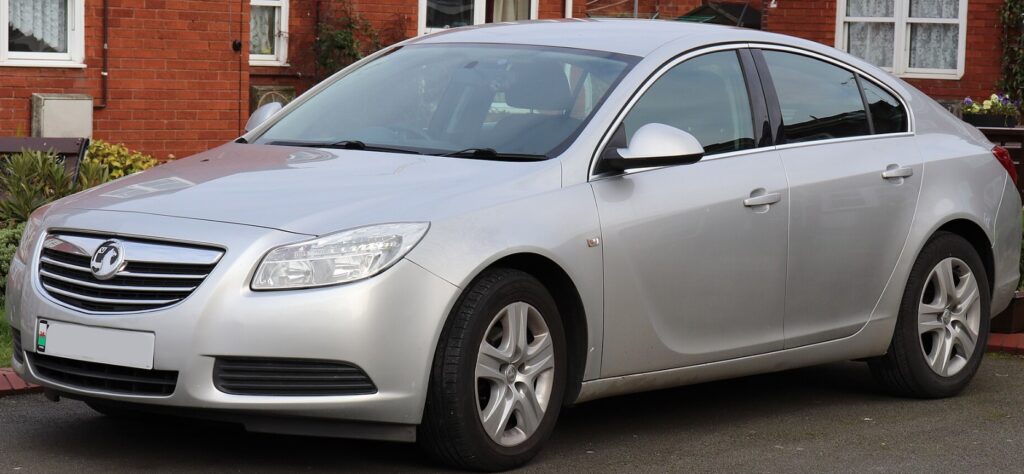
Image Alt Text: Vauxhall Insignia dashboard displaying Code 79 warning while a driver checks engine oil level under the bonnet.
If you want to know other articles similar to Vauxhall Insignia Code 79: Meaning, Causes, Fixes, and Prevention Guide you can visit the category Service and Parts.
Vauxhall Mokka Tyre Pressure Reset: Complete Guide

How to Reset the Tire Pressure System on Your Hyundai Tucson

Hyundai Kona Tire Pressure: Complete PSI Guide

Vauxhall Corsa Timing Belt Replacement Cost UK 2026

Mazda CX-5 Tire Size Chart: 2013–2026 Guide

How to Reset a Honda Civic: Complete Step-by-Step Guide
Leave a Reply
More content of your interest