

Vauxhall Insignia Service Reset: Complete Step-by-Step Guide for Every Model

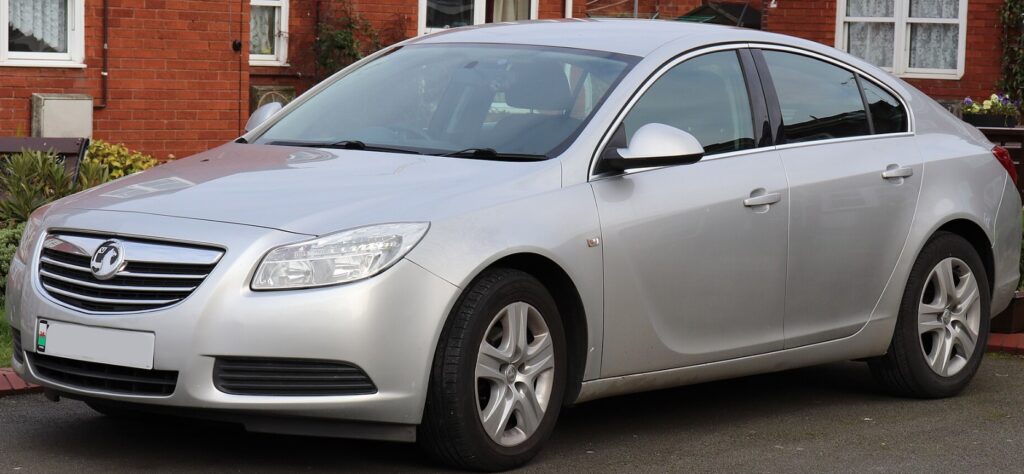
The Vauxhall Insignia service reset procedure is one of the most searched maintenance topics among Insignia owners. Whether you've just changed the engine oil, completed a scheduled service, or performed routine maintenance yourself, resetting the service indicator ensures your vehicle accurately tracks the next maintenance interval.
Many drivers are surprised when the service reminder remains on even after a fresh oil change. Fortunately, resetting the service light is usually a straightforward process that takes only a few minutes and requires no specialist tools.
In this comprehensive guide, we'll walk through everything you need to know about the Vauxhall Insignia service reset process, including model-specific instructions, common mistakes, troubleshooting tips, and best maintenance practices.
Content in this publication
- Understanding the Vauxhall Insignia Service Reminder System
- Why the Service Light Appears
- Benefits of Performing a Service Reset
- Before Resetting the Service Indicator
- Vauxhall Insignia A Service Reset Procedure (2008–2017)
- Vauxhall Insignia B Service Reset Procedure (2017 Onwards)
- Using the Instrument Cluster Menu
- What Happens After the Reset?
- Common Service Reset Problems
- When a Diagnostic Tool Is Required
- Difference Between Service Light and Warning Lights
- How Often Should You Service a Vauxhall Insignia?
- Key Maintenance Items During a Service
- Can You Reset the Service Light Without Changing the Oil?
- How Oil Life Monitoring Works
- Signs Your Insignia Needs Servicing
- DIY Service Reset vs Professional Service
- Maintaining Accurate Service Records
- Best Practices After Completing a Service Reset
- Troubleshooting a Service Light That Returns
- Conclusion
- FAQs
Understanding the Vauxhall Insignia Service Reminder System
Modern Vauxhall Insignia models use an intelligent service monitoring system designed to track vehicle maintenance needs.
Rather than simply counting miles, many versions analyze:
- Driving habits
- Engine operating conditions
- Oil quality
- Mileage covered
- Time elapsed since the last service
When maintenance becomes due, the vehicle displays a service message on the dashboard.
Why the Service Light Appears
The service reminder is not necessarily a fault.
In most cases, it appears because:
- An oil service is due
- A scheduled maintenance interval has been reached
- The service counter was not reset after maintenance
- The vehicle's monitoring system has detected the end of an oil life cycle
Think of it as a digital diary reminding us when our car needs attention.
Benefits of Performing a Service Reset
Resetting the service indicator after maintenance provides several advantages.
Accurate Maintenance Tracking
The system starts counting from zero, ensuring future reminders are accurate.
Improved Vehicle Records
A correctly reset service monitor helps maintain a consistent maintenance history.
Reduced Dashboard Warnings
Nobody enjoys unnecessary warning messages appearing every time they start the engine.
Better Resale Value
A properly maintained vehicle with documented service intervals can be more attractive to buyers.
Before Resetting the Service Indicator
Before performing a reset, ensure:
- Engine oil has been replaced if required
- Oil filter has been changed
- Scheduled maintenance tasks are completed
- The vehicle battery is in good condition
Resetting without servicing the vehicle defeats the purpose of the maintenance reminder.
Vauxhall Insignia A Service Reset Procedure (2008–2017)
The first-generation Insignia uses a simple dashboard reset method.
Step 1: Turn Off the Ignition
Ensure the vehicle is completely switched off.
Locate the trip reset button on the instrument cluster.
Press and continue holding the button.
Step 4: Turn the Ignition On
Without starting the engine, switch the ignition on.
Step 5: Wait for Confirmation
Continue holding the button until the service interval resets and a confirmation message appears.
The service indicator should now be cleared.
Vauxhall Insignia B Service Reset Procedure (2017 Onwards)
The second-generation Insignia uses steering wheel controls and dashboard menus.
Turn on the ignition without starting the engine.
Use steering wheel controls to access:
Vehicle Information → Oil Life → Reset
Confirm the Reset
Select "Reset" and confirm.
Verify Completion
The oil life monitor should return to 100%.
Many newer Insignia models allow service resets through the digital display.
The process generally involves:
- Ignition on
- Enter information menu
- Select oil life
- Choose reset
- Confirm selection
The exact wording may vary depending on trim level and software version.
What Happens After the Reset?
After resetting the service indicator:
- Service countdown restarts
- Oil life percentage returns to full
- Maintenance tracking resumes
- Service messages disappear
The vehicle effectively begins a new maintenance cycle.
Common Service Reset Problems
Sometimes the service light refuses to disappear.
Several factors may cause this issue.
Incorrect Reset Sequence
Missing a step can prevent the reset from completing successfully.
Weak Battery Voltage
Low battery voltage may interrupt dashboard communication.
Software Issues
Occasionally, a software glitch can prevent the reset procedure.
Incomplete Maintenance
Some systems may continue displaying warnings if specific maintenance items remain outstanding.
When a Diagnostic Tool Is Required
Most service resets can be completed manually.
However, certain situations require diagnostic equipment.
Examples include:
- Electronic service records
- Dealer service schedules
- Software updates
- Persistent warning messages
- Fault-code-related service alerts
Professional diagnostic tools communicate directly with the vehicle's control modules.
Difference Between Service Light and Warning Lights
Many owners confuse service reminders with fault warnings.
Understanding the difference is important.
Service Reminder
A maintenance notification indicating routine servicing is due.
Warning Light
An alert indicating a potential fault requiring investigation.
Examples include:
- Engine management light
- ABS warning
- Airbag warning
- Battery warning
- Oil pressure warning
Resetting a service light will not clear a genuine fault.
How Often Should You Service a Vauxhall Insignia?
Recommended intervals vary depending on model and engine.
Generally:
- Every 12 months
- Every 10,000–20,000 miles
- Whichever comes first
Drivers covering high mileage may require more frequent servicing.
Key Maintenance Items During a Service
A proper service involves more than simply resetting the reminder.
Typical maintenance includes:
- Engine oil replacement
- Oil filter replacement
- Air filter inspection
- Brake inspection
- Coolant level check
- Tire inspection
- Battery test
- Fluid level checks
Think of the service reset as the final chapter, not the entire story.
Can You Reset the Service Light Without Changing the Oil?
Technically, yes.
Mechanically, it's not advisable.
The service indicator exists to remind us about essential maintenance. Ignoring that reminder may lead to:
- Increased engine wear
- Reduced efficiency
- Higher repair costs
- Shorter engine life
The few minutes saved today could become expensive tomorrow.
How Oil Life Monitoring Works
Modern Insignia models estimate oil condition using algorithms.
Factors monitored include:
- Engine temperature
- RPM levels
- Cold starts
- Driving style
- Trip length
A vehicle used for frequent short journeys may require servicing sooner than one driven primarily on motorways.
Signs Your Insignia Needs Servicing
Even before the service reminder appears, your car may provide clues.
Engine Feels Rough
Reduced smoothness may indicate aging oil.
Poor Fuel Economy
Dirty oil increases friction and reduces efficiency.
Excessive Engine Noise
Fresh oil helps lubricate moving components.
Delayed Throttle Response
Maintenance often restores optimal performance.
DIY Service Reset vs Professional Service
Many owners successfully reset the service indicator themselves.
Advantages of DIY Reset
- Free
- Quick
- Convenient
- No specialist tools required
Advantages of Professional Service
- Expert inspection
- Diagnostic checks
- Service records
- Warranty compliance
Both approaches have their place depending on vehicle age and owner preference.
Maintaining Accurate Service Records
Even if we service the vehicle ourselves, keeping records is essential.
Consider documenting:
- Date of service
- Mileage
- Oil type used
- Filter part numbers
- Additional maintenance completed
Future buyers often appreciate detailed maintenance records.
Best Practices After Completing a Service Reset
To maximize reliability:
- Verify oil level
- Check for leaks
- Confirm reset completion
- Monitor dashboard messages
- Record maintenance details
A few extra minutes of verification can prevent future headaches.
Troubleshooting a Service Light That Returns
If the reminder returns immediately:
Check the Reset Process
Repeat the procedure carefully.
Inspect Oil Level
Incorrect oil levels may trigger warnings.
Scan for Fault Codes
Underlying issues may exist.
Update Vehicle Software
Rare software problems can affect service monitoring.
Consult a Technician
Professional diagnosis may be required.
Conclusion
The Vauxhall Insignia service reset process is usually quick, simple, and accessible to most owners. Whether you drive a first-generation Insignia or a newer model, understanding how to reset the service reminder helps keep maintenance records accurate and dashboard warnings under control.
However, the reset should always follow genuine maintenance work. Think of the service indicator as a trusted co-pilot rather than an annoyance. When we respect the maintenance schedule, the Insignia rewards us with better reliability, smoother performance, and potentially lower long-term ownership costs.
A properly serviced and correctly reset Insignia is ready for thousands of additional miles with confidence.
FAQs
1. How do I reset the service light on a Vauxhall Insignia?
Most models require turning on the ignition and using either the trip reset button or dashboard menu to confirm the reset.
2. Can I perform a service reset myself?
Yes. Most Vauxhall Insignia models allow owners to reset the service indicator without special tools.
3. Why won't my service light reset?
Possible causes include an incorrect procedure, low battery voltage, software issues, or unresolved maintenance requirements.
4. Does resetting the service light fix vehicle faults?
No. A service reset only clears maintenance reminders and does not repair or erase fault codes.
5. How long does a service reset take?
In most cases, the entire process takes less than five minutes.
If you want to know other articles similar to Vauxhall Insignia Service Reset: Complete Step-by-Step Guide for Every Model you can visit the category Service and Parts.
Volvo S90 Engine Oil: Type, Capacity & Change Guide
Volvo S90 Boot Space: Size, Capacity and Practicality
SEO Title: Volvo S90 Oil Capacity: Complete Guide by Engine

Kia Sorento Oil Type: Complete Guide by Year & Engine
Kia Sorento Engine Capacity: Complete Guide by Year

Peugeot 308 Clutch Replacement Cost: Complete UK Guide for 2026
Leave a Reply
More content of your interest