

Tesla Model S Key Fob Not Working After Battery Change

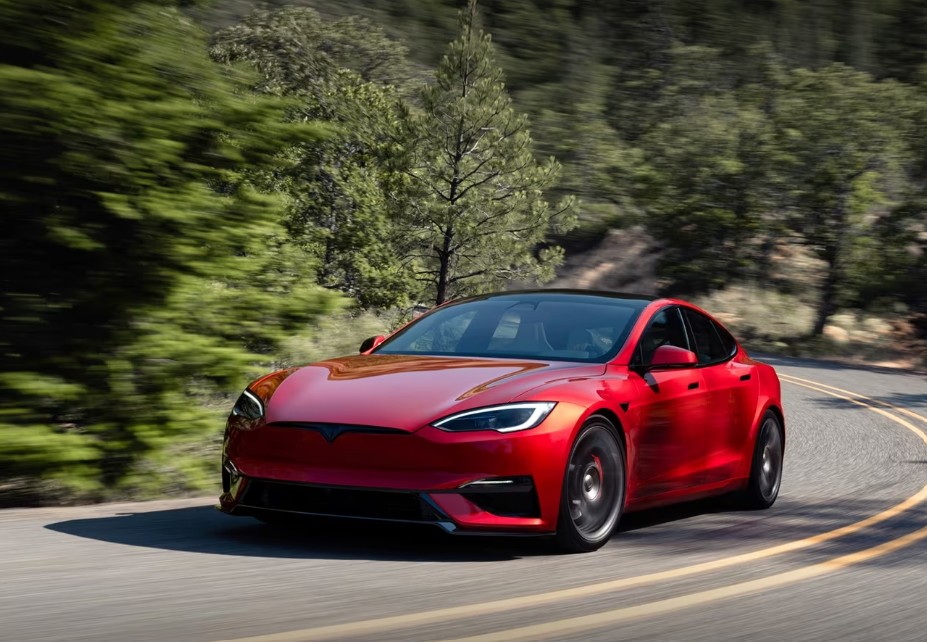
The moment we replace the battery in a Tesla key fob, we expect everything to spring back to life instantly. Smooth unlocks. Silent auto-presenting door handles. Remote trunk access. That satisfying sense of futuristic convenience. But sometimes reality throws us a curveball. We change the battery, press the buttons… and nothing happens.
If your Tesla Model S key fob stopped working after a battery replacement, you are far from alone. This issue is surprisingly common, especially with older key fobs, incorrect battery installations, weak replacement batteries, or synchronization glitches.
The good news? Most problems are fixable without an expensive trip to Tesla service.
In this guide, we will walk through every likely cause, every practical solution, and every hidden trick that can bring your Tesla Model S key fob back from the dead.
Content in this publication
- Why Tesla Model S Key Fobs Stop Working After a Battery Change
- Understanding How the Tesla Model S Key Fob Works
- The Most Common Cause: Incorrect Battery Installation
- How to Properly Replace the Tesla Model S Key Fob Battery
- Cheap Batteries Cause Big Problems
- Check the Battery Voltage
- Bent Battery Contacts Are Surprisingly Common
- Dirty Contacts Can Interrupt Power
- Tesla Model S Key Fob Needs Re-Synchronization
- What If the Tesla Still Does Not Detect the Key Fob?
- Try Using the Backup Starting Position
- Water Damage Often Appears After Battery Replacement
- The Key Fob Circuit Board May Be Damaged
- Static Electricity Can Damage Sensitive Components
- Software Glitches Inside the Vehicle Can Cause Detection Problems
- Phone Key Interference Can Create Confusion
- How Far Should the Tesla Key Fob Work?
- Radio Interference Can Block the Signal
- How to Tell If the Battery Is Making Contact
- When the Tesla Key Fob Shell Is the Problem
- Can We Reprogram a Tesla Model S Key Fob Ourselves?
- How Much Does a Replacement Tesla Key Fob Cost?
- Signs the Key Fob Is Completely Dead
- Preventing Future Tesla Key Fob Problems
- Tesla Mobile App as a Temporary Backup
- When to Contact Tesla Service
- DIY Fix or Replacement: Which Makes More Sense?
- Final Thoughts on Tesla Model S Key Fob Not Working After Battery Change
- FAQs
Why Tesla Model S Key Fobs Stop Working After a Battery Change
At first glance, replacing a key fob battery seems almost laughably simple. Pop open the fob, swap the battery, close it up, and move on with life.
But the Tesla Model S key fob is more sophisticated than a traditional car remote. Inside that tiny shell sits delicate circuitry, signal transmitters, pressure-sensitive contacts, and low-voltage communication systems that can become surprisingly temperamental.
Common reasons the key fob fails after battery replacement include:
- Incorrect battery orientation
- Weak or counterfeit battery
- Bent metal battery contacts
- Damaged key fob casing
- Signal synchronization issues
- Dirty internal terminals
- Static electricity damage
- Software glitches in the vehicle
- Internal board failure
Sometimes the solution takes 30 seconds. Other times, it requires patience and detective work.
Understanding How the Tesla Model S Key Fob Works
Before troubleshooting, it helps to understand what makes the Tesla key fob unique.
Unlike conventional remotes, the Tesla key fob acts more like a miniature wireless access computer. It communicates constantly with the vehicle using encrypted radio frequency signals.
The fob supports:
Passive Entry
The car detects the fob automatically as you approach.
Remote Commands
Functions include:
- Locking and unlocking
- Front trunk opening
- Rear trunk opening
- Summon features on supported models
- Panic alarm
Encrypted Security Communication
Tesla uses rolling encrypted codes to prevent theft and signal cloning.
That sophistication is fantastic when everything works. But even tiny interruptions in voltage or signal transmission can cause temporary failure.
The Most Common Cause: Incorrect Battery Installation
This is the first thing we should check because it causes more failures than anything else.
The Tesla Model S key fob typically uses a CR2032 coin battery. During installation, many owners accidentally insert the battery upside down.
Correct Battery Orientation
In most Tesla Model S key fobs:
- The positive (+) side faces upward
- The engraved text side is visible
Even experienced DIYers occasionally reverse it because the battery tray can appear symmetrical.
One tiny mistake can completely disable the fob.
How to Properly Replace the Tesla Model S Key Fob Battery
Let’s go step by step to ensure the replacement was done correctly.
Tools We Need
- CR2032 battery
- Plastic pry tool or fingernail
- Microfiber cloth
- Optional: compressed air
Battery Replacement Steps
Step 1: Open the Key Fob Carefully
Press the release mechanism and gently separate the shell.
Avoid using excessive force because the clips can crack.
Step 2: Remove the Old Battery
Take note of the battery orientation before removal.
Step 3: Inspect the Contacts
Look for:
- Corrosion
- Dirt
- Bent metal tabs
- Loose connections
Step 4: Insert the New Battery
Ensure:
- The battery sits flat
- Contacts touch securely
- Orientation matches the original layout
Step 5: Reassemble the Fob
Snap the casing together evenly.
Do not force the shell shut.
Cheap Batteries Cause Big Problems
Here is a frustrating reality many Tesla owners discover too late: not all CR2032 batteries are equal.
Some inexpensive batteries sold online are:
- Old stock
- Counterfeit
- Underpowered
- Poorly manufactured
A weak battery may technically power the fob but fail to generate a strong enough signal for reliable communication.
Best Battery Brands for Tesla Key Fobs
Reliable options include:
- Panasonic
- Energizer
- Duracell
- Sony
- Maxell
Avoid ultra-cheap generic batteries whenever possible.
Sometimes simply replacing the “new” battery with another high-quality one instantly fixes the issue.
Check the Battery Voltage
A fresh CR2032 battery should measure approximately:
V≈3.0 volts
If voltage drops significantly below this level, the Tesla key fob may behave unpredictably.
Symptoms of Low Voltage
- Intermittent unlocking
- Reduced range
- Delayed response
- Total failure
Even brand-new batteries can occasionally arrive defective.
Bent Battery Contacts Are Surprisingly Common
Inside the key fob are tiny metal contacts that press against the battery surface.
If these become bent during battery replacement:
- The battery may not connect fully
- Power delivery becomes inconsistent
- The fob stops responding
How to Fix Bent Contacts
Using a plastic tool or very gently with a fingernail:
- Lift the contact slightly upward
- Do not overbend
- Ensure it touches the battery firmly
This simple adjustment revives many “dead” key fobs.
Dirty Contacts Can Interrupt Power
Dust, skin oils, and microscopic corrosion can prevent proper electrical flow.
You may be interested in reading Tesla Model S Autopilot Features Temporarily Unavailable
This happens more often in humid climates or older key fobs.
How to Clean Tesla Key Fob Contacts
Use:
- A dry microfiber cloth
- Cotton swab
- Small amount of isopropyl alcohol
Avoid soaking internal components.
Think of the contacts like tiny handshake points. If they cannot connect cleanly, communication fails.
Tesla Model S Key Fob Needs Re-Synchronization
Sometimes the fob itself is perfectly healthy, but the vehicle temporarily loses communication after power interruption.
Fortunately, Tesla includes fallback synchronization methods.
Manual Re-Sync Method
Try this process:
- Sit inside the vehicle
- Place the key fob near the center console
- Press the brake pedal
- Wait several seconds
- Attempt to start the vehicle
The car may re-establish communication automatically.
What If the Tesla Still Does Not Detect the Key Fob?
If synchronization fails, the issue may involve:
- Damaged internal circuitry
- Antenna failure
- Vehicle software bug
- Water intrusion
- Physical impact damage
At this point, deeper troubleshooting becomes necessary.
Try Using the Backup Starting Position
Tesla designed emergency backup recognition points into the Model S.
Emergency Key Fob Detection Area
Place the key fob:
- Near the lower center console
- Around the cupholder area depending on model year
This location contains a low-range RFID detection system.
Even weak fobs may function here.
Water Damage Often Appears After Battery Replacement
Sometimes the battery change itself is not the real cause.
Instead, opening the fob exposes pre-existing moisture damage that finally becomes noticeable.
Signs of Water Damage
Look for:
- Green corrosion
- White residue
- Rust-colored spots
- Sticky buttons
- Foggy plastic
Water and electronics mix like oil and fire. Even tiny moisture traces can disrupt Tesla key fob operation.
The Key Fob Circuit Board May Be Damaged
Tesla key fobs are durable, but repeated drops can crack solder joints or damage the internal board.
The damage may remain hidden until the fob is opened during battery replacement.
Symptoms of Internal Board Damage
- Buttons feel normal but do nothing
- Random functionality
- Works only intermittently
- Extremely short range
Unfortunately, circuit board failures often require replacement rather than repair.
Static Electricity Can Damage Sensitive Components
Few people realize static discharge can damage low-voltage electronics.
During battery replacement:
- Carpet friction
- Dry weather
- Synthetic clothing
…can create electrostatic discharge.
One tiny spark invisible to the eye can damage delicate components.
How to Avoid Static Damage
Before touching the internals:
- Touch metal to ground yourself
- Avoid carpeted areas
- Work on wood or glass surfaces
Prevention matters more than cure here.
Software Glitches Inside the Vehicle Can Cause Detection Problems
Sometimes the key fob is innocent.
The real culprit is the vehicle software.
Like smartphones, Teslas occasionally develop temporary communication glitches.
Rebooting the Tesla Model S
We can try a soft reboot:
- Sit in the car
- Hold both steering wheel scroll buttons
- Wait until the screen restarts
This can restore lost communication between the vehicle and the key fob.
Phone Key Interference Can Create Confusion
Many Tesla owners rely on:
- Phone Key
- Key cards
- Multiple fobs
Sometimes the vehicle prioritizes one authentication source over another.
Possible Interference Issues
- Bluetooth conflicts
- Dead phone battery
- Multiple keys nearby
- Signal overlap
Try removing nearby keys and testing only one device at a time.
How Far Should the Tesla Key Fob Work?
A healthy Tesla Model S key fob generally works from:
d≈15 to 30 meters
Actual range varies depending on:
- Battery strength
- Obstacles
- Interference
- Weather
- Radio congestion
If your fob only works inches from the car, battery or signal problems are likely.
Radio Interference Can Block the Signal
Modern cities are crowded with wireless signals.
Potential interference sources include:
- Wi-Fi routers
- Cell towers
- Parking garages
- Security systems
- Power lines
Sometimes the key fob works perfectly in one location and fails entirely elsewhere.
It feels almost supernatural until we remember we live inside a sea of invisible radio waves.
You may be interested in readingTesla Model S Autopilot Features Temporarily UnavailableYou may be interested in reading
Tesla Model S Air Conditioning Not WorkingHow to Tell If the Battery Is Making Contact
A quick test can help.
After installing the battery:
- Press every button firmly
- Listen closely
- Feel for tactile response
If buttons feel mushy or inconsistent, the shell may not be seated properly.
Reopen and reassemble carefully.
When the Tesla Key Fob Shell Is the Problem
The outer casing matters more than most people think.
If clips break:
- The battery may shift
- Contacts may loosen
- Buttons misalign
A cracked shell can silently sabotage the entire system.
Signs of a Damaged Shell
- Gaps in the casing
- Loose fit
- Rattling sounds
- Uneven seams
Replacement shells are widely available and often cheaper than a complete new key fob.
Can We Reprogram a Tesla Model S Key Fob Ourselves?
Tesla key fobs are encrypted and paired to the vehicle.
Unlike older cars, DIY programming options are limited.
Some functions can sync automatically, but full pairing often requires:
- Tesla Service
- Authorized diagnostic tools
How Much Does a Replacement Tesla Key Fob Cost?
Replacement costs vary depending on:
- Model year
- Region
- Service center pricing
Typical ranges include:
- Key fob: $150–$300
- Programming fees: additional charges possible
That is why troubleshooting thoroughly before replacement makes financial sense.
Signs the Key Fob Is Completely Dead
Sometimes the hard truth arrives quietly.
Your key fob may be beyond repair if:
- Multiple batteries fail
- No buttons respond
- Vehicle never detects it
- Internal corrosion is severe
- Physical damage is obvious
Electronics have limits, and eventually even advanced Tesla hardware reaches retirement age.
Preventing Future Tesla Key Fob Problems
A little prevention saves major headaches later.
Best Practices
Use Quality Batteries
Cheap batteries create unreliable performance.
Avoid Moisture
Keep the fob dry whenever possible.
Replace Batteries Early
Do not wait until the battery fully dies.
Handle the Fob Gently
Repeated drops weaken internals over time.
Keep the Shell Clean
Dust buildup can affect buttons and seals.
Tesla Mobile App as a Temporary Backup
One hidden advantage of Tesla ownership is app-based access.
Using the Tesla App, we can often:
- Unlock the vehicle
- Start the car
- Open trunks
- Monitor status
If the key fob fails unexpectedly, the smartphone app can feel like a digital lifeboat.
When to Contact Tesla Service
If all troubleshooting fails, professional support becomes the next logical step.
Seek Tesla Service If:
- The car never detects the fob
- Multiple fresh batteries fail
- Water damage exists
- Internal components appear broken
- Vehicle software issues persist
Modern EVs combine software and hardware in deeply interconnected ways. Sometimes advanced diagnostics are necessary.
DIY Fix or Replacement: Which Makes More Sense?
Here is the reality:
Most Tesla Model S key fob issues after battery replacement are minor.
Usually the fix involves:
- Correct battery orientation
- Better battery quality
- Cleaning contacts
- Re-seating components
Actual key fob failure is less common than people assume.
Before spending hundreds on replacement, it is worth methodically checking every simple possibility first.
Sometimes the solution hides in plain sight like a missing puzzle piece under the couch.
Final Thoughts on Tesla Model S Key Fob Not Working After Battery Change
A Tesla key fob failing after a battery replacement can feel incredibly frustrating, especially because the solution seems like it should be simple. Yet these compact devices are surprisingly sensitive little machines packed with advanced electronics.
The good news is that most issues stem from manageable causes:
- Incorrect battery installation
- Weak CR2032 batteries
- Dirty or bent contacts
- Temporary synchronization glitches
By approaching the problem step by step, we can often restore full functionality without expensive repairs or replacements.
And perhaps that is the strange beauty of modern technology. Sometimes a futuristic electric vehicle worth tens of thousands of dollars can be brought back to normal by something as tiny as a properly seated coin battery.
FAQs
Why did my Tesla key fob stop working after changing the battery?
The most common reasons include incorrect battery orientation, poor battery quality, bent contacts, or temporary synchronization issues between the key fob and the vehicle.
What battery does a Tesla Model S key fob use?
Most Tesla Model S key fobs use a CR2032 coin-cell battery.
Can a dead Tesla key fob still start the car?
Yes. Place the key fob near the designated backup detection area inside the vehicle, usually near the center console or cupholders.
Do Tesla key fobs need reprogramming after a battery change?
Usually no. Most key fobs reconnect automatically once the battery is properly installed.
How long should a Tesla Model S key fob battery last?
A quality CR2032 battery typically lasts between 1 and 2 years depending on usage and environmental conditions.
You may be interested in readingTesla Model S Autopilot Features Temporarily UnavailableYou may be interested in reading
Tesla Model S Air Conditioning Not WorkingYou may be interested in reading
Tesla Model S Key Fob Not WorkingIf you want to know other articles similar to Tesla Model S Key Fob Not Working After Battery Change you can visit the category Common Problems.
Dacia Jogger Problems: Reliability, Faults, and Owner Advice
Vauxhall Meriva Gear Change Problems: Causes, Symptoms, and Practical Fixes
Vauxhall Meriva Gearbox Problems: Symptoms, Causes, Repairs, and Costs
Vauxhall Meriva Petrol Cap Won’t Open: Causes, Quick Fixes, and Repairs
Vauxhall Meriva Key Stuck in Ignition: Causes and Fixes
Vauxhall Meriva Heater Not Working: Causes, Checks, and Fixes
Leave a Reply
More content of your interest