

Ford Edge Dashboard Symbols and Meanings


Ford Edge dashboard symbols tell us about vehicle faults, safety reminders and features that are operating normally. The right response depends on the icon, its color, whether it flashes and the message on the instrument display. A wrench warning needs diagnosis, while a green Auto-Start-Stop symbol can simply confirm that the engine has stopped automatically.
This illustrated guide explains the main Edge warning lights and what we should do when they appear. We cover oil pressure, engine temperature, brakes, tire pressure, powertrain faults, driver assistance and everyday lighting, plus important AWD and maintenance messages.
Coverage: the main reference is Ford’s 2024 Edge owner’s manual for the United States and Canada. Equipment, colors and display layouts differ by year, market and trim. Images are representative Ford and standard-symbol artwork, not exact reproductions of every instrument cluster. European diesel Edge models and the separate Edge L can have additional or different warnings.
Content in this publication
- Ford Edge warning light colors explained
- Why lights appear during startup
- Red warning lights and safety reminders
- Engine and powertrain warning symbols
- Brake, steering-related and tire-pressure concerns
- Driver-assistance dashboard indicators
- Auto-Start-Stop, fuel and fluid reminders
- Normal exterior-lighting symbols
- Ford Edge messages that need more than an icon check
- What should we do if several warning lights appear?
- Conclusion
- Frequently asked questions
Ford Edge warning light colors explained
| Color | Usual meaning | Our next step |
|---|---|---|
| Red | Urgent condition or important safety reminder | Identify it immediately. Stop safely for oil-pressure, overheating or serious braking warnings. |
| Amber or yellow | Malfunction, unavailable feature or condition requiring attention | Read the message and arrange the appropriate checks. |
| Green | A function is active | Confirm that its operation is expected. |
| White or gray | Often standby or availability information | Check the specific feature’s status. |
| Blue | Main-beam headlights on | Dip the lights whenever they could dazzle others. |
Color alone is not enough. An applied parking brake can produce a red indication without a mechanical failure, while a flashing amber engine light may indicate a damaging misfire. We need to understand the individual symbol before deciding whether it is safe to continue.
Why lights appear during startup
Some lamps illuminate briefly when we switch on the ignition so their operation can be checked. The engine-management light can be on with the ignition switched on and the engine stopped. What matters is whether it goes out when expected or remains illuminated after starting.
A warning that appears while driving needs a different interpretation from a normal startup check. Record when it occurs and whether it is steady or flashing. Some information-display warnings do not perform the same visible startup sequence as conventional lamps, so use the handbook for the exact vehicle.
Red warning lights and safety reminders
Engine oil pressure warning
 | Oil can: stop safely and switch the engine off.Low engine oil pressure can prevent proper lubrication and cause serious engine damage. If the oil-pressure warning appears while the engine is running, pull over safely and shut it down. Do not keep driving to see whether the light clears.Check the level only when safe and according to the handbook. An adequate level does not guarantee adequate pressure. This warning is different from an oil-change reminder, and resetting oil life will not repair a lubrication fault. Obtain assistance if the warning remains unexplained. |
Engine coolant temperature warning
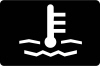 | Thermometer over waves: possible overheating.Ford instructs us to stop safely and switch the vehicle off when this warning illuminates. Reduce load while getting out of traffic, then allow the cooling system to cool before checking anything. Do not continue a journey with an overheating engine.Never remove a hot coolant cap. If there is steam, coolant loss or a recurring temperature warning, arrange professional assistance. A coolant leak, fan problem or other cooling fault needs diagnosis; repeatedly adding fluid and continuing can worsen the damage. |
Brake system warning
 | Brake symbol or BRAKE: applied parking brake or braking concern.First confirm that the parking brake is fully released. If the warning remains while moving, it can indicate low brake fluid or a brake system that requires service. Stop safely, especially if the pedal feels unusual or stopping performance changes.Do not assume that ordinary braking effort means every function is available. If fluid is low, a leak is visible or braking is uncertain, arrange recovery. Adding fluid without investigating the cause is not a complete repair and can conceal an important problem. |
Battery and charging warning
 | Battery symbol: electrical charging system needs attention.The battery lamp normally illuminates with the ignition on. If it appears with the engine running, the charging system requires inspection. It does not establish that a new battery is the correct repair; wiring, the alternator and related components may be involved.Move to a safe place and obtain prompt advice. Continuing until stored electrical power is exhausted can lead to breakdown or difficulty restarting. Avoid experimenting with battery disconnection while the engine runs, which is not a safe diagnostic test. |
Airbag warning light
 | Seated person and circle: restraint-system warning.A persistent airbag warning can indicate a problem affecting the supplemental restraint system. It should not be treated as a scheduled-service reminder. The lamp alone cannot tell us which airbag, sensor, connection or related component is affected.Have the system inspected promptly and keep using seat belts correctly. Do not probe airbag wiring or unplug seat connectors as an experiment. Removing a warning without correcting its cause does not restore the protection the system is designed to provide in a collision. |
Seat belt reminder
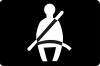 | Belted occupant: check the relevant seats.The seat belt light and audible reminder prompt occupants to buckle up. Check that belts are correctly positioned and fully latched before setting off. If the display identifies a seating position, inspect that seat rather than only the driver’s buckle.Objects on a passenger seat can sometimes influence detection. Secure them elsewhere as appropriate. An alert that persists with proper belt use needs inspection; using a dummy buckle or disabling the reminder removes a warning without solving the underlying issue. |
Door, hood or liftgate ajar warning
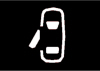 | Open-panel graphic: verify the indicated closure.The Edge can display separate warnings for a door, the hood or the liftgate. The illustration represents an open-panel alert; check the display to identify the actual location. A partially latched hood is especially important to address before driving.Stop somewhere safe and close the panel correctly. Do not slam it repeatedly if the warning remains. A latch or sensor may require inspection, but first confirm that the panel is genuinely secure. An open liftgate also creates risks involving unsecured cargo and exhaust entry. |
Engine and powertrain warning symbols
Check engine light: steady
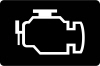 | Engine outline: emissions-system malfunction detected.A steady engine-management light with the engine running means the onboard diagnostics have detected a condition requiring service. The icon is a starting point for diagnosis, not proof that a particular sensor or common replacement part has failed.Arrange inspection and report changes in starting, acceleration, fuel consumption or engine smoothness. Avoid demanding operation while the cause is unresolved. If the vehicle runs badly, loses substantial power or displays another urgent warning, stop safely rather than relying on the lamp’s steady appearance. |
Check engine light: flashing
| Flashing engine symbol: possible misfire and catalytic-converter damage.A flashing engine warning can indicate a misfire. Increased exhaust temperatures may damage the catalytic converter or other components, so avoid hard acceleration and deceleration and have the vehicle checked immediately.If the engine shakes severely, power is inadequate or an unusual smell appears, pull over safely and request assistance. A flashing warning is not an instruction to rev the engine or drive faster to clear it. Record the circumstances, including whether the problem occurs under load or at idle. |
Wrench or powertrain warning
 | Wrench: powertrain or all-wheel-drive fault.The wrench symbol indicates that the powertrain requires service. Ford’s starting-system guidance also associates it with a four-wheel-drive fault. It is different from the scheduled oil-change message, even though a wrench may look like a general maintenance symbol.If it flashes while driving, reduce speed immediately and avoid heavy acceleration or deceleration. Arrange prompt diagnosis. Reduced power can accompany the fault, so do not attempt a long or demanding trip until the cause and the vehicle’s safe operating condition are established. |
When the engine and wrench lights appear together
Ford instructs us to stop as soon as it is safe when both lamps illuminate with the engine running. Continued driving can result in reduced power or the engine stopping. The manual describes switching off and attempting a restart, followed by prompt inspection.
That instruction must not override another warning that prohibits running the engine, such as low oil pressure or overheating. A restart that removes the lights temporarily is useful information for the technician, not proof that the fault has been repaired.
ABS warning light
 | ABS lettering: anti-lock braking needs service.An ABS warning while driving means the anti-lock function may be unavailable. Normal braking can remain, but the wheels can lock more easily during hard braking. Leave extra distance, avoid abrupt maneuvers and arrange inspection as soon as possible.If the red brake warning appears at the same time or pedal feel changes, treat the situation more seriously and stop safely. We should not assume that advice for an isolated amber ABS lamp applies when there are several braking warnings or a loss of braking performance. |
Electric parking brake malfunction
 | Parking-brake fault symbol: service required; artwork varies.The Edge has a separate electric parking-brake service indication that can illuminate or flash. It is different from the normal indication that the parking brake is applied. Read any accompanying message before deciding whether the brake has released or applied correctly.Do not force the vehicle to move against an engaged brake. If parking-brake operation is uncertain, obtain assistance and make sure the vehicle is secured before leaving it. Repeated switch operation will not necessarily resolve an electrical or mechanical fault. |
Low tire pressure warning
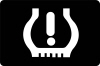 | Tire outline and exclamation mark: check pressures promptly.A steady tire-pressure warning means we should check the tires as soon as possible. Reduce speed smoothly, stop safely and inspect for visible damage or a puncture. Measure pressures with a reliable gauge and use the cold-pressure values on the vehicle label.Do not inflate to the maximum pressure printed on the tire sidewall. Tire temperature and ambient weather can influence readings, but repeated pressure loss needs investigation. A dashboard reset cannot repair a leaking valve, damaged tire or puncture. |
Flashing tire-pressure warning
| Flashing tire symbol: monitoring-system problem may be present.Ford advises inspection if the tire-pressure warning begins flashing. The monitoring system may not be operating correctly, so do not assume every tire is safe simply because the problem appears electronic.Check pressures manually and consider recent wheel changes, sensor work or use of a temporary spare when reporting the fault. The correct repair can involve sensor diagnosis or relearning, depending on the cause. Follow the procedure for the exact Edge rather than a generic reset sequence from another Ford. |
Stability and traction-control indicator
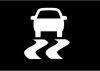 | Skidding car: active intervention or a malfunction.The stability and traction-control indicator can flash when the system is helping manage wheel slip or stability. Ease off and adjust driving to the available grip. Repeated intervention is a reason to reassess speed, tires and road conditions.A persistent malfunction indication needs inspection because assistance may be reduced or unavailable. We should not treat steady illumination as normal intervention. Even when the system works correctly, it cannot overcome excessive speed, worn tires or a sudden maneuver beyond the available traction. |
Traction or stability control OFF
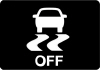 | Skidding car with OFF: assistance switched off or reduced.This indicator reflects a disabled or reduced control setting. The amount of assistance affected depends on the selected mode and vehicle specification. It is not the same as a system malfunction, although an unexpected indication should be investigated.Restore the normal setting for ordinary driving after any handbook-approved situation that required a change. Switching assistance off is not a repair for wheel slip or a warning lamp. If the function cannot be restored, read the messages and arrange diagnosis. |
Driver-assistance dashboard indicators
Pre-Collision Assist warning
 | Collision-assistance symbol: react to the situation and read the message.A collision alert requires an immediate driving response, while an unavailable or malfunction message means the assistance may not operate. These conditions must not be confused simply because they concern the same feature.Maintain control and brake or steer appropriately. Check for a blocked camera or radar area only once parked, following the handbook’s cleaning instructions. Persistent faults need inspection. Never test automatic braking by deliberately approaching a person, vehicle or obstacle, and do not rely on the system to prevent every collision. |
Blind Spot Information System indicator
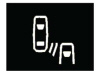 | Blind-spot alert: check the adjacent lane.Blind-spot alerts can appear in the outside mirrors rather than solely in the central cluster. They indicate a detected vehicle in the monitored area, while a separate message may report that the system is blocked or unavailable.Check mirrors and the blind spot directly before changing lanes. An illuminated indicator does not replace observation, and the absence of one does not guarantee an empty lane. If a fault persists after any indicated obstruction is cleared, have the system checked. |
Lane Keeping Aid indicator
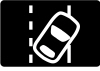 | Vehicle between lane markings: lane-assistance status.Lane Keeping Aid uses display graphics to show system status and detected lane boundaries. The meaning of colors depends on the feature and cluster, so avoid assuming that every green, gray or amber lane symbol represents the same condition across model years.Keep your hands on the wheel and steer the vehicle yourself. Poor markings, weather and camera visibility can limit assistance. Read an explicit malfunction message and arrange inspection if it remains after conditions improve, rather than diagnosing a fault from standby graphics alone. |
Adaptive cruise control indicator
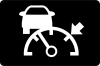 | Speed-control symbol: adaptive cruise status, where fitted.The adaptive cruise indicator helps show whether the feature is selected or controlling speed. Additional graphics can show a detected vehicle and following-gap setting. A selected system is not necessarily actively maintaining a set speed at every moment.Watch traffic and remain ready to brake. A blocked sensor or unavailable message means we should not rely on normal assistance. Adaptive cruise control does not make the Edge autonomous and may not respond to every stopped object, changing lane or rapidly developing situation. |
Conventional cruise control indicator
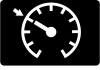 | Speedometer symbol: ordinary cruise-control status.Conventional cruise control maintains a selected speed under its operating conditions. Unlike adaptive cruise control, it does not automatically maintain a following gap to traffic ahead. Confirm which mode is selected before relying on its behavior.Use it only when road and traffic conditions are suitable, and remain ready to cancel it or brake. A standby indication is different from active speed control. If the system reports a fault, drive manually and arrange inspection rather than repeatedly attempting to engage it. |
Lane centering and “Keep Hands on Steering Wheel”
Where fitted, lane centering has its own status indication. In the covered manual, gray means selected but inactive, green means active steering assistance, and an amber indication with a tone followed by gray can show automatic cancellation.
A request to return hands to the wheel requires immediate action and steering input. It is not a maintenance reminder. Assistance can cancel when conditions are unsuitable, and the driver must remain ready to take full control throughout.
Auto-Start-Stop, fuel and fluid reminders
Auto-Start-Stop active indicator
 | Green A with a circular arrow: engine stopped automatically.The green indicator confirms an automatic engine stop. This can be normal when the system’s operating conditions are met. The vehicle remains switched on and the engine can restart automatically.Before opening the hood, servicing the vehicle or leaving it unattended, secure it and switch the ignition off properly. Do not treat an automatic stop as equivalent to shutting the vehicle down. If the indicator flashes amber with a message, read and follow the requested action. |
 | Gray crossed-out indicator: automatic stopping is unavailable.A gray indicator with a strikethrough means the system is not available. Battery condition, temperature, climate-control demand and other operating requirements can prevent an automatic stop without a mechanical fault.Read any message before attempting repairs. A temporary unavailable state is different from an explicit malfunction. If the feature repeatedly fails under suitable conditions or a service message appears, arrange diagnosis. Do not replace the battery solely because the engine remained running at one traffic light. |
Low fuel warning
 | Fuel pump: refuel soon.The low-fuel indication reminds us to refuel. Distance to empty is an estimate based on operating conditions and can change with speed, hills, traffic or recent driving. It is not a guaranteed distance available after the warning appears.Plan a safe stop instead of testing how far the vehicle will travel with the gauge near empty. The small arrow beside the fuel-pump graphic indicates the filler-door side. A low-fuel reminder is separate from an engine-management fault, even if running out later causes other problems. |
Low washer fluid warning
 | Windscreen and spray: replenish washer fluid.This symbol indicates that the washer-fluid level is low. Refill the correct reservoir with a suitable fluid for local conditions, especially where freezing weather requires appropriate protection. It is different from a coolant or brake-fluid warning.Good visibility matters before a dirty, wet or wintry journey. If the warning remains after filling, or the level falls unusually quickly, check for a leak or sensor issue. Do not pour washer fluid into a nearby coolant reservoir by mistake. |
Normal exterior-lighting symbols
High-beam headlight indicator
 | Blue headlamp: main beams are illuminating.The blue high-beam indicator confirms main-beam operation. It normally changes when we select dipped beams or use the flash function. This is an operating indicator rather than a warning that the lighting system needs service.Dip the lights whenever they could dazzle drivers ahead or approaching traffic. If the indication seems unexpected, check the stalk and automatic-lighting settings. Inspect actual lamp operation when illumination is poor; a normal dashboard symbol does not prove every exterior lamp is working correctly. |
Automatic high-beam control indicator
 | Headlamp with automatic marker: beam assistance selected.Automatic high-beam control can select or dip the main beams according to detected conditions. Its status symbol differs from the ordinary blue indication that high beams are actually illuminating.Continue supervising the lights and override them when necessary. Weather, road layout and camera visibility can affect operation. If a lighting fault message appears, use the appropriate manual setting and arrange inspection. Automatic selection does not remove our responsibility to avoid dazzling other road users. |
Exterior lamps-on indicator
 | Paired lamps: exterior lighting is on.This indicator confirms the relevant exterior lamps are selected. It should not be confused with the blue main-beam symbol or taken as proof that the lighting configuration is adequate for every situation.Check the switch setting when darkness or poor visibility develops. The Edge handbook notes that daytime running lamps do not activate the rear lamps, so daytime illumination alone is not a substitute for appropriate nighttime lighting. Use the correct setting and inspect lamps when visibility or operation seems abnormal. |
Front fog-lamp indicator
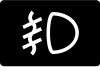 | Fog-lamp symbol: front fog lights selected, where fitted.This indicator normally means the front fog lamps are switched on. It is a status reminder, and equipment varies by trim. Its presence is not evidence of a mechanical or electrical fault.Use fog lamps only when conditions and local rules justify them. Turn them off when no longer needed, and check the actual lamps if one appears not to work. A normal switch indication and a failed exterior lamp are separate issues that may require different checks. |
Turn signals and hazard lights
 | Flashing arrows: signaling or hazard lights operating.The arrows flash when a direction indicator or the hazard lights are selected. Here, flashing is expected rather than a malfunction. Check that the selected direction matches the maneuver and cancel the signal afterward if necessary.An unusual flash pattern or an exterior signal that fails to illuminate needs inspection. Hazards can alert others to a problem, but they do not make a dangerous stopping place safe. Move away from traffic whenever possible before checking the vehicle. |
Ford Edge messages that need more than an icon check
AWD Temporarily Disabled, AWD OFF or AWD Malfunction
These messages describe different conditions. AWD can temporarily disable itself to protect against overheating or an operating problem. AWD OFF can relate to a temporary spare tire or another system preventing operation. AWD Restored indicates that normal function has resumed.
A persistent “AWD Malfunction Service Required” message needs inspection. Avoid demanding slippery-surface driving or assuming all-wheel traction is available. Record any recent tire changes or other warning messages, and do not diagnose the transfer or rear-drive components from the text alone.
Change Engine Oil Soon or Oil Change Required
Oil-life reminders concern scheduled oil service. They are separate from the red oil-pressure warning and from the powertrain wrench. Arrange the correct oil and filter service, then reset the oil-life monitor using the procedure for your model.
Resetting the monitor without performing the service changes the reminder, not the oil. Likewise, a completed oil change does not automatically resolve an unrelated wrench or engine-management fault.
No Key Detected or Starting System Fault
Check that a valid passive key is inside the vehicle and follow the handbook’s backup-starting procedure if its battery is weak. A starting-system fault can require service even when the key is correctly coded. Repeated cranking is not a substitute for diagnosis.
What should we do if several warning lights appear?
Several lamps can share one underlying cause, but we should not dismiss them as “just a weak battery” without checking. Shared power, sensors or communication can affect multiple systems, while a serious braking or oil-pressure warning still needs its own immediate response.
- Maintain control and find a safe stopping place.
- Read the highest-priority message and follow any stop instruction.
- Photograph the display once parked and note which lamps were flashing.
- Record recent repairs, tire changes and the conditions when the warnings appeared.
- Contact a qualified workshop or roadside assistance.
Avoid erasing diagnostic codes or disconnecting the battery merely to clear the display. Useful evidence may be lost while the cause remains. There is no universal safe distance for driving with a warning; the actual fault, symptoms and handbook instructions determine the response.
Conclusion
Understanding Ford Edge dashboard symbols means combining the icon, color, behavior and message. Stop promptly for oil-pressure, overheating and serious braking problems, distinguish the powertrain wrench from an oil-service reminder, and recognize normal assistance or lighting indicators. A persistent fault needs diagnosis of its cause, not just a reset that makes the warning disappear.
Frequently asked questions
1. What does the wrench light mean on a Ford Edge?
It indicates a powertrain or four-wheel-drive fault requiring service. It is not simply an oil-change reminder. Reduce speed if it flashes, avoid heavy acceleration and arrange prompt diagnosis.
2. Can I drive with the check engine light flashing?
Flashing can indicate a misfire that may damage the catalytic converter. Reduce load and obtain immediate inspection. Stop safely and arrange assistance if the engine runs badly, power is inadequate or other urgent warnings appear.
3. Why is Auto-Start-Stop crossed out?
A gray crossed-out indicator means the system is unavailable. Operating conditions can prevent an automatic stop without a fault. Read any message; an explicit malfunction or persistent problem warrants inspection.
4. How do I reset the tire-pressure light?
Check tire condition and correct cold pressures first. Follow the handbook’s procedure for the exact vehicle. A flashing monitoring-system fault, damaged tire or leaking valve needs diagnosis or repair rather than a generic reset.
5. What should I do if the wrench and engine lights come on together?
Ford instructs us to stop as soon as it is safe and have the vehicle checked. Follow the handbook’s restart guidance only when no other warning makes running the engine unsafe. Temporary disappearance of the lights does not prove the fault is repaired.
If you want to know other articles similar to Ford Edge Dashboard Symbols and Meanings you can visit the category Service and Parts.
Volvo S90 Engine Oil: Type, Capacity & Change Guide
Volvo S90 Boot Space: Size, Capacity and Practicality
SEO Title: Volvo S90 Oil Capacity: Complete Guide by Engine

Kia Sorento Oil Type: Complete Guide by Year & Engine
Kia Sorento Engine Capacity: Complete Guide by Year

Peugeot 308 Clutch Replacement Cost: Complete UK Guide for 2026
Leave a Reply
More content of your interest