

GMC Sierra 4x4 Not Engaging: Causes, Diagnosis, and Fixes

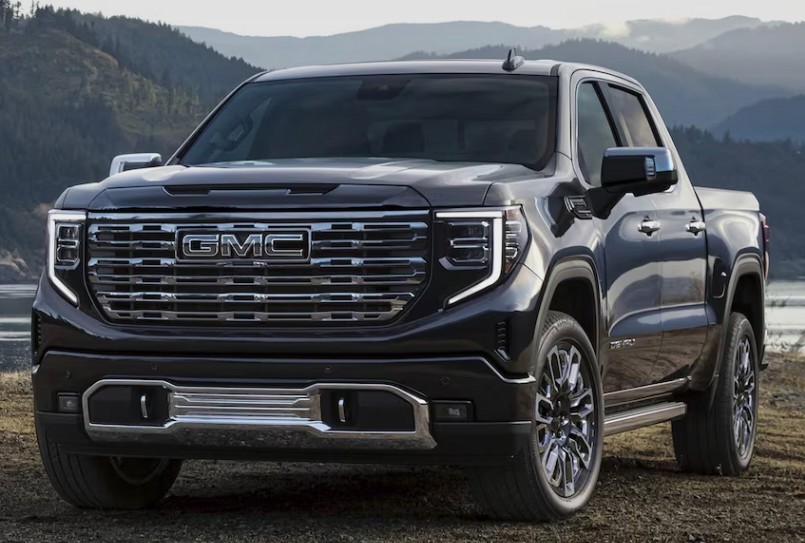
A GMC Sierra 4x4 not engaging can turn an ordinary drive into a frustrating guessing game. You rotate the selector, press the four-wheel-drive button, or choose Auto 4WD—and nothing meaningful happens. Perhaps the indicator light flashes endlessly. Maybe the dashboard displays “Service 4WD.” In other cases, the light says the system is active, but the front wheels still refuse to pull.
It feels a little like flipping a light switch in a dark room and hearing the click without seeing any light.
Fortunately, a four-wheel-drive failure does not always mean the transfer case is ruined. The problem could be as simple as a weak battery, a blown fuse, a damaged ground connection, or a faulty selector switch. It could also involve the transfer-case control module, encoder motor, front axle actuator, wiring, sensors, or internal mechanical parts.
In this guide, we will walk through the most common reasons a GMC Sierra 4x4 will not engage, explain what the symptoms mean, and show how we can diagnose the system without blindly replacing expensive components.
Content in this publication
- How the GMC Sierra 4x4 System Works
- Common Symptoms of a GMC Sierra 4x4 Failure
- Why the GMC Sierra 4x4 Is Not Engaging
- 1. Incorrect 4WD Engagement Procedure
- 2. Faulty 4WD Selector Switch
- 3. Blown Fuse or Poor Electrical Connection
- 4. Weak Battery or Low System Voltage
- 5. Failed Transfer-Case Encoder Motor
- 6. Defective Front Axle Actuator
- 7. Damaged Wiring or Corroded Connectors
- 8. Transfer-Case Control Module Problems
- 9. Faulty Transfer-Case Position Sensor
- 10. Speed Sensor or Transmission Input Problem
- 11. Low, Dirty, or Incorrect Transfer-Case Fluid
- 12. Internal Transfer-Case Damage
- 13. Driveline Binding on Dry Pavement
- 14. Mismatched Tires or Uneven Tire Wear
- GMC Sierra 4x4 Light Flashing but Not Engaging
- Service 4WD Message on a GMC Sierra
- How to Diagnose a GMC Sierra 4x4 That Will Not Engage
- Step 1: Identify the Exact Symptom
- Step 2: Check Battery Voltage and Grounds
- Step 3: Inspect Fuses and Relays
- Step 4: Scan Every Relevant Module
- Step 5: Command the System With a Scan Tool
- Step 6: Test Power and Ground at the Components
- Step 7: Verify Mechanical Movement
- Step 8: Inspect Transfer-Case Fluid and Internal Condition
- Can We Drive With the 4x4 Not Working?
- Temporary Reset for a GMC Sierra 4x4 System
- Why the GMC Sierra Engages 4HI but Not 4LO
- Why the GMC Sierra 4x4 Works Only Sometimes
- Repair Costs and What Affects Them
- DIY Repairs Versus Professional Diagnosis
- How to Prevent Future 4x4 Engagement Problems
- Common Diagnostic Mistakes to Avoid
- A Fast Troubleshooting Checklist
- Final Thoughts on a GMC Sierra 4x4 Not Engaging
- Frequently Asked Questions
How the GMC Sierra 4x4 System Works
Before chasing faults, it helps to understand what happens when we request four-wheel drive.
Depending on the model year and configuration, a GMC Sierra may use:
- A floor-mounted transfer-case lever
- A dashboard push-button selector
- A rotary electronic selector
- A single-speed transfer case
- A two-speed transfer case with 4HI and 4LO
- An automatic four-wheel-drive setting
On an electronically controlled system, selecting 4HI does not mechanically connect the front wheels by itself. The request usually travels through switches, wiring, control modules, sensors, actuators, and the transfer case.
A simplified engagement sequence looks like this:
- We select 4HI, 4LO, or Auto 4WD.
- The selector sends a request to the control system.
- The transfer-case control module checks operating conditions.
- The encoder motor shifts the transfer case.
- The front axle actuator connects the front axle, where applicable.
- Position sensors confirm that the shift occurred.
- The dashboard indicator stops flashing and remains illuminated.
If one link in this chain fails, the system may refuse to engage.
Common Symptoms of a GMC Sierra 4x4 Failure
Not every four-wheel-drive problem behaves the same way. The symptoms often point us toward the faulty area.
Common warning signs include:
- The 4HI or 4LO light flashes continuously
- The selector light goes out after pressing the button
- The truck remains in two-wheel drive
- The dashboard shows “Service 4WD”
- The transfer case clicks but does not shift
- The truck shifts into 4HI but not 4LO
- Four-wheel drive works intermittently
- The front wheels do not receive power
- The system engages after restarting the truck
- The truck becomes stuck in 4WD
- The selector switch does not illuminate
- Grinding, clunking, or binding occurs during engagement
We should pay close attention to when the failure occurs. Does it happen only in cold weather? After driving through water? Following battery replacement? Only when selecting 4LO? Those details can shorten the diagnosis considerably.
Why the GMC Sierra 4x4 Is Not Engaging
Several electronic, electrical, and mechanical failures can prevent engagement. Some are inexpensive. Others require professional repair.
1. Incorrect 4WD Engagement Procedure
Before assuming something has broken, we should confirm that we are using the correct procedure.
Many Sierra models allow 4HI to engage while the truck is moving at a reasonable speed. However, 4LO usually requires a more specific sequence. The exact process varies by model year, but it commonly involves:
- Bringing the truck to a complete or near stop
- Keeping a foot on the brake
- Shifting the transmission into Neutral
- Selecting 4LO
- Waiting for the indicator to stop flashing
- Returning the transmission to Drive
If the transmission remains in Drive or the truck is moving too quickly, the control module may reject the command.
Why 4LO Is More Selective
Low-range four-wheel drive changes the transfer-case gear ratio. Because internal gears must move into a different position, the system needs the drivetrain unloaded.
Trying to force 4LO while the drivetrain is under tension is like trying to change gears on a bicycle while standing hard on the pedals. The parts cannot move freely.
Always verify the procedure in the owner’s manual for the specific Sierra model and year.
2. Faulty 4WD Selector Switch
Electronic selector switches are common failure points on many older and modern GMC Sierra trucks.
The switch may:
- Fail to send the requested mode
- Send an incorrect signal
- Work only intermittently
- Lose illumination
- Cause indicator lights to flash
- Trigger a Service 4WD warning
Internal contacts can wear, crack, or develop resistance over time. Heat, vibration, dust, and repeated use gradually take their toll.
How to Test the Selector Switch
Start by switching between 2HI, Auto, 4HI, and 4LO while observing the lights.
Look for:
- No illumination
- Random mode changes
- Delayed response
- Lights that flicker when the dashboard is tapped
- A system that works after repeatedly pressing the button
A scan tool capable of reading transfer-case data can show whether the control module recognizes each selector position. If the requested mode does not match the switch position, the selector may be faulty.
3. Blown Fuse or Poor Electrical Connection
A four-wheel-drive system depends heavily on electrical power. A single blown fuse can silence the entire system.
Depending on the model, relevant circuits may include:
- Transfer-case control module power
- Four-wheel-drive controls
- Ignition power
- Encoder motor power
- Front axle actuator power
- Transmission control circuits
We should inspect the fuse box diagram rather than pulling random fuses. Fuse names and locations vary by Sierra generation.
Do Not Stop at the Fuse
A blown fuse is often a symptom rather than the root cause. If a replacement fuse blows again, there may be:
- A shorted actuator
- Chafed wiring
- Water inside a connector
- A failing encoder motor
- A damaged wiring harness
Installing larger fuses is dangerous. The fuse protects the wiring, and increasing its rating can allow the harness to overheat.
4. Weak Battery or Low System Voltage
Modern four-wheel-drive systems can behave unpredictably when battery voltage drops.
The engine may still start, yet the control module may not receive stable voltage. This can cause:
- Flashing 4WD lights
- Delayed engagement
- Communication codes
- Module resets
- Intermittent Service 4WD warnings
- Failure immediately after starting
Cold weather can make the issue more noticeable because battery output falls as temperatures decrease.
Basic Voltage Checks
With the engine off, a fully charged battery should generally be near its expected resting voltage. With the engine running, the charging system should provide a stable increase.
We should also inspect:
- Battery terminals
- Ground cables
- Engine grounds
- Frame grounds
- Corrosion beneath cable insulation
- Loose positive connections
A voltage-drop test is often more useful than simply looking at the terminals. A cable can appear clean on the outside while being corroded internally.
5. Failed Transfer-Case Encoder Motor
The encoder motor is one of the most important parts of an electronically shifted transfer case. It physically moves the transfer case into the requested mode and reports its position to the control module.
When it fails, we may notice:
- Flashing mode lights
- Clicking beneath the truck
- No movement from the transfer case
- Incorrect position readings
- The truck stuck in one mode
- Intermittent operation
- A Service 4WD message
The motor can fail mechanically, electrically, or through its internal position sensor.
Listen During Mode Changes
With the truck safely parked, we can ask someone to operate the selector while listening near the transfer case.
Possible results include:
- No sound: power, ground, module, wiring, or motor failure
- Repeated clicking: the motor may be trying but unable to complete the shift
- Motor sound without engagement: internal transfer-case or position-sensing problem
- One successful shift followed by failure: worn motor or binding mechanism
Listening is only a preliminary check. A scan tool and circuit testing are needed before condemning the motor.
6. Defective Front Axle Actuator
On many Sierra 4x4 systems, shifting the transfer case is only part of the process. A front axle actuator may also need to connect the front differential or axle assembly.
If the transfer case sends power forward but the axle does not connect, the truck can appear to be in 4WD while behaving like it is still in 2WD.
Typical symptoms include:
- The 4WD light stays on
- The front driveshaft rotates
- The front wheels do not pull
- Engagement is slow in cold weather
- The system works intermittently
- There is no actuator movement
Older designs may use different actuator technologies from newer models, so the correct test depends on the Sierra’s year and axle configuration.
Front Driveshaft Clue
If the front driveshaft receives power but the front wheels do not, the problem is more likely near the front axle, differential, actuator, or internal axle disconnect mechanism.
If the front driveshaft does not receive power, the issue may be in the transfer case or its controls.
This distinction is extremely useful.
7. Damaged Wiring or Corroded Connectors
Pickup trucks live difficult lives. They encounter water, road salt, mud, stones, vibration, heat, and sharp temperature changes. Wiring beneath the vehicle is especially vulnerable.
Potential trouble spots include wiring near:
- The transfer case
- The encoder motor
- The front axle actuator
- The transmission
- Frame crossmembers
- Exhaust components
- Ground points
We should look for:
- Green or white corrosion
- Broken insulation
- Stretched wires
- Melted sections
- Loose pins
- Water inside connectors
- Previous repair splices
- Harnesses rubbing against metal
A wire may look intact but be broken inside the insulation. Gently moving the harness while monitoring live scan data can reveal an intermittent connection.
8. Transfer-Case Control Module Problems
The transfer-case control module coordinates the electronic shifting process. Depending on the Sierra generation, it may be a dedicated module or integrated into a broader control network.
A module-related fault can cause:
- No response from the selector
- Multiple flashing lights
- Communication trouble codes
- Incorrect shift commands
- Failure after battery disconnection
- Intermittent operation
- A system that temporarily works after restarting
However, modules are often blamed too quickly. A weak battery, poor ground, corroded connector, failed motor, or shorted circuit can create symptoms that resemble module failure.
Never Replace a Module Based on Guesswork
Before replacing a control module, verify:
- Constant power
- Switched ignition power
- Ground quality
- Network communication
- Input signals
- Output commands
- Related wiring integrity
Some replacement modules may require programming or setup. Installing one without proper configuration may leave the system inoperative.
9. Faulty Transfer-Case Position Sensor
The control system must know the exact position of the transfer case. A position sensor—often associated with the encoder motor—provides this information.
If the sensor reports an implausible or inconsistent position, the module may stop the shift to protect the drivetrain.
The result may be:
- A flashing 4HI light
- A flashing 4LO light
- A return to the previous mode
- A Service 4WD message
- Engagement that works after cycling the ignition
- Incorrect mode shown on the dashboard
Live data can reveal whether the reported transfer-case position changes smoothly or jumps erratically.
10. Speed Sensor or Transmission Input Problem
The four-wheel-drive module may rely on vehicle speed, transmission range, and other network data before allowing a shift.
If the truck does not correctly recognize:
- Neutral
- Vehicle speed
- Brake application
- Transmission range
- Transfer-case output speed
it may reject the engagement command.
For example, 4LO may fail because the system does not see the transmission in Neutral—even though the shifter appears to be there.
This type of failure can involve a range sensor, speed sensor, wiring fault, control module, or communication problem.
11. Low, Dirty, or Incorrect Transfer-Case Fluid
Transfer-case fluid lubricates bearings, gears, chains, clutches, and other internal components. Low or degraded fluid can contribute to poor shifting, overheating, noise, and internal wear.
Possible signs include:
- Delayed engagement
- Grinding
- Whining
- Clunking
- Fluid leaks
- Burnt-smelling fluid
- Metallic particles
- Binding in Auto 4WD
We should use only the fluid specified for the exact transfer case. Fluid requirements can differ between generations and transfer-case models.
Where Transfer-Case Fluid Leaks Occur
Leaks may develop around:
- Output shaft seals
- Input seals
- Drain or fill plugs
- Case halves
- Encoder motor seals
- Vent systems
- Areas damaged by internal chain contact
A low fluid level should never be treated as normal. Find the leak rather than repeatedly topping up the case.
12. Internal Transfer-Case Damage
If the electrical system commands the shift correctly but the transfer case cannot transmit power, internal damage may be present.
Possible failures include:
- Stretched or broken chain
- Worn range fork
- Damaged shift collar
- Failed clutch pack
- Worn bearings
- Damaged gears
- Broken internal components
- Case damage caused by chain wear
Mechanical failures often produce noise, slipping, harsh engagement, or metal in the fluid.
Mechanical Warning Signs
Stop using four-wheel drive and arrange an inspection if we hear:
- Loud grinding
- Repeated banging
- High-pitched whining
- Chain-slapping noises
- Severe clunking
- Binding on straight roads
- Noise that changes between 2HI and 4HI
Continuing to drive may turn a repairable problem into a complete transfer-case replacement.
13. Driveline Binding on Dry Pavement
Sometimes the system engages correctly but does not disengage easily.
Part-time 4HI and 4LO are generally intended for loose or slippery surfaces. Using them on dry pavement can create driveline wind-up because the front and rear axles cannot rotate at different average speeds during turns.
The truck may:
- Hop or skip in corners
- Resist steering
- Feel heavy
- Refuse to shift back into 2HI
- Make clunking noises when tension releases
To relieve binding, move onto a loose surface, drive slowly in a straight line, and follow the proper disengagement procedure. Slightly reversing may also help release tension, but we should never force the selector.
14. Mismatched Tires or Uneven Tire Wear
Four-wheel-drive systems expect the tires to have closely matched rolling circumferences.
Problems can develop when the truck has:
- Different tire sizes
- Mixed brands with significantly different dimensions
- One new tire paired with three worn tires
- Incorrect tire pressures
- Uneven tread wear
- A temporary spare installed
In Auto 4WD, the system may interpret tire-speed differences as wheel slip. This can cause unwanted engagement, binding, heat, or clutch wear.
Before diagnosing an expensive transfer-case problem, confirm that all four tires match the manufacturer’s requirements and have similar tread depth.
GMC Sierra 4x4 Light Flashing but Not Engaging
A flashing light usually means the system has received the request but has not confirmed completion.
The control system may be waiting for:
- The transfer case to reach the commanded position
- The front axle actuator to engage
- The transmission to enter Neutral
- Vehicle speed to fall
- Drivetrain tension to release
- A valid position-sensor signal
If the light keeps flashing for more than a brief period, return the selector to the original mode and avoid repeatedly commanding the shift.
What We Should Check First
Start with these basics:
- Confirm the correct engagement procedure.
- Move the truck slowly on a loose surface.
- Straighten the steering wheel.
- Check battery condition.
- Inspect relevant fuses.
- Scan the transfer-case module for codes.
- Listen for the encoder motor.
- Inspect wiring and connectors.
- Verify front axle actuator operation.
- Check transfer-case fluid.
This order helps us move from simple possibilities to more complex ones.
Service 4WD Message on a GMC Sierra
The Service 4WD message means the control system has detected a fault. It does not automatically mean the transfer case needs replacement.
Possible causes include:
- Selector-switch failure
- Encoder-motor fault
- Position-sensor error
- Front axle actuator failure
- Low voltage
- Blown fuse
- Wiring damage
- Module communication fault
- Internal transfer-case resistance
A basic engine-code reader may not access the necessary module. We need a scan tool that can communicate with the transfer-case or four-wheel-drive control system.
Why Clearing the Warning Is Not a Repair
Disconnecting the battery or clearing codes may temporarily remove the warning. However, if the fault remains, the message will return.
Codes are clues, not conclusions. A code describing an encoder-motor circuit does not always prove that the motor itself is defective. The actual problem could be a broken wire, poor ground, connector issue, or module output.
How to Diagnose a GMC Sierra 4x4 That Will Not Engage
A logical diagnosis saves time and prevents parts swapping.
Step 1: Identify the Exact Symptom
Ask these questions:
- Does 4HI engage?
- Does 4LO engage?
- Does Auto 4WD work?
- Does the light flash or remain solid?
- Is the front driveshaft powered?
- Does the problem occur when cold?
- Is the system stuck in one mode?
- Are there grinding or clicking noises?
- Did the issue begin after other repairs?
The more precise the symptom, the narrower the suspect list becomes.
Step 2: Check Battery Voltage and Grounds
Test the battery rather than assuming it is healthy.
Inspect and test:
- Battery state of charge
- Charging voltage
- Terminal tightness
- Negative cable condition
- Engine ground
- Body ground
- Frame ground
- Voltage drop under load
Electronic four-wheel-drive systems dislike unstable voltage.
Step 3: Inspect Fuses and Relays
Use the fuse-box diagram for the truck.
Check fuses with a test light or multimeter. Visual inspection alone can miss small breaks.
If a fuse is blown:
- Replace it with the correct rating.
- Operate the system once.
- If it blows again, stop.
- Test the circuit for a short.
Repeated fuse failure is a warning that excessive current is flowing somewhere.
Step 4: Scan Every Relevant Module
Scan more than the engine computer.
Useful data may include:
- Requested transfer-case mode
- Actual transfer-case position
- Encoder-motor status
- Front axle status
- Transmission range
- Vehicle speed
- Brake-switch input
- Module voltage
- Communication faults
Record codes before clearing them. Freeze-frame or failure-record data may show the conditions present when the fault occurred.
Step 5: Command the System With a Scan Tool
A bidirectional scan tool may allow us to command the motor and actuator directly.
This can help separate:
- A bad selector switch
- A control-module input issue
- An output circuit problem
- A failed actuator
- An internal mechanical fault
If the system works when commanded by the scan tool but not from the dashboard switch, the selector circuit becomes a stronger suspect.
Step 6: Test Power and Ground at the Components
Do not rely solely on trouble codes.
At the encoder motor or axle actuator, check for:
- Correct supply voltage
- Reliable ground
- Command signals
- Circuit continuity
- Excessive resistance
- Short circuits
A component cannot operate without proper voltage and ground. Replacing it without checking the circuit is gambling with repair money.
Step 7: Verify Mechanical Movement
If the motor receives the correct command but the transfer case does not move, disconnecting the motor may allow a technician to inspect whether the shift mechanism itself is binding.
This stage requires care. Incorrect manual movement can damage parts or leave the truck between modes.
Step 8: Inspect Transfer-Case Fluid and Internal Condition
Check fluid level and condition using the correct service procedure.
Watch for:
- Low level
- Burnt odor
- Dark coloration
- Metal flakes
- Water contamination
- Active leakage
Metallic debris strongly suggests internal wear.
Can We Drive With the 4x4 Not Working?
If the truck remains securely in 2HI, drives normally, makes no unusual noise, and shows no signs of internal damage, short-term road driving may be possible.
However, avoid situations where four-wheel drive is essential, such as:
- Deep snow
- Mud
- Sand
- Steep loose surfaces
- Remote trails
- Boat ramps
- Construction sites
We should stop driving and seek professional help if:
- The transfer case grinds
- The truck is stuck between modes
- The drivetrain binds on dry pavement
- Fluid is leaking heavily
- The truck moves unpredictably
- A driveshaft or axle appears damaged
- The system shifts modes by itself
Safety matters more than reaching the next destination.
Temporary Reset for a GMC Sierra 4x4 System
A reset may help if the system has suffered a temporary electronic glitch, but it will not repair a failed component.
A general reset attempt may include:
- Park safely.
- Place the transmission in Park.
- Turn the ignition off.
- Wait several minutes.
- Restart the truck.
- Select 2HI.
- Drive slowly in a straight line.
- Try 4HI again on a suitable surface.
Some owners disconnect the battery, but doing so can erase settings, reset modules, and create additional relearn requirements. It may also hide useful diagnostic information.
We should scan the system before disconnecting power whenever possible.
Why the GMC Sierra Engages 4HI but Not 4LO
When 4HI works but 4LO does not, focus on conditions and components specific to low-range engagement.
Possible causes include:
- Transmission not recognized in Neutral
- Vehicle moving too quickly
- Driveline load
- Faulty transmission-range input
- Encoder motor unable to reach low range
- Binding internal shift mechanism
- Position-sensor fault
- Damaged low-range components
Try the proper procedure on level ground with the truck stopped and the transmission firmly in Neutral.
If the light continues flashing, do not force it.
Why the GMC Sierra 4x4 Works Only Sometimes
Intermittent failures are often electrical.
Likely possibilities include:
- Worn selector-switch contacts
- Loose connector
- Corroded ground
- Broken wire inside the insulation
- Weak battery
- Encoder motor with worn internal contacts
- Heat-sensitive module
- Moisture in a connector
- Actuator that sticks when cold
Intermittent faults can be difficult because the system may behave perfectly during inspection. Recording the outside temperature, road conditions, selected mode, and warning messages can help expose a pattern.
Repair Costs and What Affects Them
Repair costs vary significantly by Sierra year, transfer-case design, labor rate, part quality, and location.
A simple repair may involve:
- Fuse replacement
- Connector cleaning
- Ground repair
- Selector-switch replacement
A more involved repair may require:
- Front axle actuator replacement
- Encoder-motor replacement
- Wiring-harness repair
- Module programming
- Transfer-case rebuild
- Complete transfer-case replacement
The most expensive mistake is replacing parts without diagnosis. Three guessed components can cost more than one accurate electrical test.
DIY Repairs Versus Professional Diagnosis
We can safely perform several basic checks at home if we have the right knowledge and tools.
Reasonable DIY Checks
- Confirm the operating procedure
- Inspect fuses
- Check battery terminals
- Look for obvious wiring damage
- Verify tire sizes and pressures
- Listen for actuator movement
- Inspect for fluid leaks
- Read codes with a compatible scan tool
Repairs Better Left to a Professional
- Network communication diagnosis
- Module programming
- Internal transfer-case repair
- Advanced voltage-drop testing
- Harness repair near drivetrain components
- Transfer-case removal
- Diagnosing a truck stuck between modes
A qualified technician should understand four-wheel-drive operation and have a scan tool capable of accessing the correct modules.
How to Prevent Future 4x4 Engagement Problems
Four-wheel drive needs occasional attention, even if we rarely use it.
Engage the System Periodically
Operating 4HI occasionally on an appropriate loose or slippery surface can help keep actuators and internal mechanisms moving.
Do not activate part-time 4HI on dry pavement simply for testing.
Maintain the Transfer-Case Fluid
Follow the correct service interval for the truck’s year, usage, and transfer-case model.
Severe use may include:
- Frequent towing
- Off-road driving
- Deep-water exposure
- Snow-plowing
- Heavy commercial work
- Repeated low-speed operation
Protect Electrical Connections
After off-road use or deep water, inspect wiring and connectors around the transfer case and front axle.
Avoid blasting electrical connectors directly with high-pressure water.
Keep Tires Closely Matched
Use four tires with:
- The correct size
- Similar tread depth
- Proper inflation
- Comparable construction
This is especially important on trucks with Auto 4WD.
Respond to Warning Messages Early
A fault that begins as occasional flashing may eventually leave the truck stuck in 4WD or unable to engage when traction is needed most.
Early diagnosis is usually cheaper.
Common Diagnostic Mistakes to Avoid
Four-wheel-drive problems invite guesswork. Let us avoid the most common traps.
Replacing the Encoder Motor Immediately
Encoder motors fail, but they are not responsible for every flashing 4WD light.
Test power, ground, commands, and mechanical movement first.
Assuming a Solid Indicator Proves Engagement
A dashboard light reflects what the control system believes. It does not always prove that torque reaches the front wheels.
Ignoring Battery Condition
Low voltage can create several unrelated-looking electronic faults.
Testing on Dry Pavement
Part-time four-wheel drive can bind on high-traction surfaces and make a normal system feel broken.
Using the Wrong Transfer-Case Fluid
Incorrect fluid can affect lubrication, clutch operation, and long-term reliability.
Clearing Codes Before Recording Them
Once codes are erased, valuable failure information may disappear.
A Fast Troubleshooting Checklist
When a GMC Sierra 4x4 is not engaging, use this order:
- Confirm the correct 4HI or 4LO procedure
- Check for a Service 4WD message
- Note which selector lights flash
- Verify battery and charging voltage
- Inspect battery and frame grounds
- Check relevant fuses
- Confirm all four tires match
- Scan the transfer-case control system
- Compare requested mode with actual mode
- Listen for the encoder motor
- Check front axle actuator operation
- Inspect underbody wiring
- Verify transfer-case fluid level
- Investigate grinding, binding, or metal debris
- Test before replacing components
This checklist will not replace a full diagnosis, but it gives us a sensible roadmap.
Final Thoughts on a GMC Sierra 4x4 Not Engaging
A GMC Sierra 4x4 that refuses to engage can have a simple electrical fault or a serious mechanical problem. The symptoms may look similar, which is why methodical testing matters.
We should begin with the basics: correct operating procedure, battery voltage, fuses, grounds, tire condition, and warning codes. From there, we can evaluate the selector switch, encoder motor, front axle actuator, wiring, sensors, control module, and transfer case.
The key is not to fire the parts cannon.
A flashing button does not automatically mean the transfer case has failed. A solid indicator does not guarantee the front axle is pulling. And a temporary reset does not mean the problem has disappeared.
Think of the four-wheel-drive system as a relay race. The switch, control module, motor, actuator, sensors, and mechanical components all have to pass the baton. Finding where that handoff stops is the difference between an accurate repair and an expensive guessing game.
Frequently Asked Questions
Why is my GMC Sierra 4x4 light flashing?
A flashing 4x4 light usually means the system received the shift request but could not confirm that engagement was completed. Possible causes include incorrect operating conditions, a faulty encoder motor, a front axle actuator problem, damaged wiring, low voltage, or a position-sensor fault.
How do I know whether my GMC Sierra is actually in 4WD?
A solid indicator is useful, but the best confirmation is that torque reaches the front wheels. A technician can safely inspect front driveshaft operation, axle engagement, scan-tool data, and wheel response. Avoid unsafe testing with the truck lifted unless it is properly supported and handled by an experienced person.
Can a weak battery stop four-wheel drive from engaging?
Yes. A weak battery, unstable charging voltage, or poor ground connection can interfere with the transfer-case module, encoder motor, sensors, and actuators. The engine may still start even when system voltage is too unstable for reliable 4WD operation.
Why does my GMC Sierra go into 4HI but not 4LO?
The system may not detect the transmission in Neutral, the truck may be moving too quickly, or the drivetrain may be under tension. A faulty range input, encoder motor, position sensor, or internal low-range mechanism can also prevent 4LO engagement.
Will disconnecting the battery reset the GMC Sierra 4x4 system?
Disconnecting the battery may temporarily reset some electronic faults, but it will not repair failed wiring, actuators, sensors, motors, or internal transfer-case damage. It can also erase diagnostic information and trigger relearn procedures, so scanning the system first is the better approach.
If you want to know other articles similar to GMC Sierra 4x4 Not Engaging: Causes, Diagnosis, and Fixes you can visit the category Common Problems.
Volvo S90 Common Problems: Reliability & Repair Guide
Volvo S90 No Sound: Causes, Fixes and Solutions

Nissan Rogue Smells Like Gas: Causes and Fixes
Vauxhall Agila Problems: Common Faults & Fixes

Kia Sorento Jerking When Accelerating: Causes & Fixes

Jaguar F-Pace Low Battery: Causes, Warning Signs, and How to Fix It
Leave a Reply
More content of your interest