

Mazda CX-9 USB Port Not Working: Causes and Fixes

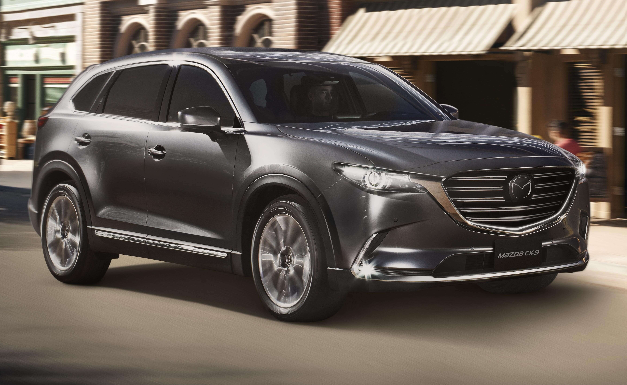
Few things are more irritating than plugging a phone into your Mazda CX-9 and getting absolutely nothing. No charging icon. No Apple CarPlay. No Android Auto. Maybe the USB connection worked perfectly yesterday, yet today the port seems as lifeless as an unplugged wall socket.
Fortunately, a Mazda CX-9 USB port not working does not automatically mean the USB hub has failed. A damaged cable, dirty connector, software glitch, overloaded charging circuit, incompatible device, incorrect infotainment setting, or blown fuse can all create similar symptoms.
That makes diagnosis slightly tricky. The secret is to avoid throwing parts at the problem and instead work through the system logically.
In this guide, we'll walk through the common reasons a Mazda CX-9 USB port stops working, explain how to diagnose charging and data problems separately, and show when a fuse, USB hub, wiring connection, Mazda Connect system, or phone could actually be responsible.
Content in this publication
- Why Is My Mazda CX-9 USB Port Not Working?
- 1. Start With the USB Cable
- 2. Test Another Phone or USB Device
- 3. Check the Phone's Charging Port
- 4. Make Sure You're Using the Correct Mazda CX-9 USB Port
- 5. Restart the Phone
- 6. Restart the Mazda CX-9
- 7. Check Mazda Connect Settings
- 8. Inspect the USB Socket for Dirt or Physical Damage
- 9. Check Whether Other USB Ports Work
- 10. Check the Mazda CX-9 USB Fuse
- 11. Consider Excessive USB Power Demand
- 12. Mazda CX-9 Charges Phone but CarPlay Doesn't Work
- 13. Mazda CX-9 USB Recognizes Phone but Keeps Disconnecting
- 14. USB Flash Drive Not Detected by Mazda CX-9
- 15. Could the Mazda Connect Software Be the Problem?
- 16. Could the USB Hub Have Failed?
- 17. Mazda CX-9 USB Port Not Charging
- 18. Can a Weak Mazda CX-9 Battery Cause USB Problems?
- 19. When Should You Disconnect the Vehicle Battery?
- 20. Is It Safe to Clean the Mazda CX-9 USB Port Yourself?
- 21. Mazda CX-9 USB Troubleshooting Checklist
- 22. When Should You Take the CX-9 to a Mazda Dealer or Technician?
- 23. How Much Does a Mazda CX-9 USB Port Repair Cost?
- 24. How to Prevent Future CX-9 USB Problems
- Conclusion: Fix the Simple Things Before Replacing Parts
- Frequently Asked Questions
Why Is My Mazda CX-9 USB Port Not Working?
The USB system inside a CX-9 does more than simply deliver electricity.
Depending on the model year, trim level, and USB location, a port may provide:
- Phone charging
- USB audio playback
- Apple CarPlay connectivity
- Android Auto connectivity
- Power-only charging for rear passengers
That distinction matters.
A rear-seat USB socket designed exclusively for charging will not suddenly become an Apple CarPlay connection simply because we plug a smartphone into it. Mazda specifically notes on the 2023 CX-9 that some second- and third-row USB power outlets are intended for charging only and cannot connect to the vehicle's audio system.
Meanwhile, the front or center-console multimedia USB connection communicates with Mazda Connect and may handle both power and data.
So before diagnosing anything, we need to identify exactly what isn't working.
Charging Failure vs Data Connection Failure
There are three basic scenarios.
The phone doesn't charge at all.
This points us toward power delivery, the cable, fuse, wiring, USB outlet, or phone charging connector.
The phone charges but CarPlay or Android Auto doesn't work.
Power is clearly reaching the port, so we're more likely dealing with the cable's data lines, smartphone permissions, Mazda Connect settings, compatibility, software, or the USB hub's data circuit.
USB audio or a flash drive isn't recognized.
This could involve drive formatting, compatibility, corrupted files, the multimedia system, or the data portion of the USB connection.
Recognizing the symptom immediately cuts the troubleshooting tree in half.
1. Start With the USB Cable
Before opening the fuse box or dismantling the center console, change the cable.
Seriously.
USB cables live difficult lives. We bend them, twist them, crush them beneath center-console lids, yank them sideways, and leave them baking inside hot vehicles.
A cable may even continue charging while its data conductors have failed. That creates the classic situation where an iPhone gains battery power but Apple CarPlay refuses to launch.
Try a Known-Good Cable
Connect your phone using another high-quality cable that you know transfers data successfully.
For an iPhone, Mazda recommends securely connecting an Apple genuine connector cord when using wired Apple CarPlay.
Avoid diagnosing the vehicle using an unknown bargain cable.
Some cables are designed primarily or exclusively for charging. They can deliver electrical power without reliably transferring the data necessary for CarPlay, Android Auto, or USB audio.
Simple Cable Test
Take the same cable indoors and connect your phone to a computer.
If the computer recognizes the phone and can exchange data, the cable probably isn't completely dead.
If the phone merely charges and never appears as a connected device, change the cable before investigating the Mazda.
2. Test Another Phone or USB Device
This is one of the fastest diagnostic tricks available.
Suppose your iPhone doesn't work with the CX-9 USB port. Connect another compatible phone using a known-good cable.
If the second phone works immediately, we've learned something important: the Mazda USB system itself probably isn't the primary problem.
Focus on the original phone.
Conversely, if several phones and several cables fail through the same port, suspicion shifts toward the vehicle.
Think of troubleshooting like turning off lights in a house one room at a time. Every successful test removes another possible cause.
3. Check the Phone's Charging Port
A surprisingly large number of automotive USB problems actually originate in the phone.
Pocket lint can become compacted inside USB-C or Lightning connectors. Eventually, the plug appears to enter the socket normally but doesn't fully seat against the electrical contacts.
Look inside the phone's connector under good lighting.
If you see debris, clean it carefully using an appropriate non-metallic method recommended for your device. Avoid aggressively digging into delicate contacts.
Then test the phone with a normal wall charger.
If charging is intermittent everywhere—not just inside the Mazda—the CX-9 probably isn't the culprit.
4. Make Sure You're Using the Correct Mazda CX-9 USB Port
The CX-9 may contain several USB sockets, but they aren't necessarily interchangeable.
For example, Mazda's documentation identifies certain USB power outlets as charging-only ports. Those cannot communicate with Mazda's audio system.
Older CX-9 configurations may place the multimedia USB connection inside the center console, while equipment and location can differ depending on model year and specification.
Mazda's 2020 manual instructs owners to connect a device to the USB port inside the console and notes that vehicles equipped for CarPlay/Android Auto should use the appropriate marked USB terminal.
How This Creates Confusion
Imagine someone normally uses the front multimedia USB socket for Apple CarPlay. One day they plug the phone into a rear USB power outlet.
The phone charges.
CarPlay doesn't appear.
It seems like something is broken—but the system may be operating exactly as designed.
Before troubleshooting deeper, check your owner's manual for the USB port assigned to multimedia connectivity.
5. Restart the Phone
Smartphones aren't immune to temporary software glitches.
Restart your iPhone or Android phone completely, then reconnect it after the operating system finishes loading.
This is especially worthwhile when:
- CarPlay previously worked normally
- Android Auto suddenly disappeared
- The phone still charges
- Another phone works in the CX-9
- The problem appeared after a phone software update
Sometimes the vehicle and phone simply fail to complete their digital handshake.
Restarting the phone forces that relationship to begin again from scratch.
6. Restart the Mazda CX-9
Next, cycle the vehicle itself.
Turn the CX-9 off, open and close the driver's door, allow the vehicle's electronics to shut down, then restart it and reconnect your device.
Why?
Modern infotainment systems are computers wearing automotive clothing. They can freeze, fail to detect devices, or temporarily lose communication with another module.
A fresh power cycle can clear a transient error without requiring repairs.
Don't immediately assume that a frozen USB menu equals failed hardware.
7. Check Mazda Connect Settings
If your phone charges but CarPlay doesn't launch, dig into the connectivity settings.
Mazda Connect allows device connection preferences to affect whether Apple CarPlay activates. Mazda's documentation notes, for example, that a registered iPhone configured as “Never Enabled” for CarPlay will not launch CarPlay simply by connecting it to the USB terminal.
On applicable CX-9 models, look through:
Settings → Connectivity Settings → Device Connection Settings
The exact labels can vary with infotainment generation and software version.
Confirm that your smartphone hasn't accidentally been disabled or restricted.
Delete and Reconnect the Device
When settings look correct but CarPlay or Android Auto remains stubborn:
- Remove the phone from Mazda Connect's saved devices.
- Remove the Mazda connection from the phone.
- Restart both systems.
- Reconnect the cable.
- Accept any permission prompts again.
It feels almost too simple, but rebuilding the pairing relationship can solve corrupted connection settings.
8. Inspect the USB Socket for Dirt or Physical Damage
Now we're moving from software to hardware.
Turn the vehicle off and inspect the USB port closely.
Look for:
- Dust
- Food crumbs
- Sticky residue
- Bent internal contacts
- Corrosion
- A connector pushed deeper into the housing
- A loose socket
- Evidence of spilled liquid
Center consoles are natural collection points for coffee, soda, coins, crumbs, and everything else that survives family road trips.
A USB socket can therefore fail simply because the cable no longer makes reliable contact.
Does the Cable Feel Loose?
Insert the cable gently.
It should fit securely without requiring pressure or a strange angle.
If charging starts and stops when you move the connector, the USB socket may have worn contacts or mechanical damage.
That's a valuable clue.
Software glitches don't normally care whether we wiggle the plug two millimeters to the left.
9. Check Whether Other USB Ports Work
If your CX-9 has multiple USB outlets, test all of them.
This can tell us whether we're dealing with a localized or vehicle-wide issue.
Only One USB Port Is Dead
Likely possibilities include:
- Physical port damage
- Internal USB hub fault
- Loose connector
- Damaged wiring
- Local contamination
Every USB Port Is Dead
Now consider:
- Fuse failure
- Shared power supply problem
- Module issue
- Wiring fault
- Battery/electrical problem
Don't assume every USB outlet shares exactly the same circuit, however. CX-9 electrical configurations vary by model year and equipment.
That brings us to the fuse box.
10. Check the Mazda CX-9 USB Fuse
A blown fuse can absolutely cause a dead USB power outlet.
But this is where generic internet advice becomes dangerous.
The CX-9 fuse arrangement is not identical across every model year.
Always confirm the fuse designation using the owner's manual for your specific vehicle before removing or replacing anything.
For reference, Mazda's official 2023 CX-9 fuse table identifies a 15-amp “USB” fuse at position 16 in the left-side fuse block, protecting the USB power outlet on applicable models.
That does not mean every CX-9 uses that exact fuse position.
How to Check a USB Fuse
Switch the vehicle off.
Locate the appropriate interior fuse panel and identify the USB-related fuse according to your model-year manual.
Remove it with a fuse puller and inspect the internal metal strip.
A visibly broken strip usually indicates a blown fuse.
Better still, test the fuse electrically with a multimeter or fuse tester because visual inspection isn't infallible.
Never Install a Higher-Amperage Fuse
If the specified circuit uses 15 amps, replace it only with the specified rating.
Installing a larger fuse because the original keeps blowing doesn't “fix” anything. It removes part of the protection designed to stop wiring from overheating.
If the replacement fuse blows again, there is likely an underlying electrical fault that needs diagnosis.
11. Consider Excessive USB Power Demand
Not every USB device behaves like a simple phone.
Some accessories demand more current than the vehicle's USB circuit is designed to supply.
Mazda specifies maximum power consumption for certain CX-9 USB power outlets. For the 2023 model, some rear outlets are rated at up to 10.5 W (5 V, 2.1 A), while certain other configurations are rated at 12.5 W (5 V, 2.5 A).
Older Mazda multimedia documentation also specifies different current limits depending on the connected device.
If a high-demand accessory repeatedly disconnects or refuses to operate while ordinary phones work normally, the accessory may simply exceed what that USB outlet can provide.
Don't automatically condemn the vehicle.
12. Mazda CX-9 Charges Phone but CarPlay Doesn't Work
This symptom deserves its own section because it is extremely useful diagnostically.
If charging works, electrical power is reaching the phone.
That doesn't prove the entire USB assembly is perfect, but it tells us the power side of the connection is alive.
Focus next on:
- Data-capable cable
- Correct USB port
- CarPlay permissions
- Smartphone settings
- Mazda Connect settings
- Phone compatibility
- Infotainment software
- USB hub data circuitry
Mazda confirms that compatible CX-9 systems use a USB connection for Apple CarPlay and Android Auto.
Try Another Data Cable First
This remains the number-one practical test.
One failed conductor inside a USB cable can kill data communication while allowing charging to continue.
That's why “but my phone charges” doesn't clear the cable of suspicion.
13. Mazda CX-9 USB Recognizes Phone but Keeps Disconnecting
Intermittent problems are often more frustrating than total failures.
A completely dead circuit at least gives us a clean symptom.
Connections that appear, disappear, reconnect, and vanish again can come from:
- Worn cables
- Loose USB socket
- Dirty phone connector
- Damaged cable end
- Software instability
- Phone overheating
- USB hub failure
- Physical vibration affecting a weak connection
Try driving briefly with a different cable positioned so it cannot move.
If the problem disappears, congratulations—we may have diagnosed a $15 problem instead of a $300 one.
Watch for Movement Sensitivity
With the vehicle safely parked, gently touch the cable near the USB port.
If CarPlay disconnects whenever the plug moves, hardware wear becomes considerably more likely.
14. USB Flash Drive Not Detected by Mazda CX-9
Phones aren't the only devices connected through USB.
If you're trying to play music from a flash drive, compatibility becomes important.
Mazda's documentation for the 2020 CX-9 states that USB storage devices used with that system should be formatted as FAT32, recommends a capacity of 16 GB or less, and notes that USB 3.0 devices aren't supported by that particular audio system.
Specifications may differ by infotainment generation, so check the manual for your CX-9 rather than assuming those limits apply universally.
Try a Simple Test Drive
Use a small, basic USB drive with a few compatible music files.
If that works while your giant 256 GB drive doesn't, the USB port itself may be perfectly healthy.
Compatibility—not hardware—is the more likely explanation.
15. Could the Mazda Connect Software Be the Problem?
Yes.
USB connectivity exists at the intersection of several software systems:
Your phone has an operating system.
CarPlay or Android Auto has its own software layer.
Mazda Connect has firmware.
Communication protocols tie everything together.
A change on either side can occasionally create connection problems.
When Software Becomes More Suspect
Think software when:
- The problem began after an iOS or Android update
- The phone charges normally
- The port isn't physically loose
- Multiple cables behave identically
- Mazda Connect otherwise functions normally
- Reconnecting the device temporarily fixes the issue
Check whether Mazda has applicable infotainment updates or service information for your specific vehicle.
A dealership can identify the installed software version and determine whether an update applies.
16. Could the USB Hub Have Failed?
Eventually, yes.
The USB hub or multimedia USB module can fail.
But it shouldn't be our first guess.
A failed hub becomes more plausible when:
- Known-good cables don't work
- Multiple compatible phones don't work
- Fuse power is present
- The USB port is physically intact
- Mazda Connect settings are correct
- The problem affects data connections consistently
- The USB assembly receives proper voltage and ground
- Software troubleshooting changes nothing
At this stage, electrical diagnosis matters more than speculation.
A technician can verify voltage, ground, network communication, and continuity before replacing the hub.
Why We Shouldn't Replace the Hub Immediately
Suppose the problem is actually a loose harness connector behind the console.
Replacing the USB hub won't fix it.
Suppose the fuse has failed.
Again, a new hub accomplishes nothing.
Suppose your cable has broken internally.
Now we've replaced vehicle hardware because of a five-dollar wire.
Diagnosis saves money.
17. Mazda CX-9 USB Port Not Charging
If your specific complaint is charging rather than CarPlay, simplify the diagnostic process.
Work through the following sequence:
- Try another cable.
- Try another phone.
- Check the phone's charging port.
- Try another CX-9 USB outlet.
- Verify ignition/accessory requirements for that port.
- Inspect the socket for damage.
- Check the correct USB-related fuse.
- Test for voltage at the circuit.
- Inspect wiring and connectors.
- Investigate the USB outlet/module itself.
That order moves from easy and inexpensive causes toward progressively less common electrical failures.
It's the automotive equivalent of checking whether a lamp is plugged in before replacing the entire electrical panel.
18. Can a Weak Mazda CX-9 Battery Cause USB Problems?
Potentially, but we wouldn't blame the battery based on a USB problem alone.
Modern vehicles react strangely to unstable system voltage. A weak battery can create multiple electronic symptoms during startup or after sitting.
However, if the CX-9 starts strongly and no other electrical systems behave unusually, a weak battery isn't the first thing we'd suspect for one dead USB socket.
Battery involvement becomes more believable if you're also seeing:
- Slow cranking
- Repeated infotainment resets
- Multiple electrical warnings
- Clock/settings resets
- Electronics behaving inconsistently after startup
In that situation, test the battery and charging system before chasing isolated modules.
19. When Should You Disconnect the Vehicle Battery?
You'll sometimes see forum advice suggesting that owners disconnect the CX-9 battery to “reset everything.”
That can occasionally reboot electronic modules, but it isn't our preferred first-line fix.
Disconnecting a vehicle battery may reset learned values or settings, and the correct procedure matters.
Try normal infotainment and vehicle power cycling first.
If you intend to disconnect the battery, consult the proper Mazda service information for your model year rather than improvising.
20. Is It Safe to Clean the Mazda CX-9 USB Port Yourself?
Basic external cleaning is reasonable if you're careful.
The rule is simple: don't turn cleaning into excavation.
Avoid sticking metal tools into an energized USB port.
If there is obvious liquid contamination, corrosion, burnt material, or damaged contacts, professional inspection makes more sense.
Mazda also cautions against allowing foreign objects or liquids into USB power outlets.
A tiny port isn't worth risking a short circuit over.
21. Mazda CX-9 USB Troubleshooting Checklist
When the Mazda CX-9 USB port is not working, here's the order we'd personally use:
- Confirm whether the problem involves charging, data, or both.
- Make sure you're using the correct USB port.
- Test a known-good data-capable cable.
- Test another smartphone.
- Check and clean the phone's connector.
- Restart the phone.
- Restart the vehicle and Mazda Connect.
- Review CarPlay/Android Auto permissions.
- Delete and reconnect the device.
- Inspect the vehicle USB socket.
- Test the other USB outlets.
- Check the correct fuse for your model year.
- Determine whether software updates apply.
- Test the USB circuit electrically.
- Inspect the hub and wiring if everything else passes.
This approach prevents us from jumping straight to expensive components.
22. When Should You Take the CX-9 to a Mazda Dealer or Technician?
DIY troubleshooting reaches a natural stopping point.
Seek professional diagnosis if:
- A replacement fuse immediately blows again
- There are burnt smells or melted connectors
- Liquid entered the console
- The port is visibly broken
- Multiple electrical systems fail simultaneously
- Wiring damage is suspected
- Proper voltage reaches the module but USB remains dead
- Mazda Connect repeatedly crashes
- The USB hub needs removal or replacement
An experienced technician can test the circuit under load instead of simply swapping components.
That distinction matters.
A voltage meter may show 12 volts on a compromised circuit with no load, yet the voltage can collapse once a device tries to draw power. Proper electrical testing exposes those faults.
23. How Much Does a Mazda CX-9 USB Port Repair Cost?
There isn't one universal price because “USB port repair” can mean very different things.
A cable replacement may cost almost nothing.
Fuse replacement is inexpensive.
A damaged USB hub, console module, harness connector, or infotainment-related repair can cost substantially more due to parts and labor.
Vehicle age also matters. CX-9 multimedia hardware changed over the model's production run, and replacement components differ accordingly.
Before approving expensive parts, ask the shop what tests confirmed the component had failed.
“Your phone wouldn't connect” isn't a diagnosis.
Voltage, ground, continuity, communication, and known-good-device testing give us a diagnosis.
24. How to Prevent Future CX-9 USB Problems
USB ports aren't particularly fragile when treated well, but repeated sideways force can eventually wear them out.
A few habits help.
Use a short, good-quality cable that doesn't get trapped beneath the console lid. Pull connectors out by the plug rather than yanking the cord. Keep drinks away from open ports. Replace cables once their connectors become loose or bent.
And don't leave adapters permanently sticking several centimeters out of the port where they can be knocked sideways.
A USB plug works like a tiny lever. Hit the far end hard enough and that force reaches the socket inside the console.
Prevention is considerably cheaper than replacing the module.
Conclusion: Fix the Simple Things Before Replacing Parts
When a Mazda CX-9 USB port is not working, the culprit can range from laughably simple to genuinely electrical.
The best strategy is to separate the problem into categories.
If the phone doesn't charge, investigate the power path: cable, phone connector, USB socket, fuse, wiring, and power outlet.
If the phone charges but Apple CarPlay or Android Auto refuses to connect, look harder at the data cable, correct multimedia USB port, permissions, Mazda Connect configuration, software, and USB hub.
And if only a flash drive fails, verify compatibility and formatting before blaming the car.
Most importantly, don't replace the USB hub merely because a forum post says that fixed somebody else's CX-9. Different symptoms can have completely different causes.
Start with another cable. Try another phone. Check the correct port. Reboot everything. Inspect the connector. Verify the fuse for your exact model year.
Work logically, and the mystery usually gets much smaller very quickly.
Frequently Asked Questions
Why is my Mazda CX-9 USB port not charging my phone?
The most common possibilities include a damaged USB cable, dirty phone connector, faulty USB socket, incorrect port, blown fuse, wiring problem, or failed USB power module. Start by testing another known-good cable and another phone. If multiple devices fail through the same port, investigate the vehicle circuit.
Which fuse controls the Mazda CX-9 USB port?
It depends on model year and equipment. For example, Mazda's official 2023 CX-9 fuse chart lists a 15-amp USB fuse at position 16 of the left-side fuse block for the USB power outlet on applicable vehicles. Do not assume that position applies to another CX-9 year; consult the owner's manual for your exact vehicle.
Why does my CX-9 charge my iPhone but Apple CarPlay doesn't work?
If charging works but CarPlay doesn't, power is reaching the phone, but data communication may be failing. Try another data-capable cable, confirm you're using the multimedia-compatible USB port, check CarPlay permissions and Mazda Connect connectivity settings, restart both devices, and reconnect the phone. A damaged USB hub data circuit is possible but should be investigated only after simpler causes are eliminated.
Can I use any Mazda CX-9 USB port for Apple CarPlay?
Not necessarily. Some CX-9 USB outlets are designed only for charging and cannot connect to the audio system. Mazda specifically identifies charging-only USB power outlets on certain configurations. Use the multimedia USB terminal specified for CarPlay or Android Auto in your particular model.
How do I know if my Mazda CX-9 USB hub is bad?
A failed hub becomes more likely when several known-good cables and phones fail, the proper fuse is intact, power and ground are verified, software and settings are correct, and the USB connection still cannot transfer data or provide power as designed. Electrical testing should confirm those conditions before the hub is replaced.
If you want to know other articles similar to Mazda CX-9 USB Port Not Working: Causes and Fixes you can visit the category Common Problems.
Volvo S90 Common Problems: Reliability & Repair Guide
Volvo S90 No Sound: Causes, Fixes and Solutions

Nissan Rogue Smells Like Gas: Causes and Fixes
Vauxhall Agila Problems: Common Faults & Fixes

Kia Sorento Jerking When Accelerating: Causes & Fixes

Jaguar F-Pace Low Battery: Causes, Warning Signs, and How to Fix It
Leave a Reply
More content of your interest