

Mitsubishi Pajero Sport Touch Screen Not Working: Causes, Fixes, and Troubleshooting Guide

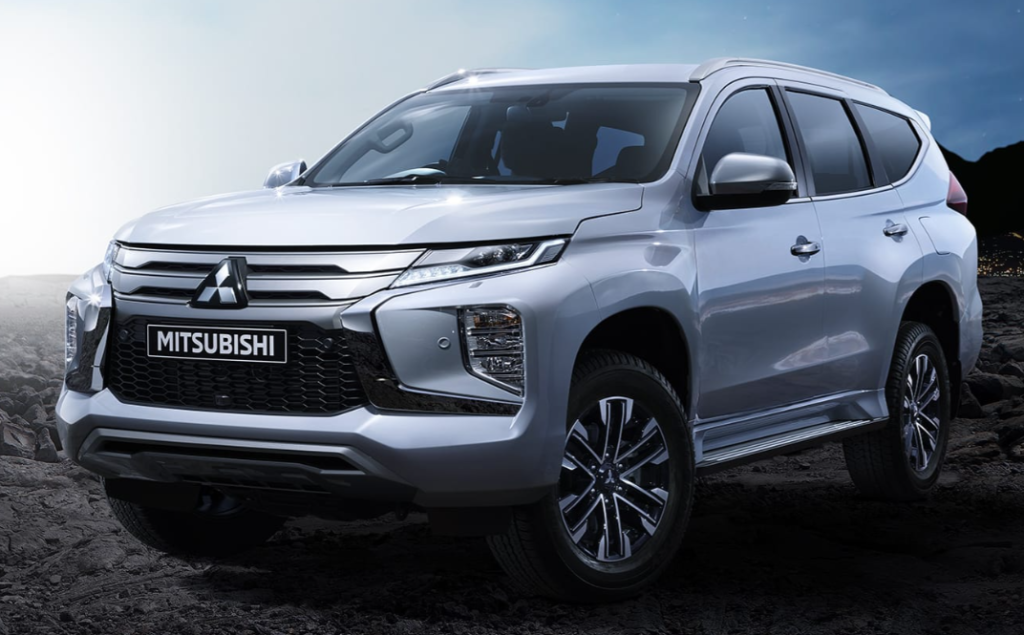
A Mitsubishi Pajero Sport touch screen not working can turn an otherwise normal drive into a frustrating guessing game. One minute the infotainment system is displaying navigation, Bluetooth audio, or Android Auto. The next, the screen freezes like a photograph, ignores every tap, repeatedly restarts, or simply goes black.
Before we assume the entire head unit has failed, though, we need to narrow down exactly what has stopped working.
A completely black display is not the same problem as a screen that shows everything but refuses to respond to touch. Likewise, Android Auto refusing to appear does not necessarily mean the Mitsubishi touchscreen itself is faulty.
The Pajero Sport has also been sold with different infotainment systems depending on the model year, trim level, and market. Mitsubishi's own Smartphone-link Display Audio information separates Pajero Sport systems into 2016–2019 and 2020-onward applications, which is a good reminder that one reset procedure will not necessarily suit every vehicle.
So, rather than throwing random fixes at the dashboard, we'll troubleshoot the system logically.
Content in this publication
- Why Is My Mitsubishi Pajero Sport Touch Screen Not Working?
- First Determine Exactly What the Screen Is Doing
- Start With a Simple Infotainment Power Cycle
- Check Whether the Problem Started After the Battery Went Flat
- Check the Relevant Fuses
- Mitsubishi Pajero Sport Screen Works but Touch Does Not
- Touchscreen Calibration Problems
- The Mitsubishi Pajero Sport Touch Screen Is Frozen on the Logo
- Touchscreen Works but Android Auto Does Not
- Touchscreen Works but Apple CarPlay Does Not
- Bluetooth Works but the Screen Is Acting Strangely
- Test the Infotainment System Without a Phone Connected
- Could Heat Cause the Pajero Sport Touchscreen to Stop Working?
- Could Moisture Damage the Mitsubishi Touchscreen?
- Inspect the USB Port and Cables
- What About an Infotainment Software Update?
- Should We Factory Reset the Pajero Sport Infotainment System?
- Should We Disconnect the Battery to Reset the Touchscreen?
- Signs the Touchscreen Digitizer May Have Failed
- When the LCD Display Itself Is Faulty
- Could the Head Unit Be Completely Faulty?
- OEM Repair vs Aftermarket Head Unit
- A Practical Mitsubishi Pajero Sport Touchscreen Diagnostic Sequence
- When Should We Visit a Mitsubishi Dealer or Auto Electrician?
- How Much Can a Pajero Sport Touchscreen Repair Cost?
- How to Reduce Future Infotainment Problems
- The Biggest Mistake: Replacing Parts Before Diagnosing the Symptom
- Conclusion
- FAQs About Mitsubishi Pajero Sport Touch Screen Problems
- 1. Why is my Mitsubishi Pajero Sport touchscreen completely black?
- 2. How do I reset a Mitsubishi Pajero Sport touchscreen?
- 3. Why does my Pajero Sport screen work but not respond to touch?
- 4. Why is Android Auto not working on my Pajero Sport when the touchscreen works normally?
- 5. Do I need to replace the entire Pajero Sport infotainment unit if the touchscreen fails?
Why Is My Mitsubishi Pajero Sport Touch Screen Not Working?
The most common causes fall into several broad categories:
- Temporary infotainment software crash
- Low or unstable 12-volt battery voltage
- Blown audio or accessory fuse
- Loose wiring or connector
- Faulty touchscreen digitizer
- Damaged LCD/display assembly
- Overheating infotainment unit
- USB or smartphone connection problem
- Android Auto or Apple CarPlay compatibility issue
- Incorrect system settings
- Firmware/software problem
- Internal head-unit failure
The trick is identifying which category matches what your Pajero Sport is actually doing.
Think of the touchscreen like a laptop. A laptop that will not turn on has a different problem from one that boots normally but has a broken mouse. The same logic applies here.
First Determine Exactly What the Screen Is Doing
Before resetting anything, spend a minute observing the symptoms.
The Screen Is Completely Black
If the touchscreen does not illuminate at all, check whether the rest of the infotainment system works.
Can we hear the radio?
Do the steering-wheel audio controls respond?
Does the reversing camera appear when reverse is selected?
Does the unit show a Mitsubishi startup logo before disappearing?
If absolutely nothing happens, we are more likely dealing with a power supply, fuse, wiring, battery-voltage, or head-unit problem rather than simply a frozen touchscreen interface.
The Display Works but Touch Does Not
This is a particularly useful clue.
If menus appear normally, songs change, navigation continues running, and steering-wheel buttons work but touching the screen does nothing, the LCD itself may be fine.
The suspect becomes the touch-sensitive digitizer layer sitting over the display.
It is essentially the transparent electronic sheet that detects where our finger touches the screen.
When that layer fails, the infotainment system may remain perfectly alive behind it.
The Screen Is Frozen
A frozen screen usually looks normal but refuses to update.
Perhaps:
- The clock stops changing.
- The same radio station stays displayed.
- A navigation screen remains stuck.
- Touch commands produce no response.
- Android Auto freezes.
- The Mitsubishi logo stays on the screen.
This often points toward a software or operating-system crash rather than immediate hardware failure.
The Screen Keeps Restarting
A repeating boot sequence deserves slightly different attention.
If we repeatedly see something like:
Mitsubishi logo → blank screen → Mitsubishi logo → blank screen
the head unit may be stuck in a reboot loop.
Possible causes include unstable voltage, corrupted software, internal memory problems, faulty wiring, or hardware failure.
Start With a Simple Infotainment Power Cycle
Our first move should usually be the least invasive one.
Park safely, place the transmission in Park, switch off the infotainment system if the controls allow it, turn the vehicle off, and give the electronics time to shut down.
Then restart the vehicle and test the screen again.
Why can something so basic work?
Because infotainment systems are computers. Like computers, occasionally they lock up. Cycling power clears temporary memory and forces the system to load again.
Some Mitsubishi audio systems can be rebooted using the physical power control, but the exact button behavior differs between head units.
If your Pajero Sport has a physical PWR/volume button, a prolonged press may restart or shut down some versions of the system.
However, we should not blindly copy a reset sequence from an Outlander, Triton, Mirage, or a different Pajero Sport generation.
The Pajero Sport owner's documentation itself directs owners of Smartphone-link Display Audio-equipped vehicles to a separate SDA manual for system-specific operation.
Why Model-Specific Instructions Matter
Service menus, reset buttons, button combinations, and firmware procedures can differ substantially.
A harmless restart instruction on one unit could initiate a different function on another.
Whenever possible, identify the exact audio system before attempting hidden menus or engineering-mode procedures.
Check Whether the Problem Started After the Battery Went Flat
Was the Pajero Sport recently jump-started?
Did the battery go completely flat?
Was a new battery fitted?
Has the engine recently been slow to crank?
If so, voltage deserves attention.
Modern infotainment systems can behave strangely when system voltage drops too far during startup. Instead of completely shutting down, modules sometimes boot incorrectly and produce symptoms such as:
- Black screens
- Random reboots
- Lost Bluetooth connections
- Frozen menus
- Incorrect clock settings
- Delayed startup
- Temporary warning messages
A healthy electrical supply matters much more to modern vehicles than many owners realize.
Check the 12-Volt Battery Before Replacing the Screen
Replacing an expensive infotainment unit when the real culprit is a tired battery would be like buying a new television because the wall socket is loose.
If the battery is several years old or the vehicle has been difficult to start, having the battery and charging system tested is sensible.
This becomes particularly important if the touchscreen issue appears mainly during or immediately after engine startup.
Check the Relevant Fuses
A blown fuse can leave the audio system completely dead.
However, fuse locations and assignments vary with production year, market, and equipment level, so we should avoid relying on a fuse number found in a random forum post.
Instead, check the Pajero Sport owner's manual or fuse-box diagram for circuits labeled along the lines of:
Audio, multimedia, accessory, ACC, radio, display, or infotainment.
Remove and inspect only the relevant fuse with the ignition off.
What Does a Blown Fuse Look Like?
A conventional blade fuse contains a thin metal strip.
If the strip is broken or burned through, the fuse has failed.
Replace it only with the same amperage rating specified for that circuit.
Never install a larger fuse simply because the correct one keeps blowing.
If the Replacement Fuse Blows Again
Stop replacing fuses.
A fuse that repeatedly fails may indicate a short circuit or electrical fault requiring diagnosis.
The fuse is protecting the wiring. Replacing it repeatedly without fixing the underlying problem removes the messenger while leaving the fire alarm ringing.
Mitsubishi Pajero Sport Screen Works but Touch Does Not
Now we reach one of the most common confusing situations.
The image looks perfect.
Bluetooth audio plays.
The reversing camera might still appear.
But touching Settings, Phone, Navigation, or any other icon produces nothing.
That strongly shifts suspicion toward the touch layer.
Clean and Dry the Screen First
It sounds almost embarrassingly simple, but begin by cleaning the display.
Heavy fingerprints, moisture, residue from dashboard cleaners, poorly installed screen protectors, or trapped water can interfere with capacitive touchscreens.
Use a clean microfiber cloth.
Avoid saturating the display with cleaner.
If a thick aftermarket screen protector has recently been installed, remove it temporarily and test the screen again.
Test Different Areas of the Touchscreen
Try touching icons in different corners.
If:
- The left side works but the right side does not,
- The top responds but the bottom does not,
- You must press several centimeters away from an icon,
- Certain areas register phantom touches,
the touchscreen digitizer may be deteriorating.
This is especially convincing when physical buttons and steering controls continue functioning normally.
Touchscreen Calibration Problems
Older touchscreen technology sometimes allowed manual calibration, where we touched several points so the system could align physical finger position with displayed icons.
Depending on the Pajero Sport's head unit, calibration options may not be available to the owner.
If the screen responds but touches register in the wrong location, calibration or digitizer failure is worth investigating.
Do not enter undocumented engineering menus simply because an online video shows someone doing it on a visually similar Mitsubishi radio.
Different firmware versions can look nearly identical from the outside.
The Mitsubishi Pajero Sport Touch Screen Is Frozen on the Logo
A startup logo that never disappears usually means the system has power but cannot complete its boot process.
That distinction is useful.
Power is reaching the unit.
The display works.
Something is preventing the infotainment software from finishing startup.
Potential causes include software corruption, low-voltage events, internal storage failure, a peripheral device confusing the unit, or a hardware fault.
Disconnect USB Devices Before Restarting
Remove anything plugged into the infotainment system:
- Smartphone
- USB memory stick
- USB adapter
- Charging cable
- Music storage device
Then restart the vehicle.
A malfunctioning peripheral or problematic USB device can occasionally complicate infotainment startup.
Mitsubishi's own SDA troubleshooting advice recommends disconnecting and reconnecting the smartphone when smartphone linking fails.
Touchscreen Works but Android Auto Does Not
Here we need to be careful with diagnosis.
If the Mitsubishi menus respond normally but Android Auto is missing, freezes, or refuses to connect, the touchscreen itself probably isn't the problem.
We should focus on the phone connection instead.
Try Another USB Cable
A cable can charge the phone perfectly yet fail at data transmission.
That catches plenty of people.
Use a high-quality data-capable cable, ideally a short one with no adapters.
Check the phone's USB port for lint or debris as well.
Restart the Phone
Reboot the smartphone completely.
Then reconnect it after the infotainment system has finished starting.
Delete and Recreate the Connection
If Bluetooth or Android Auto was previously working, removing the existing pairing and setting it up again can clear corrupted connection information.
Mitsubishi notes that phone functionality can vary after smartphone software changes and maintains compatibility information because not every device/software combination behaves identically.
Check the Date and Time
This is an unusually specific Mitsubishi troubleshooting point.
For certain Smartphone-link Display Audio configurations, Mitsubishi states that Android smartphone linking may fail when the date set on the infotainment unit differs from the date on the phone. Matching the dates can restore the connection.
That is exactly the kind of tiny setting that can make an afternoon of troubleshooting feel ridiculous once we finally discover it.
Touchscreen Works but Apple CarPlay Does Not
Again, a functioning Mitsubishi home screen normally means the display hardware is not the primary suspect.
Try:
- Restarting the iPhone.
- Disconnecting and reconnecting the cable.
- Testing another genuine or certified data cable.
- Trying another USB port if the vehicle has more than one.
- Confirming CarPlay permissions on the iPhone.
- Removing the vehicle from the iPhone's CarPlay settings and reconnecting.
Mitsubishi's compatibility documentation has historically noted that phone operating-system updates can change how previously compatible functions behave.
That matters because a failure appearing immediately after a smartphone update may have nothing to do with the Pajero Sport's physical touchscreen.
Bluetooth Works but the Screen Is Acting Strangely
Bluetooth problems can produce surprisingly messy symptoms.
Album information may not update.
Play/pause buttons may behave inconsistently.
Audio may remain paused after reconnecting.
Mitsubishi's own compatibility notes acknowledge that some display and media-control functions can behave differently depending on the connected device and music application.
So ask one important question:
Does the problem happen with every phone?
If the screen behaves normally with another phone, we should investigate the original device before condemning the vehicle.
Test the Infotainment System Without a Phone Connected
This simple experiment separates vehicle problems from smartphone problems very quickly.
Disconnect USB.
Turn Bluetooth off on the phone.
Restart the infotainment system.
Then use only the built-in Mitsubishi menus.
If everything suddenly works perfectly, the issue likely relates to the connected phone, cable, application, or smartphone integration.
If the system remains frozen even with no external device connected, attention moves back toward the head unit.
Could Heat Cause the Pajero Sport Touchscreen to Stop Working?
Electronics and heat have never been close friends.
A vehicle parked under intense sunshine can develop an extremely hot dashboard, and touchscreen electronics may behave differently at high temperatures.
If the screen:
- Stops responding after sitting in direct sunlight,
- Works again after the cabin cools,
- Develops ghost touches only when hot,
- Flickers after prolonged use,
temperature may be contributing.
Heat Can Reveal an Existing Hardware Weakness
Heat itself may not be the root cause.
Expansion can aggravate cracked solder joints, aging ribbon cables, digitizer defects, or failing internal components.
That is why an intermittent problem tied closely to cabin temperature deserves professional inspection rather than endless software resets.
Could Moisture Damage the Mitsubishi Touchscreen?
Yes.
Water entering electronics can cause corrosion, shorts, intermittent touch response, and eventually complete failure.
Think about recent events.
Was the dashboard aggressively cleaned?
Was a window left open during rain?
Has a windscreen leak developed?
Has condensation appeared inside the display?
If moisture exposure is plausible, avoid repeatedly switching the system on and off in the hope that it magically recovers.
Electrical corrosion generally becomes more expensive the longer it remains untreated.
Inspect the USB Port and Cables
A damaged USB socket can masquerade as an infotainment problem.
Look for:
- Bent contacts
- Loose connection
- Dirt
- Corrosion
- A plug that falls out easily
- Intermittent connection when the cable moves
If CarPlay or Android Auto disconnects whenever the vehicle hits a bump, a physical connection issue becomes especially suspicious.
Try another phone and another cable before replacing anything.
What About an Infotainment Software Update?
Software updates can address compatibility or operational issues, but updating vehicle infotainment firmware is not the same as updating a phone app.
Mitsubishi publishes navigation and Smartphone-link Display Audio information for supported systems, including different SDA generations.
We should first identify:
- Pajero Sport model year
- Market where the vehicle was sold
- Trim level
- Head-unit model
- Current software version
Only then should we determine whether an official update applies.
Avoid Random Firmware Files Online
Downloading an unknown firmware package because somebody says it worked on "the same Mitsubishi" is risky.
Similar-looking head units may use different regional software.
Installing incompatible firmware can turn an annoying touchscreen problem into a completely unusable head unit.
For firmware-related issues, the correct update package is more important than simply having the newest-looking version number.
Should We Factory Reset the Pajero Sport Infotainment System?
A factory reset can be useful when ordinary restarts have failed and the screen still allows access to settings.
But save it for later in the troubleshooting process.
Why?
Because a factory reset may erase stored information such as:
- Bluetooth pairings
- Radio presets
- Audio preferences
- Saved settings
- Navigation preferences
- Other personalized configuration
A reset cannot repair a cracked digitizer, blown fuse, damaged connector, or failed circuit board.
When a Factory Reset Makes Sense
Consider it when the unit:
- Frequently freezes,
- Has persistent Bluetooth problems,
- Behaves incorrectly after multiple phone changes,
- Shows strange software behavior,
- Remains operational enough to navigate settings.
When a Factory Reset Probably Will Not Help
If the screen is totally black and the unit has no power, resetting software is unlikely to achieve anything.
Likewise, if only half the touchscreen responds, the problem increasingly resembles hardware failure.
Should We Disconnect the Battery to Reset the Touchscreen?
Battery disconnection is frequently suggested online as the universal cure for automotive electronics.
It should not be our first move.
Disconnecting the battery can reset electronic modules, but it may also erase settings or require certain systems to relearn values.
If we have reached the point where a full electrical power reset appears necessary, check the correct battery-disconnection procedure for the specific Pajero Sport first.
And if the vehicle has other electrical symptoms, diagnose the battery and charging system rather than repeatedly disconnecting the terminals.
Signs the Touchscreen Digitizer May Have Failed
Hardware failure becomes increasingly likely when we see a consistent pattern.
For example:
The LCD image looks normal + physical controls work + touch never responds = digitizer strongly suspected.
Other warning signs include ghost touches, dead areas, incorrect touch positioning, worsening response over time, or touch failure that changes with temperature.
Can the Digitizer Be Replaced Separately?
On some infotainment units, specialist electronics repairers can replace the touchscreen digitizer without replacing the complete head unit.
Whether that is practical depends on the exact unit.
This can potentially be cheaper than purchasing a complete factory infotainment assembly.
However, opening the unit involves delicate ribbon cables, connectors, clips, and display components.
If we do not routinely repair electronics, this is one job where enthusiasm and a screwdriver can become an expensive combination.
When the LCD Display Itself Is Faulty
Digitizer failure affects touch input.
LCD failure affects the picture.
Possible LCD-related symptoms include:
- Vertical lines
- Strange colors
- Flickering
- Large black areas
- Cracked image
- Extremely dim display
- Backlight failure
- White screen
If audio still plays while the screen image is corrupted, the head unit may be functioning while the display assembly has failed.
That distinction can change the repair considerably.
Could the Head Unit Be Completely Faulty?
Unfortunately, yes.
A head unit contains far more than the visible screen.
Inside it are processors, storage, amplifiers, communication circuitry, power-management electronics, and connectors.
Internal failure becomes more plausible when we have already established that:
- Power and ground are correct,
- Relevant fuses are intact,
- Battery voltage is healthy,
- External devices are disconnected,
- Basic resets make no difference,
- The screen remains dead or repeatedly crashes.
At that stage, proper electrical diagnosis is more valuable than swapping random components.
OEM Repair vs Aftermarket Head Unit
When the original Mitsubishi unit truly fails, we generally have three paths.
Repair the Original Unit
This preserves the factory appearance and compatibility.
A specialist may be able to replace a digitizer, screen, internal power component, or another failed part.
Replace It With Another OEM Unit
A factory replacement can provide the cleanest integration, but compatibility should be verified using the exact part number and vehicle specification.
Used units may also carry their own unknown history.
Install an Aftermarket Multimedia System
An aftermarket system can add newer technology, larger screens, wireless Android Auto, wireless Apple CarPlay, and additional audio features.
But installation quality matters enormously.
We need to confirm compatibility with:
- Steering-wheel controls
- Factory reversing camera
- Multi Around Monitor, where fitted
- Vehicle settings
- Factory amplifier
- USB ports
- Microphone
- CAN-bus interfaces
A giant new screen is not an upgrade if half the vehicle's original functions disappear with it.
A Practical Mitsubishi Pajero Sport Touchscreen Diagnostic Sequence
Instead of trying twenty fixes in random order, we can work through the problem logically:
- Identify the exact symptom. Is the screen black, frozen, rebooting, visually damaged, or simply ignoring touch?
- Disconnect phones and USB accessories. Test the native Mitsubishi interface by itself.
- Restart the vehicle and infotainment unit. See whether the fault disappears temporarily.
- Check battery condition. Pay special attention if the issue appeared after a flat battery or jump-start.
- Inspect the correct fuses. Use the vehicle-specific fuse diagram and replace only with the specified amperage.
- Test another phone and USB cable. This is essential when the problem affects only CarPlay or Android Auto.
- Check touchscreen behavior across the whole display. Partial dead zones suggest digitizer trouble.
- Consider software settings or a factory reset. Do this only if the system remains sufficiently functional.
- Verify official software availability. Do not install random firmware packages.
- Have power, ground, wiring, and the head unit professionally tested if the fault remains.
This sequence prevents us from replacing an expensive touchscreen because of a ten-dollar cable—or replacing a USB cable when the digitizer is clearly dead.
When Should We Visit a Mitsubishi Dealer or Auto Electrician?
Professional diagnosis makes sense when the problem survives the easy checks.
Seek qualified help if:
- The screen never powers up.
- The fuse blows repeatedly.
- The unit constantly reboots.
- The screen has permanent dead zones.
- The display works but touch never responds.
- Electrical problems affect several vehicle systems.
- The fault started after water exposure.
- Wiring has previously been modified.
- An aftermarket radio or accessory has been fitted.
- Software updating or programming appears necessary.
An automotive electrician can test voltage, ground integrity, wiring continuity, and communication circuits before condemning the expensive parts.
That is much better than diagnosing the vehicle with a parts cannon.
How Much Can a Pajero Sport Touchscreen Repair Cost?
There is no useful universal price because the repair can range from something trivial to replacement of the entire multimedia system.
At the inexpensive end, the culprit might be a USB cable, fuse, dirty connector, or software reset.
In the middle, we may be looking at digitizer repair or specialist head-unit work.
At the expensive end lies complete OEM infotainment replacement.
Labor rates, country, model year, screen type, and whether the vehicle uses factory cameras or integrated systems will all affect the final bill.
That is precisely why diagnosis should come before replacement.
How to Reduce Future Infotainment Problems
We cannot prevent every electronic failure, but a few habits help.
Avoid soaking the screen with cleaning products.
Use good-quality USB cables.
Do not force connectors into damaged sockets.
Keep the vehicle's battery healthy.
Avoid questionable firmware downloads.
And when the infotainment system behaves strangely after a phone software update, test the connection before assuming the vehicle has developed a hardware fault.
Mitsubishi itself maintains smartphone compatibility information because device software and vehicle systems do not always behave identically after updates.
The Biggest Mistake: Replacing Parts Before Diagnosing the Symptom
A "touchscreen problem" can describe half a dozen completely different failures.
If the whole radio is dead, we investigate power.
If the picture works but touch does not, we investigate the touch layer.
If Mitsubishi menus work but Android Auto does not, we investigate the phone connection.
If the system reboots whenever we start the engine, battery voltage suddenly becomes interesting.
Once we classify the symptom, the mystery shrinks considerably.
Conclusion
A Mitsubishi Pajero Sport touch screen not working does not automatically mean the complete infotainment system needs replacing.
Start simple.
Disconnect external devices, restart the system, check battery condition, examine the appropriate fuses, and determine whether the problem affects the display itself or only smartphone connectivity.
If the picture remains clear while touch input fails everywhere, the digitizer becomes a strong suspect. If the whole system remains black, focus instead on power supply, wiring, fuses, and the head unit. And if the Mitsubishi menus work normally while CarPlay or Android Auto fails, investigate the smartphone, USB cable, compatibility, and connection settings first.
The dashboard might look like one big electronic mystery, but troubleshooting it is more like following footprints in the mud. Each symptom narrows the trail.
Do that before buying parts, and we stand a much better chance of fixing the actual fault rather than simply replacing the most visible component.
FAQs About Mitsubishi Pajero Sport Touch Screen Problems
1. Why is my Mitsubishi Pajero Sport touchscreen completely black?
A completely black screen can result from a power-supply issue, blown fuse, weak battery, wiring fault, display failure, or failed head unit. Check whether the audio, steering-wheel controls, and reversing camera still operate because these clues can help separate a display problem from complete infotainment failure.
2. How do I reset a Mitsubishi Pajero Sport touchscreen?
The correct reset procedure depends on the model year and installed infotainment system. Start with a normal vehicle and infotainment power cycle. If your unit offers a reset option through its settings menu, follow the appropriate owner's or SDA manual. Avoid copying hidden-button sequences from other Mitsubishi models because different systems may use different procedures.
3. Why does my Pajero Sport screen work but not respond to touch?
If the image displays normally and physical controls still work but the screen ignores every tap, a faulty touchscreen digitizer is one possibility. Before assuming hardware failure, clean and dry the screen, remove any thick screen protector, restart the system, and test multiple areas of the display.
4. Why is Android Auto not working on my Pajero Sport when the touchscreen works normally?
When the Mitsubishi interface works normally, Android Auto failure is more likely related to the smartphone, USB cable, USB port, pairing information, compatibility, permissions, or software. Try another data-capable cable and another compatible phone. Mitsubishi also advises checking that the infotainment system and Android phone have matching date settings on affected SDA configurations.
5. Do I need to replace the entire Pajero Sport infotainment unit if the touchscreen fails?
Not necessarily. Depending on the head unit, specialist repairers may be able to replace a failed digitizer or display component separately. A complete replacement makes more sense when the main head-unit electronics have failed or repair is economically impractical.
If you want to know other articles similar to Mitsubishi Pajero Sport Touch Screen Not Working: Causes, Fixes, and Troubleshooting Guide you can visit the category Common Problems.
Volvo S90 Common Problems: Reliability & Repair Guide
Volvo S90 No Sound: Causes, Fixes and Solutions

Nissan Rogue Smells Like Gas: Causes and Fixes
Vauxhall Agila Problems: Common Faults & Fixes

Kia Sorento Jerking When Accelerating: Causes & Fixes

Jaguar F-Pace Low Battery: Causes, Warning Signs, and How to Fix It
Leave a Reply
More content of your interest