

Nissan Frontier Key Fob Battery Replacement: Complete DIY Guide

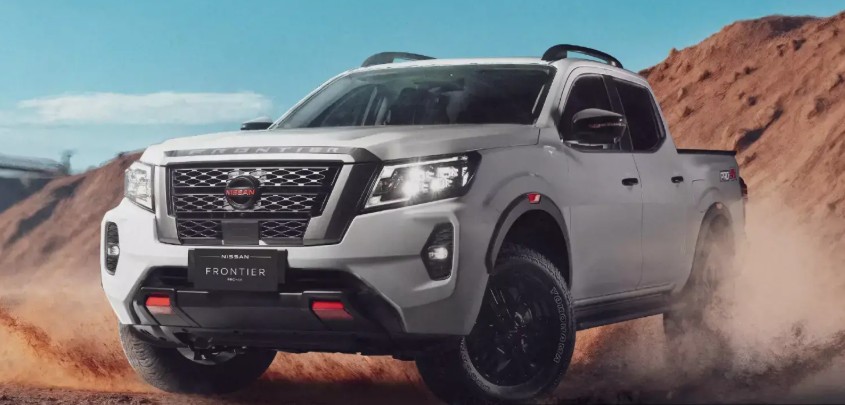
A Nissan Frontier key fob is one of those little conveniences we barely think about—until it suddenly stops cooperating. One day we press the unlock button from across the parking lot and the truck responds instantly. The next day? Nothing. We walk closer, press again, wave the fob around like a tiny magic wand, and wonder whether something expensive has failed.
Fortunately, a weak key fob often needs nothing more dramatic than a fresh coin-cell battery.
Nissan Frontier key fob battery replacement is generally an easy DIY job requiring only a few minutes, a compatible replacement battery, and perhaps a coin or small flat tool. The important catch is that Frontier key designs have changed over the years, so we shouldn't assume every Nissan Frontier uses exactly the same battery or opening method.
For example, Nissan's official 2015 and 2019 Frontier owner's manuals specify a CR2025 or equivalent for the remote key fob used on those models. Nissan also instructs owners to install that battery with the positive side facing down in that particular fob design. Newer Frontier models may use a different Intelligent Key design, so checking the battery already inside your fob or the owner's manual remains the safest approach.
In this guide, we'll walk through the process from start to finish, explain how to recognize a dying battery, troubleshoot a fob that still refuses to work, and cover the differences that matter across Nissan Frontier generations.
Content in this publication
- What Battery Does a Nissan Frontier Key Fob Use?
- Nissan Frontier Key Fob Battery Replacement at a Glance
- Signs Your Nissan Frontier Key Fob Battery Is Dying
- Tools Needed for Nissan Frontier Key Fob Battery Replacement
- How to Replace the Battery in an Older Nissan Frontier Key Fob
- How to Replace a Battery in a Newer Nissan Frontier Intelligent Key
- Does a Nissan Frontier Key Fob Need Reprogramming After Battery Replacement?
- What If the Nissan Frontier Key Fob Still Doesn't Work?
- Can You Start a Nissan Frontier With a Dead Key Fob Battery?
- How Long Does a Nissan Frontier Key Fob Battery Last?
- Should We Replace Both Nissan Frontier Key Fob Batteries?
- Common Nissan Frontier Key Fob Battery Replacement Mistakes
- Can We Use a Cheap Generic Coin Battery?
- How Much Does Nissan Frontier Key Fob Battery Replacement Cost?
- Battery Replacement vs Key Fob Replacement
- How to Keep a Nissan Frontier Key Fob Working Longer
- When Should We Visit a Nissan Dealer or Automotive Locksmith?
- Nissan Frontier Key Fob Battery Replacement by Generation
- Is Nissan Frontier Key Fob Battery Replacement Worth Doing Yourself?
- Final Thoughts on Nissan Frontier Key Fob Battery Replacement
- Frequently Asked Questions
- 1. What battery does a Nissan Frontier key fob take?
- 2. Do I need to reprogram my Nissan Frontier key after changing its battery?
- 3. Why won't my Nissan Frontier key fob work after replacing the battery?
- 4. Can I replace a Nissan Frontier key fob battery myself?
- 5. Can I use CR2032 instead of CR2025 in a Nissan Frontier key fob?
What Battery Does a Nissan Frontier Key Fob Use?
This is the first question we need to answer before reaching for a screwdriver.
There isn't necessarily one universal battery for every Nissan Frontier ever produced. The truck has been sold through multiple generations, with different remote-control designs and equipment packages.
For many older Frontier remote keyless-entry fobs, CR2025 is the appropriate battery. Nissan specifically lists a CR2025 or equivalent in the official 2015 and 2019 Frontier manuals.
Newer Intelligent Key designs found on Nissan vehicles frequently use coin-cell batteries such as CR2032, but we should verify our specific Frontier key rather than buying based purely on appearance. Nissan itself recommends referring to the vehicle's owner's information for Intelligent Key battery servicing.
CR2025 vs CR2032: Why the Difference Matters
At first glance, CR2025 and CR2032 batteries look almost identical.
Both are 3-volt lithium coin-cell batteries with roughly the same diameter, but their thickness differs. That seemingly tiny difference matters inside a tightly designed key fob.
Using the wrong battery can result in poor terminal contact, a case that doesn't close correctly, or excessive pressure on the internal electronics.
So our rule is simple:
Use the same battery number printed on the original battery unless the owner's manual specifies otherwise.
We shouldn't assume that because a CR2032 physically fits, it is automatically the proper replacement for a fob designed around a CR2025.
Where to Find the Correct Battery Number
If we're uncertain, there are three reliable places to check:
- The old battery already installed inside the key fob
- The Nissan Frontier owner's manual for the specific model year
- Nissan service information or a Nissan dealer
Once the fob is open, the battery identification—CR2025, CR2032, or another specification—is normally printed directly on the battery.
That's more reliable than trying to identify the battery from the exterior shape of the remote.
Nissan Frontier Key Fob Battery Replacement at a Glance
For most Frontier owners, the process looks something like this:
- Confirm the replacement battery type.
- Remove the mechanical key if your Intelligent Key has one.
- Locate the separation notch or opening point.
- Carefully split the key fob case.
- Note the old battery's orientation.
- Remove the depleted battery.
- Insert the new battery in the same orientation.
- Snap the key fob back together.
- Reinstall the mechanical key if applicable.
- Test lock, unlock, panic, and remote-start functions where equipped.
It sounds almost suspiciously easy—and usually it is.
The trick isn't using force. It's avoiding it.
A key fob is more like opening a watch case than opening a paint can. Gentle pressure beats brute strength every time.
Signs Your Nissan Frontier Key Fob Battery Is Dying
Key fob batteries rarely announce their retirement with fireworks. Their decline tends to be gradual.
Reduced Remote Range
One of the earliest symptoms is a shrinking operating range.
Perhaps we previously unlocked the Frontier from 30 feet away, but now it only responds when we're standing beside the driver's door.
Nissan stated an approximate operating range of 33 feet (10 meters) for the remote keyless-entry fob described in its 2019 Frontier manual, while noting that actual range varies with conditions.
A sudden reduction in range can therefore be an early hint that the battery is weakening.
Another classic symptom is inconsistency.
Unlock works.
Then it doesn't.
Then it works after pressing the button three times.
We may naturally suspect the button itself, but low battery voltage can produce exactly this kind of unpredictable behavior.
You Have to Stand Very Close to the Truck
If the key only works within a few feet of the Frontier, replacing the battery is one of the cheapest troubleshooting steps we can try.
The Intelligent Key Warning Appears
Depending on model year and equipment, newer vehicles may provide a low-key-battery message or indicator.
When such a warning appears, replacing the fob battery promptly makes sense rather than waiting until the remote stops functioning completely.
Remote Start Stops Responding
On Frontier models equipped with remote start, a weak transmitter battery may also interfere with remote-start commands.
However, remote-start failure isn't automatically proof of a bad fob battery. Vehicle conditions, programming, range, or system requirements can also prevent remote start from activating.
Tools Needed for Nissan Frontier Key Fob Battery Replacement
We won't need a toolbox worthy of a transmission rebuild.
Usually, we need only:
- The correct replacement coin-cell battery
- A coin, small flathead screwdriver, or plastic pry tool
- A clean, dry workspace
A plastic pry tool is ideal if we're worried about leaving marks on the fob casing.
Older Nissan Frontier documentation actually instructs owners to open certain key fob lids using a coin.
Whatever we use, the goal is controlled leverage—not force.
How to Replace the Battery in an Older Nissan Frontier Key Fob
Older Frontier remote keyless-entry fobs often have a fairly straightforward shell.
Nissan's own instructions for the 2019 Frontier show a three-button remote that separates to expose the coin-cell battery. Nissan specifies a CR2025 or equivalent for this design.
Step 1: Inspect the Key Fob
Before opening anything, study the perimeter.
Look for a groove, notch, or seam where the two halves meet.
We don't want to shove a screwdriver randomly into the plastic and hope for the best.
Step 2: Open the Case
Insert a coin or suitable flat tool into the opening point.
Twist gently.
The shell should begin separating.
If nothing happens, reposition the tool rather than applying dramatically more pressure.
Step 3: Note the Battery Orientation
This is an easy step to skip—and an annoying mistake to discover five minutes later.
Before removing the old battery, look at which side faces up.
Better yet, take a quick photo with your phone.
For the 2015 and 2019 Frontier remote shown in Nissan's documentation, the new CR2025 is installed with the "+" side facing down.
Other fob designs can differ, so copying the existing orientation is the safest habit.
Step 4: Remove the Old Battery
Lift the battery carefully from its holder.
Avoid bending the metal contacts underneath it.
If the battery seems stuck, gently work it loose around the edge rather than digging into the circuit board.
Step 5: Install the New Battery
Hold the replacement battery by its edges.
Nissan specifically cautions against handling the battery across its contact surfaces because this can reduce its stored capacity. The company also warns owners not to touch the internal circuit or terminals unnecessarily.
Slide the battery into position with the correct polarity.
It should sit flat and secure.
Step 6: Close the Key Fob
Align both halves of the housing and press them together.
Work around the perimeter until the case snaps fully shut.
There shouldn't be a visible gap.
Now press lock and unlock several times.
Nissan's older Frontier instructions recommend operating the buttons a few times after replacement to verify key-fob operation.
Also test the panic button and any other remote features your Frontier offers.
How to Replace a Battery in a Newer Nissan Frontier Intelligent Key
Third-generation Frontier models introduced a more modern vehicle and, depending on trim and equipment, a newer Intelligent Key arrangement.
Nissan has published official owner guidance specifically demonstrating Intelligent Key remote battery replacement for the 2024 Frontier, confirming that battery replacement remains a normal owner-service procedure rather than something that necessarily requires dealer equipment.
The general approach is slightly different from older simple remotes.
Remove the Mechanical Emergency Key
Look for the small release switch on the rear or side of the Intelligent Key.
Move the latch and pull the mechanical key from the housing.
That hidden blade isn't decoration. It gives us a way to access the truck mechanically if the remote battery becomes too weak to operate normally.
Find the Case Separation Point
Once the emergency key has been removed, we'll normally find a small slot or seam allowing the case halves to be separated.
Use a suitable flat tool carefully.
Separate the Housing
Twist slowly until the case begins opening.
Don't insert the tool deeply. Beneath that plastic shell lives the circuit board, and turning a five-dollar battery job into a replacement-fob purchase isn't the kind of upgrade we're looking for.
Remove and Match the Battery
Before discarding the old cell, read its identification number.
This is especially important with newer fobs because we shouldn't automatically assume that the battery specification from an older Frontier applies.
Match:
- Battery number
- Voltage
- Diameter
- Polarity orientation
Install the New Cell and Reassemble
Insert the fresh battery exactly as the old one sat.
Align the casing and press the two halves together until all clips engage.
Then reinstall the mechanical key.
Does a Nissan Frontier Key Fob Need Reprogramming After Battery Replacement?
Normally, replacing only the battery should not erase the existing key programming.
The key's electronic identity isn't stored inside the disposable coin-cell battery. We're simply restoring power to the transmitter.
That's an important distinction.
Replacing a battery and replacing an entire key fob are two very different jobs.
If the key worked before the battery went flat, installing the correct replacement battery should usually restore normal operation without programming a completely new key.
What If the Nissan Frontier Key Fob Still Doesn't Work?
This is where troubleshooting becomes useful.
Suppose we've installed a fresh battery, snapped everything together, walked toward the truck with confidence…and nothing happens.
Don't immediately assume the key is dead.
Check the Battery Polarity
This is mistake number one.
Take the case apart again and verify that the positive and negative faces are oriented exactly as required.
A coin battery installed backward won't provide the expected result.
Confirm the Battery Number
A battery that is almost—but not quite—the right thickness can create intermittent contact.
Read the markings on both the original and replacement batteries.
They should match unless Nissan specifies a compatible equivalent.
Try Another New Battery
Yes, even a "new" battery can be weak.
Coin cells can spend years sitting in warehouses, drawers, vehicles, or store displays before we buy them.
If possible, try another fresh battery from a reputable manufacturer.
Check the Metal Contacts
Look inside the fob.
Are the battery contacts bent?
Dirty?
Corroded?
A battery cannot power the remote properly if the terminals barely touch it.
Avoid aggressive scraping or bending. These are delicate electronic components.
If lock works but unlock doesn't, battery power may not be the real problem.
The rubber button pad, microswitch, or circuit board may be damaged.
That's particularly possible on heavily used older fobs.
Try the Spare Key
This is one of the best diagnostic shortcuts.
If our spare fob works perfectly while the primary one does nothing—even after receiving a fresh battery—the issue probably lies inside the primary fob rather than with the truck.
Can You Start a Nissan Frontier With a Dead Key Fob Battery?
On Frontier models with a traditional metal ignition key, a dead remote battery doesn't normally prevent the physical key from being inserted into the ignition.
The remote functions and vehicle immobilizer arrangements aren't necessarily the same thing.
On push-button-start models, Nissan Intelligent Key systems are designed with backup procedures for situations where the key battery is discharged.
The exact starting procedure can vary by model year, so owners should follow the emergency starting instructions in their specific Frontier owner's manual rather than assuming a universal technique.
The important takeaway is reassuring: a dead coin-cell battery doesn't automatically mean we're stranded forever beside the truck.
How Long Does a Nissan Frontier Key Fob Battery Last?
There isn't a guaranteed lifespan because key usage varies enormously.
A fob used constantly throughout the day may consume battery capacity faster than a spare key sitting untouched in a drawer.
Temperature, battery quality, storage conditions, transmitter usage, and key design can all affect longevity.
Rather than replacing the battery according to an arbitrary calendar, we can watch for practical symptoms:
- Reduced range
- Delayed response
- Intermittent operation
- Low key-battery warning
- Multiple button presses required
A replacement coin cell costs very little compared with the inconvenience of discovering a dead remote when we're already late for something.
Should We Replace Both Nissan Frontier Key Fob Batteries?
If we have two key fobs of similar age, replacing both batteries at the same time can make sense.
Why?
Because their original batteries may have aged under similar conditions.
However, it isn't mandatory.
If the spare key receives almost no use and still performs normally, we can leave it alone.
One smart habit is keeping a compatible spare coin cell at home—but not loose inside the vehicle where extreme cabin temperatures can shorten battery life.
Common Nissan Frontier Key Fob Battery Replacement Mistakes
Replacing a tiny battery looks nearly foolproof, yet several errors appear repeatedly.
Buying the Battery Before Checking the Fob
This is probably the most common.
We search "Nissan Frontier key battery," see one battery type in a search result, and order it immediately.
But Frontier key designs vary by year and equipment.
Verify first.
Buy second.
Installing the Battery Backward
Coin batteries are polarized.
Orientation matters.
Remember that Nissan's 2019 Frontier remote, for example, specifies the "+" side facing downward.
That doesn't mean every Frontier fob follows the same orientation.
Using Too Much Force
Plastic key-fob clips can crack.
If the case refuses to open, we're probably attacking it from the wrong location.
Touching the Circuit Board
There's usually no reason to handle the electronics.
Nissan explicitly warns against touching the internal circuit and electrical terminals during battery replacement.
Letting Dirt or Moisture Inside
While the key is open, treat it like a tiny electronic device—because that's exactly what it is.
Nissan cautions against allowing dust or oil into the fob and advises drying the remote promptly if it gets wet.
Work on a clean table rather than replacing the battery beside a greasy engine bay.
Can We Use a Cheap Generic Coin Battery?
Technically, a compatible battery with the correct specifications may operate the fob.
But quality matters.
The price difference between a questionable no-name cell and a reputable battery is usually small, while replacing the battery twice because the first one dies prematurely is annoying.
Choose a fresh cell from a reputable source and check the expiration or best-before information on the packaging where available.
This isn't the place where saving a few cents delivers much value.
How Much Does Nissan Frontier Key Fob Battery Replacement Cost?
DIY replacement is generally inexpensive because the only consumable part is the coin-cell battery.
Professional service becomes more expensive when the problem isn't actually the battery.
Costs can rise if we need:
- A replacement fob shell
- Internal electronics repair
- A completely new Intelligent Key
- Key cutting
- Immobilizer/key programming
- Diagnostic work
That's why replacing the battery is such a sensible first step whenever the symptoms point toward low transmitter power.
It's the automotive equivalent of checking whether the TV remote needs batteries before buying a new television.
Battery Replacement vs Key Fob Replacement
These two terms often get mixed together online.
A battery replacement means opening the existing remote and changing the small coin cell.
A key fob replacement means replacing all or part of the remote itself.
We might need an entire replacement fob if:
- The case is severely damaged
- The circuit board is cracked
- The buttons no longer function
- The fob suffered major water damage
- The transmitter electronics have failed
- The key has been lost
A new fob may also require programming to the vehicle.
That's a completely different situation from simply changing the battery.
How to Keep a Nissan Frontier Key Fob Working Longer
We can't make a coin battery immortal, but we can make life easier for the remote.
Keep It Dry
A light splash may not instantly destroy the fob, but electronic circuits and water aren't natural friends.
If it gets wet, dry it promptly.
Nissan describes the older Frontier fob as water-resistant but still instructs owners to wipe it completely dry if exposed to water.
Don't Crush It in a Pocket
Keys, coins, tools, and smartphones all competing for pocket space can place unnecessary pressure on the remote housing.
If the key is squeezed inside a bag all day, buttons may be activated unintentionally.
That's inconvenient and can contribute to unnecessary battery use.
Keep the Spare Fob Somewhere Sensible
Don't lose both keys together.
Store the spare somewhere secure, dry, and memorable.
Having a working second key can also save us considerable diagnostic time when the primary fob starts behaving strangely.
When Should We Visit a Nissan Dealer or Automotive Locksmith?
Changing the battery is DIY-friendly.
Electronic diagnosis isn't always.
Professional help makes sense when:
- A verified fresh battery doesn't restore operation
- Both fobs have stopped working
- Push-button start doesn't recognize the key
- The key was physically damaged
- The transmitter was submerged
- The vehicle reports a key-system fault
- A replacement key requires programming
A qualified automotive locksmith may also be able to diagnose, supply, cut, or program replacement keys depending on the Frontier model and local service availability.
Nissan Frontier Key Fob Battery Replacement by Generation
The Frontier's long production run makes generation awareness especially important.
First-Generation Frontier
Earlier Frontier models typically used conventional keys and comparatively simple remote keyless-entry arrangements.
Owners should identify the exact remote they have because a previous owner may have replaced the original fob at some point.
Don't Identify the Battery by Truck Year Alone
Two trucks of similar age aren't guaranteed to have identical remotes.
Compare the actual fob and battery.
Second-Generation Frontier
This long-running generation is where many owners encounter the familiar Nissan three-button remote.
Official 2015 and 2019 U.S. Frontier manuals specify CR2025 or equivalent batteries for their illustrated key fobs.
The Coin-Opening Method
Nissan's instructions for these remotes show the housing being opened using a coin, followed by removal of the battery and installation of the replacement cell.
This makes the job particularly straightforward.
Third-Generation Frontier
The redesigned Frontier brought newer electronics and Intelligent Key functionality depending on configuration.
Nissan has provided official guidance for battery replacement on the 2024 Frontier Intelligent Key, so owners can still treat battery replacement as a relatively simple maintenance task.
Verify the Modern Intelligent Key Battery
Don't automatically transfer the CR2025 specification from an older second-generation remote to a newer Intelligent Key.
Open the fob carefully, read the battery specification, and match it exactly.
Is Nissan Frontier Key Fob Battery Replacement Worth Doing Yourself?
For most owners, absolutely.
The job is short, inexpensive, and requires almost no specialized mechanical ability.
If we can change batteries in a small electronic device without attacking it with a screwdriver like we're opening a crate, we can probably handle a Frontier key fob.
The bigger lesson is knowing when the battery isn't the problem.
When a fresh, correctly installed battery changes nothing, continuing to replace batteries won't solve an electronic, programming, or vehicle-side fault.
That's when diagnosis becomes more important than repetition.
Final Thoughts on Nissan Frontier Key Fob Battery Replacement
A failing remote can make a perfectly reliable truck feel strangely helpless. Fortunately, Nissan Frontier key fob battery replacement is one of the simplest maintenance jobs we can tackle ourselves.
Start by identifying the correct battery. Older Frontier manuals—including Nissan's official documentation for 2015 and 2019—specify a CR2025 or equivalent for the remote shown in those vehicles. Newer Intelligent Keys may differ, which is why checking the existing battery or model-specific owner's manual matters.
Once we have the correct cell, the process is straightforward: open the housing carefully, remember the old battery orientation, avoid touching the internal circuitry, install the new cell, close the remote securely, and test its operation.
Five minutes of attention can restore something we use virtually every day.
And isn't that exactly the kind of DIY repair we like—cheap, quick, and satisfying?
Frequently Asked Questions
1. What battery does a Nissan Frontier key fob take?
It depends on the year and key-fob design. Nissan's official 2015 and 2019 Frontier manuals specify a CR2025 or equivalent for the remote key fob shown in those manuals. Newer Intelligent Keys can use different designs, so check the number printed on your existing battery or consult the owner's manual before purchasing a replacement.
2. Do I need to reprogram my Nissan Frontier key after changing its battery?
A normal battery replacement generally should not require programming a completely new key because we're retaining the original transmitter and simply restoring its power source. If the remote still doesn't function afterward, confirm battery type and polarity before investigating a key or vehicle-side fault.
3. Why won't my Nissan Frontier key fob work after replacing the battery?
The battery may be installed backward, be the wrong size, have poor contact, or be defective despite being new. The fob itself could also have damaged buttons or electronics. Check polarity and battery specification first, then test your spare fob if available.
4. Can I replace a Nissan Frontier key fob battery myself?
Yes. Nissan's own Frontier documentation includes owner instructions for replacing key-fob batteries, including opening the older remote housing, removing the old cell, installing the replacement, and testing operation afterward.
5. Can I use CR2032 instead of CR2025 in a Nissan Frontier key fob?
Don't substitute battery sizes simply because they look similar. A CR2032 and CR2025 differ in thickness, which can affect fit and terminal pressure. If your Frontier manual or original battery specifies CR2025, use CR2025 or an explicitly approved equivalent rather than forcing a different battery into the housing.
If you want to know other articles similar to Nissan Frontier Key Fob Battery Replacement: Complete DIY Guide you can visit the category Service and Parts.
Kia Sorento Service Reset: How to Reset the Service Light
Kia Sorento Fuel Tank Capacity: Gallons, Litres and Model Differences
Kia Sorento Tyre Pressure: Recommended PSI, Bar and Complete Guide
Kia Sorento Boot Space: How Much Luggage Space Does It Really Have?
Kia Sorento Towing Capacity: How Much Can a Sorento Tow?
Honda Passport Payload Capacity: How Much Weight Can It Carry?
Leave a Reply
More content of your interest