
Nissan Note Dashboard Symbols and Meanings: Complete Guide

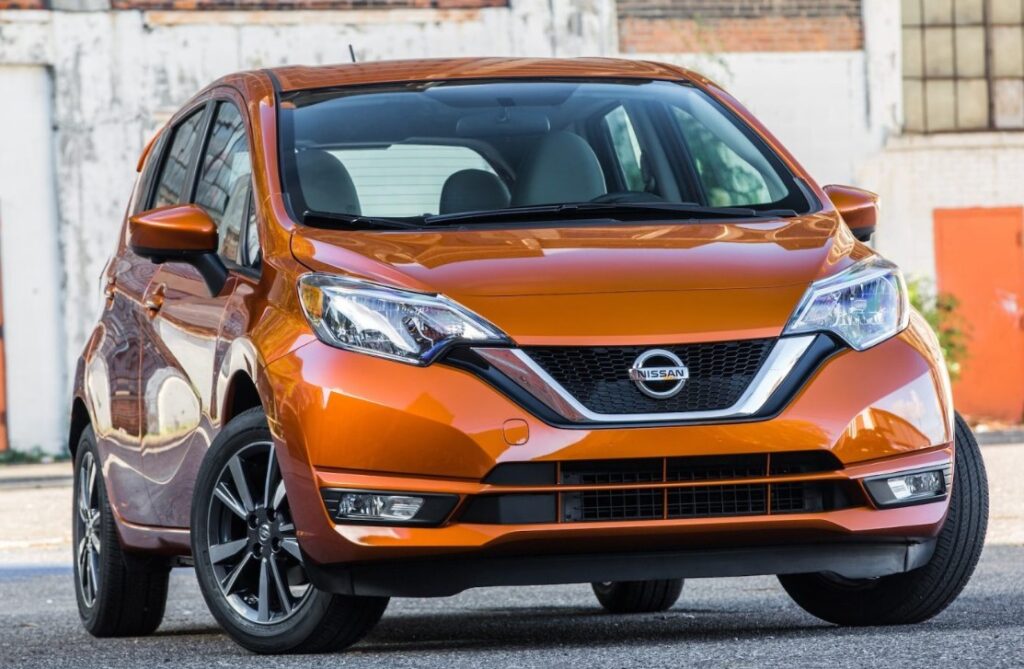
The Nissan Note dashboard symbols and meanings can feel like a secret language when several lights suddenly appear at once. One minute, we are driving normally; the next, the instrument panel resembles a brightly lit Christmas tree.
Some dashboard symbols simply confirm that a feature is working. Others warn us that the car needs attention. A few mean we should pull over immediately and switch the vehicle off.
The challenge is that the Nissan Note has been produced across several generations, markets, engines, and trim levels. An early petrol Note may have a relatively simple instrument cluster, while a later Nissan Note e-Power can display warnings for its electric motor, high-voltage battery, regenerative braking, cameras, sensors, and intelligent driving systems.
This guide explains the most common Nissan Note warning lights, what each symbol means, how urgently we should react, and whether it is normally safe to continue driving.
Content in this publication
- Understanding Nissan Note Dashboard Light Colours
- Why Dashboard Symbols Differ Between Nissan Note Generations
- Nissan Note Oil Pressure Warning Light
- Nissan Note Engine Temperature Warning Light
- Nissan Note Battery Charge Warning Light
- Nissan Note Brake Warning Light
- Nissan Note ABS Warning Light
- Nissan Note Traction Control and Stability Control Symbol
- Nissan Note Check Engine Light
- Nissan Note Diesel Glow Plug Light
- Nissan Note Diesel Particulate Filter Warning
- Nissan Note Power Steering Warning Light
- Nissan Note Airbag Warning Light
- Nissan Note Seat Belt Warning
- Nissan Note Tyre Pressure Warning Light
- Nissan Note Low Fuel Warning Light
- Nissan Note Door, Bonnet, and Tailgate Warning
- Nissan Note Immobiliser and Security Light
- Nissan Note Intelligent Key Warning
- Nissan Note Automatic Transmission Warning
- Nissan Note Start-Stop System Symbols
- Nissan Note Cruise Control Symbols
- Nissan Note Lane Departure Warning Light
- Nissan Note Intelligent Emergency Braking Warning
- Nissan Note Master Warning Light
- Nissan Note e-Power READY Indicator
- Nissan Note e-Power System Warning Light
- Nissan Note High-Voltage Battery Warning
- Nissan Note EV Mode and e-Pedal Symbols
- Nissan Note Electronic Shift Warning
- Nissan Note Electronic Parking Brake Symbol
- Nissan Note Auto Brake Hold Indicator
- Nissan Note Headlight and Fog-Light Symbols
- Nissan Note Turn Signal and Hazard Indicators
- Nissan Note Maintenance Reminder
- What to Do When Several Nissan Note Warning Lights Appear
- Can We Reset Nissan Note Dashboard Warning Lights?
- When Should We Stop Driving Immediately?
- When Is It Usually Safe to Drive Cautiously?
- Final Thoughts on Nissan Note Dashboard Symbols
- Frequently Asked Questions
- 1. What does the yellow triangle mean on a Nissan Note?
- 2. Can I drive my Nissan Note with the engine warning light on?
- 3. Why are several warning lights showing at the same time?
- 4. What does the car-and-exclamation-mark symbol mean on a Nissan Note e-Power?
- 5. Why does my Nissan Note tyre-pressure light stay on after inflation?
Understanding Nissan Note Dashboard Light Colours
Before examining individual symbols, we can often estimate the seriousness of a warning by looking at its colour.
Red Dashboard Symbols
A red light normally indicates:
- A serious mechanical or safety problem
- A system requiring immediate attention
- A condition that may make the car unsafe to drive
- A reminder involving the parking brake or seat belt
A red warning does not always mean the engine is about to fail. For example, the seat belt light is red but can be resolved simply by fastening the belt. However, red oil-pressure, brake-system, or overheating lights should never be ignored.
Amber or Yellow Dashboard Symbols
An amber or yellow light usually means:
- A system has detected a fault
- A function has been temporarily disabled
- Maintenance may be required
- The vehicle can often still be driven cautiously
Think of an amber warning as the car saying, “Something is not quite right—please investigate soon.”
Green, Blue, and White Symbols
These colours generally indicate that a feature is active or ready.
Examples include:
- Green turn-signal indicators
- Blue high-beam indicator
- Green cruise-control symbol
- White driver-assistance status icons
- Green EV or READY indicators
These are usually information lights rather than fault warnings.
Why Dashboard Symbols Differ Between Nissan Note Generations
Not every Nissan Note has every warning light covered in this guide.
The first-generation E11 Note, introduced in the mid-2000s, generally uses simpler warning and indicator lights. Second-generation E12 models gained more electronic systems, intelligent keys, start-stop functions, stability control, and, in some markets, e-Power technology.
Third-generation E13 models can feature advanced digital displays and additional symbols for:
- ProPILOT driver assistance
- Lane-departure systems
- Intelligent emergency braking
- Vehicle cameras and radar
- Electronic parking brake
- Auto brake hold
- e-Pedal functions
- e-Power system operation
Equipment also varies by country. Many Nissan Notes sold in New Zealand, the UK, Ireland, and other right-hand-drive markets are Japanese imports. As a result, the dashboard messages may appear in Japanese, and the symbol arrangement may differ from locally supplied models.
The owner’s manual for the exact chassis, year, and specification should always remain the final reference. Nissan itself advises owners to follow the instructions in the relevant manual and seek inspection when a warning remains illuminated.
Nissan Note Oil Pressure Warning Light
What the Red Oil-Can Symbol Means
The red oil-can symbol indicates low engine oil pressure. It does not simply mean that the oil level is slightly low.
Oil must circulate under pressure to protect bearings, camshafts, pistons, and other moving components. Without sufficient pressure, internal engine damage can occur rapidly.
What We Should Do
If the oil-pressure light stays on while the engine is running:
- Pull over somewhere safe.
- Switch off the engine immediately.
- Wait several minutes.
- Check the engine oil level.
- Add the correct oil if the level is low.
- Do not restart the engine if the warning remains on.
Even when the dipstick shows enough oil, the vehicle may have a faulty oil pump, blocked pickup, damaged sensor, wiring fault, or internal pressure loss.
Nissan’s Note guidance describes this light as illuminating when the pressure of the oil lubricating the engine falls and advises stopping safely without delay.
Nissan Note Engine Temperature Warning Light
The temperature warning may resemble a thermometer floating above waves.
Red Temperature Light
A red temperature symbol means the engine coolant is too hot. Possible causes include:
- Low coolant
- A leaking radiator or hose
- Cooling-fan failure
- Thermostat failure
- Water-pump trouble
- A blocked radiator
- Head-gasket problems
Stop in a safe place and switch off the engine. Do not remove the coolant cap while the engine is hot, because pressurised coolant can cause severe burns.
Blue or Green Coolant Temperature Light
Some Nissan Note models display a blue or green temperature indicator after a cold start. This usually means the engine coolant has not yet reached normal operating temperature.
It should disappear as the engine warms up. Nissan’s E12 documentation confirms that the low-temperature indicator illuminates while the coolant is cold.
Avoid hard acceleration and high engine speeds until the light goes out.
Nissan Note Battery Charge Warning Light
The red battery symbol refers to the 12-volt charging system. It does not necessarily mean the battery itself is the only problem.
Potential causes include:
- Failed alternator
- Loose or broken auxiliary belt
- Damaged battery cable
- Poor electrical connection
- Faulty charging regulator
- Weak 12-volt battery
If the light appears while driving, turn off unnecessary electrical equipment, including heated screens, chargers, and climate control. Drive only as far as necessary to reach a safe location.
A broken belt can also affect the water pump on certain engines, potentially causing overheating. Therefore, a battery symbol appearing alongside a temperature warning is particularly serious.
Battery Light on an e-Power Note
The Nissan Note e-Power still uses a conventional 12-volt battery for computers, relays, accessories, and system startup. The dashboard battery symbol usually relates to this low-voltage network, not directly to the main lithium-ion traction battery.
The high-voltage system has separate warnings.
Nissan Note Brake Warning Light
The red brake warning normally appears as an exclamation mark inside a circle, sometimes with brackets around it.
It may mean:
- The parking brake is applied
- Brake fluid is low
- A hydraulic brake fault exists
- The electronic brake system has detected a problem
- The braking system requires inspection
First, confirm that the parking brake is fully released.
If the light remains on, stop safely and check the brake fluid reservoir. A low level may indicate worn brake pads, but it can also signal a leak.
Can We Drive with the Red Brake Light On?
Driving is not recommended when the cause is unknown. If the brake pedal feels unusually soft, travels farther than normal, or braking performance has changed, arrange recovery rather than continuing.
If the red brake light and ABS light illuminate together, normal braking may be compromised and electronic brake-force distribution may not function correctly.
Nissan Note ABS Warning Light
The amber ABS symbol indicates a fault in the anti-lock braking system.
The conventional hydraulic brakes should normally continue to operate, but the wheels may lock during emergency braking or on slippery roads.
Common causes include:
- Failed wheel-speed sensor
- Dirty or damaged reluctor ring
- Broken sensor wiring
- Weak battery voltage
- ABS control-module fault
- Incorrect wheel or tyre fitment
Drive carefully, leave extra stopping distance, and arrange a diagnostic scan.
Nissan Note Traction Control and Stability Control Symbol
This icon usually shows a car with wavy lines beneath it.
Flashing Traction-Control Light
When the light flashes briefly, the system is actively reducing wheelspin or correcting a skid. This is normal.
We may see it when accelerating on:
- Wet roads
- Loose gravel
- Snow or ice
- Painted road markings
- Uneven surfaces
Traction-Control Light Stays On
A continuously illuminated symbol may mean the stability-control system has been switched off or has detected a fault.
Look for a button labelled:
- ESP OFF
- VDC OFF
- TCS OFF
- A skidding-car symbol
If pressing the button does not restore operation, the system may require diagnosis.
Nissan Note Check Engine Light
The amber engine-shaped icon is the malfunction indicator light, often called the check-engine light or engine-management light.
It can indicate problems involving:
- Engine sensors
- Ignition coils
- Spark plugs
- Fuel injection
- Air intake
- Emission controls
- Oxygen sensors
- Catalytic converter
- Exhaust gas recirculation
- Electronic throttle control
Nissan describes an illuminated malfunction indicator as a possible engine-control or emission-system fault.
Steady Check Engine Light
A steady light usually means the vehicle has stored a fault code. The car may still drive normally, but we should arrange an OBD diagnostic scan soon.
Check that the fuel cap is secure on models where a loose cap can trigger an emissions warning.
Flashing Check Engine Light
A flashing check-engine light is more urgent. It often indicates an active misfire that could overheat and damage the catalytic converter.
Reduce speed, avoid heavy acceleration, and stop driving if the engine is shaking, losing power, or producing unusual smells.
Nissan Note Diesel Glow Plug Light
Diesel Nissan Note models may display an amber coil-shaped glow-plug indicator.
Normally, the light comes on after the ignition is switched on and disappears when the engine is ready to start.
If it flashes or remains on while driving, possible causes include:
- Failed glow plug
- Glow-plug relay fault
- Engine-management problem
- Fuel-system issue
- Sensor malfunction
A diagnostic scan is usually required because the same symbol can represent more than one diesel-related fault.
Nissan Note Diesel Particulate Filter Warning
Some diesel versions have a particulate-filter warning, often represented by a filter or exhaust-shaped icon with dots.
The diesel particulate filter traps soot and periodically burns it away through regeneration.
A warning may appear when:
- The vehicle has completed many short journeys
- Regeneration has repeatedly been interrupted
- Exhaust temperature has remained too low
- The filter is becoming restricted
- A pressure or temperature sensor has failed
A sustained drive at an appropriate road speed may permit regeneration, but we should follow the exact manual instructions. Continuing to drive with a heavily blocked filter can lead to reduced power and expensive repairs.
Nissan Note Power Steering Warning Light
The steering warning usually resembles a steering wheel with an exclamation mark.
Most Nissan Note versions use electric power-assisted steering. A warning means assistance may be reduced or unavailable.
Potential causes include:
- Weak 12-volt battery
- Low charging voltage
- Overheated electric steering motor
- Faulty torque sensor
- Steering-control module problem
- Wiring or connection fault
The steering wheel may become much heavier, particularly at parking speeds.
Stop safely, switch the vehicle off, wait briefly, and restart it. A temporary heat-related issue may clear, but a warning that returns should be inspected.
Nissan Note Airbag Warning Light
The red or amber airbag symbol normally shows a seated person with a circle in front.
If it remains illuminated after startup or begins flashing, the supplemental restraint system has detected a fault.
Affected components may include:
- Driver or passenger airbags
- Side or curtain airbags
- Seat-belt pretensioners
- Seat occupancy sensors
- Clock spring
- Impact sensors
- Wiring beneath the seats
The car may still be driveable, but one or more airbags might not operate correctly in a collision.
Do not attempt to test airbag wiring with ordinary electrical tools. The system should be diagnosed by a trained technician.
Nissan Note Seat Belt Warning
The seat-belt symbol appears when the driver or a passenger has not fastened their belt.
Newer models may also monitor rear-seat occupants. Heavy bags, groceries, or electronic equipment placed on the passenger seat can sometimes trigger the occupancy sensor.
Remove the item or secure it elsewhere rather than fastening the belt around loose luggage.
Nissan Note Tyre Pressure Warning Light
The tyre-pressure monitoring system symbol resembles a horseshoe-shaped tyre with an exclamation mark.
It usually means one or more tyres have fallen below the programmed pressure threshold.
Possible reasons include:
- Natural pressure loss
- Cold weather
- A puncture
- Leaking valve
- Damaged wheel
- Incorrect inflation
- Faulty TPMS sensor
Check all tyres when cold and inflate them to the pressure printed on the vehicle placard, not the maximum pressure shown on the tyre sidewall.
Flashing Tyre Pressure Light
If the symbol flashes for a period and then remains on, the TPMS itself may have a fault.
This can occur after:
- Fitting wheels without compatible sensors
- Replacing a sensor without programming it
- Sensor-battery failure
- Changing tyre positions
- Installing an incompatible frequency sensor
Nissan Note Low Fuel Warning Light
The fuel-pump symbol means the remaining fuel level is low.
The small arrow beside the icon, where fitted, indicates which side of the car contains the filler cap.
Do not regularly run the tank extremely low. Fuel helps cool the in-tank pump on many petrol models, while diesel vehicles can be difficult to restart if air enters the fuel system.
Low Fuel in a Nissan Note e-Power
The e-Power system uses petrol to generate electricity, so the vehicle still requires fuel. When the tank becomes empty, the petrol engine cannot recharge the traction battery, and the car may eventually become unable to drive.
Nissan Note Door, Bonnet, and Tailgate Warning
A vehicle outline showing an open door indicates that one or more doors, the bonnet, or the tailgate is not fully latched.
Check each opening individually. A door may appear closed while sitting on the first latch.
If the warning remains on, a latch sensor or wiring connection may be faulty. This can also cause:
- Interior lights to remain illuminated
- Central locking problems
- Alarm activation
- Battery drain
Nissan Note Immobiliser and Security Light
The security indicator may resemble a car with a key inside it or a small key symbol.
It normally flashes when the car is switched off, showing that the immobiliser is armed.
Security Light Stays On
If the light remains illuminated with the ignition on, the car may not recognise the key.
Try the following:
- Move other electronic keys away.
- Lock and unlock the vehicle.
- Try the spare key.
- Replace the key-fob battery.
- Hold the Intelligent Key close to the start button if the manual recommends it.
A persistent warning may indicate a damaged key transponder, antenna fault, low 12-volt battery, or immobiliser-control problem.
Nissan Note Intelligent Key Warning
Models equipped with Nissan’s Intelligent Key may display a key-shaped amber warning or a written dashboard message.
Common messages include:
- No key detected
- Key battery low
- Incorrect key
- Key system fault
- Place key near start switch
- Push brake and start button
Newer Nissan vehicle displays use similar messages for a missing key, low key battery, or Intelligent Key system fault.
A weak key battery is usually inexpensive and simple to replace, but a key-system fault that remains after replacing the battery requires diagnosis.
Nissan Note Automatic Transmission Warning
Automatic and CVT models may display a transmission symbol, gear-shaped warning, or text message.
Possible meanings include:
- CVT overheating
- Transmission-control fault
- Selector-position problem
- Low system voltage
- Internal gearbox malfunction
- Reduced-power protection mode
A Nissan Note with an overheating CVT may limit performance to prevent damage. Pull over safely and allow the system to cool.
Do not continue forcing the vehicle uphill or towing a heavy load when a transmission-temperature warning is displayed.
Nissan Note Start-Stop System Symbols
Some petrol and diesel models have an automatic stop-start system.
A green circular-arrow symbol containing an “A” normally means the system is operating or ready.
An amber version, a crossed-out symbol, or a flashing indicator may mean the system is unavailable.
The feature may be temporarily disabled because of:
- A weak battery
- Cold engine temperature
- High electrical demand
- Air-conditioning requirements
- Steering-wheel position
- Driver’s door or bonnet status
- Seat-belt status
- Battery charging conditions
Temporary unavailability is not always a fault. However, an amber warning that remains after normal driving may indicate a battery-monitoring or stop-start system problem.
Nissan Note Cruise Control Symbols
A speedometer-shaped icon normally represents cruise control.
Depending on the model, the dashboard may show:
- Cruise system switched on
- Cruise speed set
- Speed limiter active
- Adaptive cruise ready
- Adaptive cruise maintaining distance
- Cruise system unavailable
A green symbol usually confirms active operation. An amber icon or accompanying warning message may indicate blocked sensors or a system fault.
Cruise control should not be used on slippery roads, in heavy traffic, or where frequent speed changes are required.
Nissan Note Lane Departure Warning Light
Later Notes may show lane markings with a vehicle between them.
The symbol can indicate:
- Lane-departure warning is switched on
- The system cannot detect road markings
- The car is drifting from its lane
- Lane intervention is operating
- The system has been disabled
- A camera fault is present
Rain, fog, road dirt, glare, worn lane markings, and a dirty windscreen can affect the forward camera.
Clean the windscreen around the camera area. Never place stickers, dashcam mounts, or objects where they obstruct the sensor’s view.
Nissan Note Intelligent Emergency Braking Warning
The emergency-braking symbol may show two vehicles with a star, impact shape, or warning triangle between them.
It can appear when:
- The system detects a collision risk
- Automatic braking is being prepared
- Intelligent emergency braking is switched off
- The radar or camera is obstructed
- A system fault has occurred
A dirty front badge, bumper sensor, windscreen camera, heavy rain, snow, or direct sunlight can temporarily disable the system.
Driver-assistance technology supports the driver but does not replace careful observation or braking.
Nissan Note Master Warning Light
The master warning is often a yellow or red triangle containing an exclamation mark.
By itself, the triangle is not a specific diagnosis. It tells us to read the accompanying message in the information display.
It may accompany warnings such as:
- Low fuel
- Door open
- Key not detected
- Parking brake applied
- Low tyre pressure
- Driver-assistance fault
- e-Power malfunction
- Maintenance reminder
Treat the written message as the primary clue.
Nissan Note e-Power READY Indicator
Unlike a conventional petrol car, a Nissan Note e-Power can be ready to drive even when the petrol engine is silent.
The READY indicator confirms that the electric-drive system is active and the vehicle can move.
Always check for the READY light before selecting Drive or Reverse. If the dashboard is illuminated but READY does not appear, the vehicle may only be in accessory or ignition mode.
Possible causes include:
- Brake pedal not pressed
- Selector not in Park
- Weak 12-volt battery
- Intelligent Key not detected
- e-Power system fault
Nissan Note e-Power System Warning Light
This is one of the most important model-specific warnings.
The symbol may resemble a vehicle with an exclamation mark, an EV-system icon, or appear alongside a written e-Power error message.
It may indicate a fault affecting:
- Electric drive motor
- Generator
- Inverter
- High-voltage battery
- Power-control electronics
- Cooling system
- High-voltage isolation
- Electronic shift system
Nissan states that an e-Power system warning illuminated while driving may indicate an e-Power malfunction and advises stopping safely and contacting a Nissan dealer.
Nissan’s E13 Note documentation also distinguishes between faults that restrict power, prevent restarting, or cause the e-Power system to stop while driving.
What We Should Do
If the warning is red, the car loses power, or the READY indicator disappears:
- Pull over safely.
- Select Park.
- Apply the parking brake.
- Switch off the system.
- Do not touch orange high-voltage cables.
- Arrange professional assistance.
Nissan Note High-Voltage Battery Warning
The e-Power traction battery warning should not be confused with the ordinary red 12-volt battery symbol.
A high-voltage warning may indicate:
- Low traction-battery charge
- Battery overheating
- Battery cooling-system fault
- Reduced battery performance
- High-voltage control-system failure
Nissan’s e-Power architecture combines a petrol engine, generator, inverter, lithium-ion battery, and electric drive motor. The wheels are driven by the electric motor, while the petrol engine is primarily used to generate electricity.
Because this system operates at potentially dangerous voltage, high-voltage repairs are not suitable for untrained owners.
Nissan Note EV Mode and e-Pedal Symbols
Depending on the version, the dashboard may display indicators for:
- EV mode
- ECO mode
- S mode
- e-Pedal
- Regenerative braking
- Charge, Eco, and Power zones
These normally describe how the vehicle is operating rather than warning of a fault.
EV Indicator
The EV indicator means the car is moving electrically while the petrol engine is off. Since e-Power models are driven by the electric motor, the engine may start and stop automatically to generate electricity.
e-Pedal Indicator
The e-Pedal symbol shows that strong regenerative deceleration is enabled. Lifting the accelerator slows the vehicle more noticeably than in a conventional mode.
The brake pedal is still required for firm braking, emergencies, and certain low-speed situations.
Nissan Note Electronic Shift Warning
Some e-Power models use an electronic gear selector rather than a conventional mechanical connection.
A shift-control warning may appear if the system cannot confirm the selected gear or detects an electronic fault.
Nissan’s E12 e-Power documentation notes that an electronic shift-system warning can illuminate when a shift-control abnormality is detected.
Stop safely and confirm that Park has engaged. Do not leave the vehicle unattended when the selected gear is uncertain.
Nissan Note Electronic Parking Brake Symbol
Newer models may have an electronic parking brake.
A red parking-brake icon generally means the brake is applied. An amber warning can indicate a malfunction.
Possible causes include:
- Low 12-volt battery voltage
- Parking-brake actuator fault
- Switch failure
- Brake-control module problem
- Wiring issue
Confirm that the brake releases before attempting to drive.
Nissan Note Auto Brake Hold Indicator
Auto brake hold keeps the brakes applied after the vehicle has stopped, allowing the driver to release the brake pedal.
Depending on the system:
- A white symbol can mean the feature is ready
- A green symbol can mean brake hold is actively holding the car
- An amber symbol can indicate a fault
Nissan documentation for comparable systems distinguishes between a standby indicator and a green active-hold indicator.
Nissan Note Headlight and Fog-Light Symbols
Green Headlight Indicator
A green headlight symbol normally confirms that the dipped beams or exterior lights are on.
Blue High-Beam Indicator
The blue headlight symbol means the main beams are active.
Remember to dip the lights when approaching other road users.
Fog-Light Indicators
The front fog-light symbol is normally green. The rear fog-light indicator is often amber.
Rear fog lights are extremely bright and should be used only when visibility is seriously reduced.
Nissan Note Turn Signal and Hazard Indicators
Green arrows flash when the indicators or hazard lights are operating.
If one arrow flashes unusually quickly, a turn-signal bulb may have failed. LED-equipped versions may instead have a wiring or lamp-unit problem.
If both arrows flash together without the hazard switch being pressed, check whether the alarm or central-locking system is operating.
Nissan Note Maintenance Reminder
A spanner, wrench, or service message normally indicates that scheduled maintenance is due.
It may refer to:
- Engine oil
- Oil filter
- General inspection
- Tyre rotation
- User-programmed maintenance interval
The reminder is usually based on time or distance. It does not directly test the condition of the oil.
Resetting the reminder does not replace servicing. We should reset it only after completing the required maintenance.
What to Do When Several Nissan Note Warning Lights Appear
Multiple dashboard lights do not always mean several independent systems have failed.
A weak 12-volt battery can produce a cascade of warnings because many control modules depend on stable voltage.
For example, low voltage may trigger warnings for:
- ABS
- Power steering
- Stability control
- Intelligent Key
- Start-stop
- Electronic parking brake
- e-Power control systems
Begin by checking the 12-volt battery condition and charging voltage, particularly if the vehicle has been parked for a long period or struggled to start.
However, do not assume every collection of warning lights is “just the battery.” Read the stored diagnostic codes before replacing parts.
Can We Reset Nissan Note Dashboard Warning Lights?
Some symbols disappear after the underlying condition is corrected.
Examples include:
- Seat-belt warning after buckling up
- Door-open warning after closing the door
- Low-fuel warning after refuelling
- Tyre warning after correcting pressures and completing relearning
- Key-battery warning after battery replacement
- Maintenance reminder after servicing and reset
Fault warnings should not be cleared merely to hide them.
Disconnecting the battery may temporarily remove a light, but it can also:
- Erase useful diagnostic information
- Reset clock and window settings
- Trigger new calibration requirements
- Fail to correct the underlying fault
- Cause the warning to return
An OBD scanner can read engine and emission codes, but some Nissan systems require a more capable diagnostic tool to access ABS, airbag, CVT, Intelligent Key, driver-assistance, or e-Power modules.
When Should We Stop Driving Immediately?
Stop as soon as it is safe when any of the following occurs:
- Red oil-pressure warning
- Red overheating warning
- Red brake warning with poor braking
- e-Power system warning with power loss
- Battery warning followed by overheating
- Flashing engine light with severe misfire
- Smoke, burning smell, or fluid leakage
- Sudden steering-assistance loss
- Multiple red warnings accompanied by abnormal behaviour
Continuing to drive can turn a small problem into a major repair, much like walking on an injured ankle until a strain becomes a fracture.
When Is It Usually Safe to Drive Cautiously?
A short, careful journey may be possible when:
- The check-engine light is steady and the engine runs normally
- The ABS light is on but normal braking remains available
- The tyre-pressure warning appears and no tyre is visibly flat
- A driver-assistance system is temporarily unavailable
- The stop-start system is disabled
- A maintenance reminder is displayed
- The key-fob battery is low
Even then, arrange inspection promptly. “Safe to continue” does not mean “safe to ignore forever.”
Final Thoughts on Nissan Note Dashboard Symbols
Understanding Nissan Note dashboard symbols and meanings removes much of the panic when a warning appears.
The essential rule is simple: colour, vehicle behaviour, and accompanying messages matter. Green and blue lights usually confirm normal operation. Amber lights tell us to investigate. Red lights demand immediate attention, especially when they involve oil pressure, braking, temperature, charging, or the e-Power system.
Because the Nissan Note has evolved from a straightforward compact petrol car into an advanced electric-drive hybrid, not every icon applies to every model. A 2006 Note and a modern E13 e-Power may share a badge, but their dashboards speak different dialects.
When uncertain, photograph the warning, record when it appeared, check the exact owner’s manual, and obtain a proper diagnostic scan. The dashboard is not trying to confuse us—it is the car’s way of speaking before a minor concern becomes an expensive breakdown.
Frequently Asked Questions
1. What does the yellow triangle mean on a Nissan Note?
The yellow triangle is normally the master warning light. It accompanies another message or condition, such as low fuel, low tyre pressure, a key warning, an open door, or a system malfunction. Check the information display for the specific reason.
2. Can I drive my Nissan Note with the engine warning light on?
A steady amber engine light may allow cautious driving if the engine runs normally. Arrange a diagnostic scan soon. Stop driving if the light flashes or the engine shakes, loses power, overheats, or produces unusual smells.
3. Why are several warning lights showing at the same time?
A weak 12-volt battery, charging fault, communication problem, or shared sensor failure can trigger several warnings together. Test the battery and read all diagnostic modules before replacing individual components.
4. What does the car-and-exclamation-mark symbol mean on a Nissan Note e-Power?
It may indicate an e-Power, electric-drive, or vehicle-control system malfunction. If it remains on while driving, power is reduced, or the READY indicator disappears, stop safely and contact a qualified Nissan or hybrid specialist.
5. Why does my Nissan Note tyre-pressure light stay on after inflation?
One tyre may still be below the required cold pressure, the system may need a relearn procedure, or a TPMS sensor may have failed. A light that flashes before staying illuminated usually points to a monitoring-system fault rather than pressure alone.
If you want to know other articles similar to Nissan Note Dashboard Symbols and Meanings: Complete Guide you can visit the category Service and Parts.
Toyota Yaris Cross Dashboard Symbols

BMW 3 Series Warning Lights: The Complete Guide to Understanding Every Dashboard Symbol
Nissan Qashqai Fuel Tank Capacity: Complete Guide

Suzuki Swift Fuel Tank Capacity: Complete Guide

Mazda CX-5 Weight (2013–2026): Complete Guide in Pounds and KG

Kia Sportage Dashboard Symbols and Warning Lights
Leave a Reply
More content of your interest