

Vauxhall Antara Service Light Reset: Complete DIY Guide

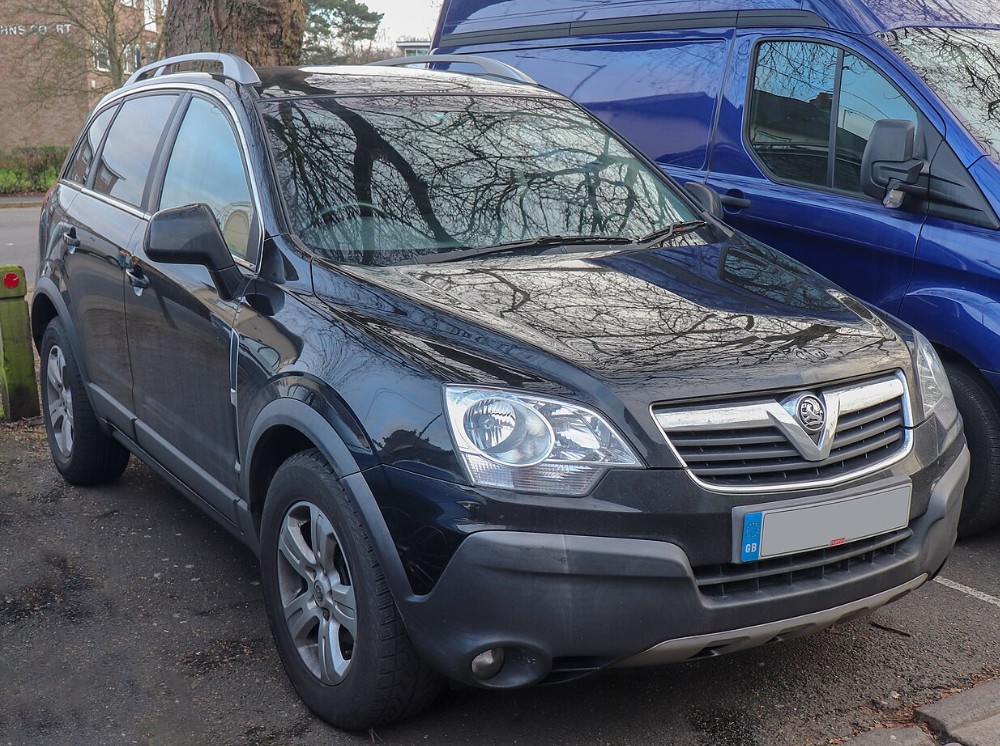
The Vauxhall Antara service light reset is usually a straightforward process, but it should never be treated as a substitute for proper maintenance. That small dashboard warning may simply mean that an oil change is due, yet it can also be confused with other alerts linked to engine faults, low oil pressure, or electronic problems.
Before pressing buttons or pumping the accelerator pedal, we need to understand exactly what the dashboard is telling us. Resetting the wrong warning is like silencing an alarm without checking why it started. The noise disappears, but the underlying issue remains.
In this guide, we will explain how to reset the Vauxhall Antara service light using the most common manual procedures. We will also cover the trip-button method, diagnostic scanner resets, common reasons the light refuses to disappear, and the difference between a routine service reminder and a genuine fault warning.
The exact procedure can vary depending on the Antara’s model year, engine, instrument cluster, and market specification. For that reason, we should start with the method that best matches the dashboard and warning message in our vehicle.
Content in this publication
- What Does the Vauxhall Antara Service Light Mean?
- What to Check Before Resetting the Service Light
- How to Reset the Vauxhall Antara Service Light
- Method 1: Accelerator-Pedal Service Reset
- Method 2: Trip-Button Service Reset
- Method 3: Reset Through the Driver Information Display
- Method 4: Reset With a Diagnostic Scanner
- Why the Vauxhall Antara Service Light Will Not Reset
- The Ignition Is in the Wrong Position
- The Accelerator Was Not Fully Depressed
- The Pedal Sequence Was Too Slow
- The Wrong Reset Method Was Used
- The Battery Voltage Is Low
- A Stored Fault Is Keeping the Warning Active
- Another Warning Light Is Still Active
- Understanding Vauxhall Antara Service Intervals
- What Should Be Checked During an Antara Service?
- Can We Drive With the Service Light On?
- Common Mistakes During the Reset Process
- Resetting the Light Before Changing the Oil
- Clearing Every Fault Code Without Reading Them
- Disconnecting the Battery to Clear the Light
- Assuming Every Antara Uses the Same Method
- Ignoring a Reminder That Returns Too Soon
- Vauxhall Antara Service Reset Troubleshooting Checklist
- When Should We Visit a Mechanic?
- How Much Does a Service Reset Cost?
- How to Avoid Future Service-Light Confusion
- Does Resetting the Service Light Improve Performance?
- Final Thoughts
- Frequently Asked Questions
What Does the Vauxhall Antara Service Light Mean?
The service light is designed to remind us that scheduled maintenance is due. Depending on the model year and dashboard configuration, the reminder may appear as:
- A spanner or wrench symbol
- A “Service Vehicle Soon” message
- A “Change Engine Oil Soon” warning
- An oil-can symbol
- An oil-life percentage
- A maintenance message displayed at startup
The reminder may be calculated using mileage, elapsed time, driving conditions, engine temperature, journey length, and other operating factors.
This means two Antaras with similar mileage may not request an oil change at exactly the same time. One vehicle may spend most of its life cruising on motorways, while another may complete repeated cold starts and short urban trips. The second car will often place more stress on its engine oil.
Is the Service Light the Same as the Engine Management Light?
No. These warnings serve different purposes.
The service light normally relates to routine maintenance. The engine management light indicates that the engine-control system has detected a fault.
Resetting a service reminder will not usually erase:
- Engine fault codes
- ABS warnings
- Airbag faults
- Diesel particulate filter warnings
- Charging-system faults
- Electronic stability-control problems
- Low oil-pressure warnings
- Transmission faults
If the engine management light remains illuminated, we need to diagnose the fault rather than repeatedly attempting a maintenance reset.
Never Ignore a Red Oil-Pressure Warning
A red oil-can symbol can indicate dangerously low oil pressure. This is not the same as an ordinary oil-change reminder.
If the red oil warning remains illuminated while the engine is running, stop the engine as soon as it is safe. Continuing to drive may cause severe internal damage.
A dashboard reset cannot restore oil pressure, repair a damaged oil pump, or replace missing engine oil.
What to Check Before Resetting the Service Light
We should reset the service indicator only after the required maintenance has been completed.
Before beginning, confirm that:
- The engine oil has been changed if due.
- The oil filter has been replaced.
- The correct oil grade and specification were used.
- The oil level has been checked.
- There are no obvious oil leaks.
- Other scheduled service items have been inspected.
- No serious warning lights remain active.
The reset is the final step of the service. It should not be the first.
Keep a Proper Service Record
Clearing the dashboard reminder does not create a maintenance history. We should also record:
- The service date
- The vehicle mileage
- The oil grade and specification
- The filter brand or part number
- Other parts replaced
- Repairs completed
- The garage or technician details
- Receipts for parts and labour
A clear record can help protect the vehicle’s resale value and show that maintenance has been completed on time.
How to Reset the Vauxhall Antara Service Light
Several reset procedures are associated with the Vauxhall Antara. Start with the accelerator-pedal method, especially if the dashboard displays an oil-change or oil-life message.
Method 1: Accelerator-Pedal Service Reset
This is one of the most common manual reset procedures used on the Vauxhall Antara.
Step-by-Step Accelerator Reset
- Park the vehicle safely.
- Apply the parking brake.
- Switch the engine off.
- Close the driver’s door.
- Turn the ignition to the ON position.
- Do not start the engine.
- Fully press and release the accelerator pedal three times.
- Complete the three presses within approximately five seconds.
- Turn the ignition off.
- Wait at least 10 seconds.
- Switch the ignition back on.
- Check whether the service message has disappeared.
On a model with a traditional ignition key, turn the key until the dashboard warning lights illuminate, but do not crank the engine.
On a push-button model, press the start button without pressing the clutch or brake pedal, provided this switches the ignition on without starting the engine.
How Should We Press the Accelerator?
The pedal movements should be complete and deliberate.
For the best chance of success:
- Press the accelerator fully to the floor.
- Release it completely.
- Repeat the movement three times.
- Keep the rhythm steady.
- Avoid pausing between presses.
- Make sure the floor mat is not blocking the pedal.
The control module needs to detect the pedal moving through its full range. Three partial presses may not register.
How Do We Know the Reset Worked?
After switching the ignition back on, the oil-change message or service reminder should no longer appear.
If the vehicle displays an oil-life percentage, it may return to its maximum value.
Switch the ignition off and on again to confirm that the reset has been stored. A message that disappears once but returns immediately may indicate that the procedure was incomplete or that another fault is present.
Some earlier Antara dashboards may use the trip-odometer button to reset the maintenance display.
- Switch the ignition off.
- Locate the trip-reset button.
- Press and hold the button.
- Keep the button depressed.
- Turn the ignition on without starting the engine.
- Continue holding the button for several seconds.
- Watch the service display.
- Release the button when the display changes or confirms the reset.
- Turn the ignition off.
- Restart the ignition and check the reminder.
The display may change, flash, show a reset value, or return to a normal mileage screen.
The trip-reset button is usually found:
- On the instrument cluster
- Beside the odometer display
- Near the speedometer
- Near the rev counter
- As a small protruding stem or push button
Do not confuse it with the steering-wheel audio controls or the trip-computer menu buttons.
If the display does not respond:
- Confirm that the ignition is on.
- Make sure the engine remains off.
- Hold the button before switching on the ignition.
- Keep holding it for longer.
- Try the accelerator method.
- Check the owner’s manual for the exact model year.
Different Antara instrument clusters may respond to different procedures.
Method 3: Reset Through the Driver Information Display
Some Antara versions allow the oil-life or maintenance information to be accessed through the driver information centre.
The general procedure is:
- Switch the ignition on.
- Leave the engine off.
- Open the vehicle-information menu.
- Scroll to the oil-life or service page.
- Select the reset option.
- Press and hold the confirmation button.
- Accept the reset prompt if one appears.
- Switch the ignition off.
- Restart the vehicle.
- Check that the display has updated.
The menu may be controlled using:
- Steering-wheel buttons
- A steering-column stalk
- Dashboard controls
- Trip-computer switches
If the display shows oil life but offers no reset command, use the accelerator-pedal method.
Method 4: Reset With a Diagnostic Scanner
A compatible diagnostic scanner may be required when the manual procedures fail.
A suitable tool can communicate with the vehicle’s electronic modules and may provide functions such as:
- Oil-life reset
- Service interval reset
- Maintenance data reset
- Fault-code reading
- Fault-code clearing
- Live-data monitoring
- Instrument-cluster access
- Body-control module access
Not Every OBD2 Scanner Can Reset the Service Light
A basic OBD2 reader is normally designed to access emissions-related engine faults. It may read and clear check-engine codes but still lack maintenance-reset functions.
Before buying or using a scanner, confirm that it supports:
- Vauxhall or Opel vehicles
- The Antara model
- The correct production year
- Oil reset functions
- Service interval functions
- Instrument-cluster communication
A cheap code reader may tell us why the engine management light is on, but it may not reset the service reminder.
When Should We Use a Scanner?
A diagnostic scanner is useful when:
- The accelerator reset repeatedly fails.
- The trip-button method does not work.
- The service message returns immediately.
- Several warning lights are illuminated.
- The instrument cluster has been replaced.
- The battery was recently disconnected.
- Communication faults are stored.
- The maintenance display appears corrupted.
- The vehicle requires manufacturer-specific programming.
A scanner can help us distinguish between a routine reminder and a warning caused by a stored fault.
Why the Vauxhall Antara Service Light Will Not Reset
A failed reset does not always mean that the instrument cluster is faulty. Small procedural mistakes are common.
The Ignition Is in the Wrong Position
The ignition normally needs to be on while the engine remains off.
Common mistakes include:
- Leaving the ignition in accessory mode
- Keeping the ignition completely off
- Starting the engine
- Pressing the brake or clutch accidentally
- Turning the key to the wrong position
The dashboard warning lights should normally illuminate during the procedure.
The Accelerator Was Not Fully Depressed
The control module may need to detect the complete movement of the accelerator pedal.
Before trying again:
- Remove any obstruction.
- Reposition the floor mat.
- Press the pedal to the floor.
- Release it completely.
- Complete all three presses quickly.
- Keep the engine off.
A thick floor mat can prevent the pedal from reaching its full travel.
The Pedal Sequence Was Too Slow
The three pedal presses usually need to be completed within a few seconds.
If we press the pedal once, pause, and then continue, the vehicle may not recognise the command.
Use three smooth, complete movements within approximately five seconds.
The Wrong Reset Method Was Used
An early instrument cluster may require the trip-button procedure. A later vehicle may use the accelerator method or an electronic menu.
Model year alone may not always identify the correct procedure because:
- Registration year may differ from build year.
- Trim levels can use different displays.
- Replacement clusters may have been fitted.
- Export-market specifications can vary.
- Software may have been updated.
The dashboard design and warning message are often better clues than the registration year.
The Battery Voltage Is Low
Low battery voltage can cause unusual electronic behaviour. The dashboard may illuminate normally while the control modules fail to store the reset.
Signs of a weak battery may include:
- Slow engine cranking
- Flickering dashboard lights
- Lost clock settings
- Lost radio settings
- Clicking relays
- Intermittent central locking
- Several unrelated warnings
Charge and test the battery before assuming that the service-reset system has failed.
A Stored Fault Is Keeping the Warning Active
Some dashboard messages are linked to faults rather than scheduled servicing.
A “Service Vehicle Soon” warning may, on some versions, indicate that a system fault has been detected. In that case, a maintenance reset will not remove the message permanently.
The vehicle may need to be scanned for diagnostic trouble codes.
Another Warning Light Is Still Active
Resetting the oil-life system will not remove unrelated warnings such as:
- ABS faults
- Airbag warnings
- DPF warnings
- Tyre-pressure alerts
- Brake-system faults
- Charging-system warnings
- Traction-control faults
- Engine management lights
Read the remaining symbol carefully before attempting another reset.
Understanding Vauxhall Antara Service Intervals
The correct service interval depends on the model year, engine, market, operating conditions, and maintenance schedule.
Some Antara vehicles may use intervals based on:
- Mileage
- Time
- Oil condition
- Driving style
- Engine operating conditions
- Journey patterns
We should always follow the schedule listed for the exact vehicle.
Why Time Matters as Much as Mileage
Engine oil deteriorates even when the vehicle covers very little distance.
Oil can be affected by:
- Moisture
- Fuel contamination
- Repeated cold starts
- Temperature changes
- Short journeys
- Long periods of inactivity
A low-mileage Antara used mainly for short trips may need servicing sooner than expected.
What Counts as Severe Driving?
More frequent servicing may be appropriate when the vehicle is regularly used for:
- Short urban journeys
- Stop-start traffic
- Towing
- Mountain driving
- Heavy loads
- Dusty roads
- Extreme temperatures
- Long periods of idling
- Repeated cold starts
Diesel models used mainly for short journeys may also struggle to complete diesel particulate filter regeneration.
What Should Be Checked During an Antara Service?
An oil change is only one part of routine maintenance.
Depending on the mileage and service schedule, the inspection may include:
- Engine oil
- Oil filter
- Air filter
- Fuel filter
- Cabin filter
- Brake fluid
- Engine coolant
- Brake pads
- Brake discs
- Tyres
- Tyre pressures
- Steering components
- Suspension components
- Auxiliary drive belt
- Battery condition
- Exterior lights
- Windscreen wipers
- Fluid leaks
- Exhaust system
- Transmission fluid
- Four-wheel-drive components
The service indicator should be reset only after the relevant work has been completed.
Can We Drive With the Service Light On?
A routine amber service reminder does not usually require us to stop immediately. However, we should not ignore it for weeks or months.
Delayed servicing can contribute to:
- Accelerated engine wear
- Oil sludge
- Turbocharger damage
- Reduced fuel economy
- Poor cold-start lubrication
- DPF problems
- Reduced resale value
- Gaps in the service history
The situation becomes more urgent if the warning is red, flashing, accompanied by abnormal noises, or combined with overheating.
Check the Oil Level Before Driving Further
If an oil-related message appears:
- Park on level ground.
- Switch the engine off.
- Wait for the oil to settle.
- Remove the dipstick.
- Wipe it clean.
- Reinsert it fully.
- Remove it again.
- Check the level.
- Add the correct oil if necessary.
- Avoid overfilling.
The oil-life monitor does not always measure the actual quantity of oil in the engine. We can still have a low oil level even when the service display appears normal.
Common Mistakes During the Reset Process
Resetting the Light Before Changing the Oil
This is the most serious mistake.
Resetting the reminder tells the vehicle that new oil has been installed. If the old oil remains in the engine, the monitoring system begins a fresh cycle using incorrect information.
The dashboard becomes quiet, but the oil continues to deteriorate.
Clearing Every Fault Code Without Reading Them
Some owners connect a scanner and erase all fault codes immediately.
This can remove valuable diagnostic evidence and make intermittent faults harder to identify.
Always read, record, and understand the codes before clearing them.
Disconnecting the Battery to Clear the Light
Battery disconnection is not a reliable service-reset method.
It may cause:
- Lost radio presets
- Clock reset
- Window calibration problems
- Steering-angle warnings
- Temporary idle issues
- Additional fault codes
Use the proper service-reset procedure instead.
Assuming Every Antara Uses the Same Method
The Antara was sold across several years, trims, engines, and markets.
A procedure shown in an online video may work perfectly on one vehicle but fail on another.
Match the method to the dashboard, warning message, and model specification.
Ignoring a Reminder That Returns Too Soon
A service message that returns unusually early may indicate:
- The previous reset was incomplete.
- The wrong oil was used.
- The vehicle makes many short journeys.
- The oil is becoming contaminated.
- A sensor fault is present.
- The stored service data are incorrect.
- A control module has a communication problem.
Repeatedly resetting the warning without investigation is not a long-term solution.
Vauxhall Antara Service Reset Troubleshooting Checklist
If the light remains on, follow this sequence:
- Identify the exact symbol or message.
- Confirm that the maintenance has been completed.
- Check the engine-oil level.
- Switch the ignition on.
- Keep the engine off.
- Remove any floor-mat obstruction.
- Press the accelerator fully three times.
- Complete the presses within five seconds.
- Switch the ignition off.
- Wait at least 10 seconds.
- Restart the ignition.
- Try the trip-button method if appropriate.
- Check the battery condition.
- Scan the vehicle for fault codes.
- Confirm that the scanner supports service functions.
- Consult the correct owner’s manual.
- Contact a Vauxhall specialist if the warning persists.
A methodical approach is much better than randomly pressing buttons and pedals.
When Should We Visit a Mechanic?
Professional diagnosis is recommended when:
- A red warning light appears.
- The engine sounds noisy.
- The vehicle runs poorly.
- Oil pressure appears low.
- The warning flashes.
- The service message returns immediately.
- The oil level rises or falls abnormally.
- The vehicle enters reduced-power mode.
- The DPF warning remains active.
- Several electronic warnings appear together.
- There are signs of an oil or coolant leak.
- The reset cannot be completed.
A workshop with Vauxhall-compatible diagnostic equipment may access manufacturer-specific modules that a basic scanner cannot read.
How Much Does a Service Reset Cost?
A simple service reset is often included in the cost of an oil change or scheduled service.
The total price may depend on:
- Workshop labour rates
- Diagnostic time
- Scanner capability
- The vehicle’s location
- The type of service
- Repairs required before the light can be cleared
Ask the garage to confirm that the reminder has been reset before collecting the vehicle.
How to Avoid Future Service-Light Confusion
Keep a simple maintenance record containing:
- The last service date
- The mileage at service
- The next expected service date
- The oil specification
- Filter part numbers
- Repairs completed
- Outstanding work
- Dashboard messages
- Diagnostic codes
We can also photograph the mileage and keep digital copies of receipts.
Does Resetting the Service Light Improve Performance?
No. The reset itself does not:
- Improve fuel economy
- Clean the engine
- Restore oil pressure
- Regenerate the DPF
- Repair sensors
- Increase engine power
- Remove mechanical wear
Any improvement after a service comes from the maintenance work, not from clearing the dashboard message.
The reset only restarts the maintenance-monitoring cycle.
Final Thoughts
The Vauxhall Antara service light reset can often be completed by switching the ignition on without starting the engine and pressing the accelerator pedal fully three times within approximately five seconds.
Earlier vehicles may use a trip-reset button, while some versions may require a menu command or diagnostic scanner.
The most important rule is simple: complete the service first and reset the reminder afterwards.
A warning light is a messenger. Sometimes it carries a routine maintenance reminder. Sometimes it signals a genuine fault. We should understand the message before trying to remove it.
After replacing the correct oil and filter, checking the fluid level, inspecting the vehicle, and recording the work, resetting the indicator is a sensible final step. If the warning remains active, returns immediately, or appears with other symptoms, proper diagnosis is the safest choice.
Frequently Asked Questions
How do I reset the service light on a Vauxhall Antara?
Switch the ignition on without starting the engine. Fully press and release the accelerator pedal three times within approximately five seconds. Switch the ignition off, wait briefly, and turn it back on to check whether the reminder has cleared.
Why is my Antara service light still on after an oil change?
The service reminder may not have been reset correctly. The wrong procedure may have been used, the battery voltage may be low, or the message may relate to a stored fault rather than routine servicing.
Can I reset the Antara service light without a scanner?
Yes. Many Antara models can be reset using the accelerator-pedal method or the trip-odometer button. A scanner may be necessary if the manual methods fail.
Will disconnecting the battery reset the service light?
Battery disconnection is not recommended. It may erase vehicle settings or create calibration problems without correctly resetting the maintenance system.
Is it safe to drive with the service light on?
A routine amber service reminder usually allows limited driving, but the vehicle should be serviced promptly. Stop driving if the warning is red, flashing, accompanied by overheating, low oil pressure, unusual noises, or poor engine performance.
If you want to know other articles similar to Vauxhall Antara Service Light Reset: Complete DIY Guide you can visit the category Service and Parts.
Vauxhall Mokka Tyre Pressure Reset: Complete Guide

How to Reset the Tire Pressure System on Your Hyundai Tucson

Hyundai Kona Tire Pressure: Complete PSI Guide

Vauxhall Corsa Timing Belt Replacement Cost UK 2026

Mazda CX-5 Tire Size Chart: 2013–2026 Guide

How to Reset a Honda Civic: Complete Step-by-Step Guide
Leave a Reply
More content of your interest