

Vauxhall Astra Dashboard Warning Lights


Vauxhall Astra dashboard warning lights tell us whether a system is operating, needs attention, or requires a safe stop. To interpret a warning correctly, we need more than its colour: the shape, whether it flashes, and the message in the Driver Information Centre all matter.
This guide explains 36 common warning lights and indicators, with a small symbol image beside each meaning. We cover urgent engine and brake warnings, the familiar car-with-a-spanner light, diesel indicators, driver assistance, and normal lighting functions.
Coverage: this guide focuses on common Astra J and Astra K symbols, with selected Astra L differences. Equipment, graphics, and instructions vary by model year, engine, transmission, and market. The illustrations are monochrome reference images; the text describes the dashboard colour where relevant. This is not an exhaustive symbol list for every Astra, including hybrid and electric variants. Use the manual for your exact vehicle when deciding what action to take.
Content in this publication
- What Do the Warning Light Colours Mean?
- Why the Dashboard Lights Up Before Starting
- Urgent Engine, Brake, and Steering Warnings
- Engine Management, Parking Brake, and Chassis Warnings
- 6. Check Engine or Emissions Warning
- 7. Car with a Spanner: Service Vehicle Soon
- 8. Reduced Engine Power Warning
- 9. ABS Warning Light
- 10. Electric Parking Brake Applied
- 11. Electric Parking Brake Fault
- 12. Tyre Pressure Warning
- 13. Electronic Stability Control and Traction Control
- 14. Electronic Stability Control OFF
- 15. Traction Control OFF
- Safety, Security, and Door Warnings
- Diesel, Fuel, and Washer Indicators
- Driver-Assistance and Lighting-System Warnings
- Normal Lighting and Operating Indicators
- Astra L, AdBlue, and Electrified-Model Messages
- What to Do When a Warning Appears While Driving
- Can We Reset Vauxhall Astra Warning Lights?
- Final Thoughts
- Frequently Asked Questions
- 1. What does the car with a spanner mean on a Vauxhall Astra?
- 2. Can we drive an Astra with the engine warning light on?
- 3. Why is the tyre-pressure light still on after inflation?
- 4. Is a flashing stability-control light a fault?
- 5. Does the same warning symbol mean exactly the same thing on every Astra?
What Do the Warning Light Colours Mean?
A traffic-light approach is useful, but there are exceptions. A red parking-brake indicator may be normal while parked; an amber rear-fog indicator simply confirms that the lamp is on. We should identify the actual symbol before deciding how urgent it is.
| Colour | Typical meaning | What we should do |
|---|---|---|
| Red | An urgent fault or an important safety status | Read the warning immediately. Stop safely for faults such as oil-pressure loss, overheating, or an unresolved braking warning. |
| Amber or yellow | A fault, disabled feature, advisory, or selected function | Check the symbol and message. Arrange inspection when required; do not assume every amber warning permits continued driving. |
| Green | A feature is operating or selected | Confirm that the function matches what we intended to activate. |
| Blue | Usually main-beam status on these Astras | Check that the lighting is appropriate for other road users. |
| White or grey | Often a standby, enabled, or information state | Read the surrounding display to distinguish a selected system from one actively operating. |
Why the Dashboard Lights Up Before Starting
Many lamps illuminate briefly when the ignition is switched on. This starting check is expected. Some go out after a few seconds, while others clear when the engine starts or a condition changes, such as fastening a belt or releasing the parking brake.
We should investigate a warning that remains unexpectedly, appears during driving, or fails the check described in the handbook. On a car with several messages, review the complete warning information when safely parked rather than assume the first visible message explains everything.
Urgent Engine, Brake, and Steering Warnings
1. Engine Oil Pressure Warning
 | Red oil can · Stop safely and switch off the engine. |
The red oil-pressure warning is one of the Astra dashboard lights we should act on immediately. It means the engine may not be receiving adequate lubrication. Move out of traffic safely, stop, and turn the engine off.
Do not treat this as an oil-change reminder. A normal dipstick reading does not prove that oil pressure is sufficient. Keep the engine off and arrange assistance rather than repeatedly restarting it to see whether the warning clears.
2. Brake and Clutch System Warning
 | Red brake symbol · Check parking-brake status; a persistent warning requires a stop. |
On applicable Astras, this symbol can appear with the manual parking brake applied. If it remains on after release, or comes on during driving, it can indicate insufficient brake or clutch fluid or a braking-system problem.
We should stop safely and obtain assistance. An unusually soft pedal, longer stopping distance, or visible fluid loss makes continuing especially unsafe. Adding fluid without finding the reason for the loss does not repair the fault.
3. Battery and Charging System Warning
 | Red battery · Stop safely and switch off. |
The battery symbol normally illuminates before the engine starts and then goes out. If it appears with the engine running, the charging system needs attention. It does not automatically mean the battery itself has failed.
We should not try to finish a long journey on the remaining electrical power. Find a safe place to stop and arrange help. Depending on the fault and engine, other essential systems can also be affected.
4. Engine Coolant Temperature Warning
 | Red thermometer · The engine is too hot. |
A red temperature warning requires a safe stop and engine shutdown. Read any accompanying message, and follow the overheating instructions for the fitted engine.
Wait until the cooling system is safe to inspect. Never remove a hot pressure cap: escaping steam and coolant can cause burns. We should not keep driving simply because the heater still works or the temperature display briefly drops. Persistent overheating needs diagnosis, not repeated topping up.
5. Power Steering Warning
 | Steering wheel with an exclamation mark · Assistance may be reduced. |
This warning concerns the power-steering system. The colour and precise message differ between generations. The wheel may become heavier, especially during slow manoeuvres.
Keep control, slow down carefully, and stop if steering is difficult or unpredictable. We should arrange inspection and use recovery when the vehicle cannot be controlled safely. Avoid assuming that an amber steering warning is minor or that a generic battery-disconnection reset will repair it.
Engine Management, Parking Brake, and Chassis Warnings
6. Check Engine or Emissions Warning
 | Amber engine outline · Engine-management or emissions inspection required. |
A steady engine warning usually indicates a detected emissions or engine-control problem. A flashing warning can indicate a condition capable of damaging the catalytic converter. Ease off the accelerator and obtain professional advice promptly.
We should stop safely if the engine shakes, power falls sharply, or another urgent warning appears. The symbol identifies a monitored system, not the failed component; a diagnostic code and proper checks are needed before replacing parts.
7. Car with a Spanner: Service Vehicle Soon
 | Amber car-and-spanner symbol · Read the fault message or code. |
On applicable older Astras, the car with a spanner is a service-vehicle-soon warning. Do not assume that it is only a routine service reminder. It can accompany a fault message or vehicle code requiring workshop attention.
We should record the exact wording and any change in how the car drives. A scheduled oil-service reminder and a warning about a detected malfunction are different. Clearing the display does not establish that the underlying problem has been repaired.
8. Reduced Engine Power Warning
 | Engine with a downward arrow · Available engine power is restricted. |
On models fitted with this symbol, the vehicle is reporting reduced engine power. Newer versions may use a written message instead. The light does not tell us which sensor or component caused the limitation.
Allow for weaker acceleration and avoid overtaking. If the car cannot maintain a safe speed, stop somewhere safe and arrange assistance. We should not keep accelerating harder in an attempt to force the system out of its protective operating state.
9. ABS Warning Light
 | Amber ABS · Anti-lock braking may be unavailable. |
An ABS warning that remains illuminated after the starting check can indicate a fault in anti-lock braking. Conventional braking may still operate, but wheel-lock prevention may not be available.
Increase the following distance and arrange inspection. If the red brake warning also appears, or the pedal feels abnormal, stop safely and get help. We should evaluate the complete combination of warnings rather than assume that normal braking is guaranteed in every situation.
10. Electric Parking Brake Applied
 | Red P in a circle · The parking brake is applied. |
Steady illumination is normally expected while the electric parking brake is engaged. Confirm that it releases correctly before driving away.
A flashing red indication can mean the brake has not fully applied or released. Read the message and follow the model-specific procedure. If it keeps flashing, do not drive and seek assistance. We should never accelerate against a brake that will not release or assume the vehicle is securely parked when application is uncertain.
11. Electric Parking Brake Fault
 | Amber parking-brake warning · Have the system inspected. |
This is different from the normal red parking-brake-applied indicator. An amber fault warning can mean degraded operation or a malfunction. On some Astra K versions, flashing also has a specific service-mode meaning.
We should follow the exact handbook instructions and have the cause checked promptly. Avoid parking on an incline when the system cannot be relied upon. Repeatedly operating the switch is not a substitute for diagnosis when a fault remains.
12. Tyre Pressure Warning
 | Amber tyre outline · Stop safely and check the tyres. |
A steady tyre-pressure warning calls for an inspection and pressure checks with a gauge. Use the cold pressures specified for the car and its load, rather than a generic pressure found online.
Flashing can indicate a monitoring-system fault. Astra generations use different monitoring arrangements, so their reset and relearn procedures are not interchangeable. We should correct a puncture or pressure problem before resetting anything, and never drive on a visibly damaged or seriously underinflated tyre.
13. Electronic Stability Control and Traction Control
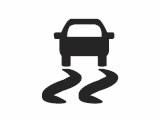 | Skidding-car symbol · Flashing and steady illumination have different meanings. |
Flashing usually means the stability or traction system is intervening. The car may briefly reduce engine output or apply braking to help maintain control. Ease off and adapt to the road conditions.
A steady warning can indicate a malfunction. Arrange inspection and allow for reduced electronic assistance. We should not interpret normal intervention as proof of a broken system, or assume that stability control can overcome excessive speed, ice, or worn tyres.
14. Electronic Stability Control OFF
 | Stability-control OFF symbol · The system is disabled. |
This indicator confirms that electronic stability control has been switched off on an equipped model. Check the selected setting and restore the normal operating mode when appropriate.
If the indication appears unexpectedly or does not respond to normal operation, have the system checked. We should not disable assistance simply to remove another warning. A disabled-state indicator explains what is unavailable; it does not diagnose the reason for an unrelated fault.
15. Traction Control OFF
 | Traction-control OFF symbol · Wheelspin assistance is disabled. |
Some Astras have a separate traction-control-off indication. It reports the selected state of the traction function, which is not necessarily identical to switching off every stability-control feature.
Follow the handbook if a temporary change is needed in difficult conditions, then restore the normal setting. We should be particularly careful on slippery roads while assistance is reduced. An unexpected persistent warning deserves inspection rather than repeated switch pressing while driving.
Safety, Security, and Door Warnings
16. Airbag and Seat Belt Pretensioner Warning
 | Occupant-and-airbag symbol · Restraint-system fault. |
If this warning stays on after its normal starting check, appears while driving, or behaves abnormally, have the restraint system inspected promptly. The warning can concern airbags or seat belt pretensioners.
We should not unplug seat connectors or attempt an improvised airbag reset. Some protection may be unavailable in a collision. A workshop needs the actual fault information, and the dashboard symbol alone cannot identify which restraint component requires attention.
17. Passenger Airbag Deactivated
 | Passenger airbag OFF · Check the passenger-airbag setting. |
This status lamp indicates that the front passenger airbag is deactivated on the applicable system. It is different from the general airbag malfunction warning.
Make sure the status matches the occupant and the instructions for the vehicle. We should never place a rear-facing child restraint in front of an active passenger airbag. If the indication does not match the selected setting, seek advice before using that seating position.
18. Seat Belt Reminder
 | Red seat belt symbol · Fasten the belts. |
The reminder asks the driver or passenger to fasten a seat belt. Some Astra displays also show individual rear-seat belt status, and the colours used in those diagrams differ by instrument cluster.
Check the occupied seats and belt buckles first. Secure luggage properly and investigate a persistent warning with the belts correctly fastened. We should not use a buckle insert or another workaround to silence a safety reminder.
19. Immobiliser Warning
 | Car-and-lock symbol · The starting authorisation system needs attention. |
A flashing immobiliser warning can mean that the vehicle has not accepted the key or that the system has a fault. The engine may not start. Check the exact message and use the correct key.
We should follow the owner’s manual for key detection or an approved backup starting method. A weak remote battery and an immobiliser-system fault are not automatically the same thing. Persistent failure requires diagnosis rather than repeated attempts with unrelated reset instructions.
20. Door Open Warning
 | Red open-door graphic · Check the doors and tailgate. |
This light or display graphic identifies a door or luggage-compartment opening that is not securely closed. Some versions show the specific location.
Stop safely before checking the latches. Ensure passengers and loose clothing are clear when closing doors, and check that luggage is not preventing the tailgate from latching. If everything is securely closed but the warning remains, we should have the latch or sensing system inspected.
Diesel, Fuel, and Washer Indicators
21. Diesel Preheating Indicator
 | Amber coil · Allow the diesel starting preparation to finish. |
The coil symbol identifies diesel preheating on applicable engines. Its appearance can depend on temperature and starting conditions. Follow the prescribed starting procedure and wait for the indication to clear when the handbook requires it.
This light does not apply to petrol engines. We should not transfer the behaviour of an older Astra’s combined indicators to a newer model. Unexpected illumination or a related fault message after starting needs the matching diesel manual and, where necessary, diagnosis.
22. Diesel Particulate Filter Warning
 | Amber exhaust-filter symbol · Read the cleaning or fault instruction. |
On equipped diesel Astras, this warning concerns the particulate filter. A request for a cleaning drive is different from a malfunction message, multiple warning lights, or a condition with restricted engine performance.
We should follow the exact procedure for the engine instead of using a universal speed-and-time recipe. If cleaning is not possible, the warning persists, or a fault is reported, obtain workshop help. Do not attempt to cure unrelated engine problems by driving harder.
23. Low Fuel Warning
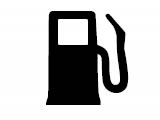 | Amber fuel pump · Refuel promptly. |
The fuel warning tells us that the tank level is low. Some generations use flashing to indicate a more urgent condition. Do not treat the remaining-range display as a guaranteed distance.
Refuel with the correct fuel for the fitted engine and avoid running the tank dry. We should not deliberately test how far the Astra can travel after the warning appears, particularly in a diesel where running out can create additional restarting difficulties.
24. Low Windscreen Washer Fluid
 | Windscreen-and-spray symbol · Refill the washer reservoir. |
On versions equipped with a level warning, this light or message means the washer-fluid supply needs attention. Use appropriate windscreen washer fluid, including suitable frost protection when required.
Check that the washers work before driving in conditions that may dirty the windscreen. We should identify the correct reservoir rather than confuse it with the coolant tank. If the warning returns soon after filling, investigate a leak or sensing fault.
Driver-Assistance and Lighting-System Warnings
25. Lane Departure Warning or Lane Keep Assist
 | Car between lane lines · Check the colour and display message. |
Lane-related symbols have different meanings across Astra generations. For example, an Astra K can use white for an enabled but inactive system, green for active operation, and yellow during correction or a departure warning. Astra L behaviour differs.
We should continue steering actively and use the handbook for the displayed state. Poor markings and limited visibility can affect assistance. A persistent fault message needs inspection; the image alone does not confirm that assistance is available.
26. Parking Assist Warning
 | Parking sensor symbol · Check whether assistance is disabled or faulty. |
A parking-assist warning can relate to disabled operation, sensor obstruction, or a malfunction, depending on the symbol and generation. Read the display before assuming that a sensor has failed.
Check the relevant bumper areas when parked safely and follow the cleaning guidance. We should manoeuvre using direct observation and mirrors while assistance is unavailable. If the warning remains under normal conditions, arrange inspection rather than rely on missing beeps to judge clearance.
27. Vehicle Detected Ahead
 | Vehicle-ahead graphic · A detection or following-distance indication. |
On applicable Astra K models, a green vehicle-ahead indication means a vehicle has been detected in the same lane. Yellow can warn that the gap is too small or that we are approaching too quickly.
Increase the following distance and respond to actual traffic conditions. We should distinguish this indication from a system-fault warning. Detection assistance cannot guarantee that every vehicle, obstruction, or vulnerable road user has been recognised.
28. Adaptive Forward Lighting or LED Headlight Warning
 | Amber lighting symbol · Check the headlight-system message. |
An amber lighting warning can concern adaptive or LED headlight operation. Some versions also use flashing to identify a particular lighting mode, so the precise behaviour matters.
Check actual illumination when safely parked and have a persistent fault inspected. We should not assume that every headlight warning means a bulb needs replacing. If the available lights do not provide safe visibility, avoid continuing in darkness and arrange appropriate assistance.
Normal Lighting and Operating Indicators
29. High Beam Indicator
 | Blue headlamp · Main beam is on. |
The blue high-beam indication is normally a status light. It confirms main-beam use or headlight flashing, rather than an electrical fault.
Dip the lights when required to avoid dazzling other drivers. We should still supervise automatic lighting and check the stalk position if main beam appears unexpectedly. A blue indicator is useful information, but it does not remove the need to choose lighting suitable for the road and traffic.
30. High Beam Assist Indicator
 | Green automatic-headlamp symbol · High-beam assistance is enabled. |
This indicator relates to the automatic high-beam feature on equipped Astras. It is distinct from the plain blue main-beam light and from an amber headlight-system warning.
Continue watching for situations where manual control is needed. We should keep the relevant camera area clear according to the handbook and avoid assuming that automatic lighting detects every road user. A persistent unavailable or fault message needs separate attention.
31. Front Fog Light Indicator
 | Green fog-lamp symbol · Front fog lights are on. |
This is normally confirmation that the front fog lights are selected. It does not, by itself, report a fault. Not every Astra has the same fog-light equipment.
Use them only when appropriate for the conditions and local rules, and switch them off when no longer needed. We should not confuse a normal green operating lamp with an amber or red warning elsewhere in the cluster.
32. Rear Fog Light Indicator
 | Amber rear-fog symbol · Rear fog light is on. |
Although amber often signals a fault, this symbol normally confirms that the bright rear fog light is operating. It is an important exception to a simple colour-only interpretation.
Switch the rear fog light off when visibility improves so it does not dazzle following drivers. We should use the symbol as a reminder of the selected lighting state, not as a reason to book a repair when the lamp is working normally.
33. Exterior Lights Indicator
 | Green paired-lamp symbol · Exterior lighting is selected. |
The exterior-light indicator reports that the relevant lights are on. The exact lighting state should be checked against the fitted controls and handbook.
Do not rely solely on illuminated instruments to decide whether the car has suitable lighting for darkness or bad weather. We should check the headlight selection and actual visibility. Daytime running lights and a complete night-time lighting setup serve different purposes.
34. Turn Signal and Hazard Indicators
 | Flashing green arrows · Indicators or hazard lights are operating. |
A flashing arrow normally confirms the selected direction indicator. Both sides flashing together normally indicate hazard-warning operation.
Check that the signal matches the intended manoeuvre and cancels afterwards. Unusually fast flashing can indicate a lamp or circuit issue on applicable systems, so inspect the exterior indicators. We should use hazard lights appropriately while remembering that they cannot make an unsafe stopping position safe.
35. Cruise Control Indicator
 | Speedometer symbol · Cruise-control status. |
Cruise-control indicators can distinguish between a system that is switched on and one actively maintaining a selected speed. On applicable Astras, white and green identify different states. Adaptive versions may add distance or vehicle graphics.
Check the selected speed and remain ready to brake. We should not assume that ordinary cruise control adjusts for a slower vehicle ahead. Know which system is fitted before relying on its displayed status.
36. Apply Brake or Clutch Pedal
 | Foot-on-pedal symbol · Follow the starting or release instruction. |
This prompt asks us to press the appropriate pedal for an operation such as starting, releasing the parking brake, or selecting a gear. The required action depends on the transmission and the accompanying message.
Press the indicated pedal fully and use the normal procedure. We should not assume the prompt itself means a failed component. If the car does not recognise a correctly pressed pedal or the message persists, arrange inspection.
Technical references: Vauxhall’s Astra J manual, Astra K manual, and Astra L manual. Symbol illustrations: Driving Test Tips’ Astra symbol guide. These reference images may differ from the exact graphics in your car.
Astra L, AdBlue, and Electrified-Model Messages
The Astra L uses revised graphics and additional messages. Its red stop-engine warning accompanies other indications and calls for a safe stop and engine shutdown. We should follow that instruction rather than interpret the associated amber lamp in isolation.
AdBlue warnings on compatible diesel engines
AdBlue is fitted only to relevant diesel versions. A low-level warning can include a remaining-distance countdown before restarting is prevented. Refill with the specified fluid and follow the minimum-quantity and recognition procedure in the matching handbook.
A low-fluid message and an emissions-system fault are different. We should not assume that topping up repairs a system malfunction, and must never add AdBlue to the diesel fuel tank. Follow the displayed instruction promptly rather than wait until the restart countdown reaches zero.
Hybrid and electric Astras
A hybrid READY indication, charging connection message, or electric-drive fault belongs to a different operating context from a conventional petrol or diesel warning. READY can mean the vehicle is capable of moving even when no combustion engine is audible.
These 36 illustrated entries do not replace the dedicated high-voltage and charging guidance for an electrified Astra. We should use that version’s manual and follow any instruction to stop or disconnect a charging cable before attempting to move.
What to Do When a Warning Appears While Driving
- Keep control of the car. Check traffic and reduce speed smoothly where appropriate. Do not brake abruptly simply because a lamp appears.
- Read the complete warning when safe. Match the symbol, colour, flashing behaviour, sound, and text.
- Prioritise urgent faults. Stop safely for oil-pressure loss, overheating, serious braking problems, unsafe steering, or a stop-engine instruction.
- Record details after parking. Note when the warning appeared and whether the vehicle’s behaviour changed. A photograph of the message can help the workshop.
- Arrange the appropriate assistance. Use recovery when continued driving may be unsafe or cause damage. Do not repeatedly restart the engine to test whether an urgent warning returns.
Can We Reset Vauxhall Astra Warning Lights?
There is no universal reset that repairs every dashboard warning. A service reminder may be reset after maintenance, and a tyre-monitoring system may require a particular procedure after the pressures or tyres are corrected. A fault warning needs its cause identified.
We should avoid disconnecting the battery or clearing diagnostic codes before recording useful information. A code reader may help identify where to investigate, but a code alone is not proof that a particular component must be replaced.
Why several warnings can appear together
Different systems can share power supplies, sensors, or operating information. Several warnings therefore do not automatically mean several independent parts have failed. However, assuming that everything is caused by a weak battery is also a guess.
Tell the workshop about recent work, unusual starting behaviour, tyre changes, or the conditions when the warnings appeared. This gives the technician a practical starting point while preserving the distinction between an observation and a diagnosis.
Final Thoughts
Understanding Vauxhall Astra dashboard warning lights becomes easier when we separate normal operating indicators from faults and read the accompanying message. The symbol helps identify the system; the exact vehicle instructions tell us what to do next.
Use the illustrations for recognition, respond promptly to urgent warnings, and have persistent faults diagnosed. A warning that disappears after a reset is not, by itself, evidence that the underlying problem has been fixed.
Frequently Asked Questions
1. What does the car with a spanner mean on a Vauxhall Astra?
On applicable models, it is the service-vehicle-soon warning and can accompany a fault message or code. It should not automatically be treated as a routine oil-service reminder. Record the message and arrange the appropriate inspection.
2. Can we drive an Astra with the engine warning light on?
It depends on the warning behaviour, message, and symptoms. A flashing engine light can indicate a risk of catalytic-converter damage. Ease off and obtain prompt advice; stop safely if the car runs roughly, loses substantial power, or displays another urgent warning.
3. Why is the tyre-pressure light still on after inflation?
A tyre may still be leaking, the pressures may not match the correct cold specification, or the fitted system may need its prescribed relearn procedure. Flashing can indicate a monitoring fault. Check the tyres before attempting any reset.
4. Is a flashing stability-control light a fault?
Usually, flashing during wheelspin or a loss of grip means the system is intervening. Reduce speed and adapt to the surface. A steady light can indicate a fault, while a separate OFF indication reports disabled operation. Check the exact symbol and handbook.
5. Does the same warning symbol mean exactly the same thing on every Astra?
No. Many core symbols are shared, but colours, messages, equipment, and procedures differ across generations. Lane-assistance and parking-brake indications are useful examples. Match the manual to the year, engine, transmission, and market of the actual vehicle.
If you want to know other articles similar to Vauxhall Astra Dashboard Warning Lights you can visit the category Service and Parts.
Vauxhall Mokka Tyre Pressure Reset: Complete Guide

How to Reset the Tire Pressure System on Your Hyundai Tucson

Hyundai Kona Tire Pressure: Complete PSI Guide

Vauxhall Corsa Timing Belt Replacement Cost UK 2026

Mazda CX-5 Tire Size Chart: 2013–2026 Guide

How to Reset a Honda Civic: Complete Step-by-Step Guide
Leave a Reply
More content of your interest