
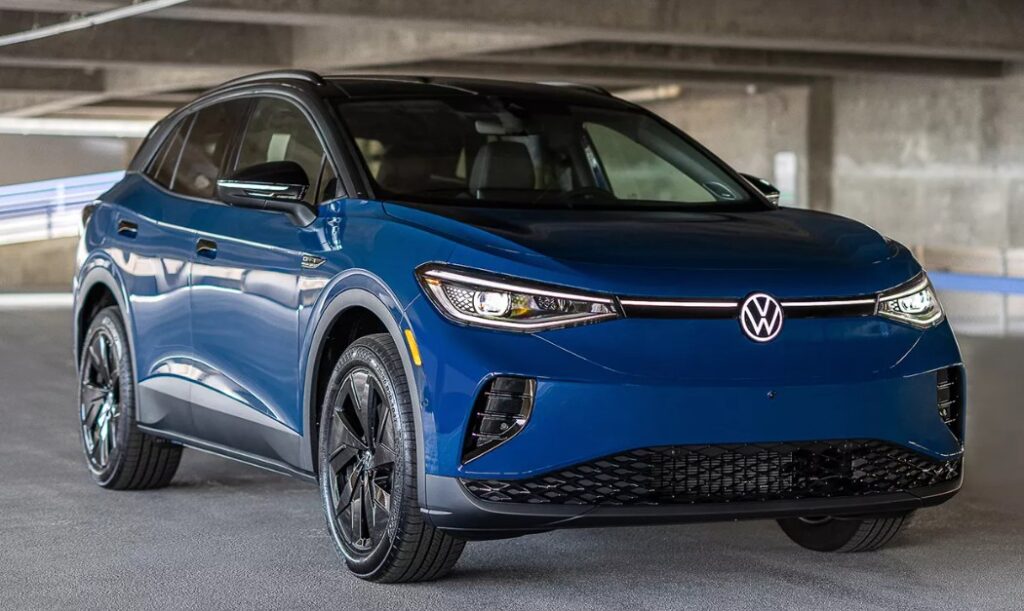
Volkswagen ID 4 Key Battery Replacement

Content in this publication
- Why the Volkswagen ID 4 Key Battery Matters More Than You Think
- Understanding the Volkswagen ID 4 Key Fob
- What Battery Does the Volkswagen ID 4 Key Use?
- Signs Your Volkswagen ID 4 Key Battery Is Dying
- How Long Does the Volkswagen ID 4 Key Battery Last?
- Tools Needed for Volkswagen ID 4 Key Battery Replacement
- Step-by-Step Volkswagen ID 4 Key Battery Replacement
- Step 2: Open the Key Fob Case
- Step 3: Remove the Old Battery
- Step 4: Install the New CR2032 Battery
- Step 5: Reassemble the Key Fob
- How to Test the Volkswagen ID 4 Key After Battery Replacement
- What If the Key Still Does Not Work?
- Do You Need to Reprogram the Volkswagen ID 4 Key?
- Can You Start the Volkswagen ID 4 With a Dead Key Battery?
- Volkswagen ID 4 Key Battery Replacement Cost
- Dealership Replacement Costs
- Best CR2032 Batteries for Volkswagen ID 4 Keys
- Common Mistakes During Key Battery Replacement
- How to Extend Volkswagen ID 4 Key Battery Life
- Can Cold Weather Affect the Volkswagen ID 4 Key Battery?
- Should You Replace Both Key Batteries at the Same Time?
- Is Volkswagen ID 4 Key Battery Replacement Safe to DIY?
- When You Should Visit a Volkswagen Dealer Instead
- Why the Volkswagen ID 4 Smart Key Reflects Modern EV Design
- Final Thoughts on Volkswagen ID 4 Key Battery Replacement
- FAQs
- How often should I replace the Volkswagen ID 4 key battery?
- What battery does the Volkswagen ID 4 key use?
- Can I replace the Volkswagen ID 4 key battery myself?
- Does the Volkswagen ID 4 key need reprogramming after battery replacement?
- Why is my Volkswagen ID 4 key still not working after replacing the battery?
Why the Volkswagen ID 4 Key Battery Matters More Than You Think
The key fob for the Volkswagen ID.4 may seem like a tiny accessory dangling in your pocket, but it quietly orchestrates a surprisingly large part of your daily driving experience. From unlocking the doors to enabling push-button start and remote functions, the key battery acts like the heartbeat of the entire convenience system.
And here’s the thing — most drivers do not think about the battery until the key suddenly stops responding in the grocery store parking lot. It is a little like realizing your phone battery is at 1% while you are trying to navigate home in a thunderstorm. Timing never feels convenient.
Fortunately, replacing the Volkswagen ID 4 key battery is one of the easiest maintenance tasks you can do yourself. It takes only a few minutes, requires minimal tools, and can save you from unnecessary dealership visits.
In this guide, we will walk through everything you need to know about Volkswagen ID 4 key battery replacement, including:
- Which battery type the key uses
- Warning signs of a dying battery
- Step-by-step replacement instructions
- Common mistakes to avoid
- Battery lifespan expectations
- Troubleshooting after replacement
- Cost considerations
- DIY versus dealership replacement
By the end, you will know exactly how to keep your key fob working like new.
Understanding the Volkswagen ID 4 Key Fob
Before replacing the battery, it helps to understand the key itself.
The Volkswagen ID 4 uses a smart proximity key fob designed for seamless interaction with the vehicle. Unlike older physical keys, this system communicates wirelessly with the car through radio frequencies.
When the battery weakens, communication becomes inconsistent. The result can feel random and frustrating.
What the Key Fob Controls
The ID 4 key fob typically handles:
- Locking and unlocking doors
- Remote trunk access
- Panic alarm activation
- Push-button ignition authorization
- Keyless entry functions
- Remote vehicle features on certain trims
Without adequate battery power, these features may fail intermittently before stopping completely.
What Battery Does the Volkswagen ID 4 Key Use?
Most Volkswagen ID 4 key fobs use a CR2032 coin battery.
This small lithium battery is one of the most common automotive key batteries in the world. It is inexpensive, widely available, and easy to install.
CR2032 Battery Basics
Battery Specifications
- Type: CR2032 lithium coin cell
- Voltage: 3V
- Shape: Flat circular battery
- Lifespan: Usually 2–4 years
You can typically buy these batteries at:
- Grocery stores
- Electronics retailers
- Auto parts stores
- Pharmacies
- Online marketplaces
Think of the CR2032 as the “AA battery” of modern key fobs. Tiny, simple, but absolutely essential.
Signs Your Volkswagen ID 4 Key Battery Is Dying
Your key fob usually gives warning signs before the battery completely dies.
Ignoring these signs is like ignoring a flickering fuel light. You might get away with it for a while, but eventually the system stops cooperating.
Common Symptoms of a Weak Key Battery
Reduced Range
You may need to stand closer to the vehicle for the key to work.
Intermittent Response
The lock or unlock buttons may work inconsistently.
Delayed Unlocking
There may be a noticeable lag between pressing the button and vehicle response.
Dashboard Warning Message
The vehicle may display a message such as:
- “Key battery low”
- “Replace key battery”
- “No key detected”
Push-Button Start Issues
The car may occasionally fail to recognize the key inside the cabin.
How Long Does the Volkswagen ID 4 Key Battery Last?
Battery life depends heavily on usage habits.
For most drivers, the battery lasts between two and four years.
However, several factors can shorten lifespan.
Factors That Affect Battery Life
Frequent Use
Drivers constantly locking and unlocking remotely may drain the battery faster.
Extreme Temperatures
Hot climates and freezing winters both reduce battery efficiency.
Signal Interference
Constant communication attempts in areas with heavy electronic interference can increase power consumption.
Storage Habits
Leaving the key near the vehicle at all times may cause continuous signal communication.
Tools Needed for Volkswagen ID 4 Key Battery Replacement
One reason people love DIY key battery replacement is its simplicity.
You usually need only:
- A new CR2032 battery
- A small flathead screwdriver or plastic pry tool
- Clean hands
- A soft cloth or table surface
That is it.
No complicated programming. No special dealership scanner. No mechanical engineering degree.
Step-by-Step Volkswagen ID 4 Key Battery Replacement
Now let us get to the actual replacement process.
Step 1: Remove the Emergency Key
The Volkswagen ID 4 key contains a hidden physical emergency key.
How to Remove It
- Locate the small release button on the side or back
- Press the button firmly
- Pull out the emergency key blade
This exposes the access point for opening the key fob housing.
Step 2: Open the Key Fob Case
Once the emergency key is removed, you can separate the key fob shell.
Using a Pry Tool Carefully
Insert a small flathead screwdriver or plastic pry tool into the slot where the emergency key was stored.
Gently twist the tool.
The shell should begin to separate.
Important Tip
Do not force it aggressively. The plastic clips are sturdy but not indestructible. Excessive force can crack the casing.
Think of it like opening a delicate watch rather than prying open a paint can.
Step 3: Remove the Old Battery
Once the case is open, you will see the coin battery seated inside.
Battery Orientation Matters
Take note of the battery position before removing it.
Usually:
- The positive (+) side faces upward
Carefully lift the old battery out using your fingernail or pry tool.
Step 4: Install the New CR2032 Battery
Place the new battery into the same position as the old one.
Correct Installation Tips
Match the Polarity
The positive side should generally face up.
Avoid Touching the Battery Surface Excessively
Oils from your fingers can sometimes affect conductivity over time.
Ensure Proper Seating
The battery should sit snugly without wobbling.
Step 5: Reassemble the Key Fob
Snap the key fob halves back together carefully.
You should hear soft clicking sounds as the clips reconnect.
Afterward:
- Reinsert the emergency key
- Test the buttons immediately
If everything works correctly, the replacement is complete.
How to Test the Volkswagen ID 4 Key After Battery Replacement
Testing immediately helps confirm proper installation.
Functions to Check
Door Locking and Unlocking
Stand a few feet away and test all buttons.
Remote Trunk Operation
Ensure the rear hatch responds properly.
Keyless Entry
Approach the car naturally and verify passive unlocking.
Push-Button Start
Start the vehicle normally.
If all systems respond quickly, your new battery is functioning properly.
What If the Key Still Does Not Work?
Sometimes the issue is not the battery itself.
If the key still malfunctions after replacement, several possibilities exist.
Potential Problems
Incorrect Battery Installation
Double-check battery orientation.
Dead Replacement Battery
Surprisingly common. Cheap batteries sometimes arrive depleted.
Damaged Battery Contacts
Bent or dirty contacts can interrupt power flow.
Key Fob Internal Damage
Water exposure or drops may damage internal electronics.
Vehicle Software Issues
Occasionally, the vehicle itself may need system diagnostics.
Do You Need to Reprogram the Volkswagen ID 4 Key?
In most cases, no reprogramming is required after battery replacement.
The key fob retains its coding information internally.
This is one of the biggest misconceptions among drivers. Many people assume replacing the battery wipes the key memory, but modern Volkswagen smart keys are designed to preserve programming.
Can You Start the Volkswagen ID 4 With a Dead Key Battery?
Yes, usually.
Volkswagen designed backup procedures specifically for this situation.
Emergency Starting Procedure
If the key battery is completely dead:
- Hold the key fob close to the steering column or designated sensor area
- Press the brake pedal
- Push the start button
The vehicle can often detect the key through passive RFID communication even without normal battery power.
This is essentially the automotive equivalent of a backup flashlight during a blackout.
Volkswagen ID 4 Key Battery Replacement Cost
Replacing the battery yourself is extremely affordable.
DIY Cost Breakdown
Battery Price
- Usually between $2 and $10
Tools
- Often already owned
Total DIY Cost
- Typically under $10
Dealership Replacement Costs
If you visit a dealership or locksmith, costs increase significantly.
Typical Professional Pricing
- Battery replacement: $20–$60
- Additional diagnostic fees possible
- Luxury dealership pricing may be higher
While professional service offers convenience, the process itself is simple enough for most owners to handle independently.
Best CR2032 Batteries for Volkswagen ID 4 Keys
Not all coin batteries are created equal.
Cheap generic batteries may fail early or provide inconsistent performance.
Recommended Battery Brands
Panasonic
Known for reliability and long lifespan.
Duracell
Widely available and dependable.
Energizer
Strong cold-weather performance.
Sony
Excellent shelf stability.
Common Mistakes During Key Battery Replacement
Even simple tasks can go sideways if rushed.
Mistakes to Avoid
Using Excessive Force
This can crack the key casing.
Installing the Battery Backward
Incorrect polarity prevents operation.
Touching Internal Components
Avoid unnecessary contact with circuitry.
Buying Low-Quality Batteries
Cheap batteries often die quickly.
Ignoring Water Damage
If moisture entered the key, battery replacement alone may not solve the problem.
How to Extend Volkswagen ID 4 Key Battery Life
A few small habits can help maximize battery longevity.
Smart Battery Preservation Tips
Avoid Constant Button Pressing
Repeated unnecessary use drains power faster.
Store Spare Keys Properly
Keep spare keys away from extreme heat or humidity.
Do Not Leave Keys Near the Car Continuously
Constant proximity communication can slowly drain the battery.
Use Quality Batteries
Premium batteries often last substantially longer.
Can Cold Weather Affect the Volkswagen ID 4 Key Battery?
Absolutely.
Cold temperatures reduce lithium battery efficiency.
During winter, you may notice:
- Reduced signal range
- Slower response
- Temporary warning messages
Sometimes drivers assume the battery is dead when it is merely weakened by freezing conditions.
Should You Replace Both Key Batteries at the Same Time?
If you own multiple keys, replacing both batteries together can be smart.
Benefits of Simultaneous Replacement
- Consistent performance
- Simplified maintenance tracking
- Reduced chance of future surprise failures
It is similar to replacing batteries in a smoke detector throughout the house at once instead of waiting for each one individually.
Is Volkswagen ID 4 Key Battery Replacement Safe to DIY?
Yes. For most people, this is among the safest and simplest automotive maintenance tasks.
Unlike engine repairs or electrical modifications, key battery replacement involves minimal risk.
As long as you:
- Use the correct battery
- Avoid excessive force
- Install it properly
…the process is extremely straightforward.
When You Should Visit a Volkswagen Dealer Instead
Sometimes professional help becomes necessary.
Situations Requiring Expert Attention
Key Fob Water Damage
Moisture can corrode delicate circuitry.
Broken Key Housing
Cracked shells may compromise functionality.
Persistent Communication Errors
Software diagnostics may be required.
Complete Key Failure
Internal electronic failure may necessitate replacement.
Why the Volkswagen ID 4 Smart Key Reflects Modern EV Design
The ID 4 itself represents a shift toward seamless digital mobility, and the smart key reflects that philosophy beautifully.
Everything about the experience is designed to feel frictionless:
- Walk up
- Open the door
- Start silently
- Drive away
When the key battery weakens, that elegant simplicity suddenly feels clunky.
Replacing the battery restores the smooth rhythm drivers expect from a modern EV.
Final Thoughts on Volkswagen ID 4 Key Battery Replacement
Volkswagen ID 4 key battery replacement is refreshingly simple in a world where many automotive tasks feel increasingly complicated.
For just a few dollars and a few minutes of effort, you can restore full key functionality and avoid unnecessary frustration. The process requires minimal tools, no advanced skills, and almost no risk.
More importantly, staying proactive helps prevent those inconvenient moments when the key suddenly stops responding at the worst possible time.
Think of it like replacing the batteries in a trusted watch. Small action. Big difference.
By understanding the warning signs, using quality CR2032 batteries, and following proper replacement steps, we can keep the Volkswagen ID 4 ownership experience smooth, modern, and stress-free.
FAQs
How often should I replace the Volkswagen ID 4 key battery?
Most Volkswagen ID 4 key batteries last between two and four years depending on usage and environmental conditions.
What battery does the Volkswagen ID 4 key use?
The Volkswagen ID 4 key fob typically uses a CR2032 3V lithium coin battery.
Can I replace the Volkswagen ID 4 key battery myself?
Yes. The process is simple and usually takes less than five minutes using basic tools.
Does the Volkswagen ID 4 key need reprogramming after battery replacement?
No. In most cases, replacing the battery does not erase the key’s programming.
Why is my Volkswagen ID 4 key still not working after replacing the battery?
Possible causes include incorrect battery installation, defective replacement batteries, damaged contacts, or internal key fob issues.
If you want to know other articles similar to Volkswagen ID 4 Key Battery Replacement you can visit the category Service and Parts.
Nissan Qashqai Fuel Tank Capacity: Complete Guide

Suzuki Swift Fuel Tank Capacity: Complete Guide

Mazda CX-5 Weight (2013–2026): Complete Guide in Pounds and KG

Kia Sportage Dashboard Symbols and Warning Lights

MINI Cooper Weight (2002–2027): Complete Weight Chart & Guide

Toyota RAV4 Engine Sizes: Complete Guide (1994–2026)
Leave a Reply
More content of your interest