
Volkswagen ID 4 Key Not Detected: Causes, Fixes, and Smart Solutions

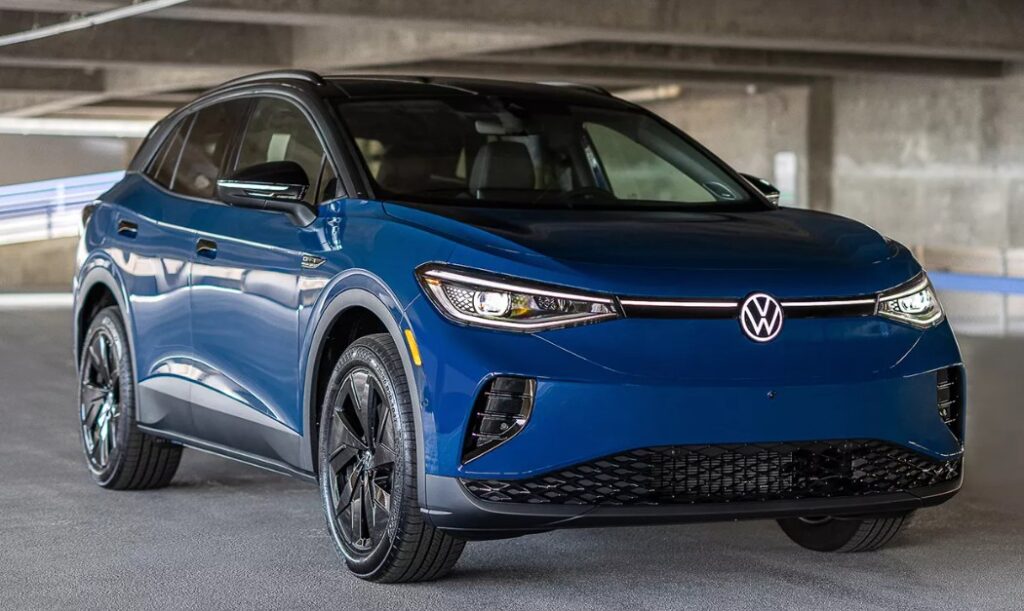
Few things feel more frustrating than climbing into your sleek electric SUV, pressing the brake pedal, tapping the start button, and suddenly seeing the dreaded message: “Key Not Detected.” It is like being locked out of your own digital kingdom while holding the crown in your hand.
The good news? In most cases, a Volkswagen ID 4 key detection problem is not catastrophic. Often, it is something surprisingly small: a weak key fob battery, interference from electronics, software glitches, or even where the key is sitting inside the vehicle.
In this guide, we will unpack everything you need to know about the Volkswagen ID 4 key not detected issue. We will explore why it happens, how to fix it quickly, when to worry, and how to avoid the problem in the future.
Content in this publication
- Why the Volkswagen ID 4 Says “Key Not Detected”
- How the Volkswagen ID 4 Keyless System Works
- The Most Common Cause: Weak Key Fob Battery
- Signal Interference Can Block Key Detection
- The Hidden Role of the 12V Battery
- Software Glitches in the Volkswagen ID 4
- Where You Place the Key Actually Matters
- What to Do When the Key Is Completely Undetected
- Damaged Key Fobs Are More Common Than You Think
- Can a Phone App Cause Key Detection Problems?
- Weather Can Affect Key Detection
- How to Prevent Future Key Detection Problems
- When You Should Visit a Volkswagen Dealer
- Could the Key Detection Problem Be a Recall Issue?
- Comparing the ID 4 to Other Keyless Systems
- DIY Troubleshooting Checklist
- The Psychology Behind Modern Car Frustration
- Final Thoughts on Volkswagen ID 4 Key Not Detected Issues
- FAQs
- Why does my Volkswagen ID 4 say key not detected even when the key is inside?
- Can a dead 12V battery cause key detection problems in the ID 4?
- How do I start my Volkswagen ID 4 when the key is not detected?
- How much does it cost to replace a Volkswagen ID 4 key fob?
- Will replacing the key battery fix the issue permanently?
Why the Volkswagen ID 4 Says “Key Not Detected”
Modern vehicles like the Volkswagen ID.4 rely heavily on wireless communication. Instead of inserting a traditional key into an ignition, the car and the key fob constantly exchange encrypted radio signals.
When that communication fails, the car cannot verify authorization to start.
Common triggers include:
- Dead or weak key fob battery
- Signal interference
- Faulty sensors
- Software bugs
- Damaged key fob
- Vehicle 12V battery issues
- Incorrect key positioning
Think of the system like two people trying to whisper in a crowded room. If the signal becomes too weak or too noisy, the message never gets through.
How the Volkswagen ID 4 Keyless System Works
Before fixing the issue, it helps to understand the technology behind it.
Passive Entry and Start System
The ID 4 uses a Passive Entry Passive Start (PEPS) system. The vehicle continuously scans for an authorized key nearby.
Once detected:
- Doors unlock automatically
- The cabin electronics activate
- The vehicle allows startup
If the signal disappears or becomes corrupted, the vehicle refuses to start as a security precaution.
Why Electric Vehicles Depend So Much on Electronics
Unlike older cars with mechanical ignitions, EVs operate like rolling computers. The Volkswagen ID.4 integrates:
- Digital authentication
- Wireless modules
- Battery management systems
- Security encryption
That sophistication improves convenience but also creates more potential failure points.
The Most Common Cause: Weak Key Fob Battery
If your Volkswagen ID 4 suddenly cannot detect the key, start here.
Symptoms of a Weak Battery
You may notice:
- Reduced unlock range
- Intermittent detection
- Delayed response
- Warning messages appearing randomly
- Need to place the key closer to the steering column
A dying battery is like a flashlight running out of power. It still works sometimes, but the beam flickers.
Typical Battery Life
Most ID 4 key fob batteries last:
- 2 to 4 years
- Sometimes less in hot climates
- Less if used heavily
How to Replace the Battery
The process is simple.
Step-by-Step Replacement
- Remove the emergency key
- Carefully open the key fob housing
- Remove the old battery
- Install a new CR2032 battery
- Reassemble the key
Always verify battery orientation before closing the case.
Signal Interference Can Block Key Detection
Sometimes the key itself is perfectly fine.
The problem may come from the environment around you.
Common Sources of Interference
Wireless signals can clash with the keyless system.
Possible culprits include:
- Smartphones
- Wi-Fi routers
- Parking garage systems
- Radio towers
- Metal objects
- Laptop chargers
- Bluetooth devices
Imagine trying to hear one violin during a rock concert. The signal gets buried.
What You Should Try
If your key is not detected:
- Move the key away from electronics
- Step outside the garage
- Remove the key from a crowded bag
- Hold the key near the steering column
Sometimes a simple repositioning instantly fixes the issue.
Many owners assume the large EV battery powers everything. Surprisingly, the small 12V battery remains essential.
Why the 12V Battery Matters
The 12V system powers:
- Key detection antennas
- Vehicle computers
- Door modules
- Sensors
- Startup authorization systems
If the 12V battery weakens, strange electrical issues appear.
Symptoms of a Weak 12V Battery
You may experience:
- Flickering screens
- Random warning messages
- Doors failing to unlock
- Failure to detect key
- Vehicle not starting
In many cases, the key is innocent. The real problem lives under the hood.
Software Glitches in the Volkswagen ID 4
The ID 4 is heavily software-driven. Occasionally, bugs create temporary communication failures.
Signs of a Software Problem
Software-related issues often appear randomly:
- Key works intermittently
- Problem disappears after restart
- Multiple electronic glitches appear together
- Infotainment system freezes
Simple Software Reset Methods
Try these before visiting a dealership.
Method 1: Lock and Wait
- Exit the vehicle
- Lock all doors
- Walk away for several minutes
- Return and retry
Method 2: Infotainment Reboot
Press and hold the infotainment power button until the screen resets.
Method 3: Use the Spare Key
If the spare key works normally, the issue may be isolated to the original fob.
Where You Place the Key Actually Matters
This surprises many drivers.
Bad Key Locations Inside the Vehicle
The ID 4 antennas may struggle to detect keys placed:
- In the cargo area
- Near metal water bottles
- Inside backpacks
- Beneath laptops
- In cupholders near electronics
Best Position for Reliable Detection
Keep the key:
- In your pocket
- Near the center console
- Away from clutter
- Separate from phones
Small adjustments can make a huge difference.
What to Do When the Key Is Completely Undetected
Sometimes the system refuses to cooperate entirely.
Do not panic.
Most vehicles include emergency backup procedures.
Emergency Start Procedure
The exact method varies slightly by model year, but generally:
- Hold the key fob near the steering column
- Press the brake pedal
- Press the start button
The vehicle can often read the key through a low-range backup antenna.
Why This Works
Even when the wireless system fails, short-range NFC-style communication may still function.
It is like speaking directly into someone’s ear instead of yelling across a room.
Damaged Key Fobs Are More Common Than You Think
Key fobs endure abuse daily.
They get:
- Dropped
- Sat on
- Exposed to moisture
- Overheated
- Crushed inside bags
Eventually, internal circuits may fail.
Signs Your Key Fob Is Damaged
Watch for:
- Cracked casing
- Loose buttons
- Water damage
- Intermittent functionality
- No LED response
When Replacement Is Necessary
If battery replacement changes nothing, the internal electronics may be damaged.
Unfortunately, modern smart keys are expensive because they require:
- Programming
- Encryption pairing
- Dealer authentication
Can a Phone App Cause Key Detection Problems?
The myVolkswagen app introduces another layer of connectivity.
Digital Key Features
Some trims support mobile access functions such as:
- Remote locking
- Climate control
- Vehicle monitoring
Potential Conflicts
Occasionally:
- Bluetooth conflicts occur
- Phone pairing glitches appear
- Software synchronization fails
Quick Fix
Try:
- Turning Bluetooth off temporarily
- Restarting your phone
- Re-pairing the app
Sometimes the phone becomes the unexpected troublemaker.
Weather Can Affect Key Detection
Technology dislikes extremes.
Cold Weather Problems
Freezing temperatures can:
- Reduce battery voltage
- Slow electronic communication
- Weaken key fob performance
Extreme heat may:
- Damage batteries
- Expand electronic components
- Cause temporary sensor malfunctions
Humidity and Moisture
Moisture exposure can corrode:
- Key fob contacts
- Antenna connections
- Internal modules
Protecting the key from environmental stress matters more than many owners realize.
How to Prevent Future Key Detection Problems
Prevention beats troubleshooting every time.
Best Practices for ID 4 Owners
Replace the Key Battery Proactively
Do not wait until it dies completely.
A fresh battery every 2 years helps avoid surprises.
Keep the Key Clean
Dust and moisture gradually degrade performance.
Avoid Dropping the Key
Modern fobs are tiny computers, not indestructible bricks.
Update Vehicle Software
Manufacturers frequently release updates fixing connectivity bugs.
Maintain the 12V Battery
Many EV owners forget this critical component exists.
When You Should Visit a Volkswagen Dealer
Some issues require professional diagnostics.
Warning Signs You Should Not Ignore
Visit a dealership if:
- Both keys stop working
- The vehicle repeatedly refuses to start
- Warning lights appear
- Key detection fails daily
- Software resets do not help
What Dealers Typically Check
Technicians may inspect:
- Key fob frequency output
- Antenna modules
- Door handle sensors
- 12V battery health
- Vehicle software updates
Modern diagnostics resemble computer troubleshooting more than traditional car repair.
Could the Key Detection Problem Be a Recall Issue?
Some owners worry about recalls whenever electronic problems appear.
Software Campaigns and Technical Service Bulletins
Manufacturers often issue:
- Firmware updates
- Technical Service Bulletins (TSBs)
- Service campaigns
These may improve:
- Connectivity
- Stability
- Key recognition reliability
Checking with Volkswagen Official Website or a dealership can clarify whether your vehicle qualifies for updates.
Comparing the ID 4 to Other Keyless Systems
The Volkswagen ID.4 is not alone.
Many modern vehicles experience similar issues.
Why EVs Face More Electronic Challenges
Electric vehicles rely heavily on interconnected systems.
That means:
- More software layers
- More sensors
- More wireless communication
- More opportunities for glitches
Is the ID 4 Worse Than Competitors?
Not necessarily.
Most brands experience:
- Key fob battery failures
- Signal interference
- Software bugs
The difference is that EV owners often notice electronic quirks more quickly because the entire driving experience feels so digital.
DIY Troubleshooting Checklist
Here is a quick action plan.
If Your Volkswagen ID 4 Key Is Not Detected
Try these steps in order:
- Replace the key battery
- Use the spare key
- Move away from interference
- Hold the key near the steering column
- Restart infotainment
- Check the 12V battery
- Lock and unlock the vehicle
- Remove electronics from nearby
- Update vehicle software
- Visit a dealership if the issue persists
This process solves most cases without expensive repairs.
The Psychology Behind Modern Car Frustration
There is something uniquely irritating about electronic problems.
Why?
Because they feel invisible.
A flat tire is obvious. A dead battery makes sense. But a key sitting in your hand while the car insists it does not exist? That feels almost absurd.
Modern vehicles trade mechanical simplicity for technological convenience. Most of the time, the exchange is worth it. Sometimes, though, the digital curtain slips, revealing how dependent we have become on invisible signals and software logic.
The ID 4 is essentially a smartphone on wheels. And like any connected device, occasional glitches are part of the experience.
Final Thoughts on Volkswagen ID 4 Key Not Detected Issues
The Volkswagen ID 4 key not detected warning can feel alarming at first, but it is usually manageable. In many situations, the solution is surprisingly simple: replacing the key battery, reducing interference, or rebooting the system.
The key takeaway is this: start with the basics before assuming something catastrophic has happened.
Modern vehicles are sophisticated ecosystems filled with antennas, wireless communication, software layers, and electronic safeguards. When one tiny link weakens, the system reacts defensively.
Fortunately, most key detection problems can be solved quickly without major repairs.
Treat your key fob carefully, maintain the 12V battery, keep software updated, and your ID 4 should continue gliding silently down the road like the futuristic machine it was designed to be.
FAQs
Why does my Volkswagen ID 4 say key not detected even when the key is inside?
The most common causes include a weak key fob battery, signal interference, poor key placement, or a software glitch.
Can a dead 12V battery cause key detection problems in the ID 4?
Yes. The 12V battery powers essential electronic systems, including the key recognition modules.
How do I start my Volkswagen ID 4 when the key is not detected?
Hold the key fob near the steering column or designated backup location while pressing the brake and start button.
How much does it cost to replace a Volkswagen ID 4 key fob?
Replacement costs vary, but programming and dealer pairing can make modern smart keys relatively expensive.
Will replacing the key battery fix the issue permanently?
If the problem is caused by low battery voltage, replacing the battery usually resolves it immediately.
If you want to know other articles similar to Volkswagen ID 4 Key Not Detected: Causes, Fixes, and Smart Solutions you can visit the category Common Problems.
Toyota Corolla Cross Issues: Common Problems and Fixes

MG HS Problems: Common Faults, Reliability and Years to Avoid (2019–2026)
Toyota Yaris Cross Battery Problems: Causes & Fixes
Volvo XC40 Sound Not Working? Complete Troubleshooting Guide

Mazda Diesel Engine Problems: Common Faults and Fixes
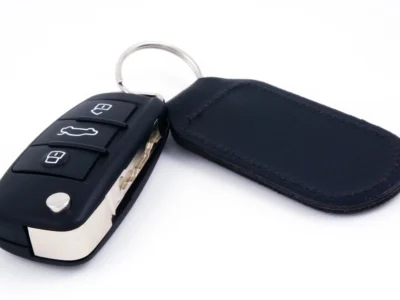
Volkswagen Key Not Detected or No Key Error: Causes and Fixes
Leave a Reply
More content of your interest