

Ford Ka USB Port Not Working: Causes, Fixes, and Troubleshooting Guide

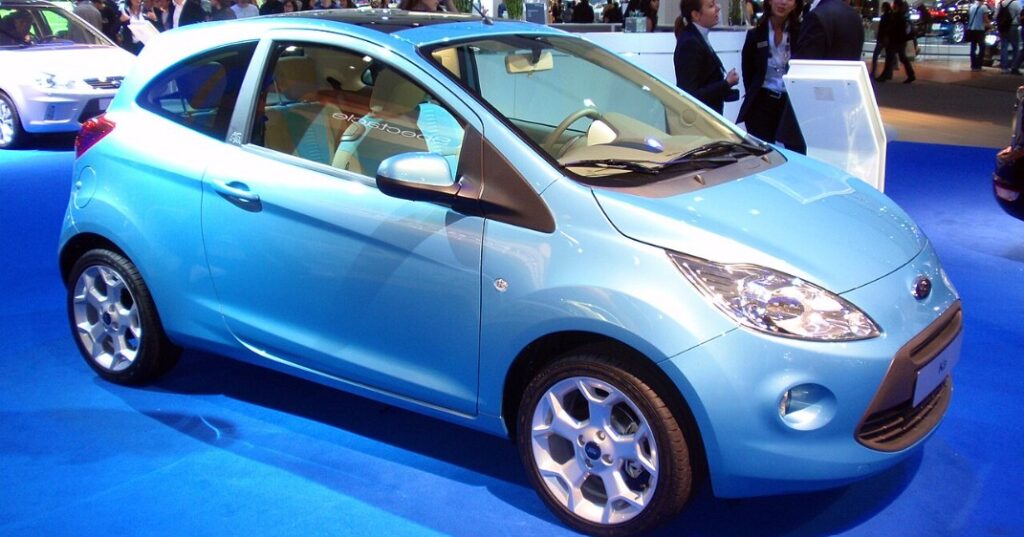
A Ford Ka USB port not working can turn a simple drive into a surprisingly irritating experience. One minute we are plugging in a phone to charge it, play music, or connect to the infotainment system; the next, absolutely nothing happens. No charging symbol. No music. No connection. Just a USB cable sitting there like a bridge leading nowhere.
The good news is that a dead or unreliable USB port does not automatically mean the Ford Ka needs an expensive electrical repair. In many cases, the problem comes down to something simple: a bad cable, dirt inside the socket, an incompatible device, a blown fuse, or an infotainment system that has temporarily lost the plot.
The Ford Ka has existed in several generations and configurations, and not every version uses the same audio system or USB setup. Earlier models may have relatively basic connectivity, while later Ka and Ka+ versions can include USB inputs integrated with Ford audio or SYNC-related systems depending on market and specification.
So, rather than randomly replacing parts, we are going to diagnose the issue logically.
Content in this publication
- Why Is My Ford Ka USB Port Not Working?
- Common Ford Ka USB Port Problems
- Ford Ka USB Port Has No Power
- Ford Ka USB Charges but Does Not Play Music
- Ford Ka USB Device Not Recognized
- Clean the Ford Ka USB Port Carefully
- Check the Ford Ka USB Fuse
- Ford Ka USB Port Works Intermittently
- Ford Ka USB Port Not Working With iPhone
- Ford Ka USB Port Not Working With Android Phone
- Ford Ka USB Flash Drive Not Working
- Ford Ka USB Music Not Playing
- Could the Ford Ka Battery Affect the USB Port?
- Ford Ka USB Port Stopped Working Suddenly
- Liquid Damage Around the USB Port
- Faulty Ford Ka USB Module
- Can We Replace the Ford Ka USB Port?
- How to Diagnose a Ford Ka USB Port Step by Step
- When Should We Take the Ford Ka to an Auto Electrician?
- Can a Software Glitch Disable the Ford Ka USB Port?
- Ford Ka USB Port Works With One Phone but Not Another
- Ford Ka USB Keeps Disconnecting
- Can a USB Adapter Cause Ford Ka Problems?
- Should We Use the USB Port for Fast Charging?
- How Much Does Ford Ka USB Port Repair Cost?
- How to Prevent Ford Ka USB Problems
- Ford Ka USB Port Not Working: Final Troubleshooting Verdict
- Frequently Asked Questions
Why Is My Ford Ka USB Port Not Working?
When the USB port suddenly stops working, the first question is whether the problem involves power, data communication, or both.
That distinction matters.
A USB socket effectively performs two jobs. It can supply electrical power to a connected device, and it can transfer information between the phone or USB drive and the vehicle's audio system.
Sometimes charging continues but the stereo refuses to detect the phone. Other times, there is no electrical power at all. And occasionally, the connection works for a few seconds before repeatedly disconnecting.
Those symptoms point us toward different causes.
Common Ford Ka USB Port Problems
The most common causes of Ford Ka USB trouble include:
- Damaged or low-quality USB cables
- Dust, lint, corrosion, or debris inside the USB socket
- Blown accessory or multimedia fuse
- Phone compatibility problems
- Unsupported USB flash-drive formatting
- Infotainment software glitches
- Loose wiring behind the USB module
- Worn or physically damaged USB socket
- Low vehicle battery voltage
- Faulty USB hub or multimedia module
Before pulling apart dashboard panels, we should eliminate the easy possibilities first. Electrical diagnosis is a bit like detective work: start with the obvious suspect before interrogating the whole neighbourhood.
Ford Ka USB Port Has No Power
If the connected phone does not charge at all, the USB socket may not be receiving power.
Test another device first.
Plug in a second phone or another USB-powered device. If neither receives power, replace the USB cable and test again.
Still nothing?
Now we can reasonably suspect the vehicle rather than the phone.
Check Whether the Ignition Needs to Be On
Some Ford Ka electrical circuits activate only when the ignition is switched to accessory or ignition-on mode.
With the engine off and the key removed, the USB port may be inactive depending on model and specification.
Switch the ignition on and reconnect the device.
Wait several seconds because some infotainment systems take a moment to initialise their USB circuitry.
Try Another USB Cable
USB cables fail constantly.
And frustratingly, a damaged cable can look perfectly healthy from the outside.
Internal wires may break near the connector while the outer insulation remains intact. Cheap cables can also provide charging without proper data communication.
If the Ford Ka USB port isn't charging, try a known-good cable before doing anything else.
Ideally, use the original phone cable or a reputable replacement capable of both charging and data transfer.
Ford Ka USB Charges but Does Not Play Music
This is one of the most confusing situations.
Your phone charges normally, proving that electricity reaches the USB socket, yet the audio system behaves as though nothing is connected.
That usually means the problem is on the data side of the connection rather than the power side.
Your Cable May Be Charge-Only
Not every USB cable carries data.
Some inexpensive cables contain only the wires needed to deliver power. They will happily charge a phone but cannot transmit music, device information, or commands.
That means the Ford stereo never sees the device.
Swap the cable for one explicitly designed for data transfer.
Unlock the Phone After Connecting It
Modern smartphones often restrict USB communication while locked.
Connect the phone, unlock it, and watch for a notification asking what the USB connection should do.
Depending on the phone, options may include charging only, file transfer, media transfer, Android Auto-related modes, or accessory communication.
Select the appropriate media or data option where available.
Ford Ka USB Device Not Recognized
A message such as USB device not recognized, unsupported device, or simply no reaction from the stereo means communication started but failed.
The USB system knows something is plugged in, but it cannot interpret it correctly.
Restart the Connected Device
We often overlook the simplest fix.
Disconnect the phone, shut it down completely, restart it, and reconnect it after the Ford audio system has finished starting.
Phones accumulate temporary software errors just like infotainment systems do.
Restarting clears many of them.
Restart the Ford Ka Audio System
If possible, turn the vehicle off, remove the key, open the driver's door, and allow the electrical modules to shut down.
Wait briefly before restarting the car.
This basic power cycle can clear temporary multimedia communication faults.
On vehicles with more sophisticated Ford infotainment equipment, a system reboot may also help, although the exact procedure varies by stereo and model year.
Clean the Ford Ka USB Port Carefully
Take a close look inside the USB socket.
Pocket lint and dust are remarkably effective at blocking electrical connections.
A tiny layer of debris can prevent the connector from seating fully. When that happens, charging may become intermittent or data communication may disappear entirely.
Signs of a Dirty USB Port
A contaminated socket often gives us clues.
The cable may feel loose, work only at a certain angle, disconnect when touched, or repeatedly switch between charging and not charging.
Use a flashlight to inspect the opening.
Never force metal tools into the socket because the contacts can bend or short together.
Cleaning the Connector Safely
With the vehicle switched off, remove loose debris carefully using compressed air or a suitable nonconductive cleaning tool.
If corrosion is visible, the socket may require professional attention rather than aggressive scraping.
USB contacts are tiny. Treat them more like watch components than battery terminals.
Check the Ford Ka USB Fuse
When the USB port has completely lost power, checking the relevant fuse makes sense.
The complication is that the precise fuse number and circuit arrangement can vary between Ford Ka generations, markets, model years, and audio specifications.
Therefore, we should not assume that every Ka uses the same fuse.
Consult the fuse diagram for the specific vehicle.
Look for circuits associated with the audio system, multimedia system, accessory socket, SYNC system, entertainment module, or USB hub.
How to Recognize a Blown Fuse
Remove the appropriate fuse using a fuse puller and inspect the small metal link inside.
If the link is broken or burned, the fuse has blown.
Replace it only with another fuse of the same amperage rating.
Installing a higher-rated fuse is not an upgrade. It removes protection from the circuit and can allow wiring to overheat.
What If the New Fuse Blows Again?
A fuse that fails repeatedly indicates an underlying electrical problem.
There may be a short circuit, damaged USB module, crushed wiring, liquid contamination, or another component drawing excessive current.
At that point, continuing to install replacement fuses is like repeatedly resetting a circuit breaker while ignoring the smoking appliance.
The electrical fault needs diagnosis.
Ford Ka USB Port Works Intermittently
Intermittent USB problems are particularly annoying because they make us wonder whether the issue has fixed itself.
Usually, it hasn't.
A connection that cuts in and out often points to mechanical wear.
Move the Cable Gently
With a device connected, gently move the plug.
If charging or audio repeatedly connects and disconnects when the connector moves, either the cable plug or vehicle socket may be worn.
Test multiple cables.
If every cable behaves the same way, the socket becomes the main suspect.
Look for a Loose USB Module
Repeated plugging and unplugging places physical stress on the socket.
Over years of use, the mounting hardware or internal solder connections can weaken.
A socket that physically moves inside the console may need removal and inspection.
Ford Ka USB Port Not Working With iPhone
An iPhone can charge successfully while still refusing to communicate properly with the vehicle.
Again, charging does not prove that the data connection is healthy.
Start by using a reliable Apple-compatible cable.
If the phone displays a trust or accessory permission prompt, accept it.
Also make sure the iPhone is unlocked when initially connecting.
Check iPhone Restrictions and Permissions
Security settings can sometimes prevent accessories from communicating when the phone has remained locked.
Software updates can also alter how a phone communicates with older car entertainment systems.
If the USB problem appeared immediately after an iOS update, restarting both the phone and vehicle system is a sensible first move.
We should also test another iPhone if possible.
If multiple phones fail, the car becomes the stronger suspect.
Ford Ka USB Port Not Working With Android Phone
Android devices vary considerably because different manufacturers use different USB implementations and software interfaces.
A phone may default to charging only after connection.
Unlock the device and examine the USB notification.
Choose file transfer, media transfer, or another relevant data mode if required by the vehicle's audio system.
Try Changing the Default USB Mode
Some Android phones allow the default USB behaviour to be adjusted.
However, we should avoid changing advanced developer settings unnecessarily.
First try the straightforward options presented in the notification panel.
If one Android phone works and another does not, compatibility rather than vehicle hardware may be the issue.
Ford Ka USB Flash Drive Not Working
USB flash drives introduce another layer of compatibility issues.
A stereo system is not a full computer. It may accept only certain file systems, storage capacities, folder structures, and audio formats.
A USB stick that works perfectly on a laptop can still be invisible to the car.
Try a Smaller, Simpler USB Drive
Older multimedia systems may struggle with very large storage devices.
Test a basic flash drive containing only a few music files.
Avoid filling it with thousands of folders while troubleshooting.
The objective is to simplify the environment until we identify what the stereo can recognise.
Check USB Drive Formatting
Vehicle audio systems commonly support particular file systems such as FAT32, although exact compatibility depends on the equipment fitted.
If the USB drive is formatted using a file system the stereo does not support, the vehicle may fail to detect it.
Back up any important files before reformatting a drive because formatting erases its contents.
Ford Ka USB Music Not Playing
Suppose the stereo detects the USB drive and displays folders, yet some songs refuse to play.
Now the USB port itself is probably working.
The problem may involve file compatibility.
Check the Audio File Format
Not every stereo supports every digital audio format.
MP3 is generally among the safest formats for older vehicle systems.
More unusual codecs, protected files, or corrupted tracks may not play.
Try placing a few ordinary MP3 files on a clean flash drive and testing again.
Simplify Folder and File Names
Very long file names, unusual characters, or deeply nested folder structures can confuse older audio systems.
Use straightforward names and a simple folder structure during testing.
Once everything works, we can gradually add more content.
Could the Ford Ka Battery Affect the USB Port?
Yes, although this is less common than cable or socket problems.
Modern vehicles depend heavily on stable electrical voltage.
A weak battery can cause modules to behave unpredictably, particularly during engine starting when voltage temporarily drops.
You might notice the stereo rebooting, the clock resetting, Bluetooth behaving strangely, or USB devices disconnecting.
Watch for Other Electrical Symptoms
If USB failure appears alongside slow starting, dim lights, random warning messages, or repeated infotainment resets, checking the 12-volt battery becomes sensible.
Battery condition should be tested rather than judged solely by whether the engine still starts.
A struggling battery can remain capable of starting the car while causing low-voltage electronic problems.
Ford Ka USB Port Stopped Working Suddenly
Sudden failure usually narrows the investigation.
Think about what happened immediately beforehand.
Was a new charger connected? Did liquid spill near the console? Was the battery disconnected? Did the phone receive an update? Did the stereo freeze? Was electrical work carried out?
Context often reveals the cause faster than dismantling anything.
After Battery Replacement or Disconnection
Disconnecting vehicle power can reset infotainment modules.
Normally they recover automatically, but temporary communication glitches can occur.
Restart the system and reconnect USB devices only after the stereo has fully booted.
Some older Ford radios may also have anti-theft or configuration considerations after loss of power, depending on the equipment installed.
Liquid Damage Around the USB Port
Coffee and electronics are terrible travelling companions.
If liquid enters the USB area, switch off the vehicle accessories and avoid repeatedly inserting devices into the contaminated socket.
Moisture can create corrosion or short circuits.
Sticky drinks are particularly troublesome because even after the liquid dries, conductive and corrosive residue can remain behind.
Do Not Keep Testing a Wet Port
Repeatedly powering a contaminated socket can worsen the damage.
If a significant spill occurred, the USB module may need removal, cleaning, testing, or replacement.
Faulty Ford Ka USB Module
Eventually, we reach the less convenient possibility: the USB module itself may have failed.
A dedicated USB hub or socket assembly can develop internal faults due to age, wear, overheating, corrosion, or damaged circuit boards.
If power and ground are reaching the module but the port remains dead, replacement may be necessary.
USB Socket Versus Infotainment Fault
This distinction is important.
If the USB port has no power, we might suspect the fuse, wiring, or socket module.
If it supplies power but every compatible device fails to communicate, the problem may involve data wiring, the USB interface, or the audio head unit.
Professional diagnostic equipment can sometimes communicate with multimedia modules and reveal stored fault codes.
Can We Replace the Ford Ka USB Port?
In many cases, yes.
Depending on the vehicle, the USB socket may be part of a removable console module rather than permanently integrated into the dashboard.
Replacement complexity varies significantly between generations.
Some require little more than trim removal and connector disconnection. Others involve additional dismantling.
Avoid Damaging Interior Trim
Interior clips can become brittle with age.
Using incorrect tools can scratch the console or snap mounting tabs.
If we are not comfortable removing automotive trim or testing electrical connectors, paying for professional diagnosis may cost less than replacing broken trim pieces afterward.
How to Diagnose a Ford Ka USB Port Step by Step
A logical troubleshooting sequence prevents us from replacing parts unnecessarily.
Start by testing a second cable and a second device. Then verify whether the USB socket provides power. Restart both the phone and vehicle audio system. Inspect and clean the socket. Test a simple USB flash drive if appropriate. Check the relevant fuse using the correct vehicle fuse diagram. Look for intermittent behaviour when the cable moves. Consider battery voltage if other electronics behave strangely. Finally, inspect the USB module and wiring if every basic check fails.
Following that order matters.
Replacing an infotainment unit because of a £10 cable is not troubleshooting. It is expensive guesswork.
When Should We Take the Ford Ka to an Auto Electrician?
DIY checks make sense when the potential causes are simple and visible.
Electrical diagnosis becomes more complicated once we start dealing with module power supplies, communication wiring, connector pinouts, or internal infotainment faults.
Professional diagnosis is particularly worthwhile if the fuse repeatedly blows, the socket shows corrosion, liquid has entered the console, several electrical accessories have failed simultaneously, or wiring repairs have previously been carried out.
What a Technician May Test
A competent technician can check voltage and ground at the USB module, inspect connectors, test wiring continuity, examine network communication, scan modules for fault codes, and determine whether the USB socket or head unit has failed.
That beats replacing components one by one and hoping for the best.
Can a Software Glitch Disable the Ford Ka USB Port?
Absolutely.
Infotainment systems are computers wearing dashboard clothes.
They can freeze, lose device communication, or fail to initialise properly.
A temporary software fault may disappear after the vehicle and device are restarted.
Persistent software-related problems may require a system reset, configuration check, or software update where supported.
Do Not Assume Every Ka Supports the Same Update Process
Ford Ka infotainment equipment differs significantly between years and markets.
Some versions use basic stereos with limited software functionality, while others have more advanced connectivity.
Therefore, update procedures should always match the exact audio unit fitted to the vehicle.
Ford Ka USB Port Works With One Phone but Not Another
This is valuable diagnostic information.
If one device works perfectly, the USB port, fuse, and much of the vehicle's wiring are probably functioning.
Focus on the non-working device.
Check its cable, USB configuration, security permissions, connector cleanliness, and compatibility.
Phone Cases Can Cause Connection Problems
A surprisingly thick phone case can prevent the cable from fully entering the phone's charging port.
The plug may appear connected while sitting slightly outside the socket.
Remove the case temporarily and reconnect the cable firmly.
Also inspect the phone's own charging port for lint.
Ford Ka USB Keeps Disconnecting
Repeated connection and disconnection typically suggests poor physical contact, unstable voltage, or software communication trouble.
Begin with the cable.
Then inspect both ends of the connection.
If the USB cable fits loosely inside the Ford socket, the contacts may be worn.
If disconnecting happens mainly while driving over bumps, mechanical looseness becomes even more likely.
Does the Problem Happen When Starting the Engine?
If the USB connection drops only during engine cranking and immediately returns, a brief voltage drop may be responsible.
That can be normal to some extent because starting the engine places a heavy load on the battery.
However, prolonged infotainment resets may justify checking battery condition.
Can a USB Adapter Cause Ford Ka Problems?
Adapters introduce another potential failure point.
USB-C adapters, Lightning adapters, extension cables, splitters, and aftermarket hubs can create communication problems.
When diagnosing the issue, remove every unnecessary adapter.
Connect the device directly using a single compatible cable.
Think of troubleshooting as clearing furniture from a hallway. Every extra component gives the signal another place to trip.
Should We Use the USB Port for Fast Charging?
Older Ford Ka USB ports were primarily designed for connectivity and modest device charging rather than modern high-power fast charging.
A newer smartphone may therefore charge slowly even when the USB port is functioning normally.
Slow charging should not automatically be interpreted as a fault.
Use the Correct Power Source for High-Speed Charging
If rapid charging matters, an appropriate charger connected to the vehicle's 12-volt accessory outlet may provide more power than the factory multimedia USB port.
However, use reputable charging equipment and make sure it matches the device's requirements.
The original USB port can then remain dedicated to media connectivity where needed.
How Much Does Ford Ka USB Port Repair Cost?
Repair cost depends almost entirely on what failed.
Replacing a cable costs very little. Cleaning debris from the socket may cost nothing. Replacing a fuse is inexpensive.
A USB module or socket assembly costs more, while wiring repairs or infotainment-unit faults can become considerably more expensive.
Labour also varies depending on how much interior trim must be removed.
Diagnose Before Buying Parts
This is the most important money-saving principle in the entire guide.
Do not order a new USB socket simply because the old one is not working.
Verify the cable, device, power supply, fuse, and basic communication first.
Parts swapping without diagnosis can turn a minor fault into a surprisingly expensive afternoon.
How to Prevent Ford Ka USB Problems
USB sockets live a harder life than we sometimes realise.
They get plugged and unplugged hundreds of times, collect dust, deal with cables hanging sideways, and occasionally meet spilled drinks.
We can extend their life by removing cables straight rather than pulling sideways, keeping the console dry, avoiding damaged connectors, and not leaving heavy adapters hanging from the socket.
A little care goes a long way.
Ford Ka USB Port Not Working: Final Troubleshooting Verdict
When a Ford Ka USB port is not working, we should resist the temptation to assume the worst.
Start simple.
Try another cable. Try another device. Check whether the socket provides power. Restart the phone and stereo. Clean the connector. Check the correct fuse. Test a basic USB drive where relevant.
Only after those checks should we start suspecting the USB module, wiring, or infotainment unit.
The symptoms provide useful clues. A completely dead USB socket points toward power supply problems. A port that charges but cannot detect devices points toward data communication. An intermittent socket suggests physical wear or poor contact. A port that works with one phone but not another usually points toward the device or cable rather than the car.
Troubleshooting becomes much easier when we follow the evidence instead of throwing parts at the problem.
And that is really the key. The USB socket might be tiny, but it sits at the meeting point between automotive electrics, computer communication, phone software, and mechanical wear. Once we identify which side of that crossroads has failed, the repair becomes far less mysterious.
Frequently Asked Questions
Why is my Ford Ka USB port not charging my phone?
The most likely causes are a damaged USB cable, dirty or worn socket, blown fuse, inactive accessory circuit, wiring fault, or failed USB module. Test another cable and device before investigating the vehicle's electrical system.
Why does my Ford Ka USB charge but not connect to the stereo?
Charging uses different USB connections from data transfer. A charge-only cable, incompatible phone setting, damaged data contact, or infotainment communication problem can therefore allow charging while preventing music or device recognition.
Where is the Ford Ka USB fuse?
The fuse location and number vary by Ford Ka generation, model year, market, and equipment specification. Check the vehicle's fuse diagram or owner's documentation for circuits associated with the audio, multimedia, accessory, SYNC, or USB system.
Can I replace the USB port in a Ford Ka?
Yes, on many versions the USB socket or USB module can be replaced. The amount of dashboard or console dismantling required depends on the model. Diagnosis should confirm that the socket itself has failed before replacement.
Why does my Ford Ka USB keep disconnecting?
Repeated disconnecting commonly results from a worn cable, loose USB socket, contaminated contacts, unstable power supply, weak battery, or software communication glitch. If moving the cable causes the connection to fail, inspect the cable and socket first.
If you want to know other articles similar to Ford Ka USB Port Not Working: Causes, Fixes, and Troubleshooting Guide you can visit the category Common Problems.
Volvo S90 Common Problems: Reliability & Repair Guide
Volvo S90 No Sound: Causes, Fixes and Solutions

Nissan Rogue Smells Like Gas: Causes and Fixes
Vauxhall Agila Problems: Common Faults & Fixes

Kia Sorento Jerking When Accelerating: Causes & Fixes

Jaguar F-Pace Low Battery: Causes, Warning Signs, and How to Fix It
Leave a Reply
More content of your interest