

Ford Puma Dashboard Warning Lights and Symbols


The Ford Puma uses dashboard lamps, display icons, and written messages to tell us what the vehicle is doing. Some call for immediate action. Others simply confirm that a driving mode, lighting feature, or assistance system has been selected.
To interpret Ford Puma dashboard warning lights and symbols, start with four details: the graphic, its color, whether it flashes, and the accompanying message. A green Auto-Start-Stop symbol is very different from a red oil-pressure warning, even though both may appear while the vehicle is stationary.
This guide places a small symbol beside each explanation so we can identify the relevant indicator and understand the next step.
Which Puma is covered? The guide focuses on the modern combustion-engine and EcoBoost Hybrid mild-hybrid Puma crossover, using Ford documentation for versions with 4.2-inch and 12.3-inch instrument displays. Equipment and graphics vary by build date, market, and trim. It is not a warning-light guide for the original Puma coupe or the fully electric Puma Gen-E. The illustrations show symbol shapes in monochrome; check the actual color in your vehicle.
Content in this publication
- Ford Puma Warning Light Colors at a Glance
- Why Do Lights Illuminate When the Ignition Is Switched On?
- Engine, Braking, and Immediate Safety Warnings
- Engine Management, Maintenance, and Chassis Warnings
- Driver-Assistance Indicators and Alerts
- Stop/Start, Fuel, and Lighting Indicators
- Gear Recommendations and Drive Mode Symbols
- What Should We Do When Several Puma Warning Lights Appear?
- Can We Reset Ford Puma Dashboard Warning Lights?
- Understanding Your Puma’s Instrument Display
- Frequently Asked Questions
Ford Puma Warning Light Colors at a Glance
| Color | General role | How we should respond |
|---|---|---|
| Red | An urgent condition or immediate safety reminder | Identify it promptly; stop safely for critical mechanical warnings. |
| Amber / yellow | A fault, caution, requested action, or selected function | Read the message before deciding what action is needed. |
| Green | A system is operating or a function is set | Usually a normal status indication. |
| Blue | High-beam headlights are illuminated | Use the lighting appropriately for other road users. |
| White / gray | Standby, availability, or a temporarily inactive feature | Interpret it with the specific feature’s display. |
Color alone is not a diagnosis. An amber rear-fog indicator can be normal, while an amber flashing powertrain warning requires attention. We should identify the system before treating a color as permission to keep driving.
Why Do Lights Illuminate When the Ignition Is Switched On?
Some lamps appear briefly during startup so their operation can be checked. Others remain illuminated until the engine starts. A light seen during this check is not automatically a fault.
The important question is whether it remains on afterward, appears while driving, or is accompanied by a warning message. Follow the description for that particular system instead of applying one rule to every indicator.
Engine, Braking, and Immediate Safety Warnings
1. Engine Oil Pressure Warning Light
 | Urgent engine warning · Stop safely and switch off. |
The oil-can symbol concerns lubrication pressure. If it comes on while the engine is running, we should stop as soon as it is safe, turn the engine off, and check the oil level as directed in the manual.
A normal dipstick reading does not make the warning safe to ignore. Pressure can be inadequate even with sufficient oil. Arrange inspection rather than continue driving or repeatedly restart the engine.
This is separate from the Puma’s oil-life and oil-change notifications. A service reset cannot correct a lubrication fault.
2. Engine Coolant Temperature Warning
 | Temperature-system warning · Check the gauge and message. |
The thermometer-over-waves graphic relates to the engine cooling system. In the covered Puma manual, illumination of the temperature-gauge icon can report a system malfunction; the accompanying temperature reading and message matter.
If the engine is overheating, stop safely and switch off. Do not continue simply because the vehicle still accelerates normally.
Allow the system to cool before any checks, and never open a hot coolant pressure cap. If the warning appears without an obvious high reading, it still needs investigation rather than an assumption that everything is normal.
3. Brake System and Parking Brake Warning
 | Parking brake status or a potentially serious braking fault. |
A brake warning is expected when the parking brake is applied and the ignition is on. If it appears while moving, check whether the parking brake has been released fully.
If it is released and the warning remains, low brake fluid or a brake-system fault may be present. Stop safely and arrange inspection. A soft pedal, unusual travel, or reduced braking performance makes continuing especially unsafe.
We should not assume that adding fluid is a complete solution. The cause of the low level or persistent warning needs to be established.
4. Battery and Ignition Warning Light
 | Electrical warning · The vehicle needs inspection. |
Ford refers to the battery-shaped symbol as the ignition warning lamp in the covered manual. It can illuminate normally before starting, but illumination while the engine runs indicates a malfunction.
The icon does not identify a battery that simply needs replacement. The charging system and related electrical components may require testing.
If it appears during a journey, find a safe stopping place and seek assistance or professional advice. On a mild-hybrid Puma, avoid assuming that every electrical warning concerns the 48-volt system; the symbol and message must be interpreted together.
5. Airbag Warning Light
 | Restraint-system warning · Arrange prompt diagnosis. |
The person-and-airbag symbol participates in the ignition-on check. Ford advises inspection if it fails to illuminate during that check, continues flashing, or stays on with the engine running.
We should take this seriously even when the car otherwise feels normal. A restraint-system fault can affect protection in a collision.
Do not disconnect under-seat wiring or probe airbag connectors to see whether the light clears. The warning also differs from a passenger-airbag status display showing that a particular airbag is switched off.
6. Seat Belt Reminder
 | Safety reminder · Fasten the indicated seat belt. |
The seat-belt graphic remains illuminated until the relevant belt is fastened. Depending on the equipment, a chime or seating-position display may accompany it.
Confirm that everyone is restrained before moving. If a reminder continues despite correct belt use, identify the position involved and arrange a check if needed.
We should not use buckle inserts to silence the system. A reminder that disagrees with the actual occupancy or belt condition needs investigation, not a workaround.
7. Door or Hood Open Warning
 | Open-panel warning · Stop before checking the latch. |
This graphic reports that a monitored door or the hood is not securely closed. Read the message to identify the panel rather than repeatedly opening everything.
If the warning appears while driving, stop safely before checking it. Secure the panel and verify that the display clears.
An alert that remains with all panels apparently shut may indicate a latch or sensing issue. We should not assume that a hood is secure just because it looks closed from the driver’s seat.
Engine Management, Maintenance, and Chassis Warnings
8. Check Engine Light: Malfunction Indicator Lamp
 | Engine-shaped lamp · An emissions-related malfunction has been detected. |
The check engine light is triggered by the onboard diagnostic system. A steady light requires diagnosis; it does not identify a particular failed sensor or prove that a major component must be replaced.
A flashing lamp can indicate misfire. Excessive exhaust temperatures may damage the catalytic converter or other parts, so avoid heavy acceleration and arrange immediate attention.
If the engine runs roughly, loses substantial power, or another urgent warning appears, stop safely and seek assistance. We should preserve diagnostic information rather than clear codes before the cause is investigated.
9. Powertrain Warning: Wrench or Spanner
 | Powertrain fault · Follow the message and avoid heavy acceleration. |
The spanner symbol is a powertrain warning on the covered Puma. It should not automatically be interpreted as a harmless maintenance reminder.
If it flashes while driving, reduce speed safely and have the vehicle attended to immediately. Note any unusual shifting, reduced power, or engine behavior.
If the powertrain and check engine lamps illuminate together, Ford instructs the driver to stop safely because continued operation may lead to reduced power or engine shutdown. Follow the vehicle-specific instructions and arrange immediate inspection.
10. Change Engine Oil Indicator
 | Oil-life warning · Schedule the required oil service promptly. |
This indicator reports that calculated engine oil life is becoming depleted. It is different from the oil-pressure warning, even though both relate to engine oil.
Have the oil service completed with the specified oil and follow the maintenance guidance for the engine. Do not reset the reminder merely to remove the icon.
On the covered models, an oil-change indicator appearing with the powertrain warning can communicate seriously depleted oil life and a need for immediate oil service. Read the complete message; do not assume every powertrain warning has this explanation.
11. ABS Warning Light
 | Anti-lock braking warning · ABS assistance may be unavailable. |
A persistent ABS warning indicates a malfunction in the anti-lock braking system. Ford explains that normal braking remains available without the ABS function for this fault condition.
We should arrange inspection and avoid assuming that hard braking will feel or behave normally. If the red brake warning also appears, or pedal feel changes, stop safely and obtain assistance.
The light is not enough to diagnose a wheel-speed sensor. The braking system needs an appropriate scan and checks to identify the actual cause.
12. Tire Pressure Warning Light
 | Check inflation · Flashing followed by steady illumination can indicate a fault. |
The tire-shaped symbol with an exclamation mark can indicate that one or more tires are substantially underinflated. Check the tires safely and measure cold pressures with a gauge.
Use the vehicle’s tire-information label for the fitted tires and load. The maximum pressure on the tire sidewall is not the car’s recommended inflation setting.
If the warning flashes for approximately one minute and then stays on, the monitoring system may have a malfunction. Correct inflation and a model-specific reset, where required, do not replace repairing a puncture or diagnosing a sensor fault.
13. Stability and Traction Control Indicator
 | Flashing usually means intervention; persistent illumination needs checking. |
The skidding-car symbol flashes while the system is operating. This can happen when grip is limited and the vehicle is managing wheelspin or stability.
Ease off the accelerator and adapt your speed. Assistance cannot create unlimited tire grip or make excessive speed safe.
If the symbol stays on while the engine runs, or fails its appropriate startup check, arrange inspection. We should distinguish a momentary intervention from a persistent warning that indicates a fault.
14. Traction Control OFF Indicator
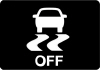 | Selected system state · Traction control has been switched off. |
The OFF version of the skidding-car icon reports that the relevant function has been disabled. It is not the same as a flashing stability-control intervention.
Check the selected settings and return to the normal road-driving configuration when appropriate. Different trims and driving modes can change how these controls operate.
If the system cannot be restored or an accompanying fault message appears, have it inspected. Do not assume that every OFF display is evidence of a broken component.
Driver-Assistance Indicators and Alerts
15. Pre-Collision Assist Warning
 | Collision alert or system unavailability · Read the context immediately. |
The forward-alert graphic can warn that the Puma is approaching another vehicle too quickly. A red alert can also indicate that the following distance is too small.
Respond to the road situation, increase separation when safe, and be ready to brake. Do not focus on clearing the display while a potential collision is developing.
The symbol can also appear when assistance is unavailable. A persistent unavailable or fault message needs the checks specified in the manual and, when unresolved, professional inspection. The system does not replace attentive driving.
16. Blind Spot Information System Indicator
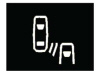 | Mirror alert during detection; a cluster warning can indicate a system fault. |
When the system detects a vehicle, an alert illuminates in the relevant exterior mirror. It can flash when the turn signal is operated toward that side.
A similar symbol accompanied by a fault message in the instrument cluster has a different meaning: the monitoring system needs attention. We should distinguish the location of the indication as well as the graphic.
Continue using mirrors and checking blind spots directly. If a fault is reported, do not assume that silence from the system confirms that a lane is clear.
17. Cross Traffic Alert Indicator
 | Reversing assistance · An approaching vehicle has been detected. |
On equipped Pumas, Cross Traffic Alert can warn of traffic approaching from the side when reversing. A tone, mirror alert, and display arrows help identify the direction.
Stop or pause the maneuver when necessary and check the surroundings directly. The system assists observation; it does not guarantee that every object will be detected.
An unavailable or fault message requires a different response from a normal detection alert. Follow the displayed instructions and have persistent faults checked.
18. Lane Keeping Alert Indicator
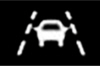 | Lane-alert status · The system is switched on. |
The lane-alert graphic identifies the selected lane-keeping alert function. Its presence alone does not mean a steering-system failure.
Available assistance depends on the fitted system and its operating conditions. Read the display and any message before deciding that the feature is actively monitoring every road edge.
We should remain responsible for lane position and keep proper control of the steering. A status indicator is not permission to stop watching the road.
19. Lane Keeping Aid Indicator
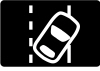 | Lane-assistance intervention · Interpret alongside the lane display. |
The covered manual associates this graphic with activation of the lane-keeping aid. It differs from the indicator showing that the alert function has merely been switched on.
If assistance intervenes, maintain steering control and assess the road position. Do not fight the system abruptly or assume that it can negotiate the road independently.
An explicit malfunction or unavailable message should be followed separately. The warning’s wording and operating context are more informative than a small icon viewed in isolation.
20. Adaptive Cruise Control Indicator
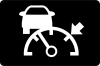 | White · Standby. Green · Adaptive cruise speed set. |
On equipped versions, the adaptive-cruise indicator changes state to show whether the system is waiting or has a speed set. White standby and green set-speed indications are normal operating states.
We should check the chosen speed and following-distance setting before relying on the feature. Adaptive cruise can assist with speed and spacing only within its operating limits.
If a warning says the system is unavailable, resume full manual speed control. An illuminated cruise icon does not remove the need to brake or respond to traffic.
21. Conventional Cruise Control Indicator
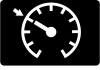 | Operating status · Cruise control is switched on. |
This symbol indicates that the cruise-control system has been enabled. Check the set-speed display to understand what it is currently doing.
Conventional cruise control and adaptive cruise are different features. We should not assume that an ordinary cruise-control indication means the vehicle will automatically maintain a gap to traffic ahead.
Use the fitted system only in suitable conditions, and treat a malfunction message separately from its normal operating symbol.
Stop/Start, Fuel, and Lighting Indicators
22. Auto-Start-Stop Active Indicator
 | Green · The engine has stopped automatically. |
The circular-arrow A symbol can illuminate green during an automatic engine stop. This is normal operation on equipped versions, not proof that the engine has stalled.
An amber flashing indication with a message asks the driver to take action. Follow the instruction shown rather than use a generic restart sequence from another vehicle.
Before leaving the driver’s seat, switch the vehicle off and secure it properly. The engine can restart during automatic stop/start operation, so an automatically stopped engine must not be treated as a fully switched-off car.
 | Gray crossed-out symbol · Automatic stopping is not available. |
The crossed-out A tells us that Auto-Start-Stop is unavailable at that moment. It does not, by itself, establish that the battery or starter has failed.
Operating requirements and vehicle demands affect whether the engine can stop. Read any accompanying explanation before deciding that a repair is needed.
If a malfunction message persists, arrange diagnosis. Avoid replacing a battery solely because the crossed-out icon appears, and use the correct battery specification if replacement is actually required.
24. Low Fuel Level Warning
 | Fuel-pump symbol · Refuel as soon as practical. |
The low-fuel lamp is a reminder to arrange a refueling stop. The estimated remaining range is an approximation, not a guarantee of how far the vehicle can travel.
Traffic, road gradients, weather, and driving style affect consumption. We should avoid deliberately using the warning as a fixed-distance countdown.
The mild-hybrid system does not make an empty fuel tank acceptable for continued driving. Follow the fueling instructions for the fitted engine.
25. High-Beam Headlight Indicator
 | Blue · High-beam headlights are illuminated. |
The headlamp with straight rays confirms main-beam operation. It is a normal lighting indicator and can also appear briefly when flashing the headlights.
Dip the lights when required to avoid dazzling other road users. Check the actual blue indicator even if automatic high-beam assistance is enabled.
We remain responsible for appropriate lighting when cresting hills, approaching traffic, or following another vehicle.
26. Automatic High-Beam Control Indicator
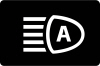 | Assistance enabled · The system is ready to help manage high beams. |
The headlamp graphic containing an A confirms that automatic high-beam control is ready to assist on equipped models.
This is different from the blue indicator confirming that high beams are actually on. The automatic function can be enabled while the headlights remain dipped.
If visibility or traffic makes the chosen beam unsuitable, take manual control. A lighting fault message should be assessed separately from this normal assistance indicator.
27. Lamps On Indicator
 | Exterior-lighting status · The headlamps are switched on. |
The lamps-on symbol reports the selected lighting state. It is normally informational rather than a repair warning.
We should still verify that the lighting is suitable for the conditions and that the exterior lamps function correctly. An illuminated dashboard does not substitute for checking the actual lighting controls.
Do not confuse this icon with the blue high-beam symbol or the front and rear fog-lamp indicators.
28. Front Fog Lamp Indicator
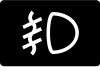 | Normally green · Front fog lamps are switched on. |
On versions fitted with front fog lamps, this symbol confirms their operation. Its angled rays and wavy line distinguish it from the main-beam graphic.
Use the lamps when appropriate to visibility and local rules. Their indicator is not a sign of engine or electrical failure.
Equipment varies, so a Puma without the corresponding lamps may not display this symbol.
29. Rear Fog Lamp Indicator
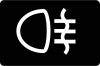 | Normally amber · Rear fog lighting is switched on. |
The rear-fog symbol faces the opposite direction from the front-fog graphic. Its amber color identifies a selected light, rather than automatically reporting a malfunction.
Rear fog lighting increases visibility in poor conditions but can dazzle following traffic when unnecessary. Switch it off when conditions improve.
This is one reason we should identify the symbol before treating every amber dashboard light as a repair issue.
30. Turn Signal and Hazard Indicators
 | Flashing arrows · Direction indicators or hazard flashers are operating. |
The arrow indicators flash in response to the turn-signal control. Both sides can flash when the hazard warning lights are selected.
Confirm the intended direction before a maneuver. If the flashing pattern changes unexpectedly or a lighting message appears, check the exterior lamps when safely parked.
The ordinary flashing of these arrows is normal operation. It should not be interpreted like a flashing engine warning.
Gear Recommendations and Drive Mode Symbols
31. Gear Shift Recommendation
 | Advisory arrow · Consider changing gear when appropriate. |
The upward arrow can recommend a higher gear. The covered manual also includes a downward version for a lower-gear recommendation.
These suggestions aim to support performance, economy, or emissions. They are not, by themselves, gearbox-malfunction warnings.
We should choose a gear appropriate to the road, engine load, and required acceleration rather than follow an arrow when doing so would make the engine struggle.
32. Eco Drive Mode Indicator
 | Selected mode · Eco mode is active. |
The Eco graphic identifies the chosen drive mode. It is not a warning that the engine is running too lean or that a component has failed.
We should treat it as confirmation of the current selection. Changing drive modes is different from clearing a mechanical fault, and selecting Eco does not cancel the need to respond to an engine warning.
33. Normal Drive Mode Indicator
 | Selected mode · Normal mode is active. |
The Normal-mode graphic confirms the selected everyday driving mode. Ford’s instrument illustrations can resemble other vehicle symbols, so its display context matters.
An ordinary mode-selection screen is different from a fault message. We should read the label beside the icon instead of diagnosing a problem from its shape alone.
34. Sport Drive Mode Indicator
 | Selected mode · Sport mode is active. |
The Sport-mode symbol reports a driver selection. Its appearance alone does not mean the car has developed a powertrain fault.
Use the selected mode appropriately for the road and conditions. Sport mode does not remove speed limits, increase available tire grip indefinitely, or make other warning lamps safe to ignore.
35. Slippery Drive Mode Indicator
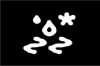 | Selected mode · Slippery mode is active where fitted. |
This graphic confirms that the slippery-surface driving mode has been selected. It is different from the stability-control indicator flashing during actual intervention.
We should still reduce speed and leave additional stopping distance when grip is poor. A selected mode cannot eliminate the risk of sliding or compensate for unsuitable tires.
36. Trail Drive Mode Indicator
 | Selected mode · Trail mode is active where fitted. |
The Trail symbol identifies the selected mode on versions that offer it. It does not indicate that the vehicle has developed a drivetrain fault.
Follow the vehicle’s operating limits and choose a route suited to its capabilities. The presence of a Trail-mode indicator is not proof that the Puma is equipped with four-wheel drive.
Reference sources and symbol illustrations: Ford Puma owner’s manual, warning lamps and indicators for the 4.2-inch display and 12.3-inch display. Symbol availability, colors, and presentation vary by vehicle.
What Should We Do When Several Puma Warning Lights Appear?
Several warnings can be related, and their appearance does not prove that every named component has failed. Start with the most urgent instruction rather than the first icon you recognize.
- Respond to critical warnings first. Low oil pressure, overheating, abnormal braking, or a stop instruction takes priority over a convenience-system alert.
- Find a safe place to stop when needed. Do not navigate menus or photograph the cluster while driving.
- Record the message and circumstances. Note whether the engine was running, whether the lamp flashed, and whether power or handling changed.
- Arrange appropriate diagnosis. Different control modules can require more than a basic engine-code reader.
- Preserve fault information. Avoid deleting codes or disconnecting the battery merely to clear the display.
Can We Reset Ford Puma Dashboard Warning Lights?
A reset is not a universal repair. An oil-service reminder should be reset after the required maintenance. Tire-pressure procedures should follow the instructions for the fitted system after pressures or tire issues have been corrected.
A persistent engine, powertrain, braking, or restraint-system warning needs its cause investigated. Clearing a message does not establish that the affected system works normally. We should also avoid using an unrelated model’s pedal sequence or menu instructions.
Understanding Your Puma’s Instrument Display
The most useful distinction is between a malfunction, a maintenance request, an active safety alert, and a normal operating indicator. The same dashboard can show all four kinds of information.
Read each symbol with its message, respond promptly to urgent warnings, and use the owner’s manual matched to the vehicle’s build and powertrain. That approach is more reliable than guessing from color alone or assuming that a familiar Ford icon always means the same thing.
Frequently Asked Questions
1. What does the spanner light mean on a Ford Puma?
On the covered models, it is the powertrain warning lamp. Read the accompanying message and arrange inspection. It can also appear with a serious oil-life warning in a specific documented condition, so do not assume that every spanner icon is only a routine service reminder.
2. Why is the Auto-Start-Stop symbol crossed out?
A gray crossed-out A indicates that automatic stopping is unavailable at that moment. This can reflect operating conditions rather than a failed component. Follow any message, and have a persistent malfunction warning checked.
3. Is the oil-change symbol the same as low oil pressure?
No. The oil-change indicator concerns remaining oil life and maintenance. The oil-pressure warning concerns lubrication and requires stopping safely and switching off when it appears with the engine running. Resetting a service reminder does not fix low oil pressure.
4. Can I keep driving with the check engine and powertrain lights on together?
Ford’s applicable guidance calls for a safe stop and immediate attention because power may be reduced or the engine may stop. Follow the vehicle’s instructions and do not treat the combination as permission to continue a normal journey.
5. Are these symbols the same on the electric Puma Gen-E?
Some general lighting and safety symbols may be shared, but the Gen-E has a different powertrain and its own warning guidance. This article covers the combustion-engine and mild-hybrid crossover, so use the Gen-E manual for electric-drive and charging warnings.
If you want to know other articles similar to Ford Puma Dashboard Warning Lights and Symbols you can visit the category Tips.
BYD Shark 6 Tips and Tricks: 20 Features Every Owner Should Know
Leapmotor C10 Tips and Tricks: The Complete Owner’s Guide

How to Open Ford Edge With Manual Key: Complete Step-by-Step Guide
How to Start Ford Edge With Remote: The Complete Step-by-Step Guide

How to Open Toyota Sequoia Trunk From Inside: Complete Guide
BYD Seal Hidden Features: The Secret Functions Every Owner Should Know
Leave a Reply
More content of your interest