

GMC Sierra Interior Lights Won’t Turn Off: Causes and Fixes

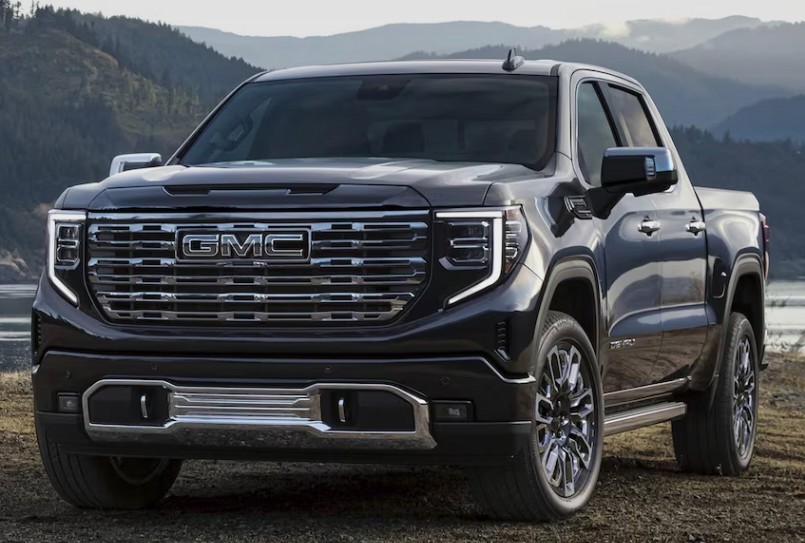
When your GMC Sierra interior lights won’t turn off, a small convenience feature can quickly become a frustrating electrical problem. You close every door, lock the truck, walk toward the house—and the cabin still glows like a shop window after closing time.
Sometimes the cause is laughably simple: a dome-light control has been moved into the “on” position. In other cases, the truck believes a door is open because of a faulty latch sensor, damaged wiring, an aftermarket accessory, or a body control module issue.
The good news? We can often narrow down the problem without tearing apart the dashboard or randomly replacing expensive parts. In this guide, we will walk through the most likely causes, quick checks, diagnostic clues, repair options, and battery-saving steps.
Because GMC Sierra lighting controls vary between model years and equipment packages, it is sensible to confirm the exact control layout in the owner’s manual for your truck. GMC provides manuals by year, make, and model through its official support portal.
Content in this publication
- Why GMC Sierra Interior Lights Stay On
- Identify Which Interior Lights Will Not Switch Off
- First Check the Dome-Light Control
- Inspect Every Reading-Light Button
- Make Sure Every Door Is Fully Closed
- The Door-Latch Sensor May Be Stuck
- Check the Tailgate and Cargo-Light Controls
- Allow for the Normal Exit-Lighting Delay
- Review the Vehicle’s Lighting Settings
- Lock the Sierra With the Key Fob
- Check for a Weak or Failing Battery
- Inspect the Door-Jamb Wiring
- Consider Recently Installed Accessories
- Inspect the Interior-Light Fuse
- Test for a Faulty Dome-Lamp Switch
- Could the Body Control Module Be Responsible?
- Perform a Basic Electrical Reset
- How to Prevent the Battery From Going Flat Tonight
- Parasitic-Draw Testing
- Common Diagnostic Mistakes to Avoid
- Step-by-Step GMC Sierra Interior-Light Checklist
- When Should We Visit a Mechanic?
- Likely Repair Costs and Complexity
- Can We Keep Driving the Truck?
- Final Thoughts
- Frequently Asked Questions
Why GMC Sierra Interior Lights Stay On
Interior lighting is connected to more systems than we might expect. The dome lamps do not simply receive power from a basic switch. On many Sierra models, their behavior is managed through door-latch signals, lighting controls, retained accessory functions, keyless-entry commands, and the body control module.
That means the lamps may remain illuminated because:
- The dome-lamp control is set to continuous operation.
- A reading lamp has been switched on manually.
- A door or tailgate is not fully latched.
- A door-ajar sensor is stuck.
- The instrument-panel dimmer is at its highest setting.
- An aftermarket accessory is feeding power into the lighting circuit.
- A wiring fault is holding the circuit active.
- The body control module is receiving incorrect information.
- A lighting-delay feature is operating normally.
- A switch is physically damaged or internally shorted.
Before we reach for a multimeter, we should identify exactly which lights are staying on.
Identify Which Interior Lights Will Not Switch Off
Not every light inside a GMC Sierra operates through the same circuit or command. Identifying the affected lamp can cut the diagnostic process in half.
Check whether the problem involves:
- The front overhead dome lights
- Rear passenger dome lights
- Individual map or reading lamps
- Footwell lighting
- Door courtesy lamps
- Vanity-mirror lamps
- Glove-box lighting
- Cargo-area or bed lighting
- Instrument-panel illumination
- All cabin lights simultaneously
One reading lamp that stays on usually points toward its individual push switch. Every interior lamp staying on suggests a shared input, such as the dome control, dimmer setting, door-ajar signal, or body control module.
Are the Lights Fully Bright or Dim?
Brightness offers another clue.
If the lamps remain at full brightness, the truck may be receiving a deliberate “lights on” command. If they remain dim, flicker, or glow faintly, we may be dealing with poor grounding, voltage feedback, incompatible LED bulbs, or an aftermarket wiring problem.
A faint LED glow can occur because LEDs need very little current. A tiny amount of residual current that would never illuminate a conventional bulb may be enough to keep an LED faintly visible.
First Check the Dome-Light Control
The dome-light control should be our first stop because it is one of the easiest settings to change accidentally. A hand brushing the dashboard, someone cleaning the interior, or a curious passenger can move the control without anyone noticing.
Depending on the Sierra’s year, the interior-light controls may include:
- A dome-lamp override button
- A dome-lamp on/off button
- An instrument-panel brightness wheel
- Overhead console buttons
- A combined lighting control beside the steering wheel
Older Sierra manuals identify dedicated dome-lamp controls among the dashboard lighting functions, while newer versions may use a different switch layout.
How to Test the Dome Control
- Park the truck and switch off the ignition.
- Close every door.
- Locate the dome-lamp control.
- Cycle it through all available positions.
- Leave it in the normal door-activated position.
- Lock the truck.
- Observe whether the lamps fade out after the normal delay.
Do not assume that a button showing a crossed-out lamp means the same thing across every generation. On one model, it may disable door-activated lamps; on another, a nearby button may command all dome lights to remain on.
Check the Dimmer Wheel Too
On some vehicles, rotating the instrument-panel dimmer beyond its normal maximum setting switches on the dome lamps. The control may click into a detent at the top of its range.
Turn the dimmer slightly downward and check the cabin again. This tiny adjustment solves more “electrical faults” than many of us would care to admit.
Front and rear reading lights can usually be operated independently. A passenger may have pressed one without realizing it, especially during daylight when the lamp is difficult to notice.
Press each overhead light button once, including:
- Driver-side map light
- Passenger-side map light
- Rear reading lights
- Second-row overhead lamps
- Any auxiliary console lighting
Do not repeatedly tap the switches at random. Look at each light as you operate its button so you can tell whether the switch responds correctly.
A Stuck Reading-Light Switch
A worn or contaminated switch can remain electrically closed even though its button appears normal. Press it gently and feel for a definite click.
Warning signs include:
- No click
- A soft or mushy movement
- A button that sits lower than the others
- Intermittent operation when touched
- A lamp that flickers as the console is moved
Dust, drink residue, heat, and ordinary wear can affect overhead-console switches. If moving the button causes the light to flicker, the switch assembly deserves closer inspection.
Make Sure Every Door Is Fully Closed
A door can look closed while the latch is sitting on its first catch rather than fully secured. Open and firmly close each door, one at a time.
Pay particular attention to:
- The driver’s door
- Rear doors on crew-cab models
- Rear-hinged doors on extended-cab trucks
- The tailgate
- Any door recently repaired or adjusted
- A door affected by collision damage
After closing each door, watch the instrument cluster for a door-ajar warning.
Use the Door-Ajar Display as a Clue
If the dashboard shows that a door is open when everything is closed, the interior-light problem is probably not the lamp itself. The truck is being told that an entry point remains open.
The most likely causes are:
- A dirty latch
- A sticking latch mechanism
- A failed integrated door-ajar switch
- A damaged connector
- Broken wiring near the door hinge
- Door misalignment
Even when no warning appears, an intermittent latch signal may still keep the lights active. The signal can change as the truck vibrates, cools, warms, or settles after parking.
The Door-Latch Sensor May Be Stuck
On many modern vehicles, the door-ajar switch is integrated into the latch rather than mounted as an obvious push-button on the door frame. That makes the system cleaner, but it also hides the part we need to inspect.
The latch sensor reports whether the door is open or closed. If it sticks in the open position, the truck may:
- Keep the dome lights illuminated
- Display a door-ajar warning
- Sound a warning chime
- Refuse to lock normally
- Trigger the alarm unexpectedly
- Leave retained accessory power active
- Fail to perform normal lighting fade-out
Simple Door-Latch Test
With the truck parked:
- Open one door.
- Locate the latch mechanism on the edge of the door.
- Use a suitable non-metallic tool or screwdriver to carefully rotate the latch into the closed position.
- Watch whether the door-ajar message disappears and the lamps turn off.
- Pull the door handle before closing the door to release the latch again.
Never slam a door while its latch is already in the closed position. The latch must be released before the door is shut.
If manually moving one latch causes the lights to turn off, we have found a strong suspect.
Cleaning a Sticky Latch
Road dust, dried lubricant, moisture, and old grease can interfere with latch movement. Use an appropriate electrical-contact cleaner or latch-safe cleaning product, allow it to dry, and apply a suitable lubricant sparingly.
Flooding the latch with thick oil may attract more dirt. We want smooth movement, not a miniature swamp inside the door.
Check the Tailgate and Cargo-Light Controls
Drivers often describe bed or cargo lighting as “interior lights,” particularly when light from the rear window or cargo area remains visible after parking.
The Sierra may have separate controls for:
- Cargo-bed lamps
- Mirror-mounted task lights
- Rear cab lighting
- Perimeter lighting
- Trailer-area illumination
Make sure the cargo-light button has not been pressed. Depending on the model and configuration, these lamps may be operated from a dashboard or overhead switch.
Could the Tailgate Trigger the Problem?
Some equipment configurations monitor the tailgate or related openings. A misaligned tailgate, damaged wiring, or a problematic switch may create confusing lighting symptoms.
Open and close the tailgate firmly. Check for:
- Loose latch hardware
- Debris around the latches
- Damaged harnesses
- Moisture in connectors
- Recently installed tailgate accessories
- Wiring pinched by a bed liner or tonneau-cover installation
Allow for the Normal Exit-Lighting Delay
Interior lights are not always supposed to turn off instantly. Many Sierras use illuminated-entry and exit-lighting features. After the ignition is switched off or a door is closed, the lamps may remain on briefly and then fade.
Before declaring a fault, lock the truck and wait through the normal delay.
A healthy system may behave differently depending on:
- Whether the truck was locked with the remote
- Whether a door was reopened
- The ignition position
- Vehicle-personalization settings
- Ambient lighting conditions
- Battery voltage
- Model year and trim level
How Long Is Too Long?
A delay lasting several seconds is usually normal. Lamps that remain on continuously for many minutes deserve investigation, especially when they do not respond to locking, switch changes, or door operation.
Some trucks also include battery-rundown protection that may eventually switch certain lamps off. We should not rely on that feature as a permanent solution. It is a safety net, not a repair.
Review the Vehicle’s Lighting Settings
Newer GMC Sierras may provide lighting and locking options through the infotainment system. The wording varies, but settings may relate to:
- Exit lighting
- Vehicle locator lights
- Remote-unlock lighting
- Delayed door locking
- Auto door locking
- Approach lighting
- Perimeter lighting
Review the vehicle settings and return any suspicious lighting option to its standard value.
However, personalization settings rarely make cabin lights remain on forever. They mostly alter timing and activation behavior. If the lamps never shut down, we should continue diagnosing rather than blaming a menu option.
Lock the Sierra With the Key Fob
After checking the controls and doors, step outside and lock the truck with the remote.
Watch for three things:
- Do all doors lock?
- Does the horn or light confirmation behave normally?
- Do the interior lamps begin fading?
If the truck refuses to confirm locking, a door, hood, tailgate, or latch signal may still appear open.
Try the spare key fob as well. A stuck unlock button is uncommon, but a damaged transmitter can repeatedly send commands or create misleading symptoms.
Remove the Key Fob From the Area
On models with passive entry, move all transmitters away from the truck. A damaged fob sitting in a cupholder, garage, or nearby room may produce repeated commands.
Remove the battery from a suspicious remote temporarily and observe the lights again.
Check for a Weak or Failing Battery
A weak battery does not always produce a simple “click, no start” symptom. Low or unstable voltage can cause electronic modules to behave strangely.
Possible signs include:
- Lights that flicker
- Interior lamps that do not fade normally
- Random warning messages
- Erratic door-lock operation
- Infotainment resets
- Slow cranking
- Clicking relays
- Features working differently after a jump-start
With the engine off and the battery rested, a healthy fully charged conventional 12-volt battery is generally around 12.6 volts. A reading near 12.0 volts indicates a significantly discharged battery, though proper battery testing requires more than a single voltage measurement.
Test the Charging System
With the engine running, the charging voltage often rises above resting battery voltage, but modern charging systems can vary their output. A professional conductance and charging-system test offers more useful information than guessing from dashboard behavior.
If the lights began acting strangely during cold weather or after the truck sat unused, battery condition should move higher on our list.
Inspect the Door-Jamb Wiring
Door wiring flexes every time we open and close the door. Over thousands of cycles, individual conductors can crack inside the rubber boot between the body and the door.
A broken or partially shorted wire can interfere with:
- Door-ajar signals
- Window operation
- Power locks
- Mirror controls
- Speaker output
- Courtesy lamps
Pull the rubber boot back carefully and inspect the harness where possible.
Look for:
- Split insulation
- Green corrosion
- Previous repairs
- Stretched wires
- Crimp connectors
- Moisture
- Conductors broken inside intact insulation
Driver’s Door Wiring Is a Common Suspect
The driver’s door sees the most use, so its harness typically experiences the greatest amount of movement. If the interior lamps respond when we wiggle the driver’s door or harness, that is an important diagnostic clue.
Do not pierce wires unnecessarily with test probes. Improper probing can introduce corrosion or damage low-voltage signal circuits.
Consider Recently Installed Accessories
Did the problem appear shortly after installing something? That timing matters.
Potential culprits include:
- LED interior bulbs
- Dash cameras
- Remote-start systems
- Alarm systems
- Illuminated running boards
- Stereo equipment
- Trailer-brake accessories
- Bed lighting
- Light bars
- GPS trackers
- Ambient-lighting kits
- Aftermarket keyless-entry systems
An accessory may be connected to a retained-power or courtesy-light circuit instead of a suitable ignition-controlled source.
Aftermarket LED Bulbs Can Glow
LED bulbs draw much less current than incandescent bulbs. Small monitoring currents or electrical leakage may cause them to remain faintly illuminated.
If the issue started after an LED conversion:
- Reinstall one original bulb.
- Close and lock the truck.
- Wait for the lighting delay.
- Check whether the glow disappears.
If the original bulb shuts off normally, the truck may not have a conventional wiring defect. The replacement LED may be incompatible with the circuit.
Avoid installing random resistors without understanding the circuit. Resistors create heat and can introduce new problems when installed carelessly.
Inspect the Interior-Light Fuse
A fuse usually causes lights to stop working, not stay on. Still, the fuse panel can help us isolate the circuit and prevent overnight battery drain.
Consult the fuse diagram for the exact model year because names and locations change. Possible labels may reference:
- Courtesy lamps
- Dome lamps
- Body control module
- Interior lighting
- Instrument panel
- Retained accessory power
GMC’s official manuals describe the model-specific fuse locations and electrical-system information, so the correct manual should be used instead of relying on a generic online diagram.
Can We Remove the Fuse Temporarily?
Removing the correct fuse may stop the battery from draining, but it can also disable other functions. Some fuses power control modules or multiple circuits.
Use fuse removal only as a temporary protective step after identifying the correct fuse. Do not replace it with a higher-amperage fuse.
Test for a Faulty Dome-Lamp Switch
A dome switch can fail internally and continue feeding the lighting command even when placed in the normal position.
A technician may test it by:
- Monitoring switch data with a scan tool
- Checking continuity through the switch
- Disconnecting the switch assembly
- Inspecting the connector for corrosion
- Checking for power or ground where appropriate
If disconnecting the switch makes the lamps turn off, the switch or its local wiring becomes the main suspect.
Moisture Around the Overhead Console
Water leaks from a roof antenna, windshield seal, sunroof drain, clearance lamp, or roof accessory can reach the overhead console.
Look for:
- Damp headliner fabric
- Water stains
- Corroded terminals
- White or green deposits
- Intermittent light operation after rain
- Switches that feel sticky or gritty
Fix the leak before replacing electrical parts. Otherwise, the new component may fail just like the old one.
Could the Body Control Module Be Responsible?
The body control module, commonly called the BCM, coordinates many non-engine electrical functions. Depending on the Sierra’s generation, it may process inputs from door latches, locks, lighting controls, keyless entry, security systems, and other modules.
A BCM-related problem could cause:
- Interior lights staying on
- Door locks behaving unpredictably
- Incorrect door-ajar messages
- Alarm problems
- Exterior lights operating unexpectedly
- Battery drain
- Communication fault codes
But the BCM should not be our first guess. Replacing a control module before testing door switches, wiring, battery voltage, and aftermarket equipment is like replacing the entire kitchen because one light switch feels loose.
BCM Diagnosis Requires More Than a Basic Code Reader
A basic engine-code reader mainly accesses powertrain information. Interior-light diagnosis may require a scan tool capable of:
- Reading body-system codes
- Displaying live door-switch data
- Monitoring dome-switch commands
- Checking module communication
- Performing output controls
- Supporting module setup or programming
The technician can watch each door status change between open and closed. If the driver’s door remains “open” on the scan tool after it is physically closed, the fault becomes much easier to trace.
Perform a Basic Electrical Reset
Occasionally, an electronic module may remain in an abnormal state after low voltage, battery replacement, jump-starting, or accessory installation.
A basic sleep-cycle reset is safer than immediately disconnecting the battery:
- Switch off the truck.
- Remove all devices from the USB and accessory outlets.
- Close all doors.
- Lock the vehicle.
- Move the key fob away.
- Leave the truck undisturbed long enough for its modules to enter sleep mode.
- Unlock it and test the lights again.
Opening a door, pressing the remote, or leaving a connected device active can restart the module timer.
Should We Disconnect the Battery?
Battery disconnection can reset certain electronic conditions, but it may also erase preferences, trigger window relearning, interrupt diagnostic information, or create additional setup requirements.
Before disconnecting the battery:
- Confirm that you know the correct procedure.
- Switch off all electrical loads.
- Keep the key fob away from the vehicle.
- Avoid shorting tools across terminals.
- Check whether the truck has special battery-sensor requirements.
- Preserve diagnostic codes when possible.
A reset that temporarily hides the symptom does not prove the problem is fixed. If the lights return, the original fault remains.
How to Prevent the Battery From Going Flat Tonight
If repairs cannot be completed immediately, protecting the battery becomes the priority.
Possible temporary measures include:
- Confirming every manual lamp is switched off
- Using the dome override where available
- Removing the correct lighting fuse
- Disconnecting a faulty lamp assembly
- Removing manually replaceable bulbs
- Connecting a suitable smart battery maintainer
- Disconnecting the battery only when appropriate
Never cover an illuminated incandescent bulb with fabric, tape, or paper. Bulbs can become hot and create a fire risk.
How Fast Can Interior Lights Drain the Battery?
The answer depends on:
- Battery age and condition
- Number and type of bulbs
- Outdoor temperature
- How long the lamps remain on
- Other modules staying awake
- Whether aftermarket accessories are drawing current
A strong battery may tolerate a short lighting event. An older battery may be unable to start the engine the next morning.
If the lamps remain on because a door signal keeps modules awake, the total draw may be greater than the bulbs alone.
Parasitic-Draw Testing
When interior lamps switch off visibly but the battery still drains, a parasitic-draw test may be required.
A technician allows the truck’s modules to enter sleep mode and then measures current leaving the battery. Fuses can be tested methodically to identify the circuit responsible for the draw.
This process requires patience because:
- Opening a door wakes modules.
- Removing a fuse may wake the network.
- Keyless-entry transmitters can affect sleep behavior.
- Some modules take time to shut down.
- Improper meter connection can blow the meter fuse.
Parasitic-draw diagnosis is not simply a matter of connecting a meter and reading a number immediately.
Common Diagnostic Mistakes to Avoid
When the GMC Sierra interior lights won’t turn off, avoid these common traps:
- Replacing the battery without finding the cause
- Assuming every glowing lamp is on the same circuit
- Ignoring the dimmer wheel
- Slamming doors repeatedly
- Spraying excessive lubricant into latches
- Installing a larger fuse
- Blaming the BCM first
- Ignoring recently fitted accessories
- Disconnecting modules with the ignition on
- Testing before the vehicle enters sleep mode
- Using a fuse diagram from the wrong model year
- Assuming a faint LED glow equals full battery-draining current
A calm, structured diagnosis usually beats expensive guesswork.
Step-by-Step GMC Sierra Interior-Light Checklist
Work through this order:
- Identify exactly which lights remain on.
- Press every reading-light switch.
- Cycle the dome-lamp control.
- Lower the instrument-panel dimmer.
- Close every door and the tailgate firmly.
- Check for door-ajar warnings.
- Lock the truck with the remote.
- Wait for the normal fade-out period.
- Move all key fobs away from the truck.
- Inspect door latches for sticking.
- Check the driver’s door-jamb wiring.
- Review vehicle lighting settings.
- Remove or disconnect recently installed accessories.
- Test with original bulbs if LEDs were installed.
- Check battery condition and voltage stability.
- Scan the BCM for body-system codes and live data.
- Perform a proper parasitic-draw test if needed.
This sequence starts with free checks and moves gradually toward professional diagnosis.
When Should We Visit a Mechanic?
Professional help makes sense when:
- The lights remain on after all basic switch checks.
- A door-ajar warning will not clear.
- Wiring is visibly damaged.
- The battery repeatedly goes flat.
- Multiple body-electrical features malfunction.
- The problem started after water entered the cabin.
- The overhead console is hot or smells burnt.
- Fuses continue to blow.
- A BCM or communication fault is suspected.
- The truck needs module programming.
Choose a repair shop with a scan tool that can access GMC body-control data, not just generic engine codes.
Information to Give the Technician
Useful details include:
- Model year and trim
- Cab configuration
- Which lamps stay on
- Whether they are bright or faint
- Whether the cluster shows a door open
- Whether locking changes the behavior
- Recent battery or electrical work
- Recently installed accessories
- Whether the fault changes after rain
- Whether one door affects the lamps
- How quickly the battery drains
Good information saves diagnostic time, and diagnostic time costs money.
Likely Repair Costs and Complexity
Repair difficulty varies widely.
A manually switched-on reading lamp costs nothing to correct. A replacement latch assembly may require door-panel removal. Broken hinge-area wiring may need careful soldering and sealing. BCM replacement can involve programming and security-related setup.
The most common repair categories include:
| Possible cause | Typical repair |
|---|---|
| Incorrect switch setting | Reset dome or dimmer control |
| Reading lamp left on | Switch lamp off |
| Sticky door latch | Clean, lubricate, or replace latch |
| Faulty door-ajar sensor | Replace integrated latch or switch |
| Broken door wiring | Repair affected conductors |
| Incompatible LED bulb | Reinstall compatible bulbs |
| Accessory wiring fault | Correct power and ground connections |
| Weak battery | Charge, test, and replace if necessary |
| Faulty dome switch | Replace switch or console assembly |
| BCM or network fault | Diagnose, repair, program, or replace module |
Exact pricing depends on the Sierra generation, labor rates, part availability, and whether diagnosis uncovers more than one fault.
Can We Keep Driving the Truck?
If the only symptom is an interior lamp staying on, the truck may still drive normally. However, we should not ignore the problem.
The real risks include:
- A discharged battery
- Being stranded after parking
- Reduced battery lifespan
- Electrical overheating from a damaged circuit
- An alarm or locking problem
- A hidden water leak
- A module that never enters sleep mode
If there is a burning smell, hot wiring, smoke, repeated fuse failure, or visible melting, stop using the affected circuit and have the truck inspected immediately.
Final Thoughts
When your GMC Sierra interior lights won’t turn off, start with the ordinary before expecting the extraordinary. Check the reading lights, dome controls, dimmer wheel, doors, tailgate, and lighting delay. These simple items account for many cases.
If the lights still refuse to cooperate, focus on door-latch sensors, hinge-area wiring, LED conversions, aftermarket accessories, battery condition, and body-control data.
Electrical problems can feel like chasing a ghost through a maze of wires. Yet the lighting system leaves clues: which lamp stays on, how bright it is, what the dashboard reports, and what happens when each door is moved. Follow those clues in order, and the problem usually becomes far less mysterious.
Frequently Asked Questions
1. Why do my GMC Sierra interior lights stay on after locking it?
The dome-light control may be set to continuous operation, a reading light may be manually activated, or the truck may believe a door is still open. A short exit-lighting delay can be normal, but lights that remain on continuously require further checking.
2. Can a bad door latch keep the dome lights on?
Yes. The door-ajar sensor is often integrated into the latch. If it sticks or fails, it may report that the door is open even when the door is fully closed, keeping the interior lights illuminated.
3. Will the GMC Sierra automatically turn interior lights off?
Many Sierra models include battery-rundown protection or timed lighting functions, but behavior varies by model year and equipment. We should not depend on the protection system to compensate for a persistent fault.
4. Why do my LED interior lights glow when the truck is off?
LEDs can glow from a very small residual or monitoring current. If the issue began after installing LEDs and the lamps are only faintly illuminated, reinstall an original bulb as a test.
5. Can a BCM problem cause the interior lights to stay on?
Yes, but BCM failure is less common than an incorrect switch setting, defective door latch, damaged wiring, or accessory-installation issue. The BCM should be diagnosed with a body-capable scan tool before replacement.
If you want to know other articles similar to GMC Sierra Interior Lights Won’t Turn Off: Causes and Fixes you can visit the category Common Problems.
Volvo S90 Common Problems: Reliability & Repair Guide
Volvo S90 No Sound: Causes, Fixes and Solutions

Nissan Rogue Smells Like Gas: Causes and Fixes
Vauxhall Agila Problems: Common Faults & Fixes

Kia Sorento Jerking When Accelerating: Causes & Fixes

Jaguar F-Pace Low Battery: Causes, Warning Signs, and How to Fix It
Leave a Reply
More content of your interest