

Mazda 6 No Sound From Radio: Causes, Diagnosis, and Fixes

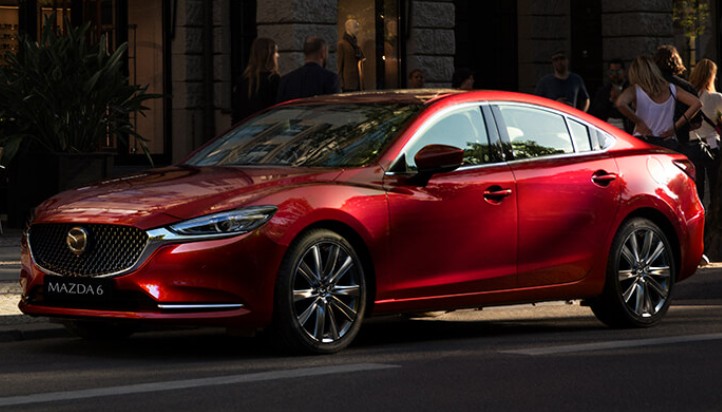
Few things are more annoying than starting your Mazda 6, seeing the infotainment screen light up normally, selecting your favorite station, and hearing absolutely nothing. The radio appears alive. The station changes. Bluetooth may connect. The volume indicator moves. Yet the cabin remains as quiet as a library.
If your Mazda 6 has no sound from the radio, the good news is that a dead radio is not automatically the explanation. The problem can range from something ridiculously simple—such as accidentally activating mute—to a blown fuse, frozen infotainment system, Bluetooth routing issue, amplifier problem, wiring fault, or failed audio component.
The trick is diagnosing the problem logically instead of replacing parts and hoping for the best.
In this guide, we'll work from the easiest checks toward the more complicated possibilities, explain what different symptoms usually mean, and help you decide when you can tackle the issue yourself and when professional diagnosis makes more sense.
Content in this publication
- Why Does My Mazda 6 Radio Work but Have No Sound?
- Start With the Obvious: Is the Mazda 6 Radio Muted?
- Check the Volume While the Correct Source Is Playing
- Check the Fade and Balance Settings
- Restart the Mazda Connect System
- Mazda 6 Bluetooth Connected but No Sound
- Apple CarPlay or Android Auto Has No Sound
- Check the Mazda 6 Audio Fuses
- Does Your Mazda 6 Have the Bose Sound System?
- Mazda 6 Bose Radio Has No Sound From Any Speakers
- Mazda 6 No Sound After Battery Replacement
- Mazda 6 Radio Screen Works but No Sound
- Could All the Mazda 6 Speakers Fail at Once?
- Listen for Crackling, Popping, or Intermittent Audio
- Could Water Cause Mazda 6 Radio Problems?
- Check for Aftermarket Audio Equipment
- Should You Disconnect the Mazda 6 Battery to Reset the Radio?
- When Is a Factory Reset Worth Trying?
- How to Diagnose Mazda 6 No-Sound Problems in the Right Order
- Mazda 6 Radio Has Sound Sometimes but Not Others
- Can a Mazda Dealer Diagnose the No-Sound Issue?
- How Much Does a Mazda 6 No-Sound Repair Cost?
- Can We Drive the Mazda 6 With No Radio Sound?
- The Most Likely Fix Depends on the Exact Symptom
- Conclusion: Fixing a Mazda 6 With No Sound From the Radio
- Frequently Asked Questions
Why Does My Mazda 6 Radio Work but Have No Sound?
When the screen functions but the speakers remain silent, we essentially have two separate systems to consider.
The first is the infotainment or radio system, which chooses the audio source and processes commands. The second is the audio output system, which sends that signal through an amplifier where fitted and ultimately to the speakers.
Think of it like a restaurant kitchen and waiter. The kitchen may prepare the meal perfectly, but if nobody delivers it to your table, you still get nothing.
That's why a working screen doesn't necessarily prove the complete audio system is healthy.
Common causes include:
- Audio accidentally muted
- Volume settings or audio balance incorrectly configured
- Temporary Mazda Connect software glitch
- Incorrect Bluetooth audio source
- Apple CarPlay or Android Auto communication issue
- Blown audio-system fuse
- Bose amplifier problem on equipped models
- Loose electrical connector
- Speaker wiring problem
- Weak battery or recent battery disconnection
- Failed head unit or infotainment hardware
We'll narrow these possibilities down one by one.
Start With the Obvious: Is the Mazda 6 Radio Muted?
Yes, it sounds painfully obvious. Still, this is one of those checks worth making before pulling fuses or removing trim panels.
On Mazda Connect systems, pressing the volume knob can mute the audio. Mazda's owner's documentation confirms that pressing the volume dial toggles audio mute on and off on applicable systems.
Press the volume knob once and then rotate it clockwise.
Watch the screen while doing this.
If the volume indicator appears and increases but there's still no sound, move to another audio source.
Test More Than One Audio Source
Don't assume the entire sound system has failed just because Spotify or FM radio is silent.
Try several sources:
- FM radio
- AM radio, if available
- Bluetooth audio
- USB audio
- Apple CarPlay or Android Auto, if equipped
- Navigation or system voice prompts
- Hands-free telephone audio
This little experiment tells us an enormous amount.
If FM works but Bluetooth doesn't, the speakers and amplifier probably aren't the main problem.
If nothing produces sound, including navigation prompts and calls, the issue becomes more likely to involve the amplifier, power supply, fuse, infotainment system, or audio output circuit.
Check the Volume While the Correct Source Is Playing
Modern infotainment systems can maintain different audio behavior depending on what the vehicle is doing.
For example, adjusting the volume during navigation guidance may change navigation volume rather than music volume. Similarly, adjusting it during a telephone call can affect call volume.
So don't simply turn the knob while sitting on the home screen.
Start playing an FM station or music track first, then increase the volume.
It seems minor, but troubleshooting electronics often feels like detective work. Tiny clues matter.
Check the Fade and Balance Settings
Here's another simple culprit that's surprisingly easy to overlook.
Open your Mazda's sound settings and inspect the balance and fade controls.
If the fade is somehow positioned fully toward speakers that aren't working—or the balance is pushed completely to one side—you can end up with little or apparently no audible output.
Return the controls toward the center.
While you're there, don't worry too much about bass, treble, Centerpoint, or other sound-enhancement settings. Those normally change how the audio sounds rather than eliminating it entirely.
What If Only One Side Has No Sound?
That's a different diagnosis.
If the front-right speaker works but the left side doesn't, for example, a complete infotainment-system failure becomes much less likely.
We would instead suspect:
- Individual speaker failure
- Damaged speaker wiring
- Connector problem
- Amplifier-channel fault
- Incorrect balance setting
A completely silent vehicle points us toward shared components. A single silent speaker points toward a localized problem.
Restart the Mazda Connect System
Sometimes the radio isn't broken. It's confused.
Like smartphones and computers, infotainment systems rely heavily on software. A temporary communication or startup glitch can leave the display apparently functioning while the audio portion behaves incorrectly.
A basic power cycle should therefore be one of our first real troubleshooting moves.
Turn the vehicle off completely, exit if necessary, wait briefly for its electronic modules to shut down, then restart it and test the sound again.
Avoid immediately disconnecting the battery unless you have a reason to do so.
Why a Restart Can Restore Mazda 6 Audio
Various electronic modules communicate with one another when the vehicle starts.
If something doesn't initialize correctly, communication between the infotainment unit and audio hardware can be interrupted.
Restarting gives those modules another opportunity to boot normally.
If the problem happens repeatedly, though, consider the restart a clue rather than a permanent repair. An infotainment system that regularly freezes deserves further diagnosis.
Mazda 6 Bluetooth Connected but No Sound
This situation deserves its own section because Bluetooth problems can imitate a failed radio surprisingly well.
Your phone might show that it is connected to the Mazda while audio continues playing through the phone—or doesn't begin playing at all.
Mazda's Mazda 6 documentation notes that Bluetooth audio must be selected as the audio mode and, depending on the device/system, playback may need to be started from the connected device or audio controls.
First, confirm that Bluetooth Audio is actually selected as your Mazda's entertainment source.
Then check the phone itself.
Try This Bluetooth Troubleshooting Sequence
Disconnect Bluetooth and reconnect it.
If that doesn't work:
- Toggle Bluetooth off and back on
- Restart the smartphone
- Confirm media audio is enabled
- Start playback manually
- Increase both vehicle and phone volume
- Remove the phone from the Mazda's paired-device list
- Forget the Mazda connection on the phone
- Pair both devices again
Now switch to FM.
If FM works perfectly, stop investigating amplifiers and speakers for the moment. Your problem almost certainly sits somewhere in the Bluetooth connection or device configuration.
Apple CarPlay or Android Auto Has No Sound
CarPlay and Android Auto add another layer to the puzzle.
If ordinary FM radio works but music or navigation through your smartphone doesn't, inspect the phone connection before blaming the Mazda's audio hardware.
Mazda's official Mazda Connect troubleshooting documentation recommends disconnecting and reconnecting the USB cable when communication errors occur between the audio system and smartphones using CarPlay or Android Auto.
Try another known-good cable as well.
Cheap or damaged USB cables are innocent-looking troublemakers.
Wireless Versus Wired Connections
If your particular setup uses an aftermarket wireless adapter, disconnect it temporarily and test the system without it.
Aftermarket adapters introduce another computer into the chain.
Removing that variable can tell us whether the Mazda itself is responsible.
Check the Mazda 6 Audio Fuses
Now we're moving from settings into actual electrical diagnosis.
A blown fuse can interrupt power to part of the audio system.
Mazda instructs owners to inspect the vehicle's fuse system when electrical equipment stops functioning and to replace a blown fuse only with one of the appropriate rating.
However, here's the important part:
Fuse assignments vary by Mazda 6 model year, specification, engine, and market.
Don't blindly remove whatever fuse an internet post labels "radio."
Consult the fuse diagram for your exact vehicle.
How to Inspect a Radio Fuse Safely
Switch the ignition off first.
Locate the applicable fuse panel using your owner's manual, then identify any fuse associated with terms such as AUDIO, audio system, infotainment, or Bose equipment.
Remove and inspect the fuse.
A broken internal metal element usually indicates that it has blown.
Replace it only with the specified amperage.
Never install a higher-rated fuse just because the original keeps blowing. A repeatedly blown fuse is the electrical equivalent of a smoke alarm—it is warning us about another problem.
If the Replacement Fuse Blows Again
Stop replacing fuses.
Repeated fuse failure may indicate:
- Short circuit
- Damaged wiring
- Failed audio component
- Water intrusion
- Internal amplifier fault
- Incorrect aftermarket wiring
At that stage, electrical diagnosis is safer than playing fuse roulette.
Does Your Mazda 6 Have the Bose Sound System?
Some Mazda 6 trims use a Bose premium audio system.
That's important because the signal path can include a separate amplifier rather than simply sending speaker power directly from the radio unit.
So we might have a perfectly healthy infotainment screen while an amplifier problem leaves the cabin silent.
Mazda's documentation confirms Bose-specific audio equipment on appropriately equipped Mazda 6 models.
Signs the Bose Amplifier May Be Involved
Amplifier trouble becomes more suspicious when:
- Every speaker stops simultaneously
- The infotainment screen works normally
- Radio stations change normally
- Bluetooth connects
- Volume controls respond
- Multiple audio sources are silent
- The audio occasionally returns after restarting
- Sound cuts in and out over bumps or temperature changes
These signs aren't absolute proof of amplifier failure, but they're meaningful clues.
Mazda 6 Bose Radio Has No Sound From Any Speakers
If every speaker is silent, don't immediately buy a replacement amplifier.
We need to verify three things first:
Power, signal, and output.
The amplifier needs electrical power and ground. It must receive an audio or communication signal from the infotainment system. Finally, it must send output toward the speakers.
A technician can test these points using wiring diagrams and appropriate diagnostic equipment.
Replacing an amplifier without testing its inputs is like replacing a light bulb when the building has no electricity.
Could the Amplifier Connector Be Loose?
Absolutely.
Electrical connectors can sometimes be disturbed during:
- Interior repairs
- Collision work
- Audio modifications
- Water-leak repairs
- Battery/electrical repairs
- Previous owner modifications
If your Mazda developed the problem immediately after another repair, tell the technician. Timing can be a huge diagnostic clue.
Mazda 6 No Sound After Battery Replacement
A strange audio problem immediately after replacing or disconnecting the battery can point toward an electronic initialization or connection issue rather than coincidental speaker failure.
First, restart the vehicle and test every source.
Then inspect whether unrelated electronic functions are behaving strangely.
A low-voltage event can sometimes cause electronic modules to behave unpredictably.
Check the Battery Condition Too
Electronics don't enjoy unstable voltage.
If the battery is weak, the vehicle struggles to start, lights dim noticeably, or multiple electronic systems behave oddly, don't diagnose the radio in isolation.
Test the battery and charging system.
Electrical problems love disguises.
Mazda 6 Radio Screen Works but No Sound
This is perhaps the classic complaint.
The display looks completely normal. You can select stations, change sources, and navigate menus, yet silence remains.
We can narrow the suspects by asking three questions.
If yes, the audio hardware is capable of producing sound.
Focus on the selected media source and its settings.
If no sound of any kind reaches the speakers, move deeper toward amplifier, power, or infotainment-output diagnosis.
Question 2: Does Any Speaker Make Noise?
Even faint static matters.
One working speaker changes the diagnosis considerably because we know part of the amplification and signal chain remains functional.
Question 3: Did the Failure Happen Suddenly?
Sudden total silence tends to suggest an electrical or electronic event.
Gradual deterioration—crackling, intermittent channels, distortion, then silence—may tell a different story.
Always describe the sequence of events when seeking repair help.
Could All the Mazda 6 Speakers Fail at Once?
Technically possible?
Yes.
Likely?
Not really.
If every speaker goes silent at exactly the same moment, we're more interested in something they share upstream.
That's usually a more sensible diagnostic direction than assuming four, six, or eleven individual speakers independently died during the same drive.
If just one speaker sounds distorted or dead, however, an individual speaker becomes much more believable.
Listen for Crackling, Popping, or Intermittent Audio
Before complete failure, audio systems sometimes give us warning signs.
You might notice:
- Crackling
- Popping
- Distortion
- Random volume changes
- Sound disappearing after bumps
- Audio returning after restarting
- Speakers cutting in and out
- Sound failing only when the cabin is hot or cold
Write these symptoms down.
An intermittent problem that disappears at the repair shop can be maddening, so specific observations help technicians reproduce it.
Could Water Cause Mazda 6 Radio Problems?
Water and vehicle electronics make terrible roommates.
If the no-sound problem appeared after heavy rain, interior water intrusion, windshield work, flooding, or a major spill, electrical connections and modules deserve careful inspection.
Don't keep powering up visibly wet electronics to “see if they start working.”
Water-related electrical problems can involve corrosion long after everything appears dry.
Professional inspection is wise when moisture has reached electronic modules or wiring.
Check for Aftermarket Audio Equipment
Has the Mazda been modified?
This matters more than many buyers realize.
An aftermarket:
- Head unit
- Amplifier
- Subwoofer
- Line-output converter
- Alarm system
- Remote starter
- CarPlay interface
may alter factory wiring or power distribution.
If your Mazda 6 has aftermarket equipment, the troubleshooting path changes significantly.
Look for the Last Thing That Changed
If the sound stopped immediately after installing a dash camera, stereo, amplifier, alarm, or other accessory, start there.
Coincidences happen, but recent modifications deserve suspicion.
Loose grounds and poorly made splices can cause wonderfully bizarre symptoms.
Should You Disconnect the Mazda 6 Battery to Reset the Radio?
Battery disconnection is commonly recommended online as if it were some magical electronic exorcism.
We wouldn't make it the first move.
A normal infotainment restart is less invasive.
Disconnecting the battery can reset vehicle settings and may create additional initialization procedures depending on the Mazda's equipment and model year.
If you do disconnect it, follow the appropriate owner's or service information for your vehicle.
When Is a Factory Reset Worth Trying?
A factory reset may help when the problem clearly appears software-related, particularly when the infotainment system has persistent pairing or configuration glitches.
But remember what “factory reset” means.
It can erase saved devices, preferences, and other personalized settings.
So before using the digital sledgehammer, try:
- Changing audio source
- Unmuting audio
- Restarting the infotainment system
- Restarting the phone
- Repairing Bluetooth
- Reconnecting USB devices
If all of that fails, then a reset may be reasonable.
How to Diagnose Mazda 6 No-Sound Problems in the Right Order
Random troubleshooting wastes time.
We prefer a simple funnel that moves from free solutions toward component testing.
Stage 1: Basic Checks
Confirm:
- The radio isn't muted
- Volume is actually raised
- Fade and balance are centered
- A valid audio source is selected
- The phone itself is producing audio
Stage 2: Compare Sources
Test FM, Bluetooth, USB, phone calls, and navigation prompts.
This tells us whether the failure affects one source or the whole system.
Stage 3: Restart
Restart the infotainment system and vehicle.
For phone-related issues, restart the phone too.
Stage 4: Inspect Power Protection
Check the relevant audio fuses using the fuse diagram for your exact Mazda 6.
Stage 5: Consider the Amplifier
On Bose-equipped cars with total speaker silence, amplifier power, ground, communication, and output become important diagnostic targets.
Stage 6: Investigate Wiring and Hardware
If everything above checks out, professional electrical diagnosis may be required.
That's much smarter than buying expensive modules based on internet guesses.
Mazda 6 Radio Has Sound Sometimes but Not Others
Intermittent audio deserves special attention because it frequently tells us more than complete permanent failure.
Imagine the sound works every morning but disappears after thirty minutes.
Or perhaps it cuts out when driving over rough roads.
Those patterns can point toward:
- Heat-sensitive electronic components
- Loose connections
- Wiring faults
- Intermittent amplifier problems
- Software glitches
- Power or ground issues
Try recording the circumstances every time the failure occurs.
Temperature, driving time, road conditions, selected source, and whether restarting restores the sound can all help.
Can a Mazda Dealer Diagnose the No-Sound Issue?
Yes, and dealer-level diagnosis becomes especially useful when the issue involves factory infotainment modules, software, communication networks, or Bose components.
An independent automotive electrical or audio specialist can also be an excellent option, particularly for wiring and amplifier diagnosis.
Choose someone who actually diagnoses automotive electronics rather than simply installing replacement stereos.
What Should We Tell the Technician?
Instead of saying, “My radio is broken,” provide the useful details:
- Model year
- Bose or non-Bose system
- Whether the display works
- Whether every speaker is silent
- Which sources were tested
- Whether phone calls have sound
- Whether restarting helps
- Whether the problem is intermittent
- Whether the battery was recently replaced
- Whether aftermarket equipment is installed
- Whether the problem followed another repair
That's diagnostic gold.
How Much Does a Mazda 6 No-Sound Repair Cost?
There's no useful universal figure because “no sound” is a symptom, not a specific repair.
The fix could be essentially free if mute was accidentally activated.
A fuse may cost very little.
Electrical diagnosis, wiring repair, speakers, an amplifier, or infotainment components can cost considerably more.
That's precisely why diagnosis matters.
We don't want to replace a four-figure component to solve a ten-dollar electrical problem.
Can We Drive the Mazda 6 With No Radio Sound?
If the problem affects only entertainment audio and no other vehicle systems appear abnormal, the car may otherwise operate normally.
However, don't ignore broader electrical symptoms.
If you simultaneously notice warning lights, battery problems, burning smells, repeatedly blown fuses, overheating wiring, or multiple malfunctioning electrical systems, the issue is no longer simply an inconvenience.
Have the vehicle inspected promptly.
Also remember that missing audio can affect navigation guidance, hands-free calls, and certain system sounds depending on configuration.
The Most Likely Fix Depends on the Exact Symptom
Here's the simplest way to think about it.
If only Bluetooth is silent, investigate the phone and Bluetooth connection.
If CarPlay is silent but FM works, investigate the smartphone connection, cable, and CarPlay configuration.
If one speaker is silent, investigate that speaker, its wiring, and the relevant amplifier channel.
If all sources and all speakers are silent, investigate mute, system operation, fuses, amplifier power, and shared audio components.
If audio comes and goes, think about software, connections, power, heat, and intermittent electronics.
Symptoms create the roadmap.
Conclusion: Fixing a Mazda 6 With No Sound From the Radio
A Mazda 6 with no sound from the radio doesn't automatically need a new stereo. In many cases, the smartest approach is to begin with the boring stuff: check mute, increase the volume while an active source is playing, center the fade and balance controls, and test several audio sources.
Then restart Mazda Connect and eliminate Bluetooth, CarPlay, Android Auto, and smartphone communication problems.
If the entire audio system remains silent, inspect the correct audio-system fuses for your specific model year. On Bose-equipped Mazda 6 models, the amplifier becomes an increasingly important suspect when the screen operates normally but absolutely no sound reaches any speaker.
Most importantly, diagnose before buying parts.
Automotive electronics are a chain. The screen, infotainment module, amplifier, wiring, and speakers all have jobs to do. Finding the broken link is far cheaper than replacing the entire chain.
Frequently Asked Questions
1. Why does my Mazda 6 radio turn on but have no sound?
If the display turns on normally but no sound reaches the speakers, first check mute, volume, balance, fade, and the selected audio source. Then test multiple sources such as FM and Bluetooth. If every source is silent, the problem may involve an audio fuse, amplifier, wiring, power supply, or infotainment-system fault.
2. How do I unmute the radio in a Mazda 6?
On Mazda Connect systems where the volume knob doubles as the mute control, press the volume knob once to toggle mute off, then rotate it clockwise to raise the volume. Mazda's documentation identifies the volume-dial press as the mute control on applicable systems.
3. Why is my Mazda 6 Bluetooth connected but there is no sound?
The phone may be connected for calls without sending media correctly, Bluetooth Audio may not be selected as the active source, or playback may not have started. Try selecting Bluetooth Audio, restarting both devices, removing and re-pairing the phone, and testing FM to confirm whether the vehicle's speakers work.
4. Can a blown fuse cause a Mazda 6 radio to have no sound?
Yes. An audio-related fuse can interrupt operation of part of the sound system. Because fuse positions and ratings can differ between Mazda 6 years and specifications, use the fuse diagram or owner's manual for your exact vehicle rather than relying on a generic fuse number. Mazda recommends replacing a blown fuse only with the specified rating.
5. Can the Bose amplifier cause no sound in a Mazda 6?
On a Bose-equipped Mazda 6, an amplifier-related power, connection, or hardware fault can be one possible reason all speakers become silent while the infotainment display continues operating. The amplifier should be properly tested for power, ground, signal/communication, and output before being replaced.
If you want to know other articles similar to Mazda 6 No Sound From Radio: Causes, Diagnosis, and Fixes you can visit the category Common Problems.
Volvo XC40 Sound Not Working? Complete Troubleshooting Guide

Mazda Diesel Engine Problems: Common Faults and Fixes

Volkswagen Key Not Detected or No Key Error: Causes and Fixes

Volvo S90 Common Problems: Reliability & Repair Guide
Volvo S90 No Sound: Causes, Fixes and Solutions

Nissan Rogue Smells Like Gas: Causes and Fixes
Leave a Reply
More content of your interest